A dealer places an order. An architect writes a brand into a specification. An electrician decides which switch goes on the wall.
Only the first one shows up in an order report.
Brands in electrical, building materials, sanitaryware and consumer durables depend on all three. The visits that end without an order are the easiest to lose track of.

Why Specifier and Installer Visits Go Unseen
Most field reports count orders, order value and outlets billed. A morning with a consultant or a site contractor adds nothing to any of them.
Managers can't tell whether those visits happened, how often, or with whom. Over time, the only visits that look like work are the ones that end in an order.
1. Tag Every Outlet by Channel
Outlets in the SFA carry a channel, a category and a classification. The business defines them, so specifiers, installers, distributors and project sites can each be a channel of their own.
Every outlet can then be filtered, reported on and assigned by channel. Each one is mapped to one rep at a time.
2. Plan Visits Channel by Channel
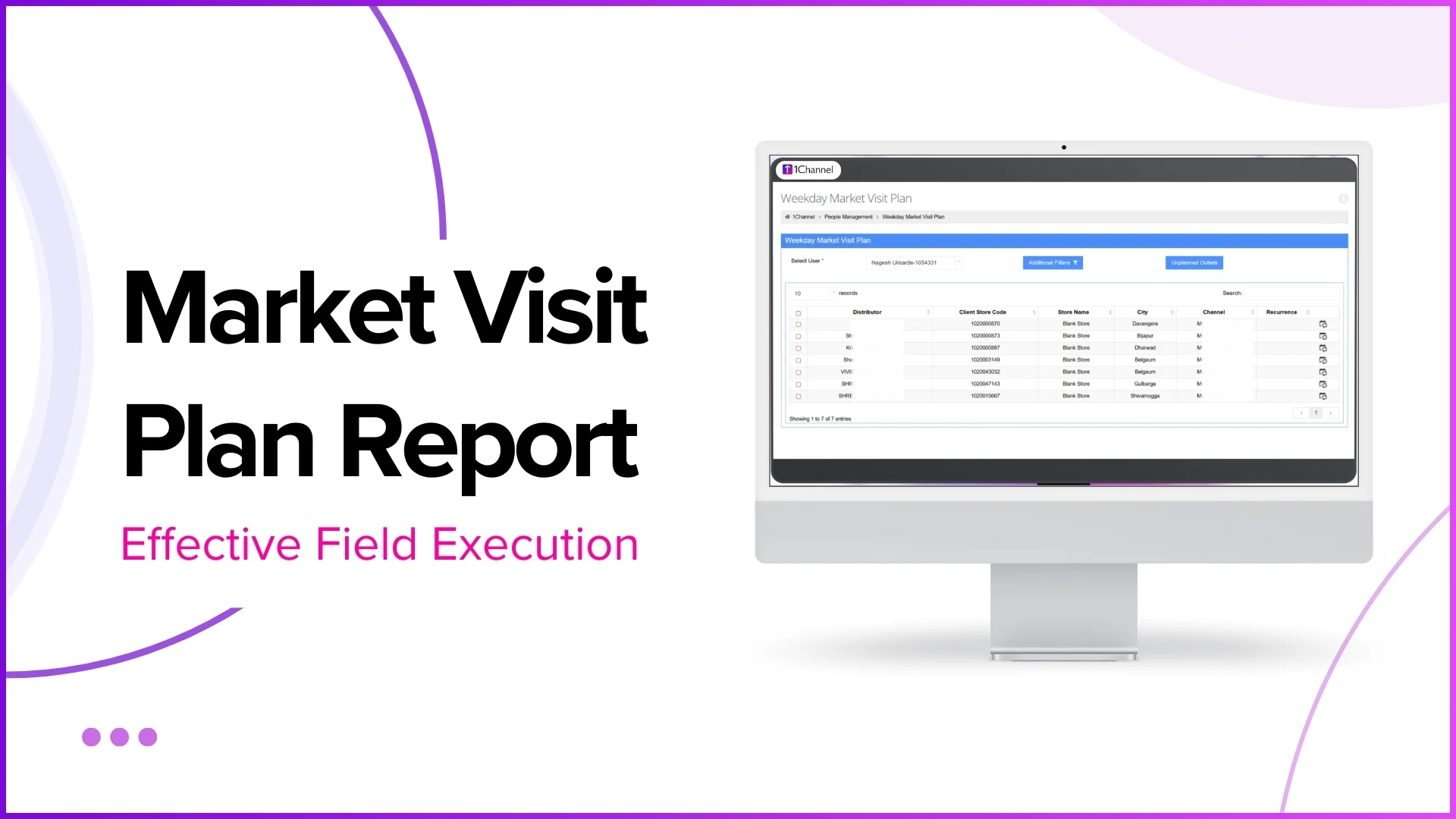
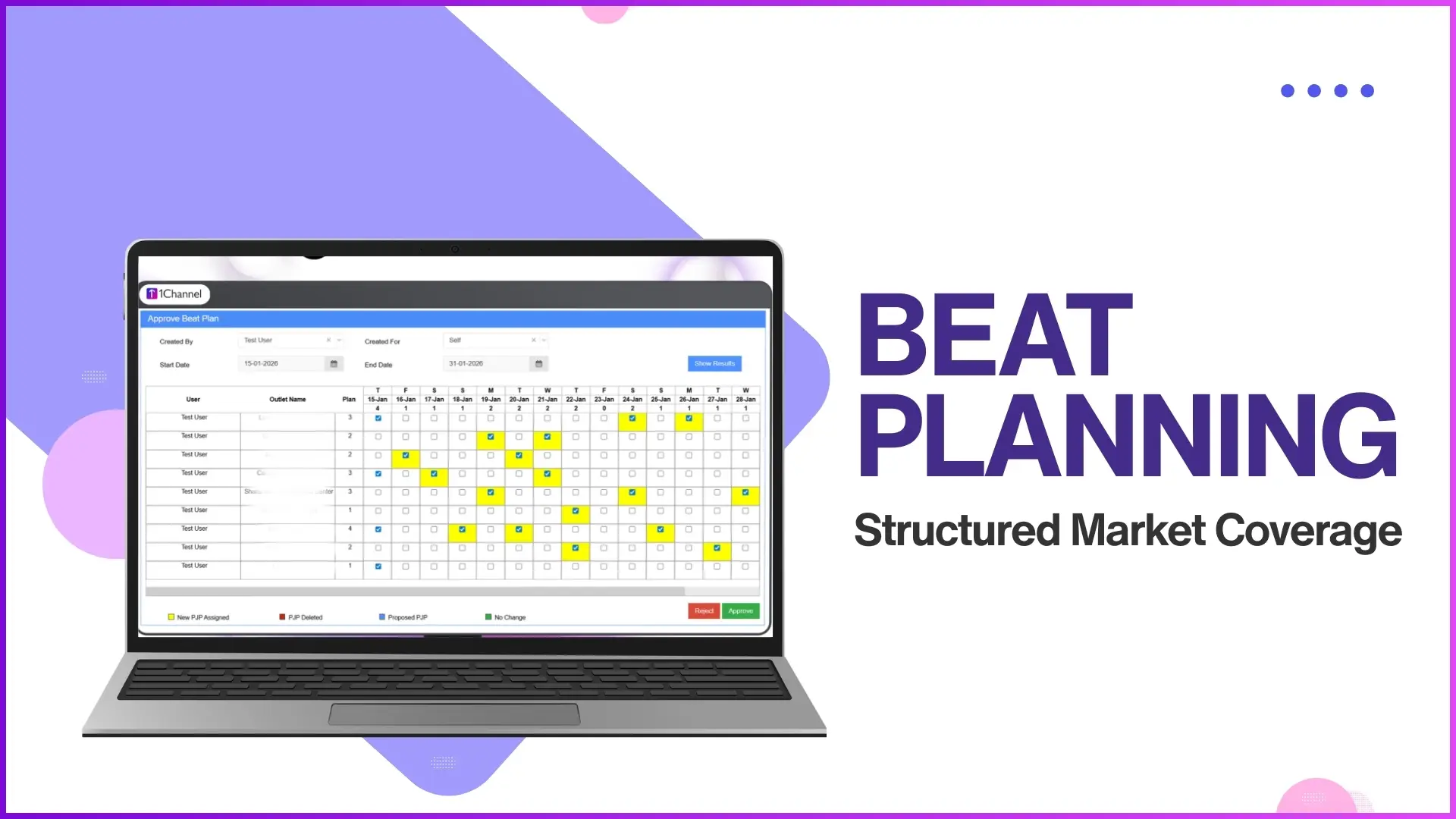
The Market Visit Plan lists each outlet's category, channel and city against the days of the week. An admin ticks which outlet a rep visits on which day.
That makes it easy to see whether a rep's week includes specifiers and installers, or only dealers.
Plans don't have to be built one tick at a time. They can be uploaded from a template, keyed on store and user, or set as a recurring weekday pattern.
3. Prove the Visit, Even Without an Order
Reps check in when they arrive and check out when they leave. Check-out shows a visit summary, including how long the visit lasted.
Where a geofence is set, check-in works only inside the outlet's mapped area. If the rep can't get to a site, a telephonic visit can be logged instead.
When no order is placed, the rep picks a reason from a list the business configures. A specifier meeting can have its own reason, so it is recorded as what it was, not as a lost order.
See Every Channel Your Team Covers
1Channel's SFA tags outlets by channel, plans visits to specifiers, installers and distributors alike, and records every visit with a check-in, a check-out and a reason when no order is placed.
Explore 1Channel's Sales Force Automation →4. Record What Was Discussed
A visit to an architect matters for what was said. Market Working lets the business build questionnaires that reps fill in during a visit.
Questions can be multiple choice or open text, and one answer can open a different set of follow-up questions. A reporting head reviews each submission, corrects anything that needs it and approves it.
5. Keep Unplanned Visits on the Record
Not every useful visit is on the plan. A rep passing a project site may stop in.
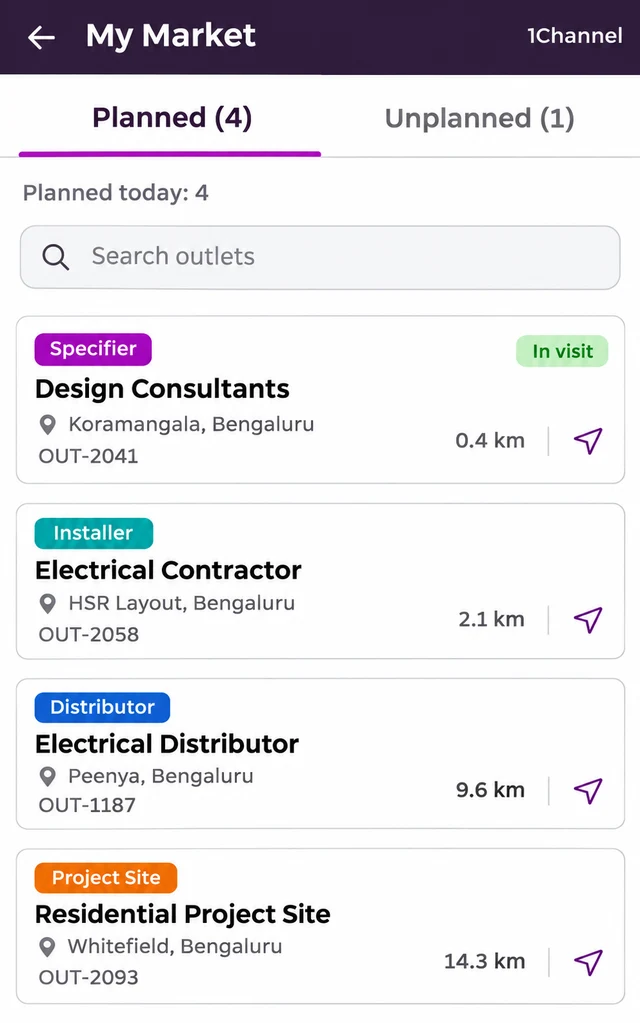
The rep's app splits the day into Planned and Unplanned tabs. Before an unplanned check-in completes, the rep selects a reason.
Each outlet's recent visits then show which were unplanned and which were productive, so the outlet's history stays complete.
Implementation Snapshot
Five things to set up before the next visit plan goes out:
| What to set up | Where |
|---|---|
| Channels for specifiers, installers, distributors and project sites | Outlet channel and classification |
| Visit plans that include every channel | Market Visit Plan, or a template upload |
| A no-order reason for specifier and installer meetings | Reason for No Order list |
| A questionnaire for specifier visits | Market Working |
| Reports filtered by channel | Outlet channel tags |
Frequently Asked Questions
1. Who counts as a specifier?
Anyone who decides which brand goes into a project without buying it, such as architects, interior designers and consultants.
2. Can an SFA record a visit that ends without an order?
Yes. The rep checks in and out as usual and picks a no-order reason from a list the business sets.
3. Can specifier visits be planned separately from dealer visits?
Yes. Every outlet carries a channel, and the Market Visit Plan shows it, so visits can be planned channel by channel.
4. What if a rep visits an outlet that isn't on the plan?
It is logged as an unplanned visit, and the rep selects a reason before the check-in completes.
Note: Software screens may vary based on your business structure and configured workflows.