Take a Malaysian merchandising auditor walking into a hypermarket on a Saturday morning. The brand pays for six SKU facings on the eye-level shelf; the planogram puts the third SKU between the second and fourth.
What the auditor sees instead is a competitor's pack in the third slot. The brand's third SKU is pushed down to the bottom shelf, and a hand-written price tag contradicts the campaign.
Image recognition does the same audit in two seconds, on every visit, without the auditor noticing. What follows is what counts as a violation, where image recognition replaces the manual check, and how a Malaysian rollout typically lands.
Table of Contents
What "Planogram Violation" Actually Means
A planogram is the brand's instruction set for how a category should sit on the shelf: SKU sequence, facing count, share of space, price-tag placement, and POSM positioning.
A violation is anything that drifts from the instruction. Wrong SKU in the slot, missing facings, swapped pricing, faded POSM, a competitor encroaching the brand's bay: each counts.
The cost of the violation is not in the violation itself. It is in how long the violation persists before someone catches it. Manual audits catch it days later; image recognition catches it the next visit.
Where Image Recognition Replaces the Manual Audit
The two workflows look similar from the rep's side but diverge sharply once the photo is uploaded:
| Step | Manual Audit | Image Recognition Workflow |
|---|---|---|
| Photo capture | Rep takes a photo for the record | Rep takes a photo against the planogram template |
| Validation | Supervisor reviews photos weekly | The cloud AI engine validates the photo within seconds |
| Coverage | A sample of stores per cycle | Every store, every visit |
| Consistency | Depends on the auditor's eye | The AI applies the same rules across every photo |
| Speed | Reports land 3 to 7 days later | Reports land within minutes of upload |
| Cost per store | High at scale (auditor time) | Flat regardless of scale |
How 1Channel Retail Merchandising Runs Planogram Detection for Malaysian Stores
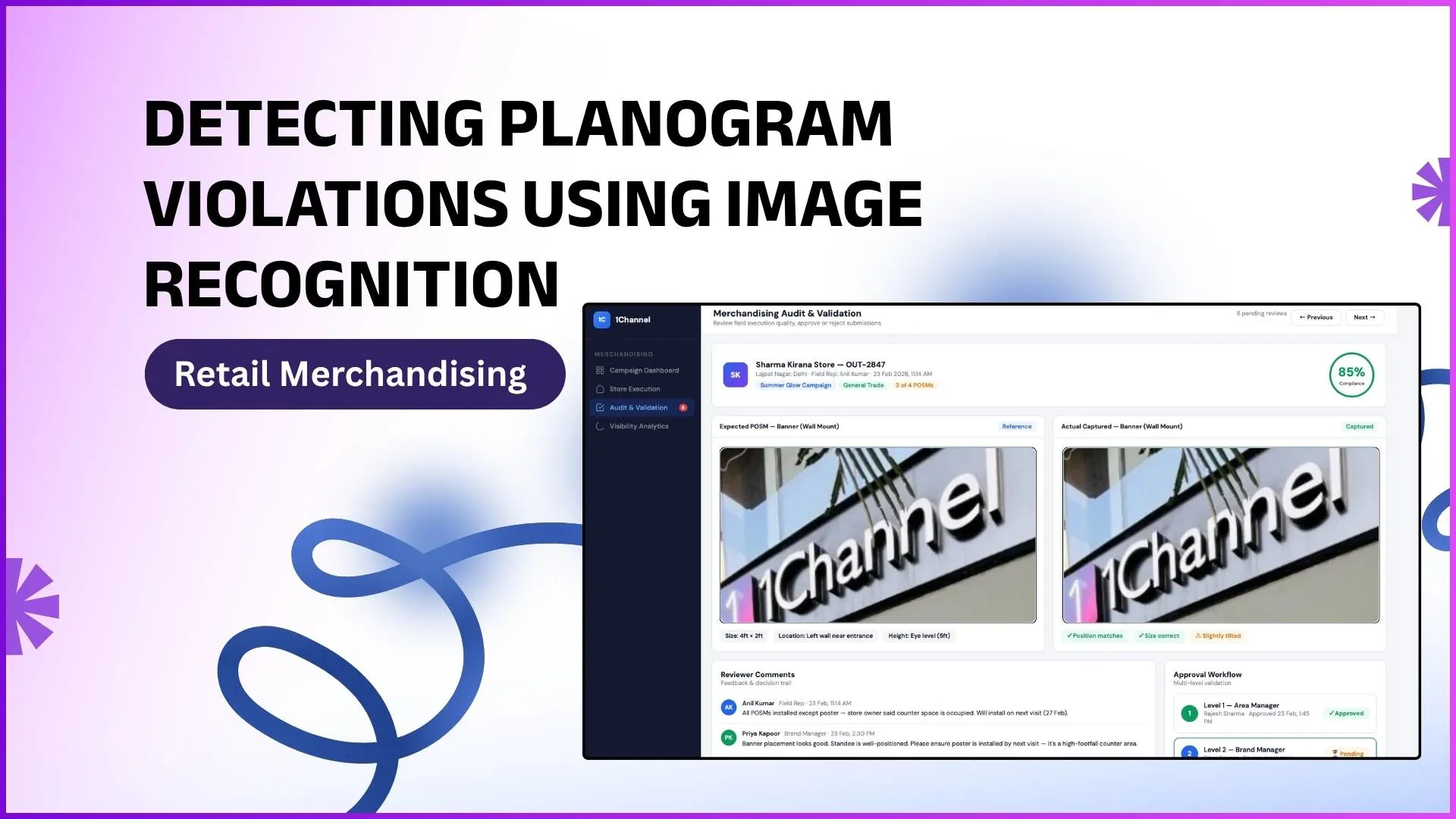
1Channel runs planogram detection through its cloud retail merchandising suite. The rep captures the shelf photo from the app; the platform runs it against the brand's planogram template; the AI engine flags violations against the rules in the admin console.
1Channel's AI engine reads four signals in every shelf photo: SKU position, facing count, share of space, and POSM placement. Each signal carries a violation score against the planogram baseline.
New planogram templates, violation thresholds, audit checklists, and dashboard widgets go live the same day they are approved, with an automated dry-run preview against the existing store base.
Explore Retail Merchandising Mobile App
1Channel's cloud retail merchandising mobile app captures shelf photos with AI-driven planogram detection and automated violation alerts for Malaysian stores.
Explore Retail Merchandising App →Action Checklist for Going Live in 60 Days
Five actions to land in the first 60 days of running image recognition on Malaysian stores:
- Lock the planogram templates. Brand teams sign off on the canonical template per SKU bay and per chain. The image recognition needs a baseline to score against.
- Train the field reps on capture angles. The AI needs a consistent angle and distance. A two-day field training on capture technique is the difference between 70 percent and 95 percent recognition accuracy.
- Pilot in 25 stores for 2 weeks. Run the full workflow end to end on a small sample. Measure capture success rate, violation false-positive rate, and end-to-end latency.
- Tune the violation thresholds. Out of the box, the AI flags everything. Tune the thresholds against the pilot data so the dashboard surfaces what the merchandising team will actually act on.
- Set the review cadence. Daily for the first month while the team builds confidence; weekly thereafter, with monthly deep dives on patterns.