A distributor calls to ask why an invoice landed below the regional rate everyone else pays. The answer is usually the order in which price lists get checked.
This post covers the three price list types, the four-step order the system resolves them in, and what the platform charges when none of them match.
Price variation of this kind runs deepest in Pharma, Cosmetics, Consumer Durables, and Agriculture distribution.
In each of them, one SKU reaches super stockists, distributors and retailers at rates that were negotiated separately, months apart.
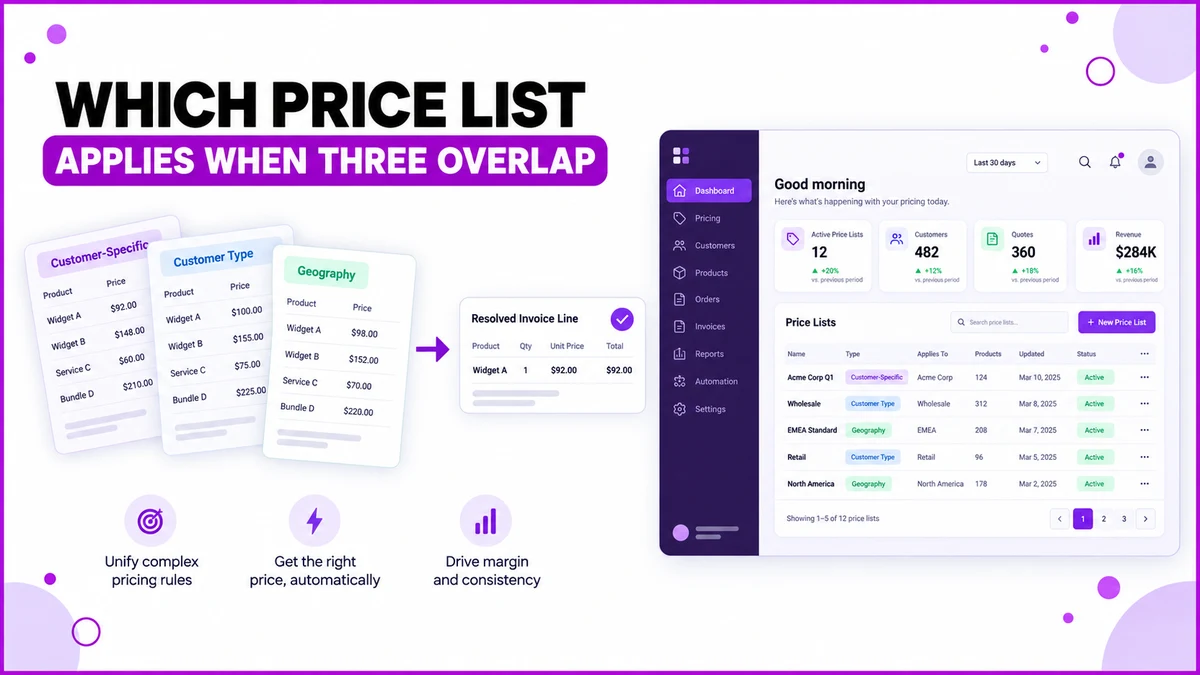
Where a Price Can Come From
The price master holds three list types, each written for a different reason.
- Customer-Specific — built for one named account, usually a rate agreed during a contract renewal.
- Customer Type — applied to a whole tier at once, such as every Super Stockist or every Distributor.
- Geography — driven by the customer's location in the configured geographic hierarchy.
A single account can sit inside all three at the same time. That overlap is normal, and it is exactly why a resolution order exists.
Four Steps, Checked in Order
The platform works down this list and stops at the first match it finds.
| Step | Price source | Why it usually exists |
|---|---|---|
| 1 | Customer-specific price list | A rate negotiated with one account |
| 2 | Customer-type price list | Super stockists buying below distributors |
| 3 | Geography price list | Regional pricing across the sales territory |
| 4 | SKU fallback price | Nothing above covers this sale |
Once step one matches, steps two and three are never consulted for that line. A named account effectively opts out of every broader list.
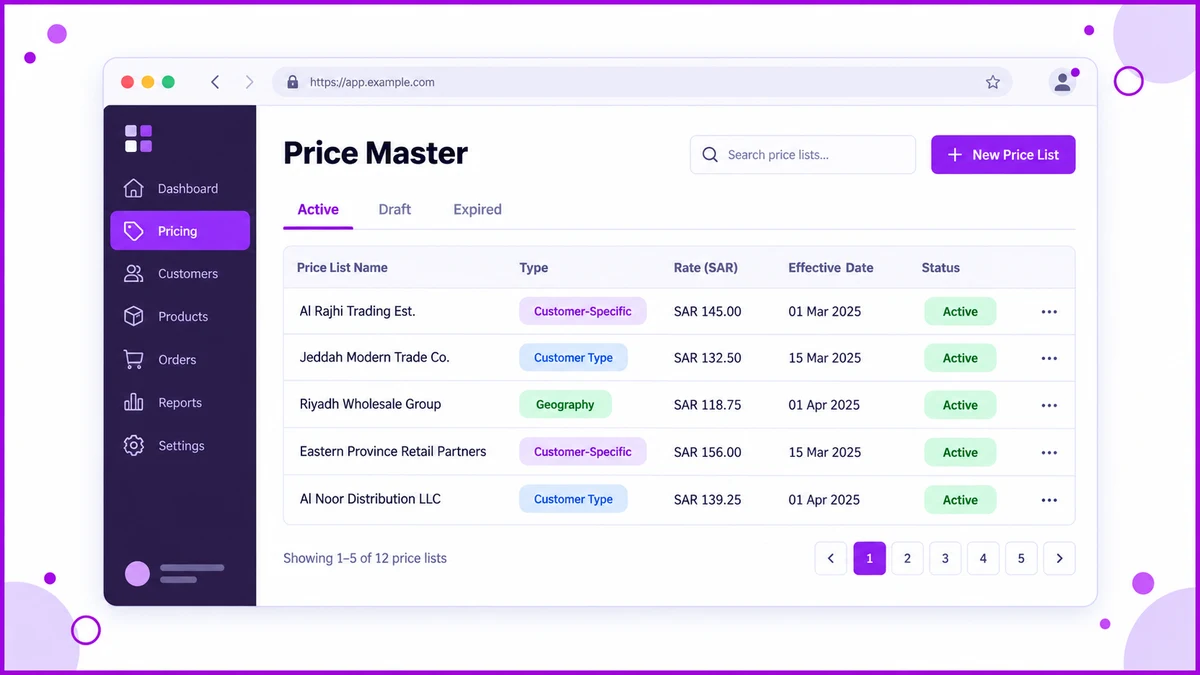
Two Orders, Two Different Rates
A super stockist in Riyadh is covered only by a customer-type list, at SAR 14.20 per unit.
No customer-specific entry exists for that account, so step two supplies the price and the order bills at SAR 14.20.
The same SKU then ships to a distributor in the Eastern Province, holding a negotiated rate of SAR 15.60 recorded as a customer-specific list.
Step one matches immediately, so the region's SAR 16.10 entry never enters the calculation.
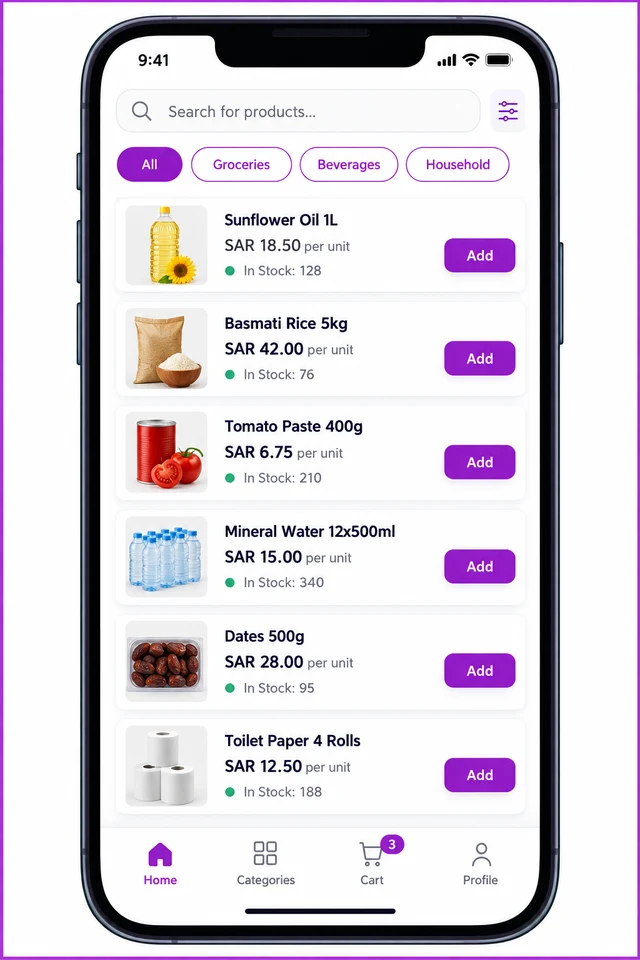
The rep placing that order never sees the comparison. The mobile catalogue shows one resolved figure per SKU, next to live stock.
What Happens When Nothing Matches
Step four is the fallback, and it is configured separately for the two halves of the chain.
- Primary Sales Fallback Price — used for manufacturer-to-distributor sales.
- Secondary Sales Fallback Price — used for distributor-to-retailer sales.
Each one is set to MRP, Selling Price or Cost Price on the SKU record itself.
Leaving them unconsidered is the quiet failure mode. An order still needs a number, so a sale can quietly go out at cost.
Schemes are then applied on top of whichever price resolved, rather than replacing it.
How 1Channel Resolves Overlapping Price Lists
1Channel keeps all three list types in one price master, with the resolution order fixed and visible rather than buried in configuration notes.
An admin writes the narrow lists where they are genuinely needed, and the cloud platform settles every overlap automatically at order entry.
Put Every Negotiated Rate in One Price Master
See how account-level, tier-level and regional rates sit together in a single system for Saudi Arabia, so every order bills at the price you actually agreed.
Explore Pricing Management Software →Common Mistakes to Avoid
- Writing a customer-specific list for an account that only needs the tier rate, which then blocks every future tier-wide revision.
- Building regional lists before customer-type lists, so distributors and super stockists in one region share a price they should not.
- Leaving both fallback prices unset, which sends unmatched sales out at whatever the SKU record happens to carry.
- Editing a live list to test a rate, instead of raising a new list and letting the resolution order decide.
Note: Software screens may vary based on your business structure and configured workflows.