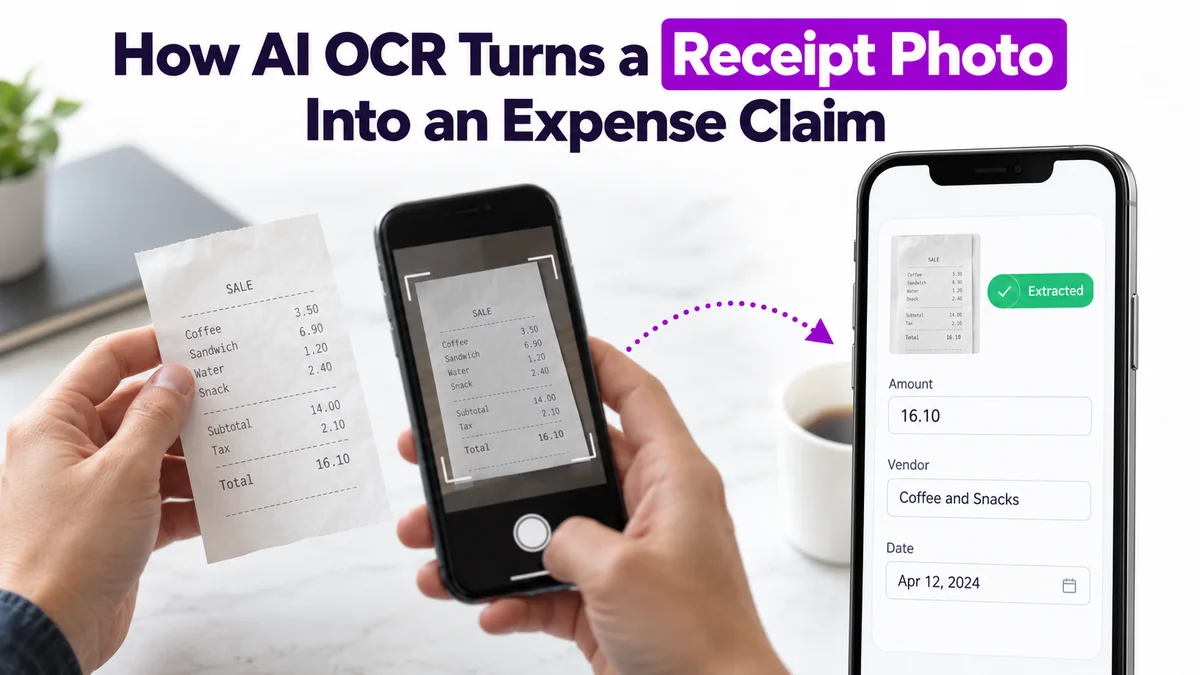
A field sales representative finishes a client meeting, pays for lunch, and receives a printed receipt. Instead of manually entering the expense details later, the representative opens the mobile app, takes a photo, and lets AI read the receipt.
That is how AI-powered Optical Character Recognition (OCR) simplifies expense claims.
For businesses managing hundreds of field employees, this small change can reduce repetitive data entry, improve expense documentation, and make reimbursement easier to manage.
Why Manual Expense Claims Slow Down Field Teams
Field employees regularly spend money on travel, fuel, meals, accommodation, and other business activities.
Traditional expense reporting often involves several steps:
- Collecting and preserving paper receipts.
- Manually entering expense amounts and vendor details.
- Uploading supporting documents.
- Submitting claims for manager approval.
- Following up on reimbursement status.
When employees submit multiple claims every month, these activities can become time-consuming. Manual entry also creates opportunities for incorrect amounts, missing receipts, and incomplete submissions.
AI OCR helps simplify the first part of this process by turning receipt images into usable expense information.
How AI OCR Converts a Receipt Into an Expense Claim
OCR is a technology that reads printed or handwritten text from images and converts it into digital information. When combined with AI, it can help identify useful fields from a receipt rather than simply returning a block of text.
Here is how the process works.
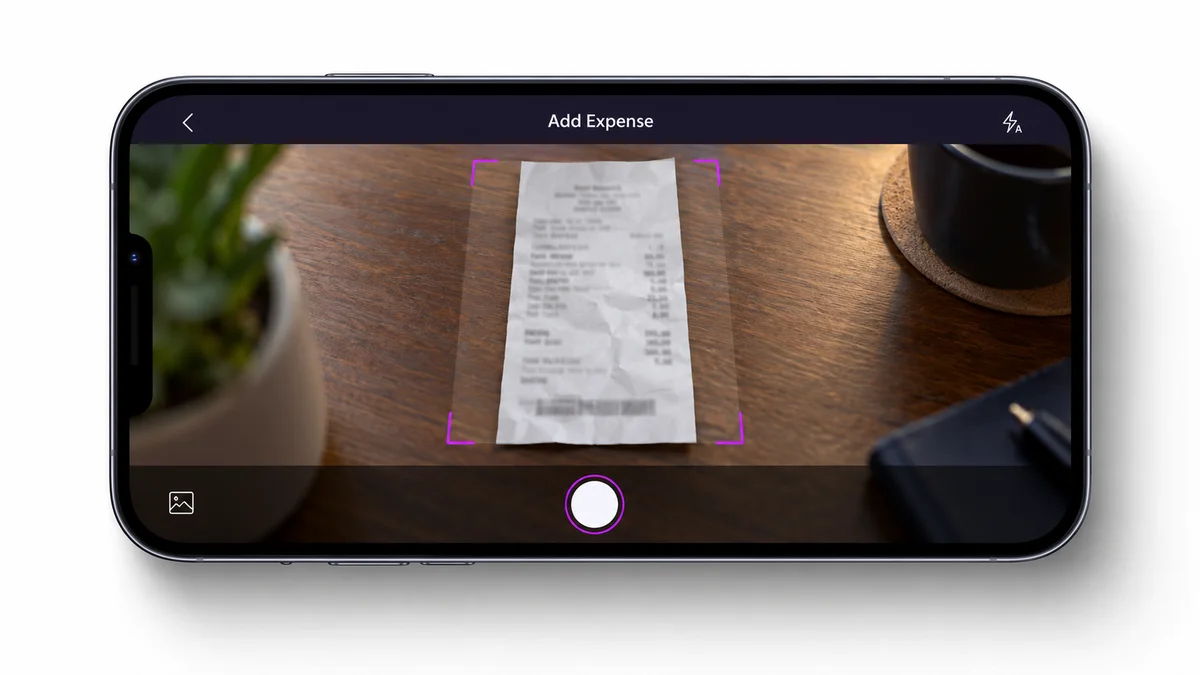
Step 1: Capture the Receipt
The employee opens the expense management section of the mobile application and takes a picture of the receipt.
For example, a sales representative completing a customer visit photographs a ₹850 restaurant bill.
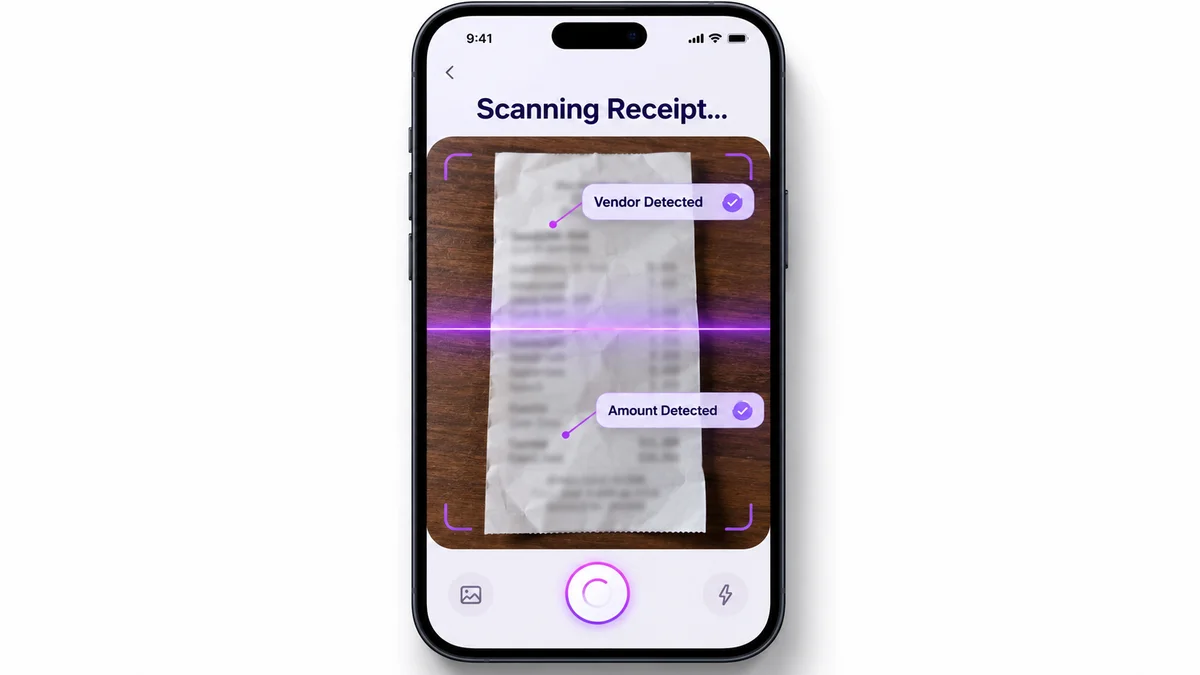
Step 2: AI Extracts Receipt Details
The OCR engine processes the image and identifies information such as the expense amount and vendor name.
Instead of typing these details manually, the employee can use the extracted information to prepare the claim.
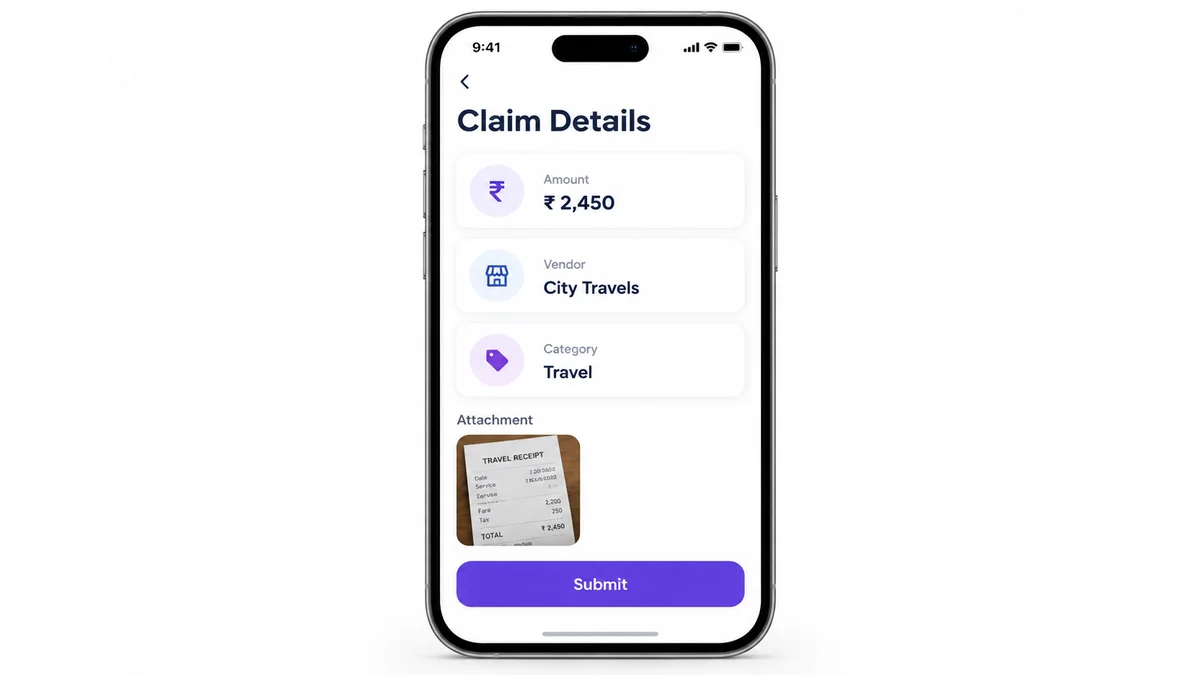
Step 3: Pre-Fill and Review the Claim
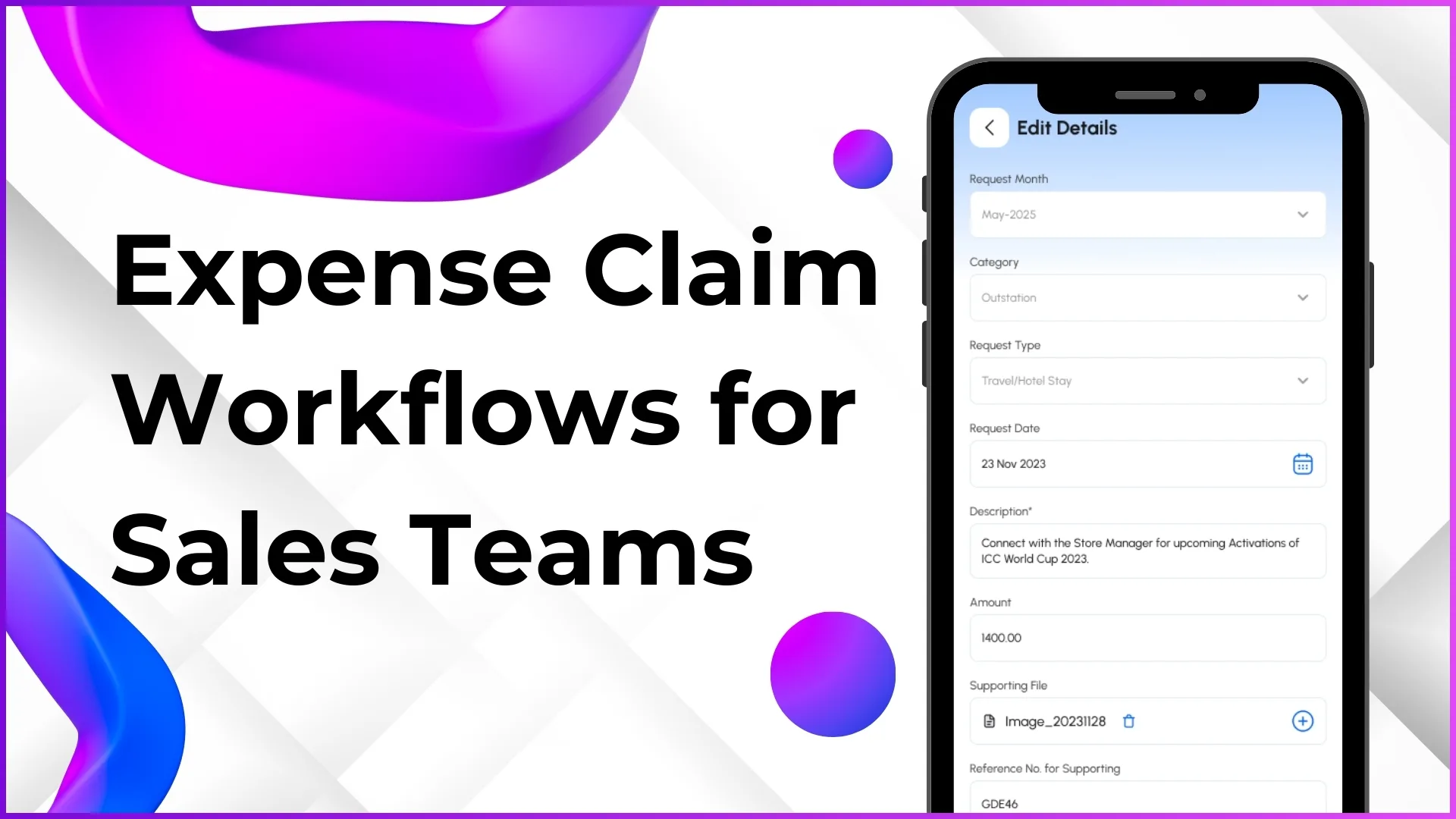
The extracted details populate relevant claim fields. The employee reviews the information, corrects any reading errors, and selects the appropriate expense category where required.
The original receipt remains attached as supporting documentation.
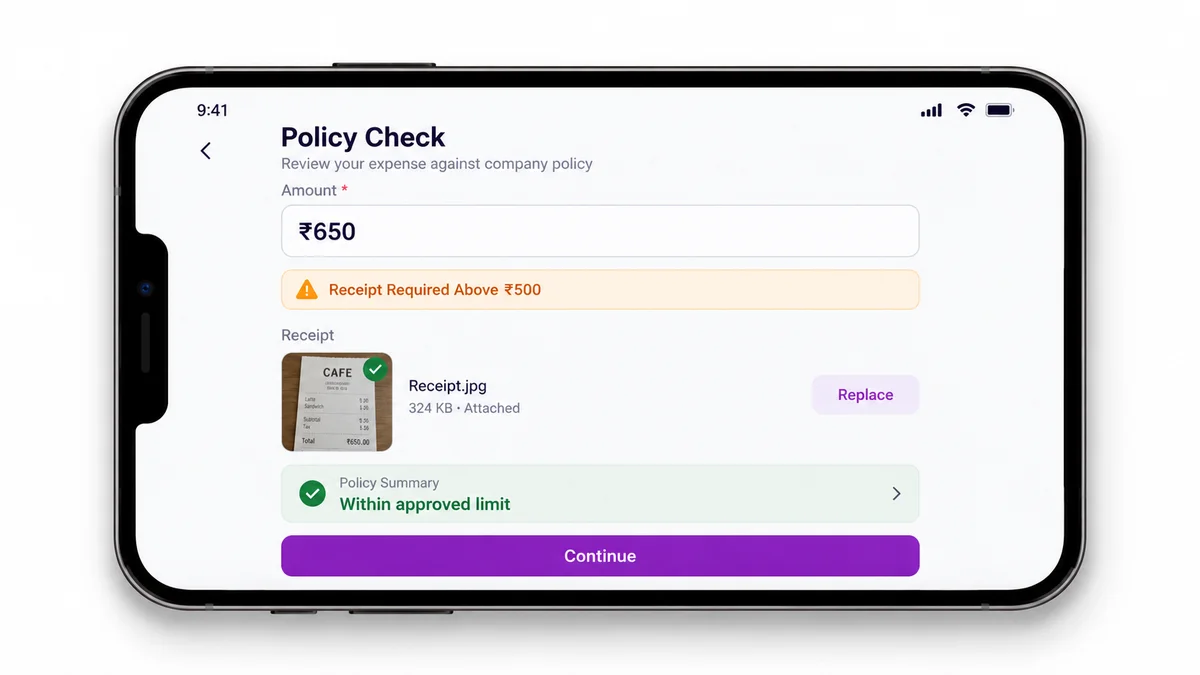
Step 4: Apply Expense Policies
The expense management system evaluates the claim against configured policies.
For example, an organization might require a receipt for Travel Expense claims above ₹500, or mark certain categories as mandatory regardless of amount.
If a claim falls outside the permitted rules, the system can flag it before submission.
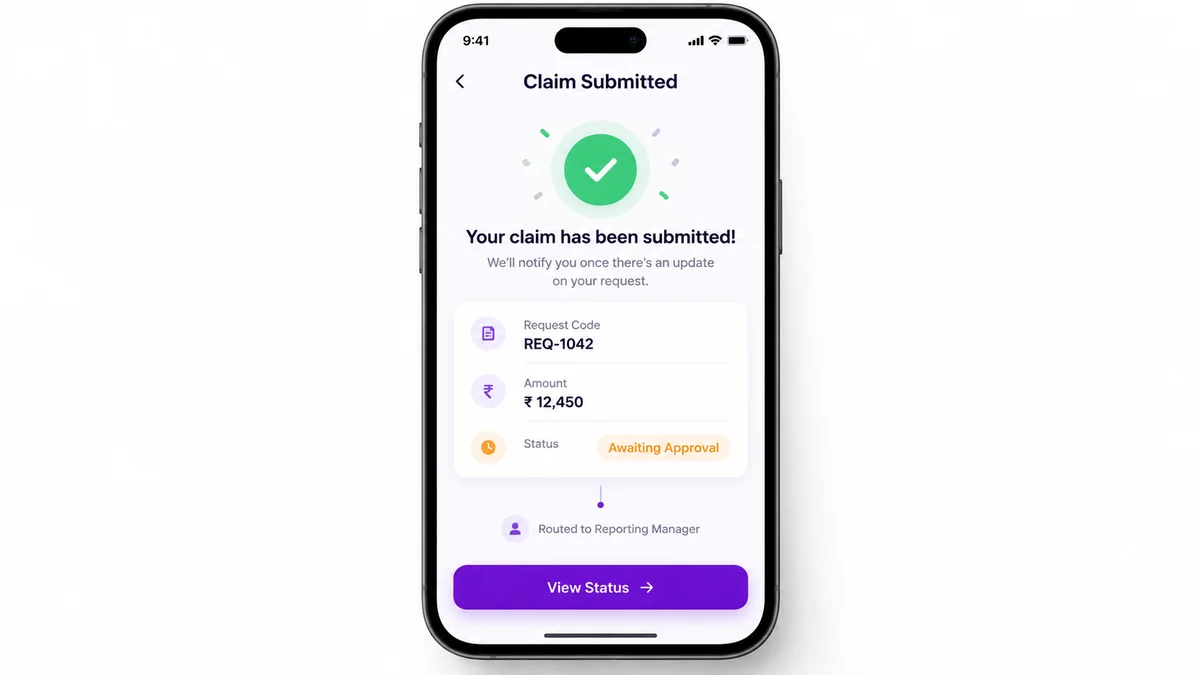
Step 5: Submit for Approval
Once the information is confirmed, the employee submits the claim.
The system generates a request record and routes the claim through the configured approval workflow. Managers can review the amount, supporting receipt, and relevant claim details before making a decision.
The important distinction: OCR extracts information from the receipt. Expense policies and approval workflows determine how the claim is processed.
A Practical Example: From Fuel Receipt to Expense Claim
Imagine a field representative travelling between several retail outlets.
After refuelling, the representative receives a printed receipt for ₹1,180.
With AI-assisted expense capture:
- The employee photographs the fuel receipt.
- OCR extracts the amount and vendor information.
- The employee reviews the pre-filled details and selects Fuel & Vehicle.
- The system checks the claim against the applicable fuel expense policy.
- The claim is submitted to the appropriate approval workflow.
The employee no longer needs to retype every recognized detail from the receipt.
The same approach can be applied to other supported expense categories, including meals, accommodation, and business travel.
How AI OCR Helps Managers and Finance Teams
The benefits extend beyond quicker submission.
- Less manual data entry: Employees spend less time copying information from receipts into expense forms.
- Better supporting documentation: Digital receipts remain associated with their respective claims, making verification more convenient.
- Consistent expense rules: Configured policies help ensure employees submit claims according to the organization's reimbursement requirements.
- Faster claim review: Managers receive structured claim information and supporting documents in the approval interface.
- Improved expense visibility: Digital claim records make it easier to monitor pending approvals and track reimbursement progress.
OCR does not eliminate the need for verification. Poor image quality, faded printing, or unusual receipt formats can still produce inaccurate results, so employee review remains important.
Why Choose 1Channel for AI-Enabled Expense Management?
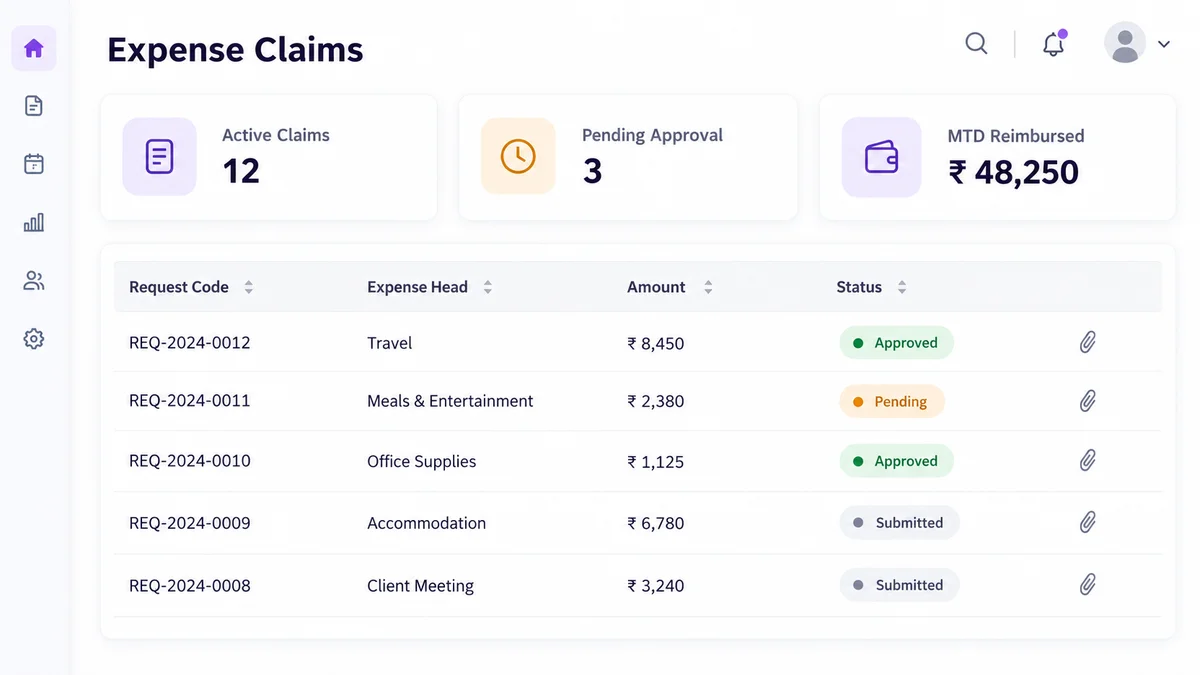
1Channel Expense Management Software brings mobile expense submission, receipt capture, claim policies, hierarchical approvals, and reimbursement tracking into one connected workflow. Its OCR receipt-scanning capability can extract receipt amounts and vendor names to pre-fill claim information, while configurable expense heads and approval rules help organizations manage reimbursement consistently. Employees can monitor claim progress through the mobile app, while managers review submitted claims through the admin portal.
Explore 1Channel Expense Management Software →Together with 1Channel AI, these capabilities support a more streamlined approach to field sales operations without relying on disconnected paperwork.
Frequently Asked Questions
1. What is AI OCR in expense management?
AI OCR uses image recognition and text extraction to read receipt information and convert relevant details into digital fields that can be used in an expense claim.
2. Can AI OCR automatically fill expense claim details?
Yes. An OCR-enabled expense system can extract supported information, such as vendor names and amounts, and pre-fill claim fields. Employees should review the extracted details before submitting.
3. Does AI OCR automatically approve expense claims?
No. OCR handles data extraction. Approval depends on configured expense policies, reimbursement limits, and manager approval workflows.
4. Can field sales employees submit expenses from their phones?
Yes. Mobile expense management enables employees to create claims, attach receipts, submit requests, and track claim status from their smartphones.
5. What happens after an expense claim is approved?
Depending on the organization's configuration, an approved claim moves into reimbursement processing and may be synchronized with payroll or the relevant disbursement workflow.
Note: Software screens may vary based on your business structure and configured workflows.