In any loyalty application, flexibility is key to meeting diverse client requirements. One of the most powerful capabilities that enables this flexibility is custom field configuration in the admin panel.
It allows businesses to define exactly what data they want to capture, how it should behave, and how it integrates into the overall workflow.
This blog explains how custom field configuration works, why it matters, and how it supports different loyalty program use cases with examples drawn directly from real system behaviour.
What is Custom Field Configuration in Loyalty?
Custom field configuration refers to the ability to create and manage data input fields within the admin panel of a loyalty application.
Instead of relying on fixed fields, admins can:
- Create new fields
- Define field types
- Set validation rules
- Control whether fields are mandatory or optional
This ensures that the platform adapts to the business not the other way around.
Why Custom Field Configuration is Important
Every loyalty program operates differently. Some require basic user details, while others need detailed KYC, purchase data, or partner classification.
Custom fields allow:
- Program-specific data collection
- Better validation and accuracy
- Personalized workflows
- Seamless integration with external systems
For example, a retailer-based program may only need basic details, while an influencer program may require invoice data, product details, and approval workflows.
Key Components of Custom Field Configuration
1. Field Creation and Management
Admins can create new fields directly from the admin panel.
Example:
In a partner enrolment module, fields such as:
- Name
- Mobile Number
- Partner Type
can be created and managed from the backend.
These fields form the foundation of user data within the loyalty system.
2. Field Type Selection
Each field can be assigned a specific type depending on the data it needs to capture.
Common field types include:
- Dropdown fields
- Numeric fields
- Text fields
- Data list fields
Example:
If capturing "Partner Type," a dropdown can be configured with options like:
- Retailer
- Contractor
- Architect
This ensures standardized data entry.
3. Mandatory vs Optional Fields
Admins can decide whether a field is required or optional.
Example:
- Mobile number → Mandatory
- Profile picture → Optional
- KYC details → Optional at registration, but required later
This flexibility allows smooth onboarding without overwhelming users initially.
4. Field Validation Rules
Validation ensures that the data entered follows the correct format.
Example:
- PAN number must follow a specific format
- Aadhaar number must meet digit requirements
- Numeric fields accept only numbers
This reduces errors and ensures compliance, especially in financial transactions.
5. Dynamic Dropdown Configuration
Dropdown values are not fixed they can be defined and updated from the admin panel.
Example:
If a business expands into new regions, new location options can be added instantly without changing the app.
Custom Fields in Action: Real Use Cases
1. Enrolment Data Capture
During partner registration, custom fields capture essential details.
Example:
A self-registration form may include:
- Name
- Mobile number
- Location
- KYC details (PAN, Aadhaar, bank details)
Admins can configure which fields appear and when.
2. Invoice-Based Data Entry
In programs where users upload purchase details, custom fields define the structure of the form.
Example:
An influencer submitting a purchase may fill:
- Product name
- Diameter
- Quantity
- Invoice value
- Purchase date
- Retailer name
All these fields are configured from the backend.
3. QR Code-Based Programs
While QR scanning drives the action, backend fields define product mapping.
Example:
Each QR code is linked to:
- Product SKU
- Points value
These attributes are configured using backend field logic.
4. Approval Workflows
Custom fields also support multi-level approval systems.
Example:
- Retailer verifies invoice details
- Sales team gives final approval
Fields like "Approval Status" and "Retailer Tagging" are configured to enable this process.
5. Segmented Campaigns
Custom fields enable targeted communication.
Example:
- Region-based campaigns
- Partner-type specific schemes
A user from the North region may see different offers than a user from the South region based on configured attributes.
Integration with Workflows
Custom fields are closely tied to workflow automation.
Admins can define triggers such as:
- When purchase status = Approved → Allocate points
- When nomination is approved → Send data to external system
- When action occurs → Trigger SMS or notification
Example:
After a purchase is approved:
- Points are credited automatically
- A notification is sent to the user
All of this is driven by field-based logic.
Bulk Data Management Using Custom Fields
Admin panels also allow bulk upload and editing using Excel files.
Example:
- Upload partner data in bulk
- Update existing user information
- Modify field values across multiple users
This is especially useful for large-scale loyalty programs.
Reporting and Insights Using Configured Fields
Every custom field contributes to reporting and analytics.
Admins can generate:
- Enrolment reports
- Transaction reports
- Raw data exports
Example:
A report may include:
- Member type (fabricator, contractor, etc.)
- Location
- Activity status
This helps businesses track performance and make informed decisions.
How 1Channel Loyalty Enables Custom Field Flexibility
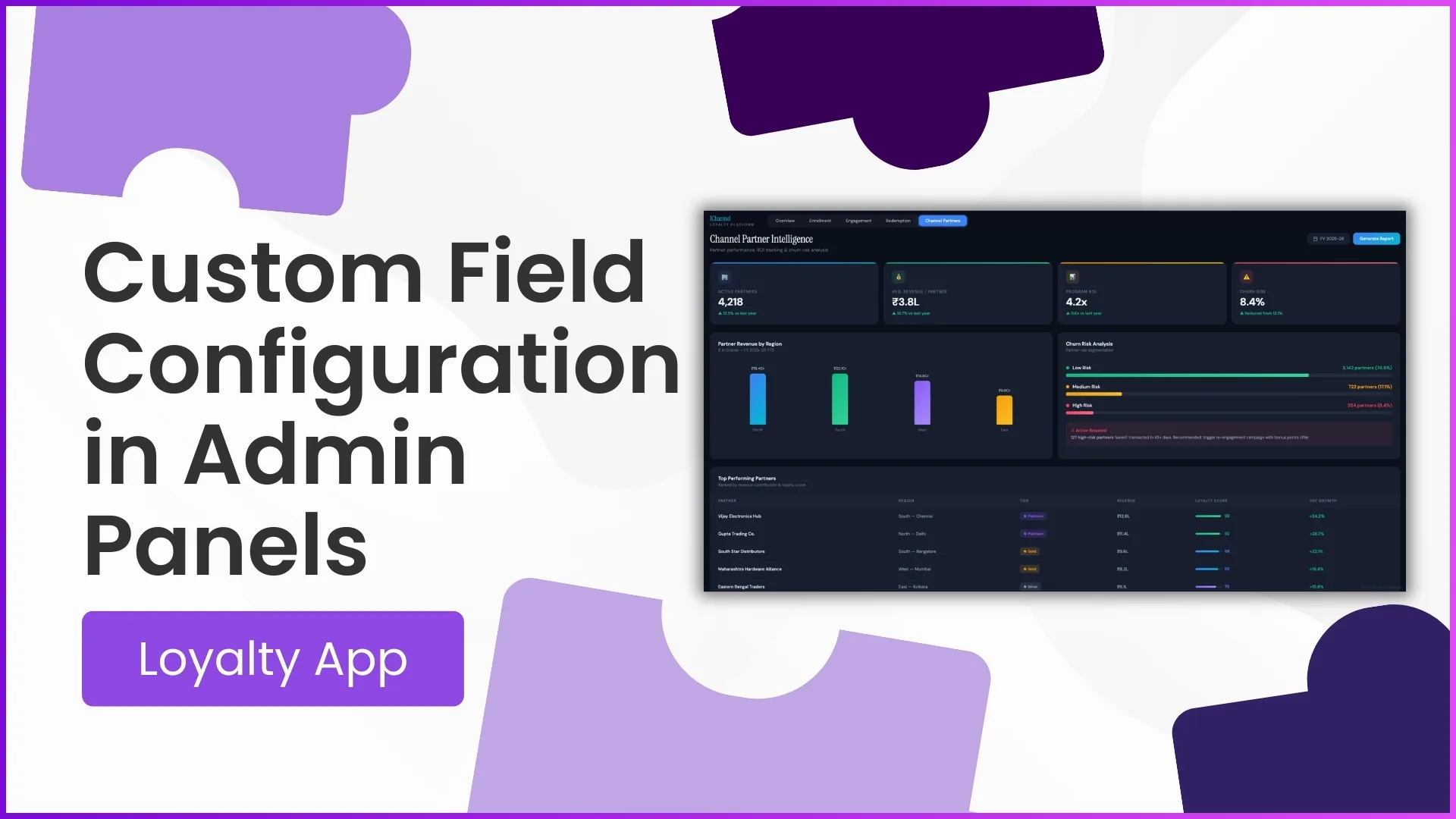
1Channel loyalty platform is designed to provide complete control over field configuration through its advanced admin panel.
With 1Channel Loyalty, businesses can:
- Create unlimited custom fields
- Define validations and formats
- Build dynamic workflows
- Enable seamless integrations
- Configure region and role-based data structures
This ensures that every loyalty program can be tailored precisely to business needs—without technical complexity.
Build Flexible Loyalty Programs with Custom Field Configuration
1Channel Loyalty Management Software empowers businesses with complete control over custom field configuration, enabling dynamic data capture, validation rules, workflow automation, and seamless program management tailored to your unique needs.
Explore Loyalty Management Software →Conclusion
Custom field configuration is the backbone of a flexible and scalable loyalty application. It empowers businesses to define how data is captured, validated, and used across the system.
From enrolment to transactions, approvals, and reporting every aspect of the loyalty program depends on how well these fields are configured.
A well-designed admin panel with robust field customization capabilities ensures:
- Better data accuracy
- Seamless operations
- Personalized user experiences
- Scalable program management
FAQs
1. What is the purpose of custom fields in a loyalty app?
Custom fields allow businesses to capture program-specific data and customize how information is collected and used.
2. Can fields be made optional or mandatory?
Yes, admins can configure each field as mandatory or optional based on program requirements.
3. How are validation rules applied to fields?
Validation rules ensure data accuracy by enforcing formats such as numeric inputs, PAN structure, or required digit lengths.
4. Can custom fields be used in workflows?
Yes, workflows use field values to trigger actions like point allocation, approvals, and notifications.
5. Is it possible to update fields after deployment?
Yes, admins can modify field types, dropdown values, and configurations anytime from the admin panel.