In field sales operations, quick access to the right documents can significantly improve team productivity, communication, and compliance. Sales representatives working across stores, territories, and distributor networks often need instant access to product brochures, training manuals, compliance guidelines, promotional decks, and store-specific instructions.
This is where document management in field sales software becomes highly important.
A well-designed document management system ensures that field employees can easily access the latest files directly from their mobile app, while admins can centrally upload, organize, and control what content is visible to different users.
What Is Document Management in Field Sales Software?
Document management is a centralized system within field sales software that allows businesses to upload, organize, distribute, and manage important files for their field workforce.
As per the uploaded SFA software document, this functionality is available inside the Settings module under "Document Management" through a Document Tree structure.
This module is primarily used for managing files such as:
- Product catalogs
- Sales decks
- PDF manuals
- Training documents
- Brand guidelines
- Store compliance checklists
- Policy documents
- Promotional materials
The purpose is simple: make critical business documents available directly inside the user's login screen.
Organize Documents Effortlessly for Your Field Teams
1Channel's Field Activity Management Software helps businesses centrally manage sales decks, training manuals, compliance documents, and promotional materials through a structured Document Tree system accessible directly from the mobile app.
Explore Field Activity Management Software →How Does the Document Management Process Work?
The workflow is quite straightforward and highly useful for field teams.
1. Admin Uploads Documents from the Portal
The process starts from the admin portal.
As explained in the transcript, if the business wants certain files or PDFs to be available for users, the admin can upload them from the Document Management screen.
This may include:
- product brochures
- updated pricing sheets
- campaign instructions
- sales scripts
- compliance documents
- brand visuals
Since this happens from the backend portal, the organization maintains centralized control over all documentation.
2. Files Are Organized in a Document Tree
The uploaded document specifically mentions "Document Tree" under this module.
This means files can be arranged in a structured hierarchy, similar to folders and subfolders.
For example:
- Sales Documents
- Product Catalogs
- Pricing Sheets
- Schemes
- Training Materials
- Onboarding PDFs
- SOPs
- Compliance Guides
- Campaign Documents
- POSM Instructions
- Offer Decks
- Retail Execution Guidelines
This structured tree makes it easier for field users to quickly find the required document.
How Do Field Employees Access Documents?
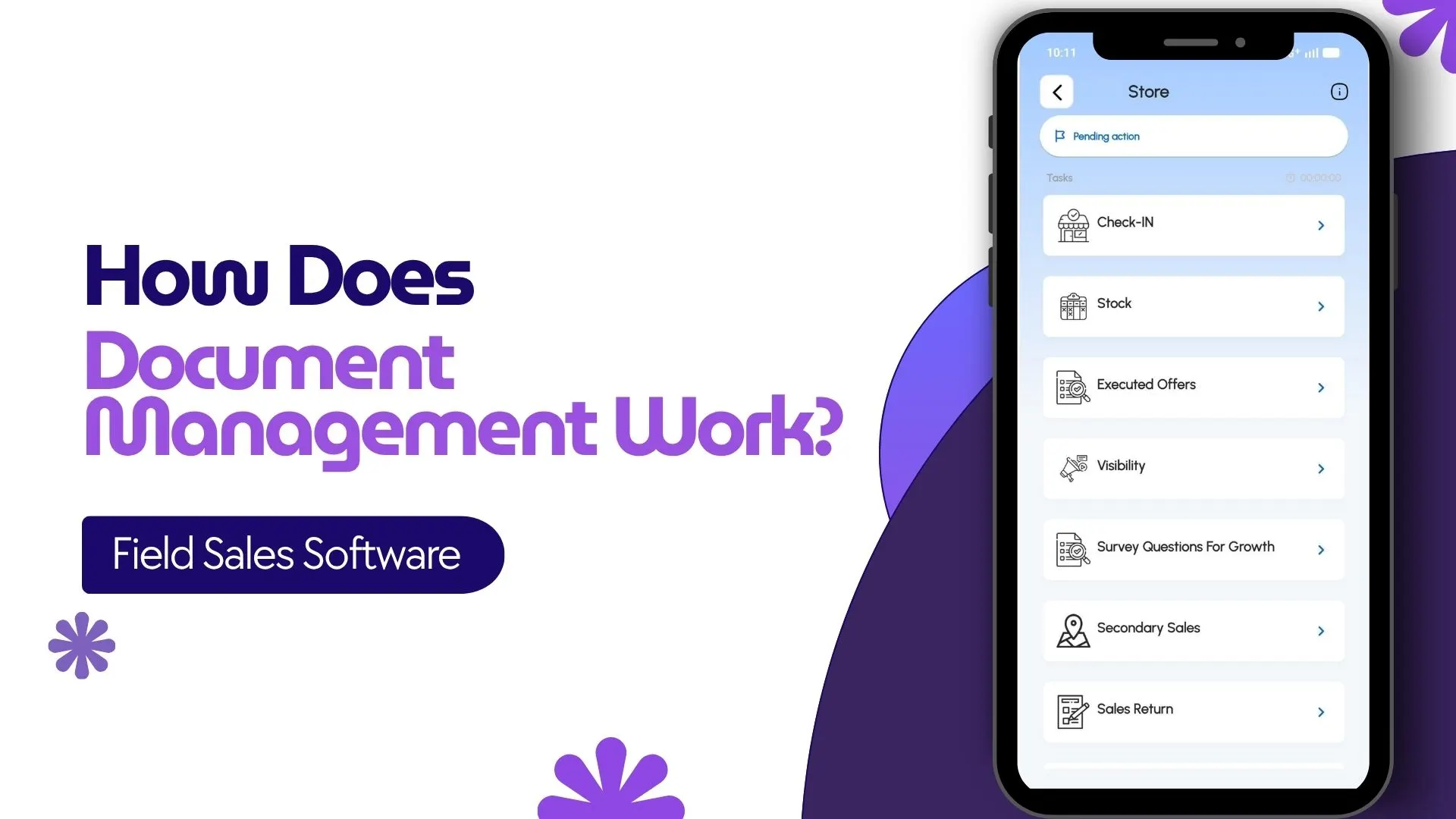
Once uploaded, the documents become available on the mobile app login dashboard for field users.
The transcript clearly states that the purpose is to make files present on the user's login screen so they can read them easily.
This aligns well with the mobile app screens you shared, where Content Decks is visible directly on the employee dashboard.
This means a field employee can:
- log in to the app
- open the dashboard
- access assigned content decks or documents
- read files before store visits
- use documents during sales discussions
This improves field readiness and ensures better sales execution.
Can Users Download the Documents?
Yes.
The transcript also indicates that users can view and download documents from the app.
This is particularly useful for field teams working in low-network areas.
For example, if a sales rep is visiting multiple outlets in remote regions, they can download:
- product brochures
- promotional offer PDFs
- brand display instructions
and use them even when internet connectivity is weak.
This helps maintain continuity during field visits.
How Does It Help During Store Visits?
Document management becomes extremely useful during real-time store visits.
For example, a field executive visiting a retail outlet may need to instantly access:
- product information
- latest offers
- store branding guidelines
- POSM setup instructions
- survey questionnaires
- visual merchandising references
Instead of calling managers or searching through emails, the required documents are already available inside the app.
This speeds up execution and improves store-level accuracy.
Role-Based Visibility for Documents
One of the biggest strengths of field sales software is role-based access.
Since the broader SFA platform supports role-based configurations across modules, documents can also be shared based on user roles and hierarchy.
For example:
- Promoters may see product display instructions
- Team leaders may access performance SOPs
- Managers may view audit frameworks
- Sales executives may get product decks and price lists
This ensures every user only sees documents relevant to their work.
How It Supports Training and Compliance
Document management is not limited to sales files.
It also supports:
- onboarding material
- training manuals
- attendance policies
- claim process guides
- hygiene audit checklists
- HR policies
For growing field teams, this reduces dependency on manual communication and helps standardize processes across cities and regions.
Why Is Document Management Important in Field Sales?
A strong document management system helps businesses solve major field challenges such as:
Version control
Everyone gets access to the latest file.
Faster execution
Sales reps can instantly access materials during outlet visits.
Better training
New joiners can easily access onboarding and SOP documents.
Improved compliance
Audit guidelines and process manuals remain centrally available.
Reduced communication gaps
No need to constantly share PDFs on WhatsApp or email.
How 1Channel SFA Supports Document Management for Field Teams
1Channel SFA helps businesses manage field sales documentation through a centralized document management framework built within its SFA platform.
Through the Document Tree structure, businesses can upload and organize files, while field teams can access them directly through the mobile app dashboard for viewing and download.
This helps sales teams stay updated with:
- product decks
- store visit instructions
- campaign files
- compliance documents
- training resources
all in one place.
Streamline Field Sales with Centralized Document Management
1Channel Sales Force Automation provides comprehensive document management with mobile-first access, role-based visibility, and centralized control to help field teams improve productivity, compliance, and sales execution.
Explore Sales Force Automation →FAQs
What is document management in field sales software?
It is a feature that allows businesses to upload, organize, and share important files such as PDFs, decks, and manuals with field teams.
Can field users access documents from the mobile app?
Yes, users can view documents directly from their login dashboard inside the mobile app.
Can documents be downloaded?
Yes, the uploaded transcript confirms that documents can also be downloaded by users.
What types of files can be managed?
Businesses can manage brochures, sales decks, product manuals, SOPs, compliance files, and campaign instructions.
Why is this important for field sales teams?
It improves access to information, reduces delays, and helps teams execute store visits more effectively.