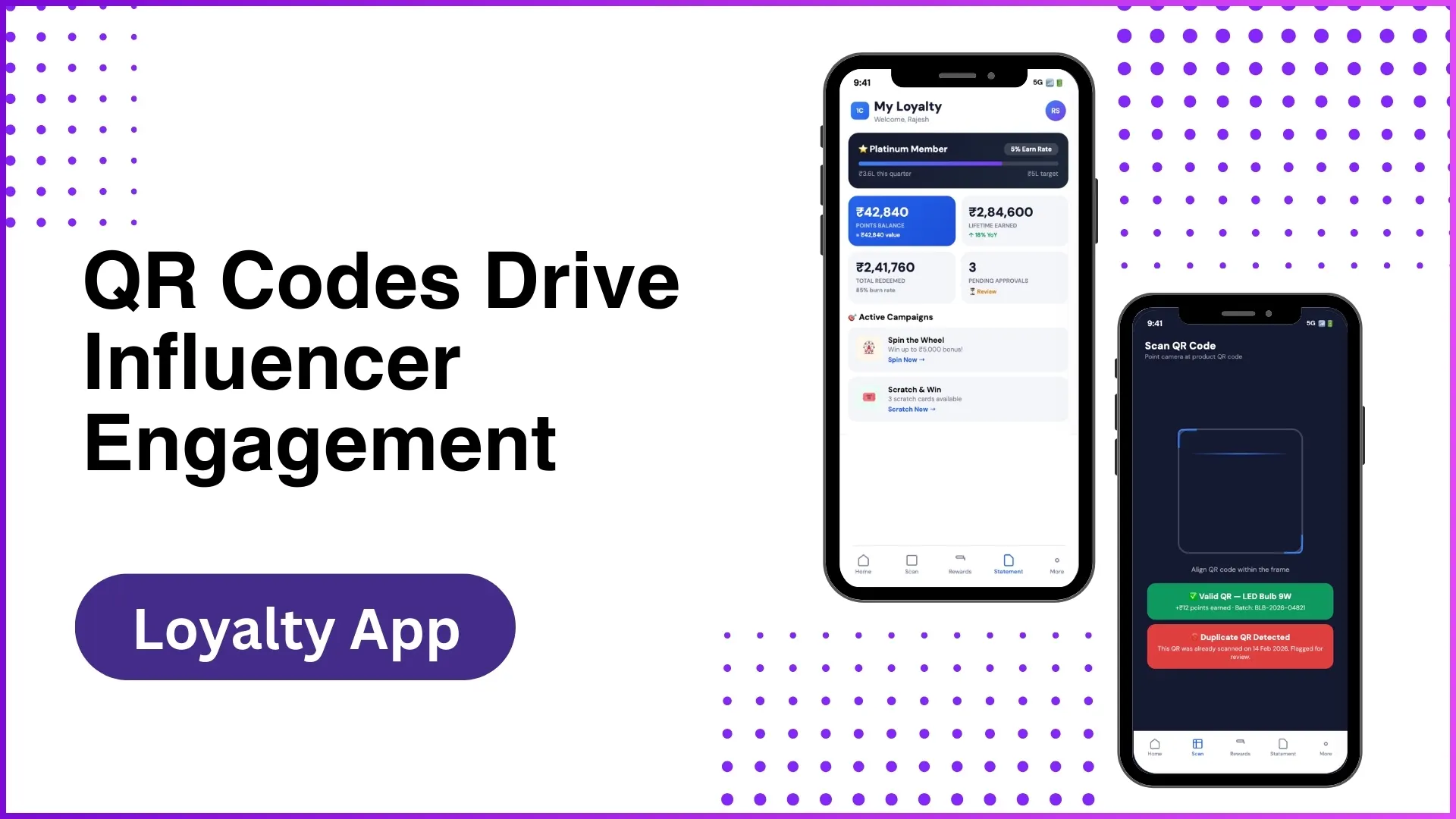
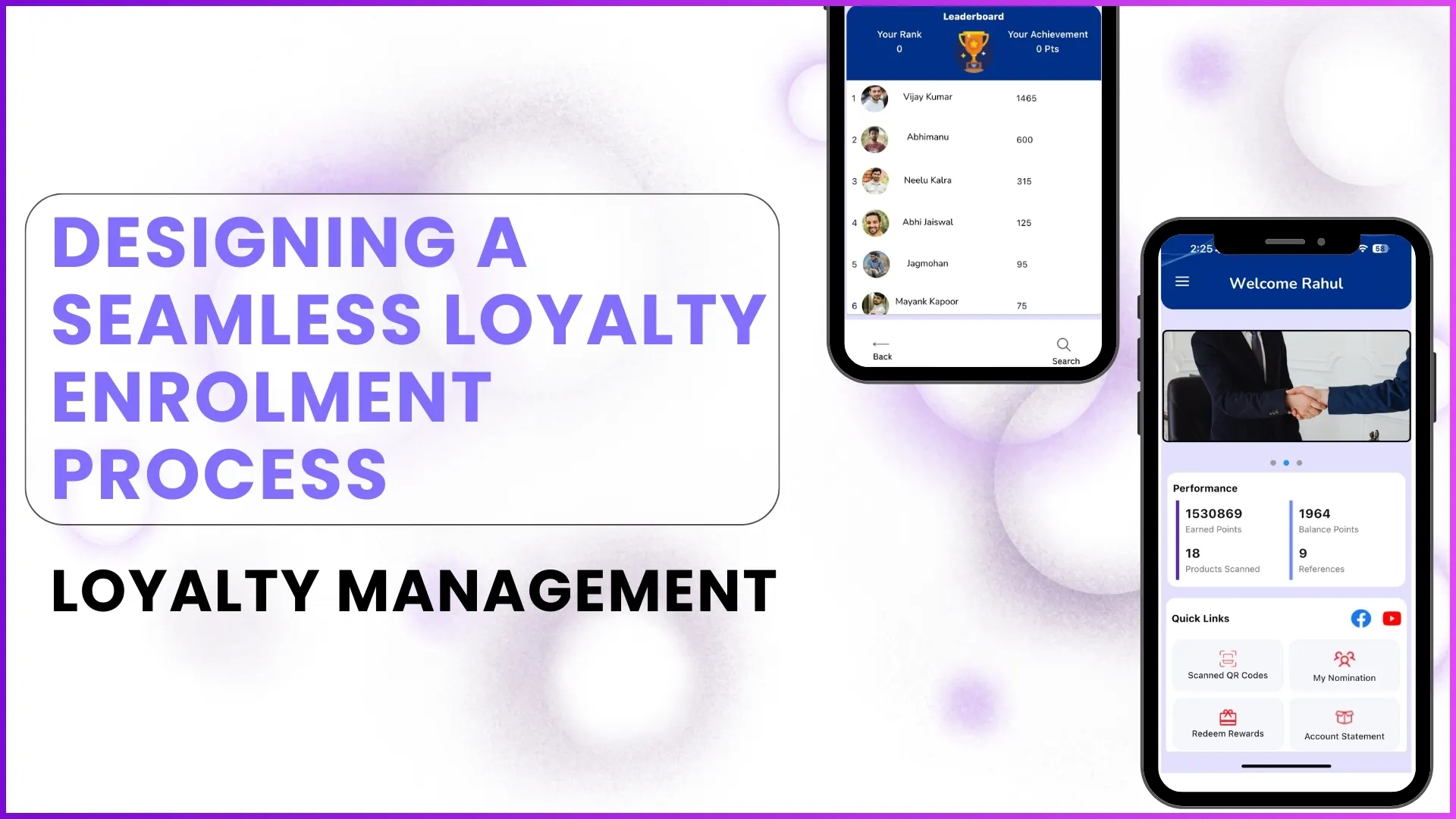
Loyalty programs are no longer limited to reward points and redemption vouchers. Modern loyalty software is designed to track the complete journey of every member from the moment they join the program to their engagement, transactions, rewards, performance, and long-term retention.
A well-structured loyalty platform helps businesses understand where each member stands in the journey, what actions they are taking, and how effectively the program is driving repeat participation.
This is where member lifecycle tracking becomes one of the most important capabilities of loyalty software.
Based on the complete software workflow, mobile application flow, and admin dashboard process, loyalty software tracks every stage of a member's lifecycle through a connected system of enrolment, activity tracking, rewards, engagement, and analytics.
What Is Member Lifecycle in Loyalty Software?
Member lifecycle refers to the complete journey of a user inside a loyalty program.
This journey usually includes:
- Enrolment and onboarding
- Profile completion and verification
- First activity or first transaction
- Ongoing engagement
- Rewards and redemptions
- Tier progression
- Retention and re-engagement
- Inactive or churn-risk monitoring
Loyalty software tracks every one of these stages through both the mobile application and the admin dashboard.
1. Enrolment and Onboarding Tracking
The first stage of lifecycle tracking starts with enrolment.
The software supports multiple onboarding journeys, such as:
- Self-registration
- Backend upload
- Sales team nomination
- API-based onboarding
- Referral or nomination by existing members
From the screenshots, this can be seen through:
- Easy Enrolment
- Nominate Partner
- Add new partner details
- Mobile OTP login
- KYC fields
At this stage, the platform tracks:
- Member name
- mobile number
- region / district / state
- occupation
- partner type
- KYC details
- bank / UPI information
- registration source
The admin dashboard also tracks:
- total enrolments
- recent enrolments
- KYC verified users
- onboarded users
- active members
This helps businesses clearly understand how many members are entering the program and through which source.
2. Activation Tracking After Registration
Joining the program is only the first step.
The next lifecycle stage is activation.
This means tracking whether a member has actually started using the program.
The software tracks activation through first actions such as:
- first QR code scan
- first purchase upload
- first reward redemption
- first nomination
- first login activity
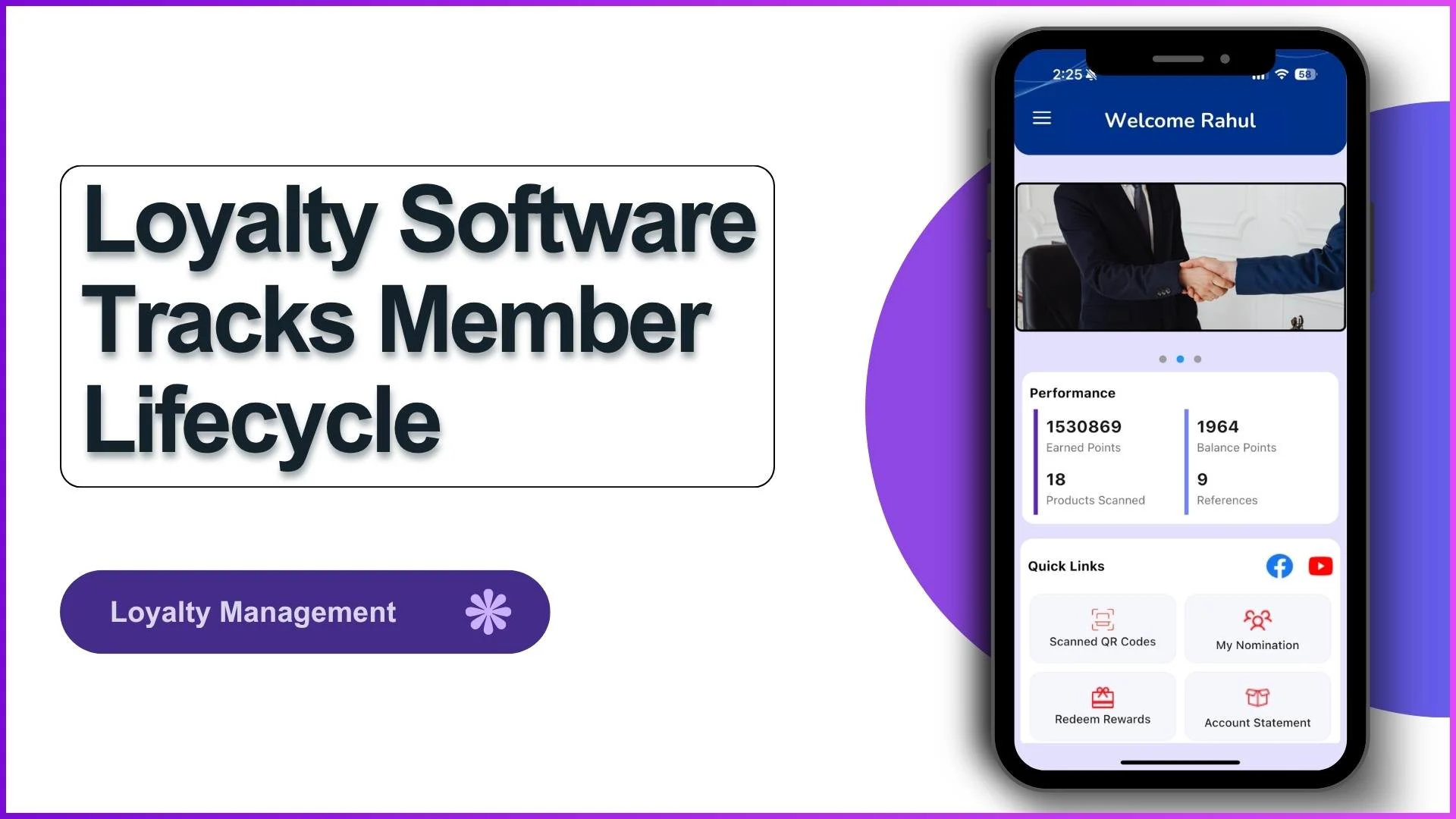
For example, the app dashboard shows:
- Products Scanned
- Earned Points
- Scanned QR Codes
- References
- Purchase entries
These actions indicate whether a newly enrolled member has become active.
This stage is critical because many members enrol but do not engage further.
Lifecycle tracking helps identify such users early.
3. Ongoing Activity and Transaction Tracking
Once activated, the software continuously tracks every member interaction.
This includes all earning activities such as:
- QR code scanning
- sales-linked transactions
- invoice uploads
- purchase approvals
- product volume submissions
- reward claims
The screenshots clearly show this through:
- Add Purchase
- Purchase Items
- Scan QR Codes
- Account Statement
- Order History
Every transaction is stored in the member ledger.
The account statement acts like a lifecycle ledger where every credit and debit entry is recorded.
This includes:
- earned points
- used points
- transaction dates
- order reference numbers
- redemption history
This allows the system to understand member behaviour over time.
4. Tier and Performance Lifecycle Tracking
A major stage in member lifecycle is progression.
Members do not remain static inside the program.
The software tracks how they move across:
- monthly targets
- quarterly targets
- point slabs
- reward tiers
- achievement milestones
The app screenshots show this very clearly:
- Tier Info
- Star Mega
- Target vs Achievement
- Monthly / Quarterly
- Leaderboard rank
This stage helps businesses track:
- how fast members are progressing
- who the top performers are
- who is slowing down
- who needs re-engagement
The leaderboard and performance screens help keep members motivated while giving brands clear lifecycle visibility.
5. Reward and Redemption Lifecycle Tracking
One of the most important lifecycle stages is redemption.
This is where engagement converts into real value.
The software tracks:
- reward catalogue views
- redemption requests
- UPI transfers
- voucher claims
- order fulfilment
- redemption status
From the app screenshots:
- Reward Catalogue
- Claim Rewards
- UPI Transfer
- Bank Transfer
- Order History
This stage helps businesses understand:
- what rewards members prefer
- redemption frequency
- average points used
- pending payouts
- order completion rates
The admin dashboard further tracks:
- total redemptions
- redemption value
- fulfilment time
- payout trends
This is a major lifecycle touchpoint because it directly impacts member satisfaction.
6. Engagement and Gamification Tracking
Lifecycle tracking is not just about transactions.
It also tracks engagement signals.
These include:
- leaderboard participation
- rank movement
- monthly contests
- achievement milestones
- push notification responses
- birthday / anniversary nudges
The screenshots show:
- Leaderboard
- Your Rank
- Your Achievement
- Points earned
These signals help brands understand which members are actively engaged and which members may become inactive.
7. Inactive and Churn Risk Tracking
One of the strongest lifecycle capabilities comes from the admin dashboard.
The dashboard tracks:
- active members
- inactive members
- never active members
- churn risk analysis
- declining participation
This is clearly visible in the admin dashboard screens through:
- Churn Risk Analysis
- Partner Performance
- Member Growth
- Engagement
- ROI tracking
This helps businesses identify members who:
- stopped scanning
- stopped purchasing
- stopped redeeming
- missed targets
- dropped in leaderboard ranking
This stage is extremely important for lifecycle management because it enables reactivation campaigns.
8. Admin-Level Lifecycle Analytics
The backend dashboard gives complete lifecycle visibility.
It tracks:
- enrolments
- activations
- transaction volume
- reward liabilities
- active vs inactive users
- redemption trends
- churn risk
- tier distribution
This allows brands to track the entire lifecycle at scale across regions, states, and partner categories.
The admin video screens strongly support this through:
- Program Overview
- Enrolment Analytics
- Redemption Analytics
- Channel Partner Intelligence
- Member Tier Distribution
This is where lifecycle insights become strategic business decisions.
How 1Channel Loyalty Helps Brands Track Member Lifecycle Better
1Channel Loyalty software helps businesses track the complete lifecycle of every member from onboarding and KYC verification to transactions, rewards, engagement, tier progression, and churn monitoring.
With real-time mobile app visibility and admin dashboard intelligence, brands can manage every stage of the member journey from a single platform while improving participation, retention, and long-term loyalty outcomes.
Track Member Lifecycle with 1Channel Loyalty
1Channel Loyalty Management Software provides complete member lifecycle tracking from enrolment to churn monitoring with real-time dashboards, mobile app integration, and analytics to improve retention and engagement.
Explore Loyalty Management Software →FAQs
How does loyalty software track new members?
It tracks registration through self-enrolment, backend onboarding, API integration, and nominations, along with KYC and profile data.
Can it track inactive members?
Yes, the admin dashboard tracks active, inactive, and never-active members along with churn risk indicators.
How are member activities tracked?
Activities such as QR scans, purchases, approvals, redemptions, and leaderboard movement are continuously tracked.
Does it track reward redemption history?
Yes, complete redemption history including points used, order reference numbers, payout status, and fulfilment is available.
Why is lifecycle tracking important?
It helps brands improve retention, engagement, reward utilization, and reactivation strategies.