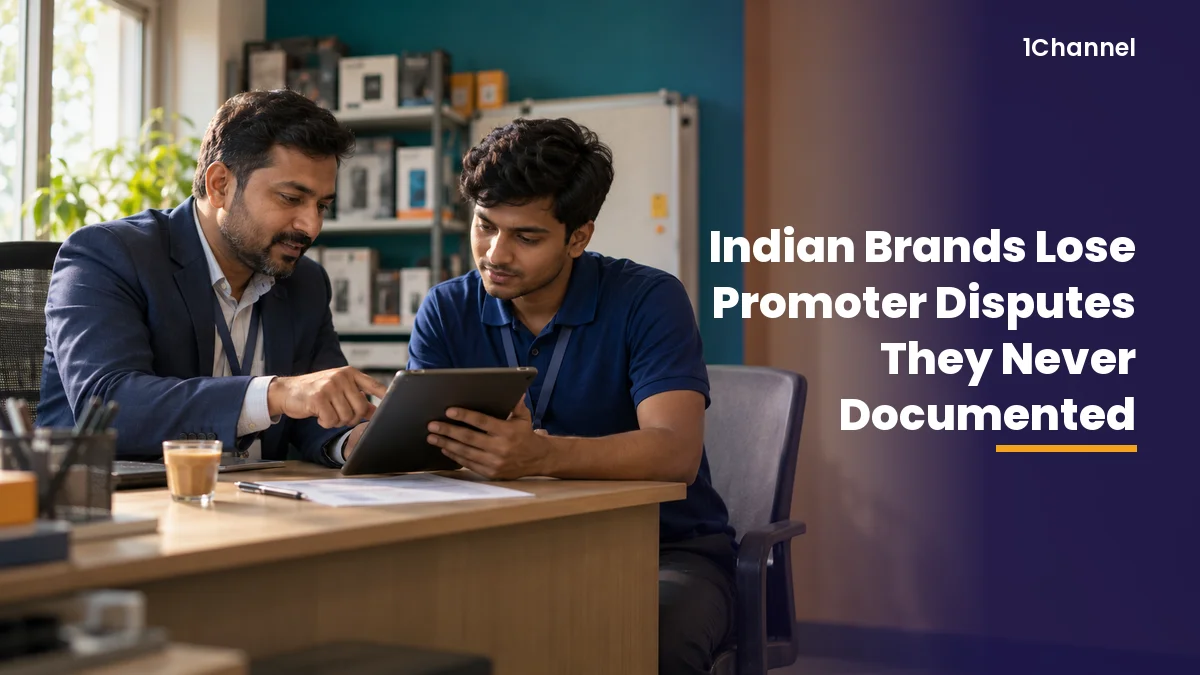
A promoter dispute is decided by what was written down at the time. Not by what the manager remembers, and not by who argues better.
For Indian brands running promoter programmes across FMCG, mobile phones and consumer durables, the record is usually thin. A warning given on a store visit, a WhatsApp message, a number someone recalculated later.
A defensible record has three parts: the dated flag, the promoter's response, and what happened next. Most disputes are lost because one of the three is missing.
What Each Side Can Show When a Dispute Starts
The promoter's claims are predictable. What the brand needs to answer them with is also predictable.
| Promoter's claim | What the brand needs to show |
|---|---|
| "I was never warned" | A dated flag or warning letter, and that the promoter saw it |
| "I was never told what to improve" | An improvement plan with a target and a review date |
| "I had no chance to respond" | An appeal, with its outcome recorded |
| "Others did the same and were not flagged" | The same flag rules applied across the team |
A manager's recollection does not answer any of these. Only a record with a date on it does.
Why the Record Usually Doesn't Exist
- Warnings are verbal. They happen on visit days, in the store, and are never written down.
- Messages leave with the phone. WhatsApp threads sit on a manager's personal number, not with the brand.
- Managers change mid-process. The new manager inherits the promoter, not the history.
- The numbers move. The attendance or sales figure behind a warning gets corrected weeks later, so the warning no longer matches the data.
Each one leaves the brand with a position it believes is right and cannot prove.
How 1View Keeps Every Step on Record
1View, 1Channel's field-force app, handles promoter discipline through Flags & reviews. Each step is recorded in the same app the promoter uses every day.
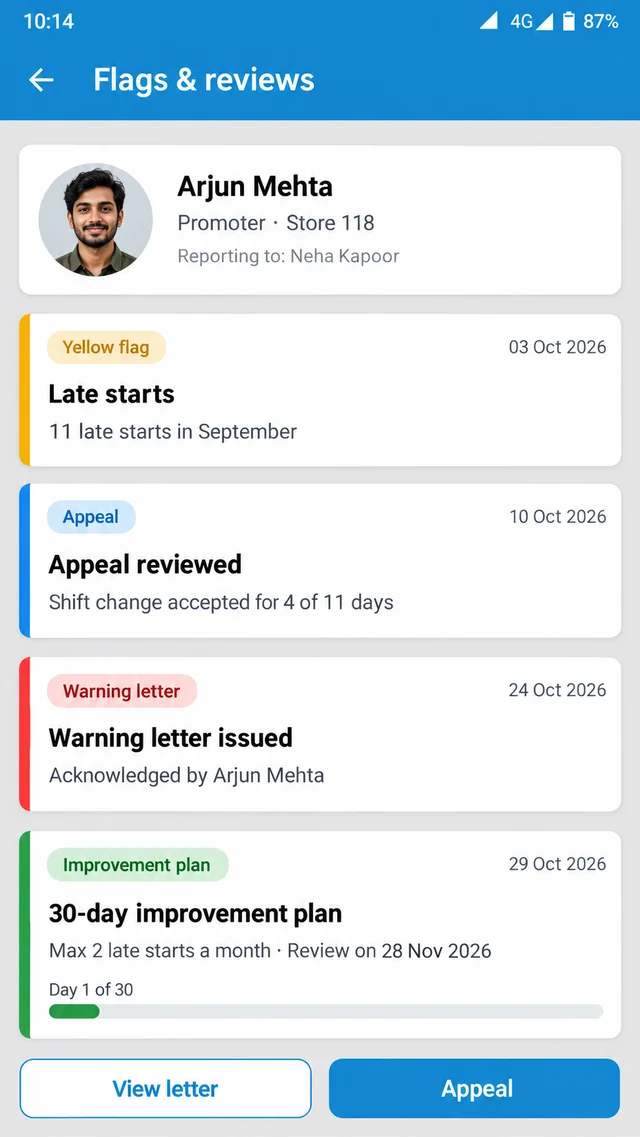
- Red and yellow flags: issues are raised as flags, so a warning has a date and a reason from the start.
- Appeals and warning letters: the promoter can appeal, and the outcome is recorded with the letter.
- Improvement plans and exit review: improvement plans and exit reviews sit on the same record as the flags that led to them.
- Manager Focus: each manager's daily view lists absentees, late starts and people behind target, so a flag follows a visible pattern.
- Locked results: KPI scorecards lock each month's results, so the figure behind a flag cannot change later.
- Flags in reports: flags appear in the ready reports alongside attendance and targets, with Excel export.
Fair Discipline Starts With a Record Both Sides Can See
1View, 1Channel's field-force app, records every red and yellow flag, appeal, warning letter, improvement plan and exit review in one place. Managers act on dated facts, and promoters see the same record they are being measured against.
Explore 1Channel's Sales Force Automation →One Promoter, Two Versions of the Same Eight Weeks
An illustrative promoter is late eleven times in a month. Here is how the next eight weeks look with and without a record.
| Week | Documented | Undocumented |
|---|---|---|
| 1 | Yellow flag raised: 11 late starts, dates listed | Manager mentions it during a store visit |
| 2 | Promoter appeals, citing a shift change; appeal reviewed, 4 of 11 accepted | Promoter explains over WhatsApp |
| 4 | Warning letter issued for the remaining 7, acknowledged in the app | Second verbal warning |
| 5 | 30-day improvement plan: no more than 2 late starts a month | "Improve or else" |
| 9 | Review: 1 late start, plan closed | Manager has moved roles; nobody knows the status |
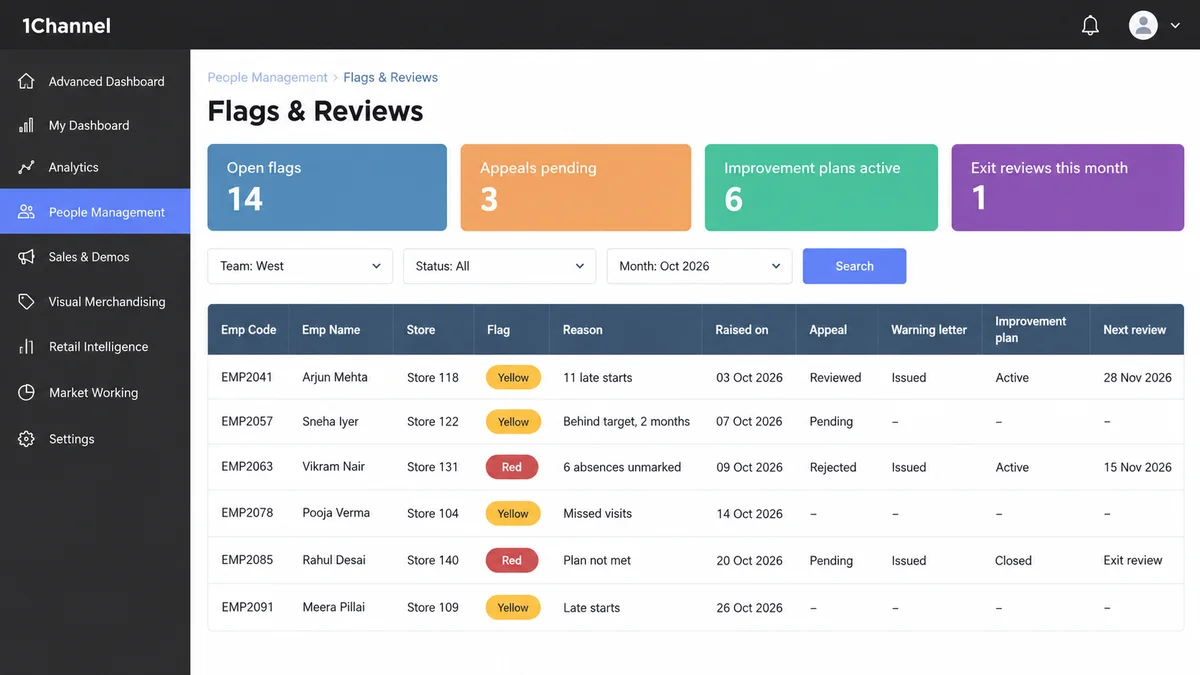
In the first column, the brand can show every step, and the promoter kept the job. In the second, a later dispute comes down to one person's word against another's.
Key Takeaways
- A dispute is won on dated records, not on memory.
- Every warning needs three things on file: the flag, the promoter's response and the follow-up.
- Lock the numbers behind a flag so they cannot be disputed later.
- Keep the record in the system the promoter already uses, not on a manager's phone.
Note: Software screens may vary based on your business structure and configured workflows.