A promoter at an electronics store in Jaipur keeps hearing the same customer question: "Why should I pay more for this model?"
They know the specifications. They have completed the product training. Yet their explanation isn't helping shoppers understand the difference.
At another outlet, a colleague has found a simple demonstration that makes the comparison easier to understand. That experience could help, but the two promoters have never spoken.
This illustrative situation captures a practical challenge for distributed retail teams: someone may already have a useful answer, while the person who needs it has no easy place to ask.

Why Useful Answers Stay Inside Individual Outlets
Promoters spend their working days at different stores, often with limited contact with colleagues doing the same job elsewhere.
Their experiences accumulate separately. One learns how to demonstrate a difficult feature. Another finds a clearer explanation for a common misconception. A third discovers a useful way to prepare for a busy weekend.
These observations may come up during a supervisor visit or a team meeting. Until then, colleagues facing similar situations may keep working through the same problem independently. Supervisors help connect those experiences, but they cannot be present at every outlet whenever a question arises. A shared place to ask gives the wider team another way to contribute.
Product Training Still Leaves Everyday Questions
Formal training gives promoters essential knowledge about products, processes, and expectations. Applying that knowledge on the shop floor brings additional questions.
A customer may misunderstand a feature. A demonstration may need a simpler explanation. A promoter may want to know how colleagues introduce a product without overwhelming the shopper. For example, someone might ask:
"Customers keep confusing these two functions. How do you explain the difference during a demo?"
A colleague who has faced that question can share their approach, and the promoter can then consider whether it suits their own store and follows approved product messaging. This kind of exchange gives practical experience a place alongside structured training.
A Shared Space to Ask the Team
1View Community provides a social space for the field team, with team feeds, direct messages, and moderation built in. A team feed creates a shared space for questions and conversations, direct messages support individual follow-up, and moderation provides a way to manage the community.
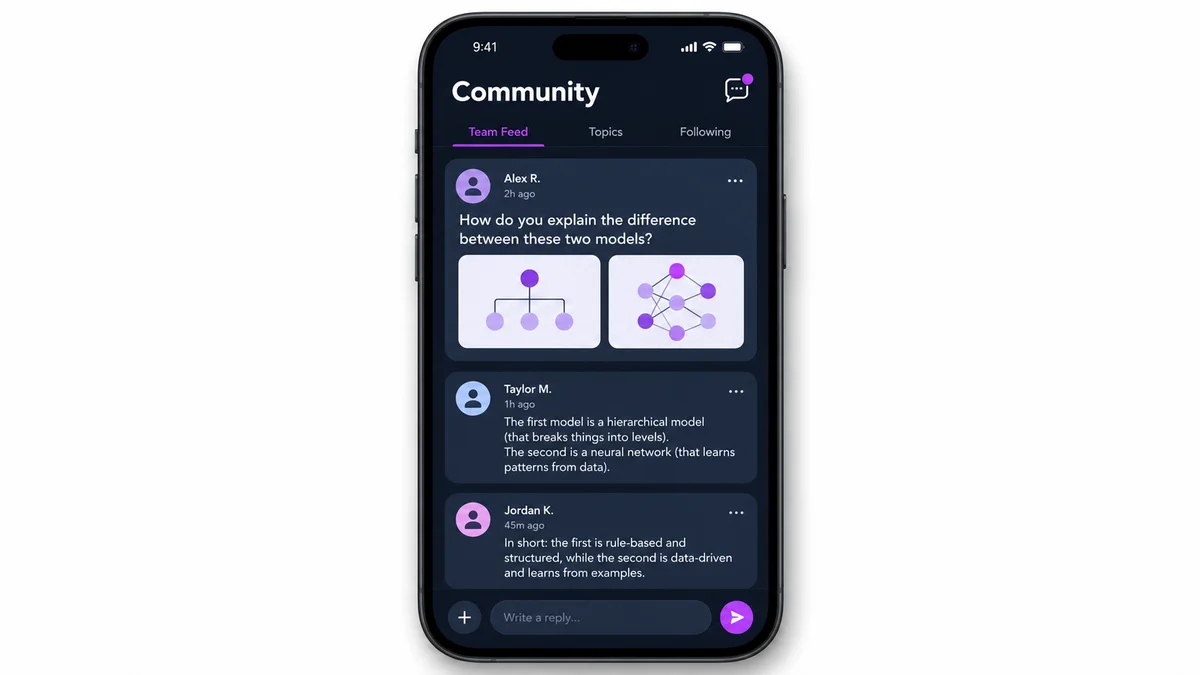
Consider an illustrative exchange: a promoter posts a question about explaining a product feature, and a colleague responds with an example they use, which helps clarify how to approach the demonstration. The value comes from making that conversation possible. The promoter can ask the team, giving someone with relevant experience an opportunity to respond.
Help Experience Travel Beyond One Store
When a useful explanation stays in a private conversation, its reach is limited to the people involved. Sharing it in a team feed gives other colleagues a chance to learn from the discussion.
A promoter may recognise a question they have also struggled with. Another may contribute a different example. Someone who needs more detail can continue the conversation through a direct message.
However, experience needs context. An approach that suits one outlet may need adjustment elsewhere, since product availability, store permissions, and customer needs can affect what is appropriate. Colleagues should explain what they tried and where it helped, while managers reinforce approved information. Community can support that exchange without making every suggestion a universal instruction.
Give Community a Practical Role in the Working Day
A shared communication space becomes more useful when the team knows how to participate. Managers can encourage a few straightforward habits:
- Ask specific questions: explain the difficulty and what has already been tried.
- Share enough context: help colleagues understand the situation without disclosing customer information.
- Describe the approach clearly: explain what was done rather than simply saying it worked.
- Check uncertain information: product claims, schemes, and policies should follow approved guidance.
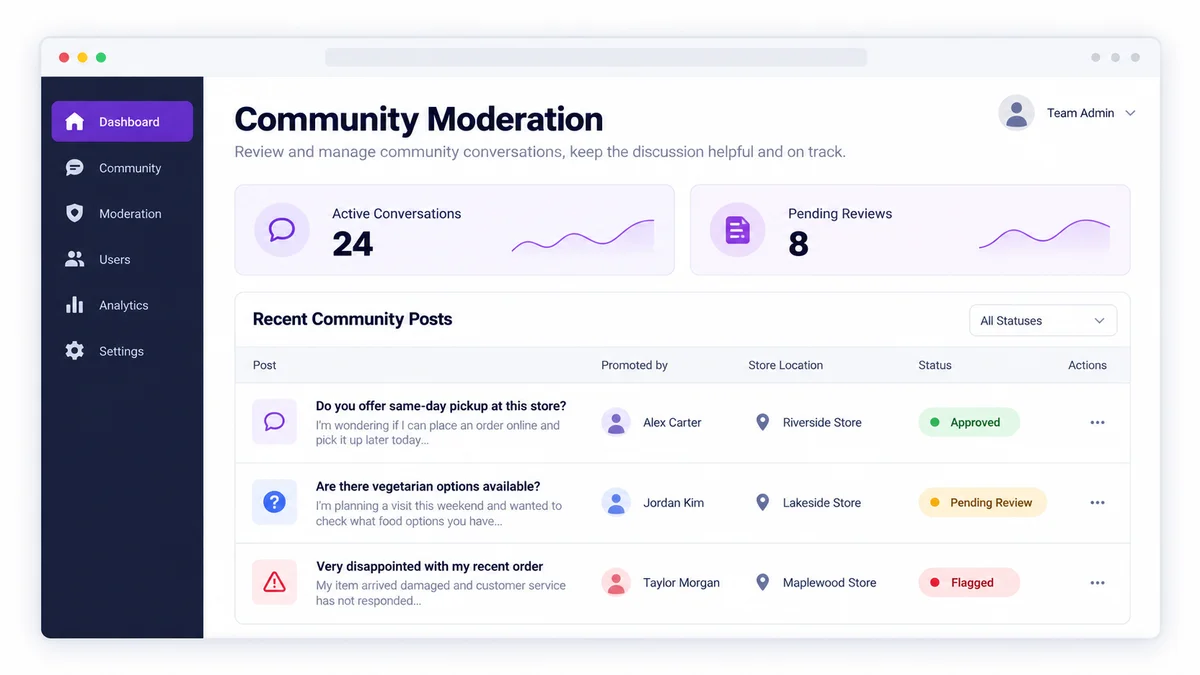
These are recommended working practices that help keep conversations relevant and make colleague responses easier to assess. Moderation also matters when building a space where people feel comfortable asking questions and discussions remain appropriate.
Why Choose 1View for Field-Team Communication?
1View brings Community into the same app the field team already uses, with team feeds, direct messages, and moderation built in. That gives promoters a shared space to ask colleagues about everyday challenges, alongside the structured learning already built into 1View.
Explore 1Channel's Sales Force Automation →Frequently Asked Questions
1. What is 1View Community?
1View Community is a social space for the field team, with team feeds, direct messages, and moderation built in.
2. How can Community support knowledge sharing among promoters?
Promoters can use shared conversations to ask questions and exchange relevant experience. For example, a colleague may offer an approach they have used when explaining a product feature.
3. Does Community include direct messages?
Yes. Direct messages are included alongside team feeds, supporting individual conversations and follow-up discussions.
4. Does Community replace formal training?
No. Community can complement formal training by providing space for everyday questions, but approved training, product information, and company guidance remain essential.
5. Does posting in Community guarantee a quick answer?
No. Community is a shared space to ask a question, not a guarantee that someone will respond immediately or that a specific colleague will see it.
Note: Software screens may vary based on your business structure and configured workflows.