Partner onboarding is the foundation of every successful loyalty or channel engagement program.
Whether partners join through self-registration, bulk upload, API integration, or administrator creation, every participant should follow a structured onboarding process before becoming eligible to participate.
A Partner Program Onboarding Software helps organizations standardize this journey by managing registrations, approvals, verification, activation, and participant lifecycle through configurable workflows.
Instead of handling onboarding manually, organizations can manage every stage from a centralized admin portal while ensuring only eligible partners gain access to the program.
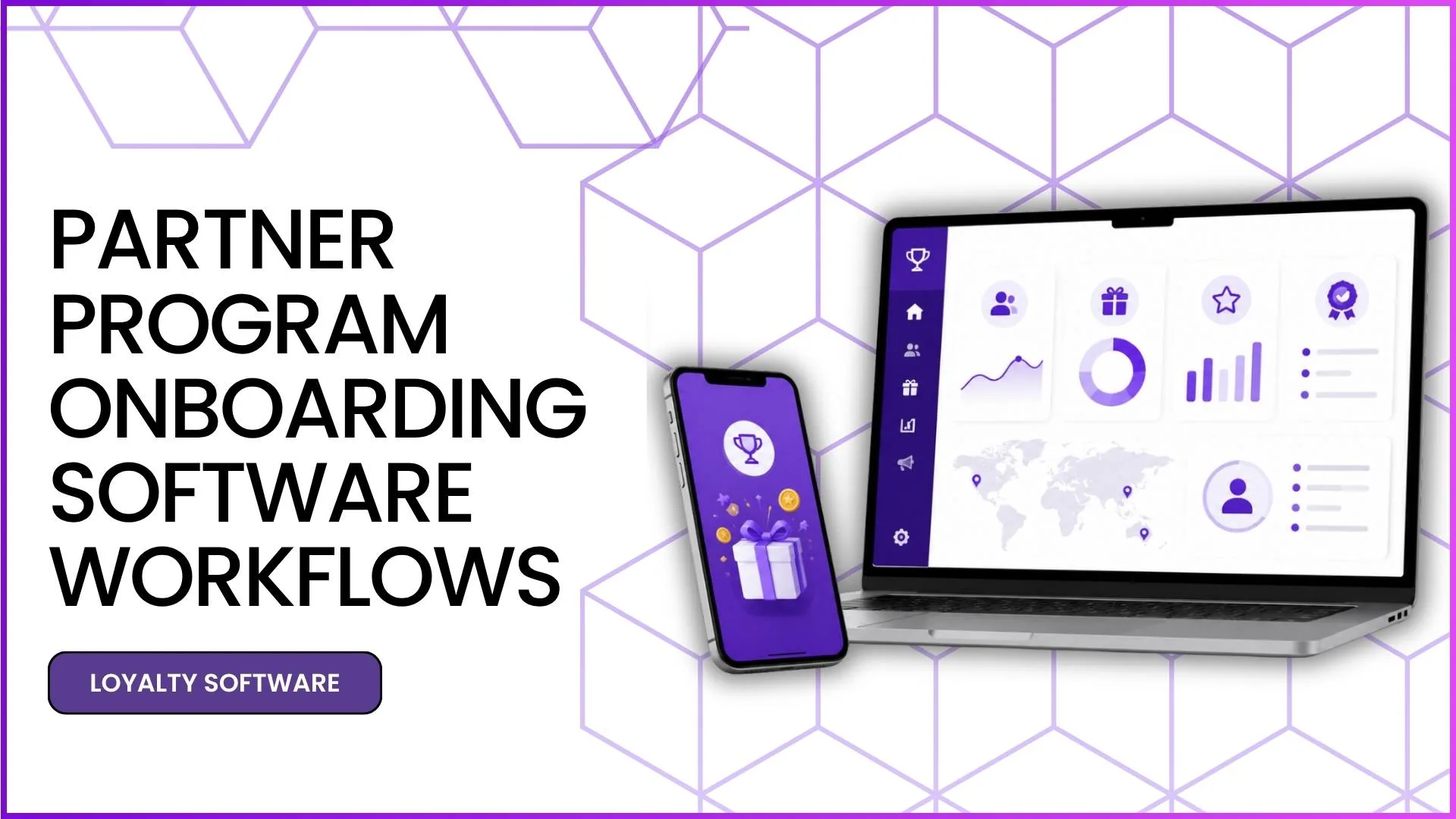
What is Partner Program Onboarding Software?
Partner Program Onboarding Software is a solution that manages the complete enrolment and activation journey of business partners.
It enables administrators to register participants, verify information, approve applications, activate accounts, and monitor each participant throughout the program lifecycle.
For example, a manufacturer launching a loyalty program for retailers can onboard partners through self-registration or bulk upload. Once the registration is submitted, administrators review the information, verify required details, approve the registration, and activate the participant before they can begin earning rewards.
Why Structured Onboarding Workflows Matter
A well-defined onboarding workflow improves operational efficiency while maintaining data accuracy and program compliance.
Some key benefits include:
- Standardized partner enrolment
- Better participant verification
- Faster account activation
- Reduced manual errors
- Improved visibility into participant status
For example, instead of manually tracking hundreds of registrations, administrators can instantly identify which partners are pending approval, already active, or require additional verification.
Step-by-Step Partner Program Onboarding Workflow
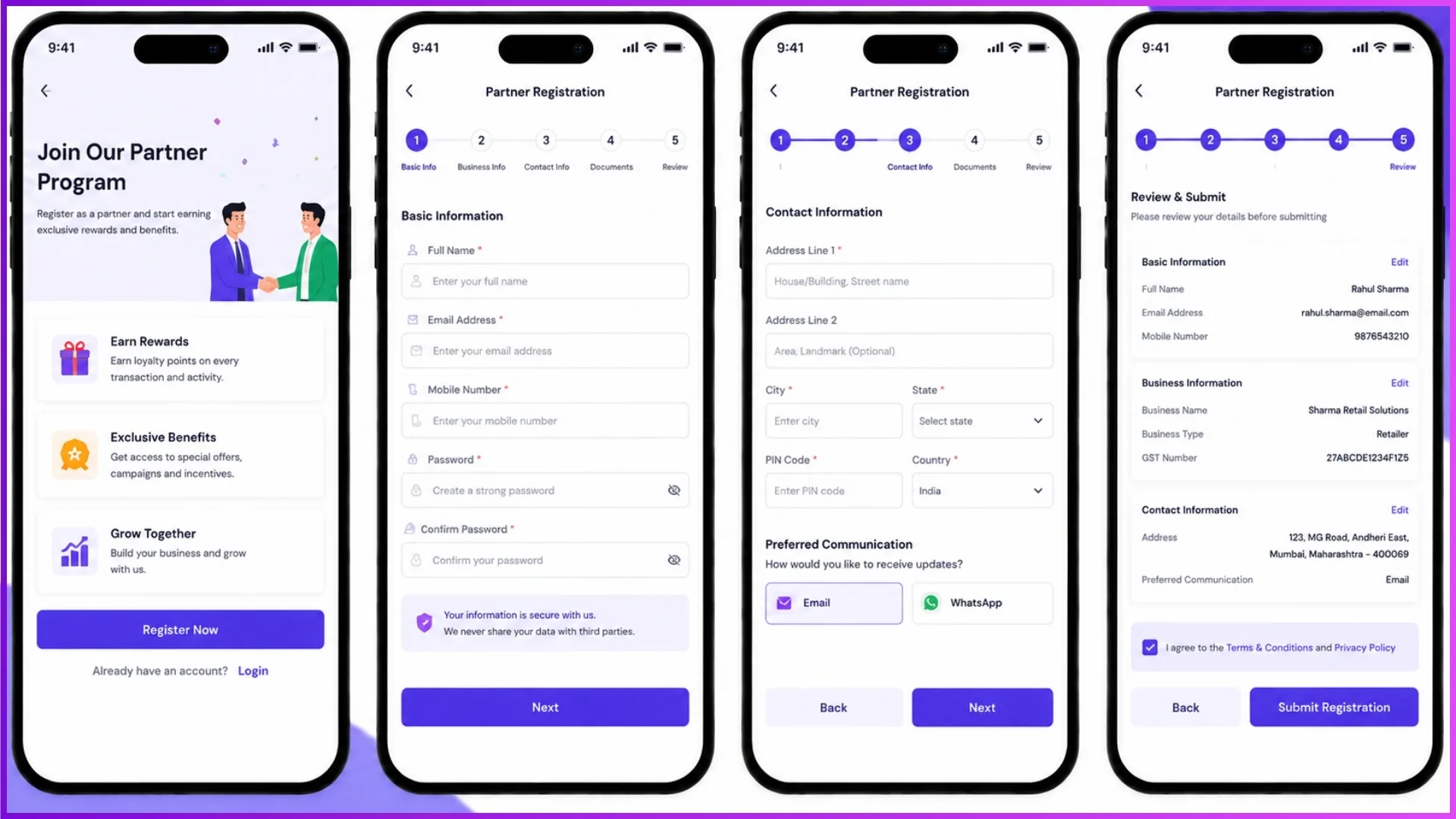
1. Partner Registration
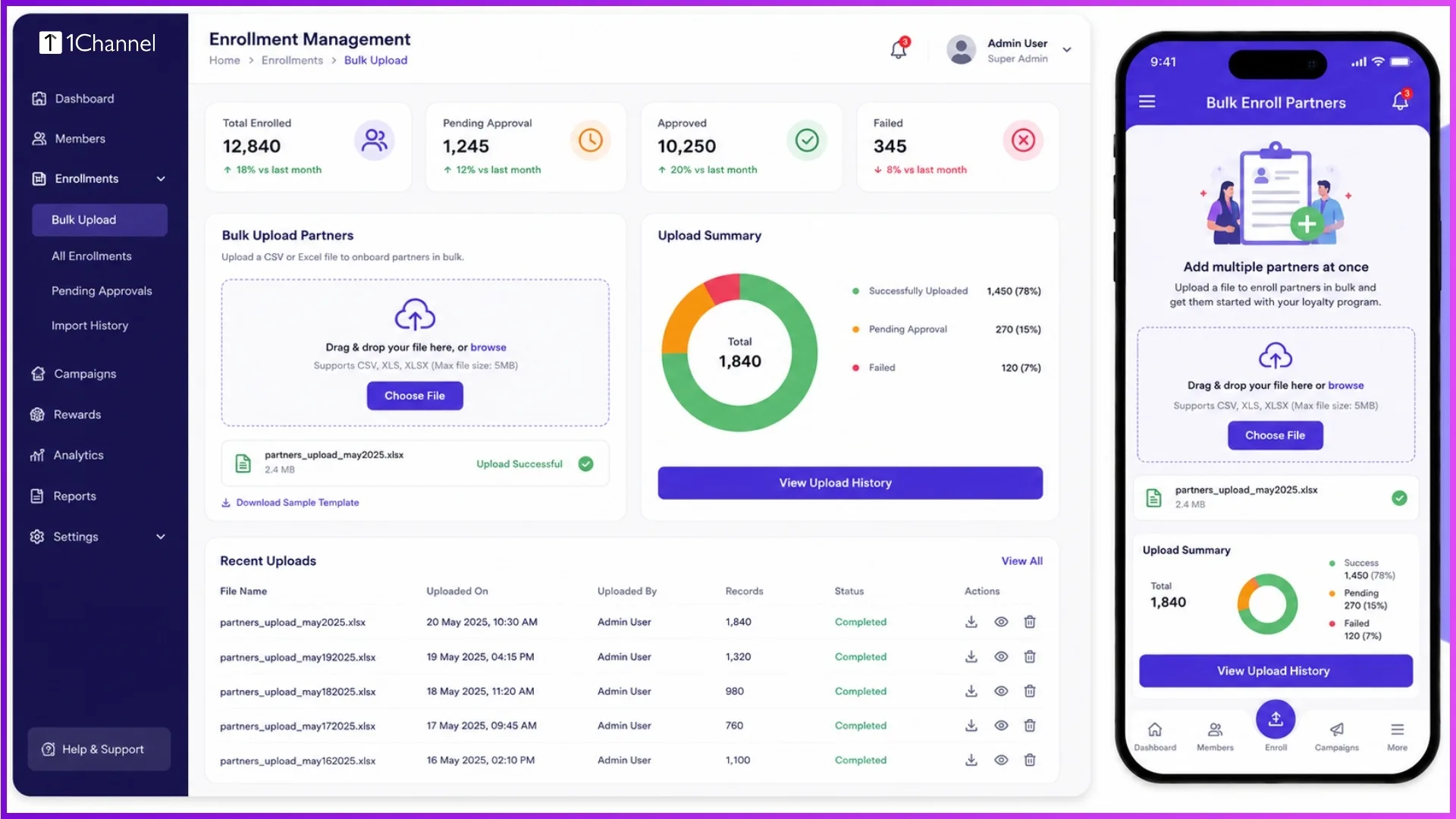
The onboarding journey begins when a participant joins the program. Depending on business requirements, registration may happen through self-registration, backend creation, bulk upload, API integration, or sales team nomination.
Example: A regional distributor uploads a predefined file containing 500 retailer records. The system validates the data before importing eligible participants into the program.
2. Profile Information Collection
After registration, participant details are captured to build a complete profile. Information may include personal details, business information, membership category, region, distributor mapping, and contact information.
Example: A retailer completes business details and selects the preferred language before moving to the next onboarding stage.
3. Verification and KYC
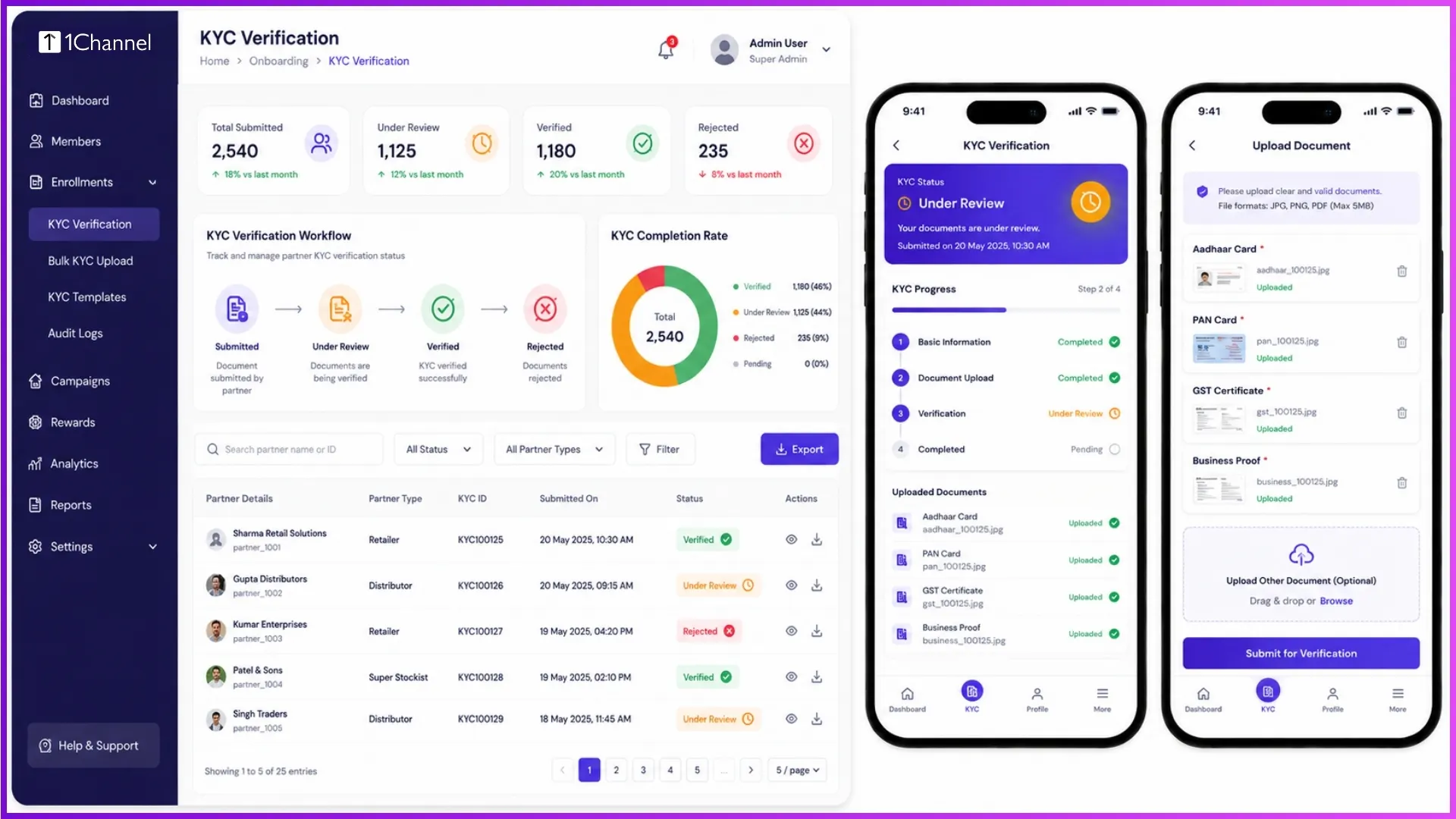
Many programs require verification before activation. Administrators can review submitted identity documents, bank details, or other required information and either approve, reject, or request resubmission.
Example: If a participant uploads an unclear identity document, the administrator requests a fresh submission before continuing with activation.
4. Registration Approval
Some programs include an approval workflow after verification. Administrators review the submitted information before approving or rejecting the registration based on configured business rules.
Example: A self-registered partner remains in "Pending Approval" until the CRM team completes the verification process and approves the application.
5. Partner Activation
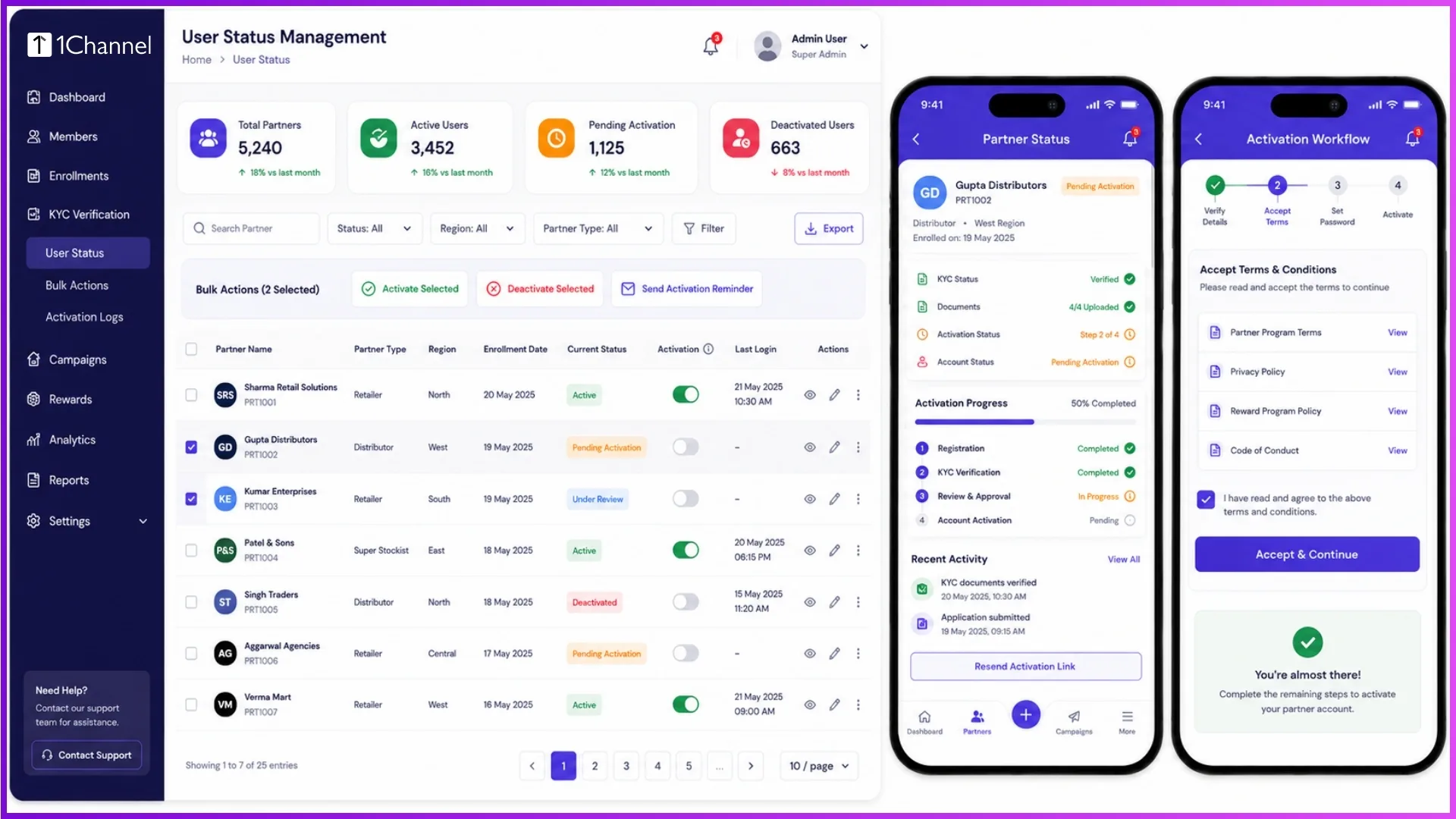
Once approved, the participant account is activated, allowing access to the loyalty program.
Activation enables users to:
- Log in using OTP
- Participate in eligible activities
- Earn points
- Redeem rewards
Example: After activation, a retailer can immediately access the dashboard and start participating in the loyalty program.
6. Ongoing Participant Lifecycle Management
Onboarding does not end after activation. Administrators continue managing participant information, account status, verification updates, distributor mapping, and profile modifications throughout the program lifecycle.
Example: If a retailer changes business location, administrators update the profile so future reporting and participant mapping remain accurate.
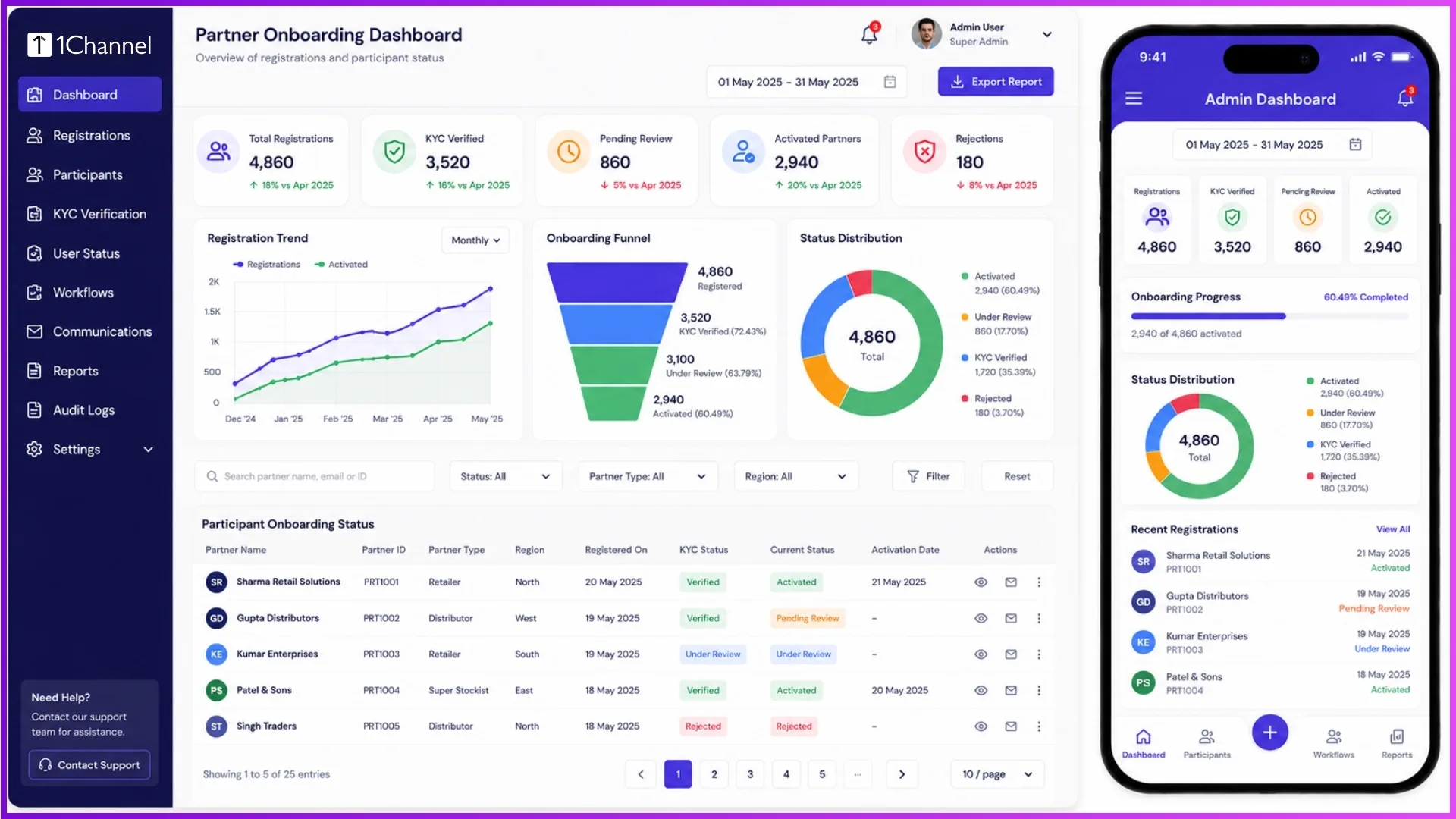
Key Features Supporting Partner Onboarding Workflows
An effective onboarding solution provides features that simplify participant management throughout every stage of enrolment.
These capabilities include:
- Multiple enrolment methods
- Bulk participant upload
- Manual user creation
- Registration approval workflows
- KYC verification
- Participant activation and deactivation
- User status management
- Participant search
- Profile management
- Complete user history
- Role-based administrative access
Together, these features help organizations onboard partners consistently while maintaining operational transparency.
Why Choose 1Channel for Partner Program Onboarding Solution
1Channel provides a configurable Partner Program Onboarding solution that simplifies participant enrolment from registration through activation and ongoing lifecycle management.
Organizations can support multiple onboarding methods, configure approval workflows, verify participant information, manage user status, and monitor every stage through a centralized admin portal.
This enables businesses to onboard partners efficiently while maintaining visibility, consistency, and control across the entire onboarding process.
Explore 1Channel Channel & Influencer Loyalty
See how 1Channel's Channel & Influencer Loyalty solution manages partner registration, verification, approvals, and activation through configurable onboarding workflows.
Explore Channel & Influencer Loyalty →Points to Remember
- Multiple partner enrolment methods can operate within the same program.
- Registration workflows can include configurable approval stages.
- Verification ensures only eligible participants enter the program.
- Activation enables partners to participate in loyalty activities.
- Administrators can manage participant information throughout the complete lifecycle.
- Centralized onboarding improves operational efficiency and data accuracy.
FAQs
1. What is Partner Program Onboarding Software?
Partner Program Onboarding Software manages participant registration, verification, approvals, activation, and lifecycle management within a centralized platform.
2. Can partners be onboarded in bulk?
Yes. Administrators can upload participant data using predefined templates, allowing large numbers of partners to be onboarded simultaneously after system validation.
3. Does every registration require approval?
Not necessarily. Approval workflows depend on the organization's configured business rules and onboarding process.
4. What happens after a participant is activated?
Activated participants can log in, participate in eligible program activities, earn points, and access other configured program features.
5. Can administrators update participant information later?
Yes. Administrators can modify participant details, update mappings, manage account status, and maintain user records throughout the participant lifecycle.
6. Why is participant verification important?
Verification helps ensure participant information is accurate before granting access to the program, improving operational quality and reducing onboarding issues.
Note: Software screens may vary based on your business structure and configured workflows.