Summary:
- Structured Hierarchy: Organizing your catalog by Brand, Category, Product, and SKU clears up clutter.
- Advanced Tracking: Implementing Batch, Expiry, or Serial Number tracking secures product lifecycle control.
- Automated Thresholds: Setting minimum stock levels triggers auto-replenishment to prevent stockouts.
1. Build a Configurable Product Hierarchy
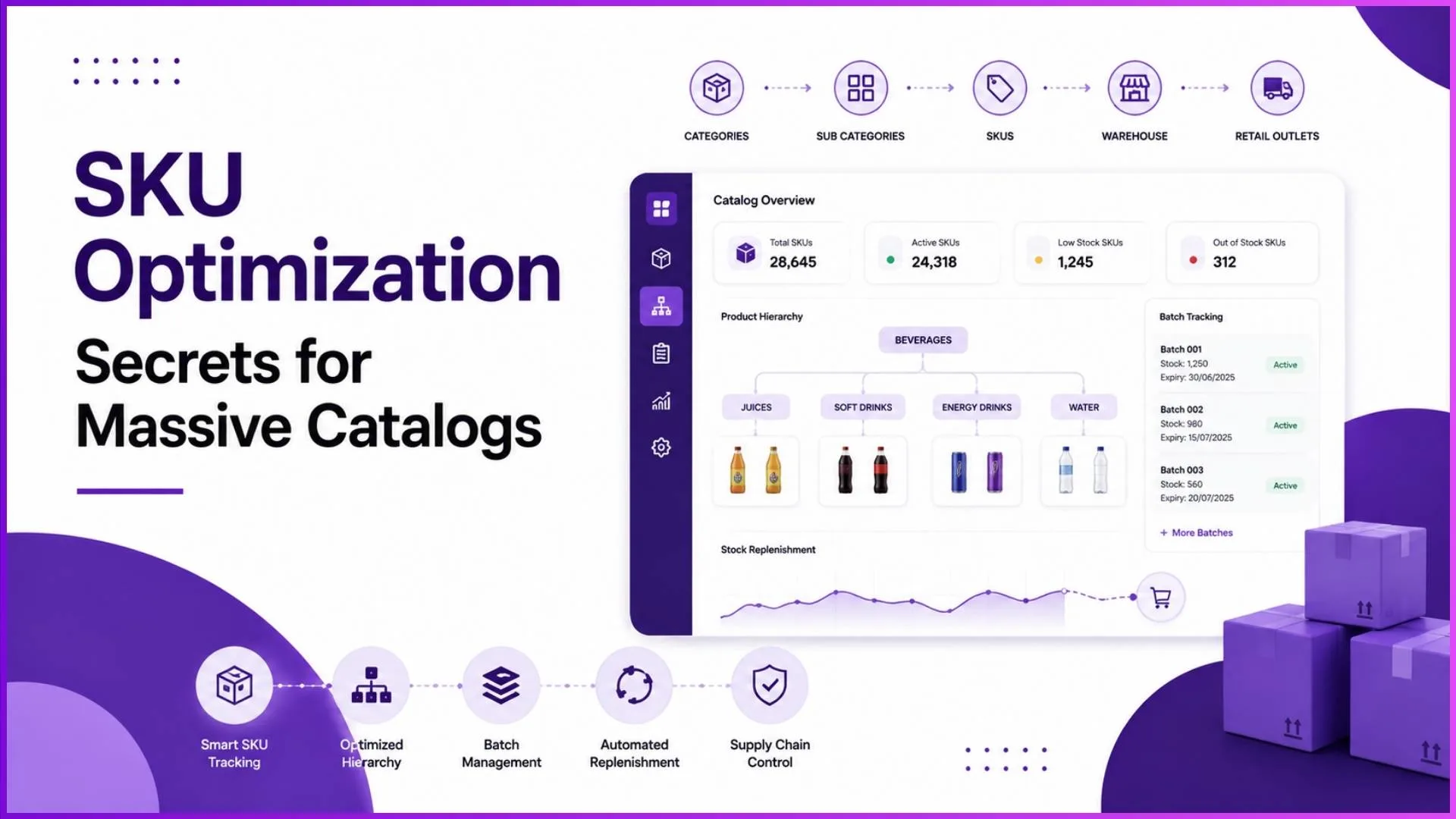
Managing a massive catalog requires a logical structure that branches from top-level attributes down to sellable items. A rigid system fails because every organization configures hierarchy based on unique business frameworks.
Example
You can set up a multi-level structure like Apple (Brand) → iPhone (Category) → iPhone 16 (Product) → 128GB Black (SKU), or Titan → Fastrack Fragrance → Men → Beat for Him 100 ml variant.
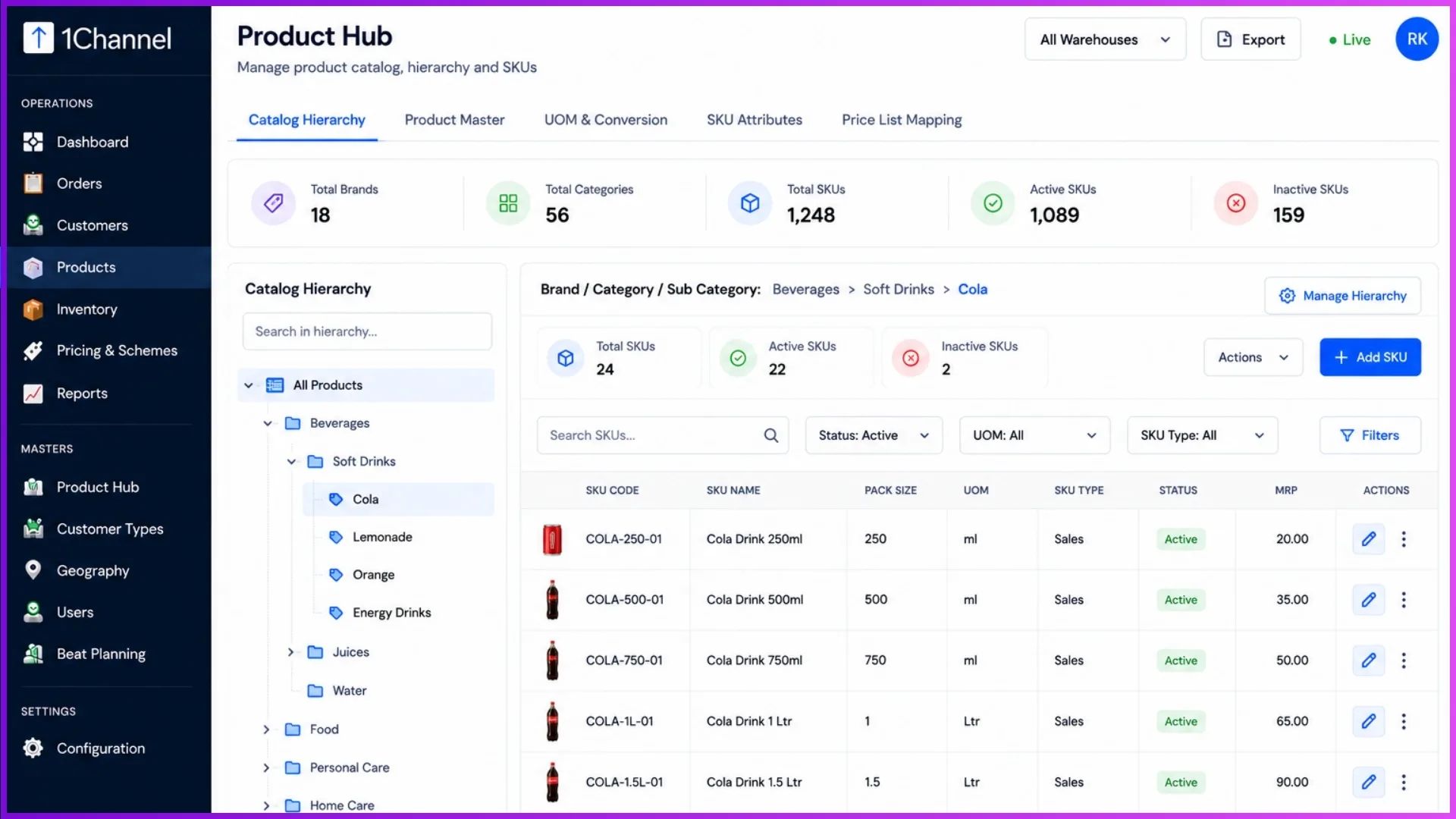
Organizing your data into fields like SKU Code, HSN/SAC Code, Barcode, ERP Code, and Unit of Measure (UOM) ensures every variant remains searchable.
2. Implement Multi-Dimensional SKU Tracking
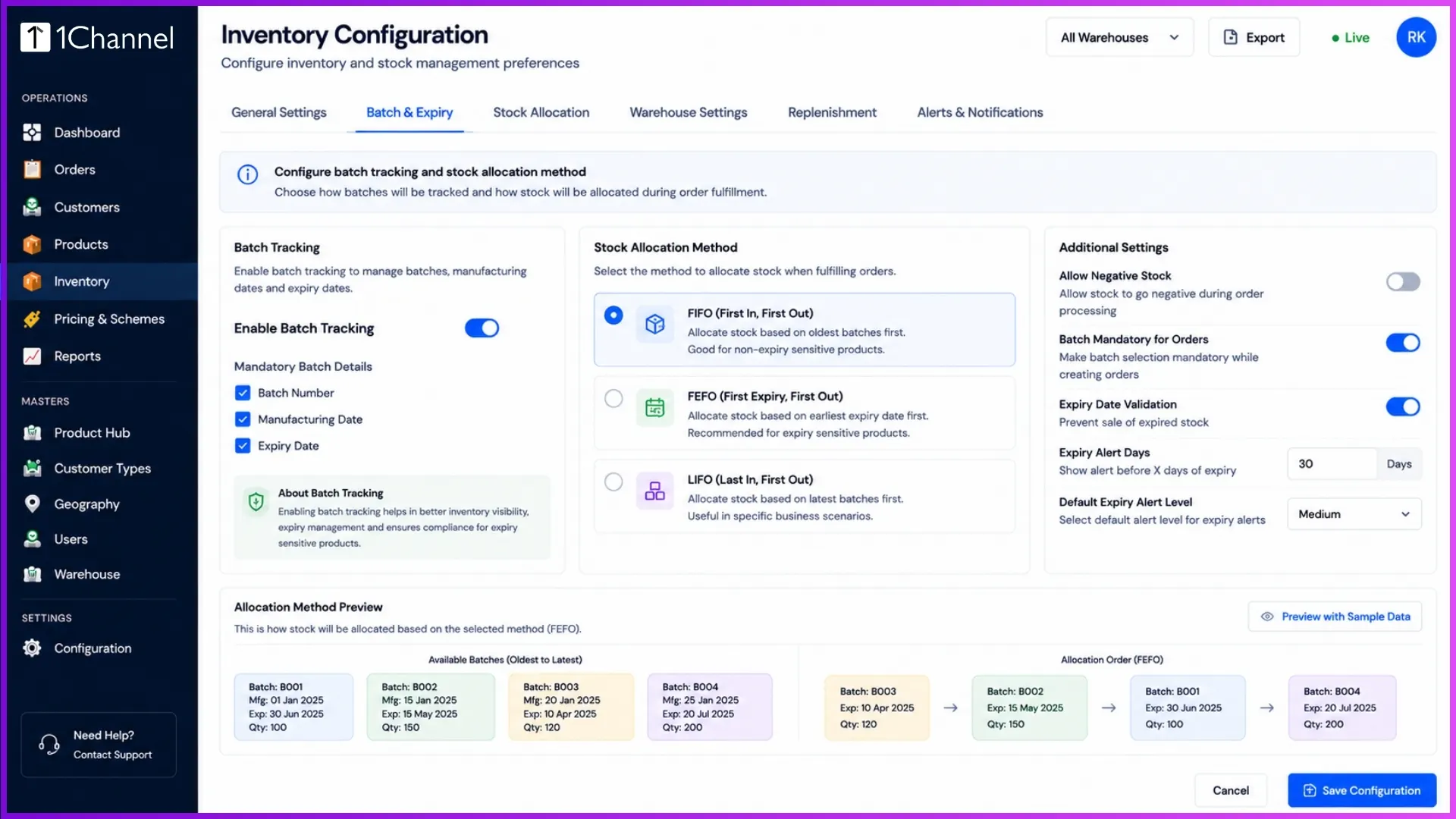
A massive catalog becomes a liability without precise tracking mechanisms. When adding new SKUs, configure specific tracking modes based on inventory type, such as Serial Number Tracked, Batch Tracked, or Expiry Tracked.
For perishable or time-sensitive stock, utilize automated batch allocation modes during order fulfilment:
- FEFO (Earliest Expiry First Out): Automatically allocates batches expiring soonest.
- FIFO (Oldest Manufactured First Out): Dispatches your oldest stock first.
- LIFO or Manual Selection: Gives operators custom control for specific warehouse audits.
3. Centralize Monitoring with Smarter Filters
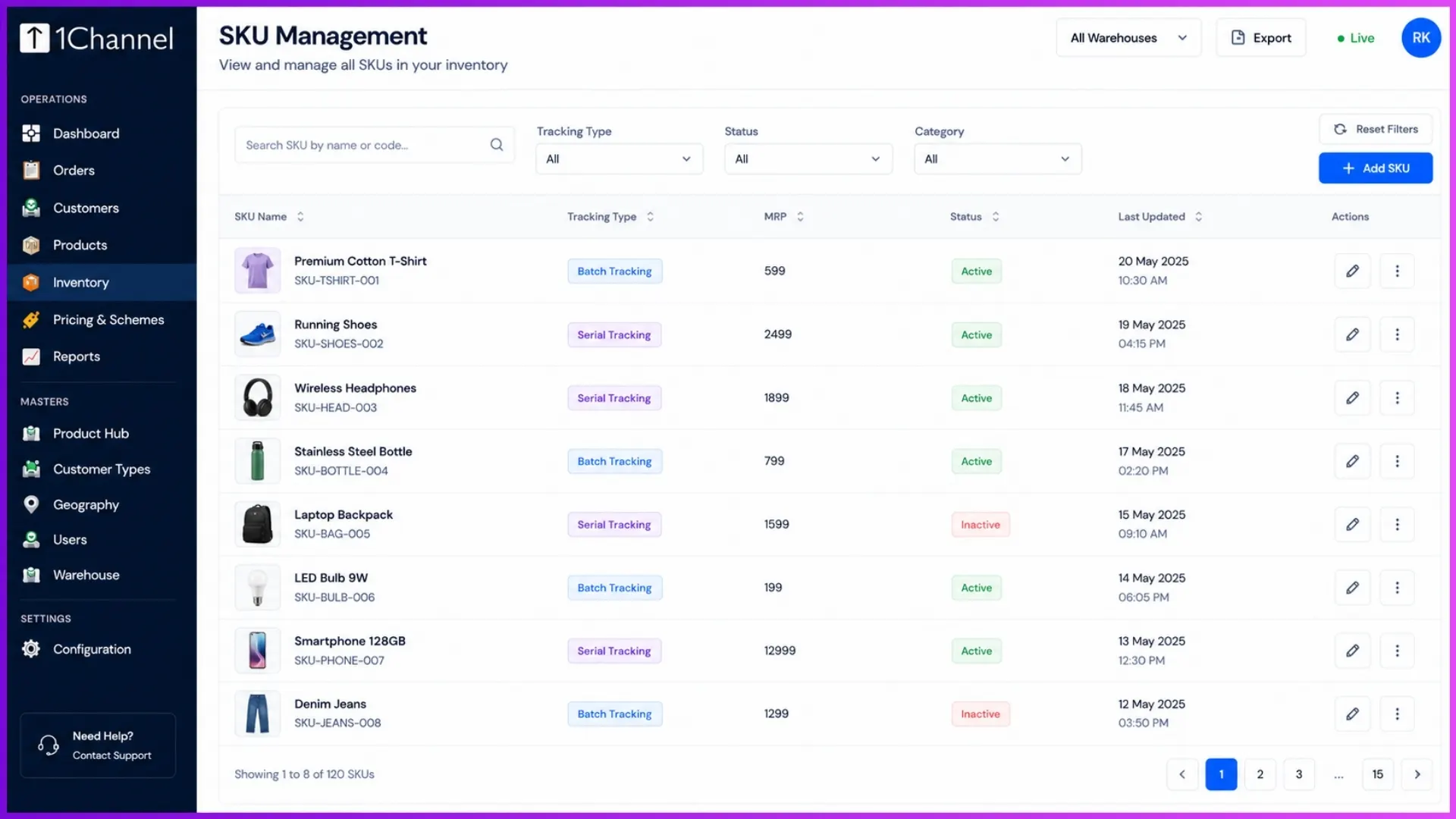
Sifting through thousands of items manually slows down operations. A proper master catalog interface requires a dedicated summary dashboard.
Utilize real-time metric cards that show total versus active SKUs alongside quick filters for categories, brand names, and active/inactive statuses.
When an individual SKU is selected, operators must immediately see basic info, pricing data (MRP, Cost Price, Selling Price), and tracking states without changing screens.
4. Automate SKU-Level Replenishment
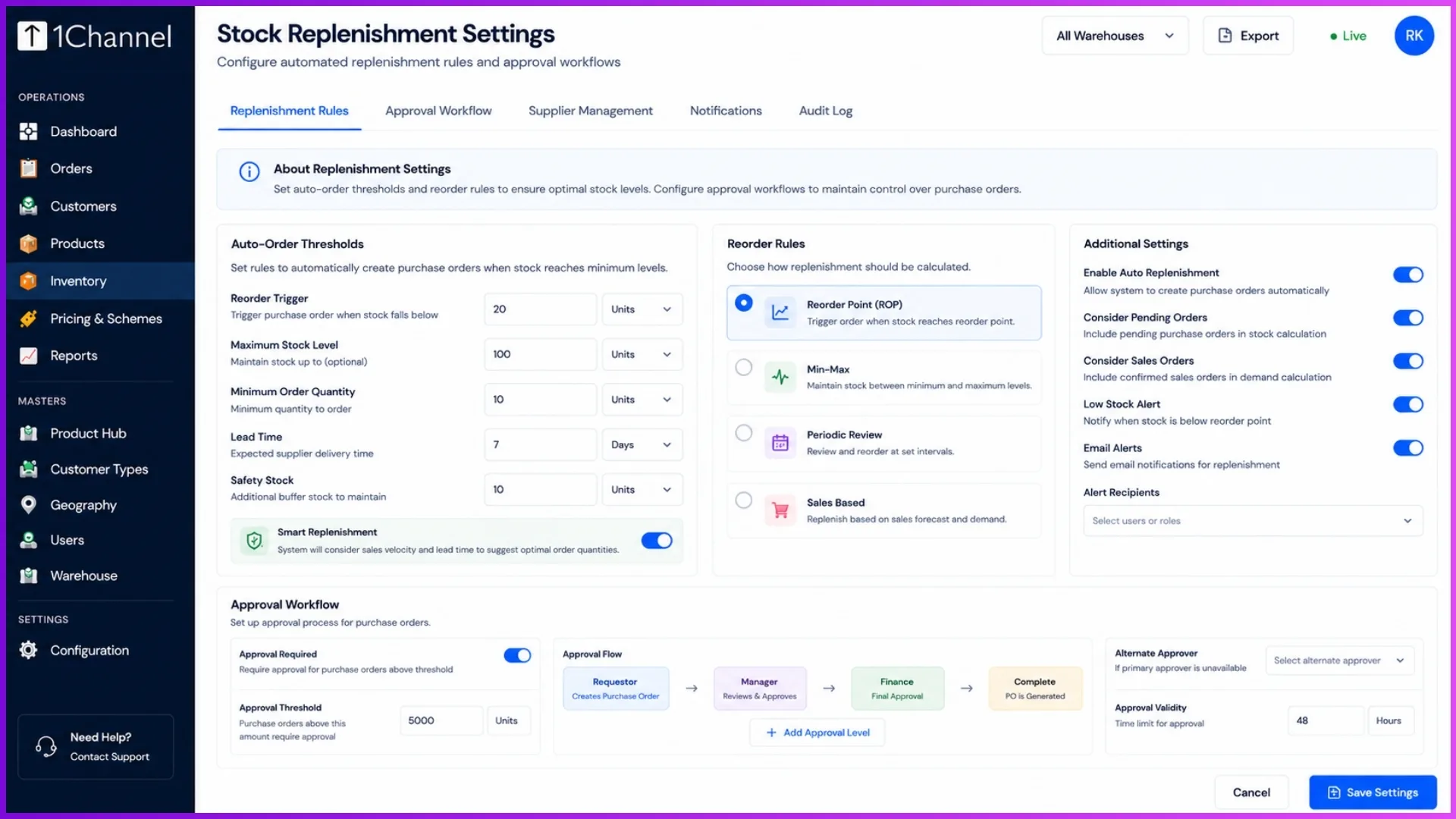
Optimization means keeping just enough inventory to satisfy market demand. By configuring minimum stock thresholds directly at the SKU level, you protect your supply chain.
For instance, if you define a threshold where a minimum of 5 units must always remain available, the system flags low stock immediately. You can configure auto-order modes to handle these drops either via Auto-Approve (orders are placed instantly) or With Approval (orders enter a pending queue requiring manager review).
Scale Efficiently with 1Channel
To execute these catalog strategies effortlessly, a robust Distribution Management System is essential. 1Channel provides a completely integrated platform where you can configure multi-layered product masters, establish granular tracking protocols, map precise UOM conversions, and run automated replenishment workflows.
With its built-in AI assistant, operators can directly query real-time data or fetch low-stock alerts straight from the chat portal, ensuring your massive catalog remains highly optimized and error-free.
Explore 1Channel Inventory & Stock Management
Explore Inventory & Stock Management →Final Suggestion
Do not let a massive catalog overwhelm your operational workflows. Finalize your geographical and product hierarchy rules before uploading master sheets, enforce FEFO tracking across all warehouses to mitigate wastage, and turn on automated stock alerts to transition from a reactive model to proactive control.
Frequently Asked Questions (FAQs)
Q1: How can I structure my brand and product levels for a large catalog?
You can build a completely configurable, multi-layered tree that matches your business model, such as structuring items by Brand → Category → Product → SKU. This keeps thousands of individual item variants systematically organized.
Q2: What tracking methods should I use for time-sensitive or perishable items?
When adding a new SKU, you can configure it as Batch Tracked or Expiry Tracked. This allows the system to use intelligent inventory dispatch fulfillment strategies like FEFO (Earliest Expiry First Out).
Q3: What parameters can I define when creating a new SKU in the system?
The system lets you input detailed fields including SKU Code, Name, Product relation, Description, Unit of Measure (UOM), MRP, Cost Price, Selling Price, GST Rate, Barcode, and Shelf Life in days.
Q4: How does the system handle pricing rules across a vast catalog?
Prices resolve automatically based on a strict priority hierarchy: Customer-specific lists first, followed by Customer Type lists, Geography-specific lists, and finally falling back to the default SKU base price.
Q5: Can the replenishment process for low-stock items be automated?
Yes. When stock drops below your set SKU threshold, the system triggers a replenishment order. You can set this to Auto Approve immediately or route it With Approval through a manager first.
Note: Software screens may vary based on your business structure and configured workflows.