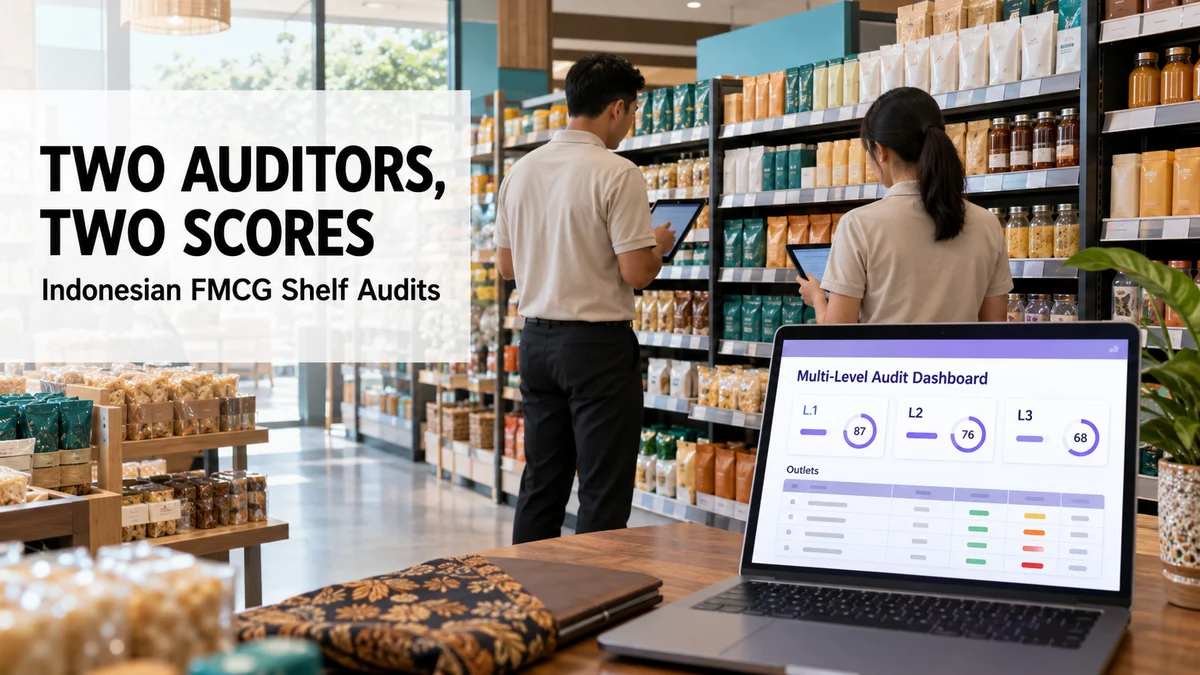
When two auditors in Indonesia score the same shelf differently, which number should a brand believe?
FMCG, Consumer Durables, Cosmetics and Personal Care, and Retail and Modern Trade brands feel this most, because audit scores decide which outlets keep a display.
A facing count is a judgment call. A pack hides behind the front row, glare covers a label, and two careful people record two numbers.
This post explains how a three-level audit settles those disagreements, and how each auditor is held to a measured quality score.
Why Honest Auditors Still Disagree
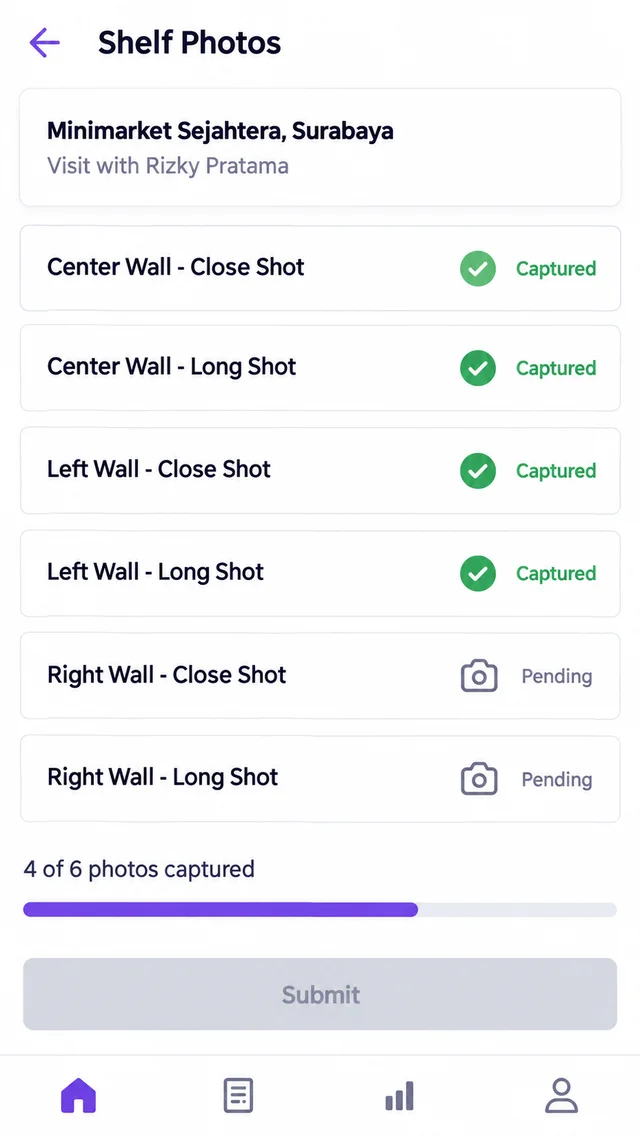
Field teams photograph each shelf wall from the mobile app, with a close shot and a long shot per wall.
Auditors then score those photos against the outlet's norms, such as the minimum facings required for each SKU.
Counting facings from a photo takes judgment. A pack may sit half out of view, or the back row may blur in a long shot.
So two careful auditors can record 3 and 2 for the same SKU.
Without a second look, the brand simply inherits whichever number was entered first.
Three Levels That Settle the Score
Every audit starts at L1. Once an auditor finishes their L1 quota, the platform begins routing L2 re-checks to them.
Those re-checks come from audits that other auditors already completed.
| Level | Who Does It | What Happens |
|---|---|---|
| L1 | The first auditor | Scores the outlet's photos against its norms |
| L2 | A different auditor, assigned at random | Redoes the audit as a fresh task, without knowing whose audit it was |
| L3 | A supervisor | Re-audits only when the L1 and L2 values disagree |
Worked Example: When Both Auditors Agree
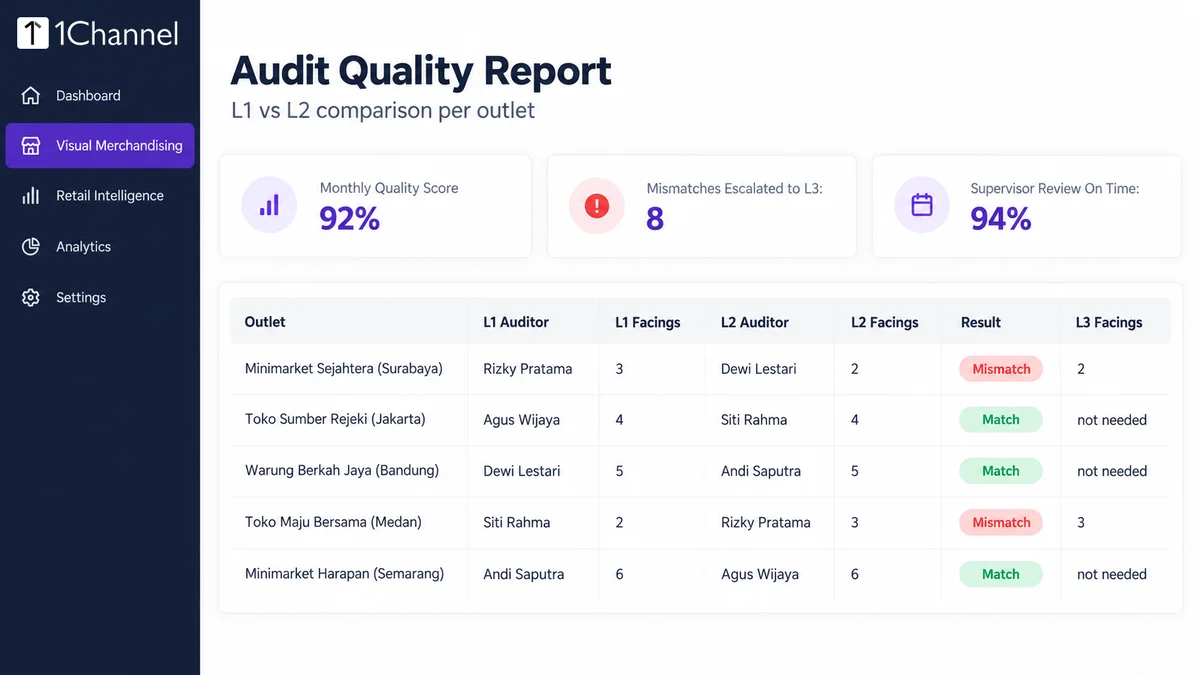
Agus Wijaya audits the photos from Toko Sumber Rejeki in Jakarta and records 4 facings of a cooking-oil SKU.
Siti Rahma later receives the same visit as a fresh L2 task and also records 4.
The values match, so the audit closes with no escalation and no extra review.
Worked Example: When They Do Not
Rizky Pratama records 3 facings for an SKU at Minimarket Sejahtera in Surabaya. Dewi Lestari, working the L2 re-check, records 2.
The platform flags the mismatch automatically and routes the audit to a supervisor.
The supervisor audits the same photos independently and records 2.
The system compares that value with both earlier ones and deducts points from whichever auditor was wrong. Here that is Rizky, while Dewi's score stands.
Quality Scores Keep Auditors Accurate
Each auditor gets a monthly quality score, based on how many of their audits were later found incorrect at L3.
A 92% score means 8% of that auditor's audits were overturned.
Auditors also skip the hunt for outlets to audit. Starting a session queues audits one after another, and Submit and Open Next loads the next one.
Supervisor turnaround on L3 reviews is tracked as well, so escalations do not sit unresolved.
How 1Channel Routes Audit Mismatches to a Supervisor
1Channel's Store Audit and Compliance software runs all three levels inside one portal.
Assignment, blind re-checks, escalation and scoring happen automatically, not through spreadsheets or chat messages.
Brands in Indonesia see one defensible score per outlet instead of a pile of conflicting ones.
One Shelf, One Defensible Score
Set each outlet's norms once, and let L1, L2 and L3 audits settle every disagreement in a single portal.
Built for audit and field teams across Indonesia.
Explore Store Audit & Compliance →Implementation Snapshot
- Set each outlet's norms, such as minimum facings per SKU.
- Have field teams submit close and long photos of every shelf wall from the mobile app.
- Let the platform route L1 audits, then blind L2 re-checks, to auditors automatically.
- Review L3 mismatches and read each auditor's monthly quality score.
Note: Software screens may vary based on your business structure and configured workflows.