A single list price rarely survives contact with Indonesia's archipelago distribution network.
One account buys straight from a Surabaya warehouse.
Another receives the same SKU after two extra freight legs to an outer island, where landed cost runs higher.
FMCG, Pharma, and Consumer Durables distributors all run some version of the same split, alongside Cosmetics brands pricing the same catalog differently by region and account.
This post walks through the three price-list types inside 1Channel's Pricing module, Geography, Customer Type, and Customer-Specific, with two worked examples.
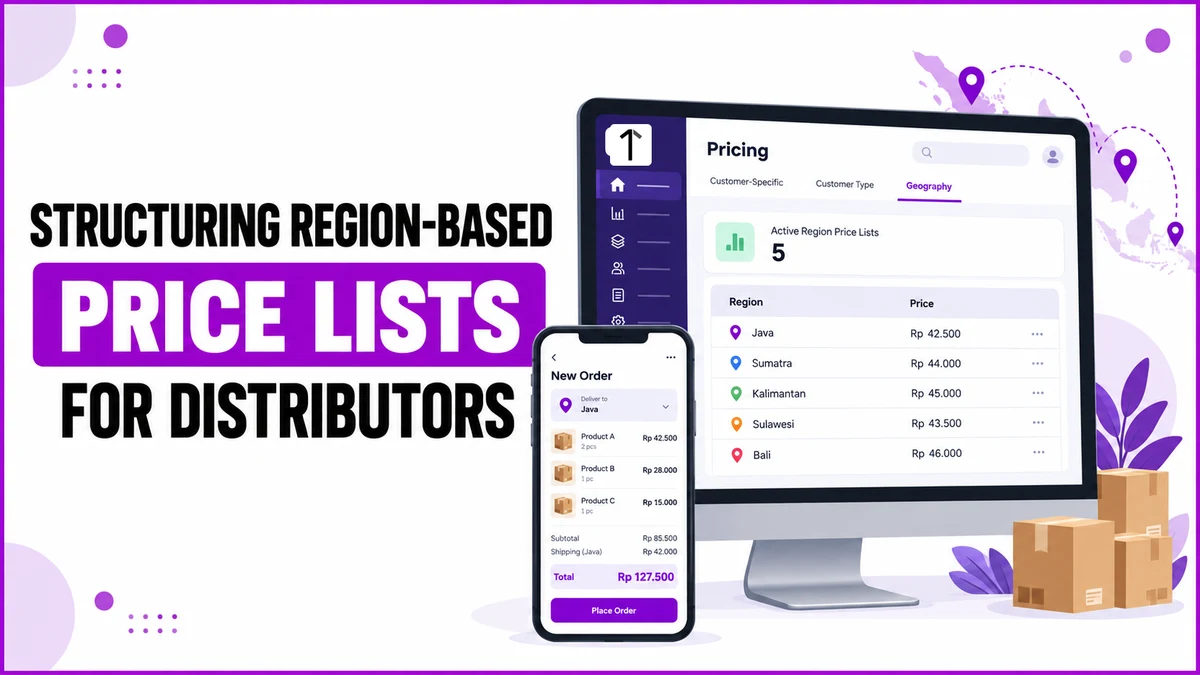
Three Price Lists for One Catalog
The Pricing module under Masters separates how a price varies, instead of forcing every exception into one flat list.
A product's final price resolves from whichever list applies, checked in order from most specific to least.
| Price List Type | Applies To | Typical Use Case |
|---|---|---|
| Customer-Specific | One named account | A negotiated rate for a single distributor or key account |
| Customer Type | A class of customer, e.g. Distributor or Super Stockist | A Super Stockist buying at a lower unit rate than a Distributor |
| Geography | A customer's assigned location | Offsetting freight cost between Java and the outer islands |
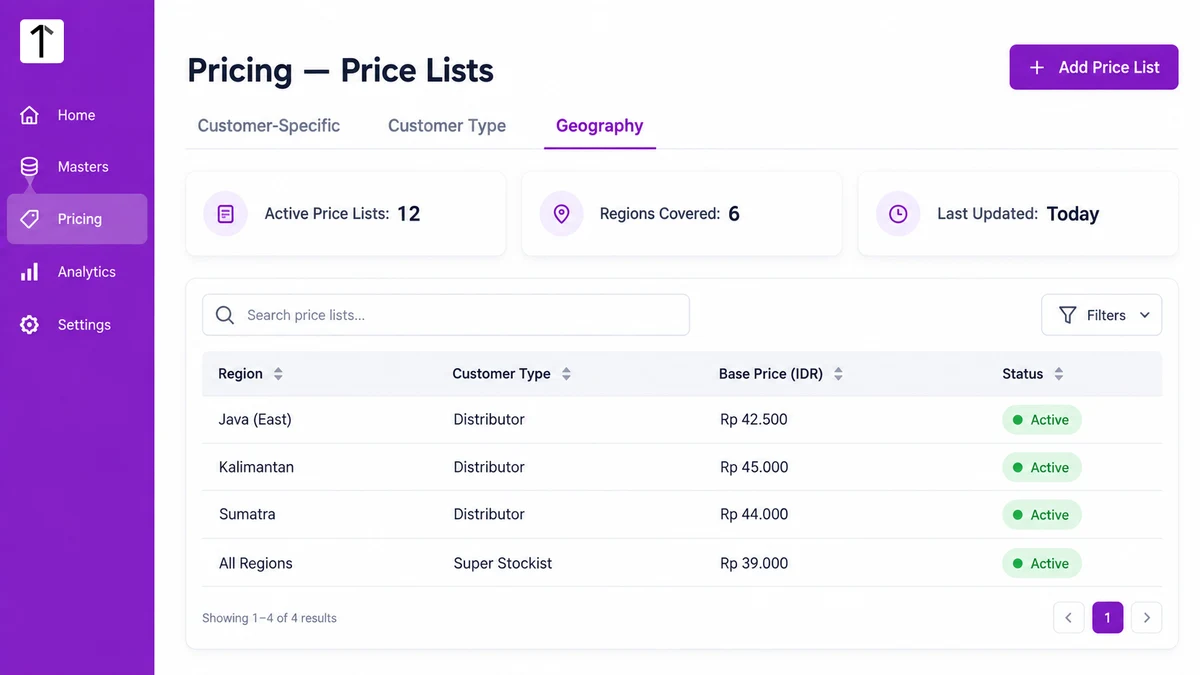
Worked Example: A Price Gap Between Java and the Outer Islands
PT Nusantara Distribusi runs the same cooking-oil SKU from a single Surabaya warehouse.
A distributor account inside East Java buys it at Rp 42.500 per unit, the Geography list's base rate for that region.
A distributor in Kalimantan, reached only after an inter-island sailing and a second truck leg, sits on a separate Geography list for that zone.
Its base rate is Rp 45.000 per unit, a markup built to cover the added freight rather than guessed at order time.
Both accounts order the same SKU through the same catalog.
The price difference comes from which Geography list their own location record falls under, set once in Masters, not re-entered on every order.
Worked Example: Distributor Price vs. Minimarket Chain Price
A Customer Type list separates a wholesale Distributor rate from a Retailer rate for a minimarket chain account.
CV Jawa Barokah Trading, tagged Distributor, orders packaged snacks at Rp 18.000 per unit.
A regional minimarket chain account, tagged Retailer under the same catalog, is quoted Rp 21.500 per unit on the identical SKU.
That rate comes straight from the Customer Type list's own setting for the Retailer classification.
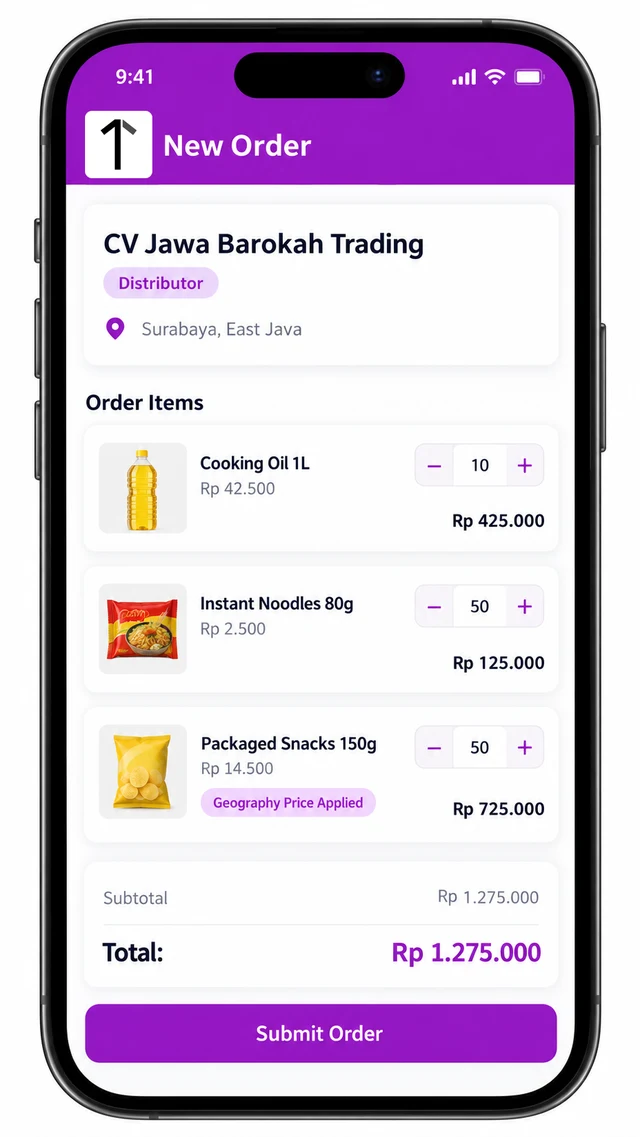
Neither price touches the product catalog itself.
The SKU, its MRP and its cost price stay fixed in Product Hub; only the applicable price list changes what an order actually bills.
Choosing Which List Applies
When a product could qualify for more than one list, Customer-Specific resolves first, since it is tied to one named account.
Customer Type applies next, and Geography last, inherited straight from the customer's own location record.
A new customer added through Masters, or created from the mobile app pending manager approval, picks up pricing automatically once its type and location are set.
How 1Channel Structures Price Lists by Geography and Customer Type
1Channel's pricing engine keeps all three list types inside one Masters configuration.
A Distributor account, a Super Stockist account, and a regional Retailer all resolve to the correct rate from the same product catalog.
A price change to one list, a new region, or an adjusted Customer Type rate, updates every account under it immediately.
Set Prices Once, Apply Them Where They Belong
Build Customer-Specific, Customer Type, and Geography price lists from one Masters configuration, and let every order resolve to the correct rate automatically, built for distributors across Indonesia.
Explore Pricing Management →Common Mistakes to Avoid
- Flat pricing across regions. One list price hides freight cost until margin erodes on the farthest accounts.
- Account type left unset. A Retailer billed at a Distributor rate, or the reverse, usually traces back to a customer record with no type assigned, not a pricing bug.
- Manual overrides typed at the order screen. A one-off discount entered order by order buries the real rate instead of fixing the underlying price list.
- No visibility into which list applied. If a sales rep can't see which Geography or Customer Type list priced an order, disputes take longer to close than the order itself.
Note: Software screens may vary based on your business structure and configured workflows.