At 08:00 in Jakarta, it is already 09:00 in Makassar and 10:00 in Jayapura.
Pharma companies in Indonesia that run one national field team live with that gap every working day, and attendance checked from head office often forgets it.
Pharma, FMCG, Consumer Durables and Agriculture teams with reps beyond Java all meet the same problem once their check-ins are read on a single clock.
This guide explains why one Jakarta clock misreads attendance, then builds a free six-step EtherCalc sheet that reads every check-in on the rep's local time.
It closes with where the manual sheet runs out, and how 1Channel handles the same check inside the rep's app.
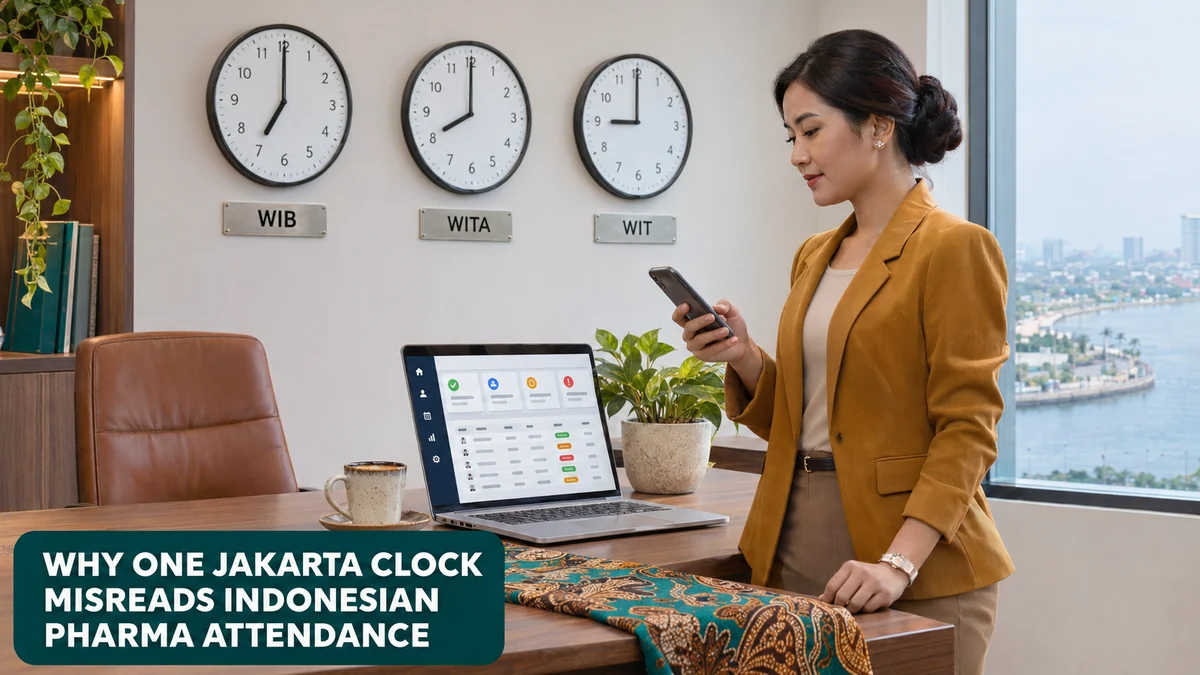
Three Zones, One Shift Rule
Indonesia runs on three time zones, one hour apart.
| Zone | UTC Offset | Covers | Example Cities | Hours Ahead of Jakarta |
|---|---|---|---|---|
| WIB | UTC+7 | Sumatra, Java and western Kalimantan | Medan, Jakarta, Surabaya | 0 |
| WITA | UTC+8 | Bali, Nusa Tenggara, Sulawesi and eastern Kalimantan | Denpasar, Makassar, Balikpapan | 1 |
| WIT | UTC+9 | Maluku and Papua | Ambon, Jayapura | 2 |
Most field teams set the working day in local time. A pharma rep starts at 08:00 wherever they are, which is fair to everyone.
The trouble starts when check-in times reach HR. Times read in Jakarta, from a shared form, a forwarded message or a central log, usually show Jakarta time.
A Makassar rep who arrives at 08:40 local shows up as 07:40 and looks early.
A Jayapura rep who works until 17:10 local shows up as leaving at 15:10, two hours before the shift ends.
Both errors land on people. Reps who worked a full day get questioned, while genuine late arrivals in the east pass unseen.
Before long, the team learns that the attendance rule is not really checked.
What You Need Before You Start
- A rep list — a short code and working city for each rep. Codes keep names out of a sheet that is reached by its link.
- Each rep's zone — WIB, WITA or WIT, taken from the city they work in.
- The day's times as received — check-in and check-out exactly as head office logged them, on Jakarta time.
- Your shift rule in local time — this example uses 08:00 to 17:00 with 15 minutes of grace.
Build the Sheet in Six Steps
The sample below uses six illustrative reps across all three zones. Every figure was calculated live by the sheet itself.
Step 1: Open a Blank EtherCalc Sheet
Go to ethercalc.net and click Create spreadsheet. It needs no sign-up and no install, and the new sheet opens at its own web address.
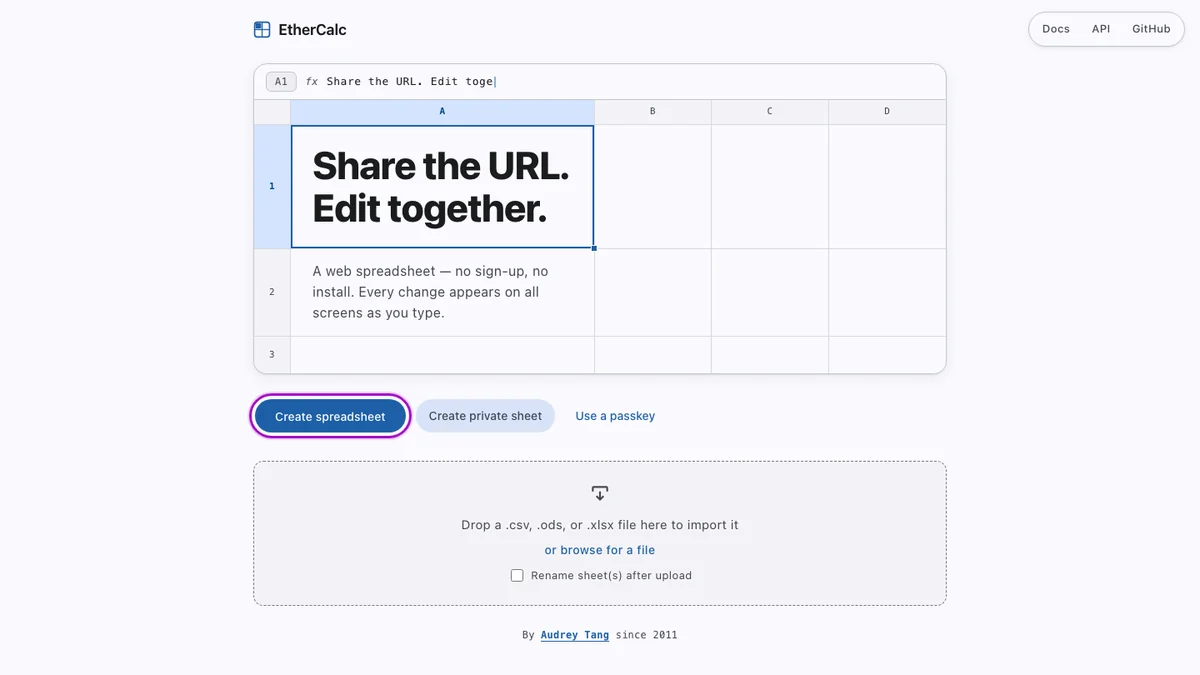
Bookmark that address. Anyone who has it can open and edit the sheet, so share it only with the people who check attendance.
Step 2: List Reps and Let the Sheet Find Each Offset
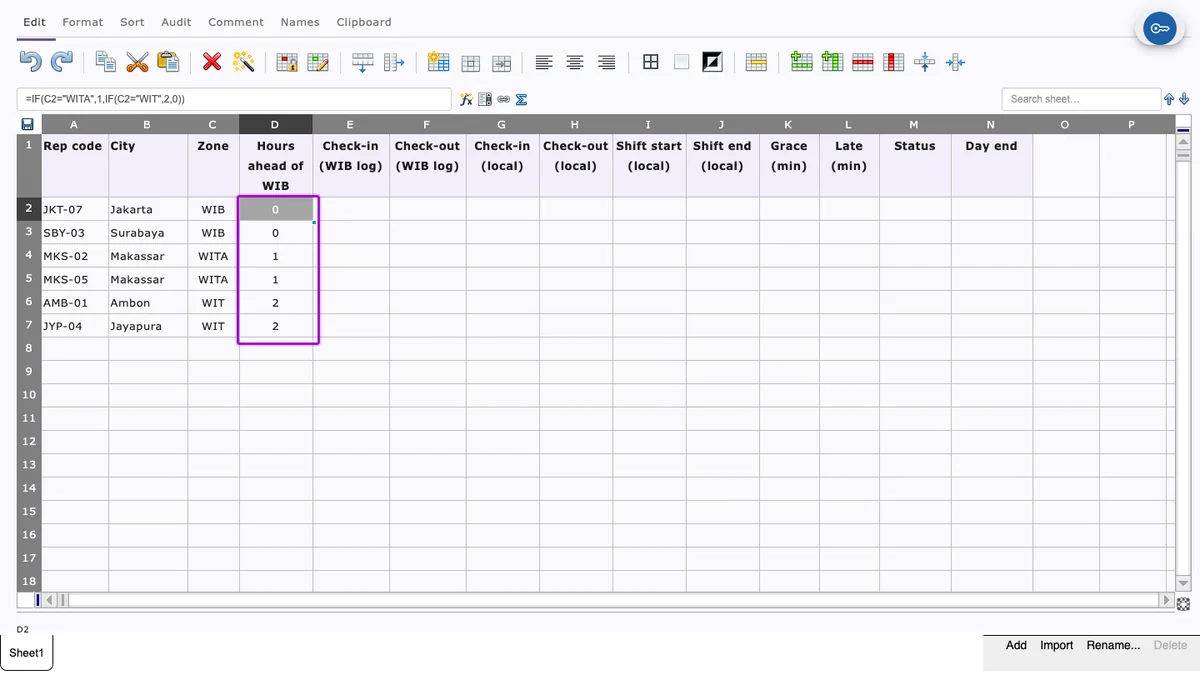
Type the headers across row 1, then fill columns A to C with rep code, city and zone.
In D2, enter =IF(C2="WITA",1,IF(C2="WIT",2,0)) and copy it down. Column D now shows how many hours each rep is ahead of Jakarta.
Step 3: Paste the Times as Head Office Logged Them
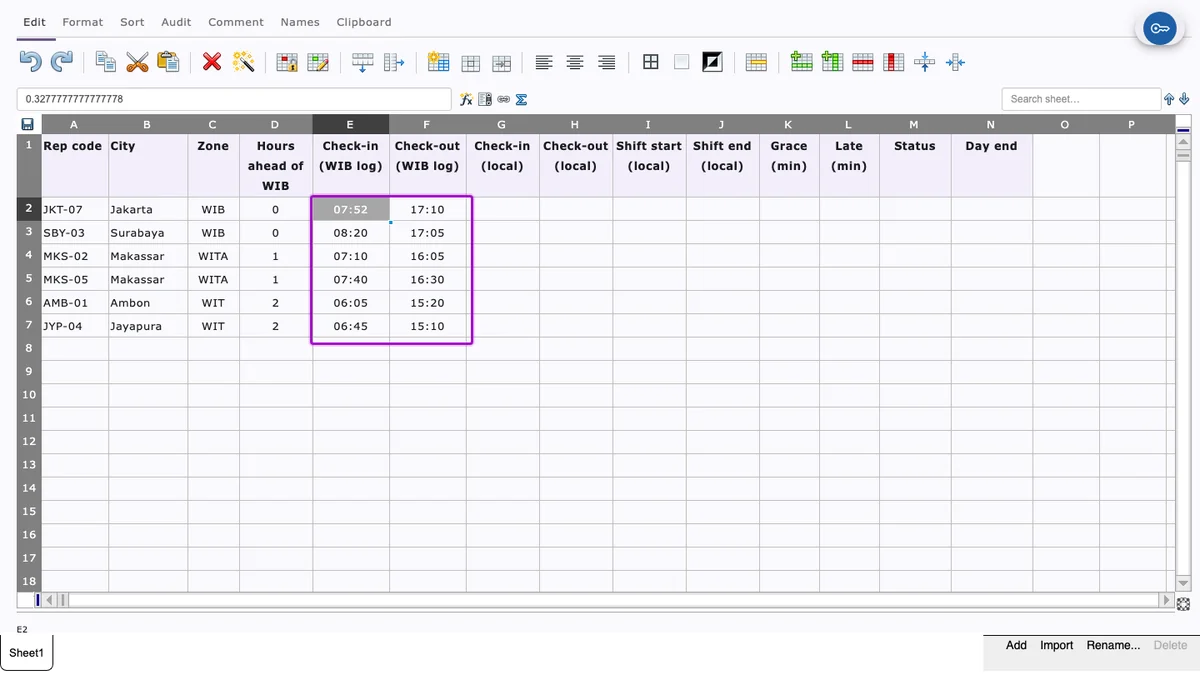
Columns E and F take check-in and check-out exactly as received on Jakarta time, formatted as hh:mm.
Do not adjust them by hand. Keeping the raw log untouched means anyone can trace a result back to what was actually sent.
Step 4: Convert Each Time to the Rep's Local Clock
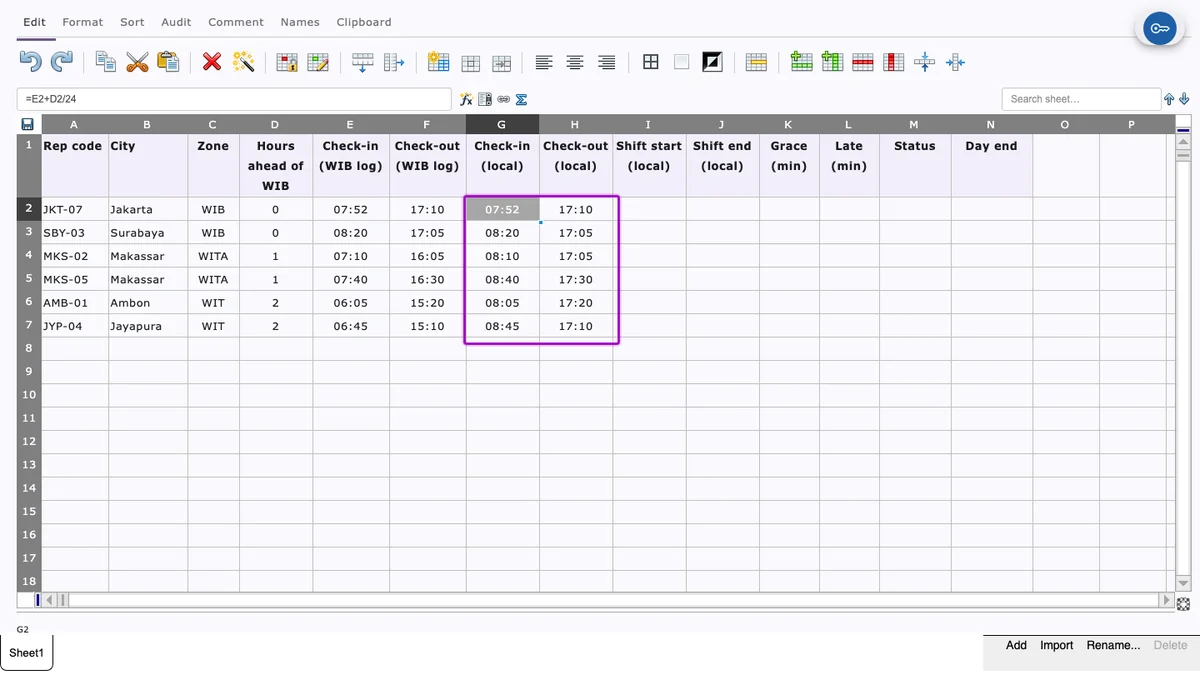
In G2, enter =E2+D2/24, and in H2 enter =F2+D2/24. A spreadsheet counts one day as 1, so one hour is 1/24.
MKS-05's logged 07:40 becomes 08:40, and JYP-04's 15:10 check-out becomes 17:10.
Step 5: Compare Against the Local Shift and Grace
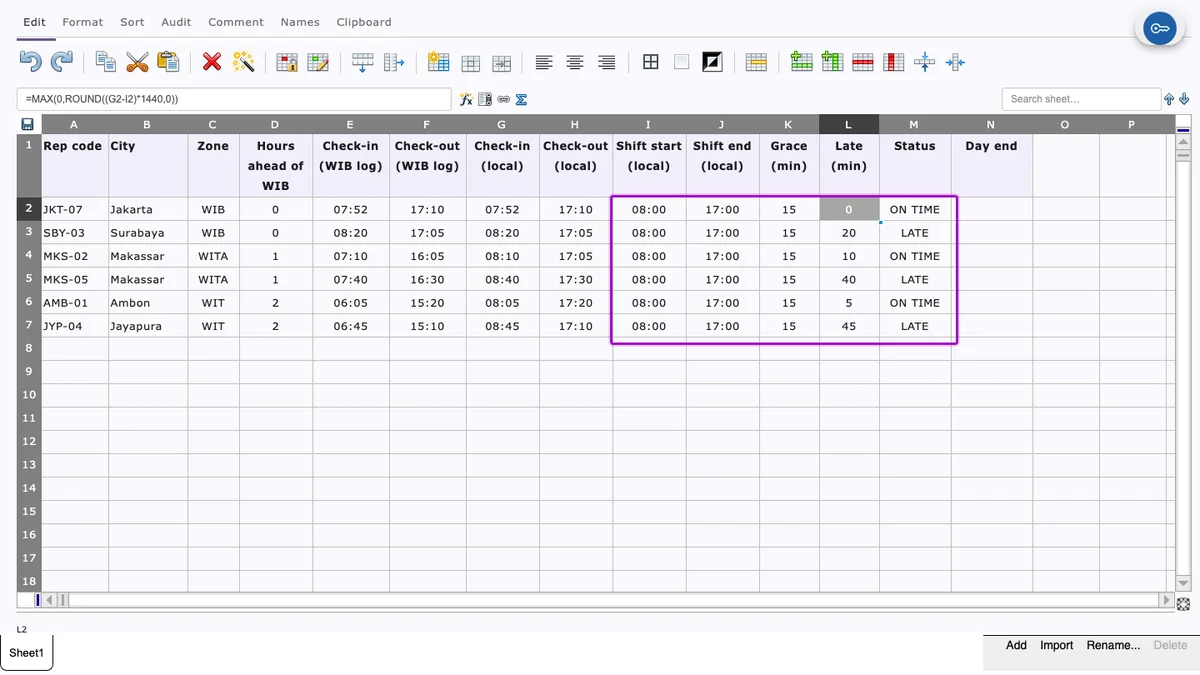
Enter 08:00 and 17:00 in columns I and J, and 15 in column K for the grace minutes.
In L2, =MAX(0,ROUND((G2-I2)*1440,0)) gives the minutes late, since a day has 1,440 minutes. In M2, =IF(L2>K2,"LATE","ON TIME") turns that into a status.
Step 6: Check the Day End on Local Time
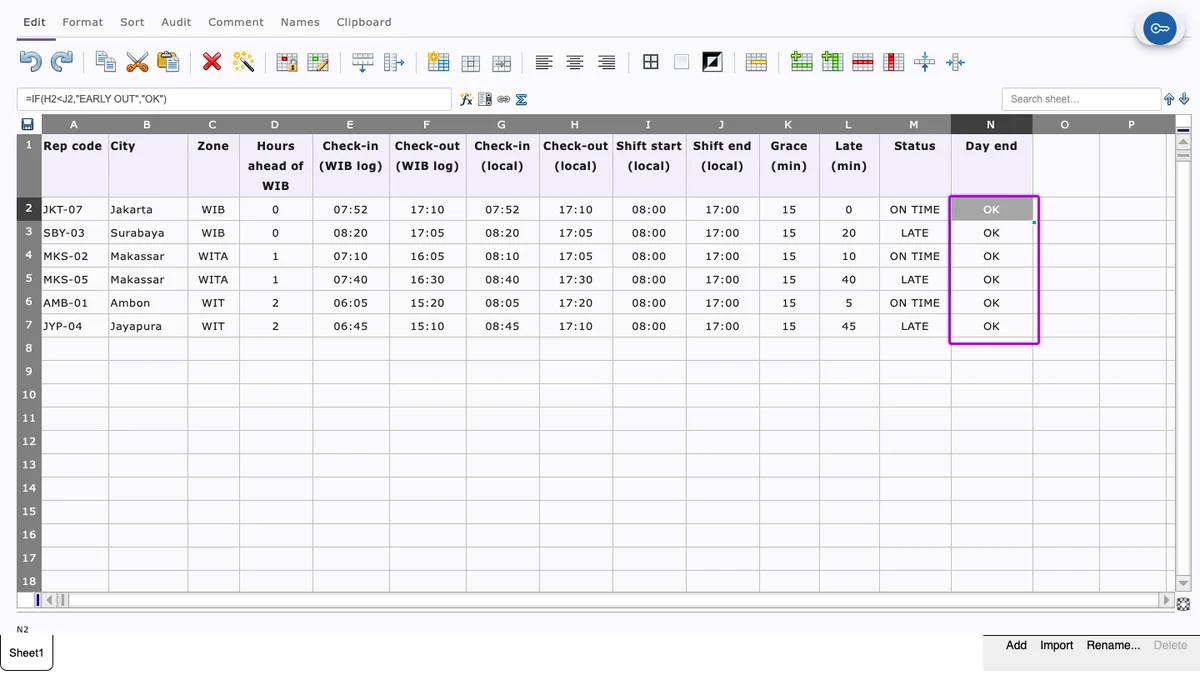
In N2, enter =IF(H2<J2,"EARLY OUT","OK") and copy it down.
Every rep in the sample finished after 17:00 local, so the column reads OK all the way down.
The Same Six Reps on Each Clock
Here is how the sample day reads with and without the conversion.
| Rep | Logged in Jakarta | Read on Jakarta Time | Local Time | Read on Local Time |
|---|---|---|---|---|
| JKT-07 | 07:52 to 17:10 | On time, full day | 07:52 to 17:10 | On time, full day |
| SBY-03 | 08:20 to 17:05 | Late, full day | 08:20 to 17:05 | Late by 20 minutes, full day |
| MKS-02 | 07:10 to 16:05 | On time, left early | 08:10 to 17:05 | On time within grace, full day |
| MKS-05 | 07:40 to 16:30 | On time, left early | 08:40 to 17:30 | Late by 40 minutes, full day |
| AMB-01 | 06:05 to 15:20 | On time, left early | 08:05 to 17:20 | On time, full day |
| JYP-04 | 06:45 to 15:10 | On time, left early | 08:45 to 17:10 | Late by 45 minutes, full day |
On Jakarta time, four eastern reps look as if they left early, and only the Surabaya rep looks late.
On local time, the early exits disappear and two real late arrivals come to light, one in Makassar and one in Jayapura.
Where the Manual Sheet Falls Short
- Daily copy and paste — someone has to paste every day's times before any check happens, so lateness is found after the fact.
- Zones sit in a cell — a rep moved from Surabaya to Makassar stays on WIB until someone edits the zone.
- No proof behind a time — the sheet trusts whatever was sent and cannot show where the rep was or who checked in.
- Open by link — anyone with the address can change a time, and nothing records who did.
- Holidays and corrections live elsewhere — regional holidays, leave and corrected days must be cross-checked by hand.
- Reps hear last — a late flag often reaches the rep at month end, when it is hardest to explain.
How 1Channel Judges Lateness Where the Rep Works
1Channel's attendance app shows lateness to the rep at the moment of check-in, against the shift they are working.
The home card shows the shift name, its hours and the grace period.
Before marking, the app warns how late the rep is, and afterwards the card shows Late by n minutes.
A check-in can require a selfie, stamped with GPS coordinates and the capture date and time.
AI validation then matches that selfie against the rep's approved reference photo, which keeps check-ins proxy-proof.
Attendance rules are configurable. A business can count the first market call as sign-in and set minimum-visit rules for a working day.
It can also send manual attendance requests, with a reason, to the manager for approval.
| Need | Manual Sheet | 1Channel |
|---|---|---|
| Late check | Calculated after the day from pasted times | Shown to the rep before and after marking, against their shift and grace |
| Proof of presence | None | Selfie with GPS coordinates and time, AI face match and store geofencing |
| Staying at the outlet | Not checked | Random attendance prompts during the shift |
| Holidays | Cross-checked by hand | Holiday calendar, company-wide or region-specific, visible in the rep's app |
| Corrections | Overwritten in the sheet | Regularization request approved by the reporting manager |
| Payroll | Copied out manually | Attendance Closure locks the period, and Attendance Summary exports to Excel |
The app is multi-language, configured to each client's requirement, and every record sits in one cloud platform.
Judge Every Check-In on the Rep's Own Shift
Replace the daily paste with selfie check-ins, shift-aware late marks and payroll-ready attendance reports.
Built for field teams working across Indonesia.
Explore Attendance Software →What This Looks Like in Practice
A rep in Makassar opens the app at 08:40 local. The home card shows her shift, its hours and the 15-minute grace.
Before she marks anything, the app warns that marking now is late.
She chooses her status, takes the selfie and marks attendance. The card now shows how late she was, so there is nothing left to discover at month end.
Her manager sees the mark in the team's attendance reports with the photo and location beside it, and HR closes the month without pasting a single time.
Note: Since the manual method was only tested once, consult a technical expert before running bulk operations.