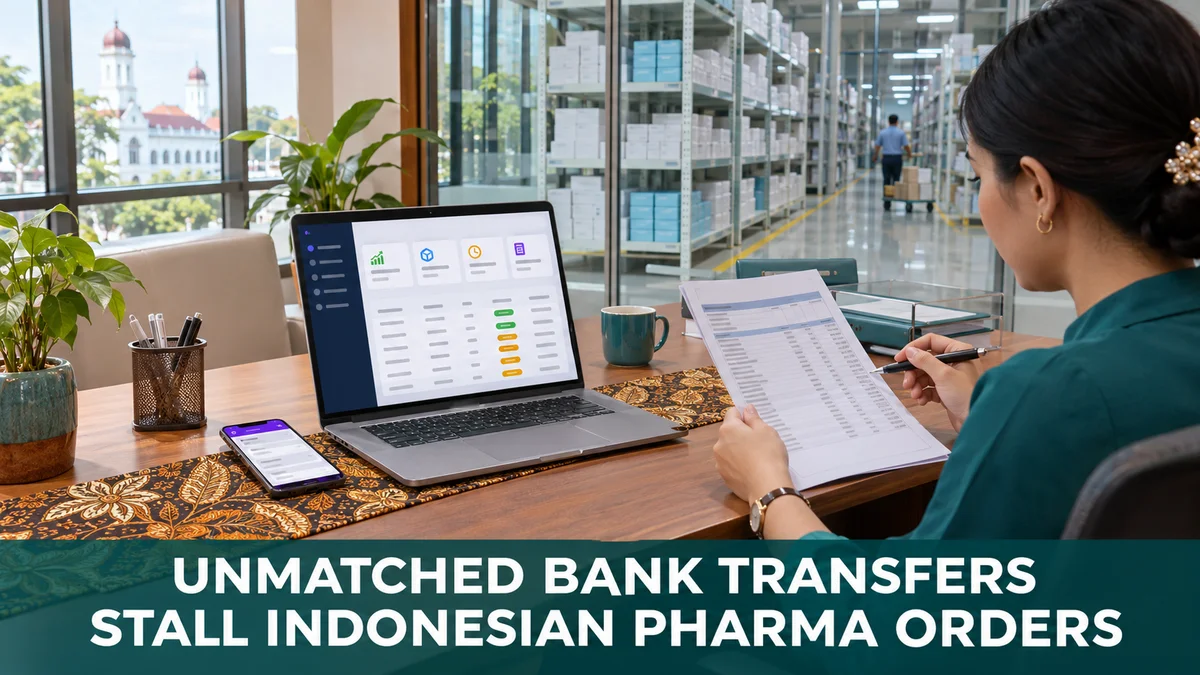
A bank statement line that shows only a date, an amount and a transfer code tells a distributor's finance team that money arrived, but not who sent it.
Throughout Indonesia, Pharma, FMCG, Consumer Durables and Cosmetics and Personal Care distributors collect largely by bank transfer, so that gap reaches every customer ledger.
When a payment cannot be placed, a pharmacy that has already paid still shows as overdue, and its next order stops at the credit check.
This post works through three matching problems, each paired with its fix, using two pharmacy examples.
Why a Transfer Arrives Without a Name
Indonesian banks credit an incoming business transfer without passing the payer's identity along with it.
Without a reference, staff match payments one by one against open invoices.
The usual bank-side fix is a virtual account. Each customer gets its own account number, and every payment into it credits one master account.
That number, or the reference a customer quotes, ties the money to a customer. The distributor still has to record it against the right invoices.
Three Matching Problems and Their Fixes
Each problem starts at the bank statement and ends at the pharmacy's next order. The fixes sit in the collections and credit screens of a distribution management system.
| Problem | What Goes Wrong | Fix |
|---|---|---|
| Payment with no payer name | The customer still shows as overdue | Record it with amount, mode and reference number |
| One transfer for several invoices | The wrong invoice closes and a real overdue hides | Auto-allocate, or allocate to the invoices named |
| Paid pharmacy on credit hold | The next order is blocked or flagged | Same-day recording updates outstanding and headroom |
Problem 1: A Payment Nobody Can Place
A transfer lands with a code and no name. Until someone traces it, the customer's ledger still shows the full amount as due.
Fix: record the payment against the customer as soon as it is identified, with amount, mode and reference number.
The virtual account number or bank reference goes in the reference field, so anyone can trace it later.
Worked example: Apotek Kimia Mandiri in Semarang pays Rp 18.750.000 into its virtual account to clear one overdue invoice.
The collections clerk records the payment with that virtual account number as its reference. It waits under Pending Verification until it is approved.
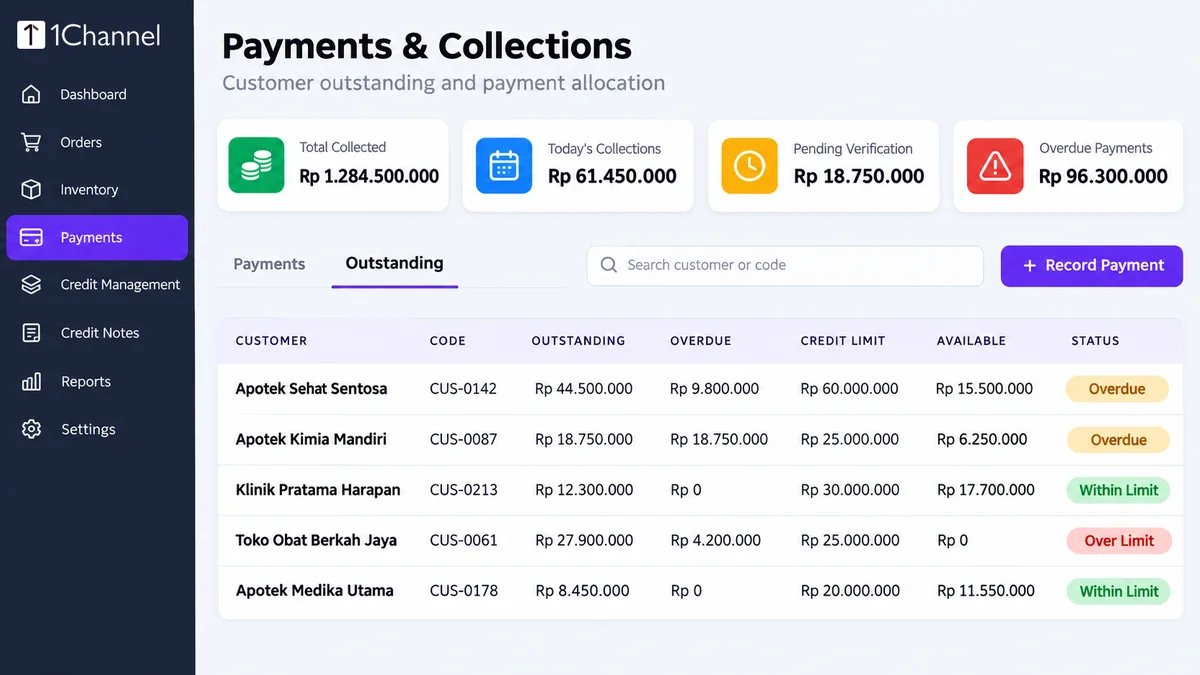
Once approved, the invoice is settled, outstanding drops to zero, and the pharmacy's full Rp 25.000.000 credit limit is available again.
Problem 2: One Transfer, Several Invoices
Pharmacies often settle several invoices in one transfer, and sometimes hold one back. Closing the wrong invoice hides the one that is really overdue.
Fix: when recording the payment, auto-allocate the amount across the customer's outstanding orders, or allocate it manually to the invoices the customer names.
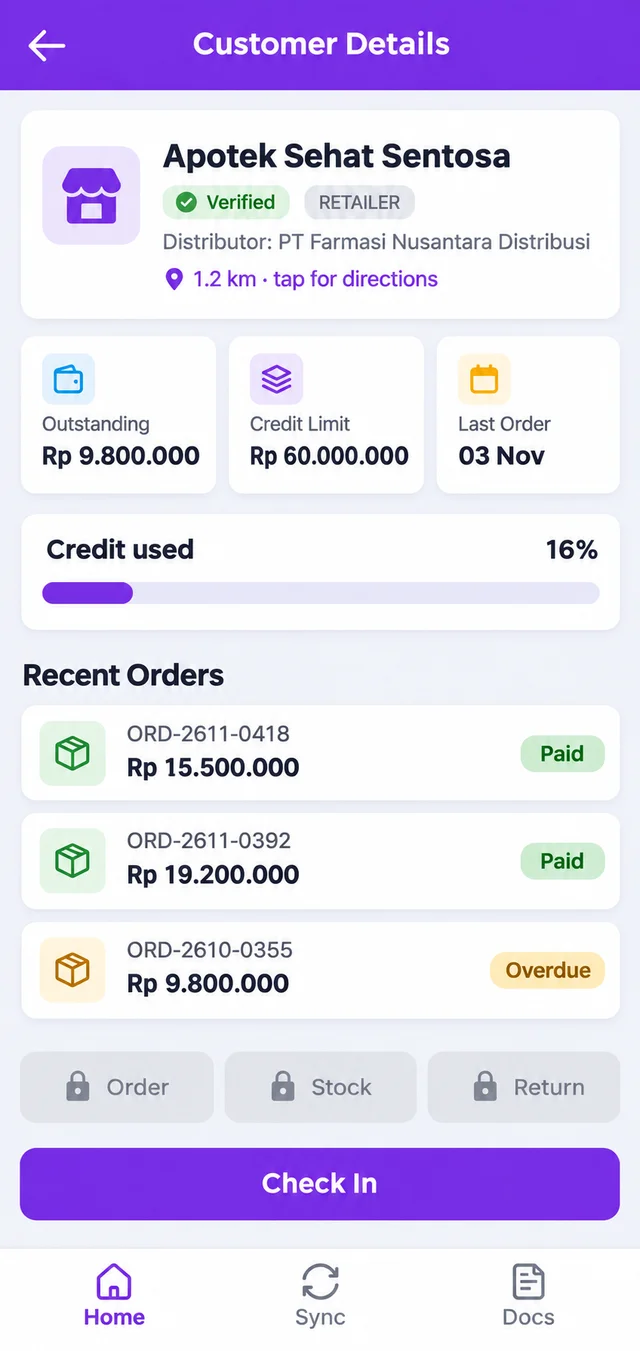
Worked example: Apotek Sehat Sentosa in Surabaya has three open invoices of Rp 15.500.000, Rp 19.200.000 and an older Rp 9.800.000.
It transfers Rp 34.700.000 and emails that it is paying the two newer invoices while a short delivery on the older one is checked.
Finance allocates the payment manually to those two invoices. Outstanding falls to Rp 9.800.000, and that single invoice stays visible as overdue.
If the shortfall is confirmed, the gap is settled with a credit note rather than by moving the payment around.
Problem 3: A Paid Pharmacy Stuck on Credit Hold
From a customer's second order onward, no further orders go through until the credit limit is set and the previous outstanding is cleared.
An order that would exceed the available limit is flagged for a manager to review. A pharmacy that paid on Monday but was recorded on Thursday is held in between.
Fix: record and allocate on the day the bank credit is identified.
The outlet card in the rep's app then shows the true Outstanding and Credit % before the visit.
Reports That Close the Month
The Outstanding tab lists every customer's outstanding and overdue amounts, credit limit and available headroom, with a status badge such as Overdue or Over Limit.
Order-to-Cash and Overdue Aging reports show where collections stall, and a Credit Override Audit Report sits alongside them.
The analytics dashboard tracks Days Sales Outstanding and Collection Efficiency, the share of payments realised.
How 1Channel Keeps Every Transfer Tied to an Invoice
1Channel DMS records each payment with its reference and allocates it to the right orders.
Outstanding and credit headroom update in the same cloud platform the field team orders from.
The platform can integrate with ERPs such as SAP Business One through APIs, so distributor and product masters, stock, invoices and outstanding stay in sync.
The software and mobile app are multi-language, with languages configured to each client's requirement.
Match the Money Before the Next Order
Record each transfer with its reference and allocate it to the right invoices, so a paid pharmacy is never held at the credit check.
Built for distributors across Indonesia.
Explore Payment Management →Conclusion
An unmatched transfer looks like a small clerical gap, yet it ends as a blocked order and a frustrated pharmacy.
Capturing the reference, allocating to the invoices named and recording on the same day keep the ledger, the credit check and the field app telling the same story.
Note: Software screens may vary based on your business structure and configured workflows.