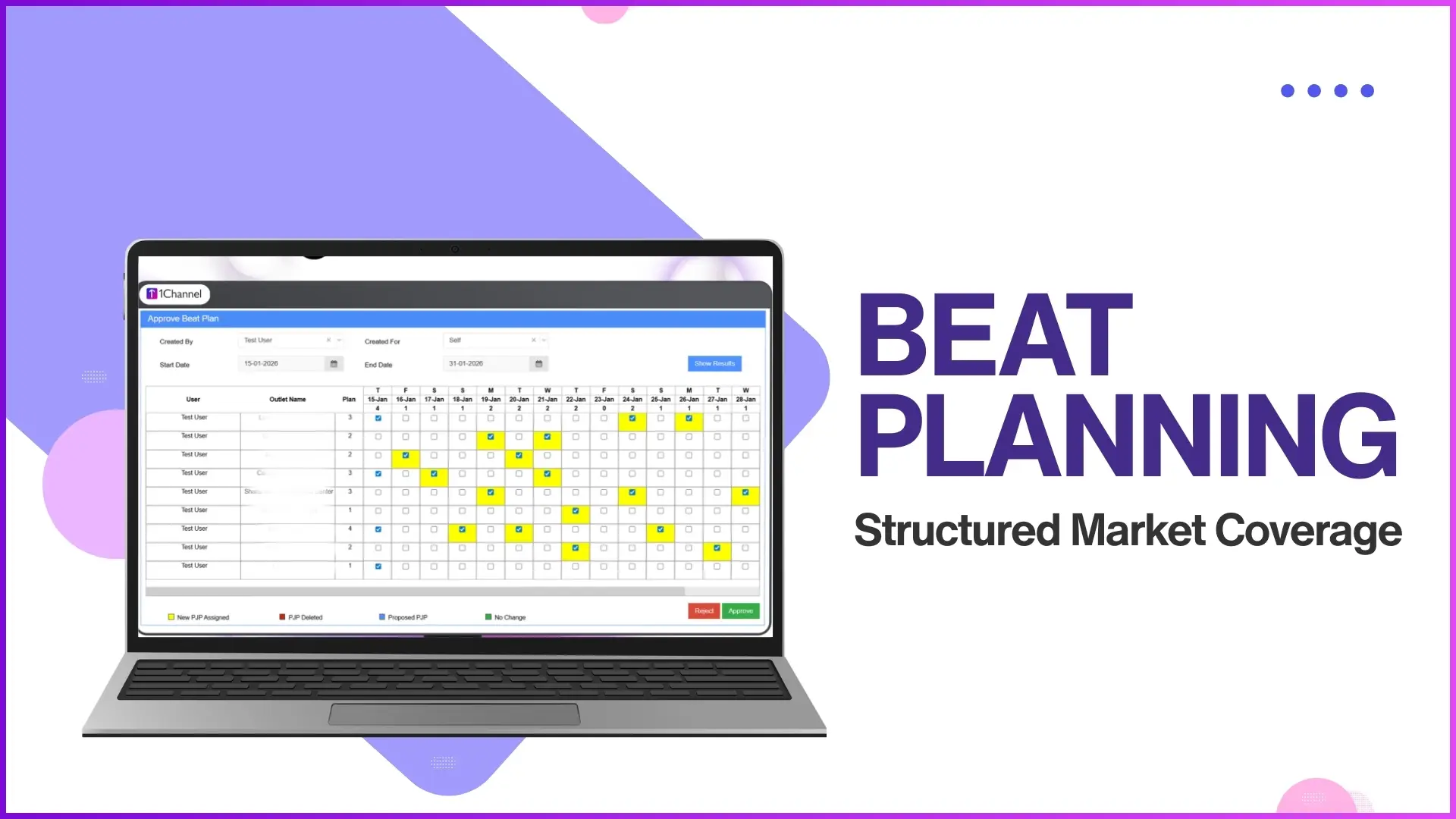
Field coverage in Malaysia depends on knowing which store each promoter visits and on which day. Without that detail, daily plans drift, some outlets get visited twice while others go untouched, and reporting becomes guesswork. Store-wise visit scheduling fixes this. It moves the plan from "cover Subang on Mondays" to "visit Mydin Subang on Monday, 99 Speedmart Petaling Jaya on Tuesday, and Tesco Cheras on Wednesday." The structure lives inside the SFA Market Visit Plan module.
Table of Contents

What Store-Wise Visit Scheduling Means
Store-wise visit scheduling assigns each retail outlet to a specific user with a defined visit day. Promoter A visits these four outlets on Monday, these three on Tuesday, and so on through the week. Every store in the universe appears in someone's plan on a specific day, and every visit can be matched against the plan after the fact.
How the Schedule Builds Inside the SFA Portal
The plan is created from the Market Visit Plan section under People Management. A programme manager uploads the plan with the date range, store list, user list, and visit day per store. The same screen handles edits later, so a plan that needs to shift for a public holiday or a new launch in Penang does not need a rebuild.
Upload Formats Malaysian Admins Use Most
The portal supports four upload shapes so the plan can be created in whichever way matches the team's data:
Upload Market Visit Plan
The default upload. A simple sheet that lists store codes and visit dates against each user.
Upload Market Visit Plan by Store and User
Used when the team maintains a store-user mapping separately. Pulls the assignment from that mapping; only asks for the dates.
Upload Market Visit Plan with Distributor
Used when distributors influence routing. The distributor is part of the upload, so plans align with depot cycles.
Upload Market Visit Plan by Store and Client User Code
Used when the client maintains its own user codes outside SFA. Lets the upload reference those codes directly.
Weekday vs Calendar-Day Planning
Two planning modes sit alongside each other. The Weekday Market Visit Plan repeats a fixed pattern weekly: a store assigned to Monday is visited every Monday for the plan duration. This works for steady retail beats. The standard Market Visit Plan runs against calendar dates instead, which suits promotional rollouts, new outlet launches in Johor Bahru, or any plan that does not repeat cleanly.
How Promoters See the Plan on the App
Promoters open the SFA mobile app each morning and see the day's planned outlets listed in order. They check in at each store, complete the visit activities, and the system marks the visit against the plan automatically. No separate document to read, no spreadsheet to follow. The plan is the day's list, and the app records every step against it.
Tracking Plan vs Actual Visits
The Market Visit Plan Report is where coverage gets measured. Programme managers pull the report for any date range up to 31 days, filter by city, channel, or category, and download a sheet comparing planned visits against executed ones. The gaps are immediately visible: which outlets in Selangor were skipped, where the next week's plan needs adjusting.
Explore Sales Force Automation
1Channel's cloud SFA platform lets Malaysian sales teams upload store-wise visit plans in four formats, push them to promoter apps, and track plan-vs-actual coverage in real time.
Explore SFA Solutions →FAQs
What is the difference between weekday and calendar-day plans?
Weekday plans repeat a fixed pattern weekly. A store mapped to Monday gets visited every Monday for the plan duration. Calendar-day plans run against specific dates, which suits promotional cycles.
Can the same store appear on more than one visit day?
Yes. A high-priority outlet can be assigned to two days in the same week, or to different promoters on different days.
How do admins update the plan mid-month?
The Market Visit Plan section accepts edits any time. Changes flow to the promoter app on the next sync.
What happens if a promoter misses a planned visit?
The missed visit appears as a gap in the Market Visit Plan Report. The reporting manager can follow up the same week instead of waiting for month-end.
Can the plan be uploaded by distributor instead of store?
Yes. The Upload Market Visit Plan with Distributor format ties the plan to the distributor, useful when depot cycles shape the visit order.
The Schedule Is Where Coverage Becomes Visible
With named outlets mapped to named days, Malaysian field operations stop running on memory. Coverage becomes a tracked number, skipped visits show up the same week, and routes tighten as the report points at the right gaps. The store-wise schedule is what turns intent into measurable execution.