Leave approvals in field sales teams break in patterns that are hard to fix from outside the workflow. A rep applies via WhatsApp, the manager replies with a thumbs-up, and HR finds out three pay cycles later.
Multiply that across 200 reps across 20 supervisors across 5 regions, and the workflow becomes the source of payroll disputes, attendance reconciliations, and quarterly audit headaches.
Bringing leave approvals inside the SFA solves the problem at the source. The screens below cover the full workflow, from the rep tapping "apply" on the mobile app to the manager closing the queue at the end of the week.
Table of Contents
Why Leave Approvals Are Harder Than They Look in Field Teams
Field teams compound the standard leave complexity. Reps work distributed across regions, supervisors batch decisions inconsistently, and the leave policies vary by tenure, role, and territory.
Without a unified workflow, the conversation lives in messaging apps and email threads. The audit trail is incomplete, the balance calculations drift, and payroll cycles get retro-adjusted month after month.
Thirteen Screens That Make the Workflow Work
Each screen below covers a piece of the leave workflow. Reading them in sequence shows how the SFA absorbs the entire process end to end.
1. Quick Access from the User App
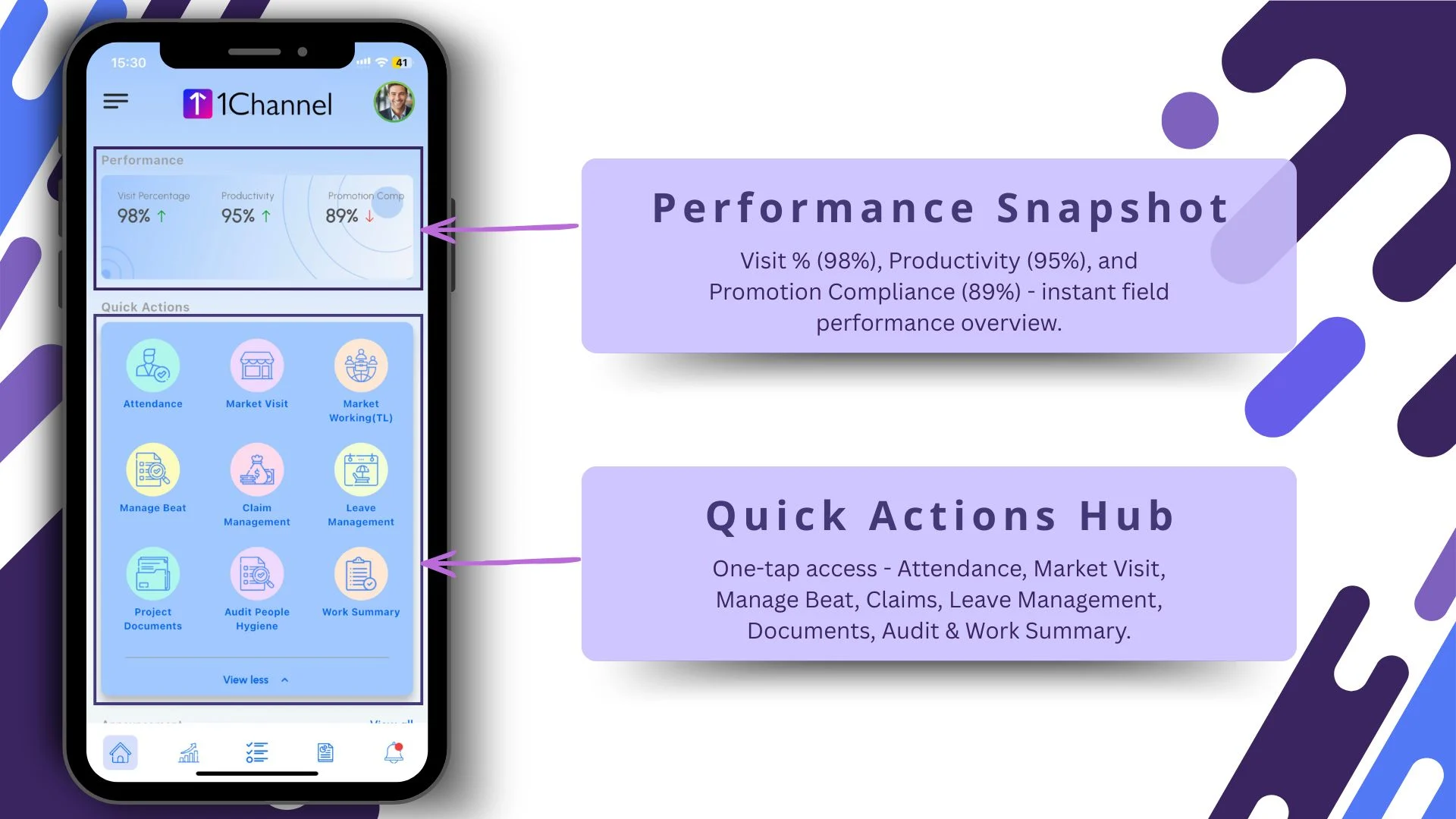
The rep's app surfaces leave management in the performance snapshot, paired with quick actions. One tap from the home screen lands the rep in the leave workflow, with their balance and policy already loaded.
2. Real-Time Leave Balance Visibility
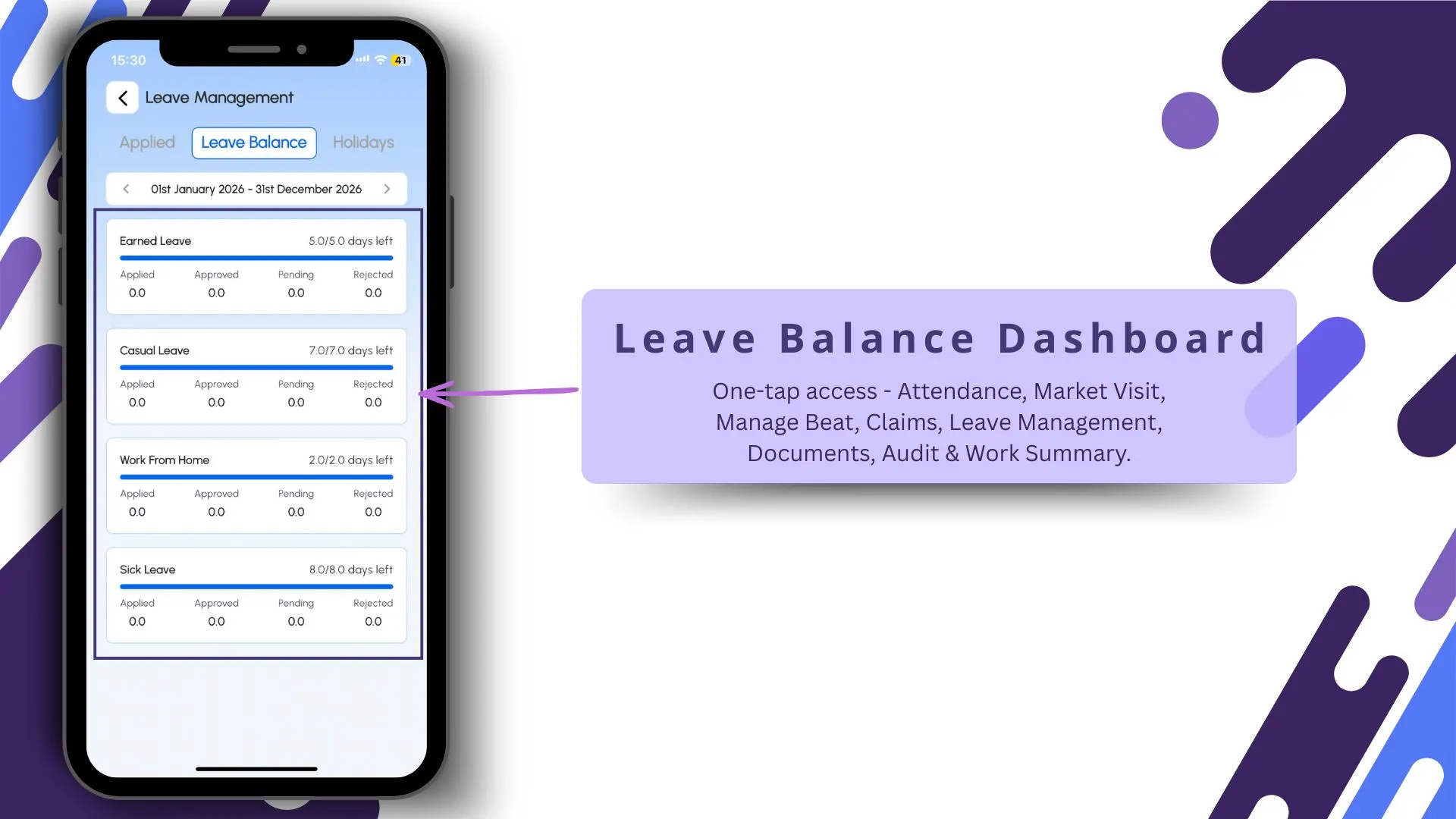
Every leave type's current balance shows in a single dashboard: earned, casual, sick, comp-off. The view updates the moment any leave clears, so the rep applies with full context instead of guessing.
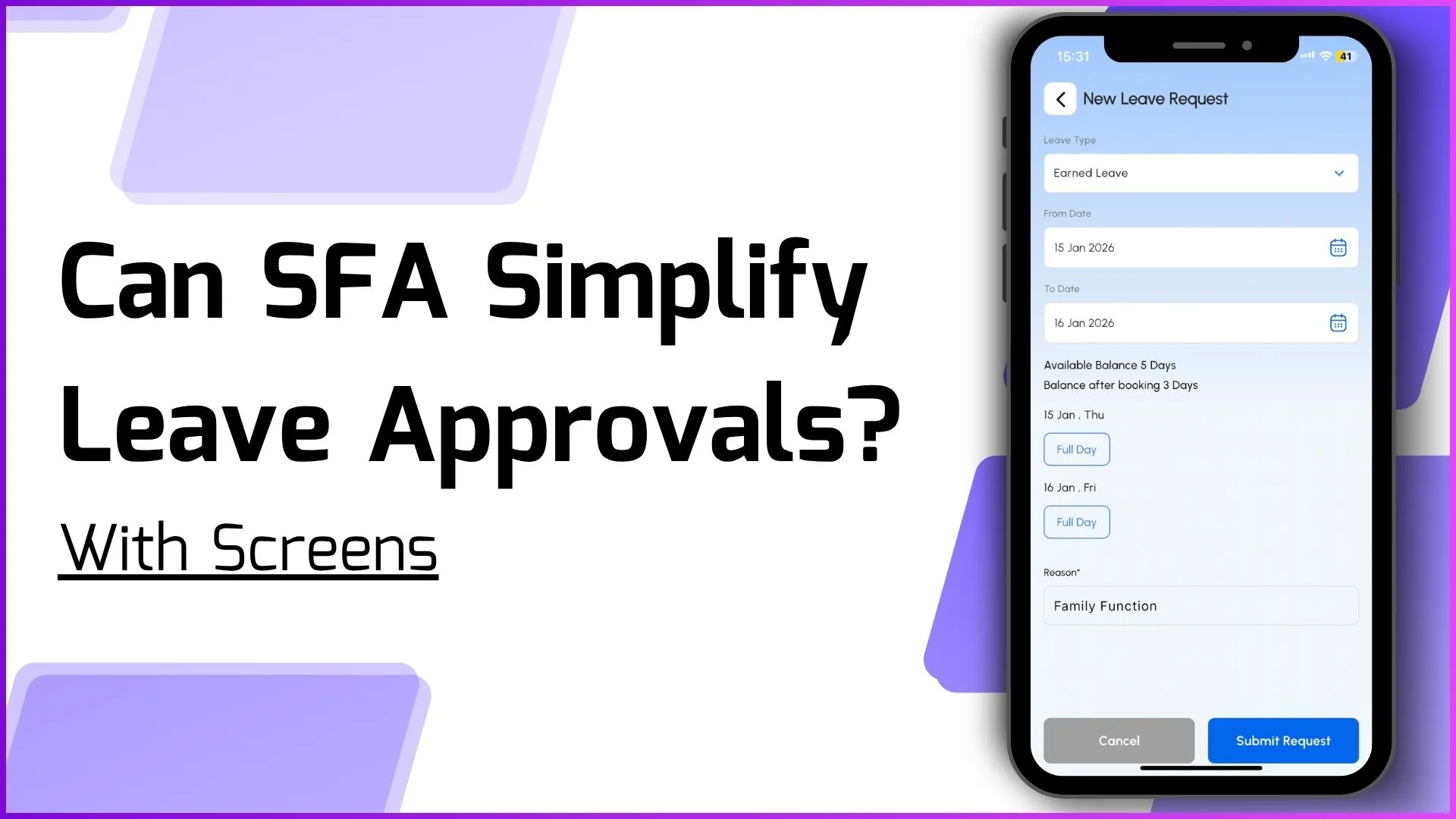
3. Structured Leave Request Workflow
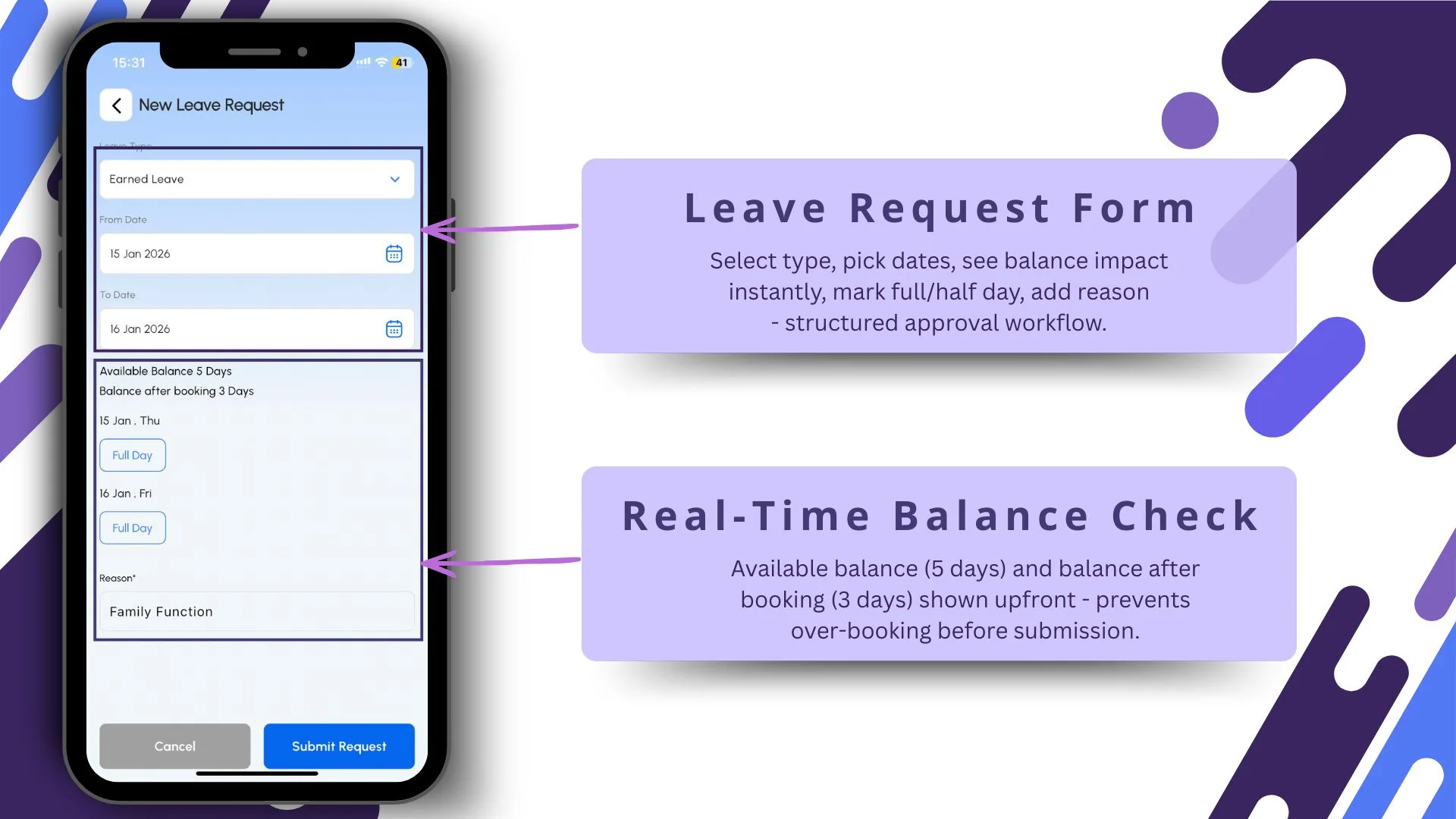
The application form checks the balance against the request before submission. Half-day, multi-day, paid versus unpaid: all resolved at the form level, so the manager sees a clean request rather than a clarification thread.
4. Applied Leave Status Tracking
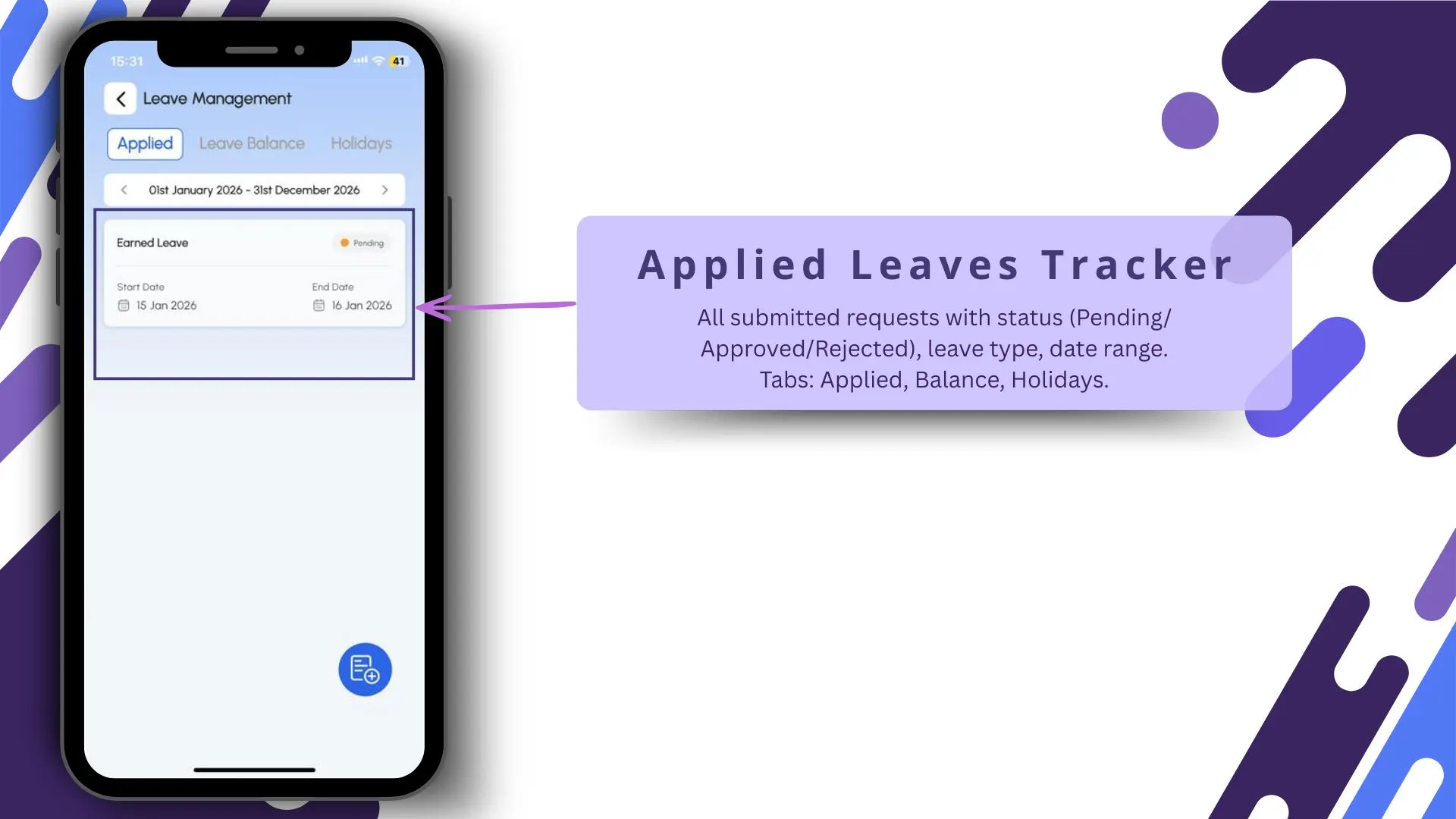
The applied-leaves screen shows every request the rep has ever filed, with status: approved, pending, rejected, recovered. The transparency cuts down on the "what happened to my leave" follow-ups significantly.
5. Bulk Leave Balance Upload
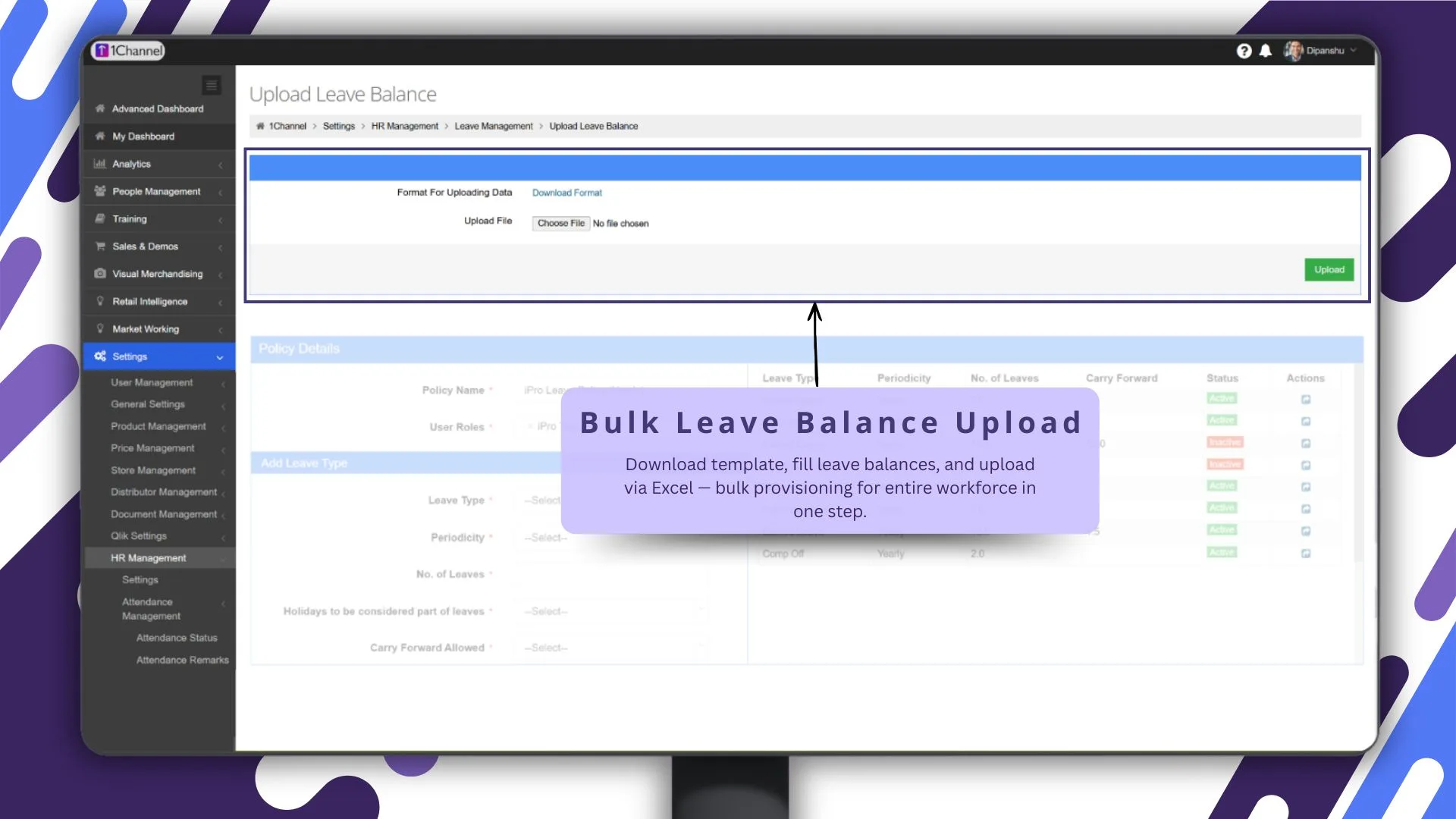
HR can refresh balances for large teams in one upload, with the cloud platform running validation against the policy schema before any change lands in the live ledger.
6. Flexible Leave Policy Builder
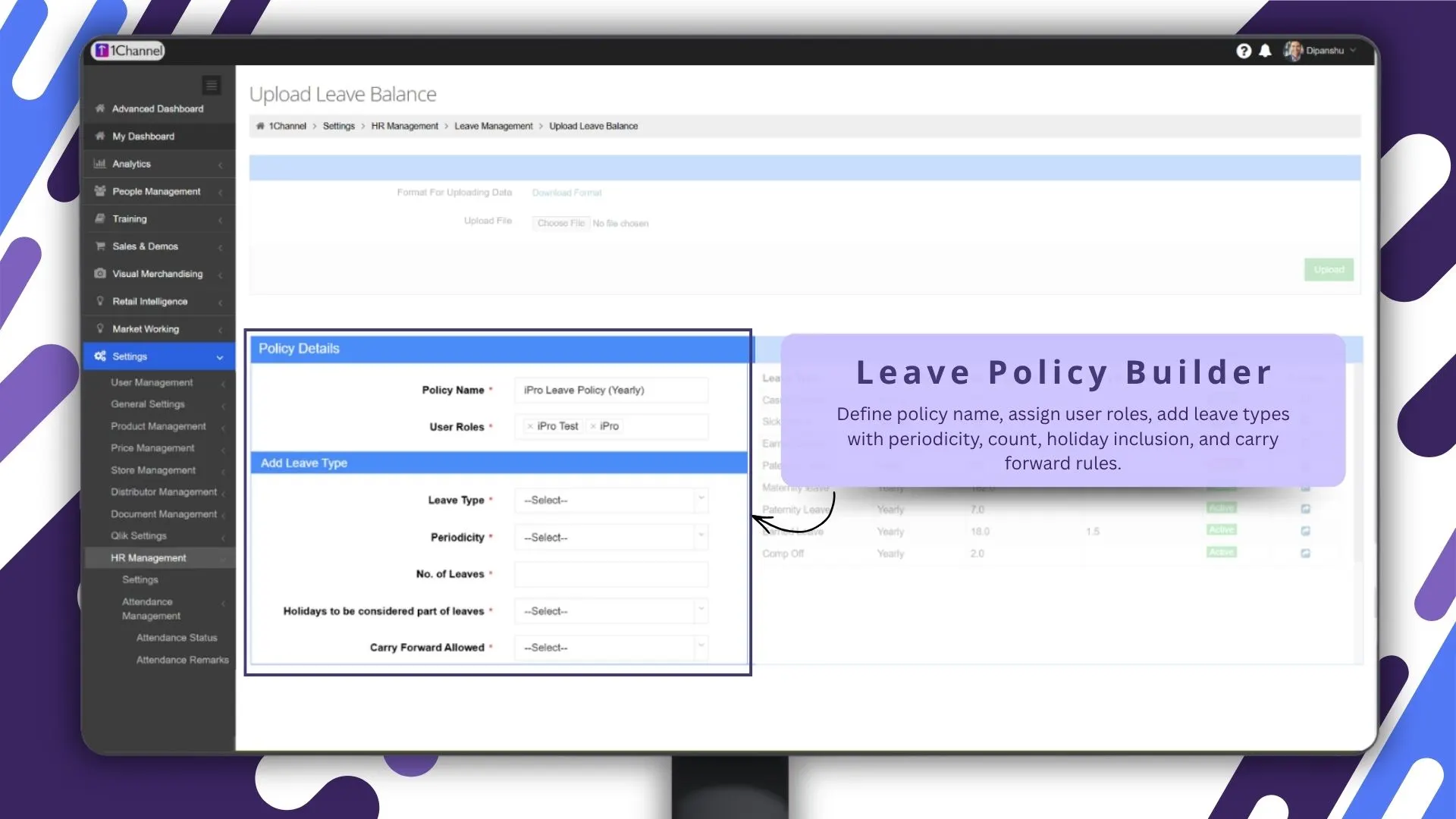
Admins build leave policies as configurable rules: accrual, carry-forward, encashment, max-consecutive limits, blackout periods. Each policy attaches to a role, a region, or a partner segment without code.
7. Leave Matrix for Complete Policy Control
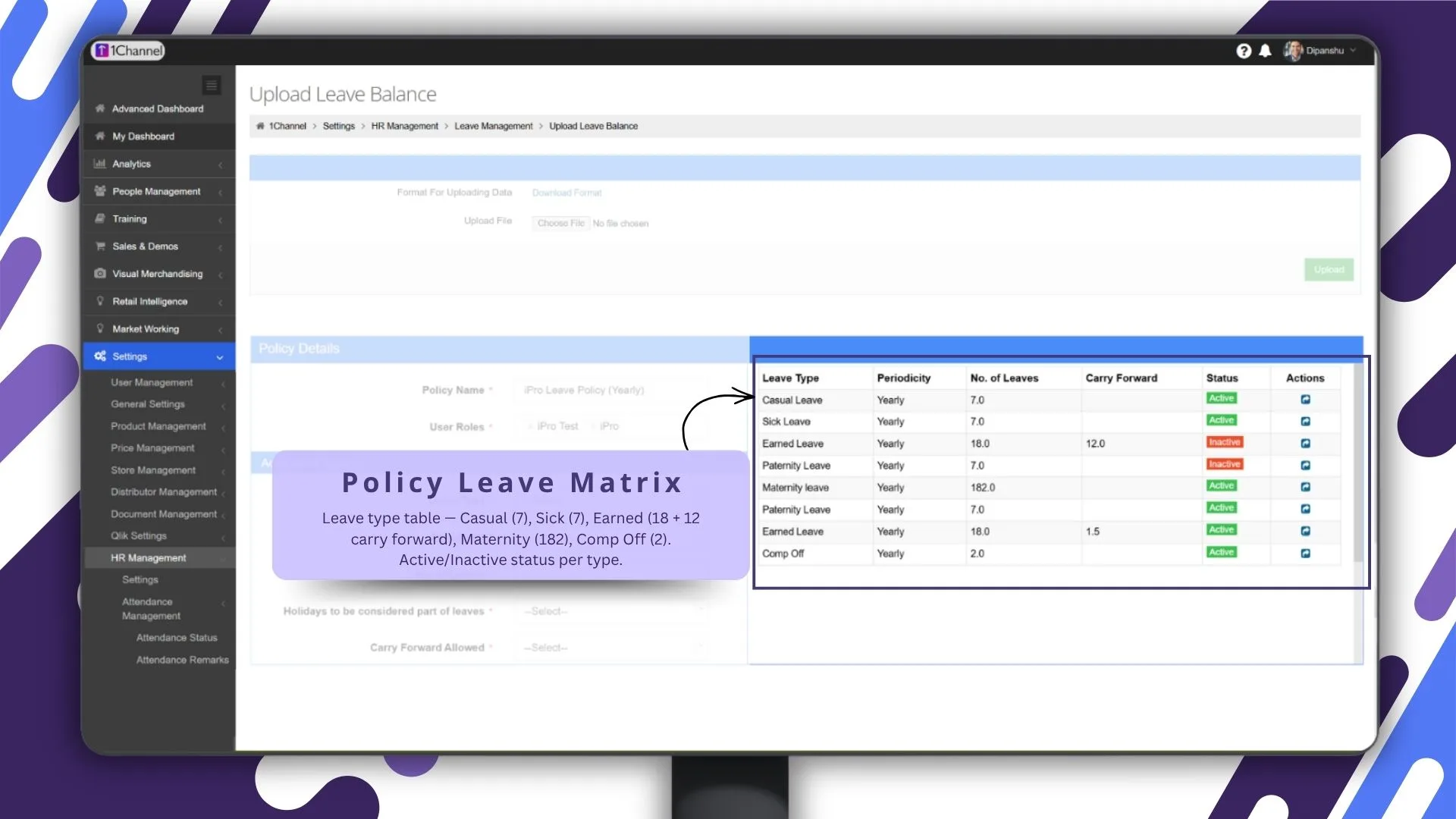
The leave matrix lays out every leave type against every applicable rule, with overrides at the user, role, and region level visible in one grid. Cross-checking policy compliance becomes a glance, not a meeting.
8. Holiday Calendar Management
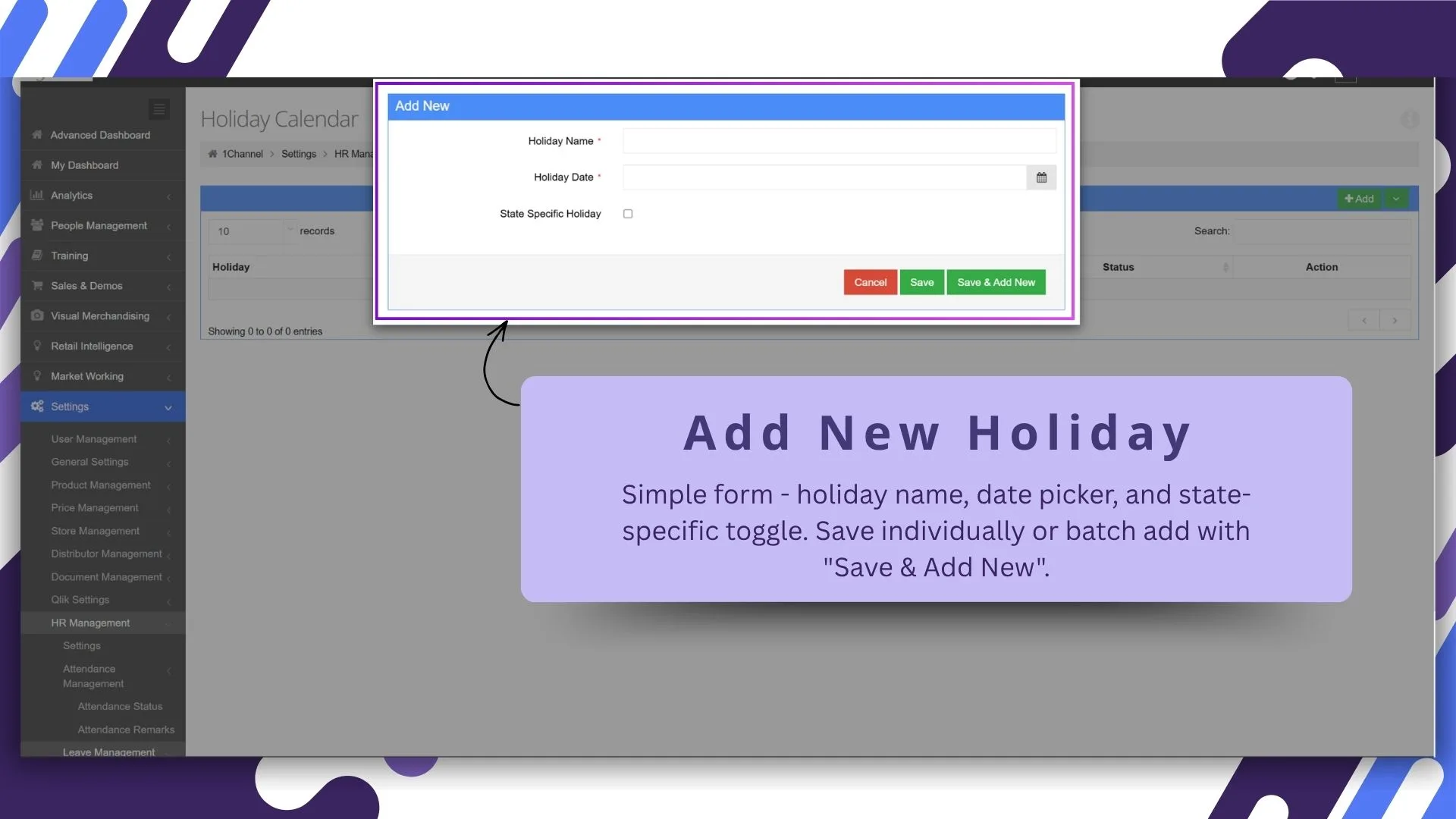
Add and edit national and regional holidays in one screen. The cloud platform recomputes weekend logic and policy interactions automatically, so reps never see an off-by-one error on a long weekend.
9. Complete Leave Approval Dashboard for Managers
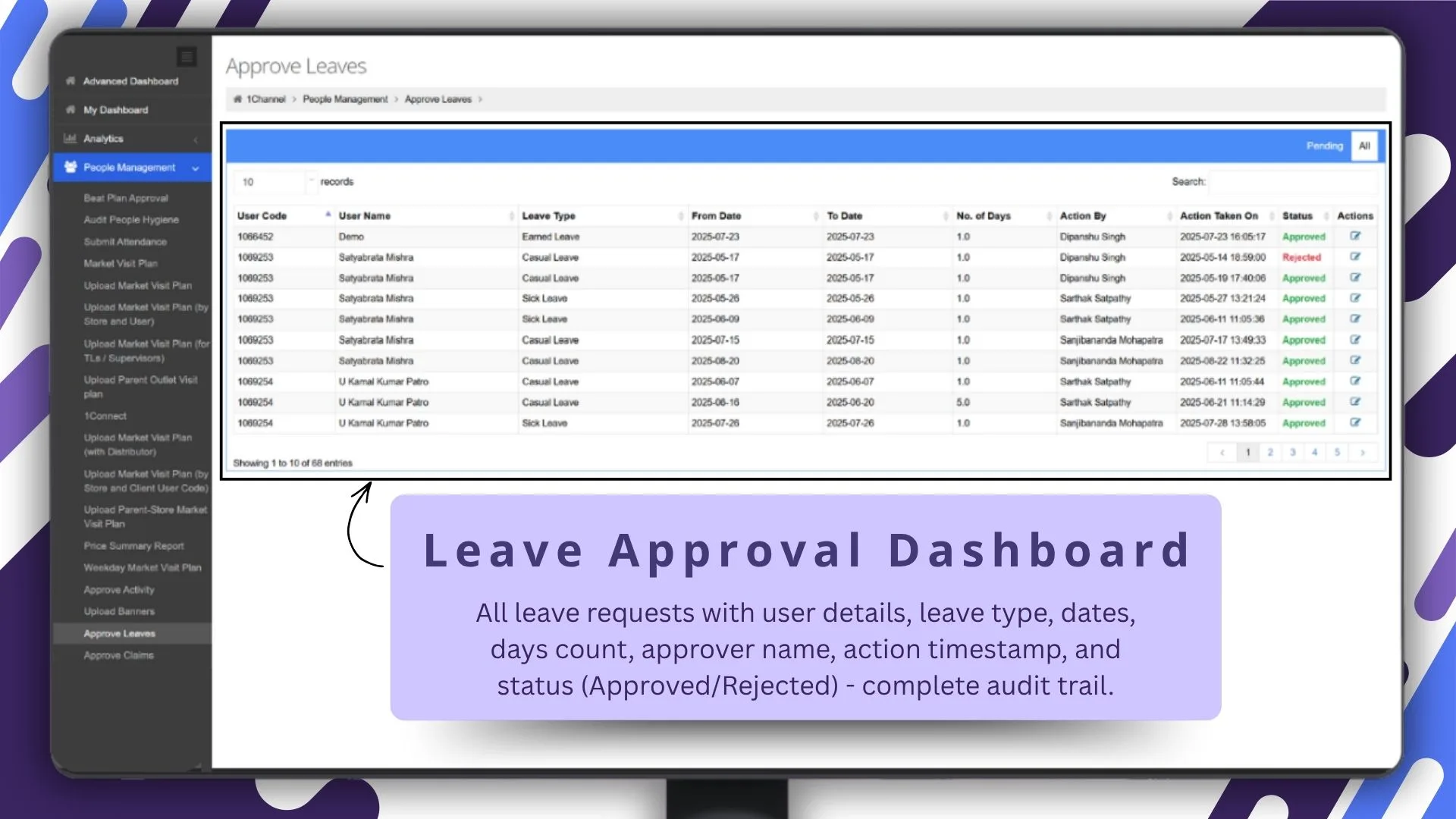
Managers read the full picture: pending requests, balance snapshots for each rep, team-level patterns, and exception flags. Decisions move from message-thread judgement to dashboard discipline.
10. Pending vs All Requests Filter
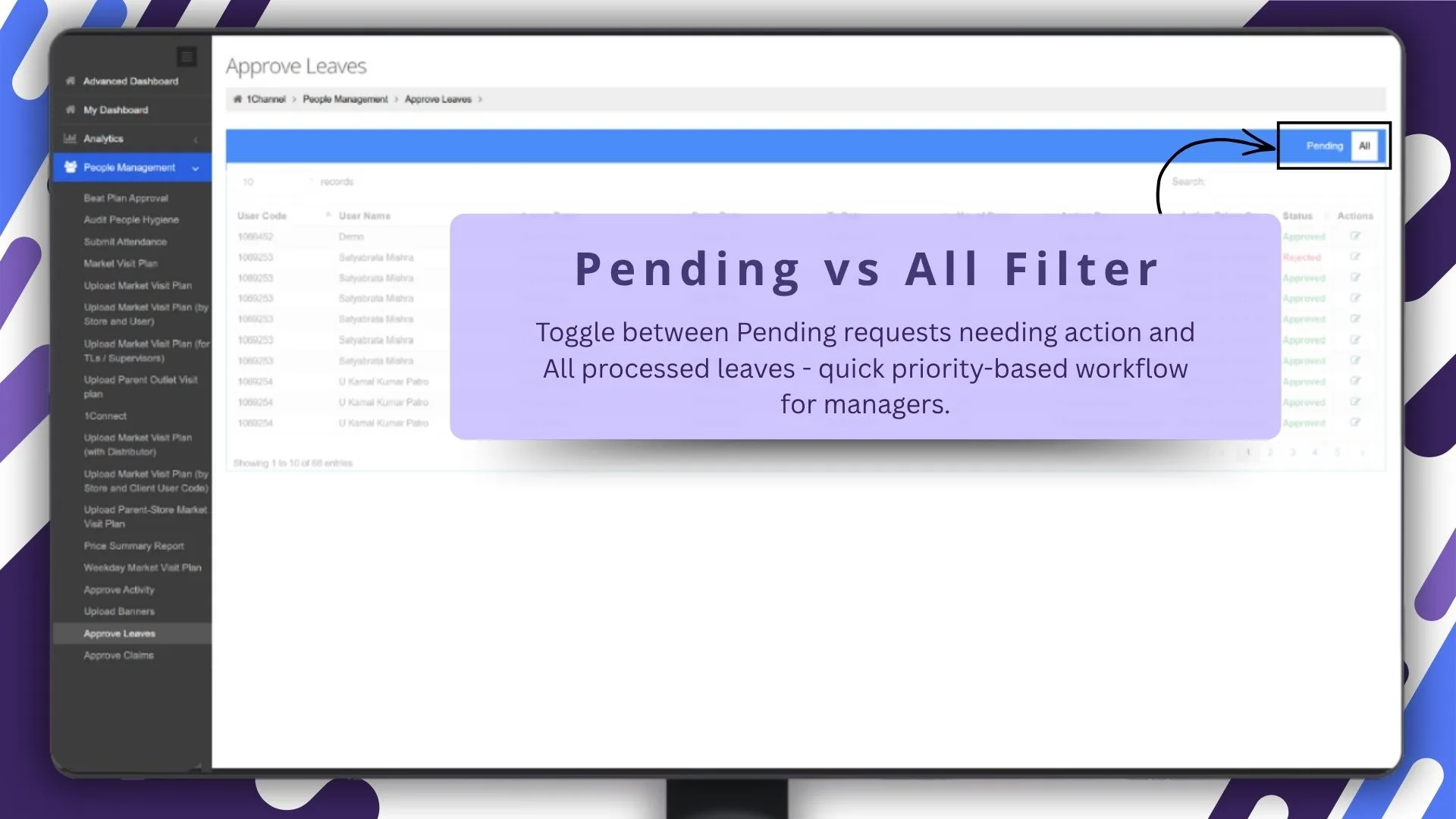
The filter narrows the view from "everything filed" to "what needs my decision today." A toggle that saves the manager 15 minutes per week is a feature that pays for itself in a quarter.
11. Centralised People Management Module
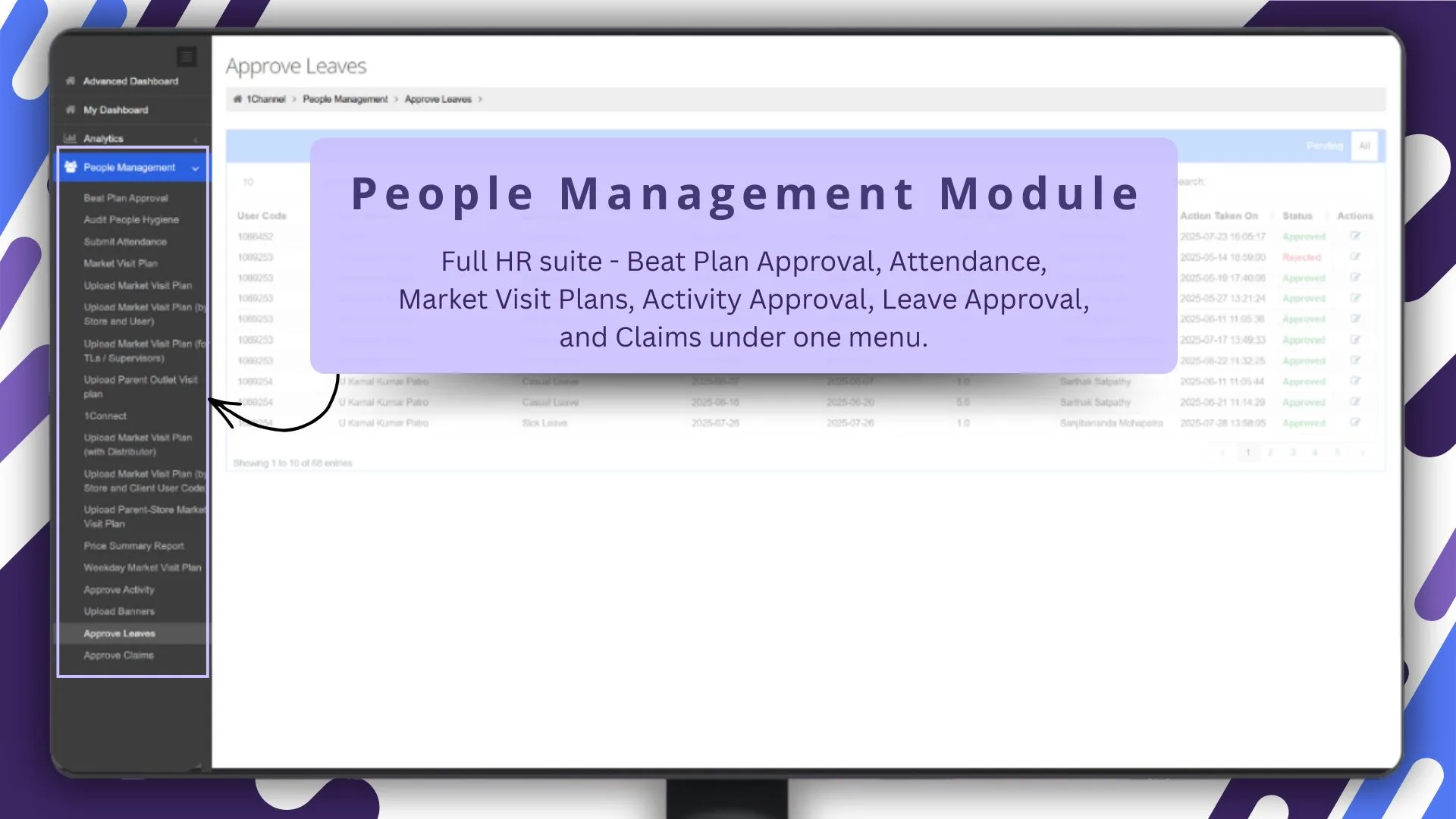
Manager, peer, and HR views all read from the same people module. Roles, hierarchies, attendance status, leave status, contact details: one source of truth, no spreadsheet duplicates.
12. One-Click Approval Queue for Managers
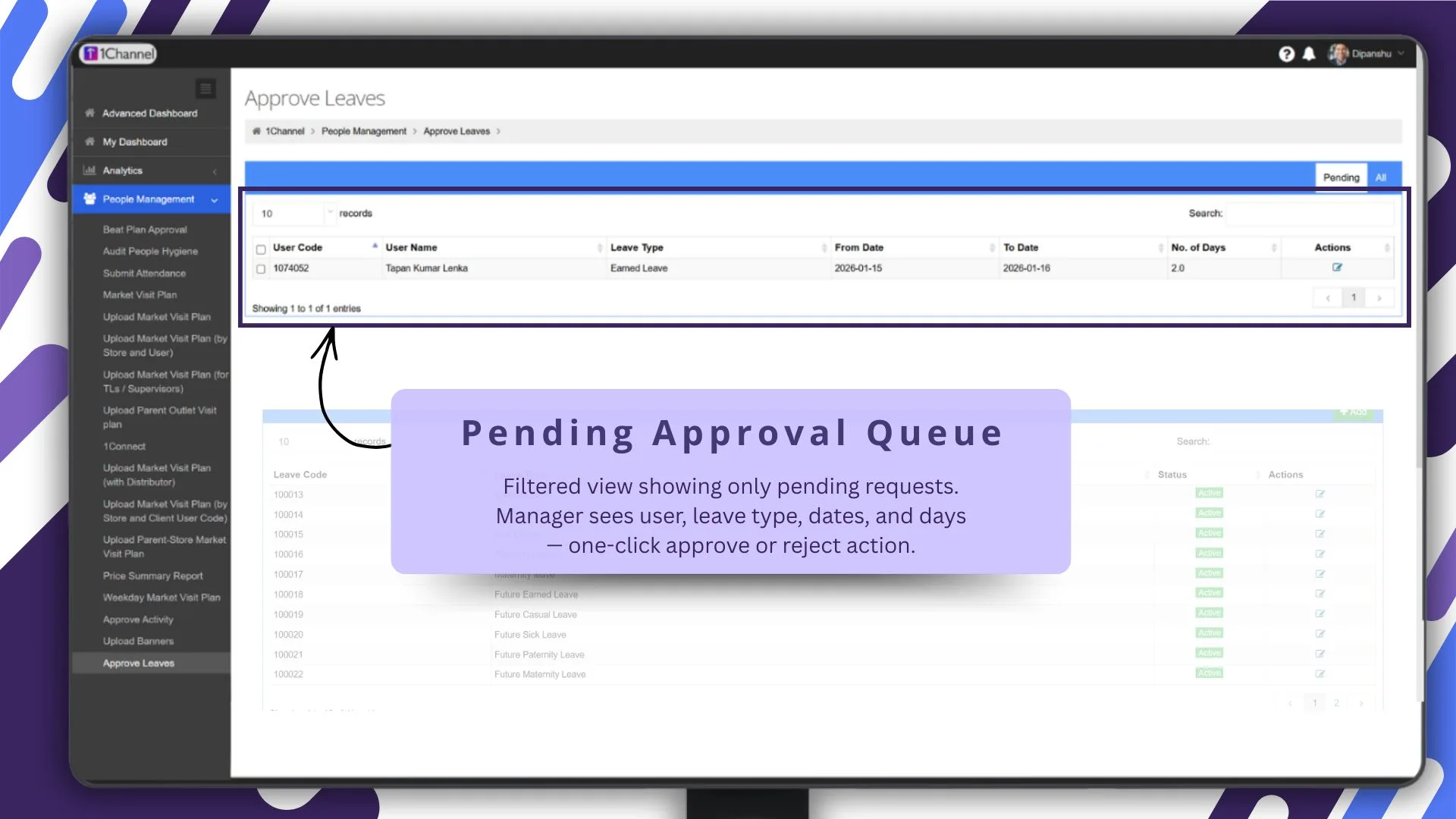
Routine approvals close with a tap. Exceptions route to the full review form. The manager spends time only on the requests that need judgement.
13. Configurable Leave Types
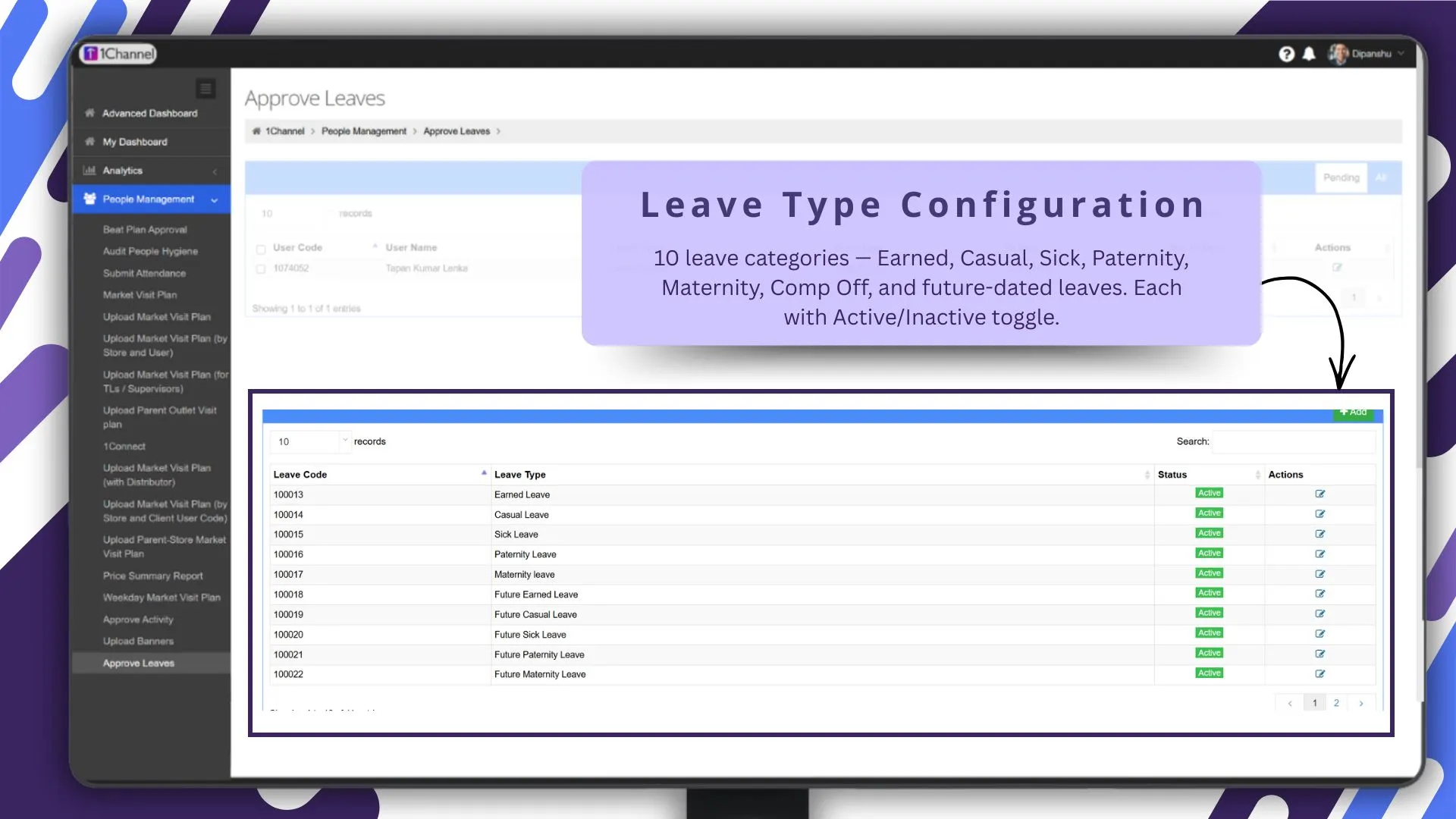
Beyond the standard set, admins create custom leave types: bereavement, study, marriage, sabbatical. Each gets its own balance, accrual, and approval routing without engineering work.
How 1Channel Runs Leave Approvals for Malaysian Field Teams
1Channel runs leave approvals through its cloud Sales Force Automation and HR modules. Every request, balance update, approval, and rejection lands in a single audit log automatically, with policy validation running before any state changes.
1Channel's AI engine watches for patterns that need leadership attention. Pending queues backing up two weeks in a row, regions where leave-balance accrual is outpacing the policy, leave types being misused: all surface as soft alerts before they become payroll fires.
Configuration runs through the admin console. New leave types, holiday calendars, policy rules, and approval matrices go live the same day they are approved, with an automated dry-run preview against the existing rep base.
Explore Cloud Leave Management Software
1Channel's cloud leave management platform absorbs the full workflow with AI policy monitoring and automated balance reconciliation.
Explore Leave Management Software →Frequently Asked Questions
Can reps apply for leave from the mobile app?
Yes. The full apply-and-track workflow runs in the rep's mobile app, with balance visibility, status updates, and policy explanations available on the same screen as the application form.
How do managers approve from the dashboard?
Managers see the pending queue with rep context, balance snapshot, and policy flags. Routine approvals close with a single tap; exceptions open the full review form for judgement.
Does the system show leave balance before applying?
Yes. The form pre-loads the rep's current balance for the selected leave type, and the system rejects any application that exceeds available balance unless an unpaid-leave override is configured.
Can admins create custom leave policies?
Yes. The policy builder supports accrual, carry-forward, encashment, max-consecutive limits, blackout periods, and role-based overrides, all configurable from the admin console without writing code.
Is the holiday calendar configurable across regions?
Yes. National and regional holidays attach to specific user groups, so teams in different states automatically see the holidays that apply to their location without manual reconciliation.