If you are running a small team, a startup, or a field operation and need a simple way to track employee attendance, check-in times, and check-out times without paying for software, this guide walks you through the entire setup using free Google tools.
No coding is required. No subscriptions needed. You can have a working attendance tracker running in under 30 minutes using Google Forms and Google Sheets. This approach works well for Malaysian businesses with up to 15 to 20 employees who need a basic attendance system before investing in dedicated software.
Table of Contents
Why a Free Attendance Setup Makes Sense for Small Teams
Not every business is ready to invest in HR software or a full sales force automation platform from day one. A tuition centre in Petaling Jaya with five part-time teachers, a small cleaning service in Johor Bahru with eight field workers, or a startup in Cyberjaya with a dozen remote team members all need to track when people start and finish work. But spending RM 500+ per month on attendance software does not make sense at that stage.
Google Forms and Sheets give you a functional system at zero cost. Employees submit a form to check in and check out, the data flows automatically into a spreadsheet, and you can track attendance patterns over time. It is manual, it has limitations, but it works as a starting point.
Step-by-Step: Build Your Own Free Attendance App
Step 1: Create a Google Form for check-in and check-out
1. Go to Google Forms at docs.google.com/forms and sign in with your Google account.
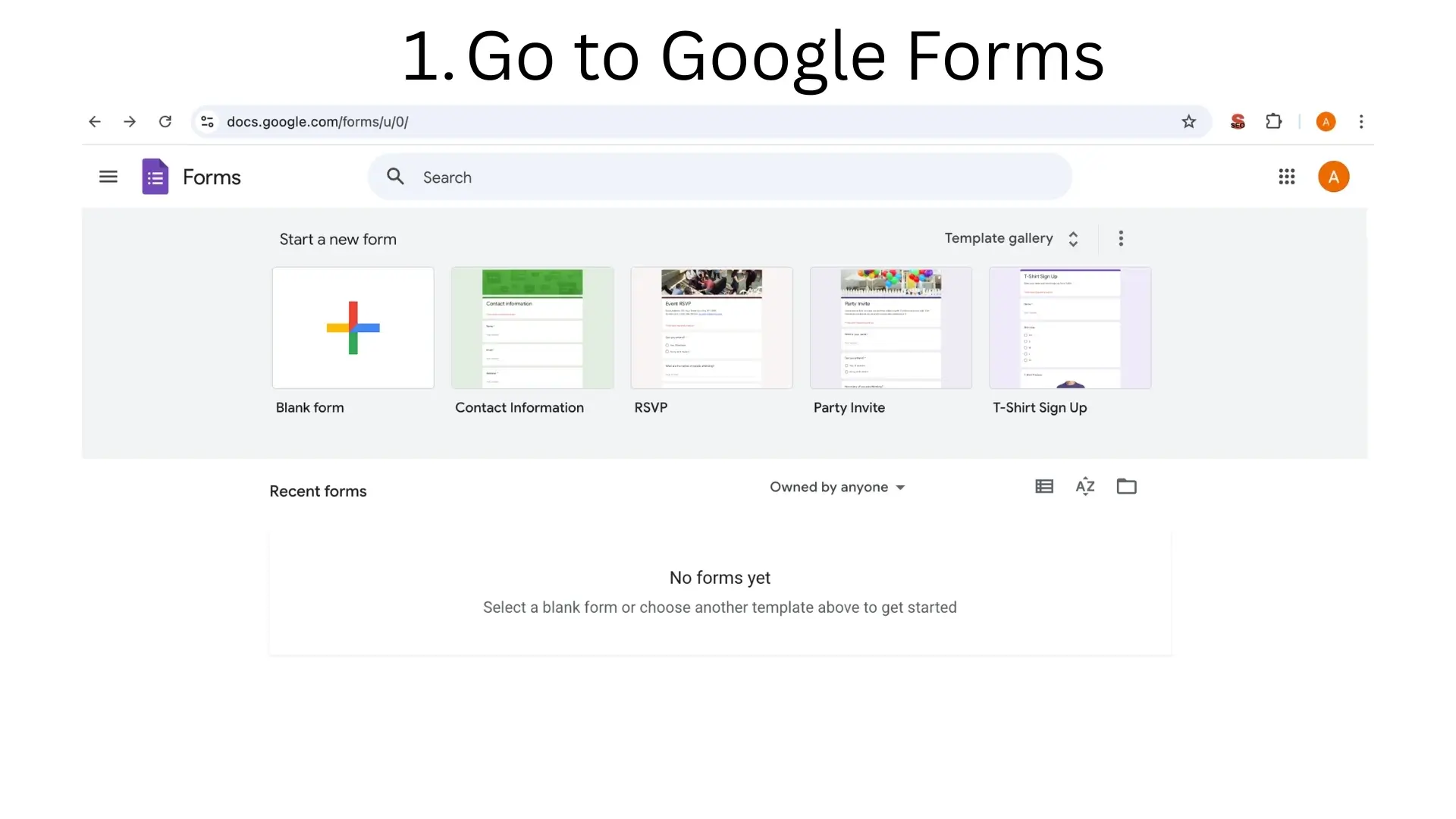
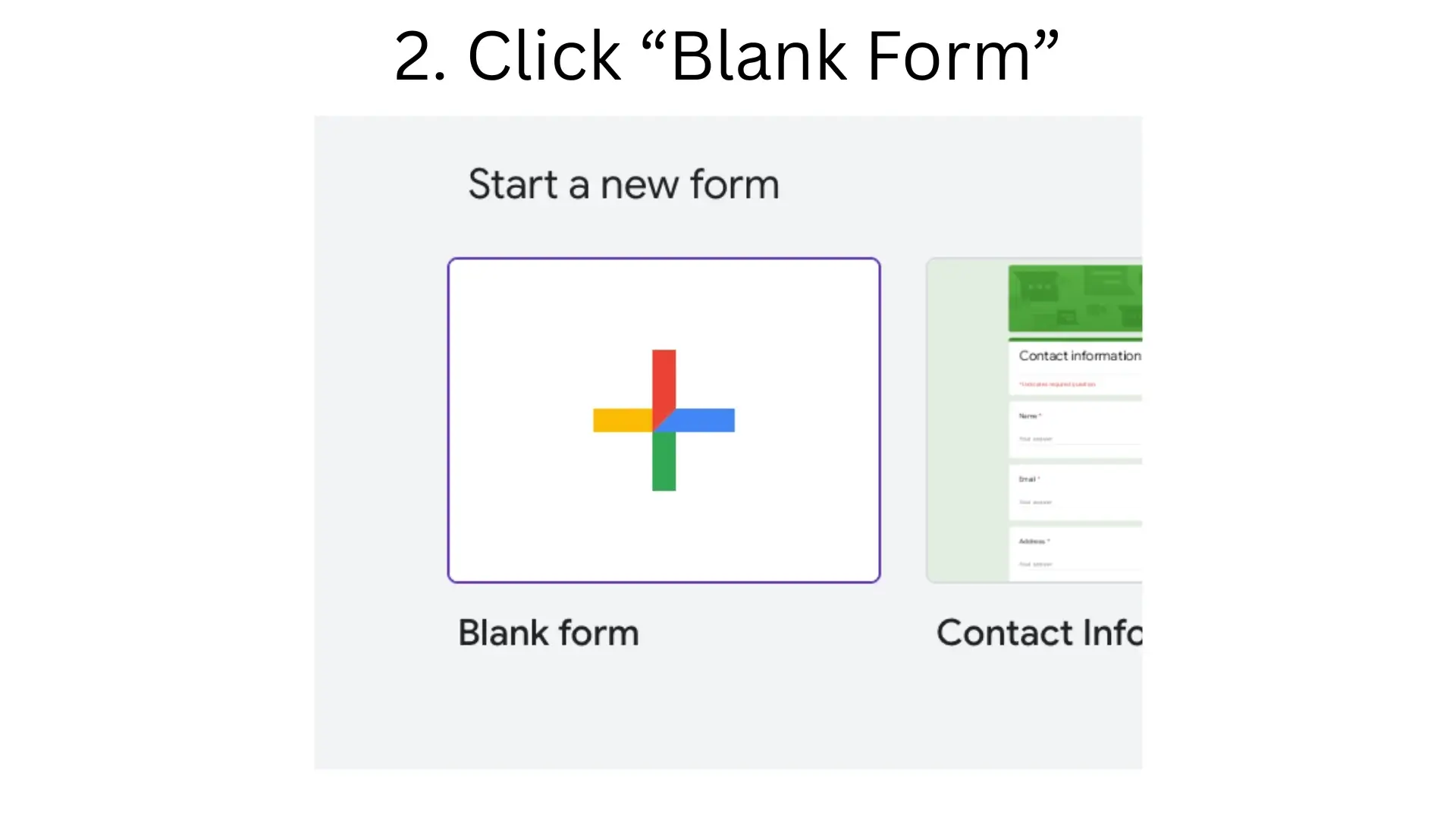
2. Click "Blank Form" to start a new form from scratch.
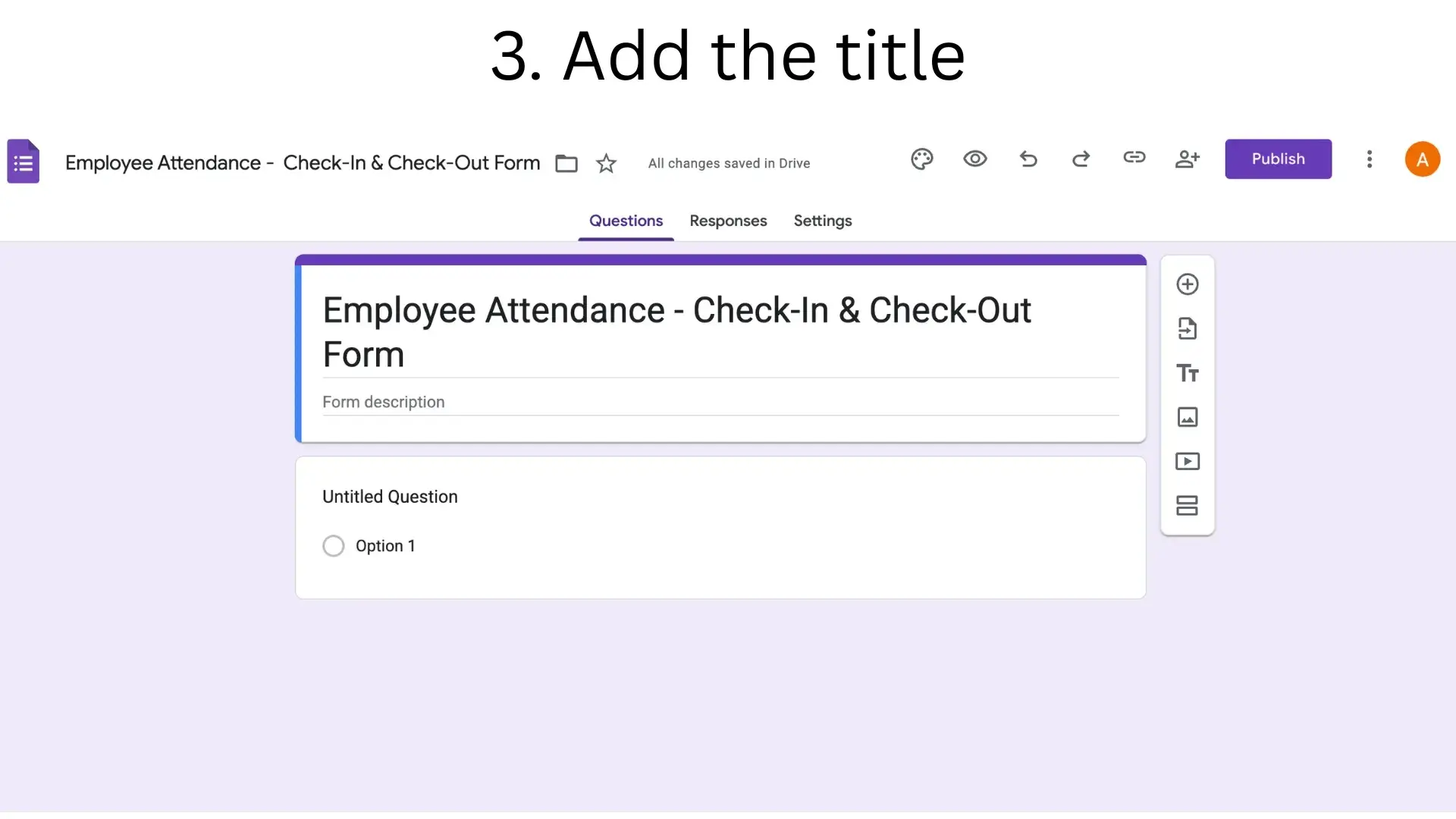
3. Add the title. Name it something clear like "Employee Attendance: Check-In and Check-Out Form" so your team knows exactly what it is when they open the link.
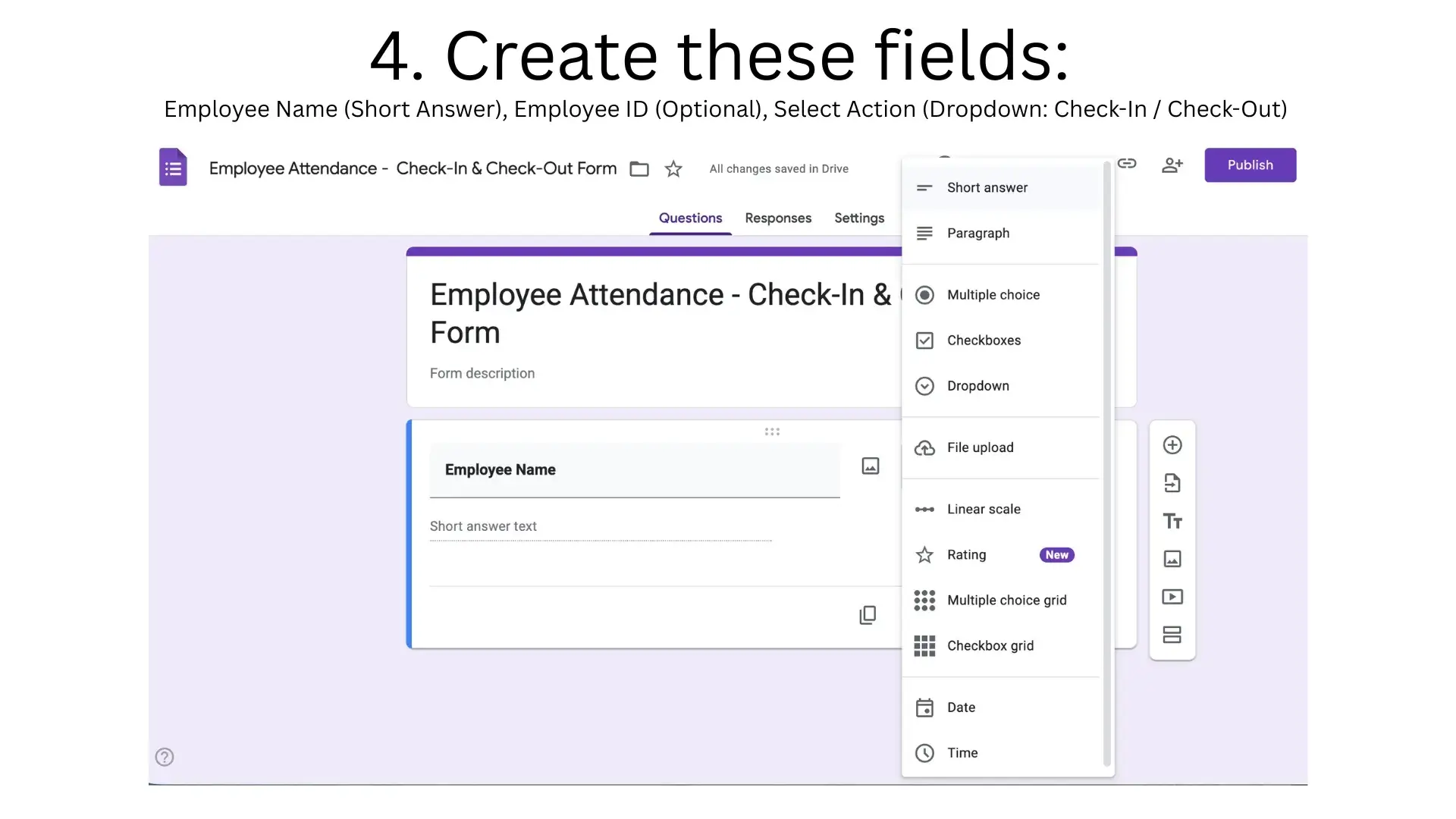
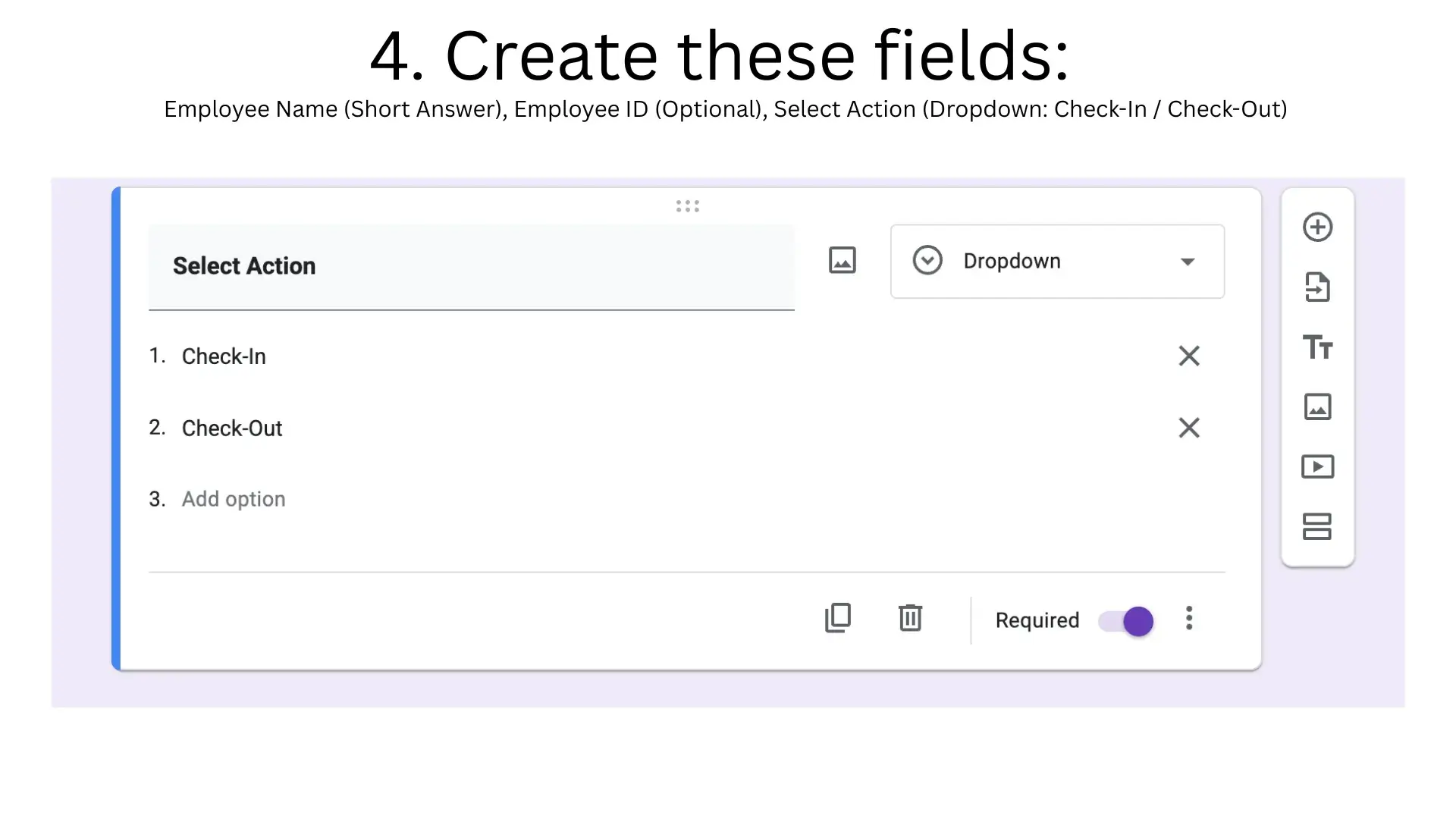
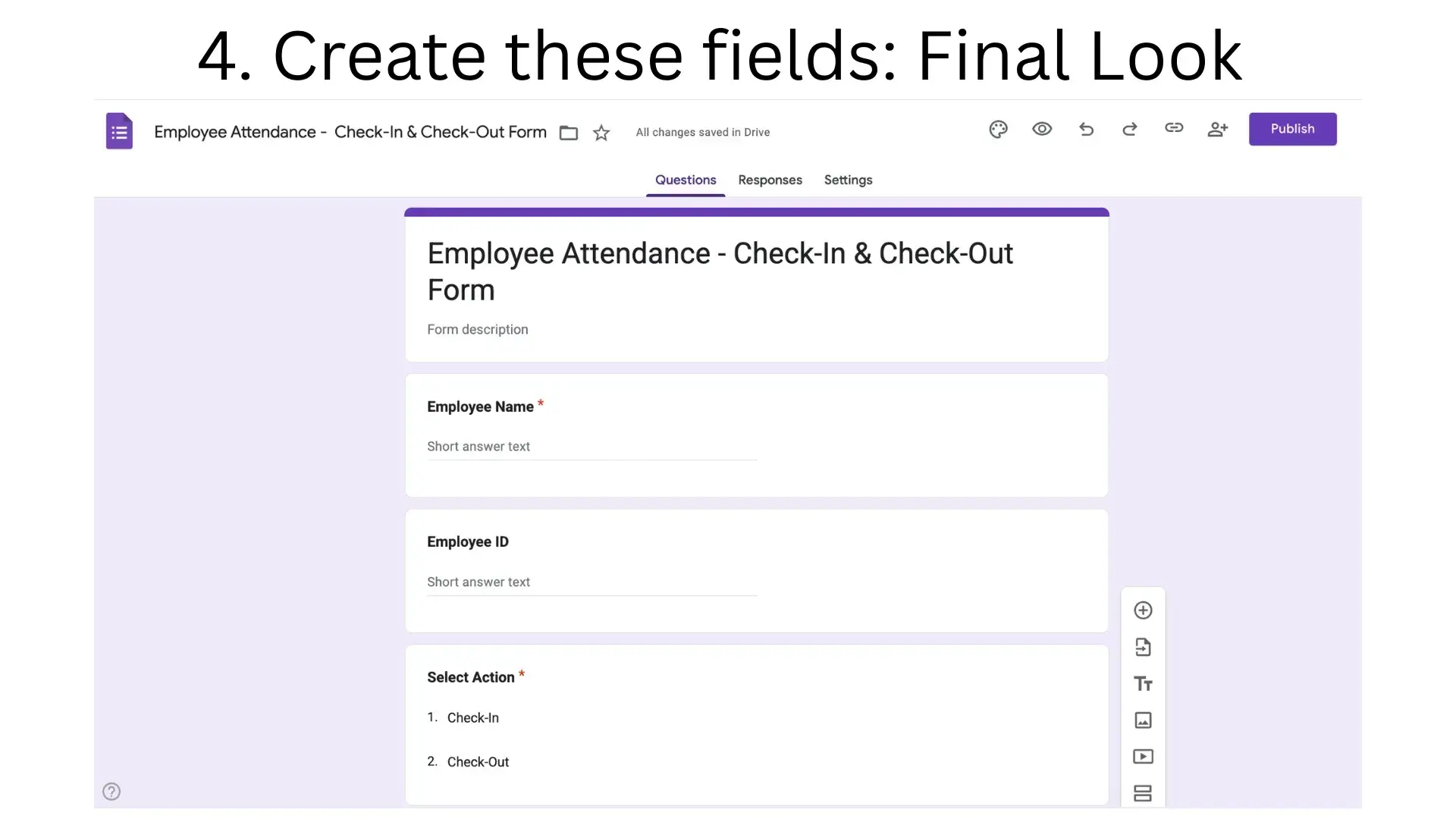
4. Create the form fields. Add the following:
Employee Name (Short answer field)
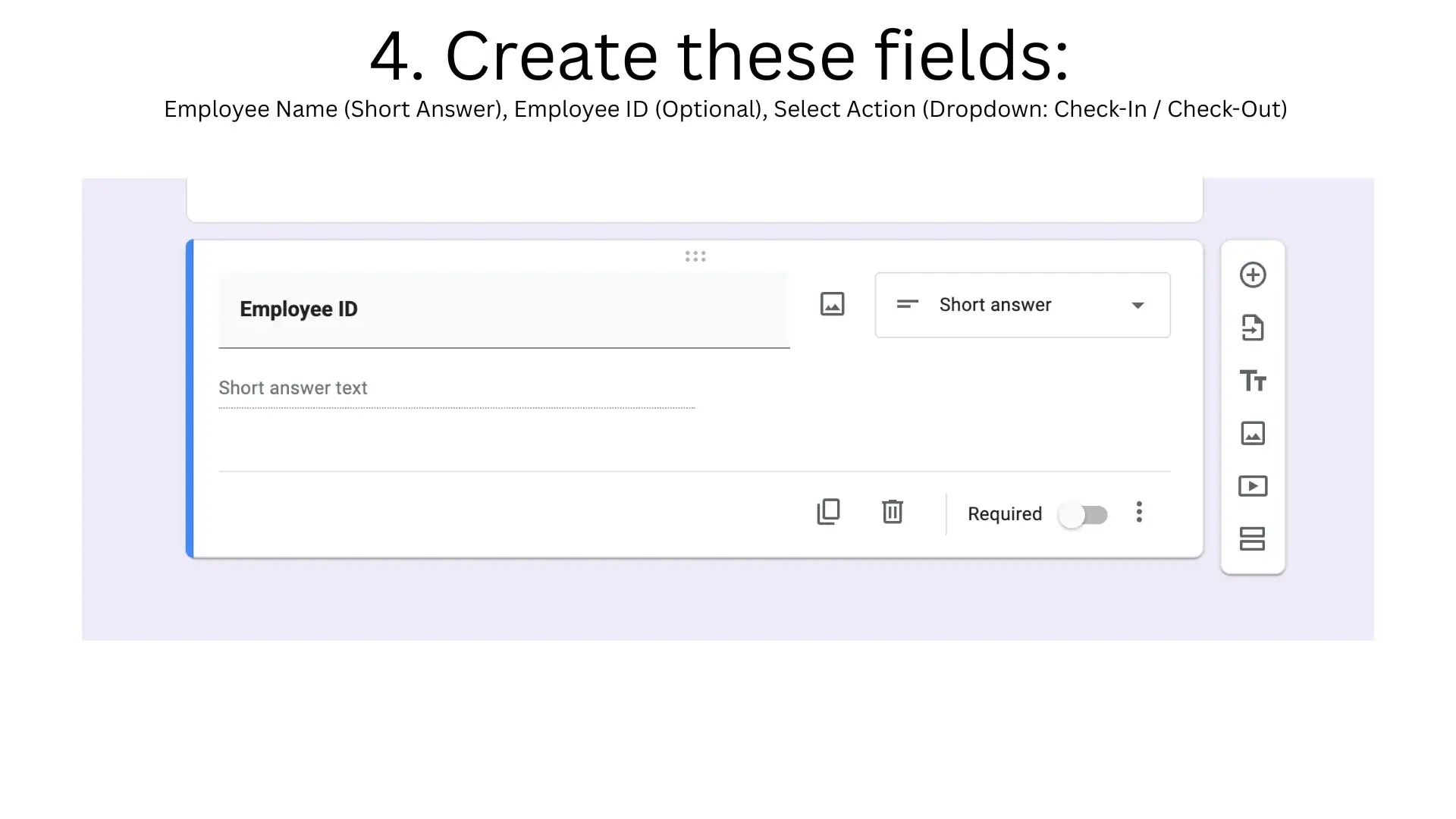
Employee ID (Optional, useful if you have multiple employees with the same name)
Select Action (Dropdown with two options: Check-In and Check-Out)
Final form layout:
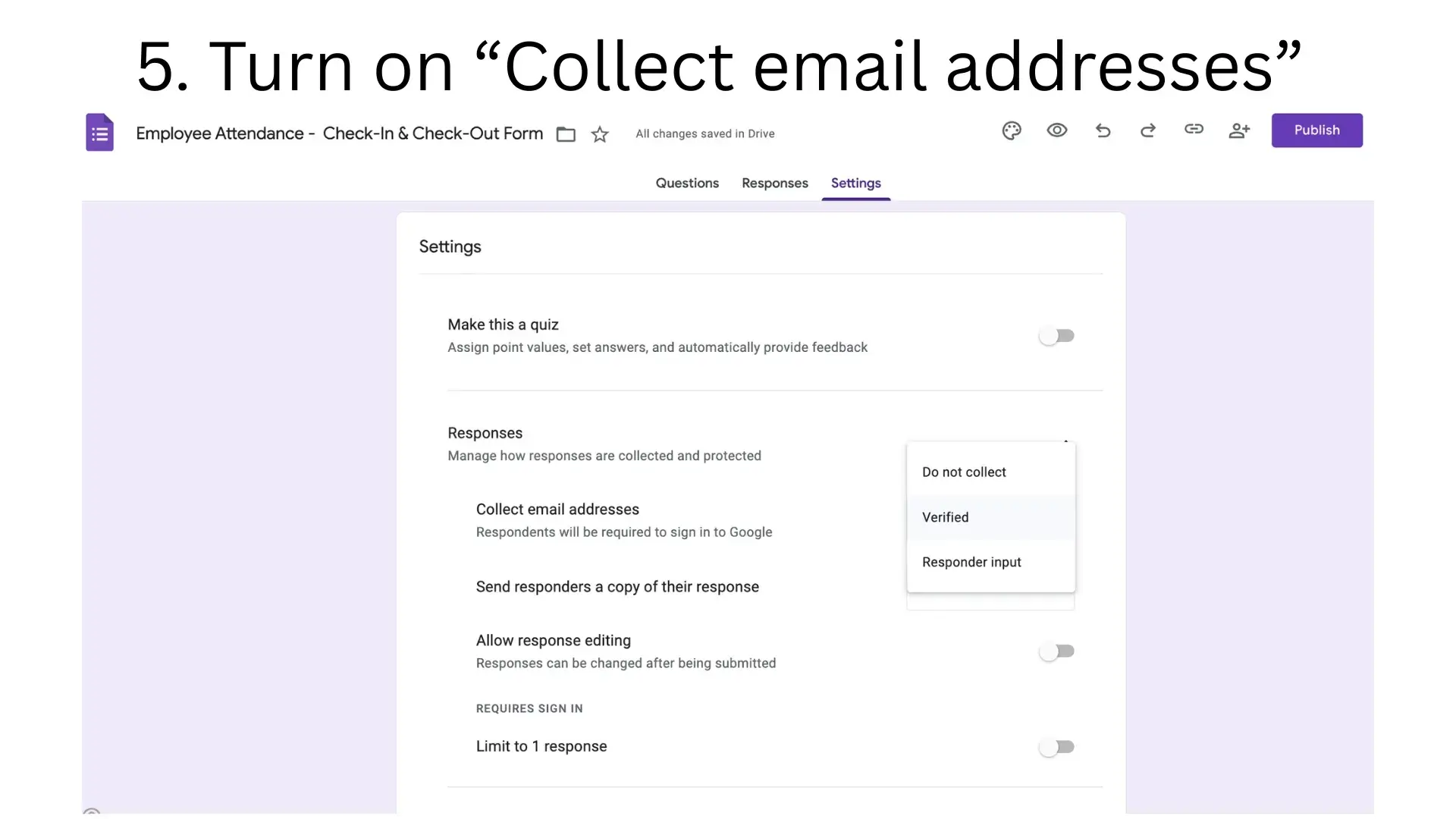
5. Enable email collection. Go to Settings (gear icon) and turn on "Collect email addresses." This adds an extra layer of identification, which is useful if you want to verify who submitted each entry.
Step 2: Connect the form to Google Sheets
1. Open your form and go to the "Responses" tab. Click the green Sheets icon to link responses to a spreadsheet.
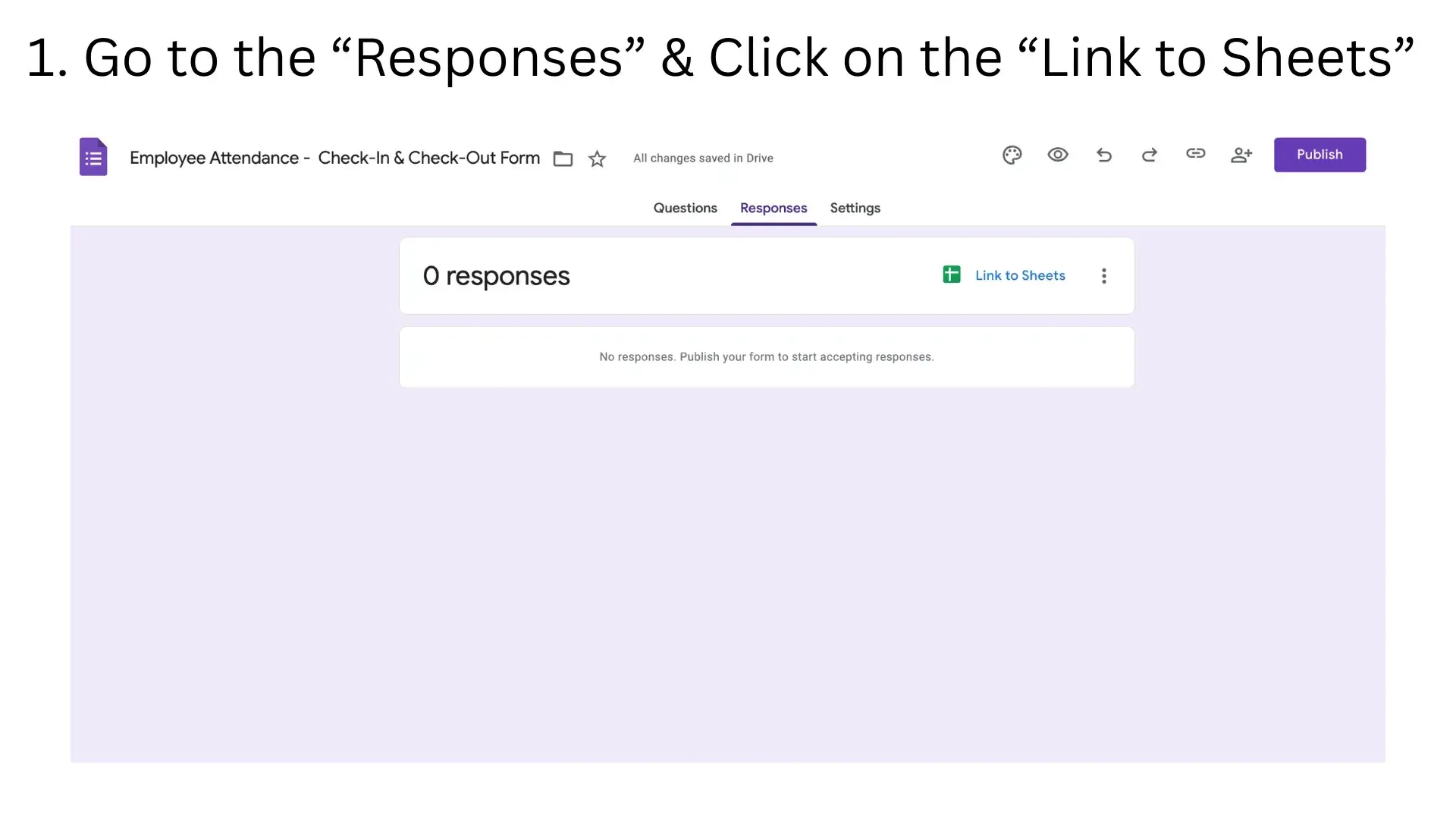
2. Select "Create a new spreadsheet." This creates a Google Sheet that automatically receives every form submission as a new row.
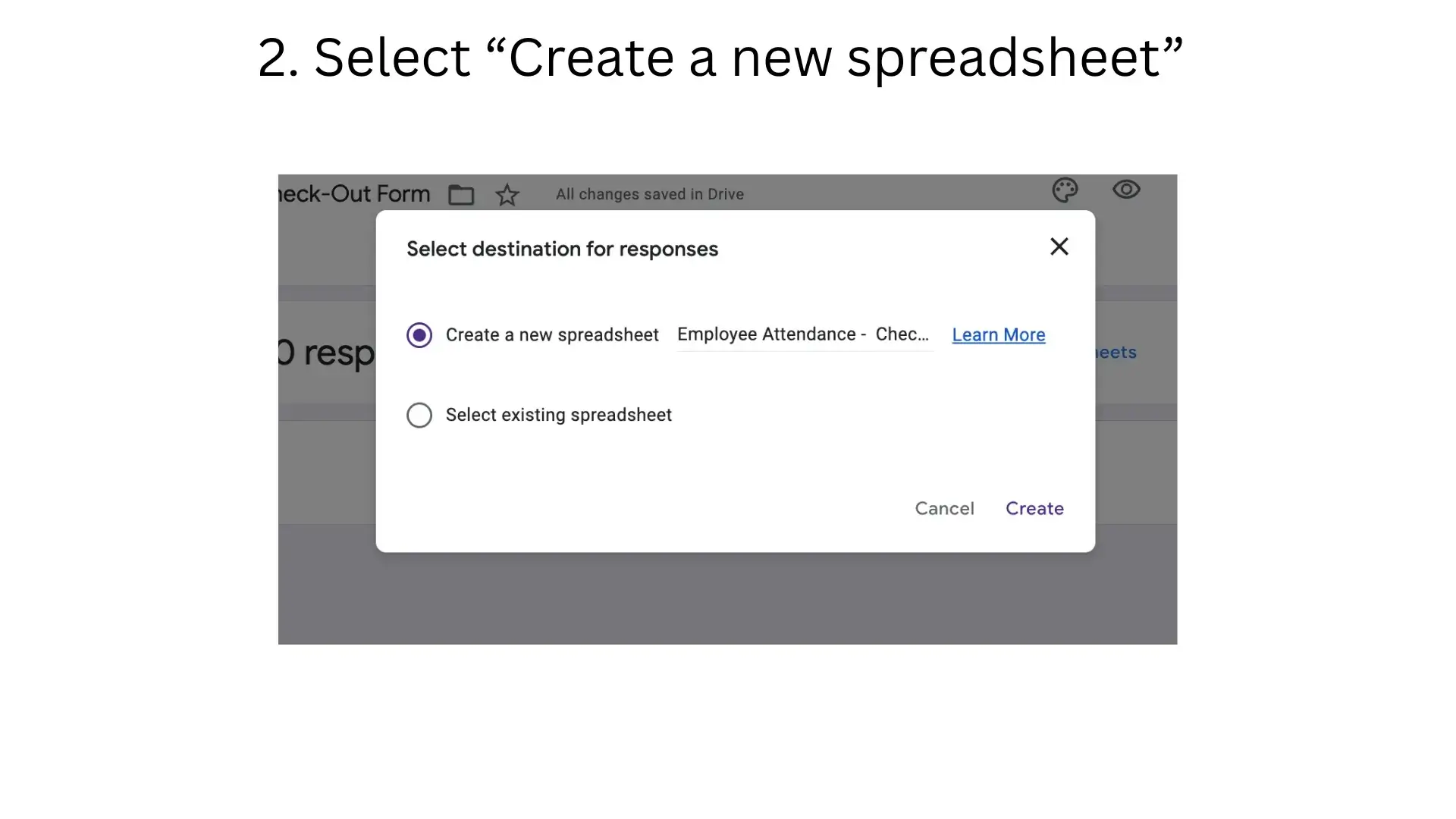
3. Every submission now records automatically: Timestamp (date and time of submission), Employee Name, Employee ID, and the Action (Check-In or Check-Out).
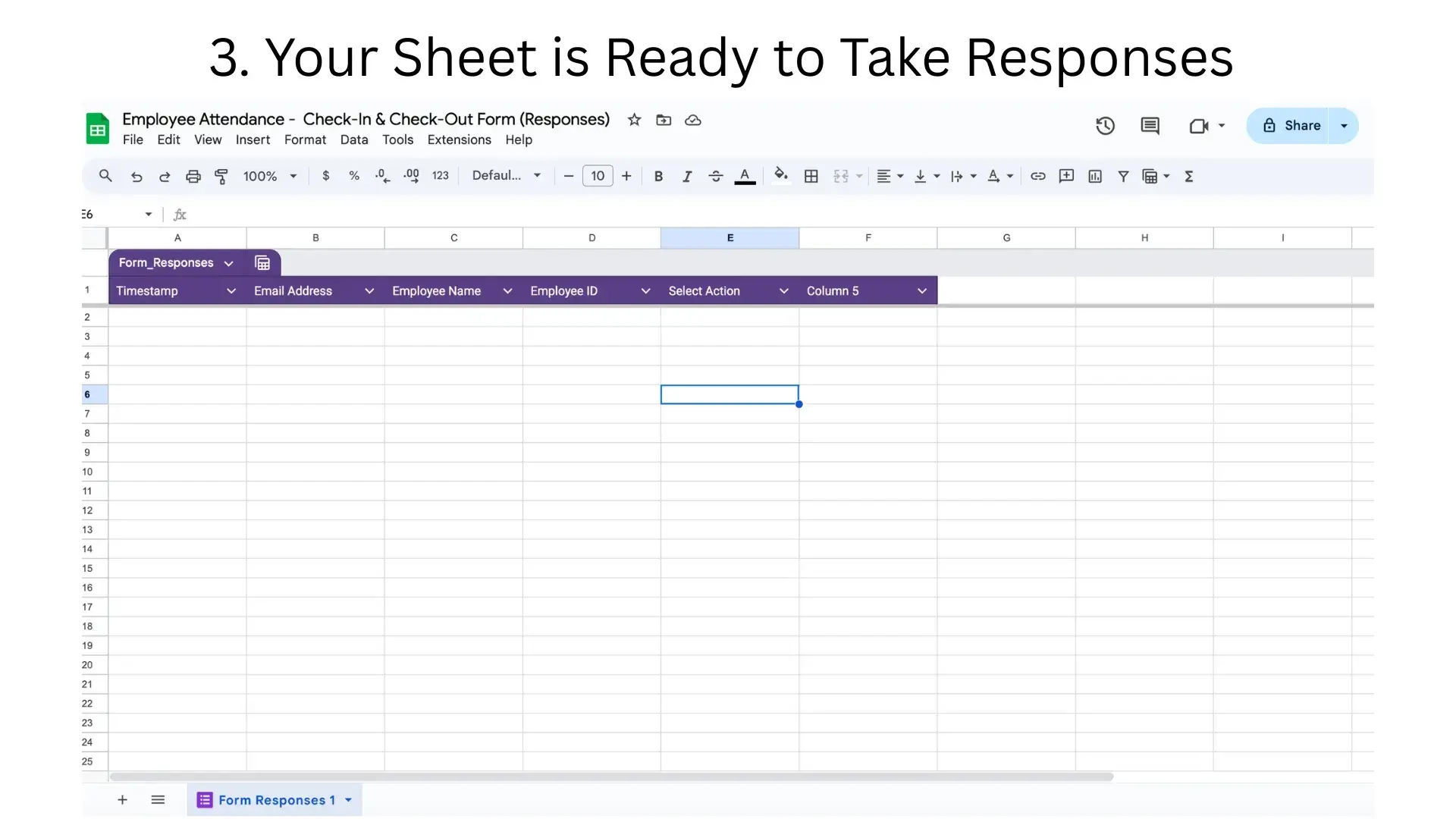
Step 3: Use formulas to separate check-in and check-out times
Each form response includes a timestamp, but it does not automatically separate check-in times from check-out times. You can fix this with simple formulas.
1. Add two new columns: "Check-In Time" and "Check-Out Time" next to the existing data.
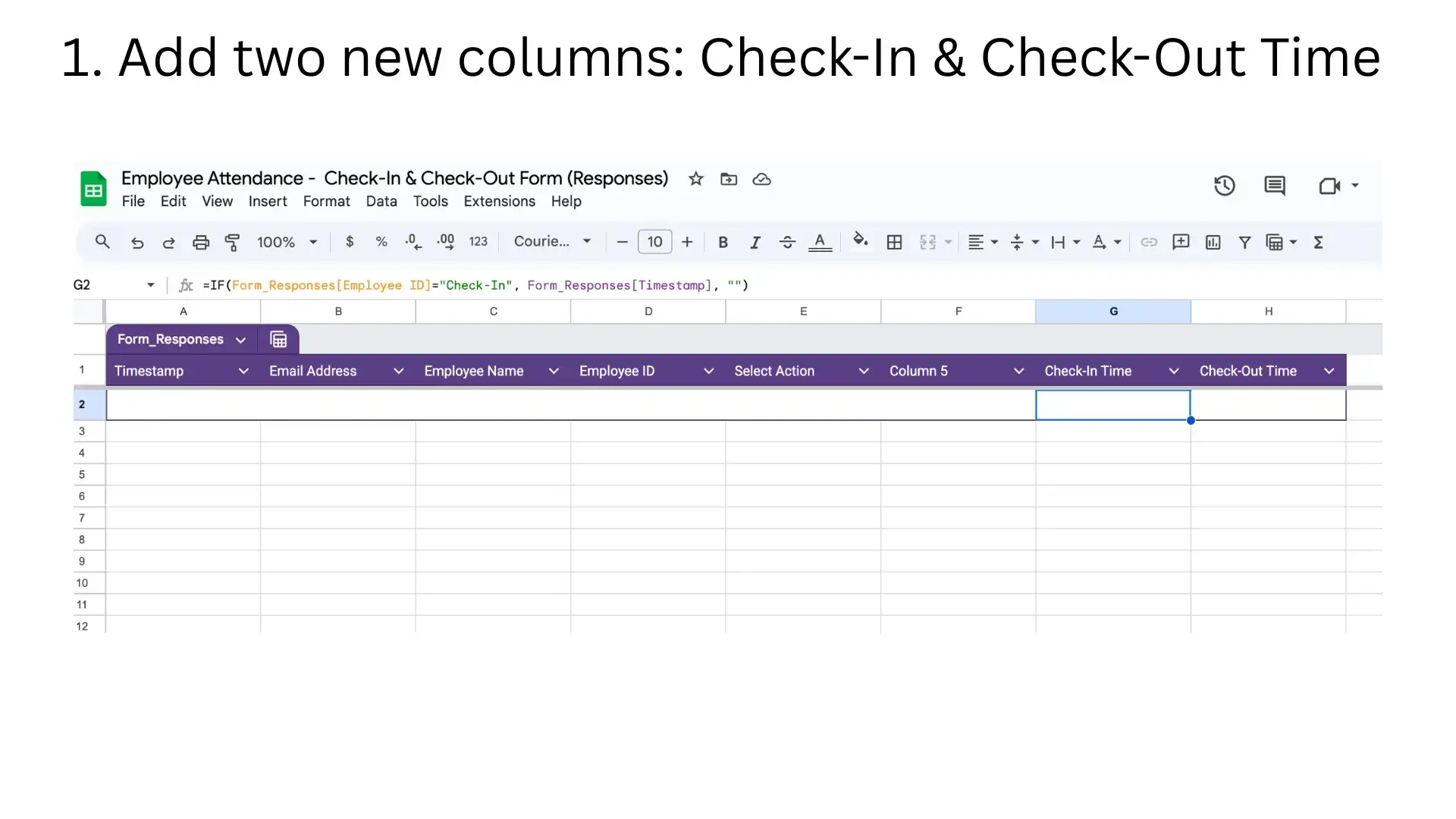
2. Use these formulas (assuming your Action column is D and Timestamp is A):
- For Check-In Time:
=IF(D2="Check-In", A2, "") - For Check-Out Time:
=IF(D2="Check-Out", A2, "")
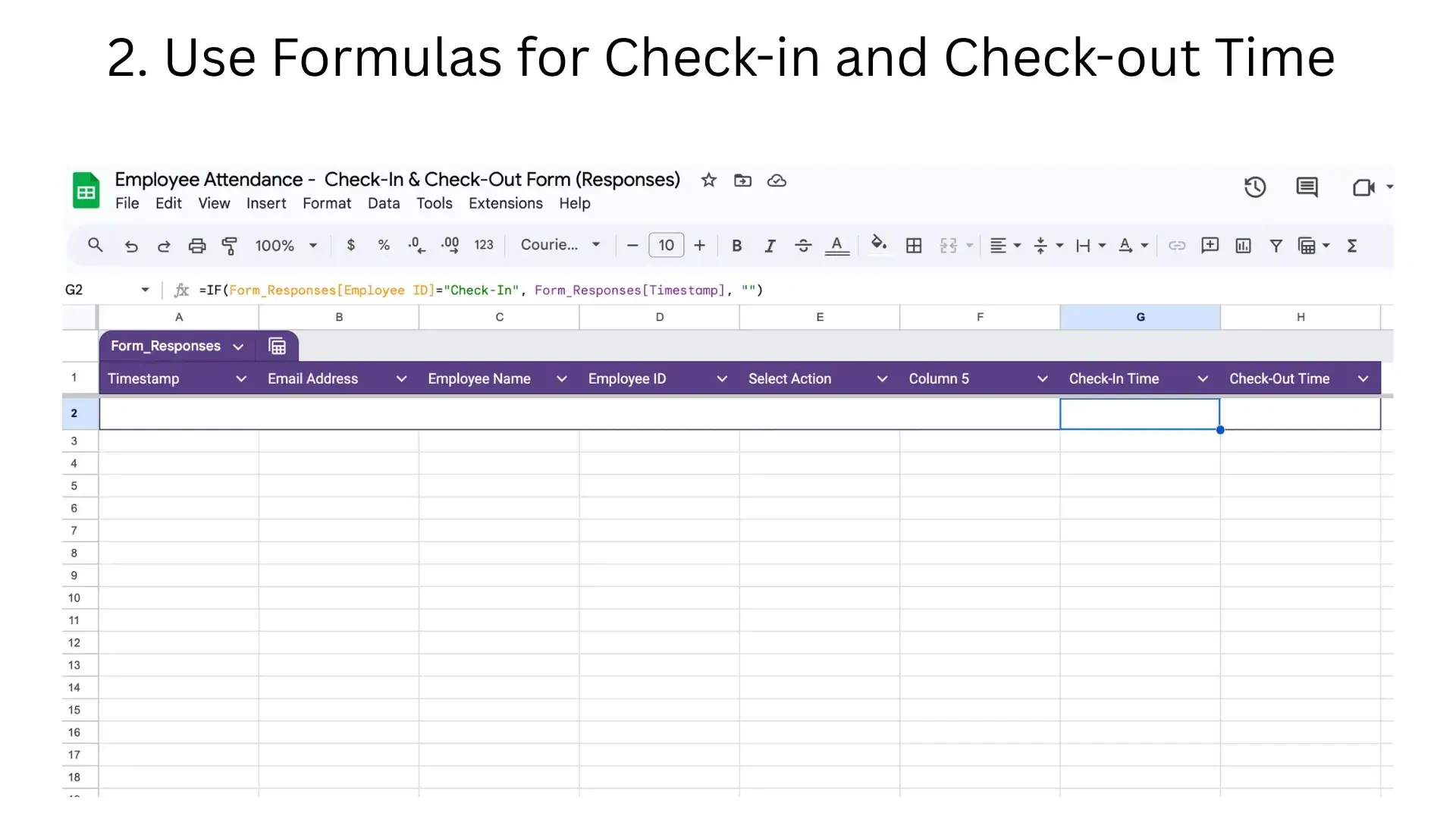
This automatically puts the timestamp into the correct column based on whether the employee checked in or checked out. Drag the formulas down for all rows, and the sheet organises attendance data for you.
Free Google Setup vs Automated Attendance: A Comparison
The free setup works for small teams, but it has clear limitations compared to a dedicated attendance system. Here is how they compare:
| Feature | Free Google Setup | Automated SFA Attendance |
|---|---|---|
| GPS location tracking | Not available. Employees can submit from anywhere. | Real-time GPS check-in with location proof. |
| Photo and identity verification | No verification. Anyone with the link can submit. | AI face validation matches selfie against stored reference photo. |
| Automation level | Manual data entry and formula-based processing. | Fully automated with alerts and notifications. |
| Reporting | No automated reports. You build charts manually. | Auto-generated daily, weekly, and monthly attendance reports. |
| Team scalability | Works for up to 15-20 employees comfortably. | Scales to hundreds of field reps across multiple regions. |
| CRM/SFA integration | No integration with other business tools. | Integrated with CRM, beat planning, expense management, and leave management. |
| Ease of use | Requires basic technical skills to set up and maintain. | Mobile-first interface designed for field use. |
| Cost | Completely free. | Subscription-based, pay for modules you need. |
Free download: Employee attendance sheet template
To complement this Google Forms setup, you can also download a ready-made Excel attendance template for offline use or cross-verification. This is useful for businesses that want to maintain a backup record alongside the Google Sheet.
Download Free Employee Attendance Sheet (Excel)
Ready for GPS-Verified Attendance with AI?
When your team outgrows spreadsheets, 1Channel's SFA platform provides GPS attendance, AI face validation, automated reports, leave management, and expense tracking for field teams of any size.
Book a Free Demo →Key Takeaways
- You can track attendance for free using Google Forms and Sheets. It takes under 30 minutes to set up and costs nothing.
- The setup works best for small teams of up to 15-20 people. Beyond that, the spreadsheet becomes difficult to manage and verify.
- There is no location or identity verification in the free setup. Employees can submit from anywhere, and there is no way to confirm they are at the right place.
- Formulas help but are not automation. You still need to manually review data, check for inconsistencies, and build your own reports.
- The free approach is a starting point, not a long-term solution. When your team grows or you need GPS tracking, AI verification, or integration with leave and expense management, transition to a dedicated SFA platform.
- Keep backups. Download your attendance sheet as an Excel file weekly. Google Sheets does not have automatic backup for your specific data structure.
This free setup gives Malaysian startups, small offices, and early-stage field teams a practical way to track attendance without spending a ringgit. When the limitations start affecting your operations, 1Channel's Sales Force Automation platform is designed to take over with GPS-verified attendance, AI face validation, and comprehensive HR management built in. Get in touch to explore your options.