The strongest field operations in Malaysia treat every promoter visit as a data event. The promoter walks into a Watsons outlet in Petaling Jaya, opens the SFA app, and answers a short questionnaire about stock, displays, competitor activity, or store condition. Each answer becomes a row in the analytics layer. The questionnaire is what turns store visits into operational insight.
Table of Contents
What a Well-Designed Questionnaire Captures
Each questionnaire is a short bundle of questions tied to one activity type: a stock check, a planogram audit, a brand activation review, or a customer feedback survey. Effective ones stay short, ask in plain language, and pre-define the answer set so the data stays clean. Categories group questionnaires by theme. Sub-categories handle the specifics inside each theme. Question types mix open-ended responses with radio buttons, checkboxes, drop-downs, rating scales, rank orders, and matrix grids depending on what is being captured.
Building the Question Flow Inside the Portal
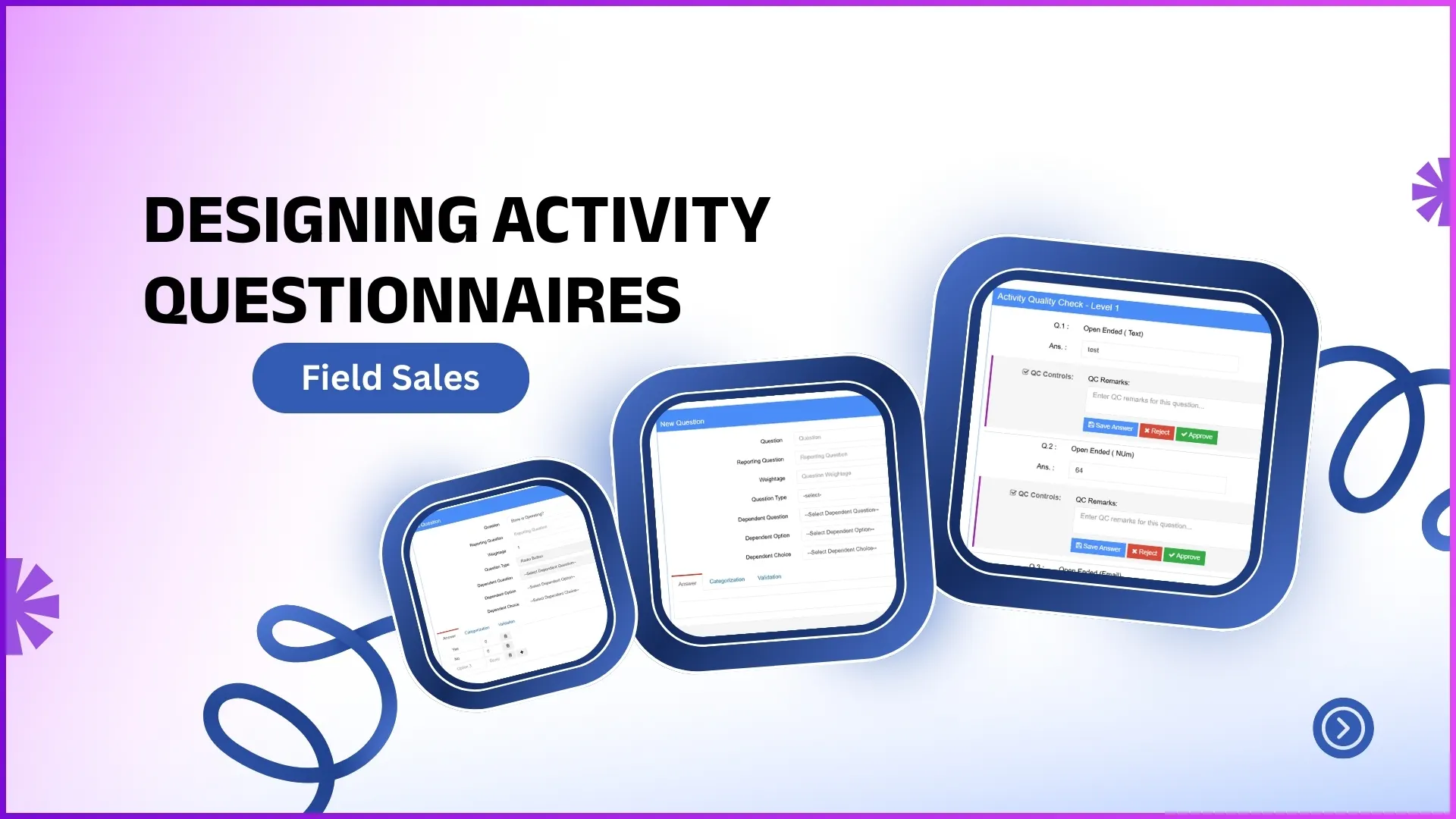
Questionnaire Management lives in the Market Working module. An admin picks the category, opens the builder, and adds one question at a time. Each question carries a title, a type, a weight, and an optional dependency. Dependencies are where the design becomes powerful. A "Yes" answer to "Is the planogram intact?" closes that path. A "No" branches into three follow-up questions asking what is broken. The same questionnaire serves both states without overwhelming the rep on a clean visit.
Assigning Questionnaires to Roles and Stores
Once the questionnaire exists, Market Working Activity is where it goes live. The admin selects the role: a Promoter sees one set, a Team Leader another, an Area Manager a third. The activity is scoped to specific stores via an upload or to all assigned outlets. Start and end dates define the live window. The right promoter sees the right questionnaire on the right outlet for the right duration, with no manual coordination. When the campaign ends, the activity rolls off automatically.
Explore Field Activity Management Software
1Channel's cloud field activity platform lets Malaysian sales teams design questionnaires, assign them by role and outlet, and route submissions through quality check before they hit reports.
Explore Field Activity →Quality Check Before the Data Counts
Submitted questionnaires do not flow straight into the reports. They route to the reporting head's Activity Quality Check screen. The manager opens each submission, reviews answers against the visit context, and either approves the response, edits it for accuracy, or rejects it with a reason. Only approved responses move into the Visit Report and downstream dashboards. The quality check is what keeps the data trustworthy when payroll or coverage decisions depend on it.
Key Takeaways
- Keep the question count tight. Five to eight questions per visit holds the rep's attention without losing data.
- Use dependencies so the flow stays short on clean visits and expands only when an exception surfaces.
- Map questionnaires to roles rather than to individual users, so onboarding new reps does not break the design.
- Route every submission through Activity Quality Check before it becomes data the team acts on.