Secondary sales numbers only stay accurate when the distributor record under each store is correct in the cloud SFA. Get the mapping wrong, and every dashboard, target, and incentive built on top of it carries the same error. The mapping itself is small, just a record that ties one party to another. The downstream impact on visibility, payouts, and reporting is what makes it worth getting right from day one.
Table of Contents
What Distributor Mapping Means in a Cloud SFA
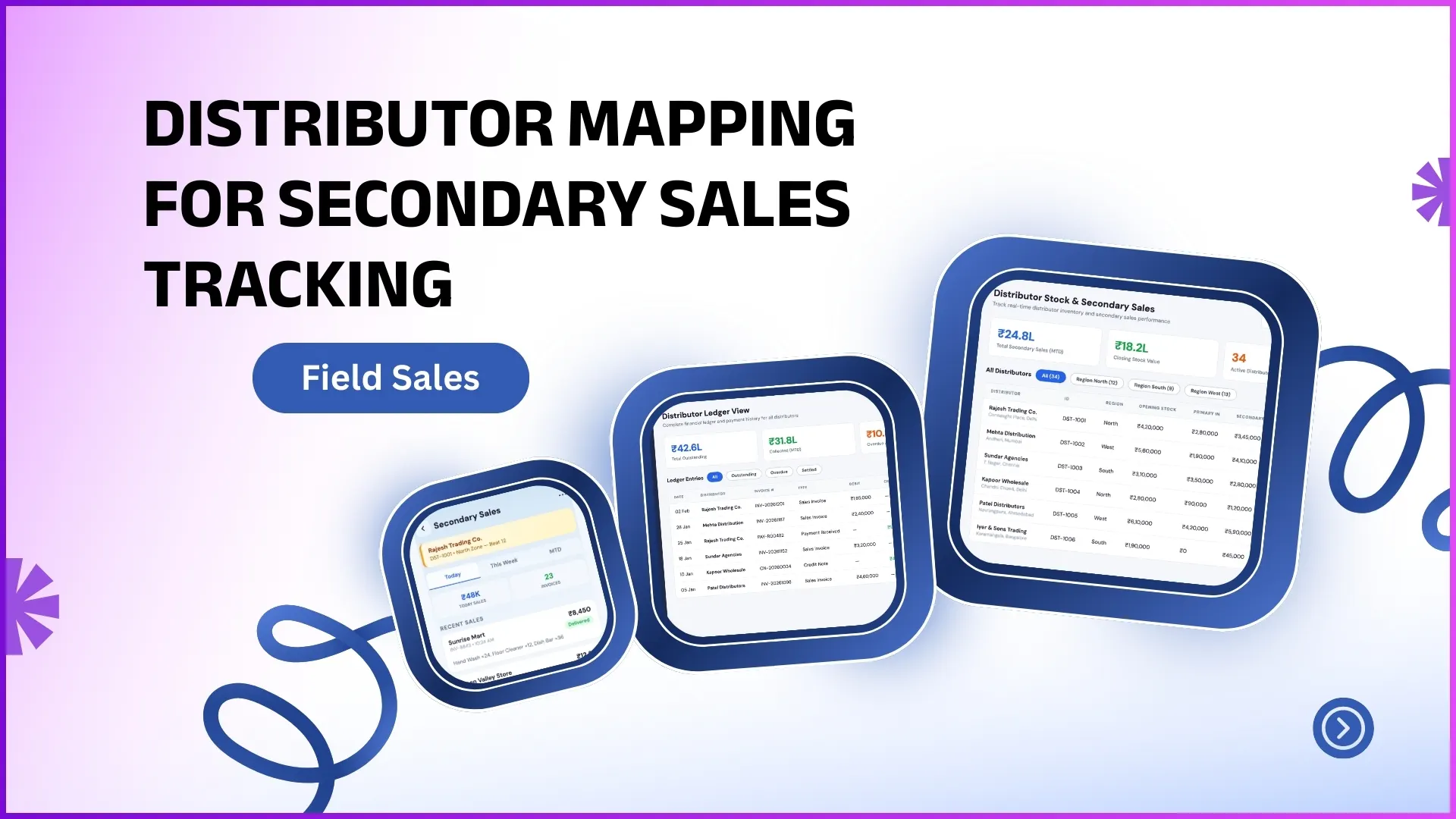
Distributor mapping is the structured link between the distributor, the stores they serve, the field users who cover those stores, and the SKUs they handle. A cloud sales force automation platform stores these links centrally, so every transaction recorded by a field rep automatically rolls up to the right distributor for billing, incentive, and report calculation. Without this link, the same sale shows up twice or gets attributed to the wrong party, and the downstream automation breaks at the report layer.
Three Mapping Layers That Hold Secondary Sales Together
Three layers work together to keep secondary sales attribution clean. Each one carries a separate responsibility, and each one breaks the chain differently when the link is missing or stale.
Distributor-to-Store Mapping
This is the core link. Every store in the system belongs to one distributor at any given time. When the field rep logs a sale at the store, the cloud platform looks up the distributor automatically and tags the transaction accordingly. The mapping supports automated transfers when a store moves between distributors mid-month, with the system splitting the period proportionally so reports stay clean across the handover.
User-to-Distributor Mapping
This layer connects the field user to the distributors they cover. A single rep may serve multiple distributors in dense urban beats; a senior rep may oversee one distributor across a wider stretch. The platform uses this map to filter what each user sees in the app. Only the stores under their assigned distributors show up, and any order they place flows to the right distributor for fulfilment.
SKU-to-Distributor Mapping
Not every distributor handles the full catalogue. Premium SKUs may sit with a specialised distributor while mass-market SKUs sit elsewhere. The mapping enforces this at order entry so the rep cannot accidentally book a SKU through a distributor who does not stock it. The cloud automation also drives the bulk upload flow when SKUs get added or transferred at the start of a new quarter.
How 1Channel Maps Distributors, Stores, and Field Users
1Channel's Distributor Management module runs all three mapping layers from one cloud console. Distributors, stores, and SKUs each get a unique record, and the relationships between them are configurable per row or by bulk upload. The platform supports time-bounded mapping, so the operator can schedule a store transfer or SKU reassignment with a future effective date, and the automation handles the cutover at midnight. 1Channel's AI-driven anomaly check flags mappings that look suspect, such as a store assigned to two distributors at the same time or a user with zero coverage, so the operator catches gaps before they hit the secondary sales report. The cloud platform retains the full mapping history, which makes audit reviews and target back-calculations straightforward for the operations team.
Explore Distributor Analytics Software
1Channel's cloud distributor analytics turns the mapping layer into secondary sales visibility across every store, user, and SKU.
Explore Distributor Analytics Software →Common Pitfalls to Avoid
Most mapping problems trace back to the same handful of habits. Each one is easy to introduce and expensive to unwind once the secondary sales report is already running on it.
- Editing mapping in spreadsheets and uploading at month-end. Mid-month transactions land against the old mapping, and the rollup is wrong by the time the report runs.
- Allowing a store to belong to two distributors at once. Even temporary overlap creates double counting in incentives and dashboards.
- Skipping the user-to-distributor link and relying on geography alone. Field reps end up logging sales for stores they do not actually cover, and the attribution slips.
- Treating SKU mapping as static. When new SKUs launch mid-quarter, the platform should reflect that within the day, not the next bulk upload window.