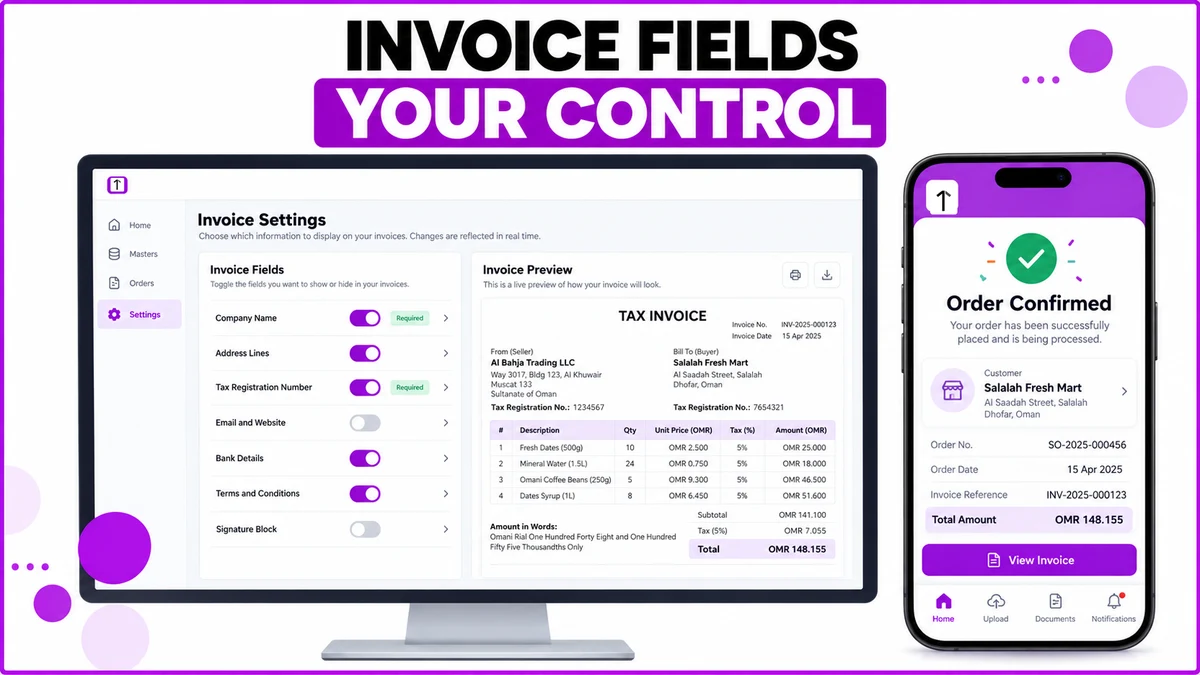
In Oman, a supplier cannot raise a price on the day its own costs go up.
The Consumer Protection Authority (CPA) expects an increase, on essential goods in particular, to be authorised before anyone is charged the new rate.
Until that decision arrives, the old price is the one to bill.
An order invoiced at the new rate a week early can count as an unapproved price rise.
This guide builds a free price-approval sheet in EtherCalc, step by step, then shows where the sheet slips and how 1Channel closes those gaps.
The method suits distributors in FMCG, building materials and hardware, agriculture and agro-chemicals, and consumer durables, wherever one price list feeds hundreds of invoices.
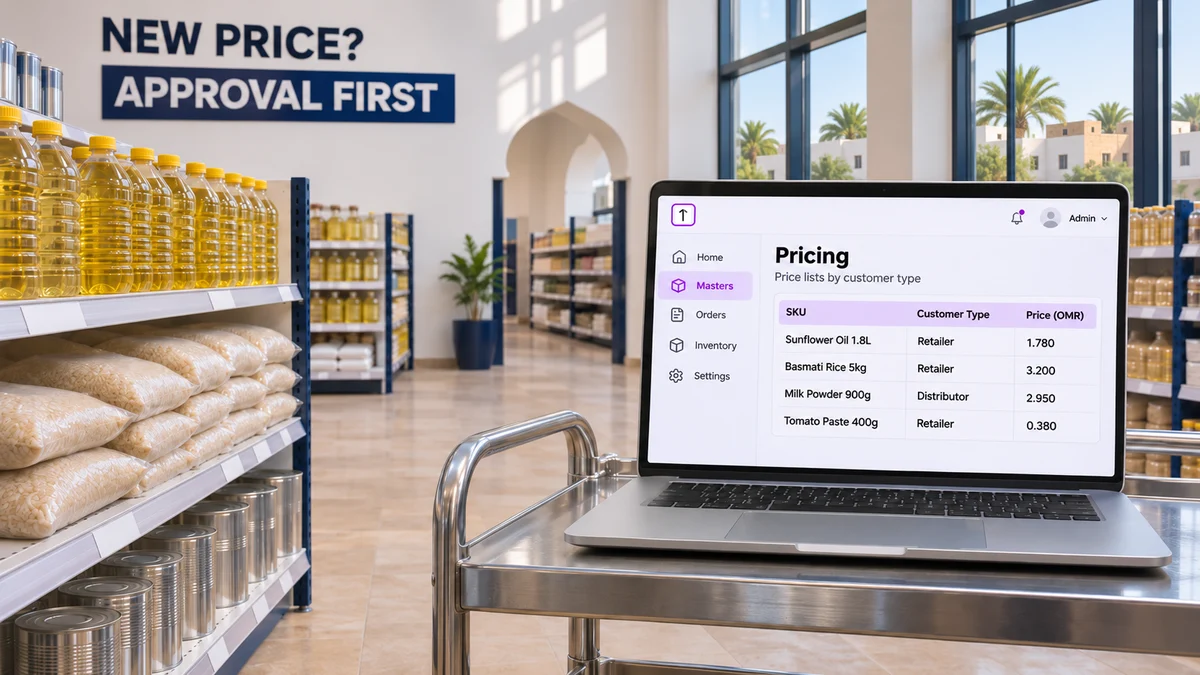
What the CPA Rule Changes for a Price List
In March 2026 the CPA warned that prices of goods and services cannot go up without prior authorisation, with essential commodities watched most closely.
A company that needs an increase asks the authority, which studies the justification and then approves or rejects it.
Violators face fines, temporary closure and, in serious cases, prosecution. So the date a new price starts matters as much as the price itself.
For the finance desk that keeps the price list, every SKU under review sits in one of three states:
| State | What it means | Price to bill |
|---|---|---|
| Requested | The increase is with the CPA | The current approved price |
| Approved | The increase is cleared, with a start date you set | The new price, from that date |
| Rejected | The increase was turned down | The current approved price |
Most billing errors happen in the first row, after a rep or a wholesaler has already heard the new number.
Before You Open the Sheet
Three things need to be ready, and none of them cost anything:
- A browser and the free EtherCalc site at ethercalc.net, which opens a new spreadsheet without an account.
- The current approved price of each SKU, taken from the last price list you issued.
- The date each increase request went to the CPA, and any reply you have received.
A standard EtherCalc sheet opens for anyone who has its link, so keep customer names and account terms out of it.
Building the Approval-Dated Price Sheet
The sheet below has eight columns and one control cell. Each step adds to the same sheet.
Step 1: Set the Billing Date
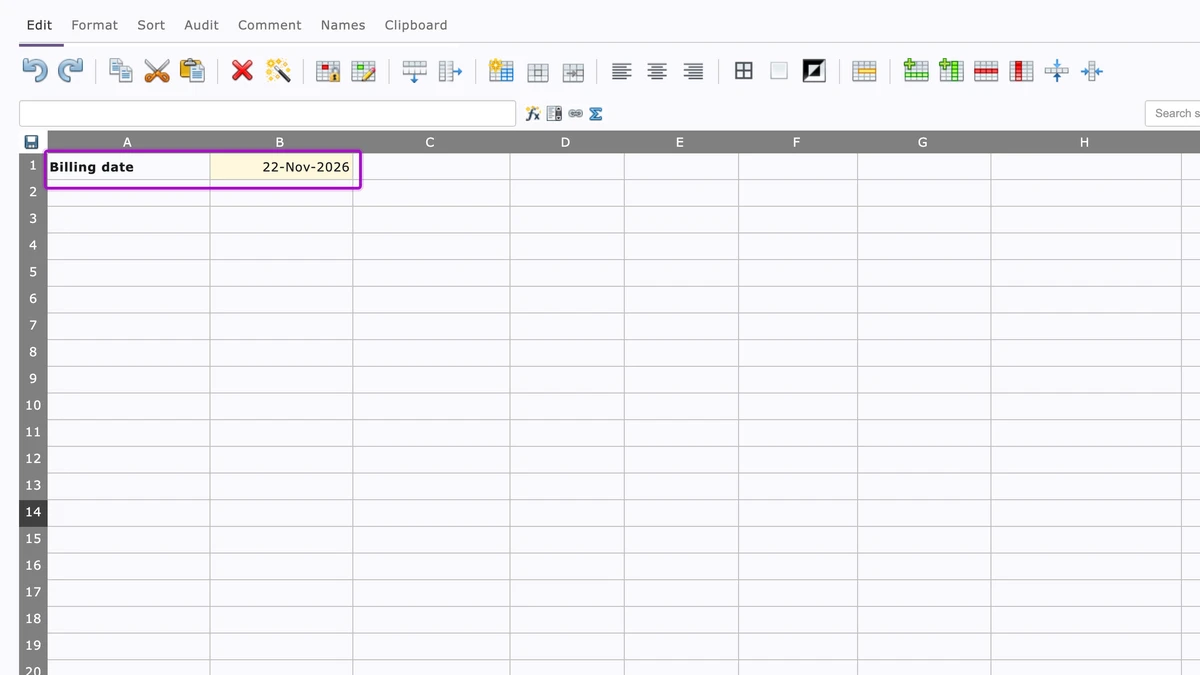
Open ethercalc.net and create a new spreadsheet. In A1 type Billing date, and in B1 enter =DATE(2026,11,22).
Every price in the sheet is worked out for this one date. Change B1 later to see what applies on any other day.
Step 2: List Each SKU and Its Approved Price
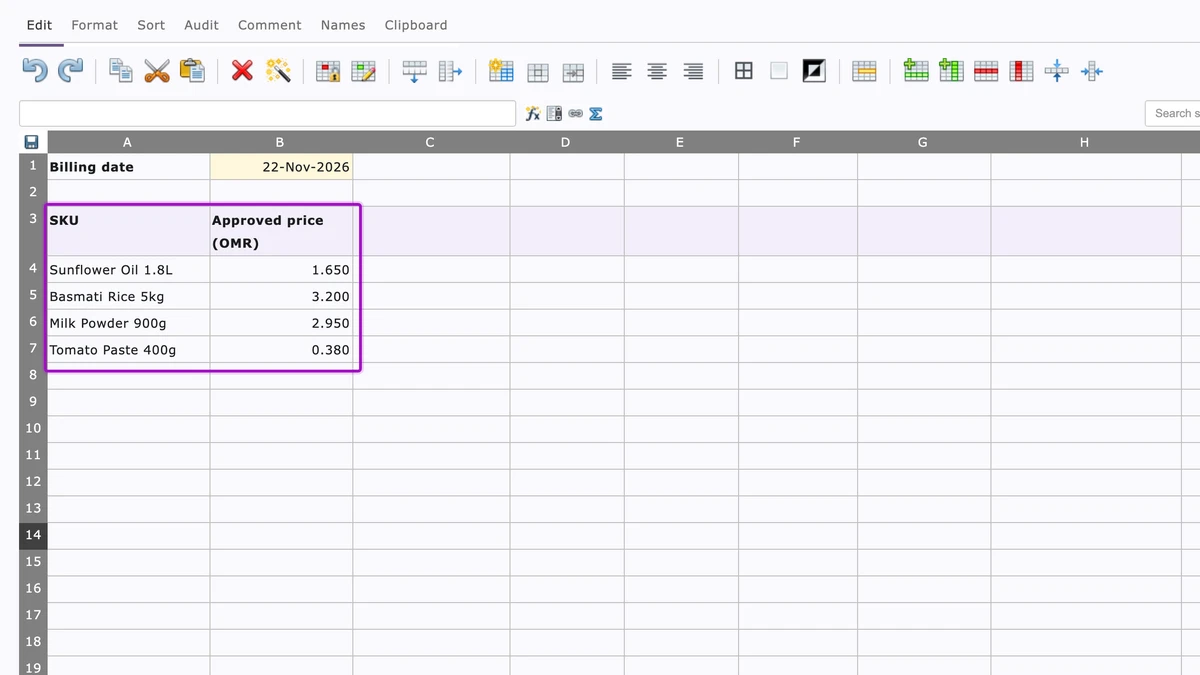
From row 3, add the headings SKU and Approved price (OMR), then one row per SKU. Four sample lines are enough to test the logic.
Format prices to three decimals, because the rial divides into 1,000 baisa. Sunflower Oil 1.8L at 1.650 reads as one rial and 650 baisa.
Step 3: Log Each Request and When It Went In
Add Requested price (OMR), Request sent and CPA decision in columns C to E. Every new request starts as Pending.
The request date shows how long a line has been waiting, which helps when a customer asks why the old price still stands.
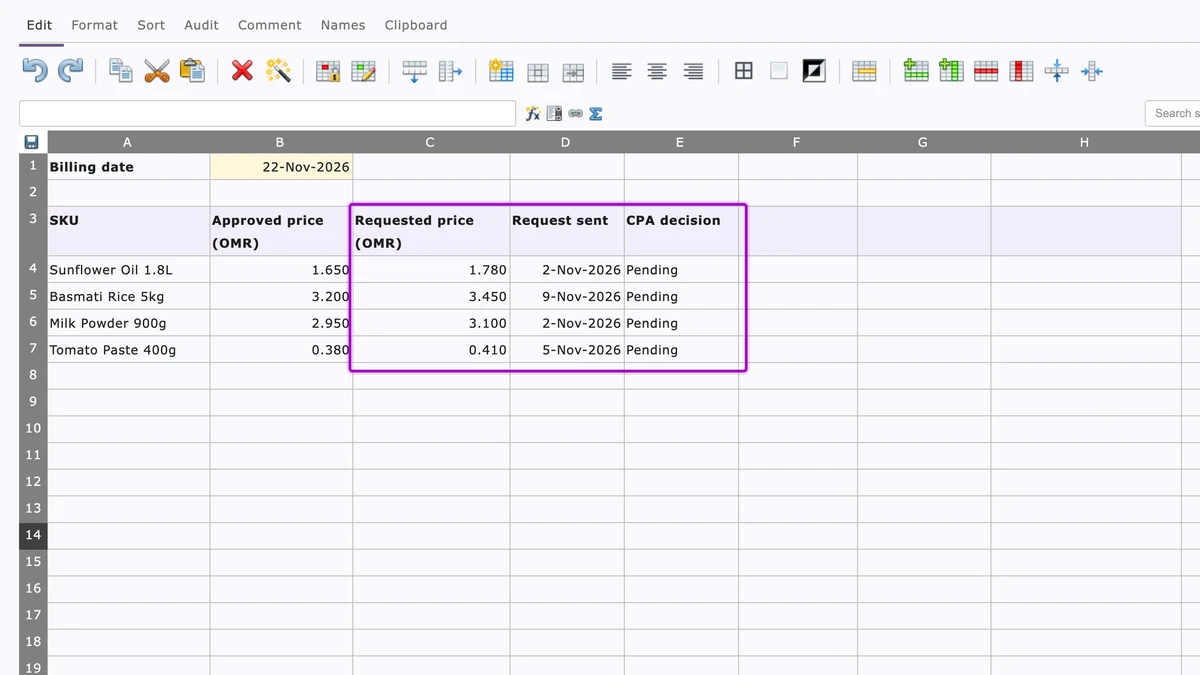
Step 4: Record the Decision and the Start Date
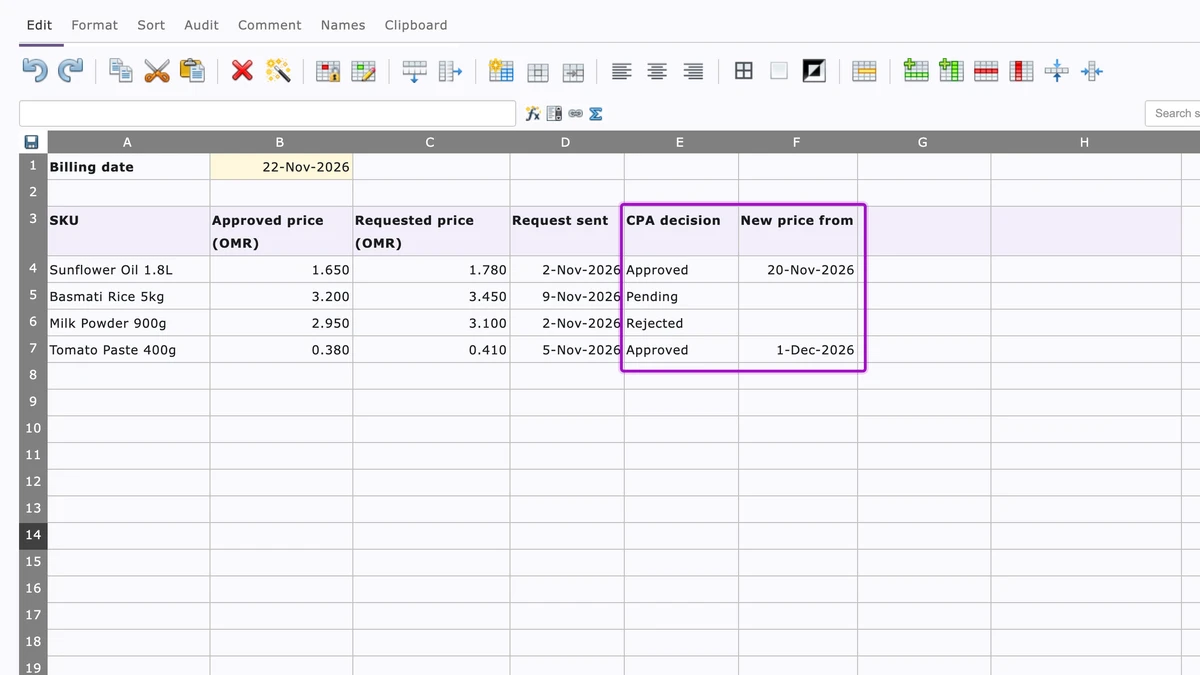
When the authority replies, change Pending to Approved or Rejected. For an approval, enter the date the new price starts in column F, New price from.
That start date is your own billing date, on or after the approval and never before it. A rejected line keeps a blank start date.
Step 5: Let a Formula Pick the Price to Bill
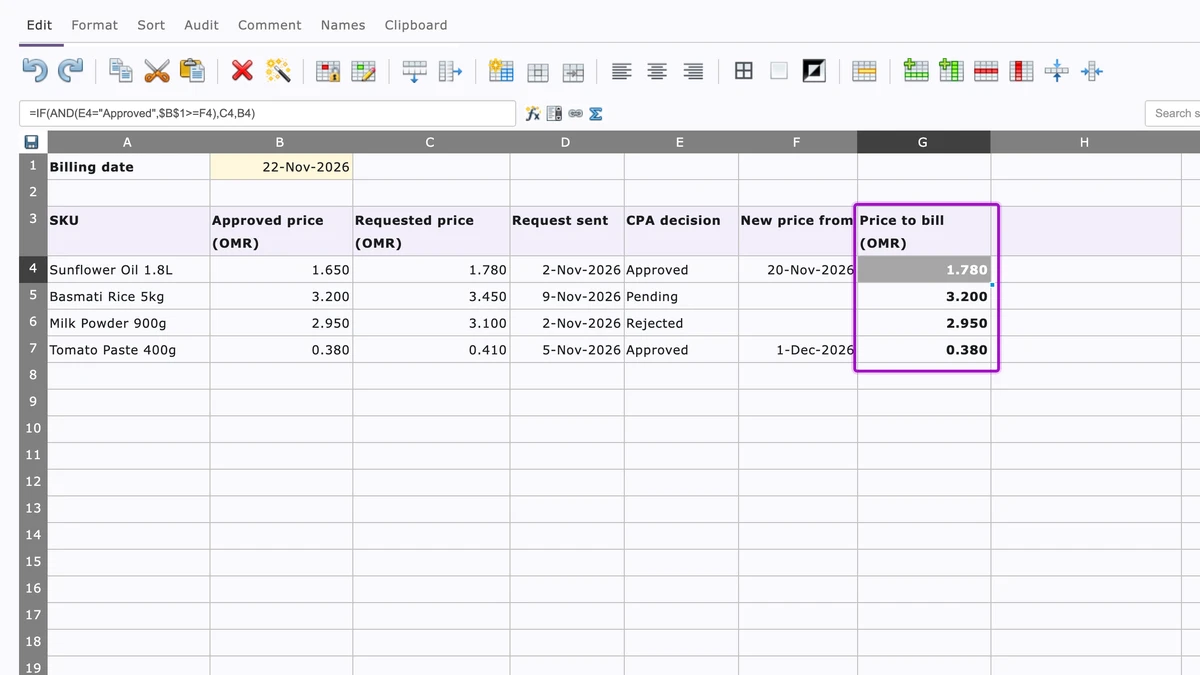
Head column G Price to bill (OMR). In G4, enter =IF(AND(E4="Approved",$B$1>=F4),C4,B4) and copy it down.
It returns the requested price only when the line is approved and the billing date has reached its start date. Every other case returns the approved price.
Step 6: Add a Plain Instruction for the Billing Desk
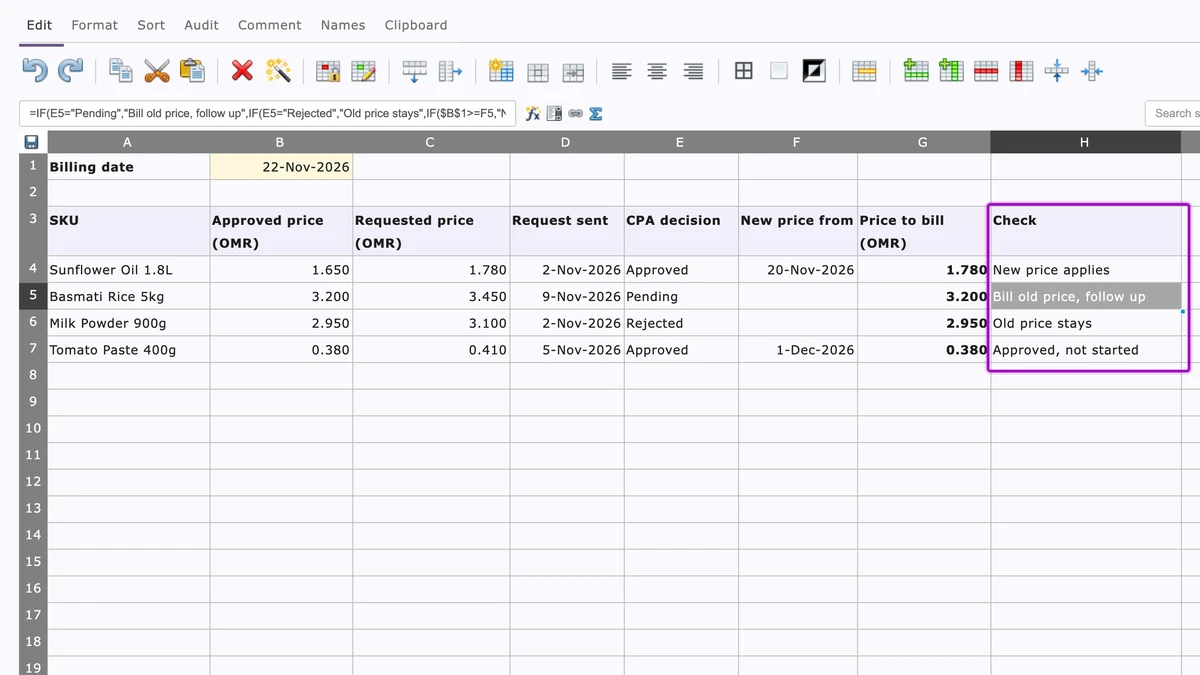
In H4, enter =IF(E4="Pending","Bill old price, follow up",IF(E4="Rejected","Old price stays",IF($B$1>=F4,"New price applies","Approved, not started"))) and copy it down.
Nobody has to read a formula to know what to do. Once a week, chase every request on a line that reads "Bill old price, follow up".
Three SKUs, Three Outcomes in One Week
Take Sunflower Oil 1.8L first. The request for 1.780 went in on 2 November, it was approved, and the team set 20 November as the start date.
An order billed on 15 November still takes 1.650. Move B1 to 22 November and G4 switches to 1.780 without anyone retyping a price.
Tomato Paste 400g is approved too, but its start date is 1 December. On 22 November the sheet still bills 0.380 and reads Approved, not started.
On 600 tins, that 30-baisa gap is OMR 18.000 that would otherwise have been charged before the start date.
Milk Powder 900g shows the third outcome. The increase was turned down, so the line reads Old price stays and 2.950 remains the price to bill.
Where the Shared Sheet Starts to Slip
The sheet answers the right question, but it sits beside the order rather than inside it. That leaves five gaps:
- Prices outside the order — reps and wholesalers still quote from memory or an old forwarded copy, and the sheet helps only if someone checks it.
- One date at a time — the formula answers for the date in B1, so a day of mixed delivery dates needs several checks.
- Extra tabs per channel — a separate rate for modern trade and baqala accounts means duplicate rows, and copies drift apart.
- No stop on a wrong price — nothing prevents an invoice at the requested price while its line still reads Pending.
- One person's routine — when the person who keeps it is on leave, requests and start dates wait, and the open link limits what it can safely hold.
Where 1Channel Closes Those Gaps
| Sheet gap | In 1Channel |
|---|---|
| Prices outside the order | Every order reads one Price Master, and the rep's app shows each SKU's selling price beside its MRP |
| One date at a time | Price lists carry validity dates and apply automatically |
| Extra tabs per channel | Customer-specific, customer-type and geography lists, resolved in a fixed order with an SKU fallback |
| No stop on a wrong price | AI order validation checks pricing rules before an order is accepted |
| One person's routine | Role-based access decides who can see and change each screen |
The order check comes from 1Channel's AI-powered DMS. Each order is tested against live stock, credit, schemes and pricing rules.
An order that breaks those rules is flagged before it reaches the warehouse floor.
How 1Channel Times a Price Change to the Approval
When the CPA clears an increase, the finance desk updates the price list once, with the start date it has chosen.
There is no second copy to send round to reps or wholesalers.
Orders raised on the portal or the rep's app pick up whichever price applies, so the invoice and the field quote match.
Bill the Approved Price on Every Order
See how customer, channel and location price lists work together for distributors across Oman.
Explore Pricing Management Software →Conclusion
A price rise in Oman has two dates that matter: the day the CPA clears it and the day you start billing it.
Mixing them up is where distributors get caught. The free sheet keeps both dates side by side and picks the right price for any billing day.
Once the list grows past a few dozen SKUs, the rule is safer inside the order itself than in a sheet beside it.
Note: Since the manual method was only tested once, consult a technical expert before running bulk operations.