By the time a point lands in a partner's balance, the platform has already settled where it came from and what it was worth.
This post covers the three routes a point can travel, what the partner does in each, and which ones stop for approval.
Channel loyalty of this kind runs hardest in Building Materials, Consumer Durables, Automotive, and Agriculture.
In all four, the person who influences a sale is often not the person the brand invoices.
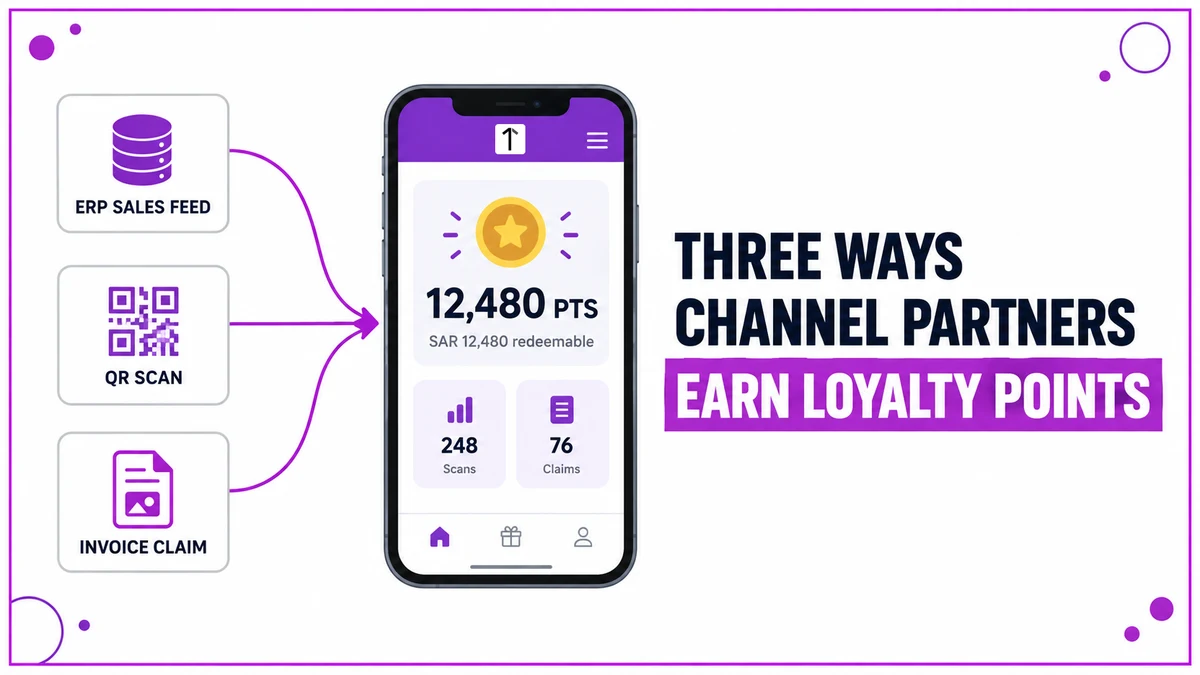
Where a Point Can Come From
Three earning mechanisms are supported. A program can run one, or combine several across the same partner base.
| Mechanism | How the sale is captured | What the partner does |
|---|---|---|
| ERP or DMS feed | Sales already recorded in the brand's own system, sent on a schedule | Nothing, points follow the data |
| QR code scan | A unique code applied to the product before dispatch | Scans the code in the app on site |
| Invoice claim | A purchase made outside any connected system | Submits a form with a photo of the invoice |
The mechanism decides how a transaction enters the system. A separate rules engine decides what it is worth.
Sales Data That Arrives on Its Own
Where the brand already captures partner sales in an ERP or distributor management system, nothing extra happens inside the loyalty app.
A scheduled file transfer sends the period's sales across, and each record lands on the partner's billing transactions screen.
How the Value Is Set
Points are allocated against slabs the brand defines, usually evaluated quarterly.
| Tier | Quarterly sales | Point rate |
|---|---|---|
| Silver | SAR 250,000 to 400,000 | 0.2% of sales value |
| Gold | SAR 400,000 to 900,000 | Higher rate on the same basis |
| Platinum | Above SAR 900,000 | Highest rate, usually capped per quarter |
Bands, rates and caps are configured per program, so the table above is a shape rather than a standard.
A Code Scanned at the Point of Installation
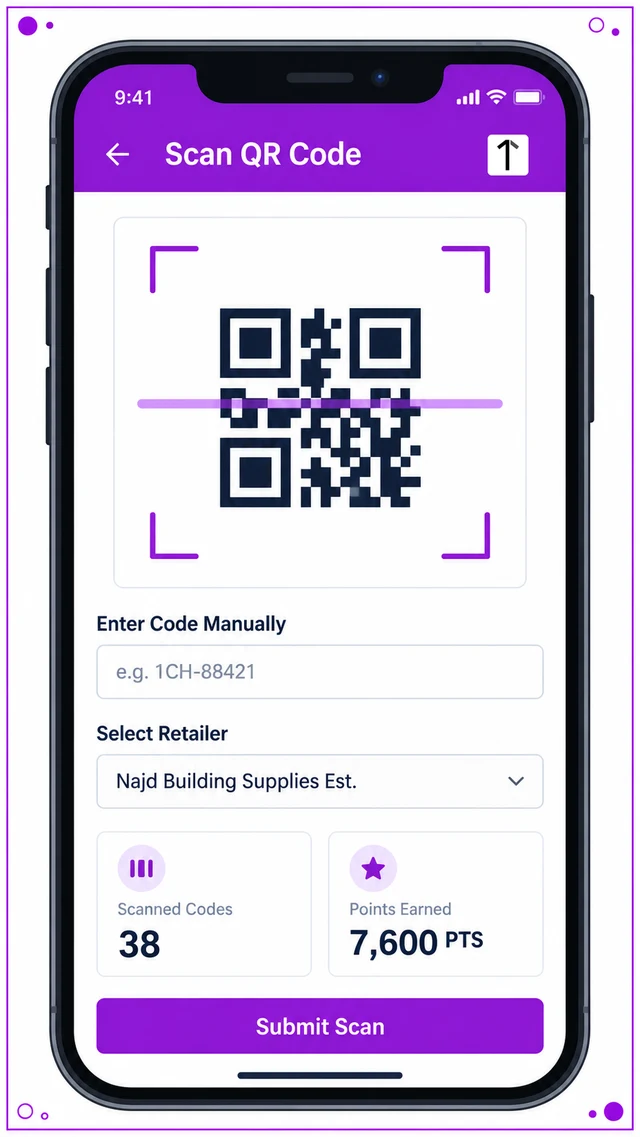
Unique codes are generated per SKU in the admin portal, each carrying its own point value, and applied before dispatch.
The partner scans the code in the app once the product reaches its end use. Two automated checks run before anything credits.
- The code must be genuine and system-generated, not a copy of another label.
- A code can be scanned once only, so a single unit cannot pay two partners.
With both checks passed, points credit immediately. There is no approval queue on this route.
Claims That Stop for Approval
The third route covers purchases made where the brand has no system visibility, so proof and sign-off replace the data feed.
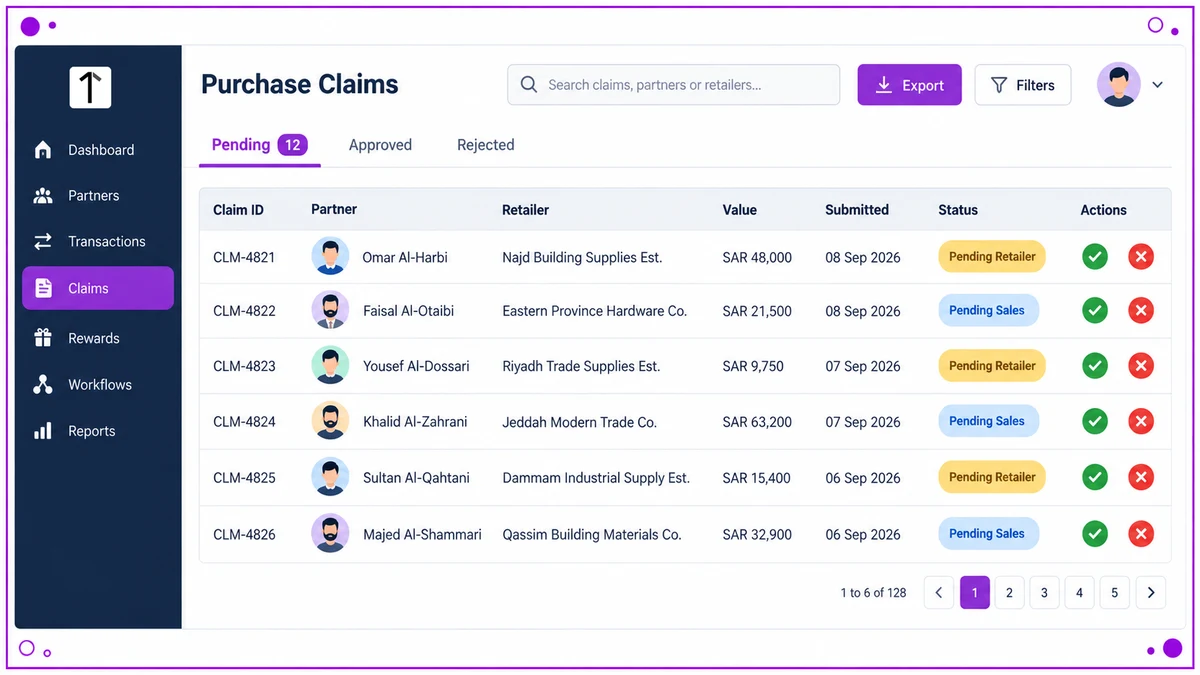
The partner submits a short form: product and specification, purchase value and date, location, the retailer bought from, and a photograph of the invoice.
Purchase dates are usually restricted to a recent window, commonly the last fifteen or thirty days.
- The tagged retailer reviews the invoice image and the submitting partner's details, then approves or rejects.
- The brand's sales team gives final sign-off in the admin portal.
- Points are calculated on the approved volume and credited automatically.
Whether approval is required at all is itself a setting.
Two Claims, Two Different Outcomes
A contractor in Riyadh scans a code on a delivered unit. The SKU carries 200 points.
The code has not been used before, so the balance updates before he leaves the site.
A fabricator in Dammam submits an invoice for SAR 48,000 of material bought from a wholesaler.
Najd Building Supplies Est., the retailer tagged on that claim, approves it the same day, and the sales team clears it two days later.
The points then appear, calculated on the approved value rather than the figure claimed.
How 1Channel Structures Point Earning
1Channel keeps all three routes on one partner record, so a program can start with QR scanning and add an ERP feed later.
Point values, slabs, caps and approval steps sit in one cloud workflow engine, so changing an incentive is a configuration change, not a release.
One Rules Engine Behind Every Point You Award
See how sales feeds, product QR codes and invoice claims run as one program for Saudi Arabia, with payouts settling in SAR via mada or STC Pay.
Explore Channel Influencer Loyalty →Frequently Asked Questions
What stops the same QR code being scanned twice?
The platform records the first successful scan and rejects every later attempt on that code, including from a different account.
How quickly do points appear after an invoice claim?
Only once both approval levels clear. Retailer review and sales-team sign-off typically run over a day or two.
Are points credited on the claimed value or the approved value?
The approved value. If an approver adjusts the figure, the calculation uses the adjusted one.
How do partners take the value out?
Balances convert to bank transfer, mada or STC Pay, or to vouchers and physical rewards.
Can a partner see where each point came from?
Yes. The account statement lists every credit against its source transaction and every debit against its redemption.
Note: Software screens may vary based on your business structure and configured workflows.