A classroom session, a virtual call, a store visit and an e-learning deck can all belong to the same training module.
What changes between them is who records attendance, and what counts as proof.
This post compares the four session types side by side, works through two examples, and shows where attendance ends up in reports.
Attendance rules matter most for field teams in FMCG, Consumer Durables, Pharma and Healthcare, and Retail and Modern Trade.
Each of them trains promoters and sales staff spread across stores and cities, where a paper sign-in sheet rarely survives the trip back to head office.
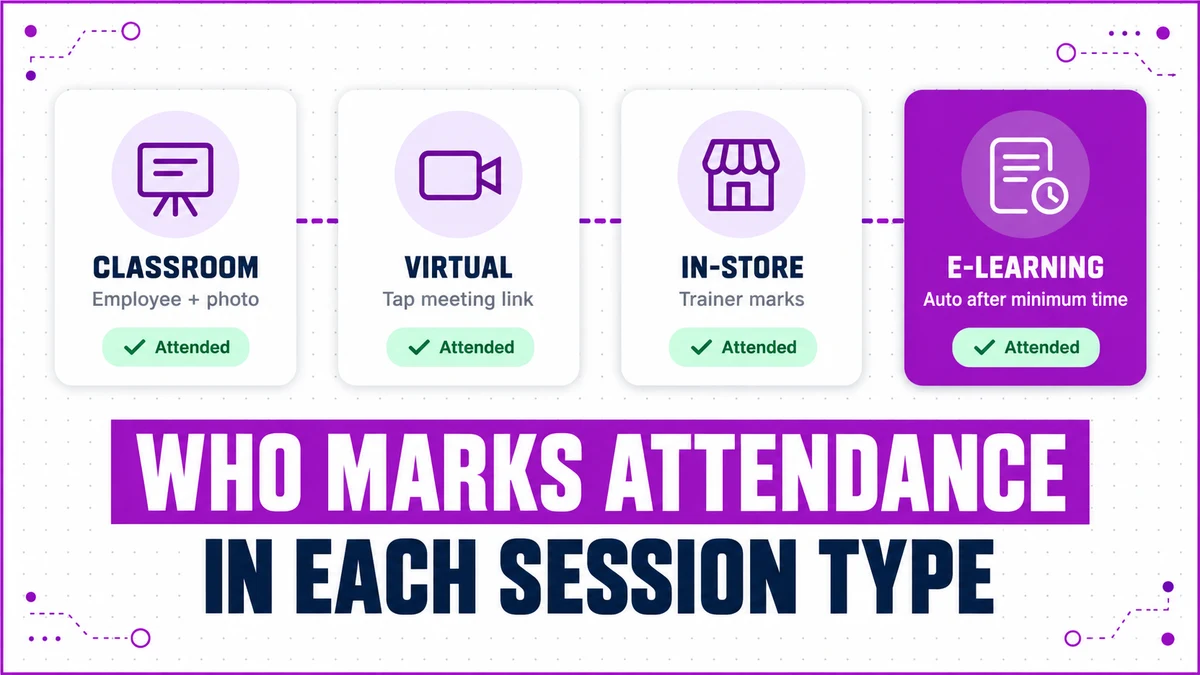
The Four Session Types at a Glance
Every session is scheduled in the admin portal under one module. Picking the session type changes the rest of the form, and it also fixes the attendance method.
| Session type | Who marks attendance | What counts as proof |
|---|---|---|
| Classroom | The employee | A photo captured at the venue during the session window |
| Virtual | The employee | Tapping the meeting link, which also opens the live call |
| In-Store | The trainer | A trainer photo of the trainees, marked from the trainer login |
| E-Learning | The system | Time spent on the content crossing a set minimum |
Because the method is tied to the type, nobody has to decide on the day how attendance should be taken.
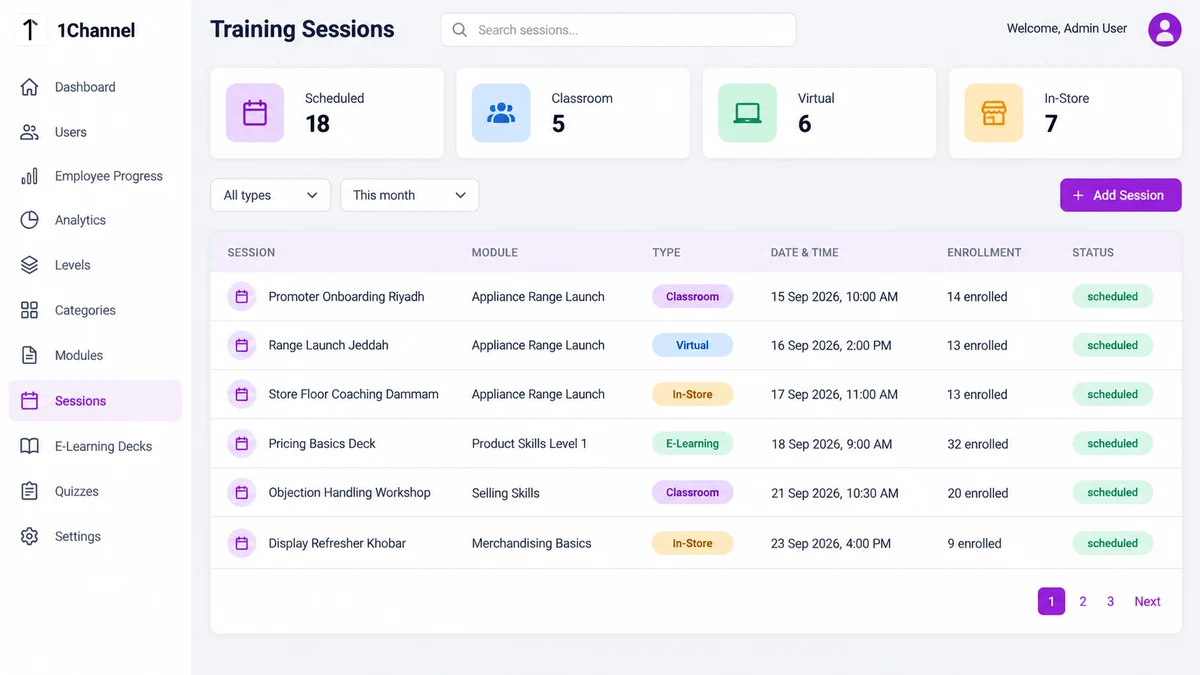
Why the Trainer Marks In-Store Attendance
In-store training happens on the shop floor, often during trading hours. The employee may be serving customers, so self-registering in an app adds friction.
Instead, the trainer visits the store, runs the session, photographs the trainees and marks each one present from the trainer login.
The photo stays with the record, so a regional manager can see who was actually trained at that outlet.
Self-Marked and Automatic Attendance
Classroom and Virtual Sessions
For classroom sessions, employees travel to the venue and mark themselves present in the app, capturing a photo at that moment.
Virtual sessions show the Google Meet, Zoom or Teams link inside the employee's app. One tap records attendance and opens the live meeting.
E-Learning Decks
E-learning attendance needs no action at all. The platform tracks time spent on a card, such as a PDF, and marks attendance once it passes the configured minimum.
Skim a deck for a few seconds and attendance stays unmarked, which keeps completion figures honest.
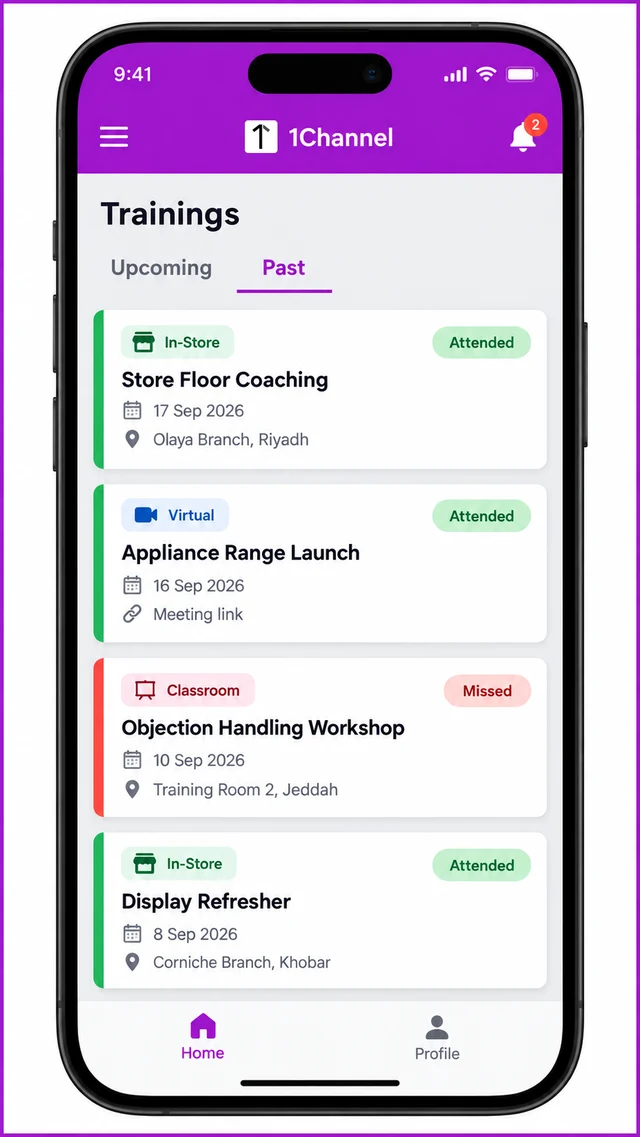
In the mobile app, past trainings carry a green Attended or red Missed pill beside each session type badge.
Two Worked Examples
One Module, Three Cities
A consumer electronics brand trains 40 in-store promoters on a new appliance range, using one module and three sessions.
- Riyadh promoters attend a classroom session and self-mark with a venue photo.
- Jeddah promoters join a virtual session and are recorded when they tap the link.
- Dammam promoters are trained in their stores, and the trainer marks each one.
All three sessions sit under the same module, so the training manager compares cities in one report instead of merging three spreadsheets.
An E-Learning Deck With a Five-Minute Minimum
An FMCG sales team is assigned a Level 1 product deck, with a five-minute minimum set on its pricing PDF.
Faisal spends seven minutes on the PDF, and his training card shows the Attended badge. Omar opens it for 90 seconds, so his card does not.
His manager spots the gap in the progress report well before the linked quiz is due.
Where Attendance Ends Up
The admin dashboard compares the overall attendance rate against a target, such as 90%, and labels it Below Target when it falls short.
Analytics lists average attendance per trainer next to sessions conducted. Employee Progress shows each person's attendance beside their certificates and badges.
How 1Channel Records Attendance Across Every Format
1Channel's cloud LMS ties each session type to its own attendance rule, so venue photos, link taps, trainer check-ins and e-learning time all land in one record.
Reports update automatically, so admins see attendance rates and trainer performance without chasing sign-in sheets.
Retire the Paper Sign-In Sheet for Good
See how training managers in Saudi Arabia schedule sessions, record attendance and track field team progress from one admin portal and mobile app.
Explore Sales Team LMS →Implementation Snapshot
- Create the level ladder and categories before building any modules.
- Tag each module to one level and one category.
- Schedule sessions using the type that matches how the training is delivered.
- Assign a trainer to every virtual and in-store session.
- Agree the minimum time that counts as e-learning attendance before assigning decks.
- Review the attendance rate against its target on the dashboard every week.
Note: Software screens may vary based on your business structure and configured workflows.