A new customer, a price change, or a large order inside 1Channel DMS can be required to pass through a multi-level approval chain before it takes effect.
Each level in the chain names an approver, a role like Area Manager or a specific person, and the whole chain can escalate on its own if nobody acts in time.
This post walks through what the workflow builder actually configures, then works through two examples: a new customer account and an order that has gone over its credit limit.
It matters wherever a distributor needs to control who can open an account or ship an order across several tiers of the business: FMCG, pharma and healthcare, building materials, and cosmetics and personal care.
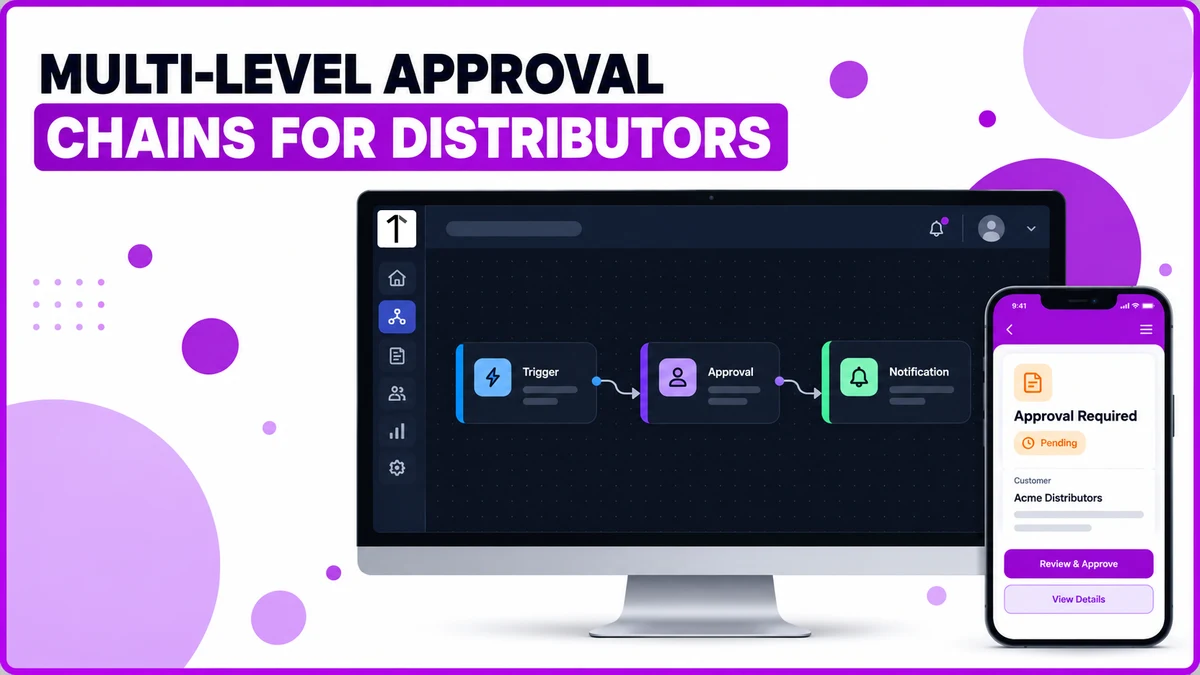
What an Approval Chain Actually Configures
The Workflow Automation screen builds a chain from three pieces: a trigger, one or more approval levels, and the action that runs once every level has signed off.
| Workflow field | What it configures | Why it matters for a UAE distribution business |
|---|---|---|
| Trigger and Entity | The record type and event that starts the chain, e.g. New Customer Created | Ties the chain to the exact action that needs checking, not the whole account |
| Approval Level, Approver Type | Who approves at each level, a role or a specific named user | Routes to the right person automatically without hardcoding a name |
| Min Approvals, Max Hours | How many approvers must sign off, and how long a level waits before escalating | Stops one missed approval from stalling an account or order indefinitely |
| Block Transactions Until Approved | Whether the record can transact while a decision is still pending | Keeps an unvetted account or order from moving before review finishes |
| Draft, Publish versioning | Whether an edited chain goes live immediately or only once published | Lets an admin test a change without disrupting approvals already in progress |
Two Approval Chains, Configured Differently
A new retailer waiting on its first order behaves differently from an existing distributor whose order has crossed a credit limit.
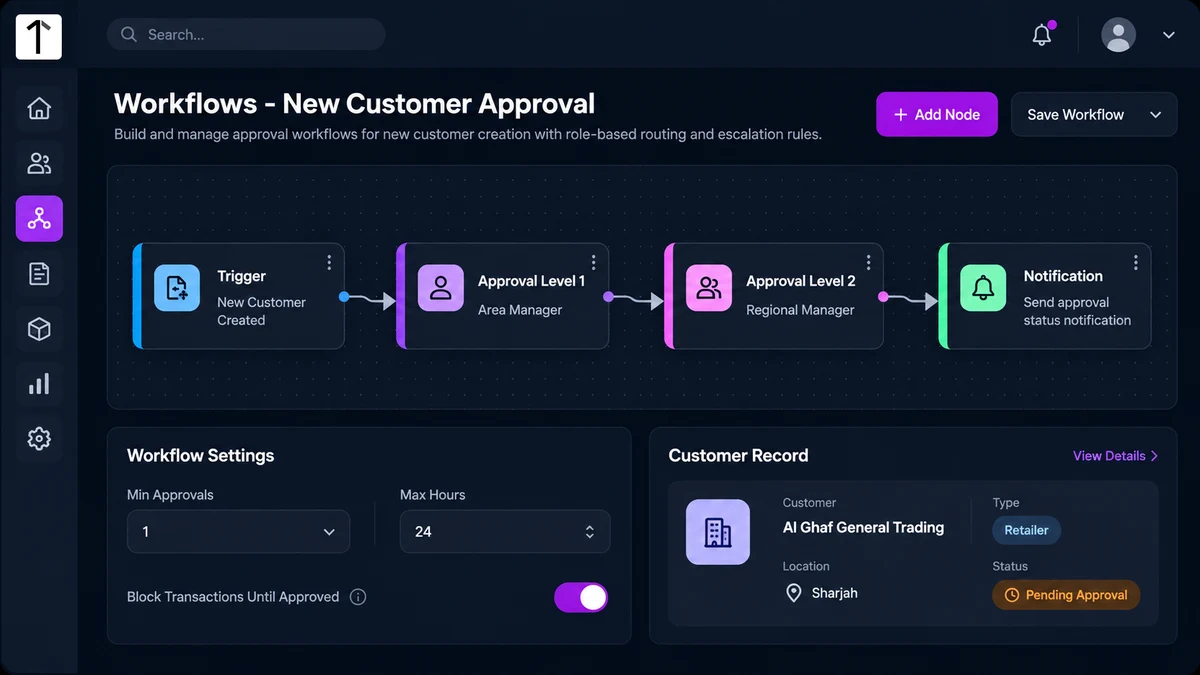
Example: a field rep in Sharjah adds Al Ghaf General Trading as a new retailer through the mobile app.
The record is created as Pending Approval, and the chain routes it to the rep's own manager before the account can place its first order.
A returning distributor's order works differently, since the account already exists and normally transacts freely.
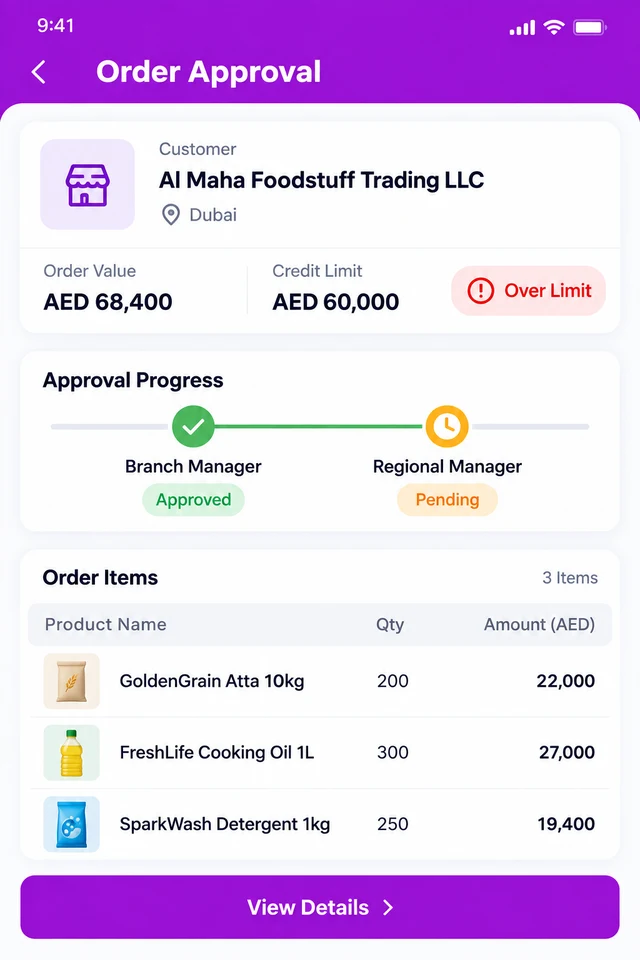
Example: Al Maha Foodstuff Trading LLC in Dubai places a monthly order worth AED 68,400 against a credit limit of AED 60,000.
The order is flagged automatically and routed through a two-level chain, a branch manager first, then a regional manager, before it can be dispatched.
Block Transactions Until Approved stays on for both cases, so neither the account nor the order can move while a level is still pending.
Getting Approval Chains Right Before E-Invoicing Tightens
The Federal Tax Authority's e-invoicing system phases in from 2026, reaching every VAT-registered business by 2027, and depends on clean, structured data behind every invoice.
An order or a customer record that already passed through a documented approval chain carries fewer gaps to fix later, since the account and pricing details behind it were checked before the sale, not after.
The same chain configuration applies whether the record is created on the web portal or the mobile app, so a rep in the field and a manager at a desktop see the same pending state.
How 1Channel Keeps Every Approval Chain Enforced
1Channel runs the same chain for every new customer, price list, or order that needs sign-off, not a manual checklist someone has to remember to follow.
Its workflow automation tools let an admin edit a chain as a draft and test it before publishing, so a change never disrupts approvals already running.
Nothing the chain is meant to block gets through by accident.
Keep Every Approval Chain Enforced, Not Just Documented
See how triggers, multi-level approval, and escalation work together across every new customer, price change, and order in 1Channel DMS.
Explore Workflow Automation →Common Mistakes to Avoid
Most approval-chain problems trace back to one configuration copied everywhere, instead of a deliberate choice per record type.
- Setting Max Hours too long. A level that waits days before escalating leaves an account or order stuck for no real reason.
- Leaving Block Transactions Until Approved off for new customers. A retailer that can transact before approval defeats the point of routing it through a chain at all.
- Naming a specific person instead of a role. A named approver who goes on leave stalls the whole chain; a role like Area Manager routes to whoever holds it.
- Publishing a workflow change without testing the draft first. An edited chain that isn't tested can misroute an approval mid-rollout.
- Treating every order the same way. A sale within an existing credit limit doesn't need the same chain as one that has gone over it.
Note: Software screens may vary based on your business structure and configured workflows.