Every pending order, return, credit request and workflow sign-off in 1Channel DMS lands in the same approvals queue, waiting on one decision each.
It matters most for FMCG, Pharma, Consumer Durables and Building Materials distributors across Vietnam, where a late approval can hold a loaded truck back from the day's beat.
This post covers what the built-in Odin assistant checks before anyone clicks approve, and what happens automatically once a decision is made.
It then looks at where a customer's credit limit decides the outcome, with two worked examples showing both checks in practice.
A Queue Where Every Pending Decision Waits
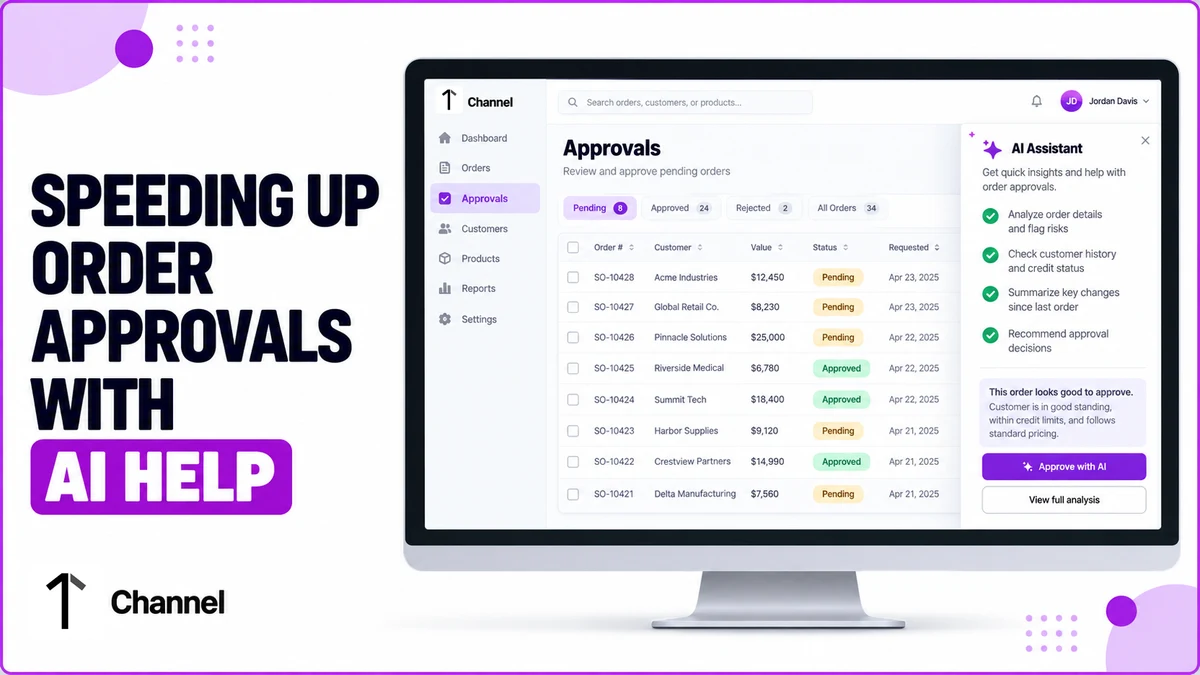
Orders, returns, credit requests and workflow approvals in 1Channel DMS all route into one Approvals screen, so nothing needing a sign-off sits in a separate inbox.
At Mekong Delta Foods Co., a Ho Chi Minh City distributor, six orders worth VND 184 million once sat in that queue for two days.
The delay was one manager checking each customer's credit, pricing and stock by hand, one order at a time, with no fixed checklist to follow.
What the Built-In Assistant Checks Before a Click
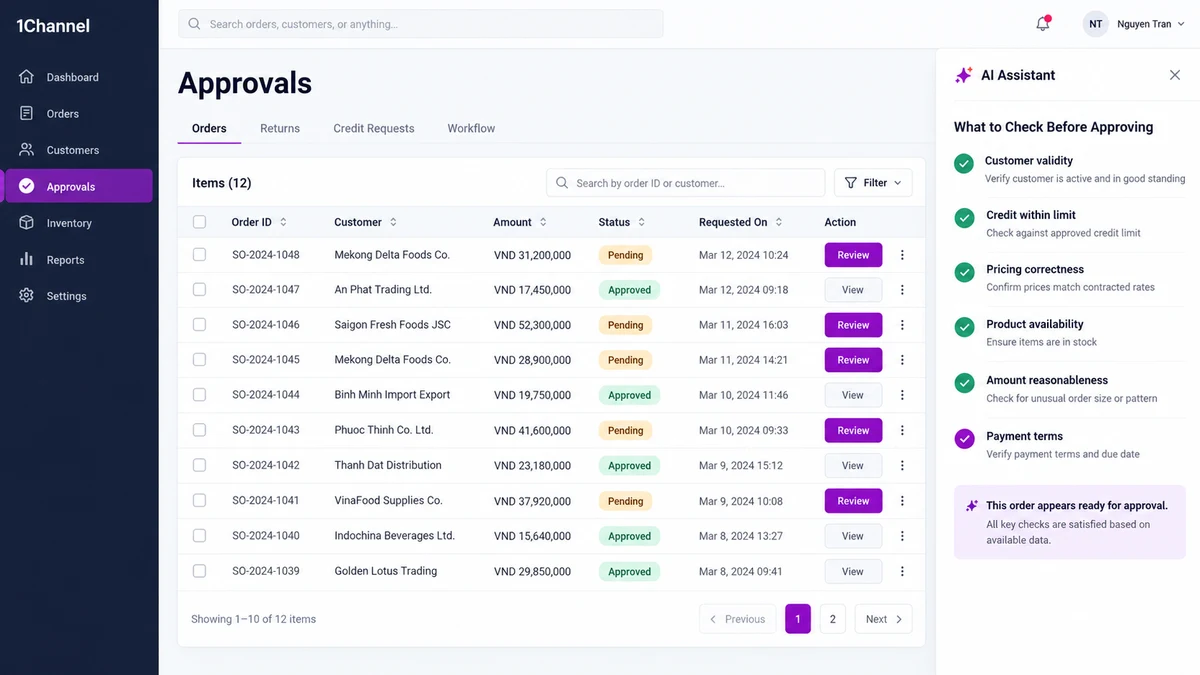
An AI assistant built into the DMS, called Odin, answers process questions right inside the approvals screen instead of sending a manager to a help desk.
Asked what to check before approving, it returns a structured breakdown covering six points, the same six most managers learn to check manually over time.
| Check | Why it matters |
|---|---|
| Customer validity | Confirms the account is active and not blocked |
| Credit within limit | Confirms the order fits inside the customer's available credit |
| Pricing correctness | Confirms the applied price and scheme match current rules |
| Product availability | Confirms stock exists at the fulfilling warehouse |
| Amount reasonableness | Flags an order size well outside the customer's usual pattern |
| Payment terms | Confirms the agreed payment mode and terms are applied correctly |
Odin also lays out what happens automatically after approval: stock allocation and dispatch begin right away.
After a rejection, the order returns to the sales rep with a stated reason attached.
The same AI layer powers 1Channel's broader AI-powered DMS, applying structured checks like these across pricing, inventory and collections too, not just approvals.
Where the Credit Limit Decides the Outcome
A customer's very first order is allowed even before a credit limit is set in the system.
From the second order onward, nothing more ships until that limit is set or updated and any earlier outstanding balance is cleared.
| Order in sequence | What happens |
|---|---|
| First order | Allowed even if no credit limit has been set yet |
| Second order onward | Blocked until the credit limit is set or updated, and any overdue balance is cleared |
| Order exceeds available credit | Field rep flagged immediately; manager can raise the limit on the spot |
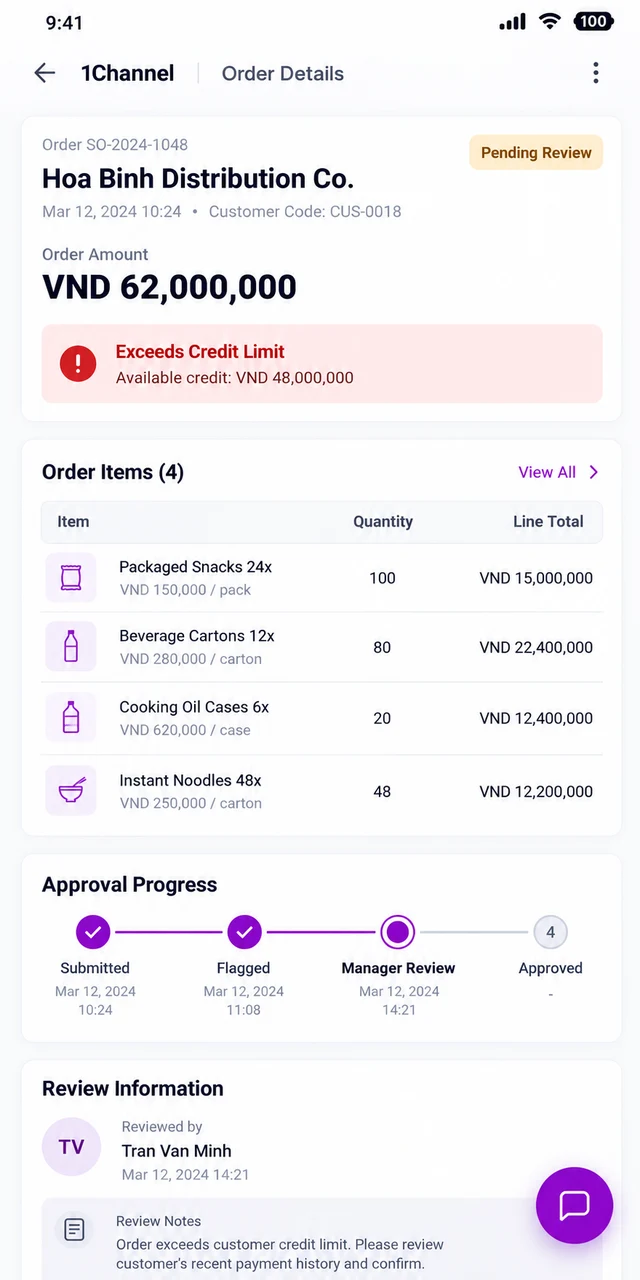
If an order would exceed the customer's available credit, the field rep placing it is flagged immediately.
A manager can then review the account and raise the limit on the spot if the order is genuinely justified.
Hoa Binh Distribution Co. in Da Nang hit this in August.
A VND 62 million order from a long-standing retailer exceeded the account's remaining VND 48 million headroom.
The rep's mobile app flagged the order before it was even submitted, the regional manager reviewed it from his phone, and raised the limit within the hour.
How 1Channel Moves Approvals Faster
1Channel's order management module routes every order, return and credit request into one queue, with the same checks applied every time, for every distributor on the platform.
Built-in guidance, automatic credit checks and payment visibility cut the back-and-forth between field reps and approvers, so decisions that used to take days happen the same day instead.
Approvals That Don't Wait on Guesswork
Route every order, return and credit request through the same built-in checks, with AI-guided approvals and credit limits enforced automatically, from one cloud platform built for distributors in Vietnam.
Explore Order Management →Common Mistakes to Avoid
- Approving on memory, not the checklist. Skipping a fixed set of checks lets an easy mistake slip through on a busy day.
- Checking credit after the order ships. The credit position needs confirming before approval, not after a shortfall shows up in collections.
- Treating every pending item the same. Orders, returns and credit requests each need a different check, even inside one shared queue.
- Missing a payment-terms mismatch. An order approved on the wrong payment mode causes a reconciliation problem later, not a visible error now.
- Leaving an over-limit order unflagged. Catching it after picking and packing wastes warehouse time that flagging it earlier would have saved.
- Not reviewing rejected orders. A rejection with no follow-up just means the same avoidable mistake comes back on the next order.
Note: Software screens may vary based on your business structure and configured workflows.