A dealer in a building materials loyalty program checks their app after a purchase and sees the points sitting under "Pending," not "Available." The confusion that follows almost always traces back to one thing: how the wallet is configured to separate what has cleared from what hasn't yet.
The wallet holds several distinct values at once, and the rules governing how a point moves between them are set entirely at the backend, not fixed behavior baked into the platform.
The Wallet Holds More Than One Number
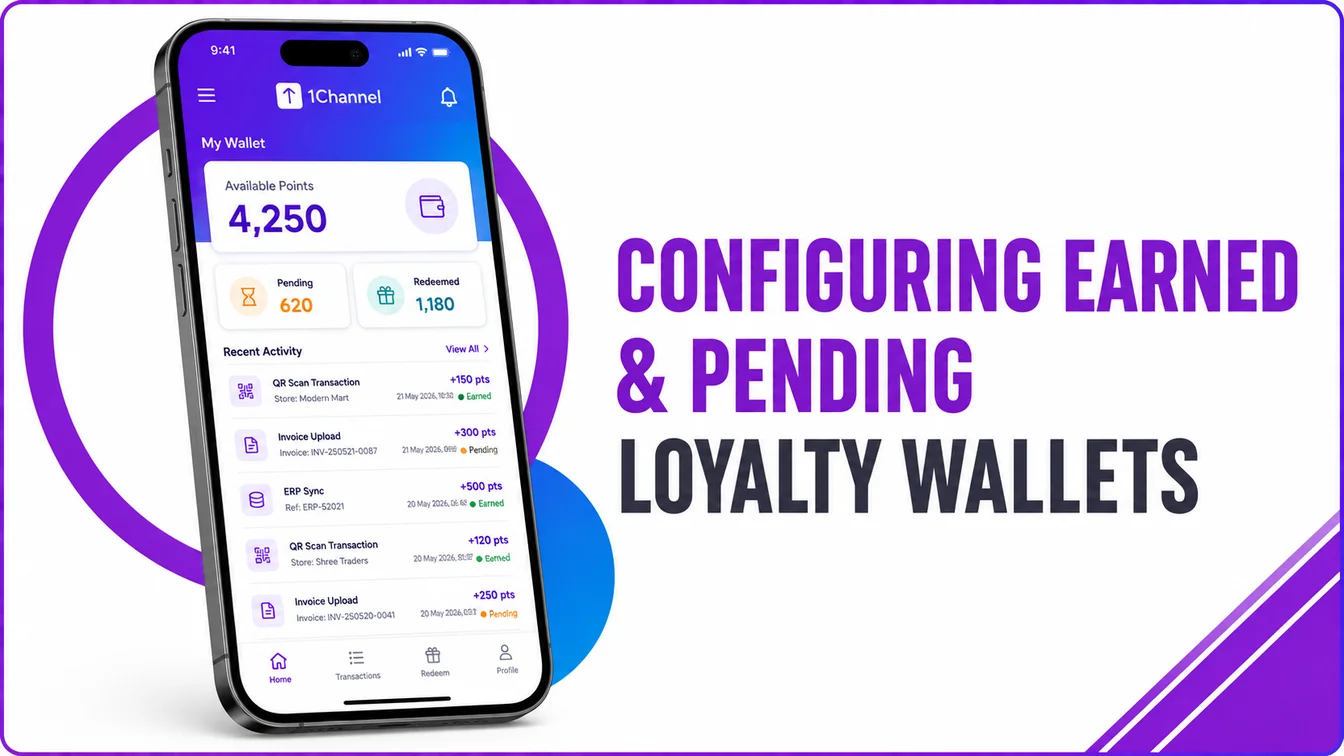
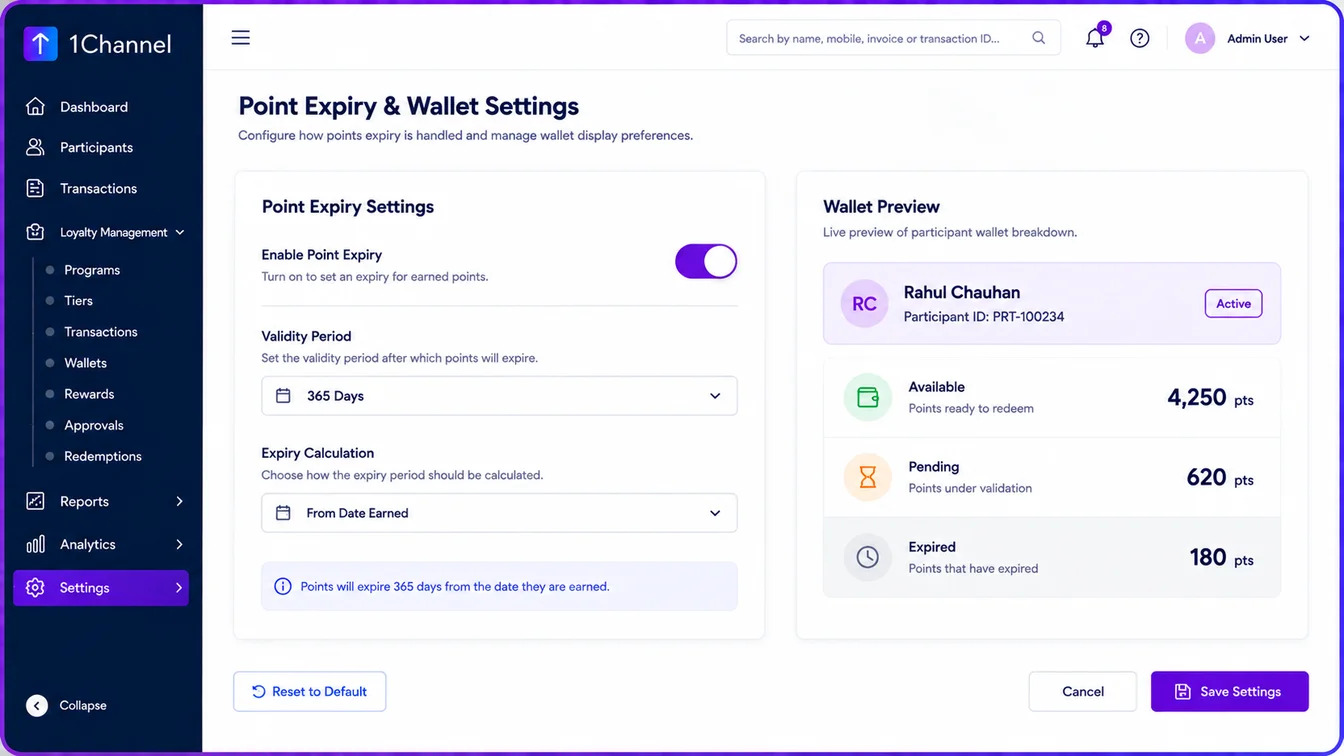
Behind a single balance shown on screen sit several tracked values: total earned points, available points, redeemed points, pending points, and, where configured, expired points. Earned points have cleared into the spendable balance. Pending points are logged against a real activity but haven't cleared that step yet.
Which of these values a participant actually sees is a backend decision too. The dashboard's point summary can surface all of them, or only a chosen few, depending on how the program is set up.
Every Point Starts Out Pending
Regardless of source, an ERP purchase, a DMS sync, a QR scan, an uploaded invoice, every point begins the same way: logged, then routed through validation, business rule checks, and an approval workflow before the point engine credits the wallet.
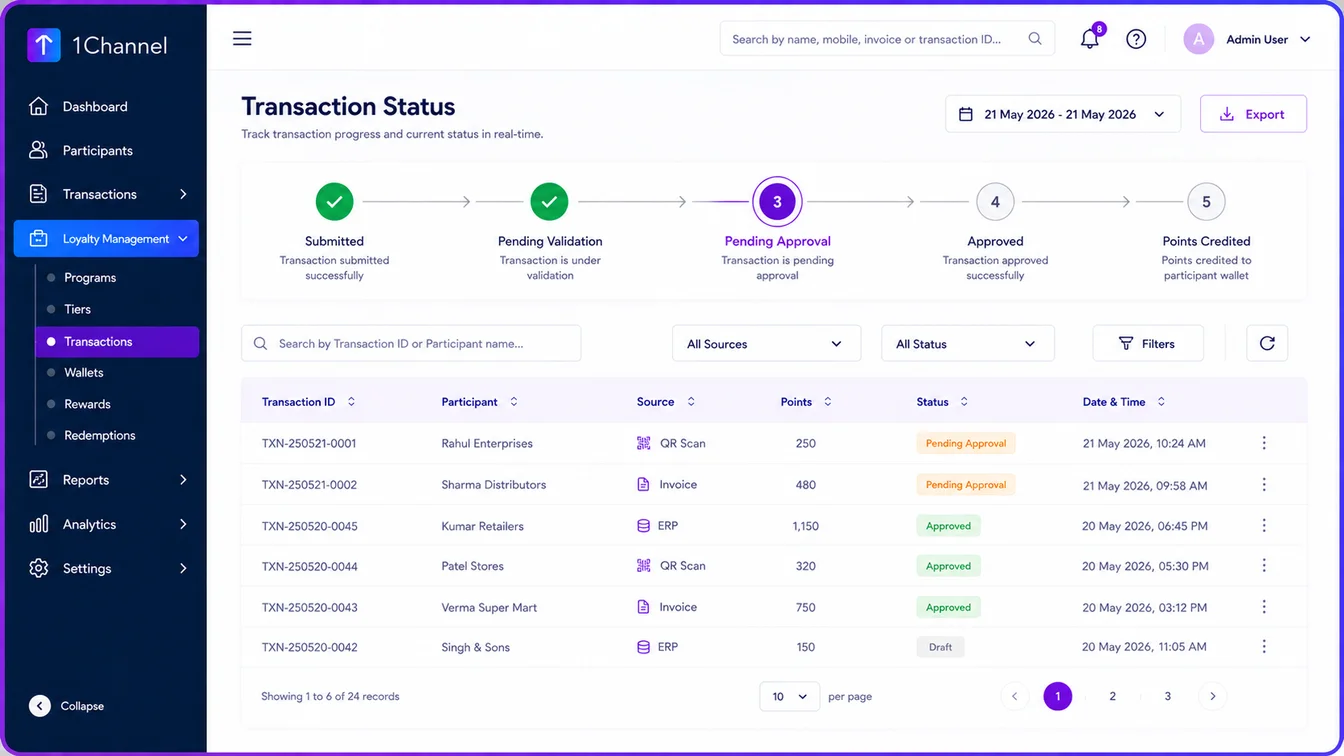
A point only stops being pending once that full sequence completes. There's no shortcut path that bypasses it, no matter where the purchase came from.
The Approval Chain Can Be One Step or Several
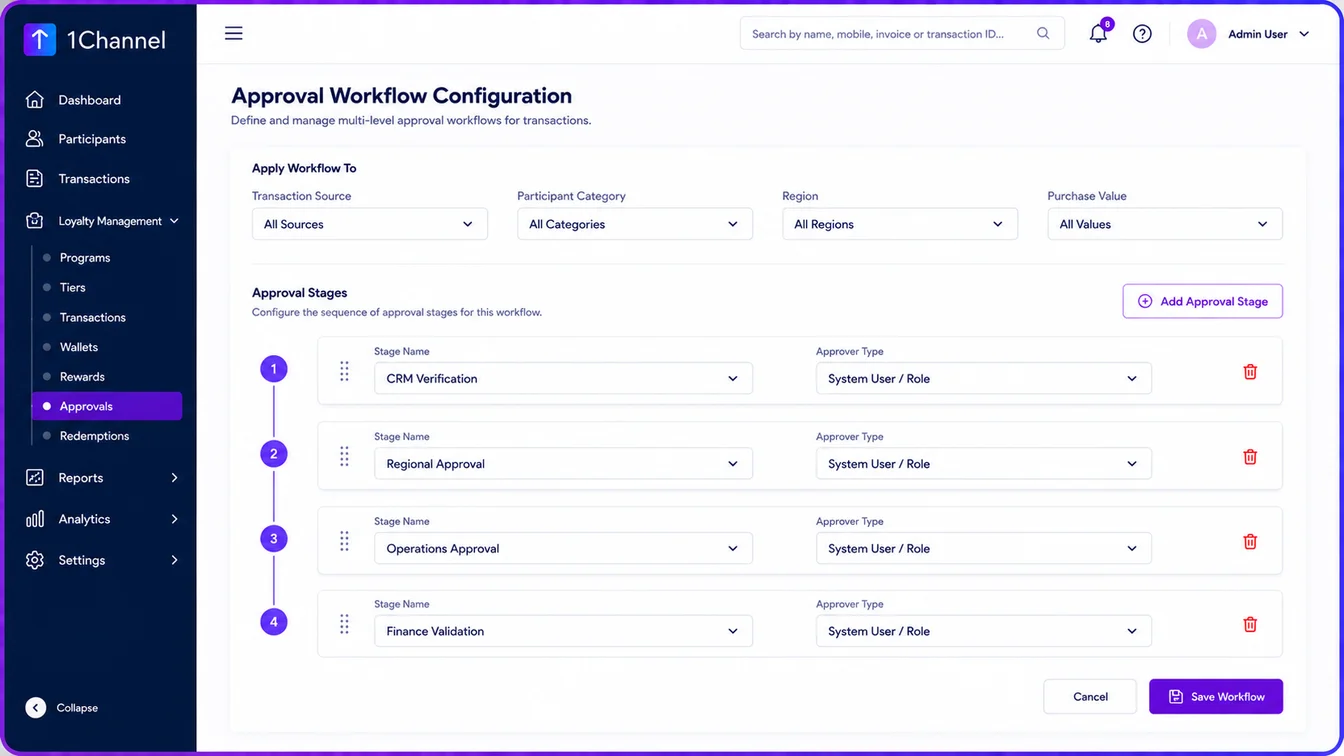
Some programs run a short chain: submission, verification, approval, points credited. Others need multiple checkpoints in sequence, CRM verification, regional approval, operations approval, finance validation, before a point clears.
Program teams set how many stages apply, and the choice can vary by transaction source, participant category, region, product, campaign, or purchase value. A routine claim clears in one step; a high-value one runs the full chain.
Verification Steps That Legitimately Extend the Pending Window
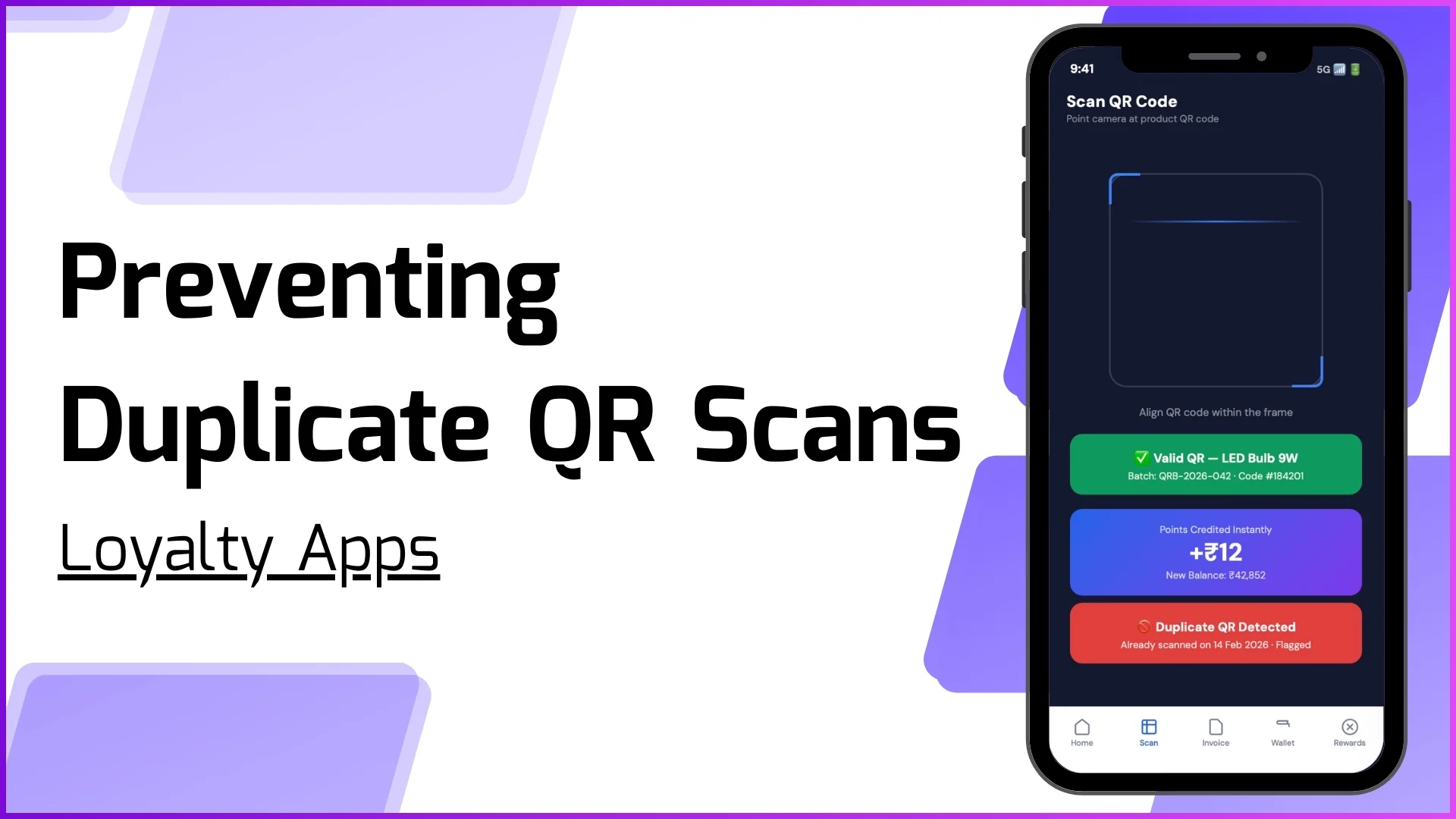
Invoice checks, QR verification, and duplicate-claim detection all sit between submission and approval for a reason: to stop points from crediting against bad data. A missing invoice, an already-redeemed QR code, or a repeated claim gets pulled aside for manual review rather than moving straight through.
That extra time in pending is the tradeoff for an earned balance participants can actually trust.
Expiry Rules Shape the Balance Too
Points can be configured to never expire, or to expire after a set validity period. When expiry is switched on, expired points get tracked as their own category, kept separate from the available balance, so a participant's earned total never shrinks without an explanation attached to it.
Boosting Loyalty Engagement with 1Channel
Bringing wallet configuration, approval workflows, and expiry rules into a single platform is what keeps an earned balance both accurate and easy for participants to trust.
Explore 1Channel Loyalty Management Software
See how 1Channel's Loyalty Management Software configures earned and pending wallets, approval workflows, and point expiry from a single platform.
Explore Loyalty Management →Conclusion
Earned and pending describe two states of the same wallet, not two separate systems, and the gap between them is exactly as long as the approval workflow configured to sit in between. Getting that configuration right is what keeps a loyalty balance both accurate and easy for a participant to trust.
FAQs
1. How should a loyalty wallet be organized?
A wallet is typically organized into separate tracked values: total earned points, available (redeemable) points, redeemed points, pending points, and expired points where configured, rather than a single combined number.
2. What is the difference between earned and pending loyalty points?
Earned points have cleared the approval workflow and sit in the spendable balance. Pending points are logged against a real activity but haven't cleared that workflow yet.
3. What causes a point to move from pending to earned status?
A point moves to earned only after it passes validation, business rule evaluation, and the configured approval workflow, at which point the point engine credits the wallet.
4. Can the number of approval stages differ between transactions?
Yes. The number of approval stages is configurable by transaction source, participant category, region, product, campaign, or purchase value.
5. Why do some transactions stay pending longer than others?
Invoice checks, QR verification, and duplicate-claim detection can pull a transaction aside for manual review before it's allowed to proceed to approval.
6. Does point expiry reduce the earned balance directly?
No. Expired points are tracked as a separate category from the available balance, so the reduction is visible and explained rather than silent.
Note: Software screens may vary based on your business structure and configured workflows.