In retail merchandising, field force executives often encounter real-world friction that disrupts their daily planned journeys.
While field executives visit outlets to verify product placements, map shelf facings, or validate campaign compliance, they frequently face situations where execution is impossible.
A store might be under renovation, permanently closed, or simply closed for the day. If a retail application enforces only standard, positive workflows (i.e., requiring images of active displays), field operations grind to a halt.
To avoid data gaps and maintain clean tracking metrics, retail applications must leverage an intelligent, structured negative workflow: the closed store bypass mechanism.
The Challenge of Inaccessible Retail Outlets
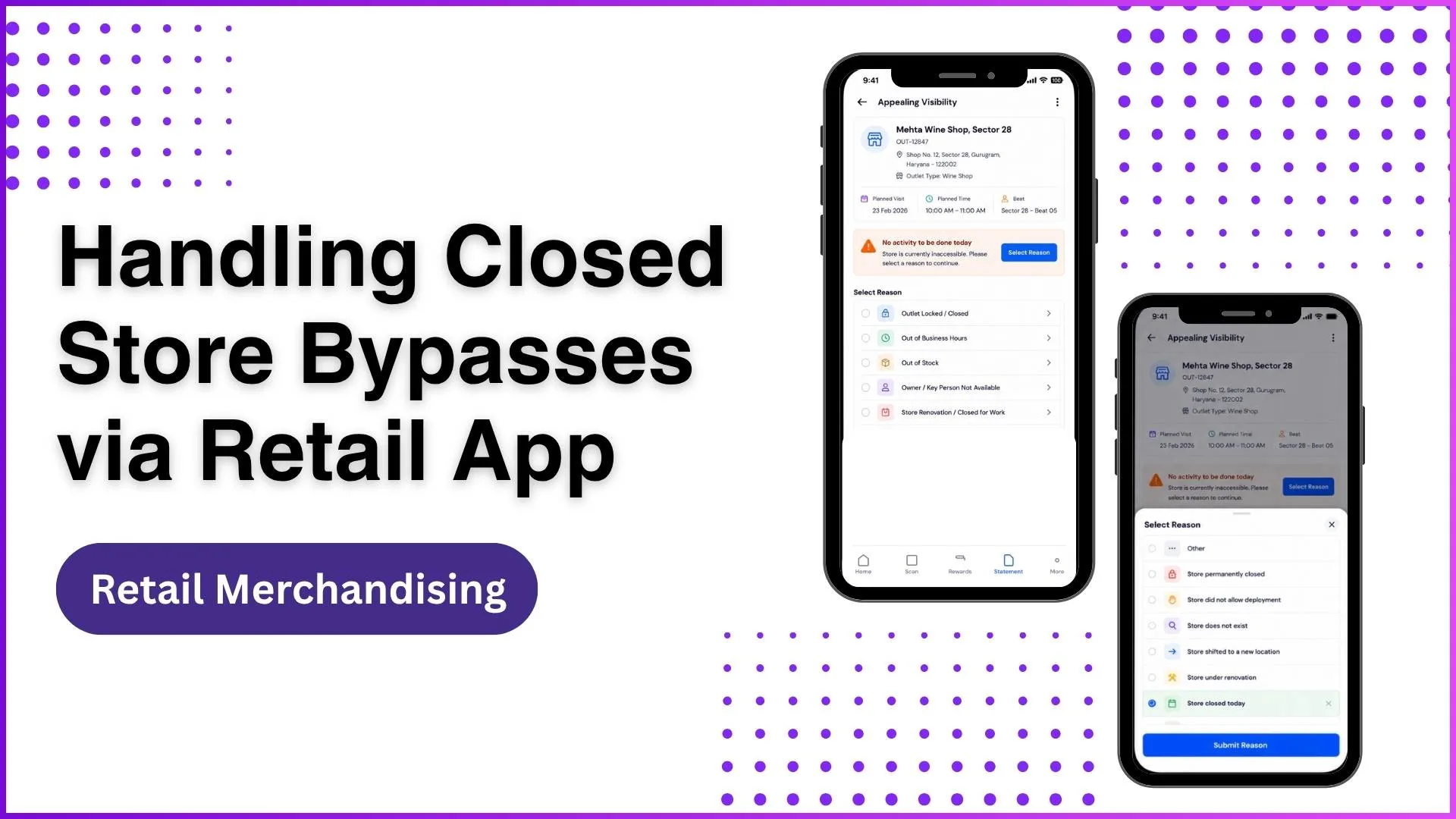
When an executive arrives at a location like a high-volume outlet, missing a planned audit due to a physical barrier distorts overall productivity calculations.
If the system does not allow a valid reason to be submitted, the visit is either left open or incorrectly marked as non-compliant.
This negatively skews critical performance metrics like target compliance scores or visibility indexes.
Implementing a robust bypass framework ensures that when an activity cannot be performed today, field executives can log verified negative exceptions.
This keeps the field force moving without unfairly penalizing their target achievements.
Executing a Structured Negative Workflow
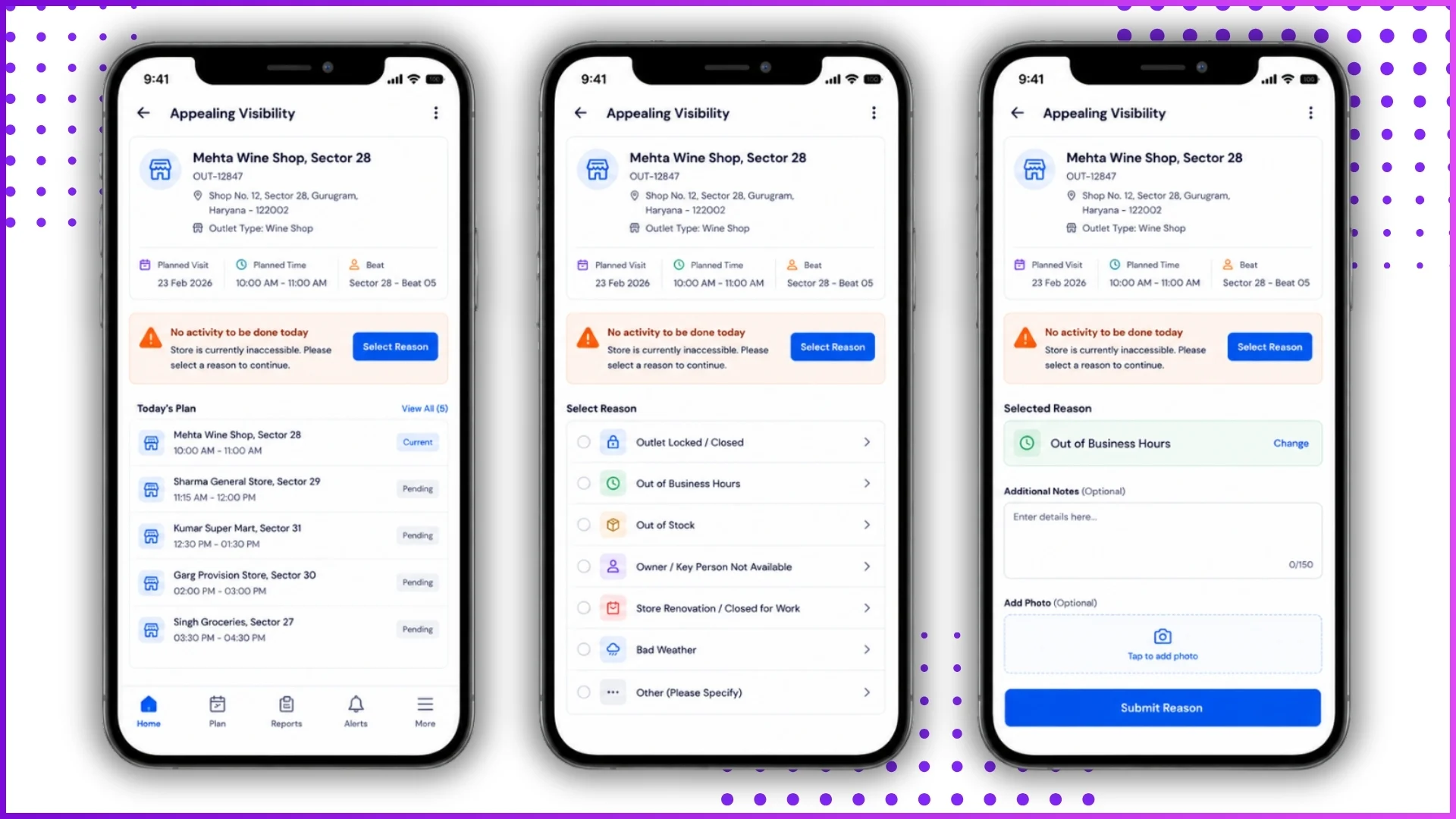
The bypass process converts an incomplete field visit into an actionable data point. Instead of capturing active standard shelf images (such as center wall or left wall shots), the user activates a negative workflow.
The core execution of a retail app bypass functions as follows:
- Status Identification: The field executive marks the specific task as unavailable for execution on that day.
- Reason Selection: The system prompts a targeted validation menu to capture the exact business context.
- Submission & Logging: Once submitted, the status updates immediately, and the routine closes cleanly for that business day.
Example Context
Consider an executive tasked with auditing a seasonal display at a regional outlet. Upon arrival, they discover the shop shuttered due to local maintenance.
Instead of bypassing the entry entirely or getting stuck in a loop requiring display photos, the executive selects the task, hits the bypass option, selects a pre-configured reason, and submits it.
The application updates the dashboard to show the store state cleanly closed, enabling the system to evaluate field hours accurately.
Centralized Dashboard Visibility for Administrators
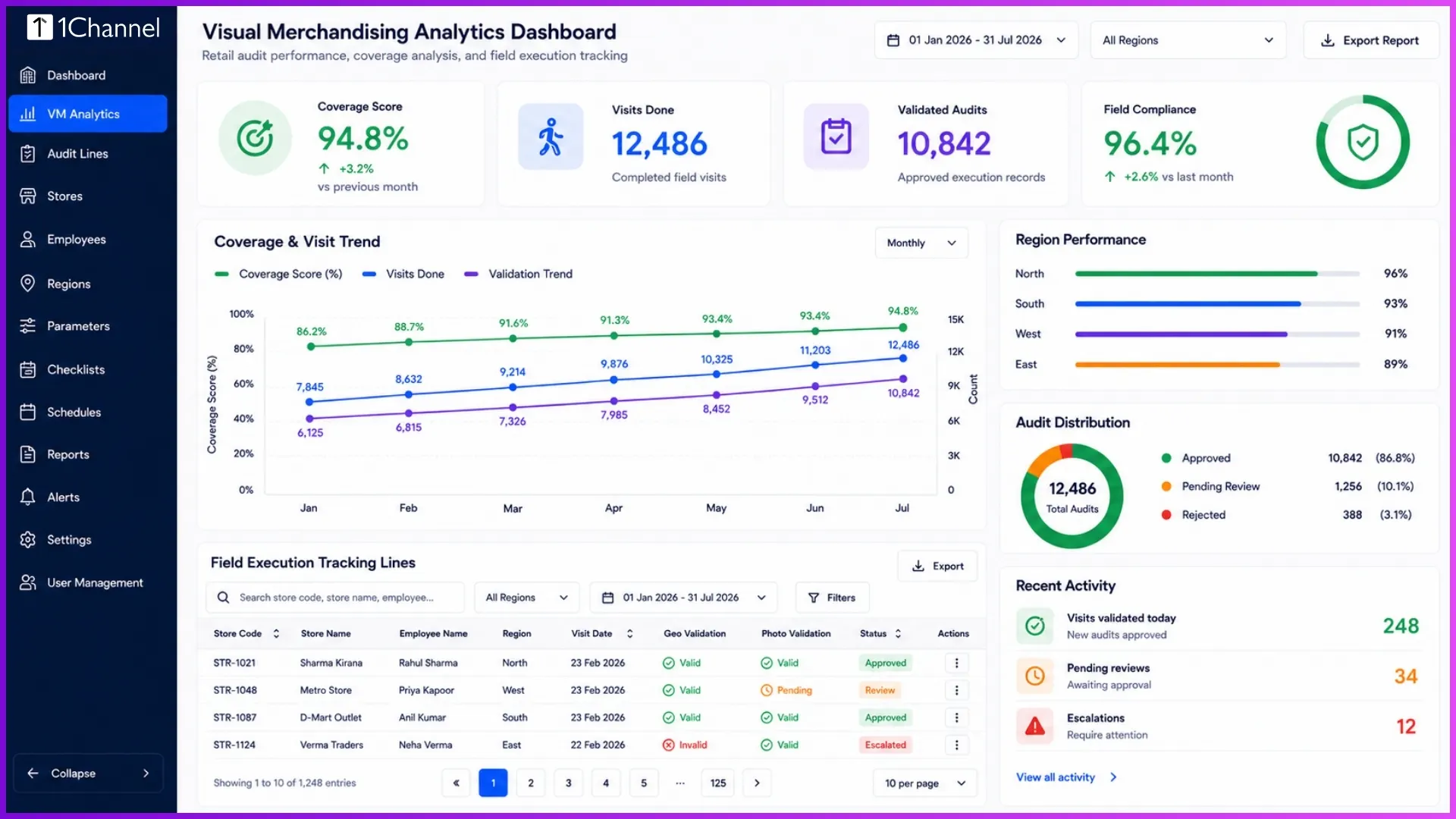
Bypass tracking is not just a tool for field convenience; it provides vital ground-level intelligence for administrators via the desktop portal.
When a field executive logs a closure reason, the data reflects instantly under administrative visual merchandising sub-options.
Visual Merchandising > Campaign Audit > Reason For No Campaign
Administrators monitoring coverage score percentages can filter reports by location, date ranges, and custom reasons. This clear distinction prevents legitimate site closures from dropping overall operational quality scores.
Streamlining Field Operations with 1Channel
To seamlessly manage complex retail environments and eliminate manual operational bottlenecks, leveraging a dedicated retail software solution is key.
The 1Channel platform provides an advanced architecture where administrators can structure specific campaign validations, handle invalid store filter codes automatically, and track multi-level audit quality logs.
Through the hierarchy of 1Channel > Visual Merchandising, businesses can deploy custom bypass rules that protect field force productivity metrics while gathering clean, uninterrupted market intelligence.
Explore 1Channel Visual Merchandising & POSM Management
See how 1Channel's Visual Merchandising module lets you configure campaign validations, closure reasons, and audit rules that keep field productivity metrics accurate and market intelligence clean.
Explore Visual Merchandising & POSM →Conclusion
Managing retail execution requires accounting for real-world exceptions. By implementing closed-store bypasses, retail businesses ensure their field executives remain productive, and their administrative data stays clean, realistic, and highly actionable.
Frequently Asked Questions
1. What is a closed store bypass?
It is a negative workflow in a retail app that allows field executives to log a valid reason (e.g., store under renovation) when a planned audit cannot be physically completed.
2. Why is this feature necessary?
Without it, field users get stuck in loops requiring active store photos. It prevents data gaps and stops legitimate closures from unfairly lowering an executive's productivity metrics.
3. What reasons can an executive select?
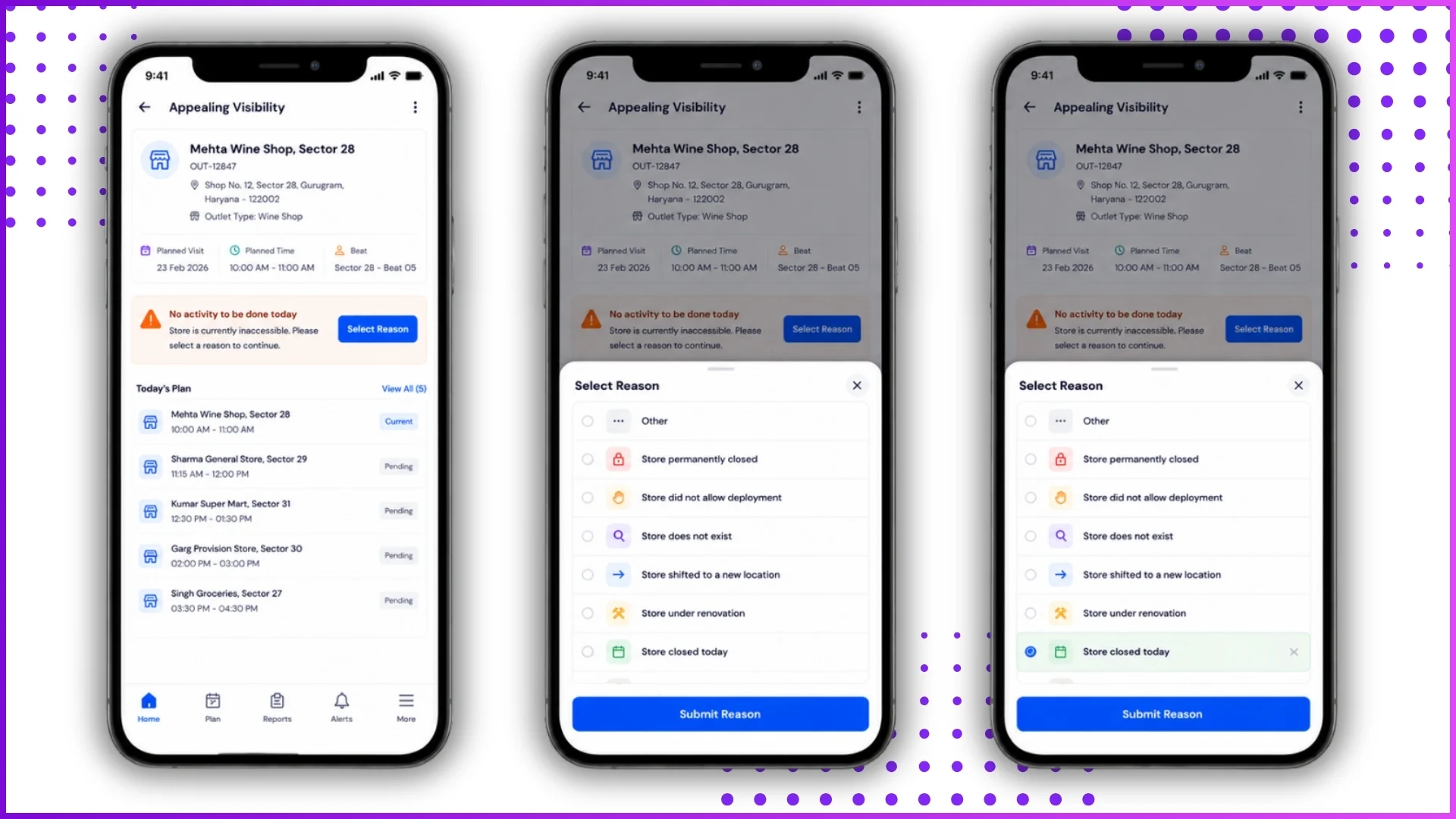
Standardized options include: Store closed today, Store permanently closed, Store under renovation, Store shifted, or Store did not allow deployment.
4. Where can administrators track these bypasses?
Administrators can view real-time logs and metrics in the desktop portal under: Visual Merchandising > Campaign Audit > Reason For No Campaign