Loyalty programs often grow through trusted networks rather than open registrations. A nomination module enables this controlled growth by allowing existing members or internal teams to recommend new participants.
In loyalty apps, this module plays a critical role in ensuring program quality, authenticity, and scalability.
This blog explains how nomination modules function, how approvals are handled, and how they fit seamlessly into the broader loyalty ecosystem.
What Is a Nomination Module in a Loyalty App?
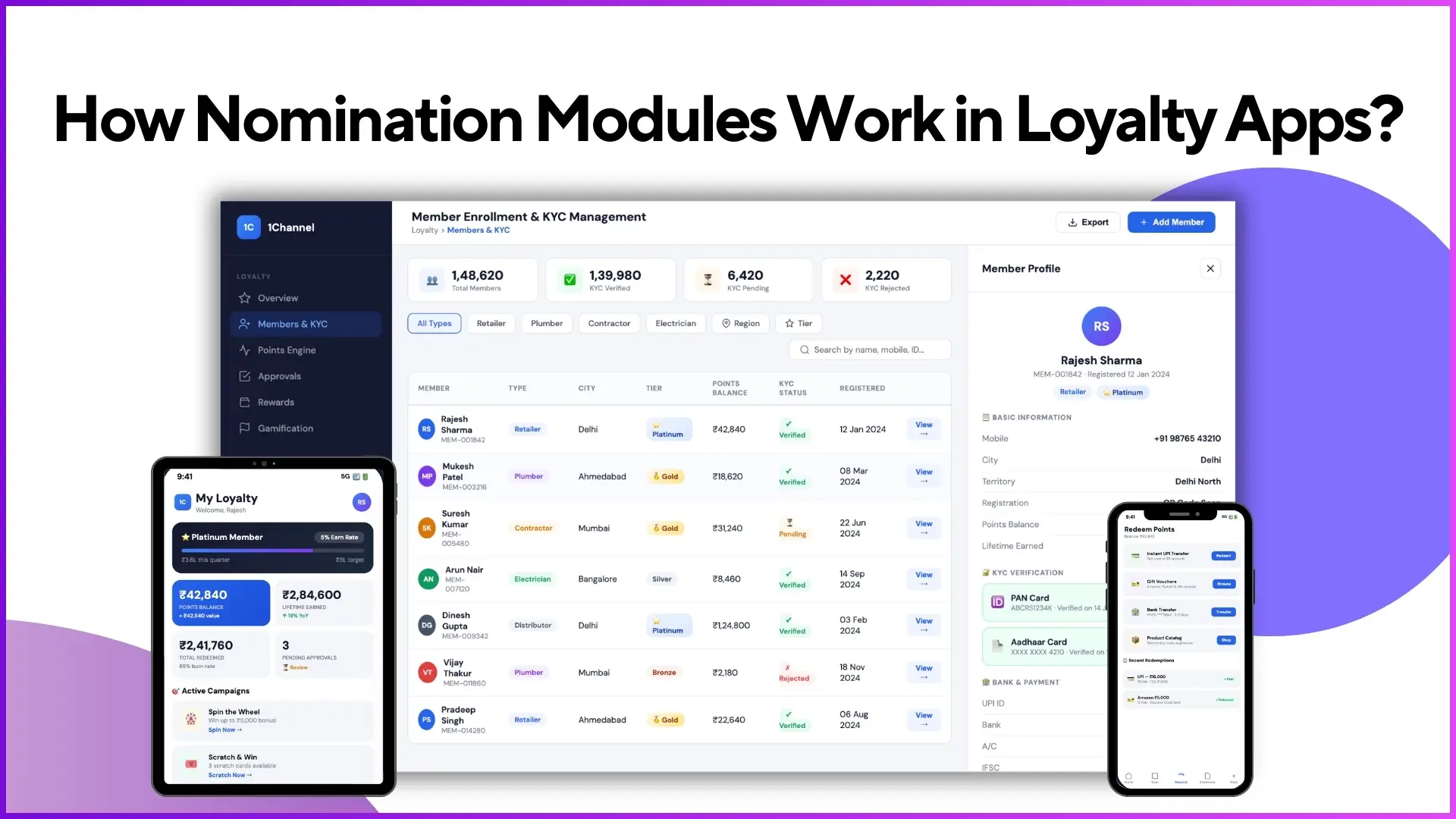
A nomination module allows an existing program participant or authorized user to propose a new member for enrolment into the loyalty program.
Instead of allowing unrestricted sign-ups, nominations ensure that:
- Only relevant participants join the program
- Business rules and eligibility checks are maintained
- Sales or program teams retain final control over onboarding
Build Controlled Loyalty Programs
1Channel's Channel & Influencer Loyalty platform enables nomination-based onboarding with approval workflows, automated notifications, and seamless member management. Grow your program through trusted networks.
Explore Channel & Influencer Loyalty →Why Nomination Modules Are Important
Nomination-based onboarding is especially useful when loyalty programs are designed for:
- Channel partners
- Influencers
- Retailers, contractors, or professionals
- Controlled partner ecosystems
Key advantages include:
- Better data accuracy
- Reduced fraud or invalid enrolments
- Faster onboarding of verified participants
- Lower dependency on backend bulk uploads
Where the Nomination Module Appears in the App
Within the loyalty mobile application, the nomination feature is typically accessible as:
- A dedicated "Nominate" or "Add New Member" option
- Available only to eligible existing users
- Visible as part of the main navigation or quick-action section
Step-by-Step: How the Nomination Module Works
1. Initiating a Nomination
An existing program member opens the nomination module and clicks "Add New".
They are prompted to enter basic details of the person they want to nominate, such as:
- Name
- Mobile number
- Relevant participant type (as configured in the program)
Example:
A registered influencer nominates another contractor by entering their name and mobile number directly in the app.
2. Submission and Temporary Status
Once submitted:
- The nomination is not instantly approved
- It enters a pending state
- The nominated person does not yet get access to the app
This ensures that every nomination goes through validation before activation.
3. Approval Workflow by Sales or Program Team
The submitted nomination is routed to the sales team or program administrators for review.
They can:
- Verify the nominee's relevance and eligibility
- Approve or reject the nomination
- Maintain full control over program access
Example:
A sales team reviews a nominated retailer and confirms whether they should be part of the loyalty program based on territory or business criteria.
4. Nominee Notification After Approval
Once approved:
- The nominated person receives a notification
- They are informed that they have been onboarded into the program
- Instructions are shared to download the app and log in using OTP-based authentication
At this stage, the nomination converts into a valid enrolment.
5. Completion of Profile and KYC (If Required)
After first login:
- The newly onboarded member can complete profile details
- KYC information can be added based on program configuration
- Missing details can be updated later via the profile section
This flexibility ensures smoother onboarding without blocking access.
How Nomination Differs from Other Enrolment Methods
Loyalty platforms typically support multiple enrolment paths. Nomination is one of them.
Enrolment Method Comparison:
- Self-Registration: Users register themselves directly
- Backend Upload: Admin uploads users via portal or Excel
- API Integration: Users flow in from another system
- Nomination Module: Existing members propose new users
Nomination sits between self-registration and backend upload, combining ease with control.
Controls and Validations in Nomination Modules
Nomination modules are backed by configurable rules, such as:
- Mandatory fields for nominee details
- Approval requirements
- Notification triggers on approval or rejection
- Integration with workflows or external systems after approval
These controls ensure nominations align with program objectives.
How Nomination Fits into the Overall Loyalty Journey
The nomination module is closely connected with:
- Enrolment workflows
- OTP-based authentication
- Approval systems
- Notifications and communication workflows
It acts as a bridge between member-driven growth and admin-controlled governance.
Nomination Modules Powered by 1Channel Loyalty
1Channel Loyalty enables flexible nomination workflows within loyalty apps, allowing brands to grow programs through trusted referrals while maintaining approval controls.
The platform supports configurable nomination fields, approval hierarchies, and automated notifications, ensuring a seamless onboarding experience for both members and administrators.
Streamline Loyalty Program Management
1Channel's Loyalty Management Software provides comprehensive nomination workflows, approval management, member communication, and program analytics. Build scalable loyalty programs with complete control.
Explore Loyalty Management Software →FAQs
What details are required while nominating a new member?
Typically, only basic details such as name and mobile number are required. Additional fields depend on how the program is configured.
Does nomination mean instant enrolment?
No. Every nomination goes through an approval process before the nominee gains access to the program.
Who approves nominations?
Nominations are reviewed by the sales team or designated program administrators.
Can a nomination be rejected?
Yes. If the nominee does not meet program criteria, the nomination can be rejected during review.
Is nomination mandatory for all programs?
No. Nomination is one of several enrolment options and is enabled based on the program's structure and objectives.
Can nominated users update their details later?
Yes. Once approved and logged in, users can update profile and KYC information from within the app.
Final Thoughts
Nomination modules empower loyalty programs to grow strategically through trusted referrals while maintaining quality control. By combining member-driven recommendations with admin approval workflows, brands can scale their programs confidently.
Whether managing channel partners, influencers, or retail networks, nomination-based onboarding ensures that every new member aligns with program goals and maintains ecosystem integrity.