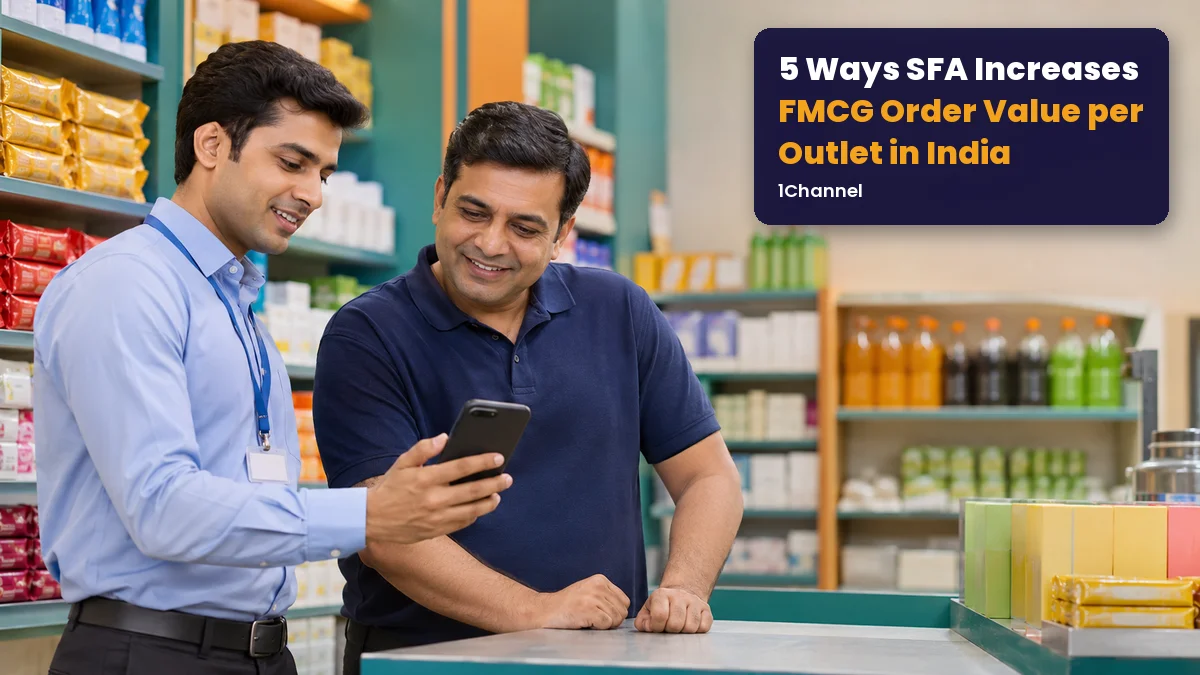
Order value per outlet comes down to two things: how many lines go into the order, and how much of each. For Indian brands in FMCG, food, personal care and beverages, both usually stay where the last order left them.
A good SFA moves both during the visit, using five things the rep can see on screen.
| Way | What it adds | Where the rep sees it |
|---|---|---|
| Push SKUs similar outlets buy | New lines | "SKUs to push" card |
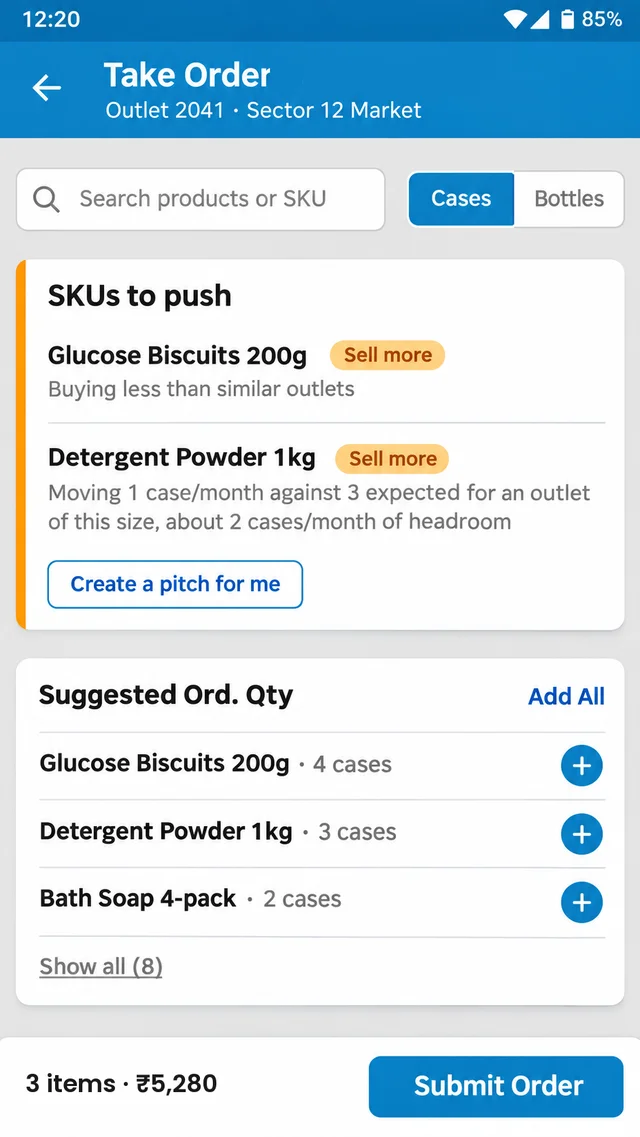
| Order by suggested quantity | Bigger quantities | Suggested Ord. Qty list |
| Close focus-brand gaps | Focus brands not yet bought | Store KPIs |
| Count the shelf first | An order that matches stock | Update Retailer Stock |
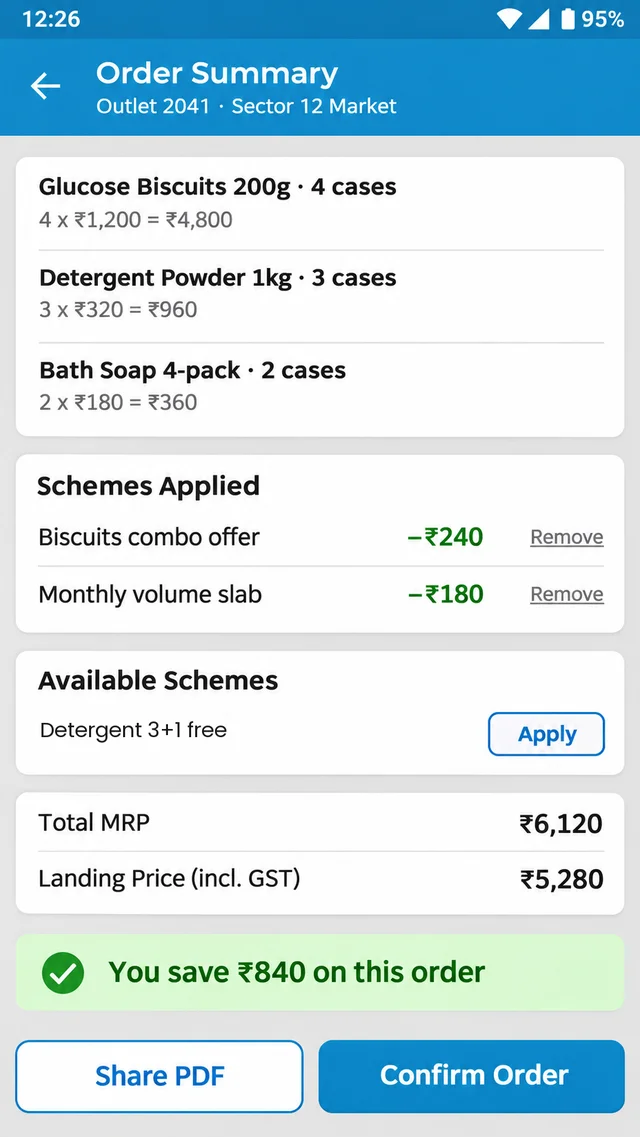
| Show the scheme saving | A reason to order more | Order summary |
1. Push the SKUs Similar Outlets Already Buy
Reps tend to book what the outlet ordered last time. Products the outlet has never tried, or quietly stopped ordering, rarely come up.
How SFA does it: on the Take Order screen, a "SKUs to push" card flags SKUs with "Sell more" and the reason in plain words, such as "Buying less than similar outlets". Peers are outlets in the same area with similar order size, and the card can show the headroom in units a month.
2. Order by Suggested Quantity, Not Last Month's Order
Even when the right SKUs go in, quantities are often guessed or copied from the last bill.
How SFA does it: a "Suggested Ord. Qty" list gives a quantity for each SKU, with "+" per line or "Add All" for everything. Each product card also shows current stock and the last three months' movement, in cases or bottles.
3. Close Focus-Brand Gaps Before Leaving the Outlet
A focus brand that isn't bought this month is a line missing from every order until next month, and the rep often doesn't notice.
How SFA does it: the outlet's Store KPIs list each focus brand the business sets as Sold or Not sold. The rule is simple: a brand counts once it has any sales at that outlet this month.
What Should Your Reps Push at the Next Outlet?
1Channel's SFA shows reps which SKUs similar outlets buy, how much to order, which focus brands are still missing and what the retailer saves on schemes, all during the visit.
Explore 1Channel's Sales Force Automation →4. Count the Shelf Before Writing the Order
Without a stock count, the order is a guess. Fast movers run out, and slow movers get topped up.
How SFA does it: Update Retailer Stock lets the rep enter a count for each SKU, with the previous figure shown next to it. Businesses can also set minimum stock levels per outlet, so low stock found on the visit is flagged.
5. Show the Scheme Saving Before the Retailer Decides
Retailers order more when the benefit is clear at the counter, not explained after the order is placed.
How SFA does it: applied schemes are listed on the order with their discount, further eligible schemes appear with Apply, and more than one can apply to the same order. The summary shows Total MRP, the landing price and "You save ₹X on this order".
Frequently Asked Questions
1. What does order value per outlet mean in FMCG field sales?
It is the value of the order booked at an outlet on a visit. It grows when more lines go in, or when each line is ordered in a larger quantity.
2. How does the SFA decide which SKUs to push?
Outlets are grouped with peers in the same area with similar order size. SKUs those peers buy, but this outlet doesn't or has stopped ordering, are flagged.
3. Does the rep have to accept the suggested quantities?
No. Reps can add lines one at a time with "+", or all at once with "Add All", and change any quantity before submitting.
4. When does a focus brand count as sold at an outlet?
Once it has any sales at that outlet in the current month. The business decides which brands are its focus brands.
5. Can more than one scheme apply to the same order?
Yes. Some schemes apply automatically, others are offered with Apply, and each shows its own discount. The order summary shows the total saving.
Note: Software screens may vary based on your business structure and configured workflows.