In field sales operations, stock accuracy at the store level directly impacts order fulfilment, retail visibility, and sales productivity. This is where store stock adjustment in SFA software becomes an essential capability.
Store stock adjustment refers to the process of updating, correcting, validating, and reconciling outlet-level inventory data inside the Sales Force Automation (SFA) system. It helps field teams, managers, and admin users maintain accurate stock records for each store, SKU, and outlet location.
From stock reports and bulk uploads to store-level stock corrections, this functionality ensures that sales teams always work with real-time and reliable inventory information.
Why Store Stock Adjustment Matters in Field Sales
Retail and FMCG field sales teams often manage multiple stores across territories and beats.
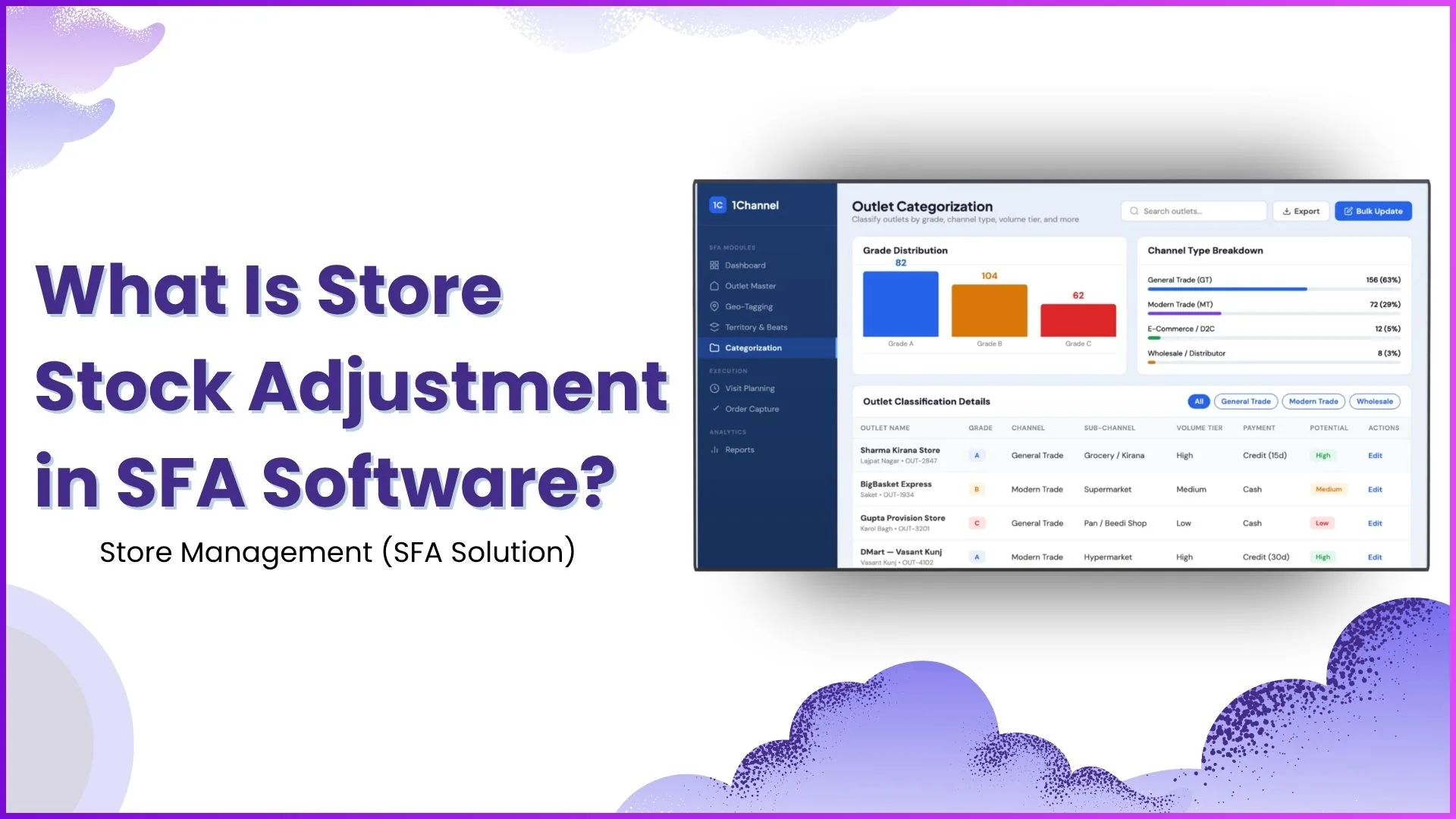
As shown in the outlet management screens, every store is mapped with:
- outlet ID
- territory
- beat assignment
- category
- channel type
- assigned sales representative
- geo-tagged location
When stock data at any outlet becomes outdated due to sales, returns, replenishment, or manual errors, the field team needs a way to adjust it quickly.
Without stock adjustment:
- sales reps may push wrong orders
- outlet stock visibility becomes inaccurate
- reorder planning gets delayed
- stock-out risks increase
- reporting dashboards show incorrect inventory data
This makes store stock adjustment a critical part of daily field sales workflows.
Manage Store Stock with Precision
1Channel's Store Management Software helps businesses maintain accurate outlet-level inventory with bulk stock uploads, store profiling, beat-based execution, and real-time stock visibility across territories.
Explore Store Management Software →How Store Stock Adjustment Works in SFA Software
The stock adjustment process in SFA software typically works across both mobile app workflows and admin portal controls.
1. Store-Level Stock Visibility
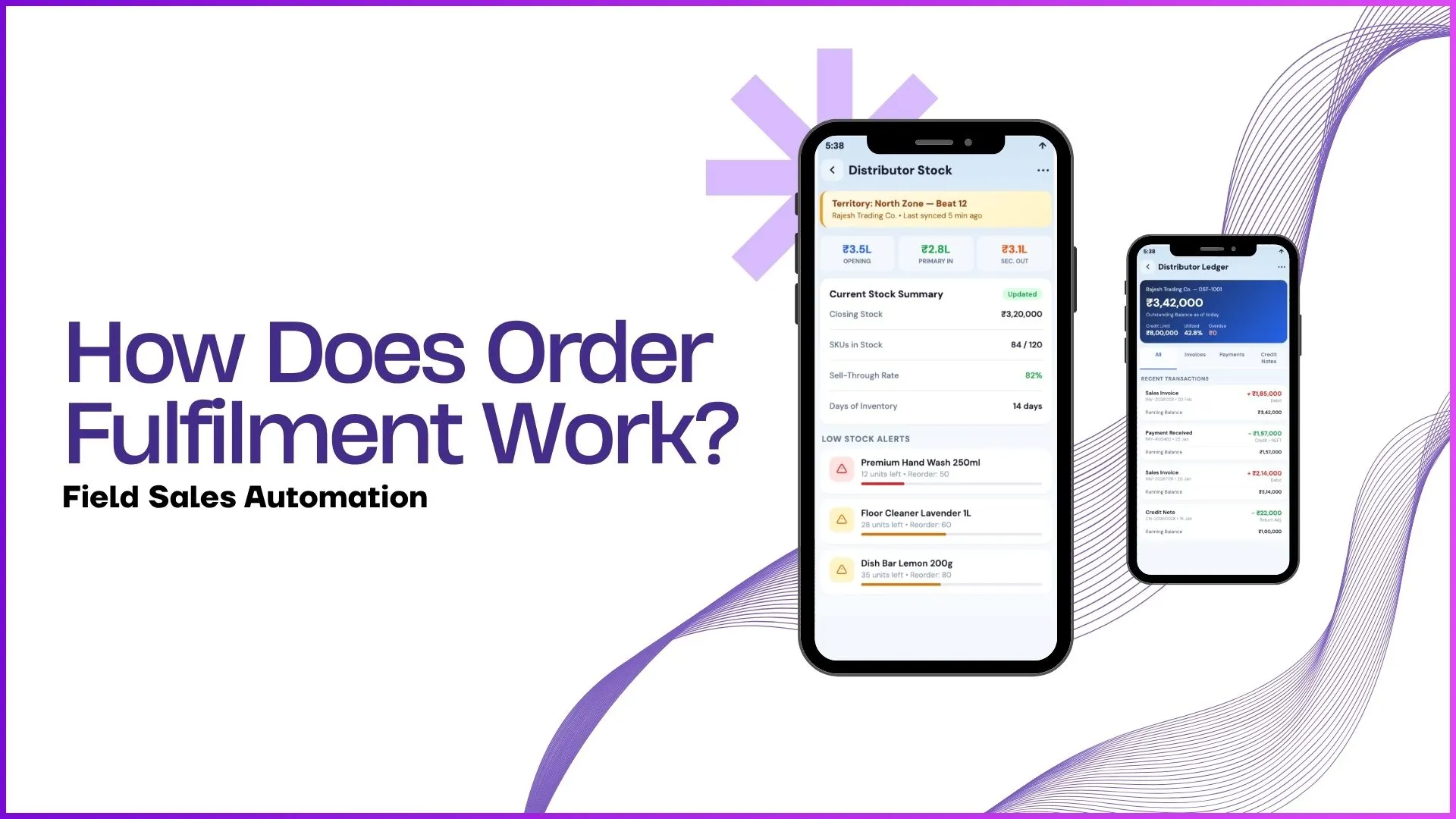
The software first provides stock visibility through reporting and stock reports.
The uploaded SFA document clearly mentions:
- Current Stock Report
- Stock Report
- Sales Report
- Secondary Sales Report
These reports allow managers to check stock according to the selected store and date range.
This means each outlet's stock can be tracked at SKU level.
For example:
- Sharma Kirana Store
- Gupta Provision Store
- BigBasket Express
Each outlet can have individual stock data linked to its profile and territory.
2. Field Rep Updates Stock from Outlet Visits
When field sales representatives visit stores as part of their beat plan, they can update stock information directly during the visit.
The uploaded transcript confirms this clearly:
users can record sales as well as the stock they have in the application
This means during a store visit, the rep can:
- check available stock
- update sold quantity
- record current inventory
- flag stock mismatch
- update stock after physical verification
This ensures store stock stays aligned with actual shelf inventory.
3. Bulk Stock Adjustment Through Excel Upload
One of the most important stock adjustment workflows is bulk upload via Excel.
The SFA document explicitly includes:
- Upload Sale from Stock
- Delete Store Stock
The admin or manager can download a specified format and upload stock data using fields such as:
- Store Code
- Client Store Code
- SKU Code
- Serial No.
This is especially useful when:
- hundreds of outlets need stock correction
- distributor stock files are received
- sales reconciliation is done in bulk
- monthly stock audits are performed
This feature significantly reduces manual effort.
4. Stock Correction and Deletion
Sometimes incorrect stock entries are uploaded or duplicate data gets pushed.
For such cases, the software provides Delete Store Stock functionality.
This allows managers to:
- remove incorrect stock entries
- reset store stock records
- re-upload corrected files
- eliminate duplication issues
This is the actual "adjustment" layer that keeps inventory data clean and usable.
5. Outlet-Wise Adjustment Based on Store Categorization
The provided screenshots show strong outlet categorization capabilities such as:
- Grade A
- Grade B
- Grade C
- General Trade
- Modern Trade
- Grocery / Kirana
- Volume tier
This is important because stock adjustment rules may differ by outlet type.
For example:
General Trade Stores
Frequent manual stock adjustments due to fast-moving SKUs.
Modern Trade Stores
Structured stock reconciliation based on POS and ERP sync.
High Volume Outlets
Priority stock correction to avoid missed sales.
This improves operational efficiency across different store types.
6. Territory and Beat-Based Stock Monitoring
The territory and beats screens also play a major role.
Stock adjustment can be monitored beat-wise such as:
- Beat 12 – Lajpat Nagar & Saket
- Beat 14 – Karol Bagh & Rajouri
- Beat 18 – Dwarka & Janakpuri
This allows managers to identify:
- which beat has stock mismatches
- which field rep needs correction support
- which outlet clusters face stock issues
This improves field execution and outlet coverage.
How It Supports Better Sales Decisions
Store stock adjustment directly improves decision-making by enabling:
Better Reorder Planning
Sales teams know exactly when stock needs replenishment.
Accurate Outlet Coverage
Reps prioritize stores with low stock.
Better Sales Reporting
Stock reports align with actual sales numbers.
Reduced Stock-Outs
Managers can take faster action.
Improved Outlet Productivity
More accurate store visits and orders.
How 1Channel SFA Helps with Store Stock Adjustment?
1Channel SFA software enables businesses to manage outlet-level inventory with structured stock visibility, store profiling, beat-based execution, and bulk stock correction workflows.
With features like:
- outlet master & profiling
- territory and beat assignment
- stock report visibility
- bulk stock upload
- delete store stock
- outlet categorization
- field rep execution
businesses can maintain more accurate stock records across their retail network and improve field sales productivity.
Optimize Stock Accuracy with Smart Field Sales Automation
1Channel Sales Force Automation provides comprehensive store stock management with bulk uploads, outlet profiling, territory dashboards, and real-time stock visibility to help field teams maintain accurate inventory and drive sales growth.
Explore Sales Force Automation →FAQs
What is store stock adjustment in SFA software?
Store stock adjustment is the process of updating, correcting, or reconciling outlet-level inventory data inside the SFA system.
Can stock be adjusted for a single store?
Yes, stock can be updated at individual outlet level during store visits or through admin reporting workflows.
Can stock updates be done in bulk?
Yes, the software supports Excel-based bulk upload using store code and SKU-level formats.
Why is stock adjustment important for field sales?
It helps prevent stock-outs, improves reorder planning, and ensures accurate sales reporting.
Is stock adjustment linked with beat planning?
Yes, stock visibility can be managed territory-wise and beat-wise to support field sales execution.