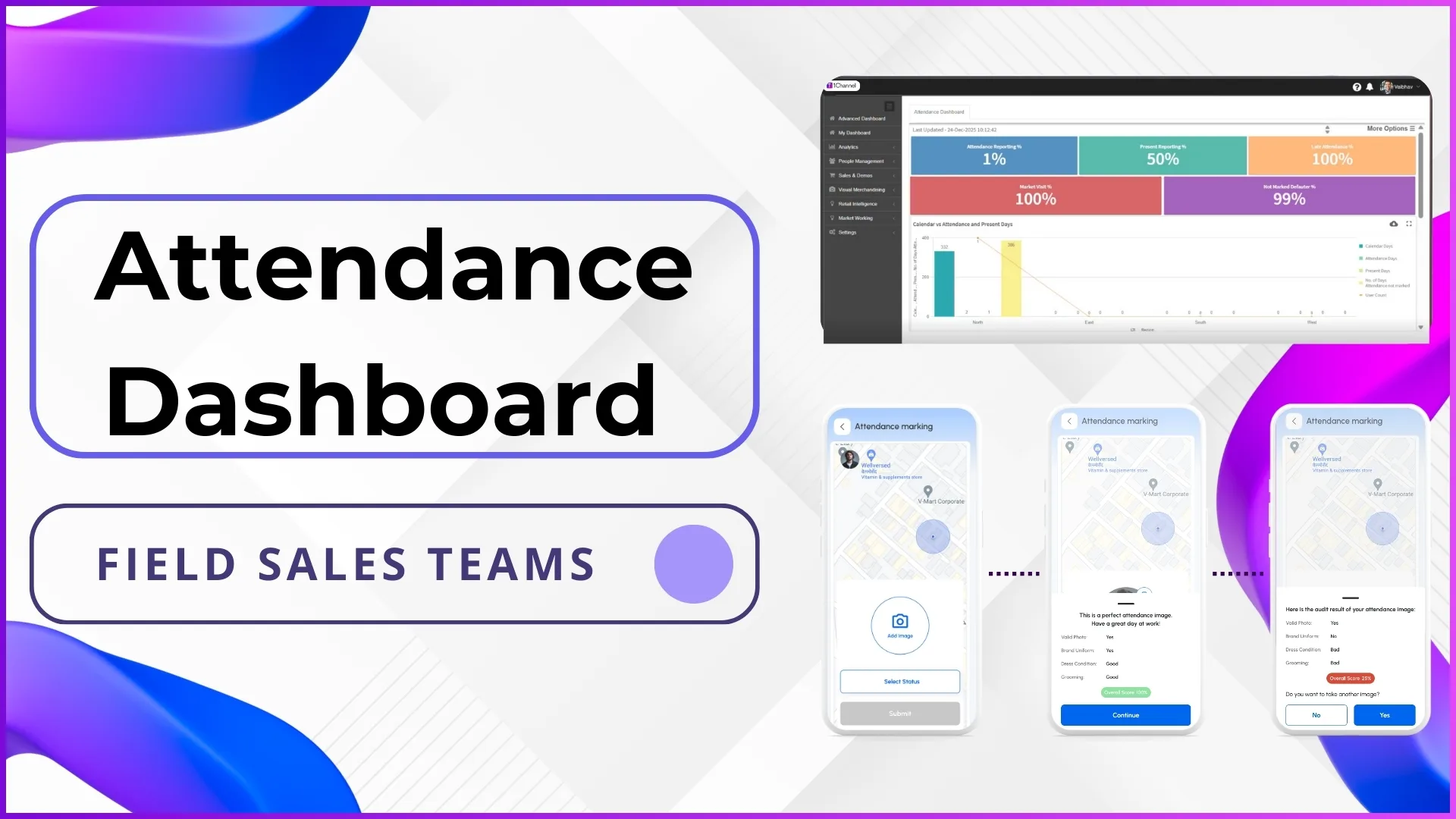
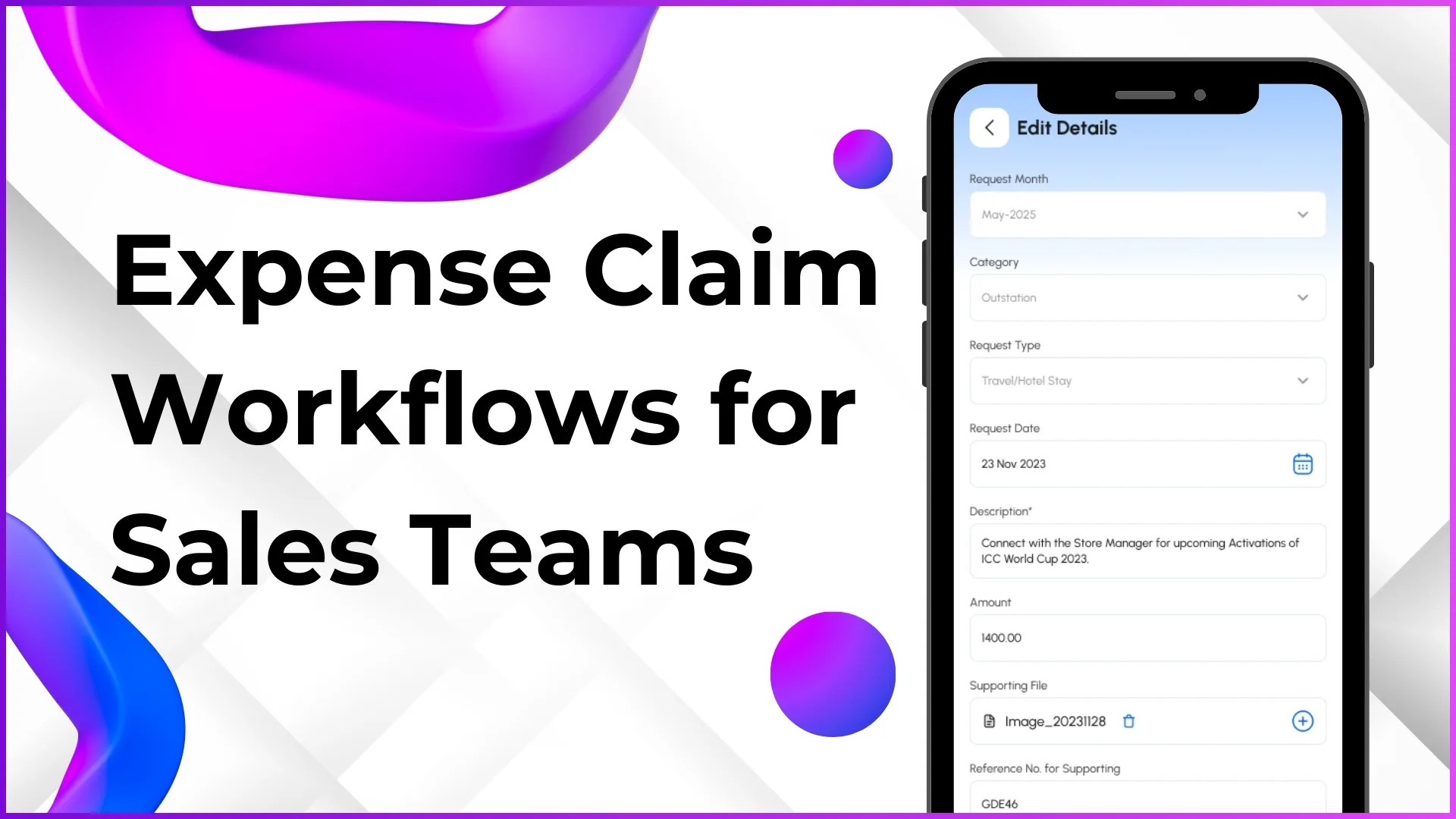
A field sales operation is not a flat list of employees. It is a structured chain of accountability where every rep reports to someone, every manager oversees a defined territory, and every decision flows along a path that can be traced. When that chain is missing or poorly mapped inside the software that runs daily operations, three things break: approvals stall, reports show the wrong people, and access controls collapse into one of two extremes, namely everyone sees everything or nothing works without an admin in the loop.
For Malaysian field sales teams operating across Klang Valley, Penang, Johor, and East Malaysia, a cloud-based sales force automation platform makes the hierarchy explicit. The reporting tree drives how data moves, how approvals are routed, and how each tier of the organisation sees only the slice of information that belongs to them. This article explains how that hierarchy is built and why each layer matters.
Table of Contents

Why Hierarchies Are the Foundation of Scalable Field Sales
The instinct in early-stage operations is to give every manager a spreadsheet and rely on WhatsApp groups for coordination. This works for a team of fifteen reps in a single city. It stops working the moment the team expands to fifty reps spread across four states. Without a defined hierarchy inside the SFA platform, a regional manager in Penang cannot pull a clean report on her direct reports without sifting through irrelevant data from teams in Sabah. A team leader in Shah Alam cannot approve a leave request without an admin manually identifying who reports to whom.
A configured hierarchy solves these problems by making the relationships between users a property of the data itself. Every action a rep performs inherits the reporting chain. A market visit completed by a promoter in Ipoh is automatically visible to her team leader, her area manager, and the business development head above them, without anyone needing to share the report manually. The hierarchy is not just an org chart for HR purposes. It is the routing layer that decides who can see what, who can approve what, and who is accountable for what.
Cloud-based SFA platforms designed for distributed Malaysian teams treat the hierarchy as a first-class object in the system. It is configured once, applied automatically across every module, and updated through the same interface that manages users.
The Tiers That Make Up a Typical Malaysian Field Sales Hierarchy
Most field sales structures in Malaysia follow a four to five level reporting tree. The exact role names vary by industry and company size, but the underlying tiers tend to be consistent. A consumer goods distributor covering FMCG outlets in Selangor will likely have the same depth of hierarchy as a pharmaceutical brand managing medical representatives across Peninsular Malaysia, even if the labels differ.
Tier 1: Business Development Head or National Sales Head
Sits at the top of the tree with visibility into every territory, every team, and every report. Typically based in Kuala Lumpur or wherever the head office operates. Approves senior-level workflows, reviews national-level analytics, and configures national policies such as scheme rules or target structures.
Tier 2: Regional Manager
Owns a defined region, such as Northern Region covering Penang, Kedah, and Perak, or Eastern Region covering Sabah and Sarawak. Sees data for area managers and team leaders within the region but not outside it. Reviews regional performance and approves area-level decisions.
Tier 3: Area Manager
Manages a state or a metro cluster such as Klang Valley, Johor Bahru, or Greater Penang. Directly supervises team leaders and the promoters under them. Handles approvals for attendance regularisation, expense claims, and beat plan changes within the area.
Tier 4: Team Leader
Leads a small group of promoters or field sales executives, usually between five and twelve reps. Approves day-to-day requests, monitors live attendance and visit data, and acts as the first point of escalation when reps need support during a market visit.
Tier 5: Promoter or Field Sales Executive
The frontline tier. Marks attendance, completes assigned beat visits, captures orders and stock data, submits expense claims, and applies for leave through the mobile application. All actions flow upward through the reporting chain for visibility and approval.
Smaller Malaysian operations sometimes collapse Tier 2 and Tier 3 into a single layer. Larger operations sometimes add an additional zonal layer above the regional manager. The system does not enforce a specific depth, which means the hierarchy can be configured to match the operating reality of the business rather than a generic template.
Setting Up the Reporting Tree in the SFA Portal
Inside the cloud SFA platform, the reporting tree lives in the User Management section under Settings. The flow has three main steps, and each can be completed individually for small teams or in bulk for larger rollouts.
Step 1: Create the user records. The portal offers two paths. The Create Users option allows admins to add one user at a time, which is useful for ad hoc additions or pilot teams. The Upload User Master option accepts a structured Excel file containing all users at once, which is the standard approach for onboarding a national field force across multiple Malaysian states. Each user record carries identifiers, role assignment, default location, and basic contact information.
Step 2: Assign reporting relationships. The Assign Users screen lets admins point each user at their reporting manager. A promoter based in Petaling Jaya gets pointed at her team leader. The team leader gets pointed at the area manager for Klang Valley. The area manager gets pointed at the regional manager for Peninsular Malaysia. Each assignment is independent, but together they form the tree.
Step 3: Review the Organisation Tree. Once assignments are complete, the Organisation Tree screen displays the full hierarchy visually. Every node shows the user, their role, and the people who report to them. This is the screen admins return to whenever someone questions whether a user is mapped correctly or when an internal restructure changes the chain of command.
For Malaysian operations with high seasonal turnover in promoter roles, the bulk upload approach pays off the most. A new batch of forty promoters joining for a year-end FMCG campaign can be onboarded in a single Excel upload, with reporting relationships defined in the same sheet. The system processes the mapping at the time of upload, meaning the entire batch is operational from day one rather than waiting on manual assignment.
Roles and Permissions: Controlling What Each Tier Can See
A hierarchy on its own only describes who reports to whom. Permissions describe what each tier can actually do inside the system. The two are managed separately and combined at runtime. The User Roles screen in Settings is where the roles themselves are defined, with names such as Business Development Head, Regional Manager, Area Manager, Team Leader, and Promoter. The Roles screen is where each role gets assigned a set of module-level and feature-level permissions.
At the module level, the admin decides whether a role can see Analytics, People Management, Sales and Demos, Visual Merchandising, Market Working, or Settings. A promoter typically has access to a small subset, such as the mobile app activity modules. A regional manager might have access to Analytics, People Management, and Sales and Demos but not Settings or Visual Merchandising configuration.
At the feature level, the admin can refine permissions inside a module. Analytics contains roughly forty reports. A business development head might be granted access to all forty. An area manager might be limited to the eight reports most relevant to their day-to-day work, such as Attendance Summary, Visit Productivity, Beat Compliance, Sales by SKU, and a handful of others. The remaining reports stay hidden from their view of the portal.
This is the design that prevents the two failure modes mentioned at the start. Everyone does not see everything, because permissions are scoped to role. And the system does not require an admin in the loop for every action, because the permissions are pre-configured rather than granted ad hoc. A new team leader joining the company inherits the team leader permission set the moment her account is created.
How Hierarchies Drive Day-to-Day Workflows in Malaysia
The reporting tree is not a static diagram. It actively routes daily workflows across leave, attendance regularisation, expense claims, activity approvals, and order processing. Each of these workflows looks at the user submitting the request, identifies their reporting manager from the tree, and sends the approval to that manager automatically.
Leave and Attendance Regularisation
When a promoter in Johor Bahru applies for two days of casual leave through the mobile app, the request lands in the Approve Leaves screen of her direct team leader. The team leader sees the user code, name, leave type, date range, and number of days, then either approves or rejects. Once approved, the leave balance is adjusted automatically, the attendance dashboard reflects the absence, and the beat plan for those days flags the affected outlets for coverage planning.
Attendance regularisation, which is the process where a rep applies after the fact to correct a missed check-in or to mark on-duty status for a field meeting, follows the same routing. The configured attendance status, such as On Duty or Half Day, determines whether approval is required. If yes, the request flows up the hierarchy to the reporting manager. If no, the status is applied immediately without intervention.
Expense Claim Approvals
A field sales executive working a stretch of outlets across Shah Alam and Subang Jaya logs daily fuel, toll, and meal expenses in MYR through the expense management module. At the end of the cycle, the claim summary is submitted for approval. The system routes it to the reporting manager defined in the hierarchy. The manager sees the request code, request month, requester name, role, and total amount, along with the individual expense entries supporting the claim.
If the company has configured a multi-level claim policy, with manager approval followed by finance review, the system handles both stages in sequence. Each stage uses the hierarchy or a specifically assigned approver, and the rep can track the status from the same app where the claim was filed.
Activity and Questionnaire Quality Check
Questionnaires deployed to field reps, such as a competitor pricing survey at modern trade outlets across Klang Valley, return to the portal as completed activity records. The Approve Activity screen lists each submission with the outlet, visit date, user, and activity type. The reporting manager reviews each one, accepts or rejects, and only approved submissions appear in downstream reports. The hierarchy ensures that the right manager sees the right submissions without scrolling through irrelevant data from other regions.
Hierarchy and Geographic Coverage Across Malaysian States
Hierarchy interacts with another dimension of the system, which is geographic coverage. Stores in the SFA platform are organised by Channel, Category, Sub Region, and Territory. When users are assigned to stores, the assignment respects both the hierarchy and the geographic structure. A team leader in Penang is mapped to the outlets in Northern Region. The promoters reporting to that team leader are mapped to subsets of those outlets, with each rep covering a specific cluster.
This combined model means a regional manager's analytics view automatically scopes to the right stores. When she opens the Sales by SKU report, she sees data for Penang, Kedah, and Perak outlets, not for outlets in Johor or Sabah. The scoping is a property of the hierarchy and the user-to-store mapping, not a filter she has to apply manually every time.
For Malaysian operations covering both Peninsular and East Malaysia, this matters because the operational dynamics differ. Sabah and Sarawak have unique distribution patterns, different state-level public holidays, and travel logistics that do not apply on the Peninsular side. A separate regional manager owning East Malaysia, mapped through the hierarchy to a distinct set of stores, can run reports and approve requests without interference from the larger Peninsular operation.
Explore Sales Force Automation
1Channel's cloud-based SFA platform lets Malaysian businesses configure reporting hierarchies, role-based access, and automated approval routing across every state, with AI-powered analytics and mobile-first execution for field teams.
Explore SFA Solutions →How Hierarchies Shape Reporting and Dashboard Visibility
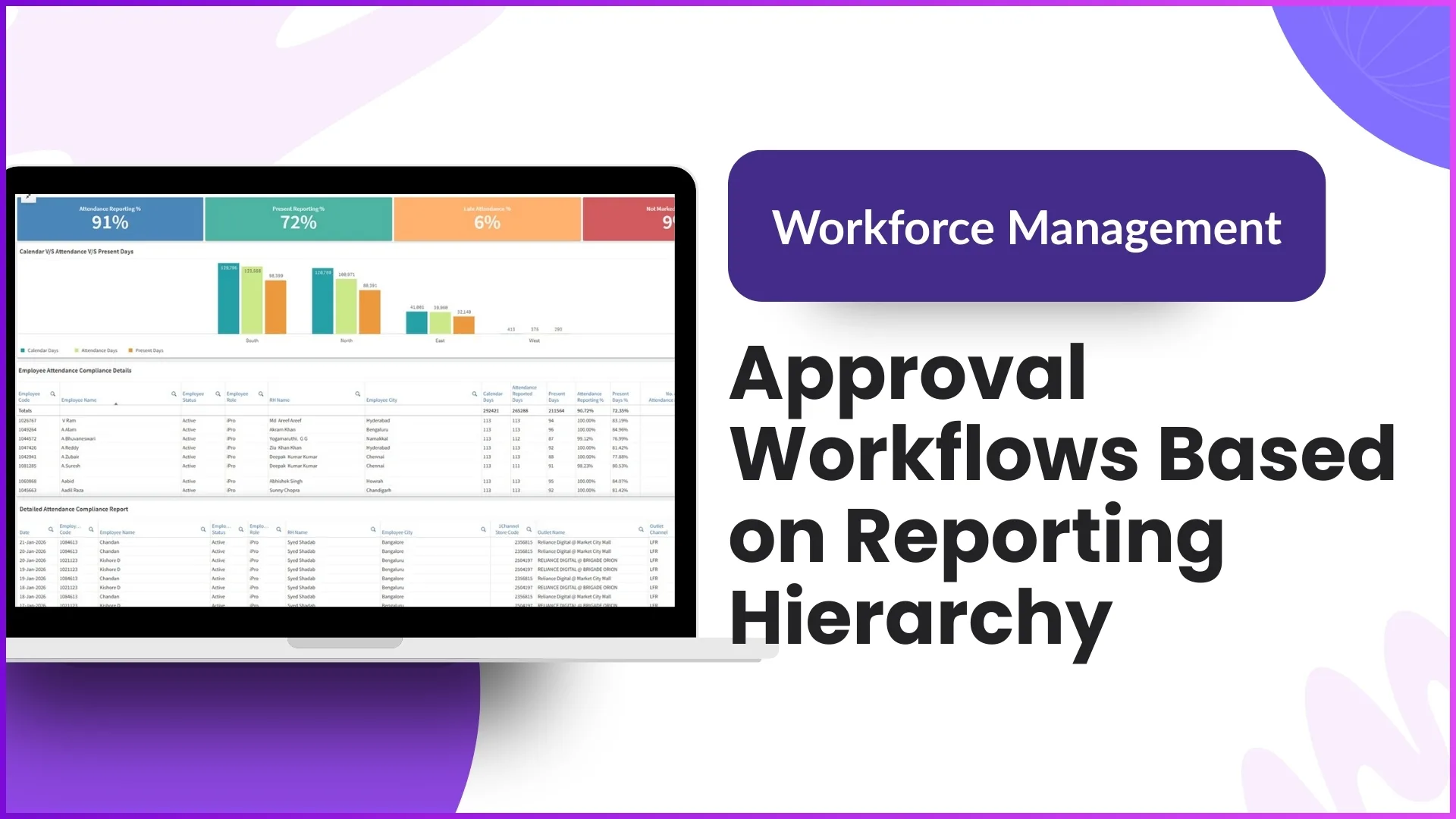
The same hierarchy that routes approvals also scopes the data each user sees in dashboards and reports. The Advanced Dashboard, which is the first screen managers see after logging in, displays attendance metrics, market visit progress, sales performance, and other operational indicators. The numbers visible to each user are calculated only from their direct reports and the people below them, not from the entire organisation.
A team leader in Kuching opens the dashboard and sees the attendance percentage of her ten promoters, not the national figure. An area manager in Klang Valley sees the rolled-up numbers for her three team leaders and their thirty-five reps. A regional manager covering Peninsular Malaysia sees the combined view across all area managers in her region. The business development head sees the national roll-up.
This auto-scoped reporting eliminates a common operational frustration where managers receive reports filled with data they do not own. It also removes the manual filtering step that consumes time and introduces errors. The hierarchy decides the data slice, and the system applies it consistently across the Advanced Dashboard, the My Dashboard view, every report in the Report Catalogue, and every custom report built through the Report Builder.
Common Mistakes Companies Make When Building Hierarchies
The pitfalls usually appear during the initial setup or during a restructure. Catching them early saves weeks of cleanup later.
- Flat hierarchies that defeat the purpose. Some companies assign every field rep directly to a single national head, skipping the area and team leader layers. The result is one manager with fifty direct reports, no intermediate accountability, and a workflow queue that is impossible to clear in real time.
- Role names that drift from actual responsibility. When the role label says Area Manager but the user is actually doing the work of a team leader, permissions and approvals route to the wrong layer. The fix is to align role names with the actual scope of the position before mapping the hierarchy.
- Untracked transfers between regions. A team leader who moves from Johor to Penang needs the hierarchy updated, the store assignments reset, and the role potentially re-configured if the position changes. Skipping any of these steps leaves stale data in reports and broken approval routing.
- Over-permissioning at lower tiers. Granting promoters access to portal features intended for managers, even temporarily, creates audit gaps and complicates downstream training. Permissions should match the role, not the individual.
- Missing distributor mappings for distributor-led models. In FMCG operations where every store is mapped to a distributor, the hierarchy needs to account for distributor coverage as well. The Distributor Store Mapping and User Distributor Mapping screens are where this is configured, and failing to do so means orders cannot be routed correctly.
Each of these mistakes is fixable, but the cost compounds over time. A quarterly review of the Organisation Tree, the role assignments, and the store mappings keeps the structure aligned with how the team actually works.
Frequently Asked Questions
Can a single user report to more than one manager?
The standard configuration assumes one direct reporting manager per user, which mirrors how most Malaysian field sales structures operate. Dotted-line relationships, such as a promoter who functionally supports two area managers during a campaign, are typically handled through activity assignment or temporary store mapping rather than through the primary reporting tree. This keeps approval routing deterministic.
What happens when an employee leaves the company mid-cycle?
The user account can be marked inactive, which removes the employee from active workflows without deleting historical data. Pending approvals routed to a departing manager can be reassigned to the next layer in the hierarchy through the Assign Users screen, and reports continue to show the employee's contributions for the period they were active.
How does the hierarchy handle a temporary acting manager?
If a regional manager goes on extended leave and a senior area manager temporarily takes over, the reporting relationships can be updated for the duration. Once the original manager returns, the assignments are reverted. The system uses whatever hierarchy is current at the time of each transaction, so approvals routed during the acting period stay with the acting manager.
Can hierarchy changes be made in bulk?
Yes. When the organisation goes through a restructure, such as splitting a single national territory into separate Peninsular and East Malaysia divisions, the reporting changes can be uploaded through the same Excel-based interface used for initial user assignment. This avoids editing relationships one by one across hundreds of users.
Does the hierarchy affect what reps see on their mobile app?
The mobile app shows each rep only their own data, regardless of where they sit in the tree. The hierarchy primarily affects what managers see in the portal. Reps see their assigned outlets, their planned visits, their attendance history, their leave balance, and their target progress. They do not see other reps' data through the app.
Is the hierarchy used for anything beyond reporting and approvals?
The hierarchy also influences scheme distribution, target setting, announcement reach, and content visibility. A scheme created at the regional level can be configured to apply only to reps reporting under that region. Announcements posted by a national head can be targeted at specific roles or specific layers. Training content delivered through the platform can be sequenced based on role and hierarchy position.
Final Suggestions for Malaysian Sales Operations
The hierarchy is one of those structural decisions that looks like a simple data entry task at the start of an implementation but becomes the backbone of every workflow that follows. Spending an extra week during onboarding to get the reporting tree, role definitions, and permission scopes right pays off across the next several years of operations.
For Malaysian businesses planning a rollout across multiple states, the practical sequence is to define the role taxonomy first, map the reporting relationships second, configure the permissions per role third, and then upload users in bulk with their assignments pre-filled. Reviewing the Organisation Tree after upload is the verification step that catches mismapped users before the system goes live to field reps.
Once the hierarchy is established, the system handles the rest. Approvals route automatically. Reports scope themselves. Permissions enforce themselves. The structure that was painstakingly defined in setup becomes invisible during daily use, which is exactly how good operational infrastructure is supposed to feel.