When a training manager at a Malaysian consumer electronics company creates 15 training modules for their sales team, those modules cover very different skill areas. Some teach product specifications. Others cover selling techniques like objection handling and upselling. A few address workplace behaviour and communication standards. Without a way to group these modules logically, the admin portal becomes a long, unsorted list where finding the right module requires scrolling and guessing.
Categories solve this by acting as the top-level organisational layer in the LMS. They group related modules under clear headings so that the training structure mirrors how the business actually thinks about skill development. Instead of a flat list of 15 modules, the admin sees three categories with five modules each, making the entire training programme scannable and manageable.
This article explains how the categories feature works, why it matters for Malaysian businesses managing distributed sales teams, and how it connects to the level-based learning system.
Table of Contents
What Categories Are and How They Work
Categories are the highest organisational unit in the LMS training structure. They act as containers that group modules by skill type or training purpose. The admin creates categories based on what the business needs to train, and then builds modules within each category.
The learning hierarchy follows this structure:
Category → Module → Session (actual training delivery)
A category might be called "Product Knowledge." Under it, the admin creates modules like "Air Conditioner Range," "Smart TV Features," and "New Washing Machine Launch." Inside each module, training sessions are added, which could be classroom sessions, virtual meetings, in-store demonstrations, or e-learning content.
Category names are fully customisable. The admin defines them based on the business context. Common examples include Product Skills, Selling Techniques, Behavioural Skills, Compliance Training, and Onboarding Essentials, but these can be named anything that fits how the organisation structures its training.
Why Categories Matter for Sales Training
Sales training covers fundamentally different skill areas that should not be mixed together. A promoter at a retail outlet in Selangor needs product knowledge to explain features to customers. They also need selling skills to handle objections and close sales. And they need behavioural training to maintain professional conduct in the store. These are three distinct skill domains, and treating them as one undifferentiated pool of training content creates confusion.
Categories enforce this separation by design. When an admin opens the training management section, they see modules grouped under their respective categories. When reviewing completion data, they can check whether the Penang team has strong product knowledge completion but weak selling skills completion, indicating where to focus additional training effort.
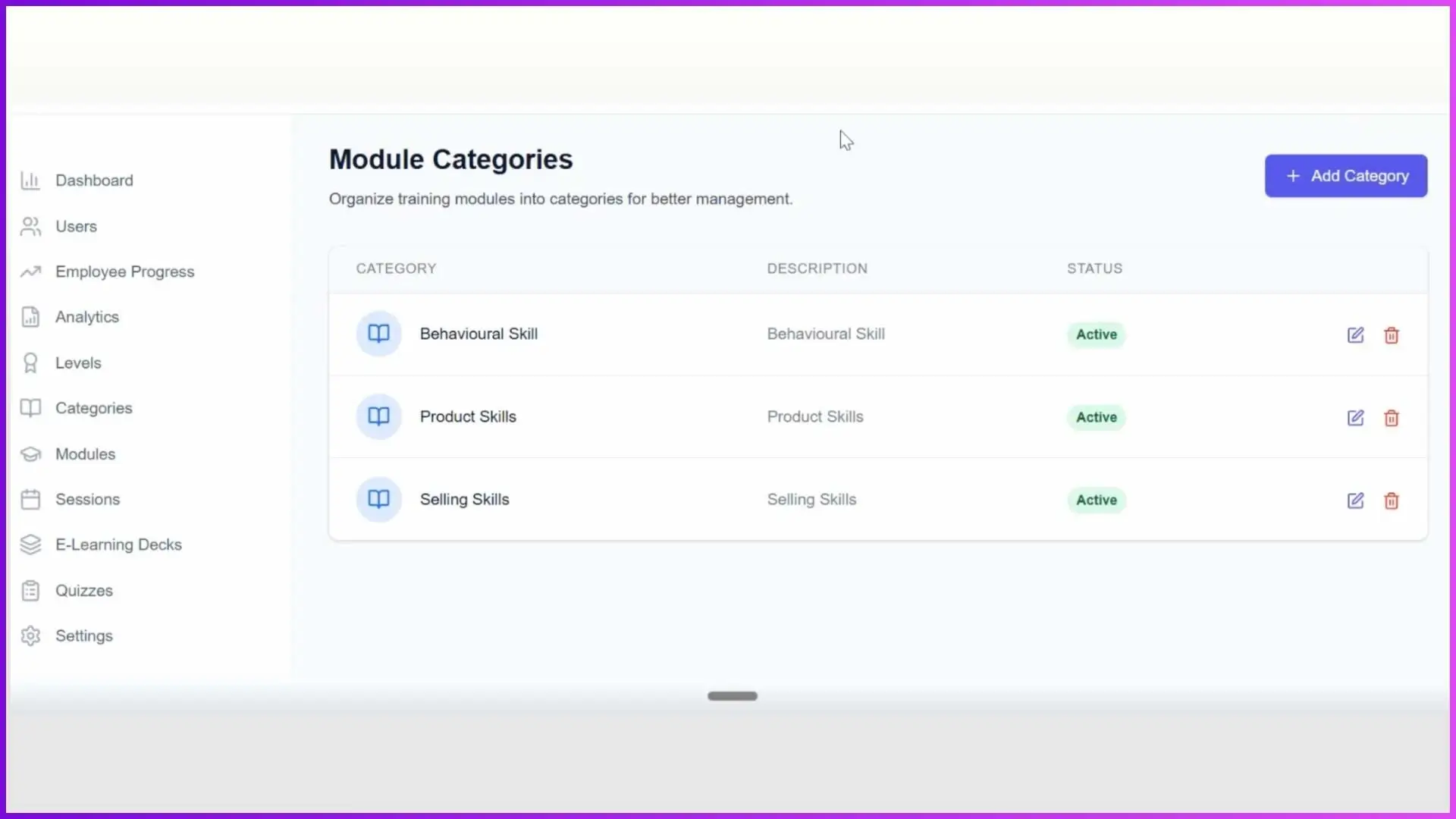
For admins, categories provide:
- Clear organisation: Every module sits inside a defined category rather than floating in an unsorted list. Finding and managing modules is straightforward even when the number grows to 20, 30, or more.
- Faster navigation: Instead of scanning all modules, the admin can go directly to the relevant category to find what they need.
- Structured reporting: Training completion and quiz performance can be analysed by category, revealing which skill areas are strong and which need attention across the team.
- Scalability: As the business adds new products, new processes, or new compliance requirements, new modules are added to existing categories without disrupting the overall structure.
How Categories Work with Level-Based Learning
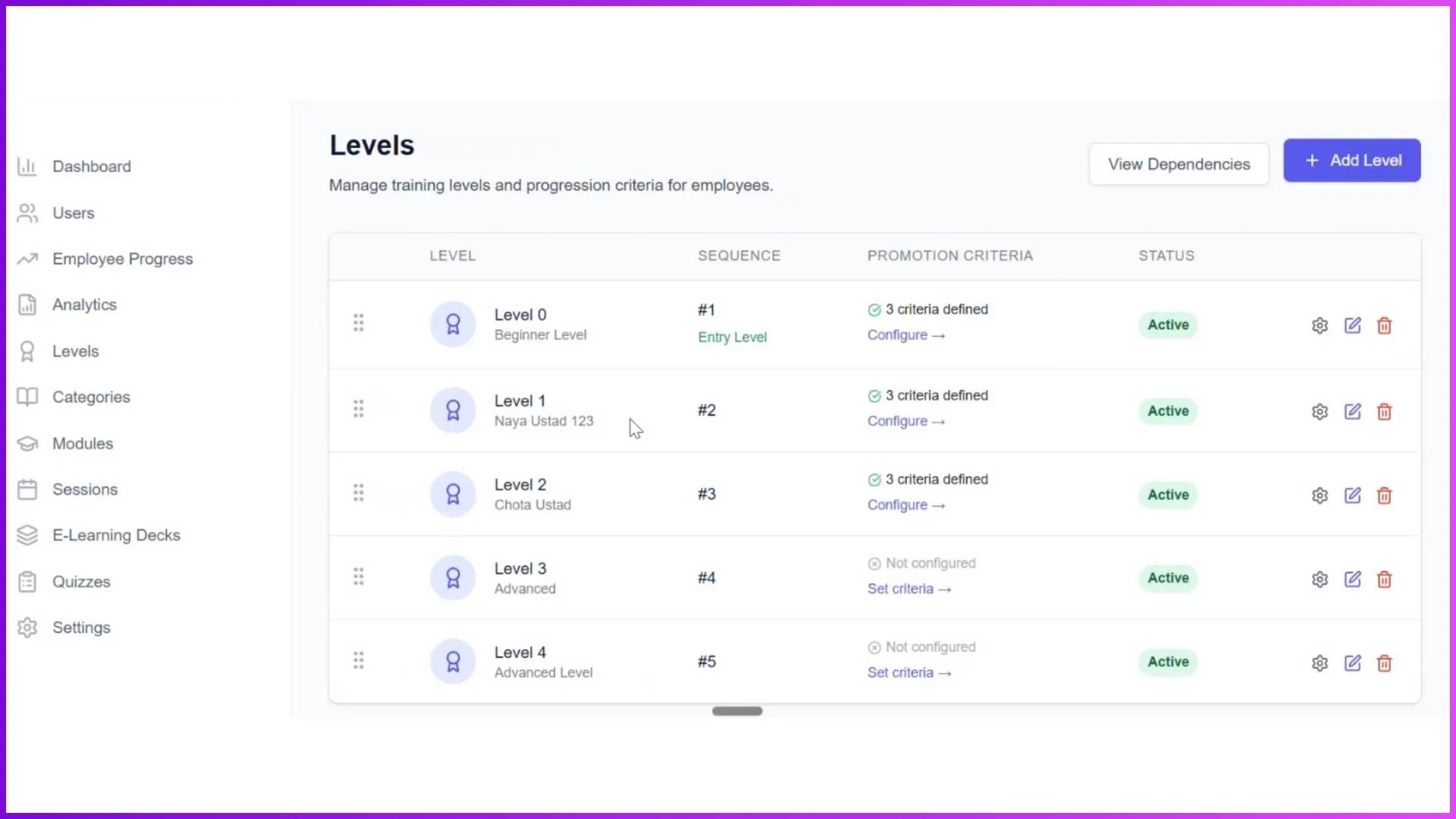
Categories become even more powerful when combined with the LMS level system. When an admin creates a module under a category, they assign it to a specific employee level. Only employees at that level can see the module. Employees at other levels do not know the module exists.
This means a single category like "Product Knowledge" can contain modules at multiple levels. Level 0 employees see the introductory product overview module. Level 1 employees see the advanced features and competitor comparison module. Level 2 employees see the product strategy and market positioning module. All three sit under the same category, but each is visible only to the appropriate audience.
For a telco company training promoters across outlets in KL, Johor, and Sabah, this combination of categories and levels means a new joiner in Kota Kinabalu sees exactly the same foundational "Product Knowledge" modules as a new joiner in Bangsar. And when both promoters advance to Level 1, they both unlock the same advanced modules at the same time. The training is consistent regardless of geography, because the category and level structure enforces it.
What Categories Look Like for Employees
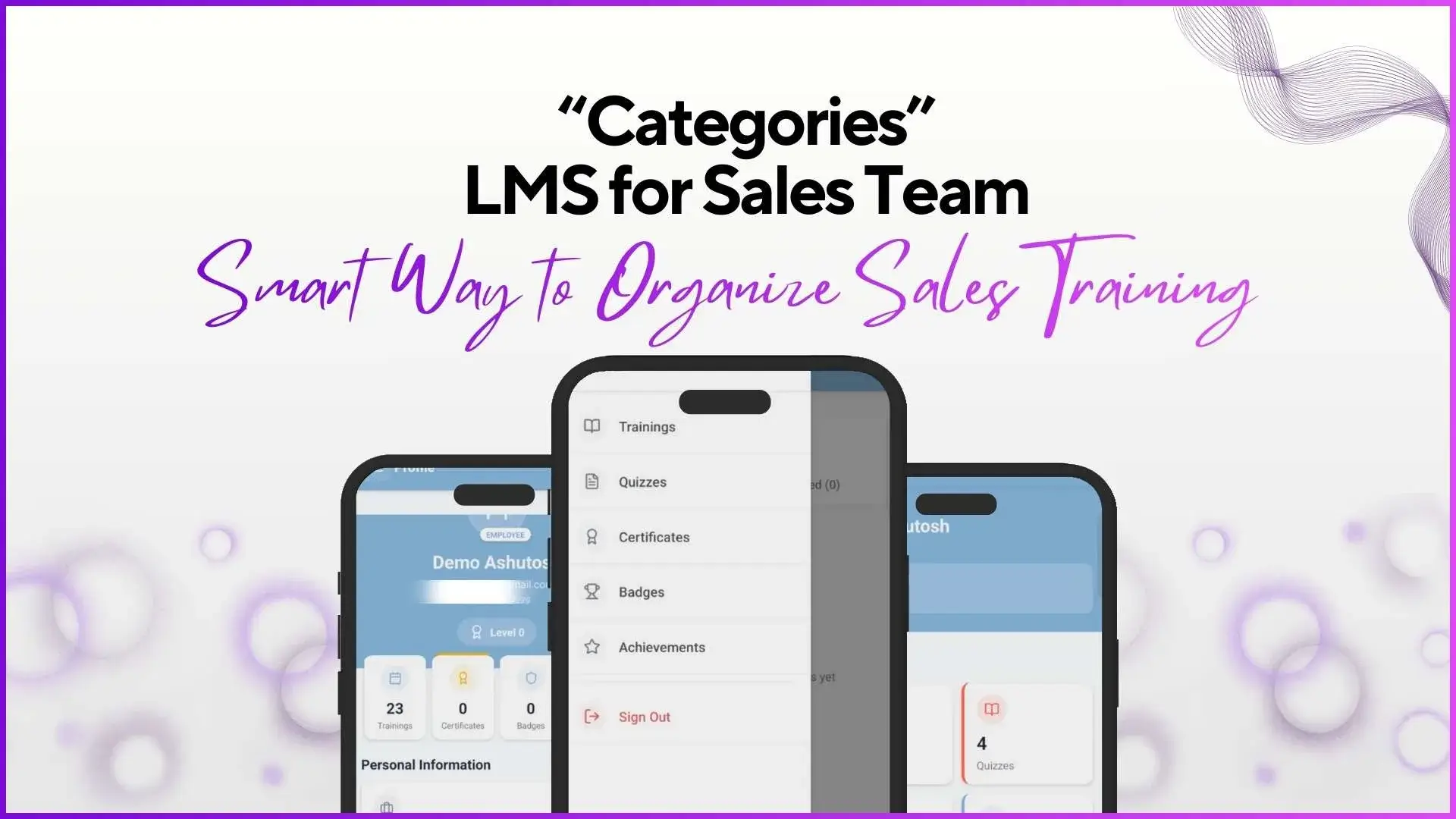
For the sales employee using the LMS app, categories create a clean, organised learning experience. Instead of seeing a random list of training content, they see their available modules grouped by skill type. Under "Product Knowledge," they find product-specific training. Under "Selling Techniques," they find modules on pitching and closing. The grouping makes it obvious what each training covers and why it is relevant.
As employees progress through levels and new modules unlock, the new content appears under the appropriate category. A promoter who has just been promoted to Level 1 opens their app and sees new modules under "Selling Techniques" that were not visible before. The category structure makes the new content feel like a natural next step rather than a random addition.
This matters for engagement. Employees who can clearly see how training is organised and what comes next are more likely to complete modules proactively rather than treating training as a random obligation.
Example: How a Malaysian Company Might Structure Categories
Here is how a consumer electronics brand training 80 promoters across Malaysian retail outlets might set up their LMS categories:
This structure gives the admin a clear view of the entire training programme. A new Level 0 promoter in Bangsar sees 5 modules across three categories. A Level 1 promoter sees those plus 4 additional advanced modules. A Level 2 team leader sees the complete set. Everyone's view is automatically filtered by their level, and the category grouping keeps everything organised.
Explore Sales Team LMS
1Channel's LMS platform supports customisable categories, level-based module visibility, multiple session types, gamified quizzes, and detailed analytics for field sales teams.
Explore LMS Software →Categories are the organisational backbone that makes everything else in the LMS work cleanly. Without them, modules pile up in an unsorted list that becomes harder to manage with every addition. With them, the training programme has a visible structure that admins can manage, trainers can navigate, and employees can follow as they progress through their learning journey. Get in touch to explore how LMS categories can structure your team's training.