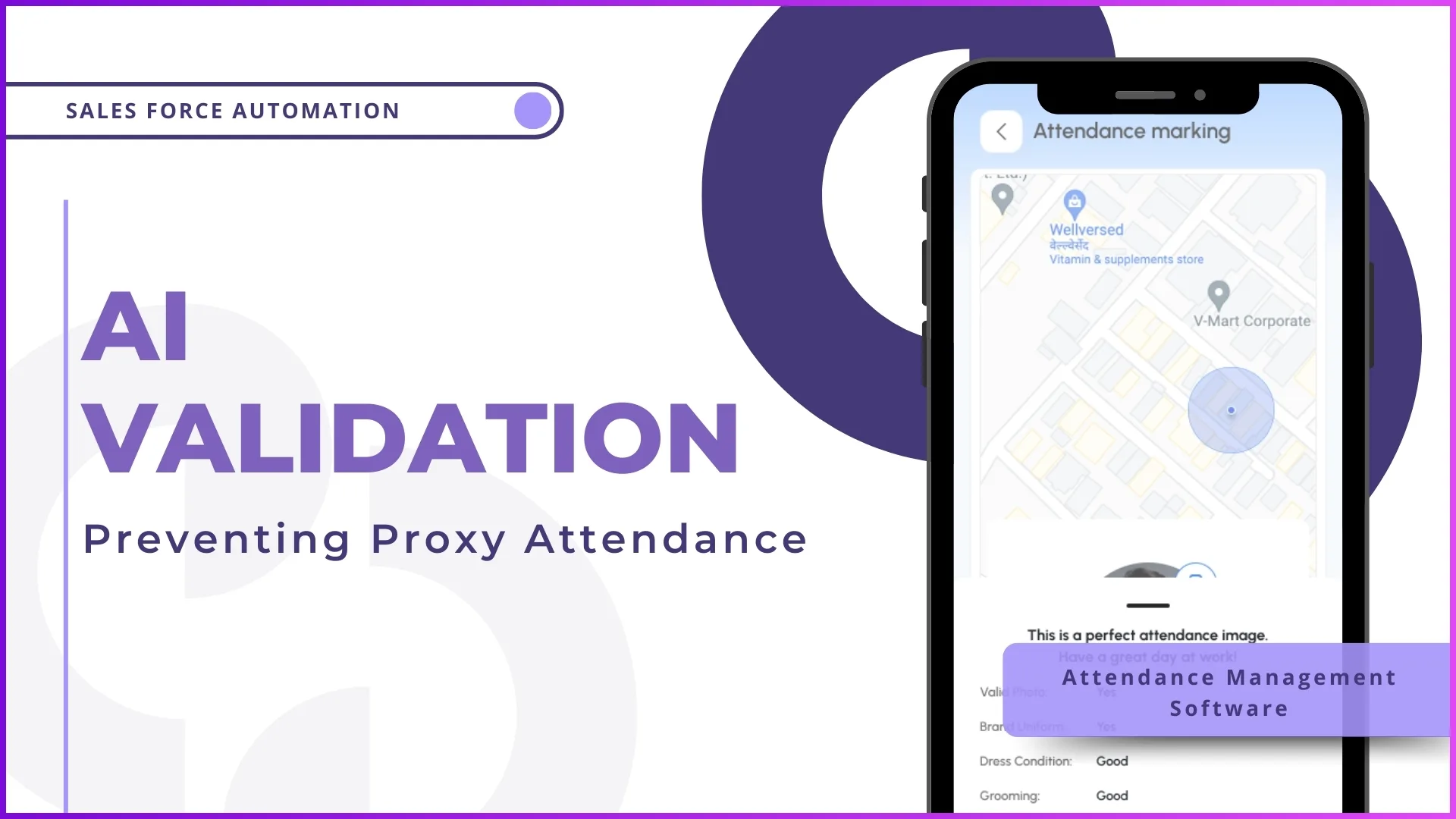
A beverage distributor in Johor deploys 18 field merchandisers across convenience stores and mini-markets in the Johor Bahru metropolitan area. Every morning, each merchandiser opens the SFA mobile app and marks attendance. The dashboard shows 17 out of 18 reported present by 9:15 AM. But here is the problem the operations manager cannot answer: were those 17 merchandisers actually at their assigned outlets when they marked attendance, or were some of them still at home, in a car, or at a coffee shop nearby?
Standard GPS-based attendance captures coordinates, but coordinates alone do not enforce compliance. A rep can mark attendance from a parking lot 500 metres away from the actual store and the system will record it as present. Over time, this looseness accumulates. Attendance records show high compliance, but retail partners report missed visits. The data says one thing while reality says another.
Geofencing closes this gap by creating invisible location boundaries around each store or outlet. Attendance can only be marked when the rep is physically inside the defined boundary. If they are outside the geofence, even by 50 metres, the system blocks the check-in. This single constraint transforms attendance from a self-reported action into a location-verified fact.
Table of Contents
How Geofencing Works Inside an SFA Platform
Geofencing in the context of field sales automation is a configuration-driven feature that creates a virtual perimeter around a physical location. The setup process involves three steps.
Step 1: Store GPS coordinates are uploaded. Each outlet in the store master is assigned precise latitude and longitude coordinates. These can be uploaded in bulk through an Excel template or captured individually when reps visit outlets for the first time. The admin portal includes a dedicated section under Store Management for uploading, updating, and verifying store GPS data.
Step 2: Geofence radius is defined. The admin configures the allowed distance in metres around each store location. This radius can be set at the project level for all stores, or customised per store for outlets with unique physical layouts. A hypermarket with a large car park might have a 200-metre radius, while a small pharmacy might have a 50-metre radius.
Step 3: Role-based rules are applied. Different field roles can have different geofencing rules. Through the Activity Geofencing settings in the admin portal, managers can configure which user roles are subject to geofencing, what distance is allowed for each role, and which activities require location verification. A promoter stationed at a single outlet all day might have a 100-metre radius, while a travelling sales executive visiting multiple outlets might have a 300-metre radius.
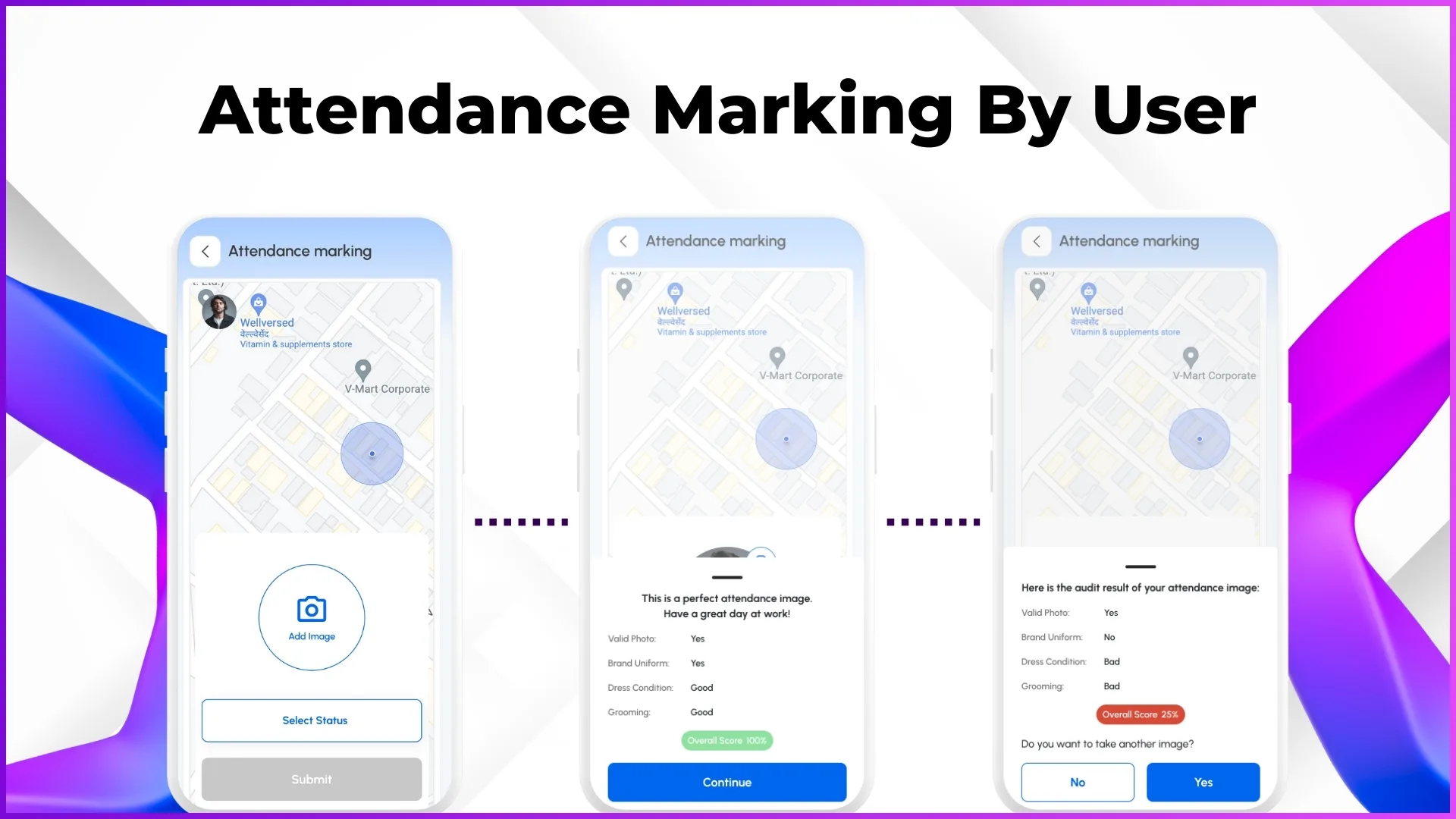
Once configured, the enforcement is automatic. When a rep opens the SFA app and attempts to mark attendance, the app captures their current GPS coordinates and compares them against the geofenced boundary of the assigned store. If the rep is inside the boundary, attendance is accepted. If they are outside, the system blocks the action and logs the failed attempt.
Geofencing Goes Beyond Just Attendance
While attendance verification is the most visible use of geofencing, the same location boundary applies to all field activities configured in the SFA system. This means geofencing can control:
- Store check-ins and check-outs. The rep can only check into a store visit when they are within the geofence. This prevents "drive-by" check-ins where a rep logs a visit while passing near the store without actually entering.
- Order placement. If the system is configured to require geofence verification for orders, a rep cannot submit an order for a store unless they are physically present. This ensures that orders reflect genuine interactions with the retailer rather than phone-based orders logged as store visits.
- Activity and questionnaire submissions. Store audits, merchandising checks, and survey responses can be restricted to the geofenced area. A competitor pricing survey submitted from outside the store raises obvious validity concerns.
- Photo captures. Merchandising photos and shelf images captured within the geofence confirm that the images were taken at the actual outlet, not at a different location or from stock photos.
This comprehensive coverage means that geofencing does not just improve attendance accuracy. It improves the accuracy of every field activity tied to a specific location.
What Changes When Geofencing Is Active
The practical impact of geofencing becomes clear when you compare field operations before and after implementation.
Before geofencing
- Attendance is GPS-tagged but not location-enforced. Reps can mark attendance from anywhere and the system records the coordinates without validation.
- Managers review attendance photo reports manually, checking whether the background in each photo matches the expected outlet. This is time-consuming and subjective.
- Store visit data includes check-ins from locations that are near but not at the assigned store. A rep checking in from a mamak stall across the road registers as a valid visit.
- Payroll disputes arise because attendance records do not reliably confirm physical presence at the workplace.
After geofencing
- Attendance is blocked unless the rep is within the defined boundary of their assigned store. The system enforces presence rather than relying on self-reporting.
- Failed geofence attempts are logged automatically, giving managers a clear record of reps who tried to mark attendance from incorrect locations.
- Store visit data becomes reliable. If a check-in was accepted, the rep was physically at the store. There is no ambiguity.
- Payroll processing uses verified attendance data, reducing disputes and manual corrections during closure cycles.
How Malaysian Businesses Benefit from Geofenced Attendance
Retail promoter management in hypermarkets
Consumer electronics and FMCG brands deploying promoters inside Malaysian hypermarkets like Aeon, Lotus's, and NSK need certainty that their promoters are physically at the counter during assigned hours. Geofencing set to the hypermarket's coordinates with a 150-metre radius ensures that the promoter can only mark attendance from inside the building. If a promoter marks attendance from the parking area or the food court level, the system captures the exact location of the attempt, giving the operations team data for follow-up.
Pharmaceutical reps covering clinics across states
Medical reps in Malaysia often cover clinics across multiple cities within a single state. A rep assigned to visit 6 clinics in Penang has each clinic geofenced individually. Attendance at the first clinic of the day confirms the rep started their route at the correct location. Subsequent store check-ins at each clinic verify the complete route was followed. Without geofencing, the rep could mark morning attendance from their car and then selectively skip lower-priority clinics without the system flagging any deviation.
Traditional trade coverage in mixed-density areas
Sales teams covering traditional trade outlets in areas like Cheras, Ampang, or Seri Kembangan face a unique challenge. In dense commercial zones, multiple outlets may be located within 100 metres of each other. A tighter geofence radius of 50 metres ensures that the rep checks into the correct outlet rather than a neighbouring shop. This precision matters for order attribution, merchandising tracking, and outlet-level visit frequency calculations.
Field service teams in industrial zones
For businesses deploying service or maintenance teams to factories and warehouses in industrial areas like Hicom-Glenmarie, Shah Alam, or Bayan Lepas, geofencing confirms that technicians arrived at the correct facility. Industrial zones often have multiple adjacent buildings, and GPS coordinates without geofence boundaries can place a technician at the wrong building. A configured geofence for each facility eliminates this ambiguity.
Geofencing Combined with AI Face Validation
Geofencing answers the question "where is the person?" while AI face validation answers "who is the person?" When both are active simultaneously, the attendance system verifies three things at once:
Identity verification
AI face matching compares the live selfie against the stored reference photo. This prevents buddy punching, where one rep marks attendance for another using their phone.
Location verification
Geofencing confirms the rep is within the defined boundary of the assigned store. This prevents remote check-ins and location spoofing.
Time verification
The system records the timestamp and compares it against the configured attendance window. Late attendance is tracked separately from on-time check-ins.
The combination of all three layers means that a successful attendance entry confirms the right person was at the right place at the right time. No single layer provides this assurance alone. Identity without location means the rep could be at home. Location without identity means someone else could be using the phone. Time without either is just a timestamp with no context.
How Accurate Attendance Improves Downstream Operations
When geofencing ensures that every "Present" status in the system corresponds to a verified physical presence at a store, the downstream effects ripple through multiple operational areas.
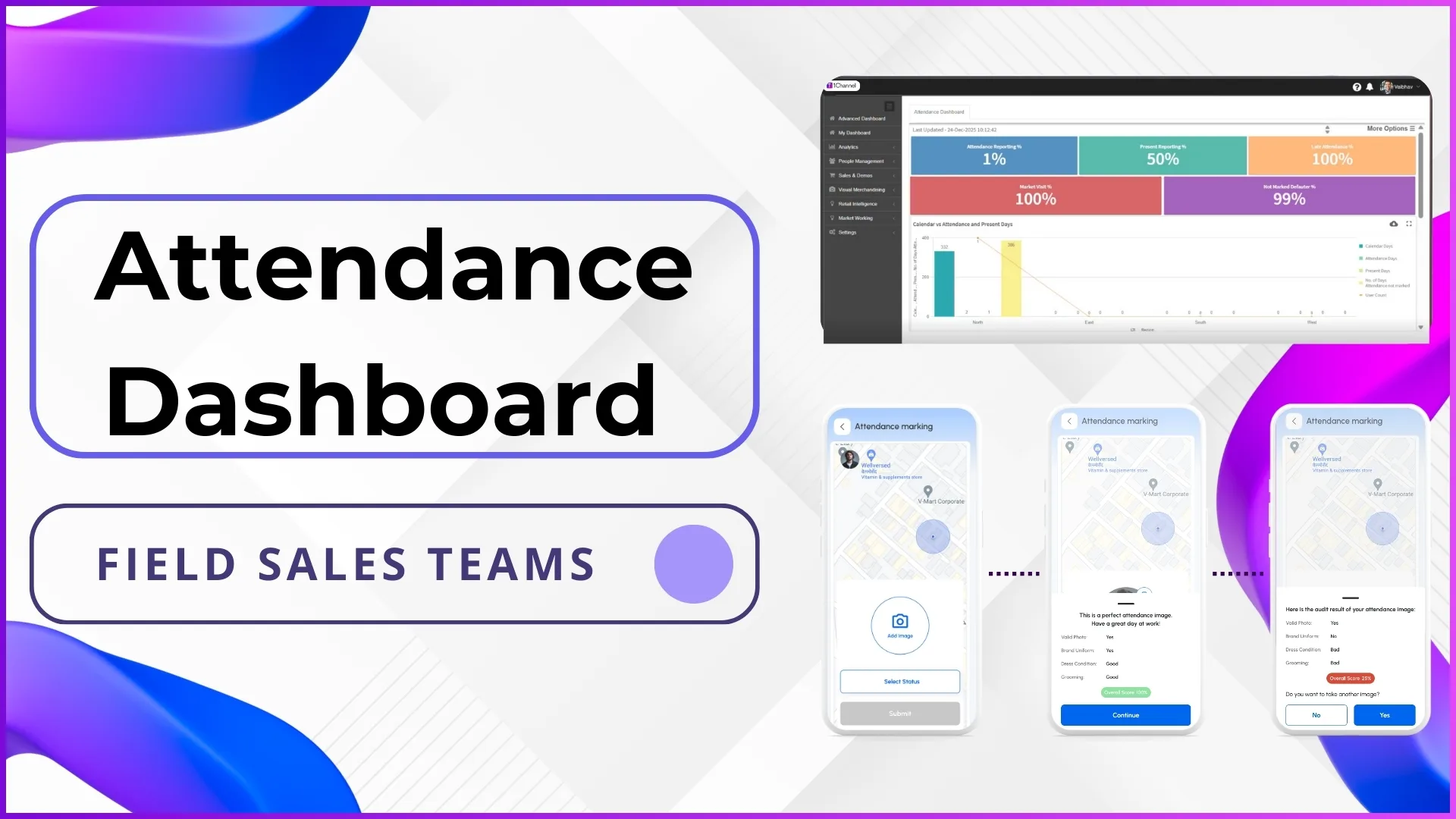
- Attendance compliance reports become trustworthy. The percentages shown on the advanced dashboard reflect actual field presence, not just app interactions. A 90% present attendance rate backed by geofencing means 90% of the team was genuinely at their outlets.
- Beat compliance calculations gain accuracy. When a rep's visit to an outlet is geofence-verified, the beat compliance report can confirm that the visit was a physical presence rather than a nearby check-in. This makes compliance metrics meaningful for territory planning.
- Expense claims are easier to validate. A fuel claim for Tuesday is more credible when the attendance system confirms the rep was at geofenced outlets across multiple locations that day. The cross-reference happens automatically without manual verification.
- Payroll accuracy improves. The attendance closure module uses geofence-verified attendance data as the input for payroll processing. HR teams spend less time resolving disputes because the data has a higher level of verification built in.
- Audit readiness increases. Every attendance entry includes GPS coordinates, timestamp, photo, and geofence validation status. Internal and external audits can verify attendance authenticity at any point using this structured data trail.
Explore Sales Force Automation
1Channel's cloud-based SFA platform includes geofenced attendance, AI face validation, role-based access controls, and automated compliance dashboards for field teams.
Explore SFA Solutions →What Admins Can Configure for Geofencing
The geofencing setup is managed entirely through the cloud-based admin portal. No custom development is needed for standard geofencing configurations. Here is what admins control:
- Geofence distance per role. Under Settings > User Management > Activity Geofencing, admins select each user role and define the allowed geofenced distance in metres. Promoters might have a 100-metre radius while area managers might have 500 metres.
- Store-level GPS coordinates. Under Store Management, admins upload GPS coordinates for each outlet. These can be bulk-uploaded via Excel or captured individually. Coordinates can be updated or corrected at any time.
- Activity-level geofence requirements. Admins can configure which specific activities require geofence verification. Attendance and store check-ins are the most common, but the setting can extend to order placement, photo capture, and questionnaire submissions.
- Exception handling. For situations where geofencing needs to be temporarily relaxed, such as during store relocations or when GPS coordinates are being updated, admins can adjust radius settings or disable geofencing for specific stores without affecting the rest of the system.
Changes to geofencing configurations take effect immediately across all user devices. There is no need to push app updates or wait for sync cycles.
Frequently Asked Questions
What happens if a rep's GPS signal is weak or inaccurate?
GPS accuracy varies based on device quality, building density, and signal strength. In areas with poor GPS reception, such as inside large concrete buildings or basement-level stores, the geofence radius can be increased for specific outlets to accommodate signal drift. The system also records the GPS accuracy level alongside the coordinates, allowing managers to identify entries where location precision was lower than expected.
Can geofencing be applied to some roles but not others?
Yes. The Activity Geofencing configuration is role-based. An organisation might enforce geofencing for field promoters and merchandisers while exempting regional managers who visit outlets less frequently and have different operational patterns. Each role can have its own geofence distance setting.
Does geofencing work when the device is offline?
The geofence check uses the device's GPS hardware, which works independently of internet connectivity. The app captures the coordinates locally and validates them against the cached store data. When the device reconnects, the attendance entry with its GPS validation result syncs to the cloud. However, if the store's GPS data has been recently updated on the server but not yet synced to the device, there may be a brief mismatch until the next sync cycle completes.
How do admins know when a geofence check fails?
Failed geofence attempts are logged in the system with the submitted GPS coordinates, the expected geofence boundary, and the distance gap. These failed attempts appear in attendance reports and can be reviewed by managers. Persistent failures for a specific rep or outlet may indicate a GPS data issue, a device problem, or a compliance concern that needs investigation.
Can geofence boundaries be set differently for different stores?
The standard configuration applies a uniform radius per role across all stores. However, for outlets with unusual physical layouts, such as large shopping complexes or multi-level industrial buildings, the radius can be adjusted at the project level. If individual store-level radius customisation is needed, it can be configured based on the specific project requirements.
Final Word
Attendance accuracy is not a reporting concern. It is an operational foundation. Every decision that depends on knowing where your field team was on a given day, from payroll processing to territory planning to retail partner accountability, relies on attendance data being truthful. Geofencing makes truthfulness automatic rather than assumed.
For Malaysian businesses managing field teams across hypermarkets, traditional trade outlets, clinics, and industrial facilities, geofencing removes the gap between "the system says they were there" and "they were actually there." That gap may seem small, but when multiplied across 50 reps, 250 working days, and thousands of outlet visits per year, it becomes the difference between managing with confidence and managing with uncertainty. Get in touch to explore how 1Channel's geofencing capabilities work for your field team's attendance requirements.