8:15am, a rep opens the field sales app on the way to the first store. The dashboard loads, the attendance prompt fires, the beat plan refreshes against today's date.
Across the next eight hours, the rep will touch eight different screens. Each one captures a different slice of the day, and together they assemble the operational record headquarters reads in the evening review.
The screens below cover what each one does, what it captures, and how it ties back into the broader cloud platform.
Table of Contents
What the Field Sales App Actually Contains
A field sales app is the rep's daily operating console. It carries the planning, capture, validation, and reporting workflows in one mobile experience, designed for thumb-friendly interaction on the move.
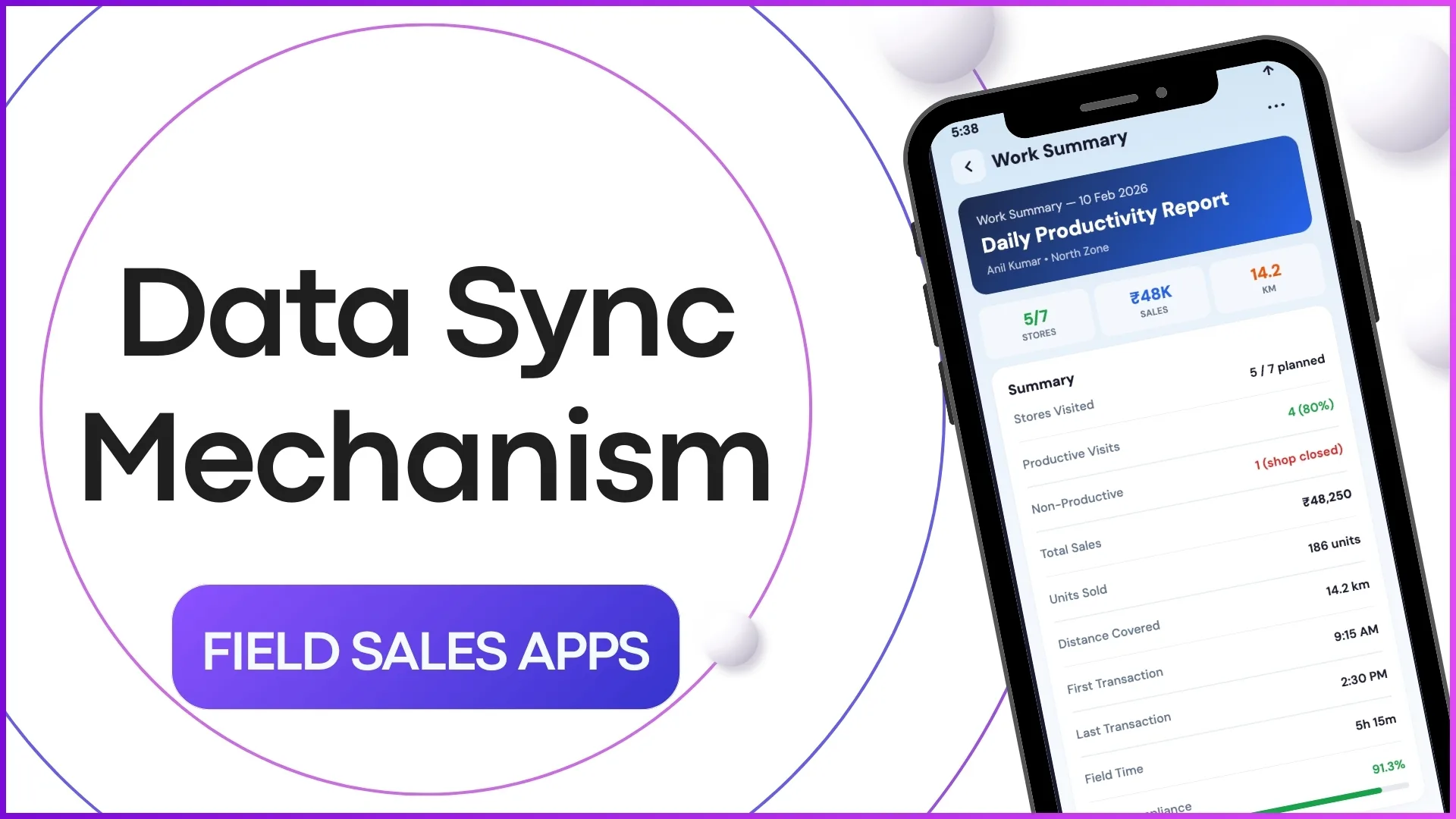
The backbone is the data sync layer that posts every capture to the cloud platform. The visible surface is the eight screens below, but the value sits in the connection from each capture to the central ledger.
Eight Screens That Drive the Day
From login to day-close, the rep moves through eight screens. The first four cover the morning setup and the field route; the next four cover what happens inside the store and at the end of the day.
Morning Block: Login Through Beat Plan
The first four screens set the day's priorities, lock in attendance with verification, and load the route the rep is going to run. This is the planning surface of the app, and the rep spends roughly five minutes here before the first store visit.
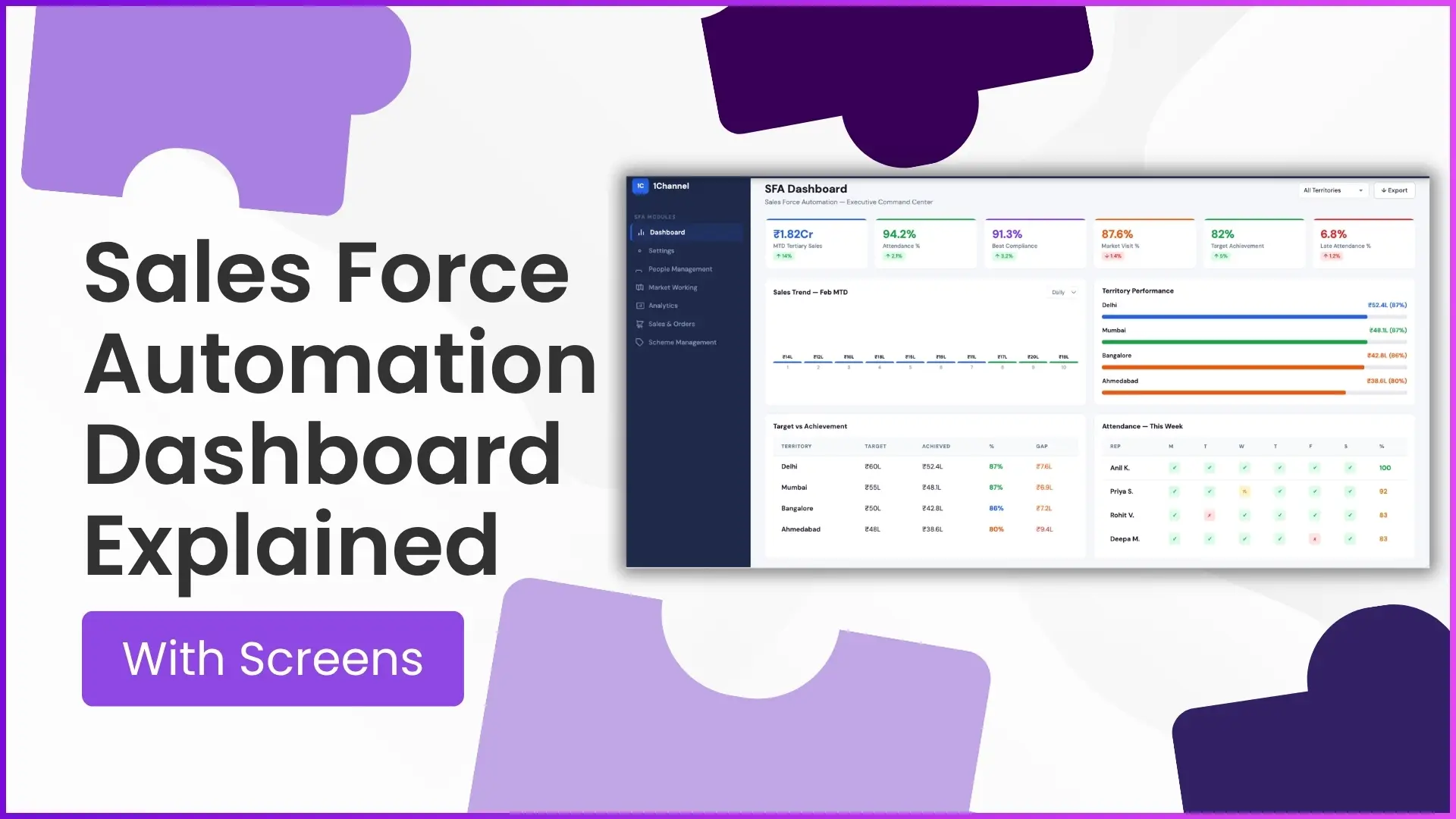
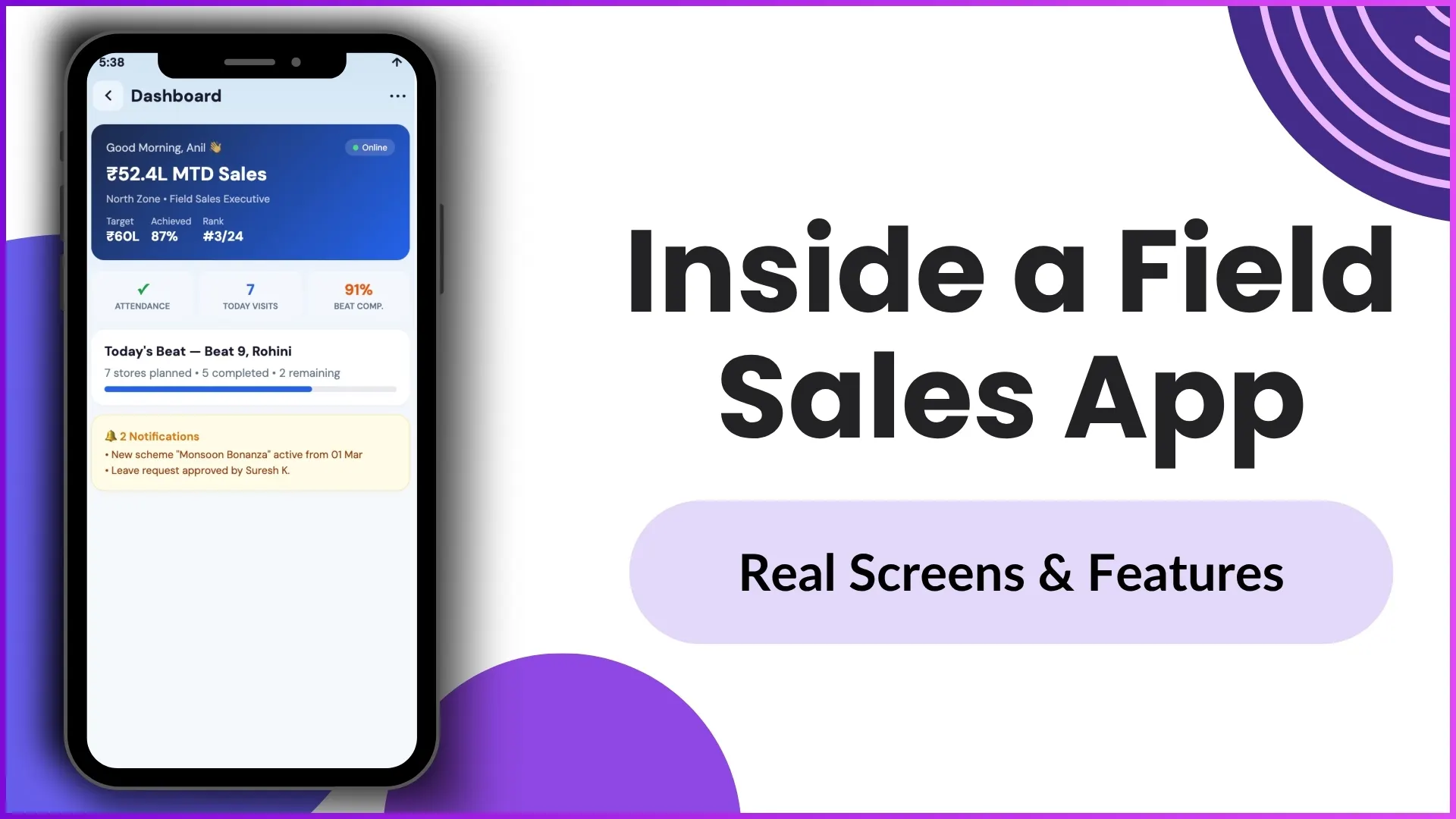
- Dashboard: The Live Pulse. Hero card with day-so-far KPIs, daily pulse metrics, beat progress, and smart notifications. The first screen the rep sees, designed to set the day's priorities in 10 seconds. The dashboard pulls from the same cloud ledger the manager reads at headquarters, so the numbers stay consistent across roles.
- Attendance: AI-Verified Check-In. Face validation, liveness check, GPS confirmation, and a tamper-proof audit trail. The 60 seconds that protect the program from check-in theatre. Each layer adds a barrier: the face check catches the borrowed phone, the liveness check catches the photo, the GPS catches the wrong location.
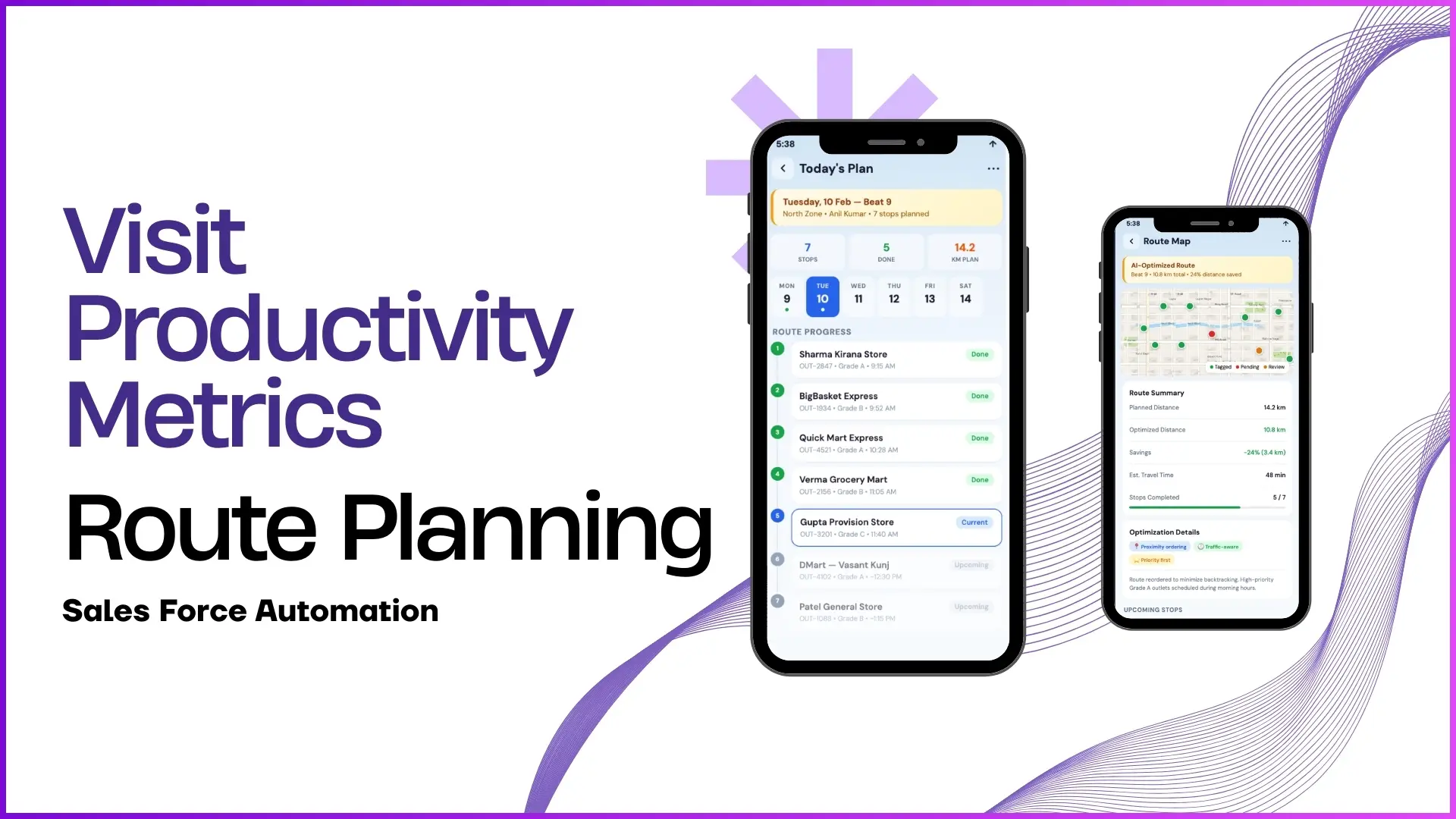
- Beat Plan: Optimised Route Execution. Today's planned outlets, an optimised route order, and live visit tracking against the plan. Replaces the printed list and the WhatsApp reminders. The route is recomputed automatically when the rep marks an outlet as closed or unreachable.
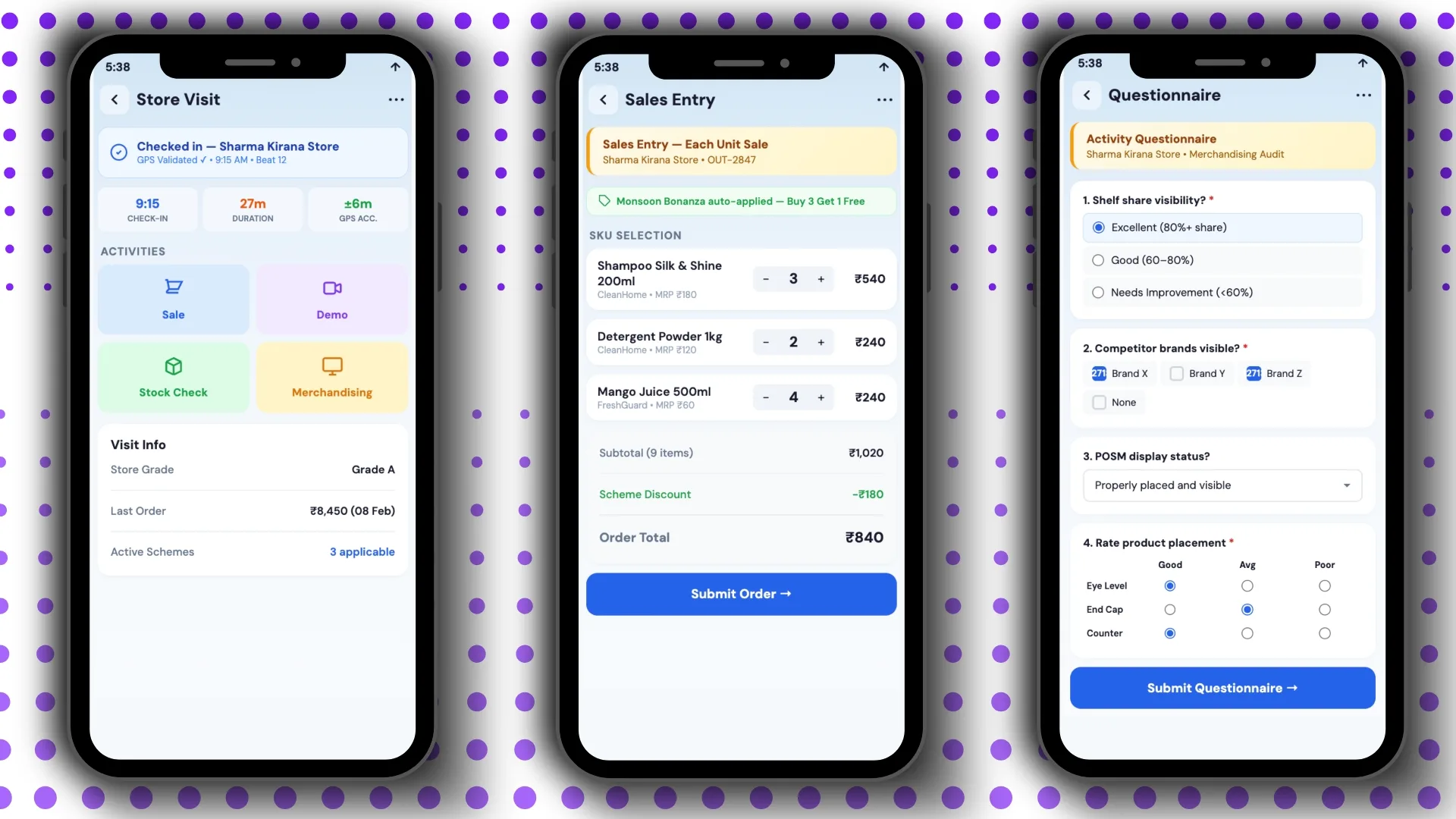
- Store Visit: The In-Store Hub. GPS-validated check-in, modular in-store activities (audit, planogram, sample, claim), and a store intelligence panel that surfaces past visit patterns. The visit screen is where the bulk of the daily capture happens, so the UI is built for speed and one-handed thumb use.
In-Store and Day-Close Block: Capture, Validate, Wrap
The next four screens handle the high-value capture inside the store and the wrap-up actions at the end of the day. This is where the rep's effort turns into measurable program data, so the platform invests heavily in validation and structure at this stage.
- Sales Entry: Quick Order Capture. SKU-level entry with auto-applied trade schemes, real-time price validation, and an instant order summary the partner can sign or confirm. The scheme engine reads the active rules from the cloud and applies them at the moment of entry, so the rep does not need to look up multipliers.
- Questionnaire: Structured Field Data. Dynamic forms by visit type, multi-format inputs (photo, dropdown, scale, free-text), and one-tap submission that posts directly to the analytics layer. The forms adapt automatically by visit type, so a general-trade visit asks fewer fields than a modern-trade audit.
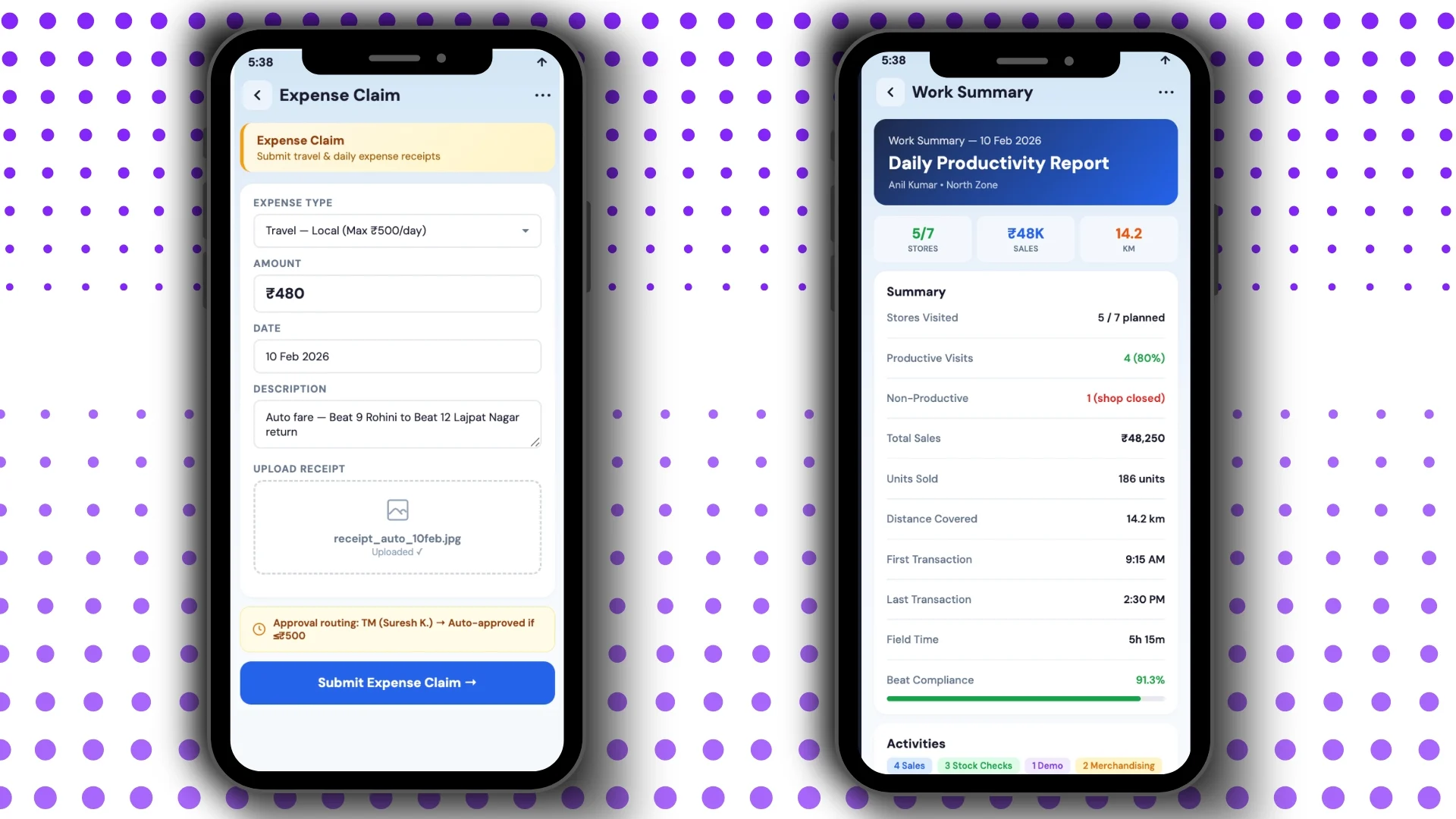
- Expense Claim: Fully Digital Workflow. Digital claim form, receipt upload, and smart auto-approval for routine categories. The receipt-stuffed envelope retires. The platform classifies claims automatically against policy and routes only the exceptions for human review.
- Work Summary: Auto-Generated Day Snapshot. Quick day snapshot, detailed work metrics, and an activity breakdown. The rep closes the day reading what the cloud platform recorded, not what they remember. The summary doubles as the input for the next morning's dashboard.
How 1Channel Runs the Field Sales App for Malaysian Programs
1Channel runs the field sales app through its cloud Sales Force Automation module. Every capture syncs to the central ledger automatically, with offline queueing for the network gaps that come with field work.
1Channel's AI engine watches for patterns inside the captured data. Attendance anomalies, suspicious geo-stamps, sales-entry outliers, and questionnaire data quality drift all surface as alerts before they reach the manager's morning review.
Configuration runs through the admin console. New activity templates, scheme rules, and questionnaire variants go live the same day they are approved, with an automated dry-run preview against the last 30 days of field data.
Explore Cloud Sales Force Automation
1Channel's cloud SFA platform powers field sales apps with AI capture validation and automated workflow rollouts.
Explore Sales Force Automation →Frequently Asked Questions
Which screen does the rep open first each day?
Most apps open to the dashboard, which carries the day-so-far roll-up. Attendance is usually the rep's first action, triggered by a notification on the dashboard itself.
How does the app behave when the network drops?
Modern field sales apps cache every capture locally and sync when the network returns. The rep sees the actions complete normally even without connectivity, and the platform de-duplicates against the offline ID once the queue drains.
Are trade schemes really applied automatically?
Yes. The cloud platform reads the active scheme rules and applies them at the moment of order entry. The rep sees the calculated discount, and the audit log records both the input and the rule version that ran.
What protects attendance from spoofing?
Face validation with a liveness check, GPS confirmation against the registered chamber, and a tamper-proof audit trail. The three layers together push the spoofing cost above the value the rep gets from skipping the rule.
Can the same app serve different sales teams?
Yes. Most field sales apps support program-level configuration, so a pharma rep and an FMCG rep can use the same app with different screens, activity templates, and target structures.