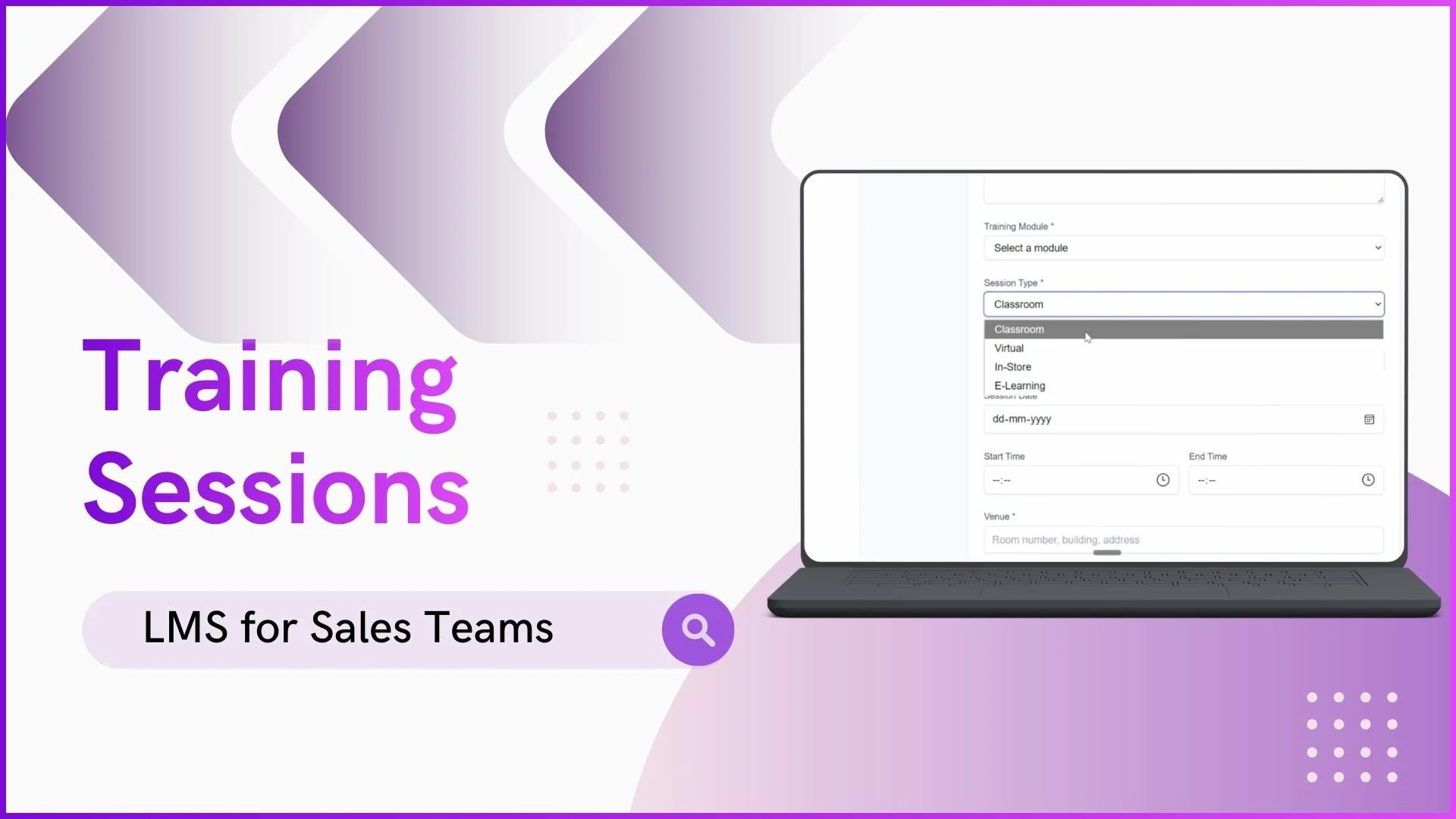
A training module defines what employees need to learn. A session defines how that learning is delivered. In a sales team LMS, sessions are the actual training activities where content meets the learner, whether that happens in a physical room, through a video call, at a retail outlet, or through self-paced digital content on a phone screen.
The distinction matters because different training objectives require different delivery formats. Teaching 40 promoters about a new product launch in Selangor works best as a classroom session where questions can be asked in real time. Updating medical reps across Penang, Johor, and Sabah on revised detailing guidelines works best as a virtual session that reaches everyone simultaneously without travel. Training a promoter on in-store product placement works best as an in-store session where the trainer demonstrates with actual products on actual shelves.
This article explains each of the four session types available in a sales team LMS, how attendance verification works in each, and when to use which format.
Table of Contents
Why Different Session Types Matter
A single training format cannot cover every learning scenario. Some skills require hands-on demonstration. Others require group discussion. Others can be learned independently at the employee's own pace. The LMS supports four session types precisely because field sales training spans all of these scenarios.
All session activities, regardless of type, are reflected in the admin dashboard and analytics. Active sessions, attendance data, and completion rates flow into the same reporting system. Combined with notifications that alert employees about upcoming sessions and quizzes linked to session content, the training process becomes structured and measurable rather than ad hoc.
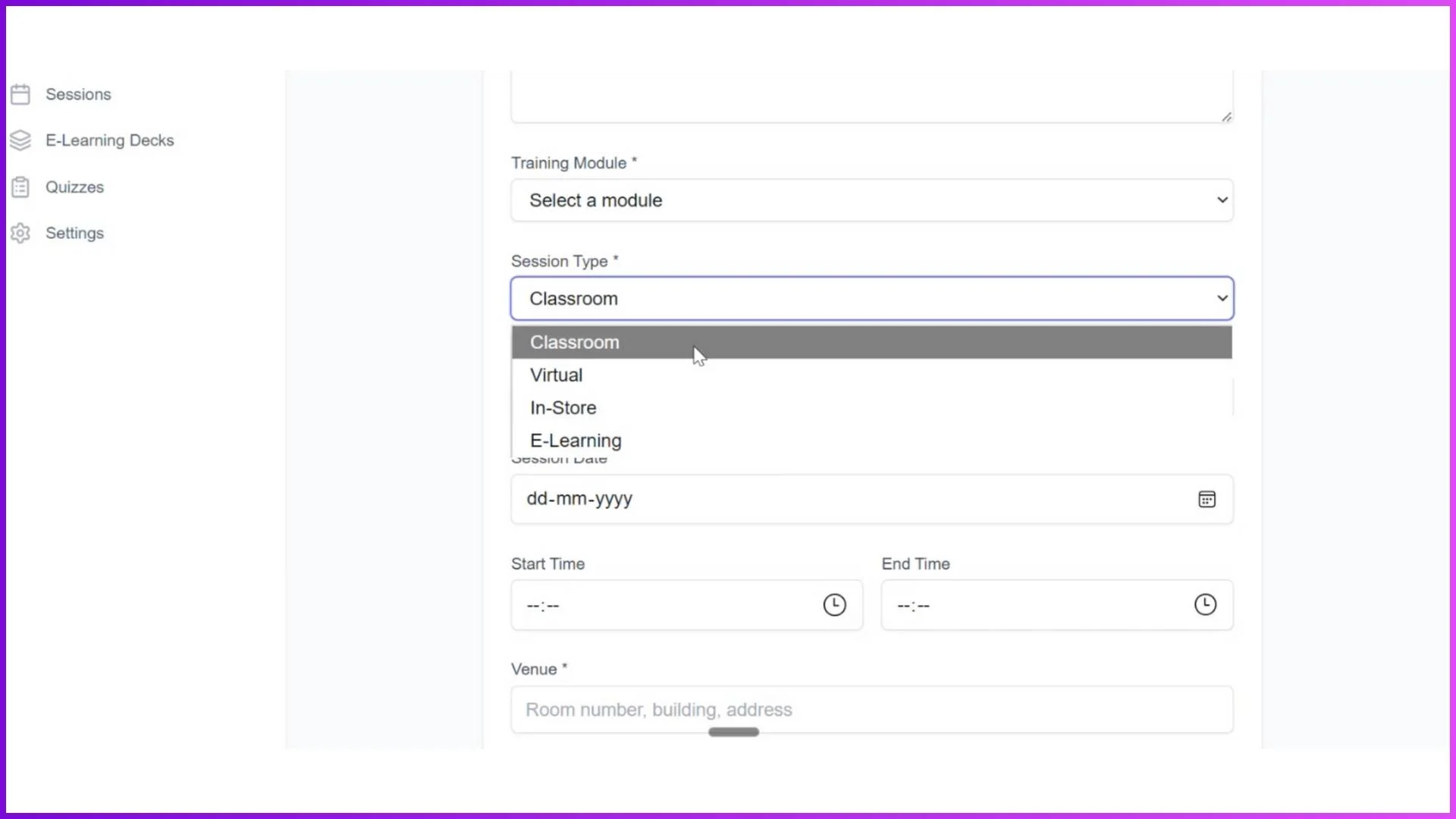
Classroom Sessions
Classroom sessions bring employees to a designated physical venue for instructor-led training. The admin creates the session in the LMS portal with a specific date, time, venue address, and the module it belongs to. All employees assigned to the relevant level see the session in their app.
When employees arrive at the venue, they mark attendance through the LMS app by capturing a photo. This creates a verified attendance record with the employee's photo, timestamp, and the fact that they physically attended the session. The admin can see in real time how many of the assigned participants have checked in.
For a consumer electronics brand launching a new product line, a classroom session at a training centre in Kuala Lumpur brings together 35 promoters from Klang Valley outlets for a full-day session covering product features, competitive positioning, and hands-on demonstrations. The format allows immediate questions, group exercises, and direct interaction with the trainer and the physical product.
Best for: New product launches, onboarding batches, skills workshops that require face-to-face interaction, and training that involves physical product handling.
Virtual Sessions
Virtual sessions work like classroom sessions but are conducted online. The admin creates the session and pastes a meeting link from Google Meet, Microsoft Teams, or Zoom directly into the LMS. Employees assigned to the session see the date, time, and meeting link in their app.
Before joining the meeting, employees mark attendance through the LMS app. They then click the meeting link, which redirects them to the virtual training room. This two-step process ensures attendance is captured within the LMS system rather than relying on the video conferencing tool's participant list.
For a pharmaceutical company that needs to train 60 medical representatives across Penang, Johor Bahru, Kota Kinabalu, and Kuching on updated product guidelines, a virtual session reaches everyone in a single 90-minute meeting. No one travels. No venue is booked. The training content is delivered identically to all reps regardless of location, and attendance is tracked centrally.
Best for: Policy updates, compliance training, multi-location teams, refresher sessions, and any training where physical presence is not essential to the learning objective.
In-Store Sessions
In-store sessions are designed for training that happens at the actual retail outlet or work site. Instead of employees travelling to a central venue, a trainer visits each location and conducts on-ground training with live product demonstrations in the real selling environment.
In this format, the trainer's login handles attendance rather than the employee's. The trainer visits the store, conducts the session, captures photos of the trainees during the training, and marks each person as present. All attendance records are geo-tagged from the trainer's location, creating verified proof that the training happened at the right store on the right date with the right people.
For a home appliance brand with promoters across 20 outlets in Selangor, an in-store session means the product trainer visits each outlet over two weeks. At each store, the trainer demonstrates the new washing machine model using the actual display unit, shows the promoter how to explain key features to customers, and addresses questions specific to that store's customer profile. The geo-tagged attendance confirms exactly which stores were covered and which promoters completed the training.
Best for: Retail chains, consumer electronics outlets, telecom stores, and any training where learning in the actual work environment produces better outcomes than learning in a training room.
E-Learning Sessions
E-learning sessions allow employees to learn at their own pace through the LMS mobile app. The admin creates an e-learning deck containing training materials in various formats: PDFs, images, and embedded YouTube video links. Employees access these learning cards through their app login and swipe through content whenever they have time.
The LMS tracks who opened which content and how much they completed. Admins can set time-based completion criteria to ensure genuine engagement. For example, a rule requiring the employee to keep a PDF open for at least 30 seconds before attendance is marked as "present" prevents employees from simply opening and immediately closing the content.
For a beauty brand with 50 promoters across Malaysian department stores, monthly product knowledge updates are delivered through e-learning. A new product deck is uploaded at the start of each month, and promoters complete it during breaks or quiet periods at their outlets. No sessions need to be scheduled. No trainers need to travel. The content reaches all 50 promoters simultaneously, and completion tracking shows the admin who has finished and who has not.
Best for: Ongoing product updates, compliance refreshers, self-paced learning, content that does not require live instructor interaction, and training for geographically dispersed teams where gathering is impractical.
Choosing the Right Session Type for Each Situation
"We are launching a new product and need promoters to handle the physical product during training."
Use a Classroom Session. Hands-on product interaction requires physical presence at a venue with sample units available.
"We need to update our compliance guidelines for reps across five states, and the content is the same for everyone."
Use a Virtual Session. One session reaches everyone simultaneously, no travel needed, and attendance is tracked centrally.
"Our promoters need to learn how to arrange product displays correctly at their specific outlets."
Use an In-Store Session. The trainer visits each outlet and demonstrates with the actual display fixtures and products available at that store.
"We release monthly product updates and need all promoters to review them, but scheduling live sessions for 50 people is impractical."
Use an E-Learning Session. Upload the content once, and 50 promoters complete it at their own pace with tracked completion.
"We need to onboard 30 new hires across three cities within two weeks."
Use a combination. E-learning for foundational content they complete before day one, followed by a Virtual Session for Q&A and interactive discussion, followed by In-Store Sessions once they are placed at their outlets.
Explore Sales Team LMS
1Channel's LMS platform supports classroom, virtual, in-store, and e-learning sessions with verified attendance, geo-tagging, and automatic progress tracking for field sales teams.
Explore LMS Software →Sessions are where training actually happens. Modules define what to learn, categories organise the structure, and levels control who sees what. But sessions are the delivery mechanism that puts content in front of people. Having four session types means the same module can be delivered differently depending on geography, team size, and learning objective, while the LMS tracks everything consistently regardless of format. Get in touch to explore how LMS sessions can work for your training programme.