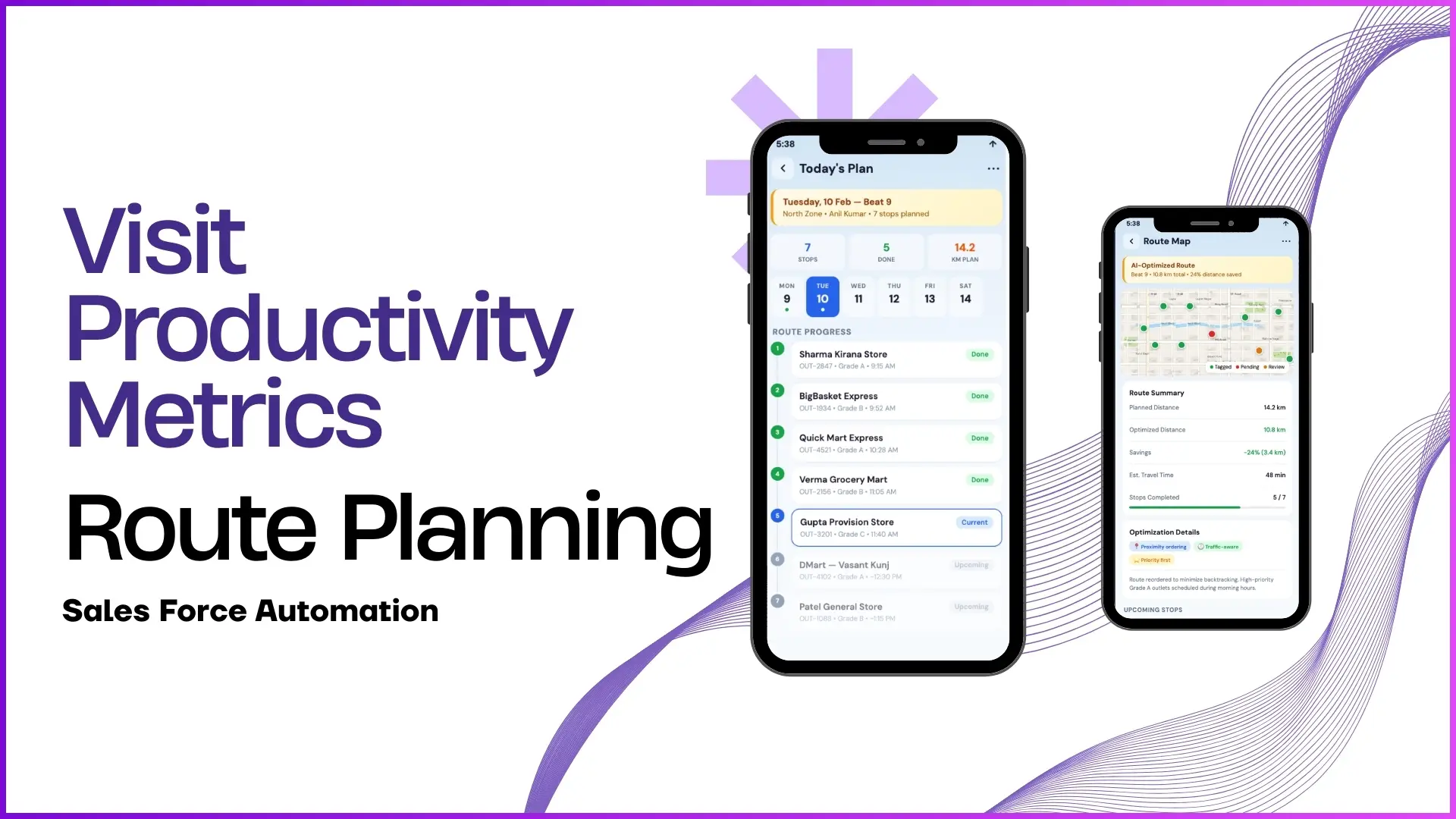
8:30am, a rep parks outside an outlet. The phone opens, the store visit tracking app loads, and the outlet card lights up because the GPS confirmed the rep is inside the geofence.
From that one tap, six different screens light up the tracking workflow. The outlet's profile, its grade, its territory, its position on the day's beat: all pulled together for the rep on a single mobile surface.
Behind those screens sits a cloud platform that turns every visit into a structured record. The screens below walk through that workflow, grouped into the six clusters that handle the outlet lifecycle end to end.
Table of Contents
What 'Store Visit Tracking' Actually Manages
Store visit tracking is the workflow that manages every outlet the brand calls on: who they are, where they sit on the territory, when they were last visited, who visits them next, and what happened on the last visit.
Without tracking, the outlet base lives in spreadsheets and rep memory. With it, the outlet base lives in the cloud platform, queryable by territory, by grade, by visit pattern, and by reason for any skipped visit.
Six Screen Clusters That Cover the Outlet Lifecycle
Each cluster below pairs a visual surface with a workflow it drives:
Outlet List and Smart Cards
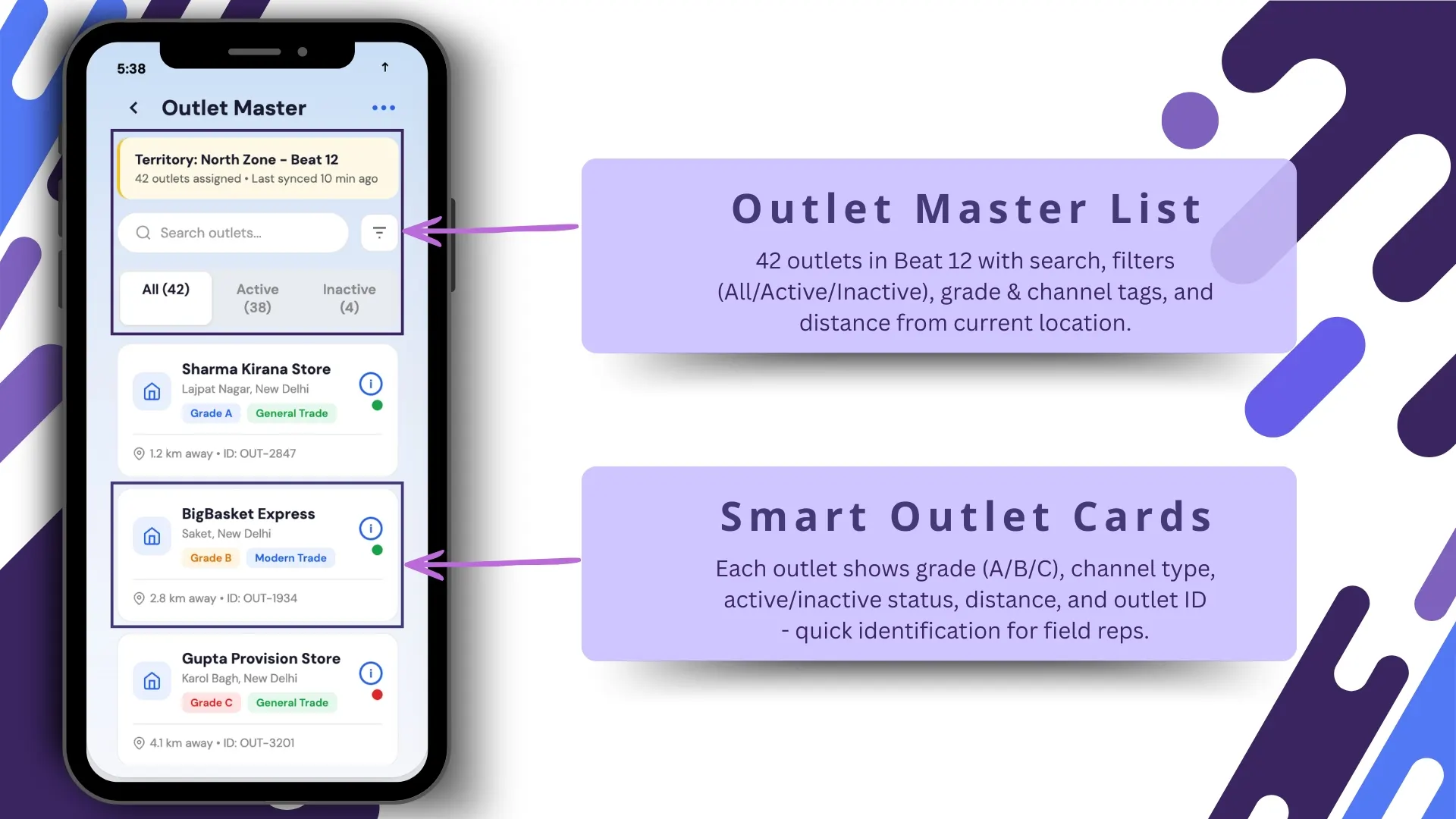
The outlet list is the rep's home screen for the day. Smart cards show each store's name, GPS distance, grade, and last-visit date, sorted by proximity so the rep moves through the route in the right order without manual planning.
Outlet Profile and Geo-Tagged Territory
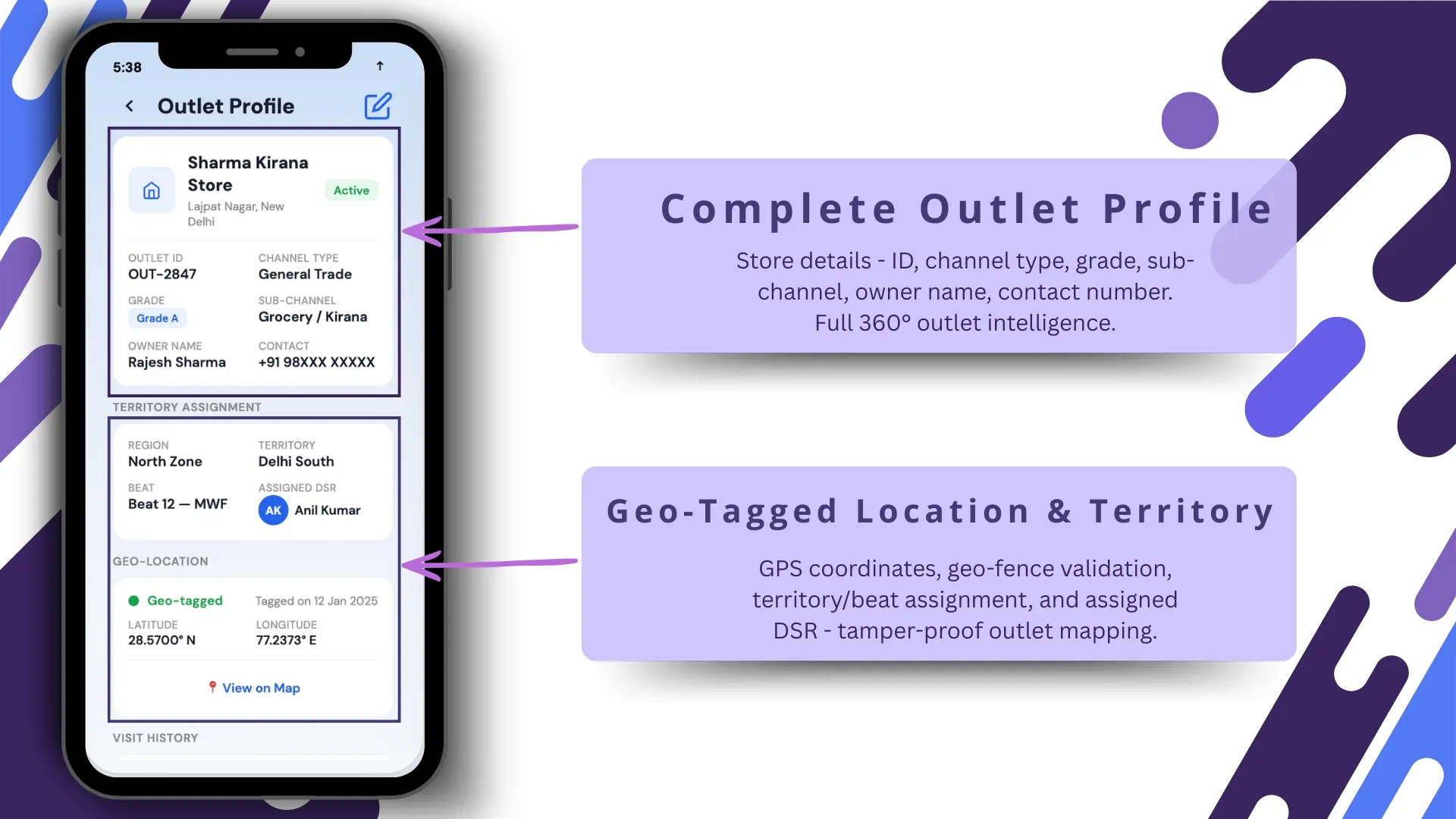
The complete outlet profile carries name, address, owner, tax registration, contact, partner tier, and assigned distributor. The geo-tag pins the outlet on the territory map, so a misplaced address fails validation before it disrupts the beat plan.
Live Map and Geo-Tagging
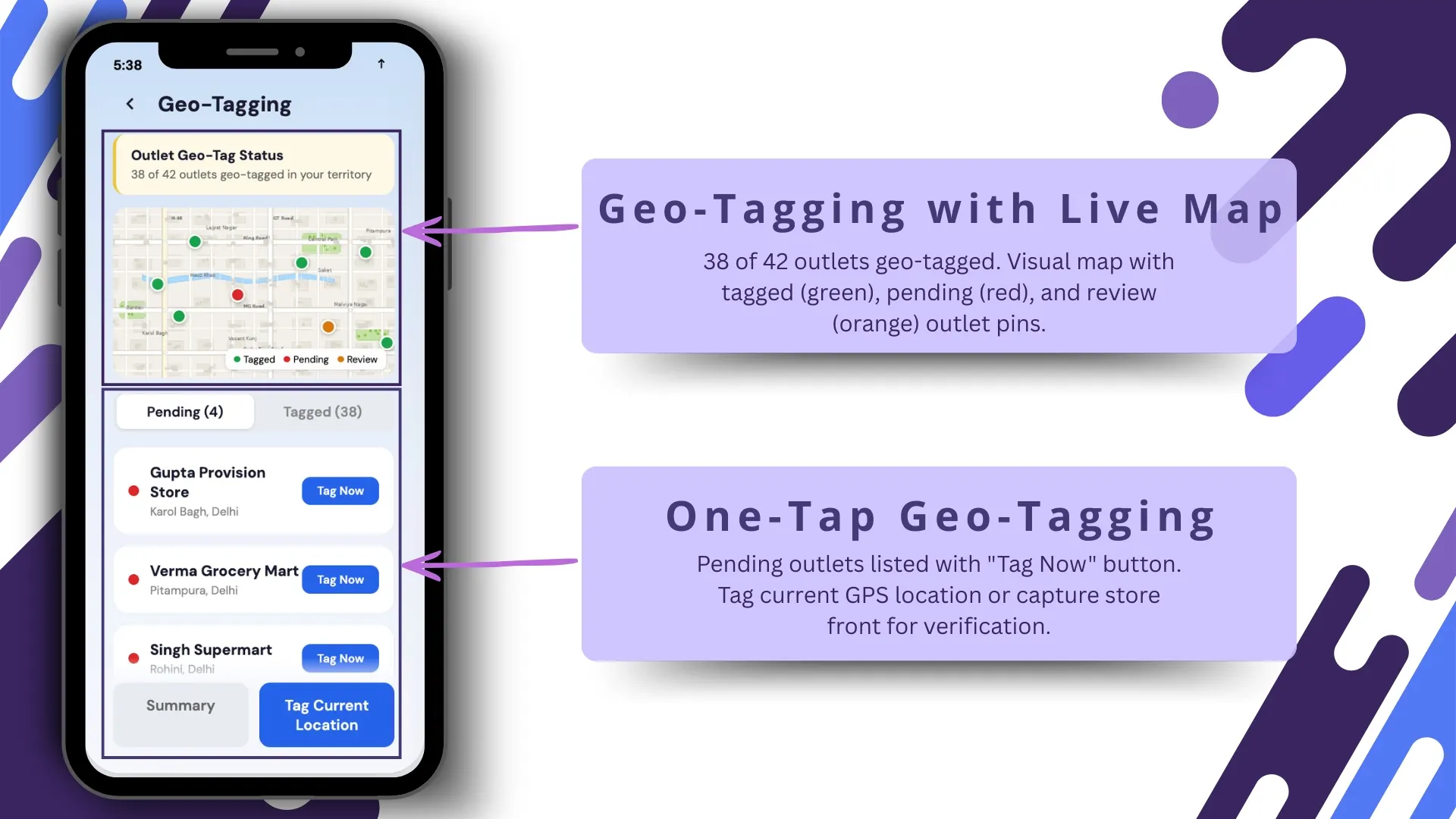
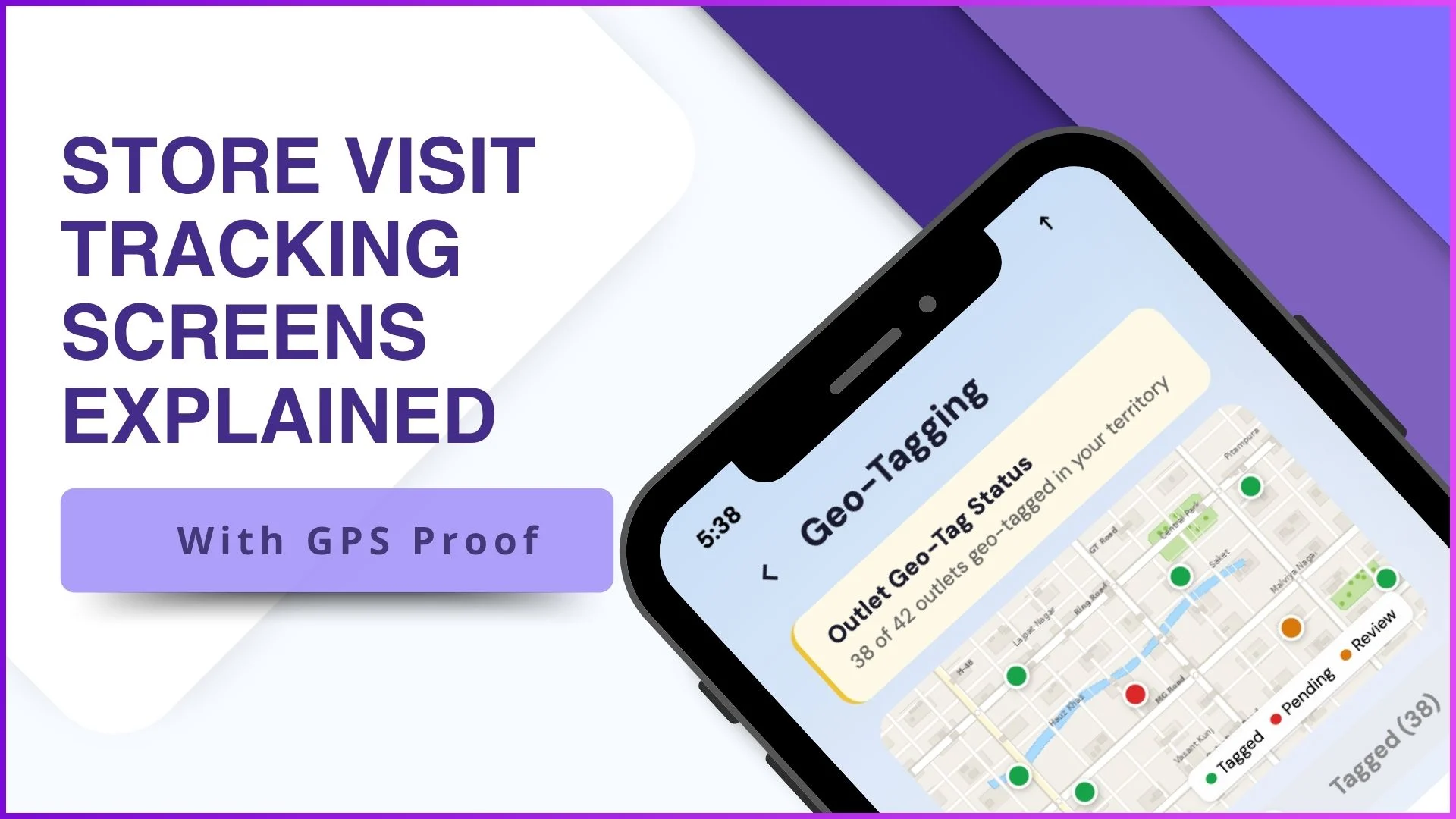
The map view shows every outlet in the rep's territory with live geo-tagging. The rep can tag a new outlet in one tap, confirm an existing one's coordinates, or flag a stale entry without leaving the screen.
Outlet Grade and Classification
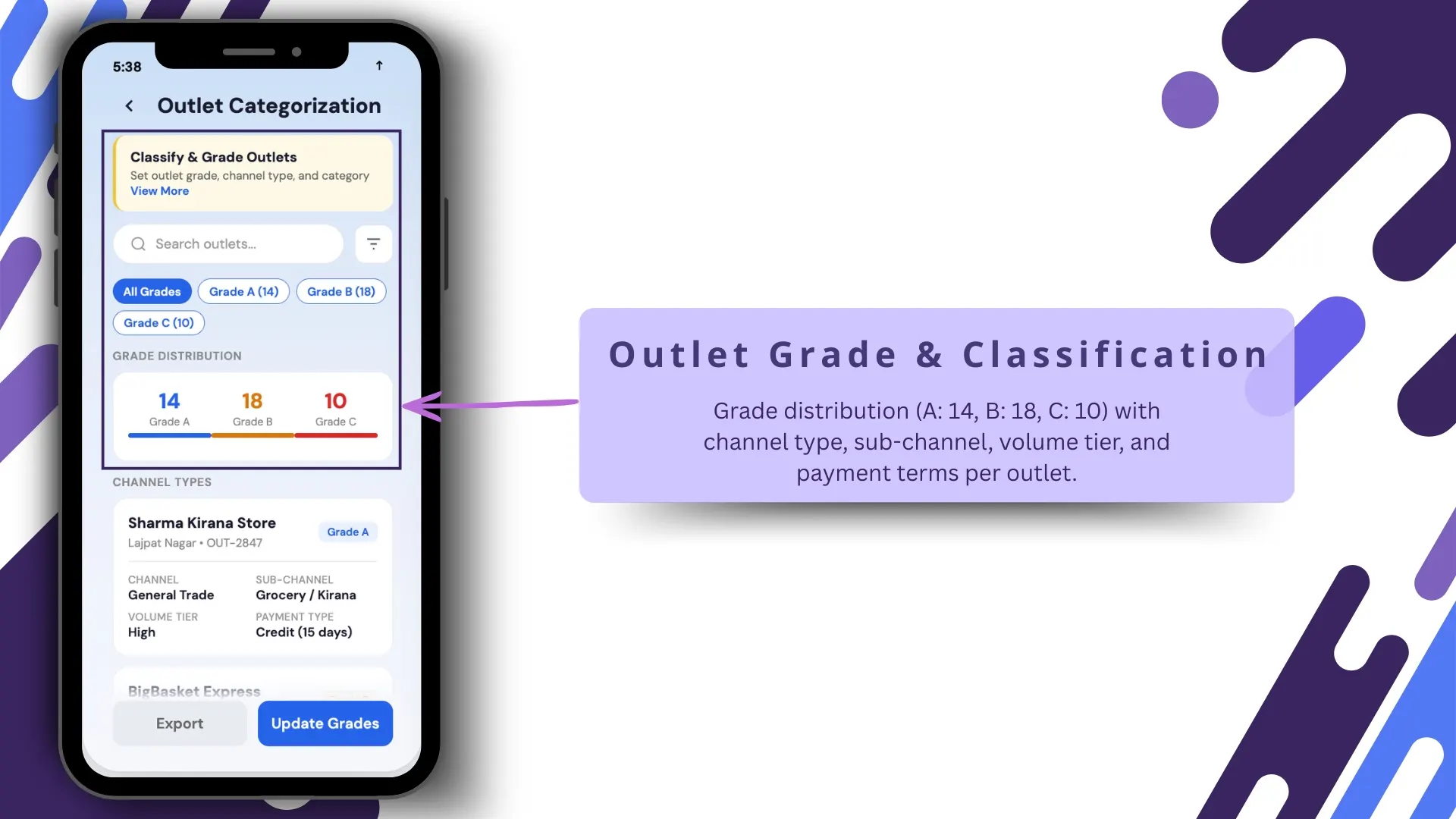
Each outlet carries a grade (A, B, or C) and a channel classification (modern trade, general trade, HoReCa). The dashboard rolls visit-frequency targets against those grades, so the rep's beat plan and the manager's review read the same compliance rules.
Territory Overview and Beat Schedule
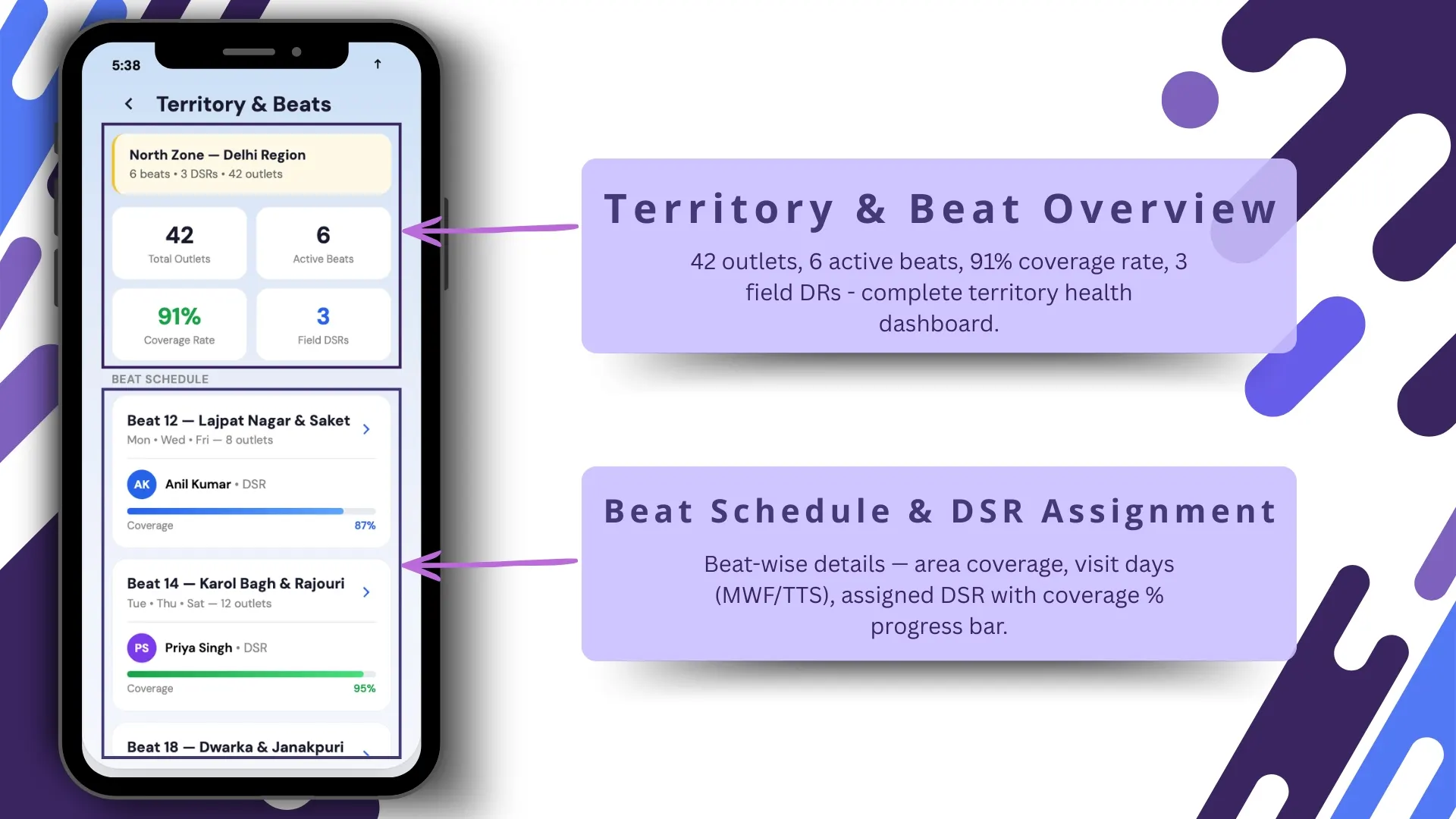
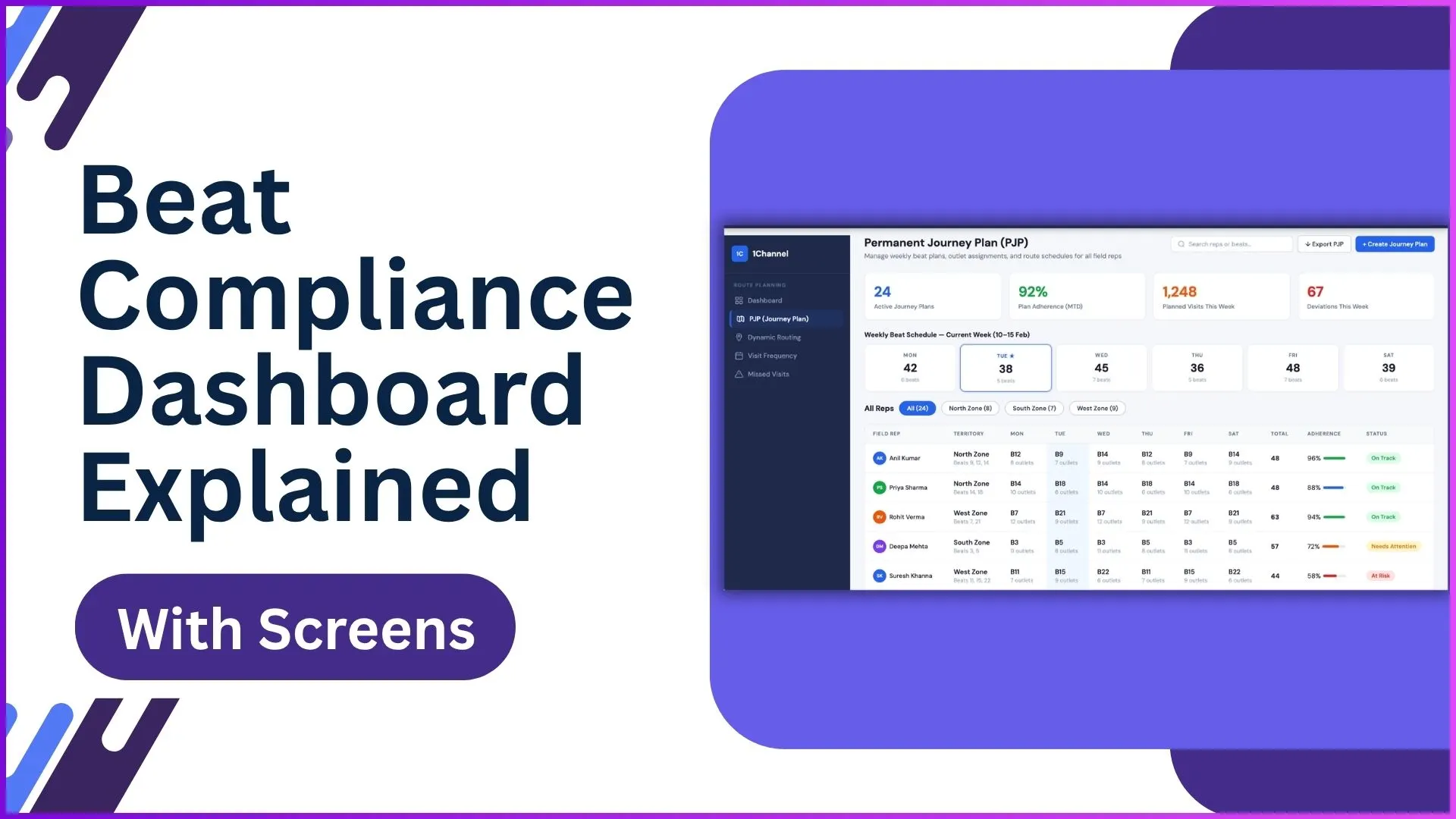
The territory overview shows every outlet, every rep, and every beat plan in one zoomable view. The beat schedule pairs reps with days and routes, and the assignment automatically respects the outlet's grade-based visit frequency.
New Outlet Registration
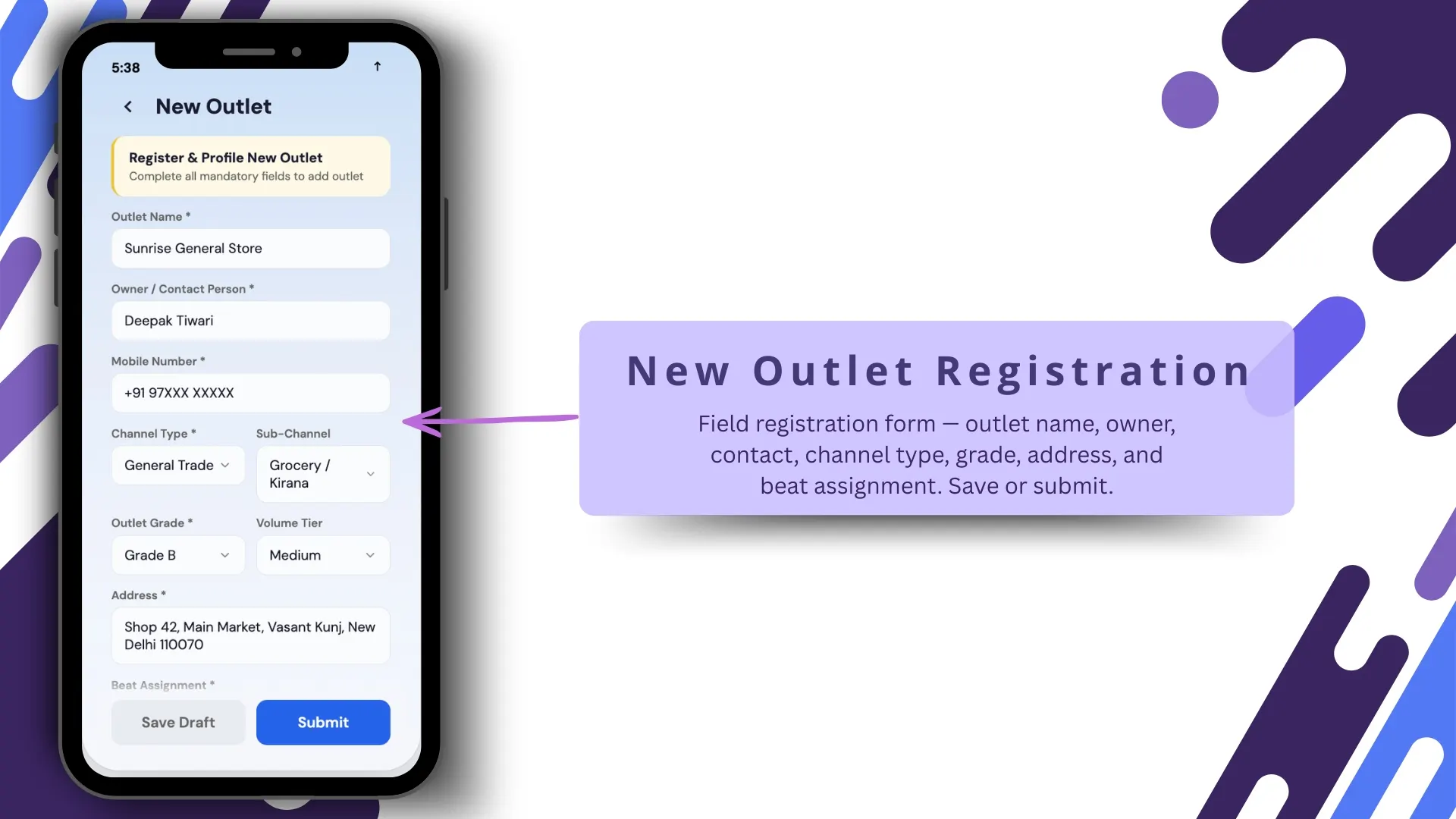
Field reps can register new outlets directly from the mobile app, with KYC fields, photos, and a live geo-tag. The cloud platform validates the entry, checks for duplicates against the master, and routes it to the supervisor for approval.
How GPS Proof Anchors the Visit Record
GPS proof is what turns a check-in claim into an audit-ready event. The cloud platform validates the rep's coordinates against the outlet's geofence at the moment of the action, and the timestamp travels with the record into the analytics layer.
Spoofing detection runs in the background: speed checks, accuracy checks, signal-quality checks. Anything anomalous gets flagged automatically, so the rep, the supervisor, and the auditor read the same trustworthy ledger.
How 1Channel Runs Store Visit Tracking for Malaysian Field Teams
1Channel runs store visit tracking through its cloud Sales Force Automation and outlet management modules. Every outlet sits in one connected ledger with its master fields, territory mapping, grade, and visit history.
1Channel's AI engine watches the underlying patterns. A territory whose new-outlet registration count is unusually low, an outlet drifting between grades, a rep whose entries fail validation more often than peers: all surface as soft alerts.
Configuration runs through the admin console. New grade rules, territory boundaries, registration fields, and validation thresholds go live the same day they are approved, with an automated dry-run preview against the last 30 days of field data.
Explore Cloud Outlet & Store Management
1Channel's cloud outlet management platform anchors store visit tracking with AI validation and automated geo-tag verification.
Explore Outlet & Store Management →Action Checklist for Rolling Out Visit Tracking
A clean sequence to put a working store visit tracking workflow in place:
- Clean the outlet master before the rollout. Duplicate outlets, missing addresses, and orphan records all undermine the tracking value. Start from a clean base.
- Set grade rules before configuring beats. A-grade weekly, B-grade fortnightly, C-grade monthly is one template; the brand should calibrate based on category economics.
- Geofence at the outlet, not at the address line. Address strings are unreliable. A pinned coordinate plus a radius is what makes the geofence trustworthy.
- Train reps on new-outlet registration first. A program where the field cannot add stores becomes a stale program by quarter two.
- Wire GPS proof into the audit log from day one. Retrofitting the audit later costs more than building it in upfront.
- Review the visit-tracking dashboard weekly. Coverage, grade compliance, and new-outlet additions all need a rhythm, not an annual review.