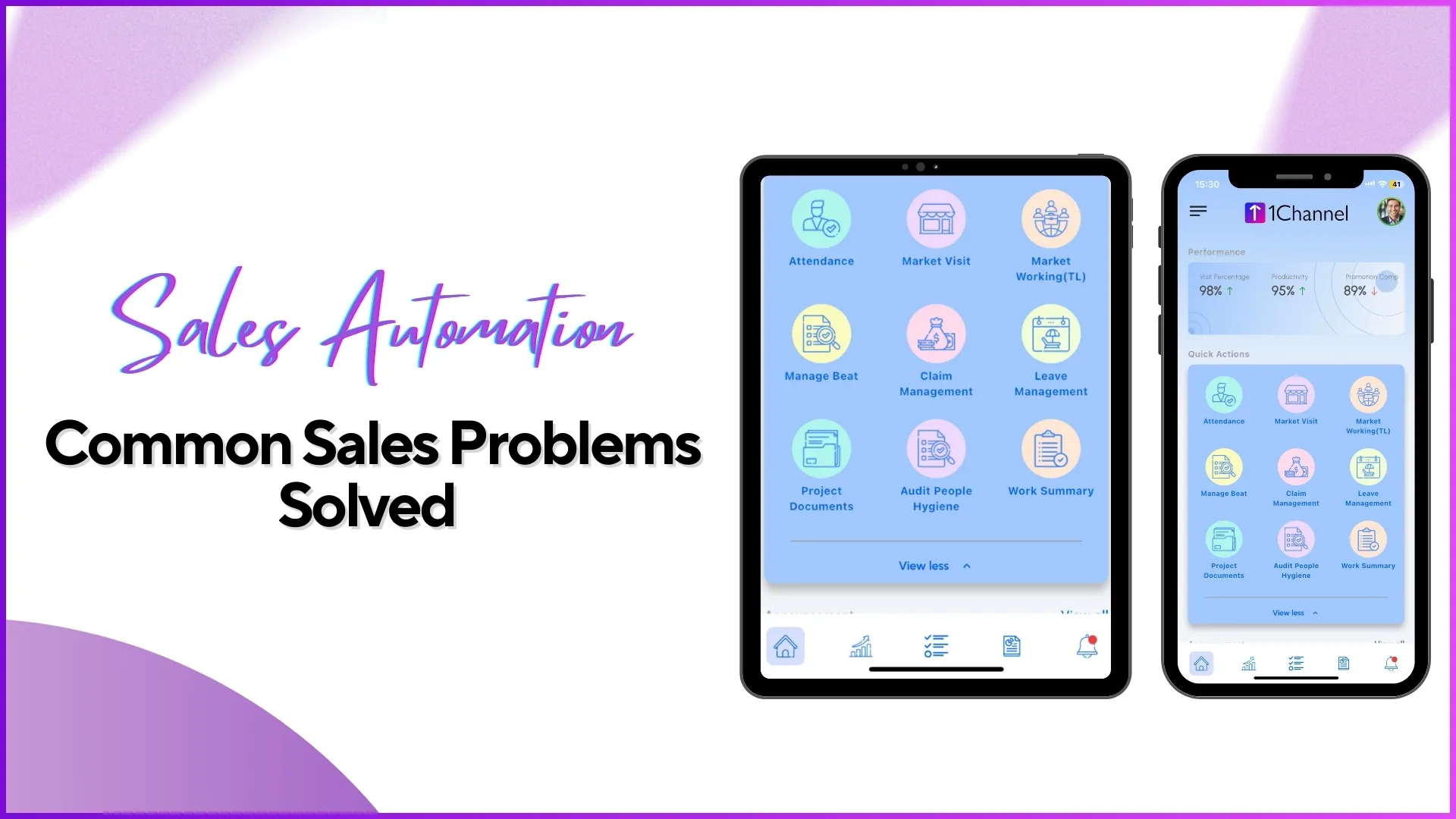
Every cloud-based field sales system operates through two interfaces: a web portal used by managers and administrators, and a mobile app used by field representatives. These are not two versions of the same tool. They serve fundamentally different purposes, address different user needs, and handle different types of data. Understanding what each interface does, and where the boundary between them lies, is essential for any Malaysian business evaluating or implementing a sales force automation platform.
This article breaks down both interfaces in detail, explains how data flows between them, and clarifies why a field sales system requires both to function effectively.
Table of Contents
The Web Portal: Where Strategy, Configuration, and Oversight Happen
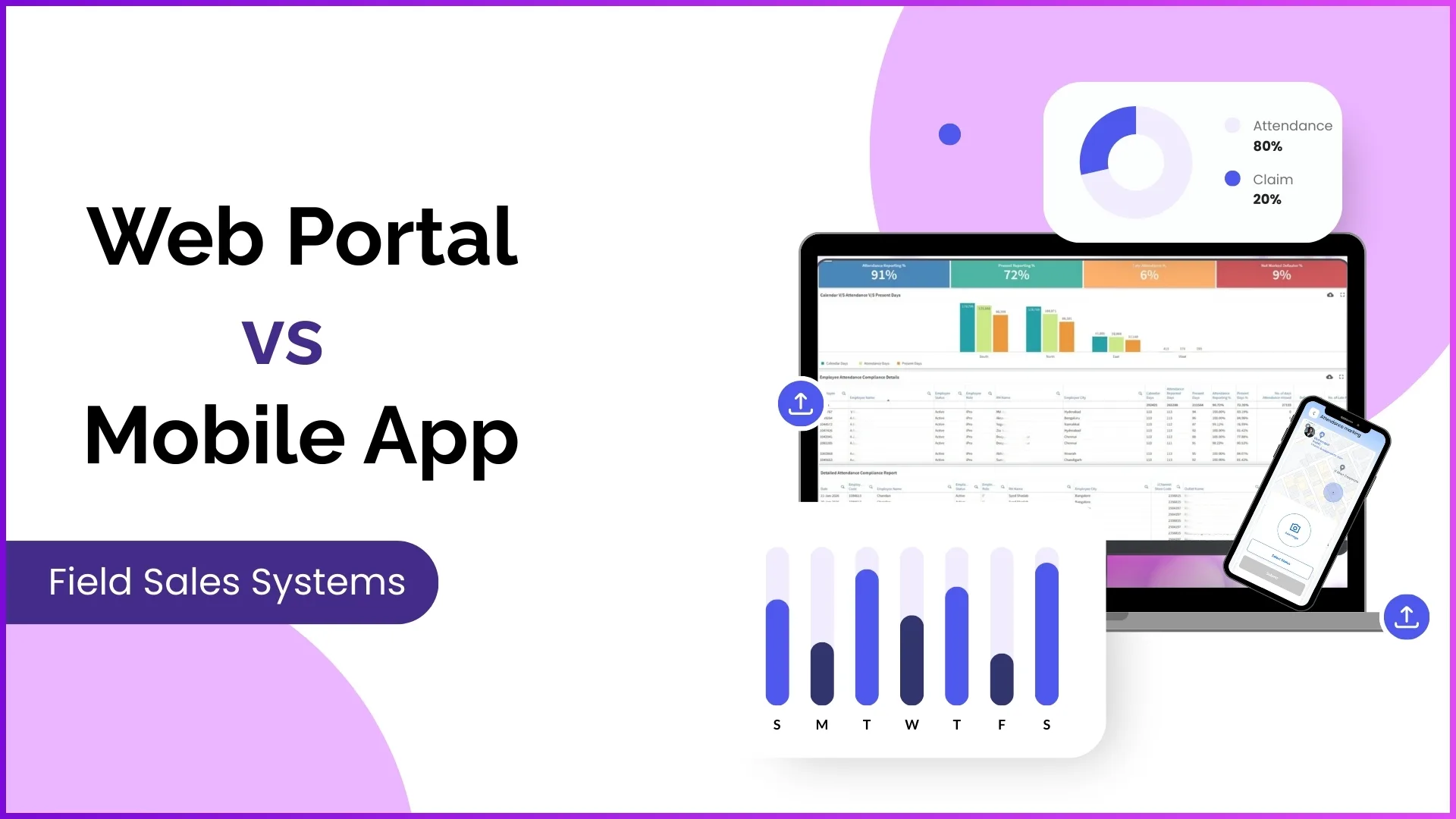
The web portal is the administrative backbone of the SFA platform. It is accessed through a browser on a desktop or laptop and is designed for users who configure the system, define business rules, review performance, and approve field activities. In most organisations, portal users include programme managers, regional managers, HR administrators, and business heads.
The portal is where decisions are made. The mobile app is where those decisions are carried out.
User and team structure
The portal is where the entire organisational hierarchy for field operations is built and maintained. Administrators create user accounts, assign roles such as promoter, team leader, or area manager, and define reporting relationships. The organisation tree visible in the portal determines who reports to whom, which controls everything from leave approval routing to data visibility in dashboards.
Role-based permissions are also configured here. An admin can specify that a team leader has access to attendance reports and visit data but not to HR management or expense configuration. These permissions are granular, allowing access control at the module and sub-module level.
Product and store configuration
All master data lives in the portal. The product hierarchy, consisting of brands, categories, products, and SKUs, is created and maintained here. Store masters with outlet names, codes, GPS coordinates, channel classifications, and distributor mappings are uploaded through the portal. Beat plans that determine which rep visits which outlets on which days are configured and published from this interface.
For a Malaysian FMCG company managing outlets across modern trade chains like Aeon and Lotus's alongside traditional trade shops in Klang Valley, this master data configuration determines how field activity is structured at ground level.
Dashboards and analytics
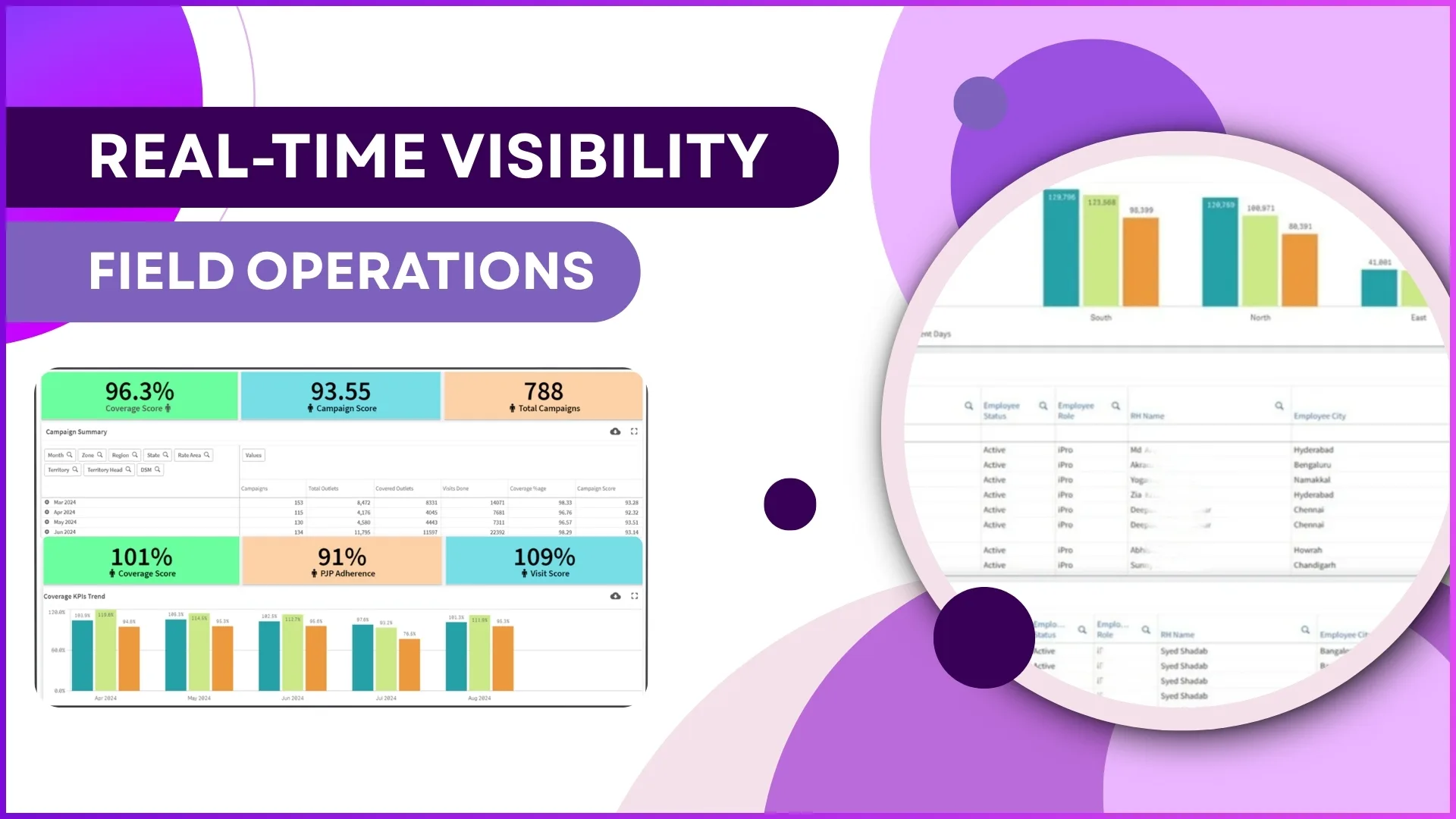
The advanced dashboard is the portal's landing screen. It displays attendance reporting percentages, present attendance rates, late check-in counts, defaulter lists, market visit progress, and sales metrics across the entire team. These are aggregate views that no individual field rep needs or should have access to.
The analytics section provides a report catalogue with over 40 pre-built reports covering attendance summaries, visit productivity, sales by SKU, beat compliance, merchandising status, distance travelled, and more. A report builder allows administrators to create custom reports by selecting dimensions, filters, and output formats. All reports are downloadable in Excel format.
Approvals and governance
Every request that originates in the field passes through the portal for approval. Leave applications, expense claims, attendance regularisation requests, and activity submissions all route to the appropriate manager based on the configured hierarchy. The portal provides the approval interface where managers review supporting data, such as receipt photos for expense claims or GPS coordinates for attendance regularisation, and approve or reject with a single action.
System settings and automation
The portal houses all system-level configurations: geofencing rules per role, attendance time windows, expense policy limits, leave type definitions, holiday calendars, scheme configurations, and workflow automation rules. Changes made here take effect across all mobile app users immediately without requiring app updates or device-level changes.
The Mobile App: Where Field Execution Happens
The mobile app is the field-facing interface, available on both Android and iOS. It is designed for speed, simplicity, and reliability in conditions where internet connectivity may be intermittent and the user is standing in a retail outlet, not sitting at a desk. Every action in the app captures metadata including timestamps, GPS coordinates, and device identifiers that feed into the portal's reporting engine.
Attendance marking
The rep's day starts with attendance. The app captures a live selfie for AI face validation, records GPS coordinates, and logs the timestamp. If geofencing is configured, the system verifies that the rep is within the allowed radius of their assigned store before accepting the check-in. The entire process takes about 10 to 15 seconds. Random attendance prompts can also appear during the day, requiring the rep to confirm continued field presence with a fresh photo and location capture.
Store visits and beat execution
The day's beat plan appears on the app's home screen. The rep sees which outlets they need to visit, with navigation support to reach each location. At each store, they check in with GPS verification, perform assigned activities such as order capture, stock recording, merchandising checks, or questionnaire submissions, and check out when the visit is complete. The app tracks entry and exit times for each visit.
Sales and stock capture
During store visits, reps record sales data at the SKU level using a pre-loaded product catalogue. Stock levels can be updated for each outlet, providing the operations team with real-time inventory visibility across the retail network. All data syncs to the cloud portal as soon as it is submitted, appearing in sales and stock reports within seconds.
Merchandising and photo evidence
For reps responsible for visual merchandising execution, the app provides workflows for photographing POSM deployments, shelf displays, and competitor activities. If merchandising was not completed at a store, the rep selects a predefined reason from the app. All images are tagged with GPS and timestamps for verification.
Leave, expenses, and personal data
The app provides self-service access to leave applications, expense claim submissions, attendance history calendars, and target progress tracking. Reps can see their leave balances, apply for time off, submit claims with receipt photos, and track the approval status of their requests without needing to contact their manager or HR.
Work summary and team visibility
Team leaders can view their direct reports' daily activities through the work summary feature, including attendance timing, stores visited, and tasks completed. This provides first-level supervision capability without requiring portal access.
Side-by-Side Comparison
| Dimension | Web Portal | Mobile App |
|---|---|---|
| Core function | Configuration, monitoring, approvals | Field execution, data capture |
| Primary users | Admins, managers, HR, business heads | Field reps, promoters, team leaders |
| Data direction | Receives and aggregates field data | Generates and transmits field data |
| Access scope | Organisation-wide (filtered by role) | Individual user's own data only |
| Platform | Browser-based (desktop/laptop) | Android and iOS |
| Offline capability | Requires internet connection | Works offline, syncs when connected |
| GPS/camera usage | Not applicable | GPS, camera, and device sensors active |
| Customisation | Branding, themes, module access per role | Branding, dark/light mode, personalised dashboard |
How Data Flows Between Portal and App
The relationship between the portal and app is not one-directional. Data flows continuously in both directions through a shared cloud database.
Portal to app (top-down)
- Beat plans, store assignments, and visit schedules published in the portal appear on each rep's app based on their assigned territory
- Product catalogues, SKU pricing, and scheme configurations pushed from the portal determine what the rep sees when placing orders
- Geofencing rules, attendance time windows, and activity configurations set in the portal control what the app allows and restricts
- Announcements, banners, and content decks uploaded by admins appear on the app's home screen for the relevant user roles
App to portal (bottom-up)
- Attendance entries with AI-validated photos and GPS coordinates flow into the attendance dashboard
- Store visit check-ins, activities, and order data populate the visit productivity and sales reports
- Leave applications and expense claims enter the approval workflow in the portal
- Merchandising photos, questionnaire responses, and stock updates appear in their respective report sections
This bidirectional flow means that a configuration change in the portal, such as adding a new store to a beat plan, becomes visible in the rep's app within minutes. Conversely, an order placed by a rep in Johor Bahru at 11:42 AM appears in the portal's sales dashboard in Kuala Lumpur at 11:42 AM.
Why a Field Sales System Needs Both Interfaces
It is worth addressing why the system cannot simply be an app or simply be a portal.
An app alone is insufficient because:
- Complex configurations like product hierarchies, pricing rules, scheme management, and workflow automation require a full-screen desktop interface with bulk upload capabilities. These cannot be practically managed on a mobile device.
- Report analysis involving 40+ reports with multiple filters, date ranges, and export options requires screen real estate that mobile devices cannot provide.
- Multi-level approval workflows need a consolidated view where managers see all pending requests across their team in one screen, not one notification at a time.
- Role and permission management, which determines what every user in the system can see and do, needs an administrative interface with the precision that mobile forms cannot offer.
A portal alone is insufficient because:
- Field data capture requires GPS hardware, device cameras for AI validation and merchandising photos, and offline storage for areas with poor connectivity. Web browsers on laptops do not provide these capabilities.
- Reps visiting 10 to 15 outlets per day need an interface they can use while standing in a store, with one hand free. A desktop portal is not designed for this context.
- Real-time data from the field depends on a mobile app that captures timestamps, coordinates, and photos at the moment of action, not retroactively from an office.
The two interfaces are not alternatives. They are complementary layers of the same system, each optimised for its user context.
Portal and App Customisation for Malaysian Businesses
Both the portal and app support white-labelling and branding customisation. Under the portal's general settings, organisations can configure:
- Company logo and app icon that replace the default branding across both portal and mobile app
- Brand colours that apply to the portal's theme and the app's interface elements
- Project name and contact details displayed within the system
- Regional settings including time zone (MYT for Malaysia), date format, and financial year configuration
On the app side, individual users can set preferences like dark mode or light mode and choose their preferred theme. These personalisation options make the app feel like the organisation's own tool rather than a third-party product, which supports adoption among field teams who use the app every working day.
Explore Sales Force Automation
1Channel's SFA platform provides a fully integrated web portal and mobile app with role-based access, real-time sync, offline capability, and white-label customisation.
Explore SFA Solutions →The AI Layer That Bridges Both Interfaces
Modern SFA platforms also include an AI assistant accessible from within the system. Users can type natural language queries or browse help topics to find information quickly. Examples include asking "Show my pending orders," "How to place an order," or "Show orders for a specific territory." This AI layer helps both portal and app users navigate the system efficiently without extensive training, reducing the learning curve for new team members joining the field force.
Frequently Asked Questions
Can a manager access the mobile app?
Yes, but the app shows only the functionality relevant to the manager's role. A team leader logging into the app can view their direct reports' work summaries and approve certain requests. However, the full scope of administrative functions, analytics, and configurations is available only through the web portal.
Does the mobile app work without internet?
Yes. The app is designed with offline-first architecture. Attendance marking, store check-ins, order capture, photo uploads, and questionnaire submissions all work without an active internet connection. Data is stored locally and syncs to the cloud when connectivity resumes. GPS and timestamps are captured at the time of action, not at the time of sync.
Can the portal and app have different branding?
Both the portal and app use the same branding configuration set in the general settings. When an organisation uploads its logo and brand colours, these apply across both interfaces consistently. The mobile app icon is configured separately to match the organisation's app store listing.
What if a field rep needs access to a report?
Field reps see their individual performance data through the app's dashboard, including personal attendance summary, target progress, order history, and sales trends. Organisation-wide reports and cross-team analytics remain exclusive to portal users with the appropriate role permissions.
Is the same login used for both portal and app?
Both interfaces share the same user database. However, the portal login typically uses email-based credentials, while the app uses mobile number with OTP verification. Role-based access determines what each user sees on their respective interface.
Conclusion
The web portal and mobile app are not competing interfaces. They are two halves of a single operational system, each designed for a specific user context. The portal handles what requires broad visibility, complex configuration, and deliberate decision-making. The app handles what requires speed, mobility, location awareness, and real-time data capture.
For Malaysian businesses building or evaluating a field sales automation platform, the question is not whether to prioritise the portal or the app. The question is whether both interfaces are well-designed for their respective users, and whether the data flow between them is seamless enough that a configuration change in the portal reaches the field in minutes and a field action reaches the dashboard in seconds. That bidirectional speed is what makes the system operational rather than merely administrative.