A picture of success is the reference photo that shows how a POSM display should look once installed. Every audit score is measured against it.
That shared reference matters most for FMCG, Consumer Durables, Cosmetics and Personal Care, and Retail and Modern Trade brands running shelf strips, standees and banners across the Philippines.
Without it, two auditors can score the same photo differently, and a campaign's results stop being comparable from one outlet to the next.
This post covers how campaign parameters are defined, what a field executive captures in the app, and how an auditor scores each submission.
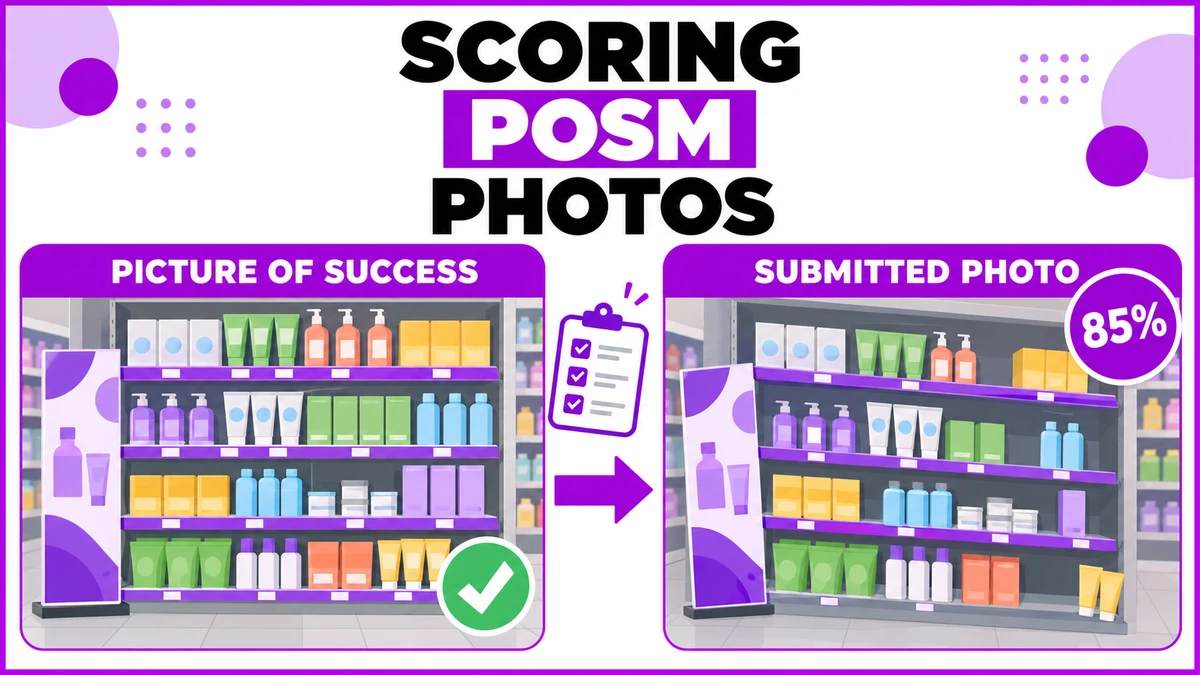
How a Campaign Defines What Good Looks Like
Every campaign carries a list of scored parameters, such as a standee at the entrance or a shelf strip at eye level.
Each parameter has three things attached: a weight, a picture-of-success image, and a written guideline that states the scoring rule in plain words.
A typical rule reads like this: 100% if one or more standees are visible, 0% otherwise.
A personal care brand launching a shelf strip across Metro Manila pharmacies might weight strip placement at 50%.
The entrance standee could carry 30%, and the price banner the remaining 20%.
Every outlet in the campaign is then judged on the same three lines, with the same reference photos behind them.
What the Field Executive Captures in the App
At each outlet, the Activation list shows one card per running campaign, with days remaining, the POSM types required, and a colour-coded outlet campaign score.
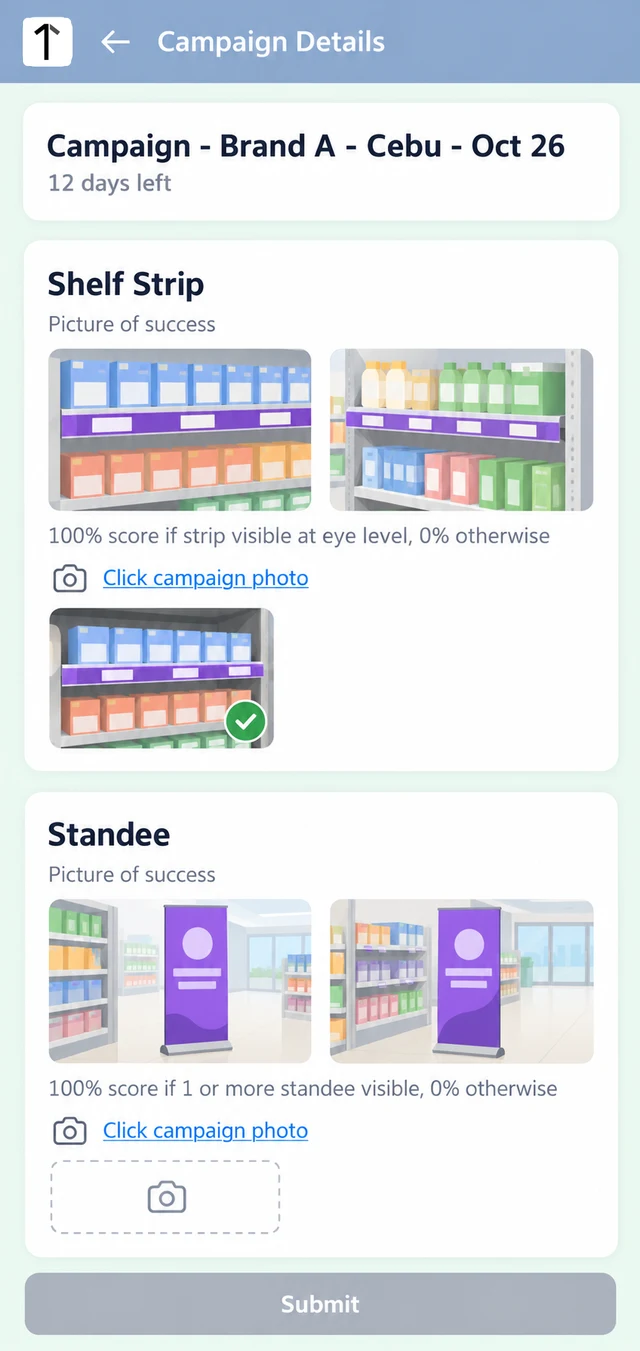
Inside a campaign, each required POSM type shows its picture-of-success thumbnails and scoring rule beside a camera link for the campaign photo.
Tapping a thumbnail opens the reference full screen, so the executive can compare before shooting. Submit stays disabled until every required photo is captured.
A field executive in Davao City finds a pharmacy closed for renovation.
Ticking No activity to be done today and choosing Store under renovation closes the task without a photo.
The auditor never receives an empty submission to chase, and the reason stays visible on the task.
How Auditors Score Each Submission
Filter, Open and Compare
In Campaign Audit, an auditor filters by date range, state, city or user, then opens any row in the results grid.
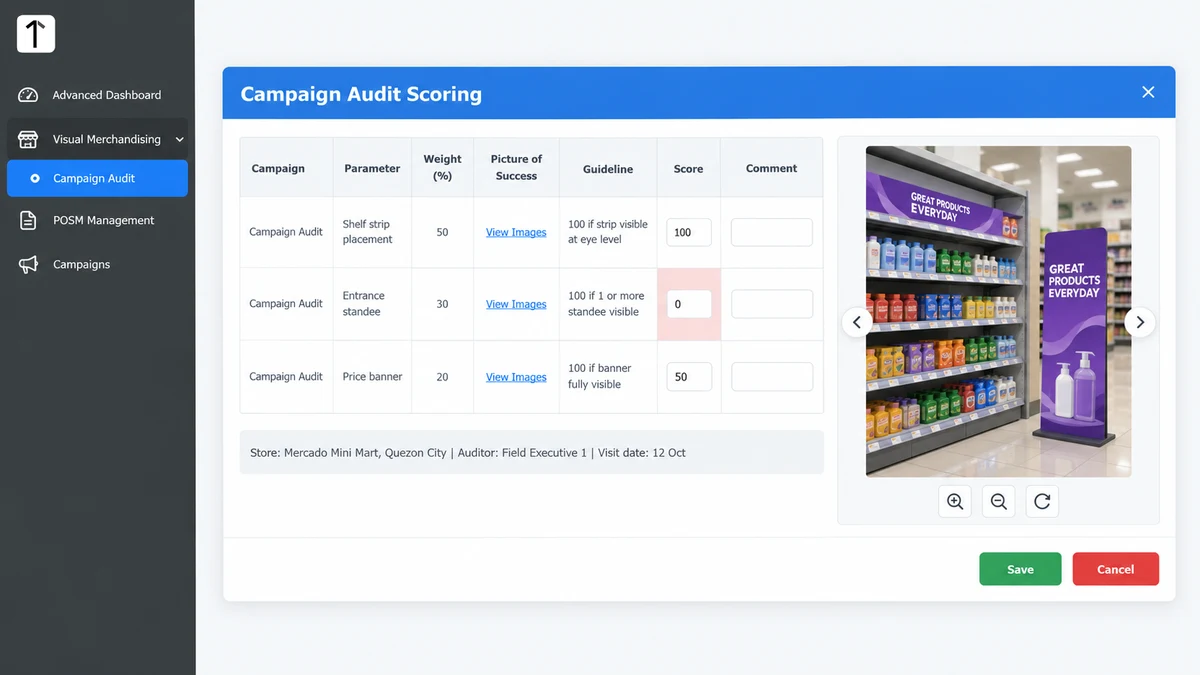
The scoring screen lists each parameter with its weight, picture of success and guideline. The submitted photo sits beside it, with pagination for extra shots.
The auditor enters a percentage score and a comment for every line.
Two Campaigns, One Visit
When an outlet runs two campaigns at once, the same visit shows one row for every campaign and parameter combination.
Each row is scored on its own, so a strong standee for one brand never hides a missing banner for another.
| Parameter | Weight | Auditor score | Weighted points |
|---|---|---|---|
| Shelf strip placement | 50% | 100 | 50 |
| Entrance standee | 30% | 0 | 0 |
| Price banner | 20% | 50 | 10 |
| Outlet campaign score | 100% | 60 |
Weights add up to 100%, so each outlet lands on one campaign score that feeds the coverage and campaign dashboards.
Where AI Image Recognition Fits
Manual scoring depends on how closely each auditor looks. 1Channel also offers AI image recognition for retail, which reads POSM and promotional photos against the approved layout.
When the system is not confident in a photo, it prompts the rep to retake the shot on the same visit.
A weak photo never waits in a queue for a reviewer to catch later.
How 1Channel Keeps Photo Scores Consistent
1Channel connects campaign setup, field capture and audit scoring in one flow, so the reference an executive sees is the same one the auditor scores against.
Campaign results then roll into coverage and score dashboards, giving brand teams one comparable number for every outlet.
How 1Channel Keeps Photo Scores Consistent
Track POSM deployments, collect photo proof, and score every outlet against one picture of success across the Philippines.
Explore POSM Tracking →Key Takeaways
- A picture of success gives every auditor the same reference, so scores stay comparable across outlets.
- Each parameter carries a weight, a reference image and a plain-language scoring rule.
- Field executives see the reference before shooting, and Submit unlocks only when every required photo is in.
- A bypass reason closes a task cleanly when a store is closed or under renovation.
- Two campaigns on one visit are scored line by line, never blended into a single guess.
Note: Software screens may vary based on your business structure and configured workflows.