This guide builds a free scheme slab sheet in EtherCalc. It checks each pre-Tet order against the free cartons that order actually earned.
It suits distributors across Vietnam selling FMCG, Consumer Durables, Agriculture inputs and Cosmetics and Personal Care lines to tạp hóa and minimart customers.
Tet falls on 6 February 2027. The season is reported to bring roughly a fifth of the year's FMCG value, and retailers stock up weeks ahead.
That makes December and January the heaviest scheme months. The sheet below catches over-given free goods before they pile up across those eight weeks.
Where Pre-Tet Scheme Margin Slips Away
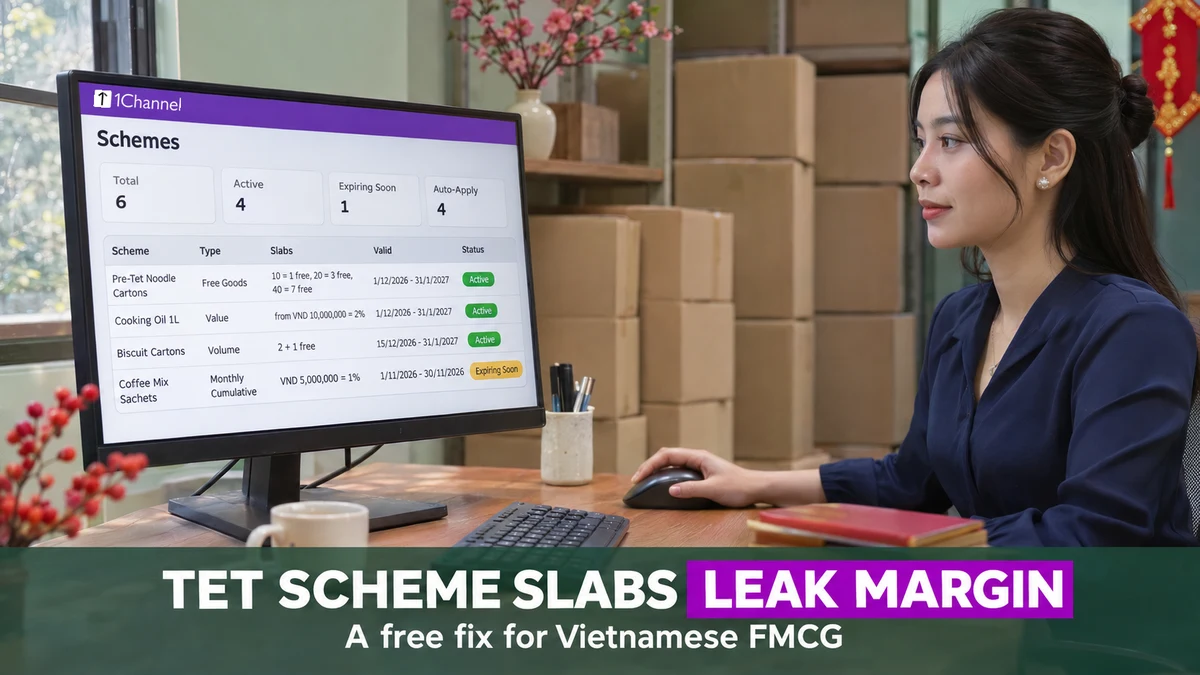
A free-goods scheme usually pays in slabs. Buy past a set carton count and a fixed number of free cartons comes with the order.
When reps or the sales admin work those slabs out by hand, the same three mistakes repeat through the season.
| Mistake | How it happens | Who pays |
|---|---|---|
| Rounding up to the next slab | 18 cartons booked as if the outlet reached 20 | The distributor or brand, in extra free cartons |
| Orders outside the run window | Free goods given before the scheme opened or after it closed | The scheme budget |
| Short-changed slabs | An outlet that bought 40 cartons gets the 20-carton reward | The retailer first, then the relationship |
The first two leak margin quietly. The third surfaces as a dispute at the counter, often weeks later, when nobody can find the delivery note.
Build the Scheme Slab Sheet, Step by Step
The sheet uses one illustrative pre-Tet scheme on instant noodle cartons. Swap in your own slabs, dates and carton price.
Step 1: Create a Blank EtherCalc Sheet
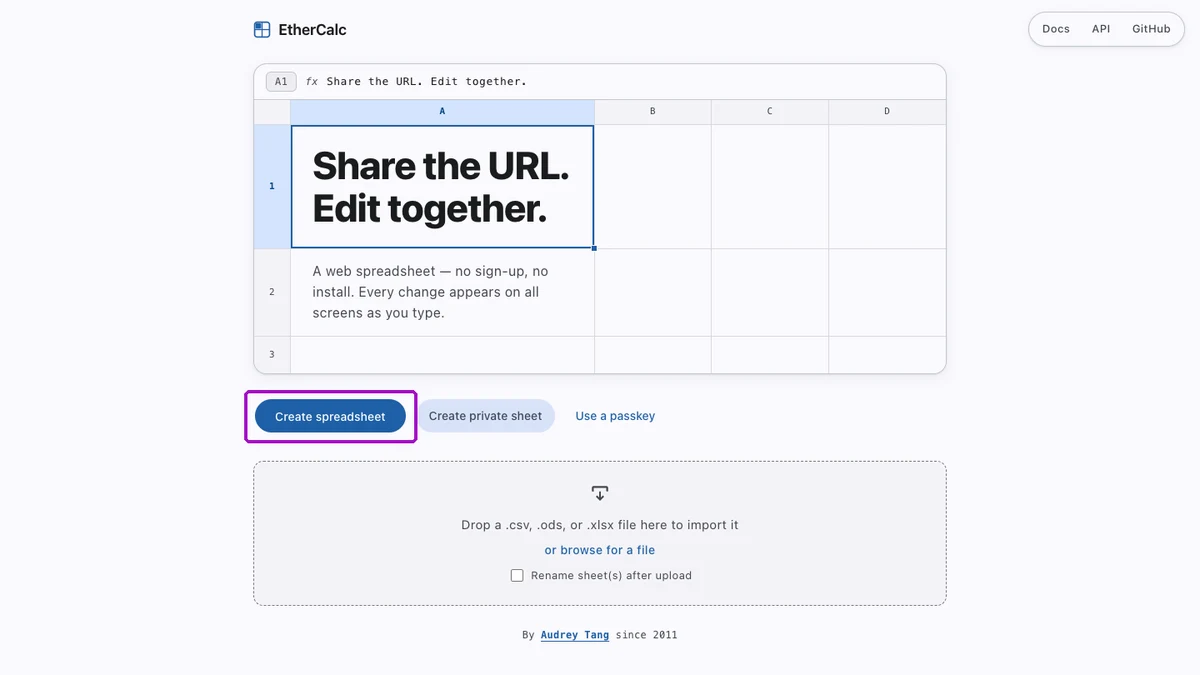
Go to ethercalc.net and click Create spreadsheet. The sheet opens at its own web address, with no sign-up and nothing to install.
Anyone with that address can open and edit it. Share it only with the people who need it, and use outlet codes instead of owner names.
Step 2: Type the Scheme Rules at the Top
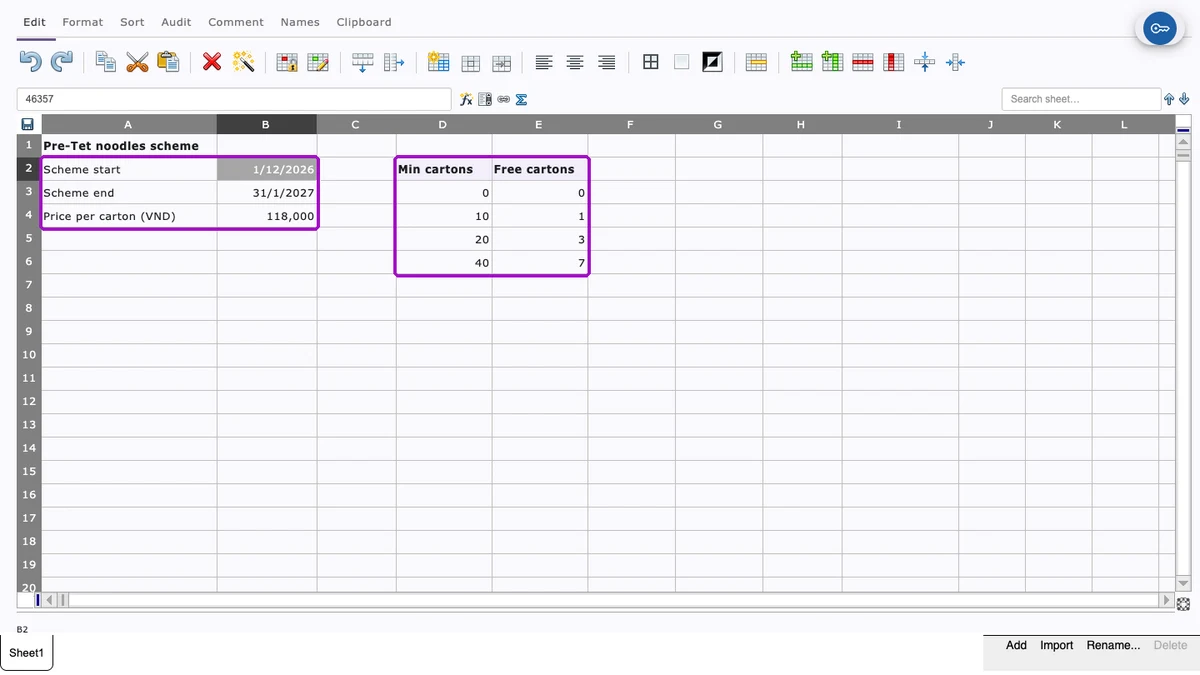
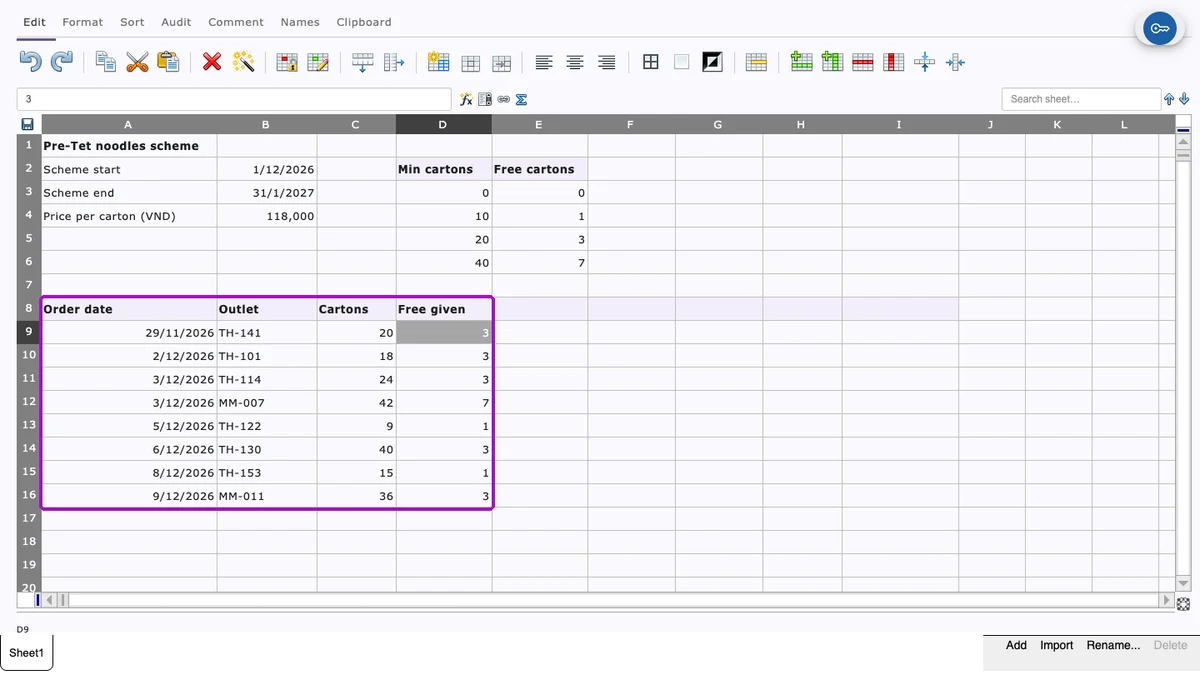
In A2 to B4, enter the scheme start date, the end date and the price of one carton in VND. Here they are 1/12/2026, 31/1/2027 and 118,000.
In D2 to E6, build the slab table with minimum cartons on the left and free cartons on the right. Start it with a 0 row.
This example pays 1 free carton from 10 cartons, 3 from 20 and 7 from 40.
Step 3: Log Each Order and the Free Cartons Delivered
From row 9 down, enter one order per row: order date, outlet code, cartons bought and the free cartons that went out with it.
Take that last figure from the delivery note, not the order form. The delivery note records what the outlet really received.
Step 4: Check Each Order Against the Scheme Window
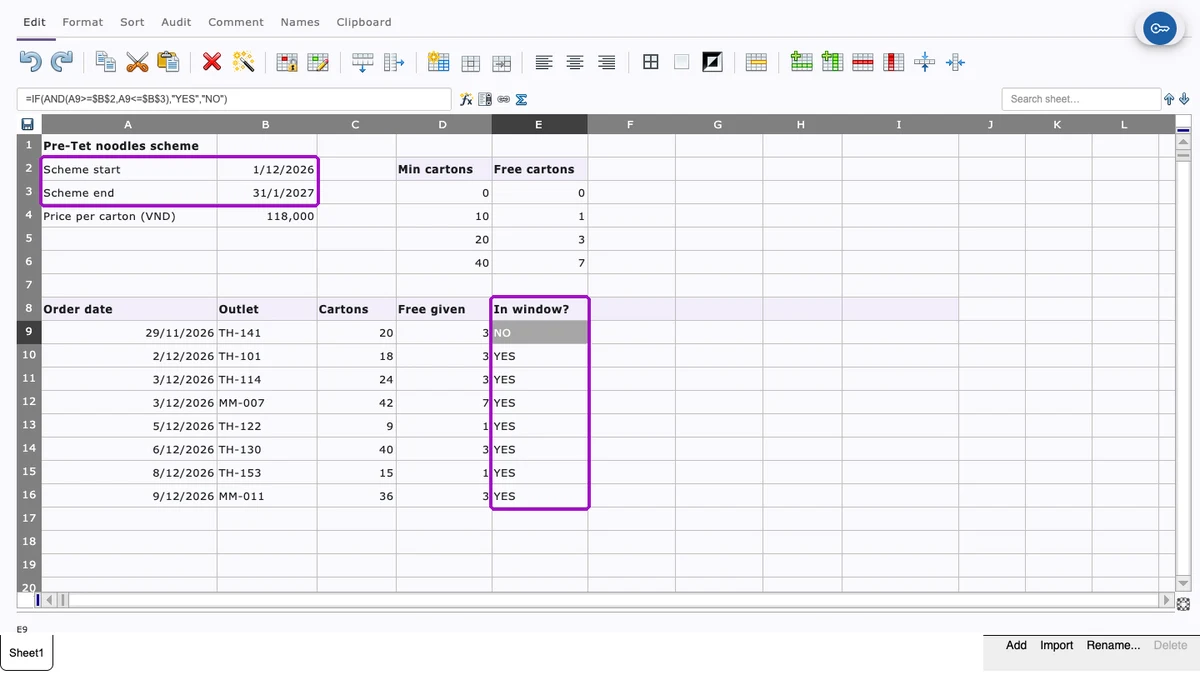
In E9, enter =IF(AND(A9>=$B$2,A9<=$B$3),"YES","NO") and copy it down to row 16. The dollar signs keep the two dates fixed.
Any order dated outside the window returns NO, so it earns no free goods whatever its size.
Step 5: Look Up the Free Cartons Due
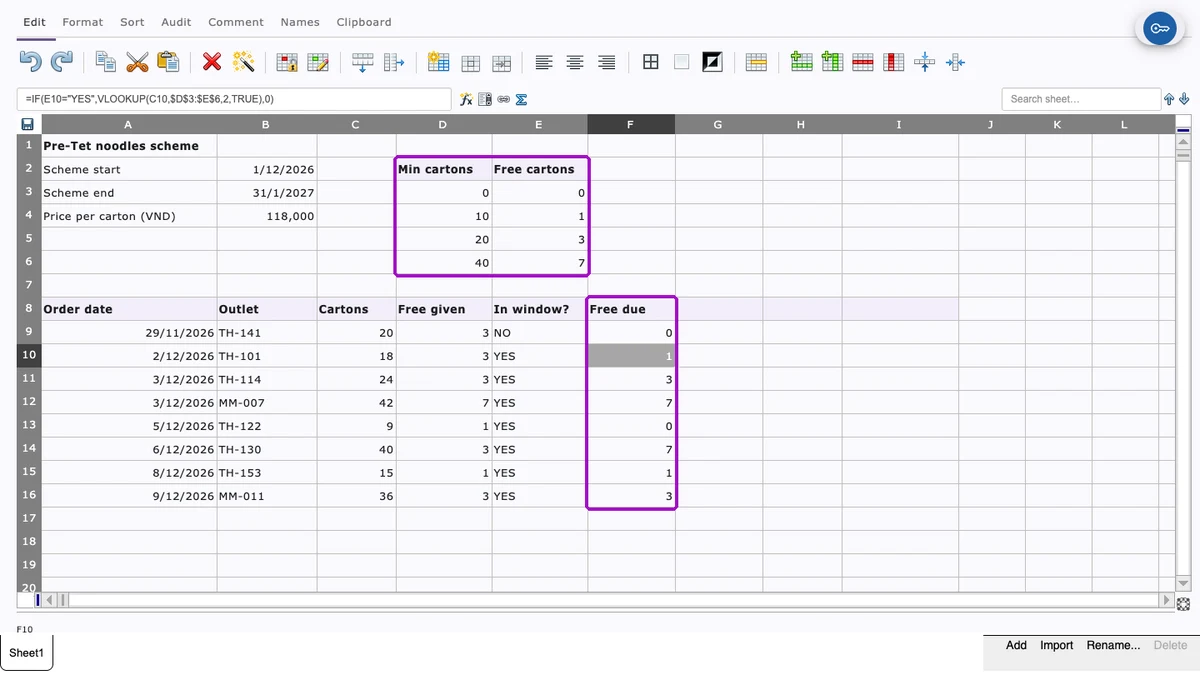
In F9, enter =IF(E9="YES",VLOOKUP(C9,$D$3:$E$6,2,TRUE),0) and copy it down.
The TRUE makes VLOOKUP return the highest slab the order reached. So 18 cartons lands on the 10-carton row and returns 1, never 3.
Step 6: Flag Over-Given Cartons and Price the Leak
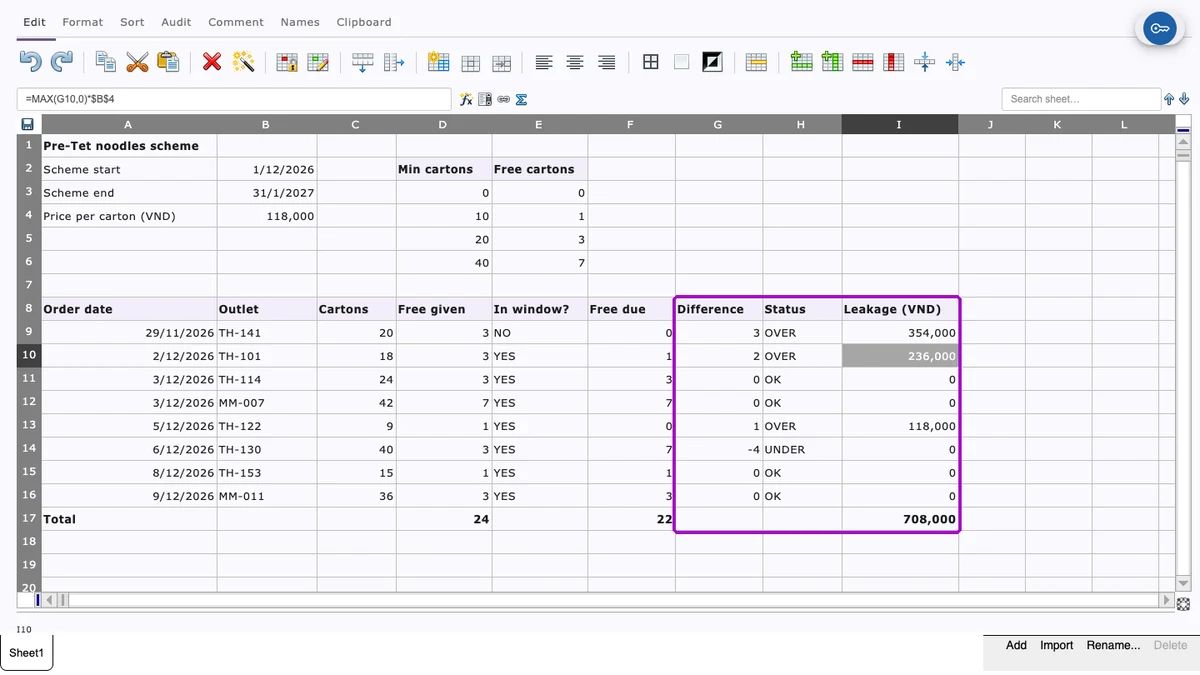
In G9, subtract what was due from what was given with =D9-F9. In H9, label the row with =IF(G9>0,"OVER",IF(G9<0,"UNDER","OK")).
In I9, price only the extra cartons with =MAX(G9,0)*$B$4. Copy all three down, then add SUM totals in row 17.
What One Week of Hanoi Orders Showed
Thang Long Distribution Co., an illustrative Hanoi distributor, ran the sheet on eight orders from its first scheme week.
- TH-141 bought 20 cartons on 29 November, before the scheme opened, yet received 3 free cartons.
- TH-101 bought 18 cartons and was given the 20-carton reward of 3, against 1 due.
- TH-122 bought 9 cartons, one short of the first slab, and still got 1 free.
- TH-130 bought 40 cartons but received only 3 free, 4 fewer than the 7 it earned.
Free cartons given came to 24 against 22 due. The 6 extra cartons cost VND 708,000, and one tạp hóa was owed 4 cartons it never received.
That is one route in one week. Without a check, the same slips repeat on every route until Tet.
Limits of a Hand-Kept Scheme Sheet
The sheet finds leaks after the goods have left the warehouse. It cannot stop them while the order is being booked.
- It checks an order only after someone types it in, often days after delivery.
- It handles one scheme at a time. Two overlapping schemes need extra columns and a stacking rule.
- Anyone with the link can edit it, and nothing records who changed a slab.
- It cannot see the distributor's stock or the outlet's credit at the moment of ordering.
- Free-goods claims back to the brand still mean matching delivery notes by hand.
How 1Channel Applies Scheme Slabs at the Order
In 1Channel's cloud DMS, a scheme is built once in a five-step wizard: Basic, Products, Customers, Slabs and Review. Free Goods, Value and Volume types are supported.
Eligibility is checked as each item goes into the cart. The earned slab and its free goods then apply automatically, in the field app and the distributor's cart.
Each scheme carries a Priority and a Combinable setting for when two schemes fit one order. An Expiring Soon tile flags schemes nearing their end date.
On the AI-powered DMS, every order is checked against live stock, eligible schemes, pricing and the outlet's credit before it is accepted.
The Scheme Performance report then shows each scheme's effectiveness and adoption, so the next Tet plan starts from evidence.
Let Every Order Find Its Own Slab
Build each pre-Tet scheme once and let the order apply the slab it earned, with no extra cartons and no short ones.
Explore Scheme Management →Common Mistakes to Avoid
- No 0 row in the slab table: VLOOKUP then returns an error for orders under 10 cartons.
- Dates typed as text: enter real dates, or the window check cannot compare them.
- Free cartons copied from the order form: use the delivery note, which shows what actually went out.
- Editing a slab mid-season: every past row re-scores, so start a new sheet for a changed scheme.
- Sharing the link widely: anyone who has it can change the slab table.
Note: Since the manual method was only tested once, consult a technical expert before running bulk operations.