Every loyalty program collects participant information, but the type of information often differs based on business requirements.
Some programs only require basic registration details, while others need business information, product details, KYC data, or custom fields for specific partner categories.
Modifying these forms through software development every time a requirement changes can slow down operations.
The Loyalty Engine addresses this challenge by enabling administrators to configure forms without writing code.
Through backend configuration, organizations can create dynamic registration forms, configure profile fields, define validation rules, and build business-specific forms that adapt to different loyalty programs.
This configurable approach allows the same platform to support multiple business scenarios while reducing dependency on application updates.
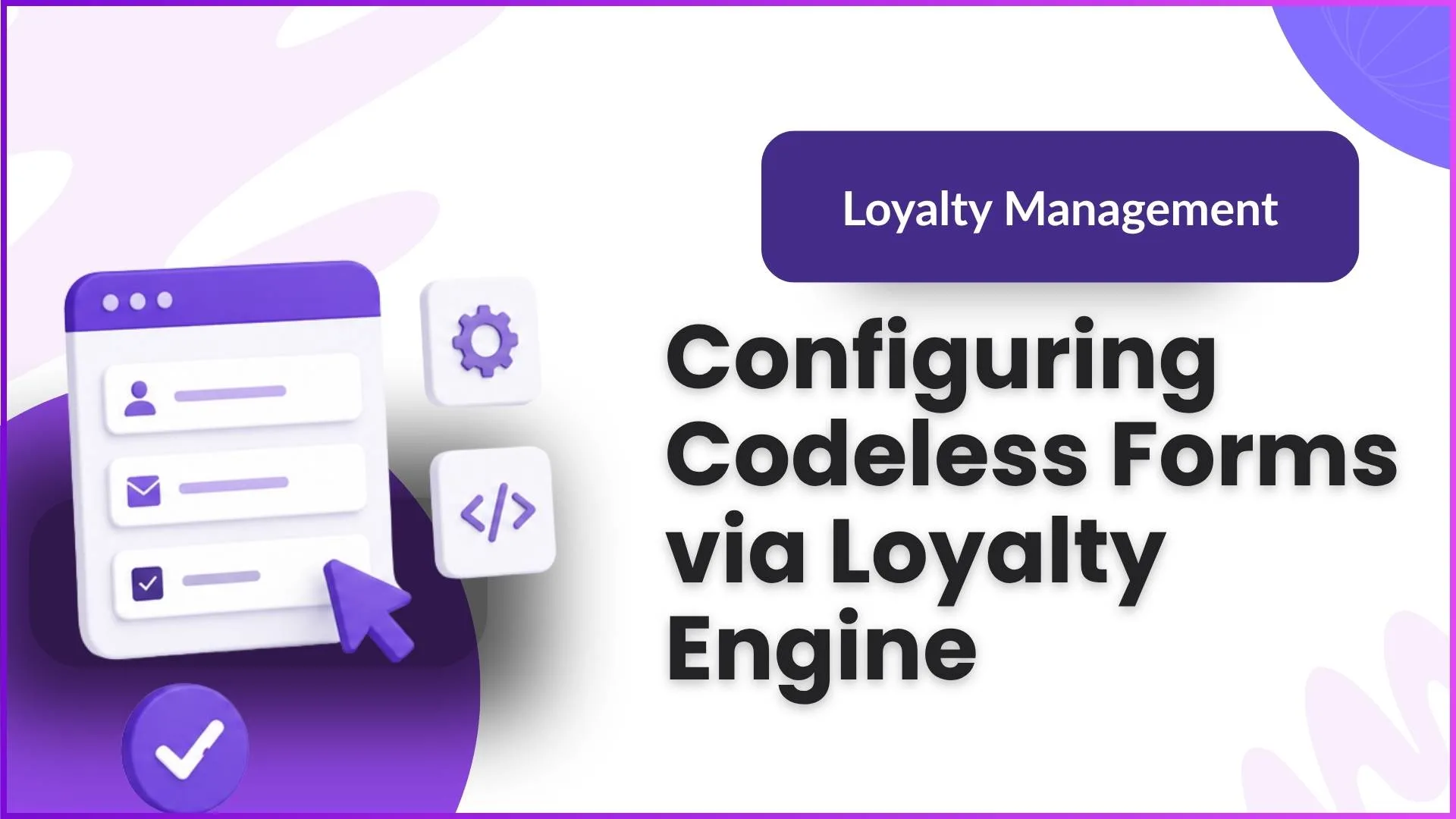
Configure Registration Forms Without Coding
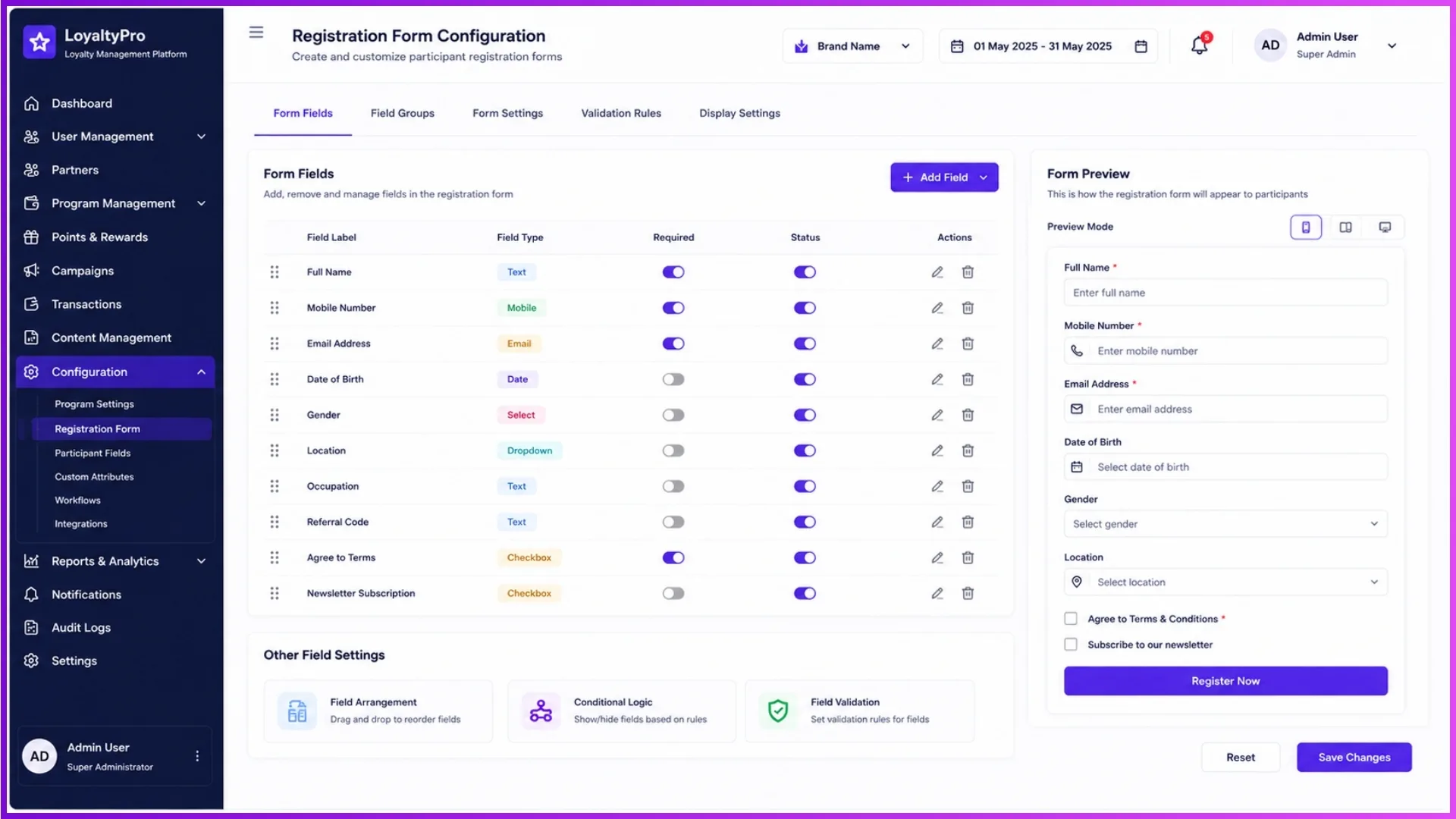
The Loyalty Engine allows administrators to configure registration forms directly from the backend instead of modifying application code.
As business requirements evolve, new fields can be added, existing fields can be updated, and unnecessary fields can be removed without affecting the core application.
Administrators can configure:
- Registration fields
- Profile completion forms
- Business information fields
- Participant-specific information
- Display sequence of fields
This flexibility ensures every loyalty program can collect only the information it requires.
Example:
A company launches separate loyalty programs for retailers and electricians. Retailers need Shop Name and GST Number, while electricians require License Number and Experience. Using configurable registration forms, both programs can use different forms while running on the same platform.
Configure Dynamic Field Types for Different Business Requirements
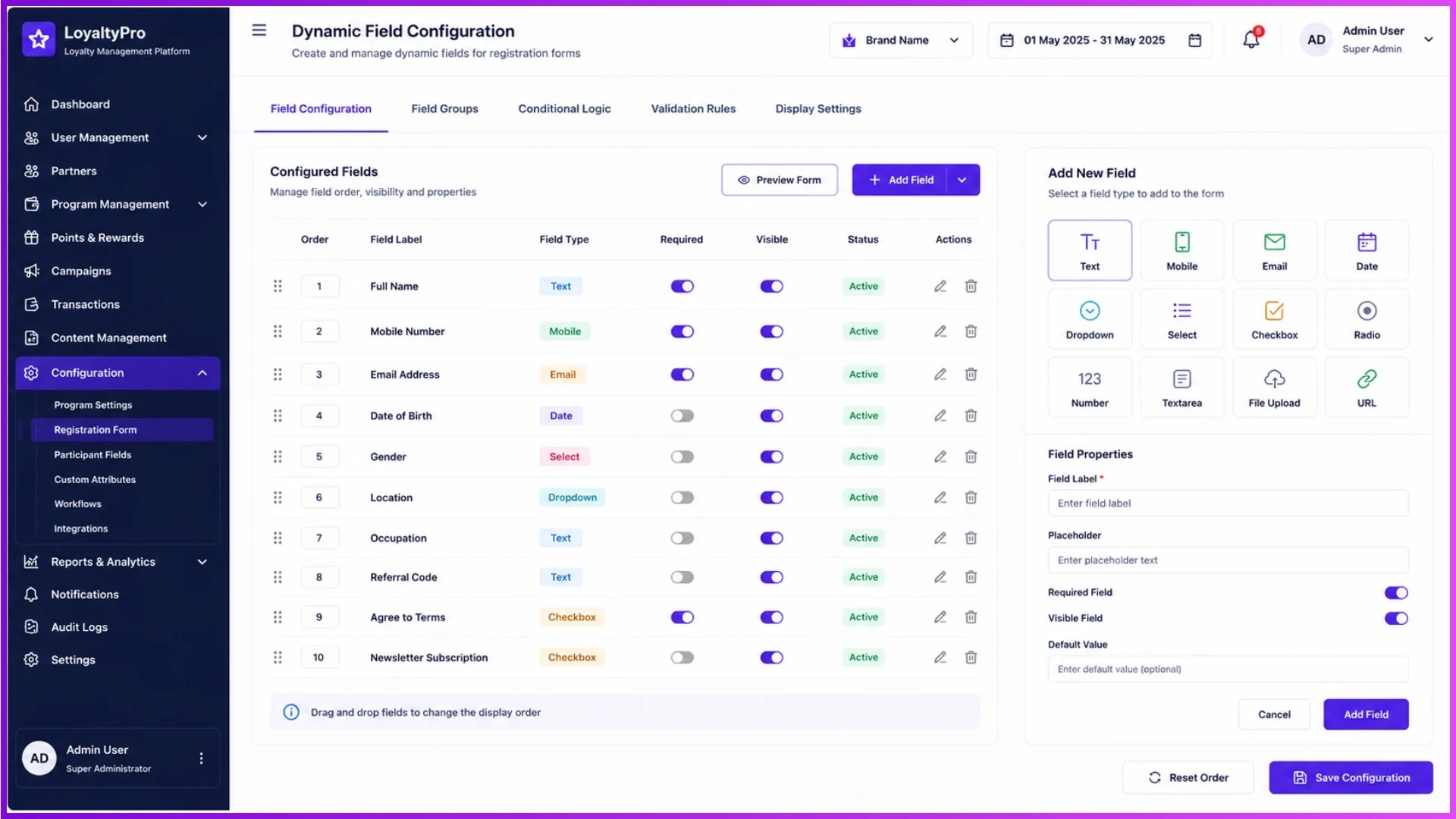
Every business captures different kinds of information. Instead of limiting administrators to fixed fields, the Loyalty Engine supports configurable field types that can be arranged according to program requirements.
Depending on the form being created, administrators can configure:
- Text fields
- Numeric fields
- Date fields
- Dropdown selections
- Radio buttons
- Checkbox options
Field labels, default values, and display order can also be configured from the backend.
Example:
While configuring a contractor registration form, the administrator creates:
- Contractor Name (Text)
- Mobile Number (Numeric)
- State (Dropdown)
- Years of Experience (Numeric)
- Preferred Product Category (Dropdown)
Each field is configured without requiring application redevelopment.
Control Field Visibility and Display Order
Not every participant needs to view the same information. The Loyalty Engine enables administrators to control which fields appear on a form and in what order they are displayed.
This allows organizations to simplify forms by displaying only relevant information for each participant category.
Administrators can configure:
- Visible fields
- Hidden fields
- Mandatory fields
- Optional fields
- Display sequence
A well-organized form improves the participant experience and reduces incomplete registrations.
Example:
A loyalty program introduces bank details only after participant approval. Initially, users complete basic registration, while additional financial information becomes visible during profile completion.
Apply Validation Rules Without Development
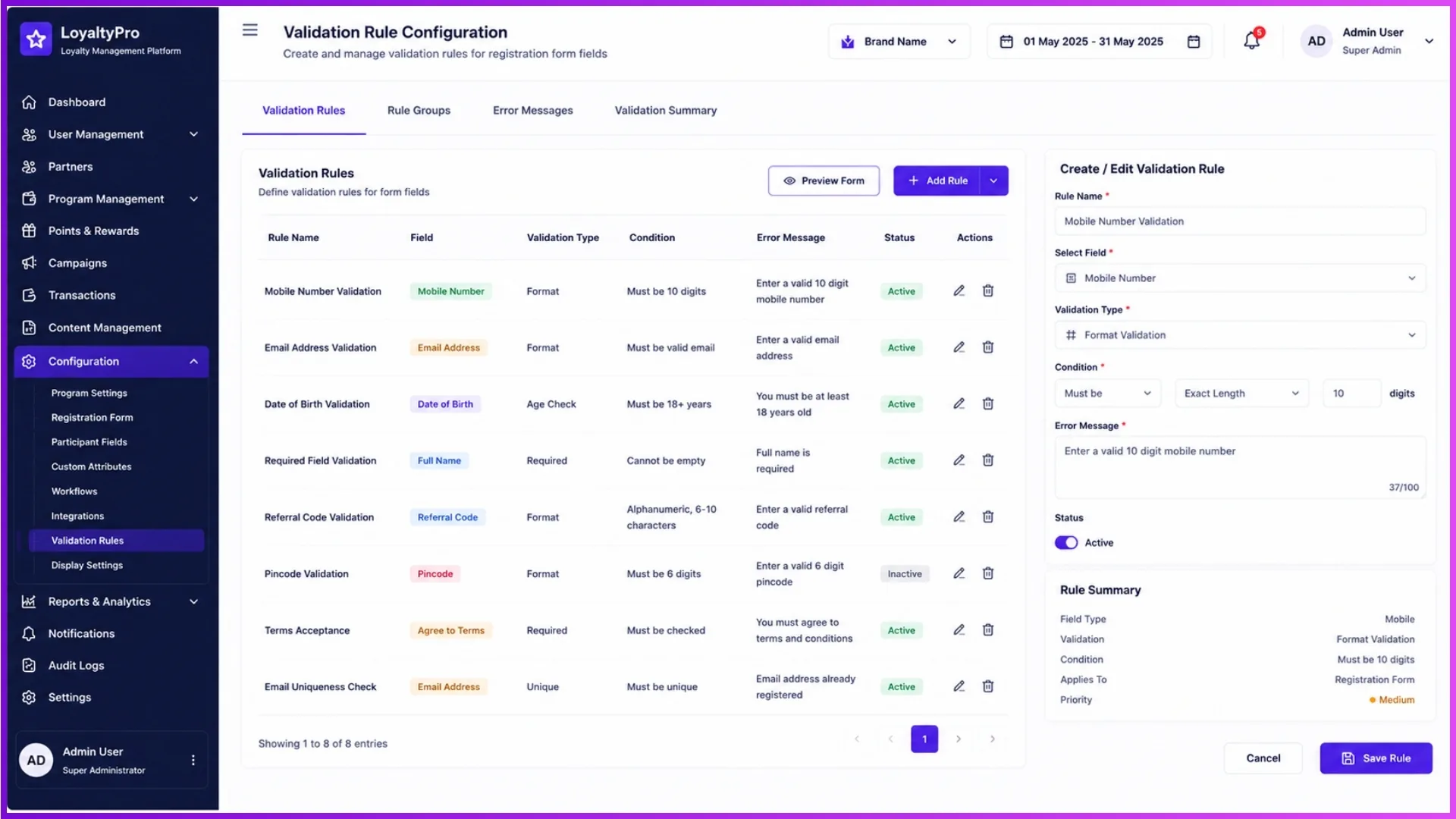
Collecting accurate information is equally important as collecting complete information. The Loyalty Engine includes configurable validation rules that help ensure users submit valid data before completing a form.
Validation rules can be configured for:
- Mandatory fields
- Mobile number validation
- Email format validation
- Numeric-only entries
- Character limits
- Required dropdown selections
Since these validations are configurable, organizations can strengthen data quality without modifying the application.
Example:
If a participant enters an incorrect mobile number or leaves a required field blank, the configured validation immediately prompts the user to correct the information before submission.
Configure CRM Entity Forms for Business-Specific Information
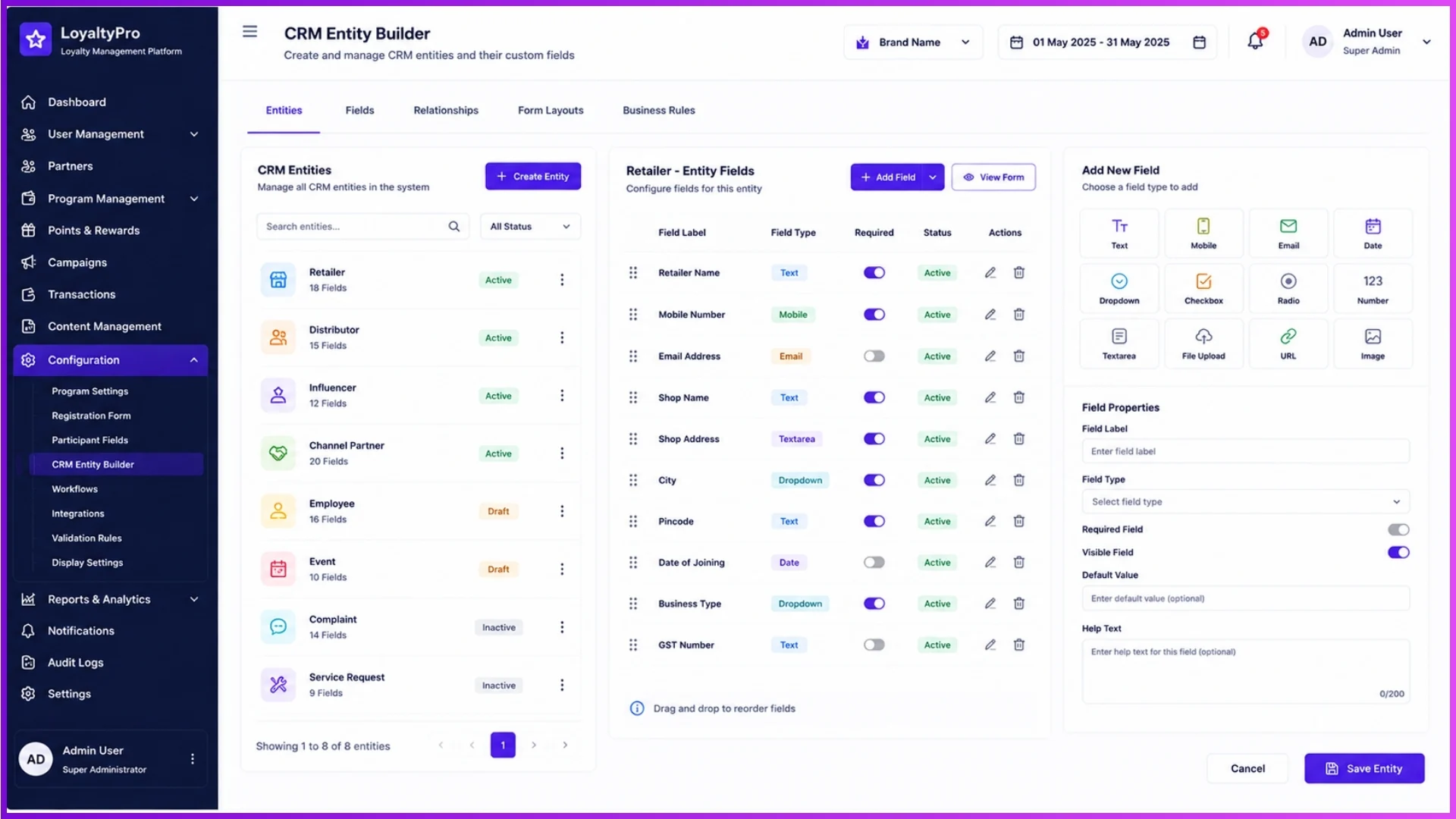
Beyond participant registration, the Loyalty Engine allows administrators to configure CRM entity forms that capture additional business information required for different loyalty programs. Instead of using fixed data structures, organizations can create and manage entity-specific fields based on operational needs.
CRM entity forms can be configured to collect:
- Business details
- Outlet information
- Distributor mapping
- Membership categories
- Professional information
- Additional client-specific attributes
This flexibility enables the same loyalty platform to support different industries and participant types without changing the application's core functionality.
Example:
A building materials company may configure forms to capture Contractor Type, Preferred Dealer, Project Category, and Service Area, while an electrical brand may configure entirely different business fields for electricians and retailers.
Configure Product Forms Based on Operational Requirements
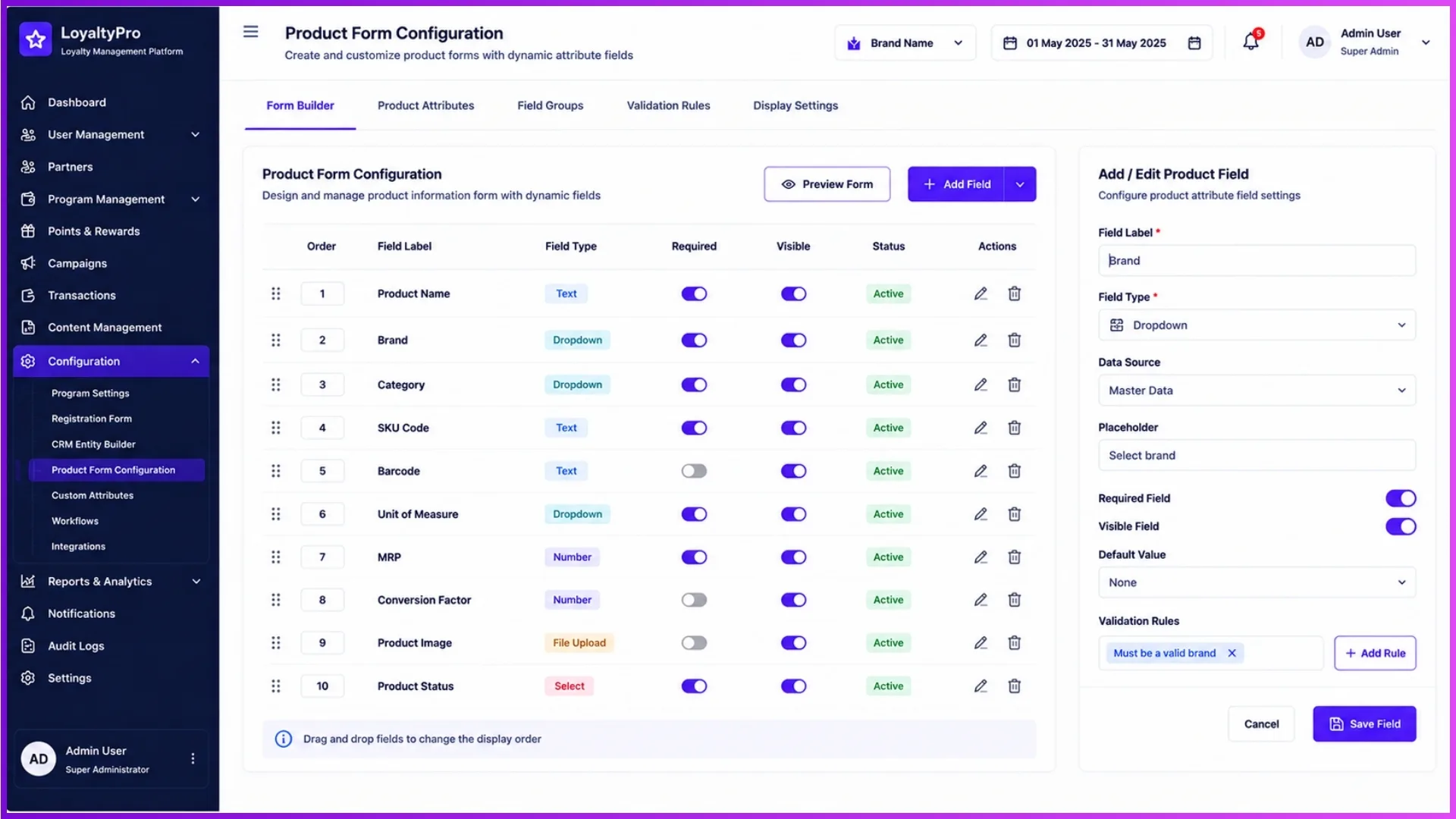
The Loyalty Engine also supports configurable product forms that allow businesses to collect product-related information according to their loyalty workflows. Rather than hardcoding product attributes, administrators can define the fields required for product registration and management.
Product forms can be configured to include information such as:
- Product Name
- Product Code or SKU
- Product Category
- Brand
- Product Variant
- Unit of Measure
- Additional business-specific fields
As product portfolios evolve, administrators can modify these forms through backend configuration, ensuring that product information remains aligned with current business requirements.
Example:
When introducing a new product category, the administrator adds an additional "Product Variant" field to the product form. The updated field becomes available immediately, allowing future product records to capture the new information without requiring an application update.
How 1Channel Simplifies Codeless Form Configuration
As loyalty programs expand, data collection requirements often change across participant onboarding, profile management, CRM operations, and product management.
1Channel's Loyalty program software provides a centralized codeless configuration environment where administrators can create dynamic forms, configure fields, apply validation rules, and manage business-specific information without modifying application code.
This enables organizations to respond quickly to changing business requirements while maintaining a consistent and scalable user experience.
Explore 1Channel Loyalty Management Software
Explore Loyalty Management Software →Points to Remember
- Registration forms can be configured directly from the backend without coding.
- Dynamic field types support different business and participant requirements.
- Field visibility, display order, and mandatory settings can be managed through configuration.
- Validation rules help ensure accurate and complete participant information.
- CRM entity forms enable businesses to capture organization-specific data.
- Product forms can be customized to support evolving product portfolios.
- Codeless configuration reduces dependency on software development for routine form changes.
Conclusion
Configuring codeless forms through the Loyalty Engine gives organizations the flexibility to adapt their loyalty programs as business requirements evolve.
Instead of relying on application updates, administrators can configure registration forms, profile fields, CRM entities, product forms, and validation rules directly from the backend.
This configurable approach not only improves operational efficiency but also enables different loyalty programs to collect the right information for their participants while maintaining a consistent user experience.
By allowing forms to evolve through configuration rather than development, businesses can respond faster to new requirements and manage their loyalty programs with greater agility.
Note: Software screens may vary based on your business structure and configured workflows.