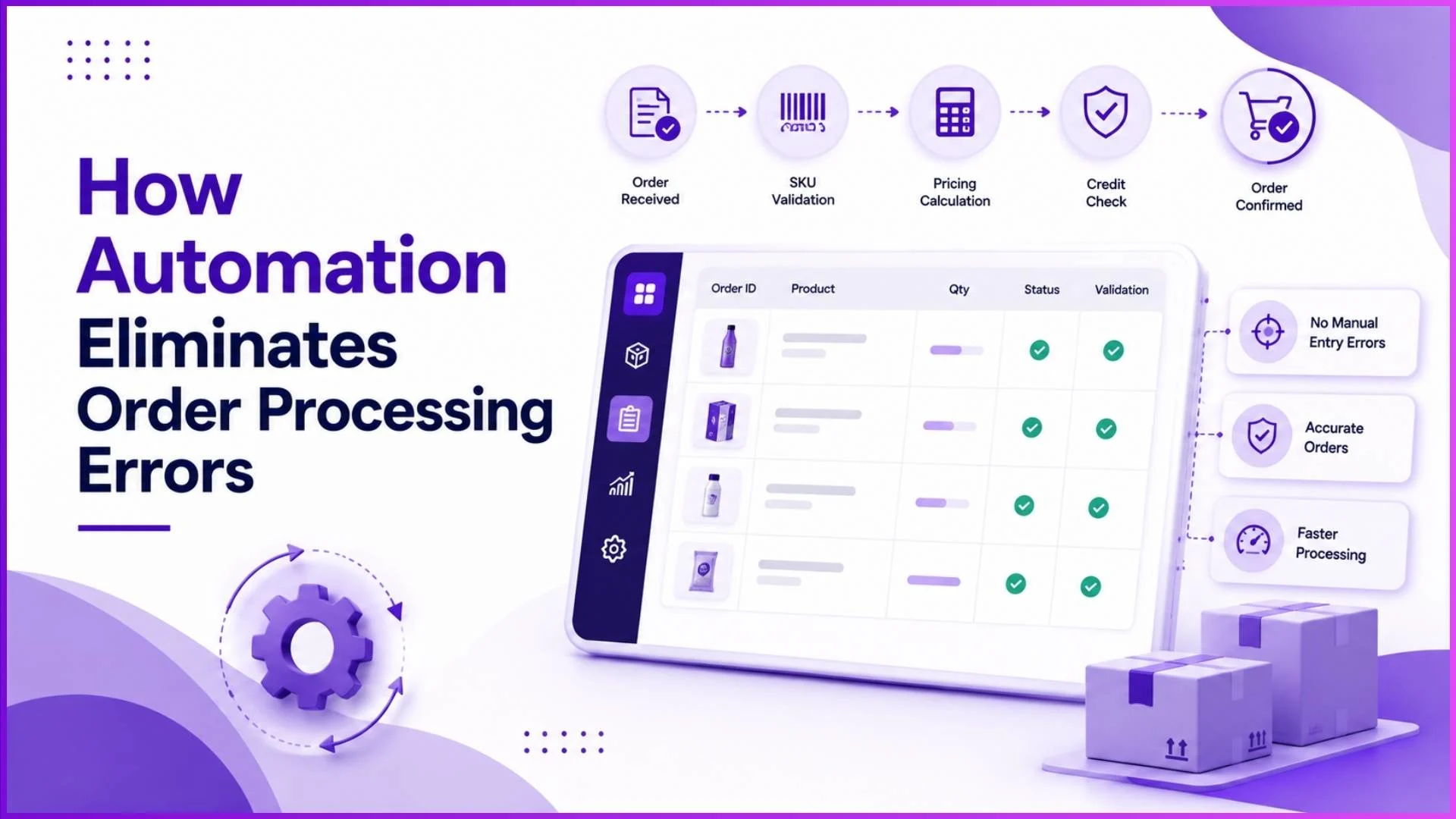
In any distribution network, manual order processing is a quiet revenue killer. When sales representatives or distributors rely on manual entry, mistakes are inevitable.
A typed SKU code can lead to shipping the wrong variant, miscalculated pricing can cause financial discrepancies, and overlooking credit limits can create severe cash flow risks.
By transitioning to an automated Distributor Management System (DMS), businesses can establish strict validation rules and seamless workflows that eradicate these operational slip-ups entirely.
Here is how automation systemizes accuracy at every step of the order lifecycle.
1. Bulletproof SKU and Product Hierarchy Validation
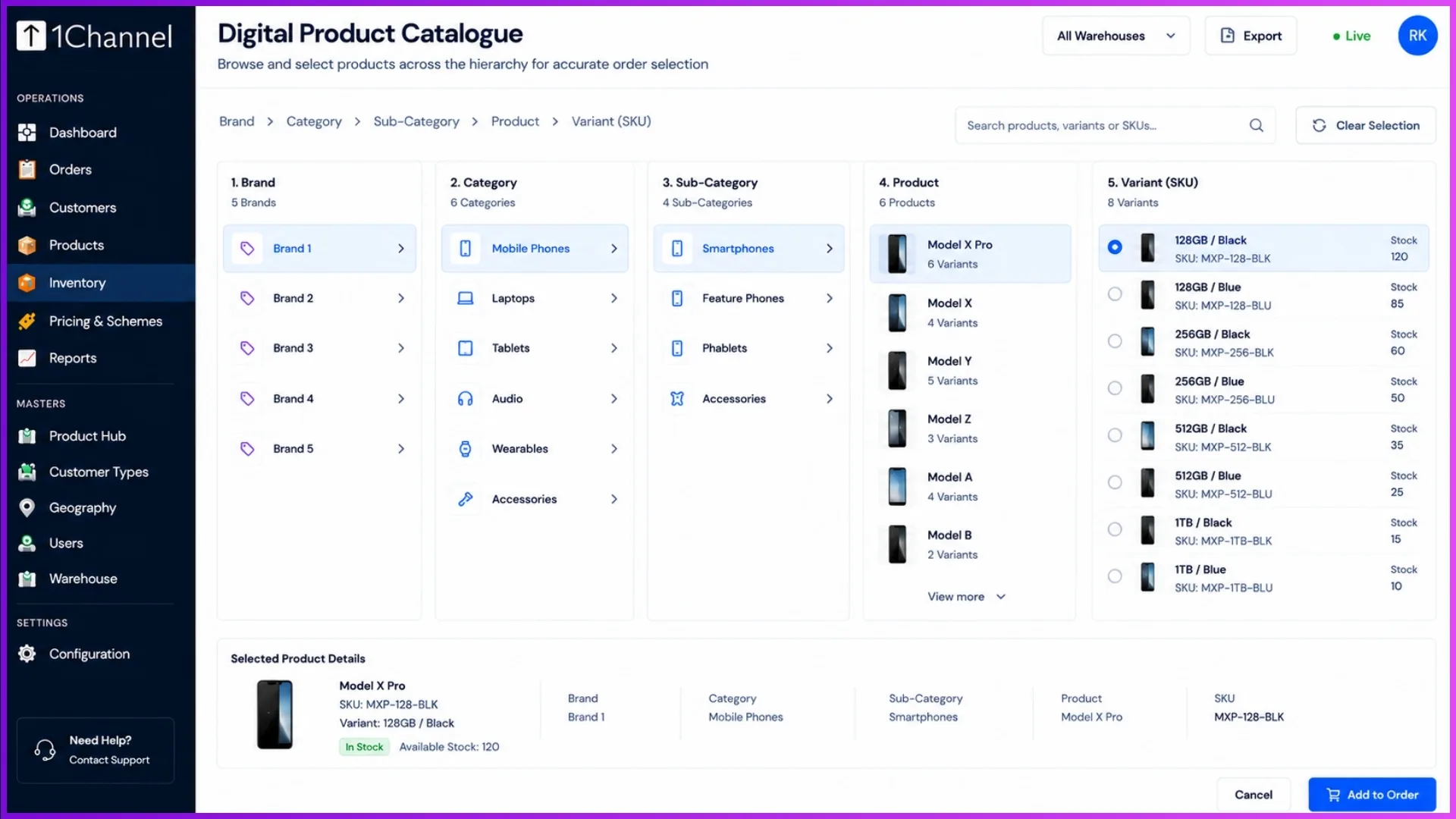
Manual data entry leaves the door wide open for incorrect item fulfilment. An automated system eliminates this by enforcing a rigorous, pre-configured product hierarchy (e.g., Brand → Category → Product → SKU).
How it eliminates errors
Sales reps and distributors select items from a fixed, predefined digital catalogue rather than typing them out manually.
Real-World Example
In a retail setup, a salesperson cannot accidentally mix up two similar items. Instead of guessing a specific variant code, they navigate cleanly from a brand like Fastrack Fragrance, select the category (Men), choose the product (Beat for Him), and precisely lock in the 100 ml variant SKU.
2. Automated Pricing and Scheme Resolutions
Applying localized pricing, unique customer discounts, or seasonal promotional schemes manually is a logistical nightmare often resulting in invoice disputes. Automation engine handles complex logic dynamically based on predefined rule tiers.
The system automatically resolves prices using a strict, unalterable hierarchy:
- Customer-specific price lists (special agreements)
- Customer Type price lists (e.g., Distributor vs. Retailer rates)
- Geography-based price lists (e.g., varying rates across regions)
- SKU fallback price (base pricing defaults)
How it eliminates errors
When an order is configured, the system automatically checks stock availability and instantly calculates the correct pricing along with applicable promotional schemes.
Real-World Example
If a scheme dictates "Buy 10–12 pieces and get 2 free," the system instantly updates the free goods slab at checkout without requiring the salesperson to memorize promotional flyers or calculate free quantities manually.
3. Intelligent Inventory Batch Allocation (FIFO & FEFO)
Shipping expired or incorrect batches leads to costly returns and damaged client relationships. When order processing is manual, warehouse teams often grab the nearest available box instead of tracking optimal stock rotation.
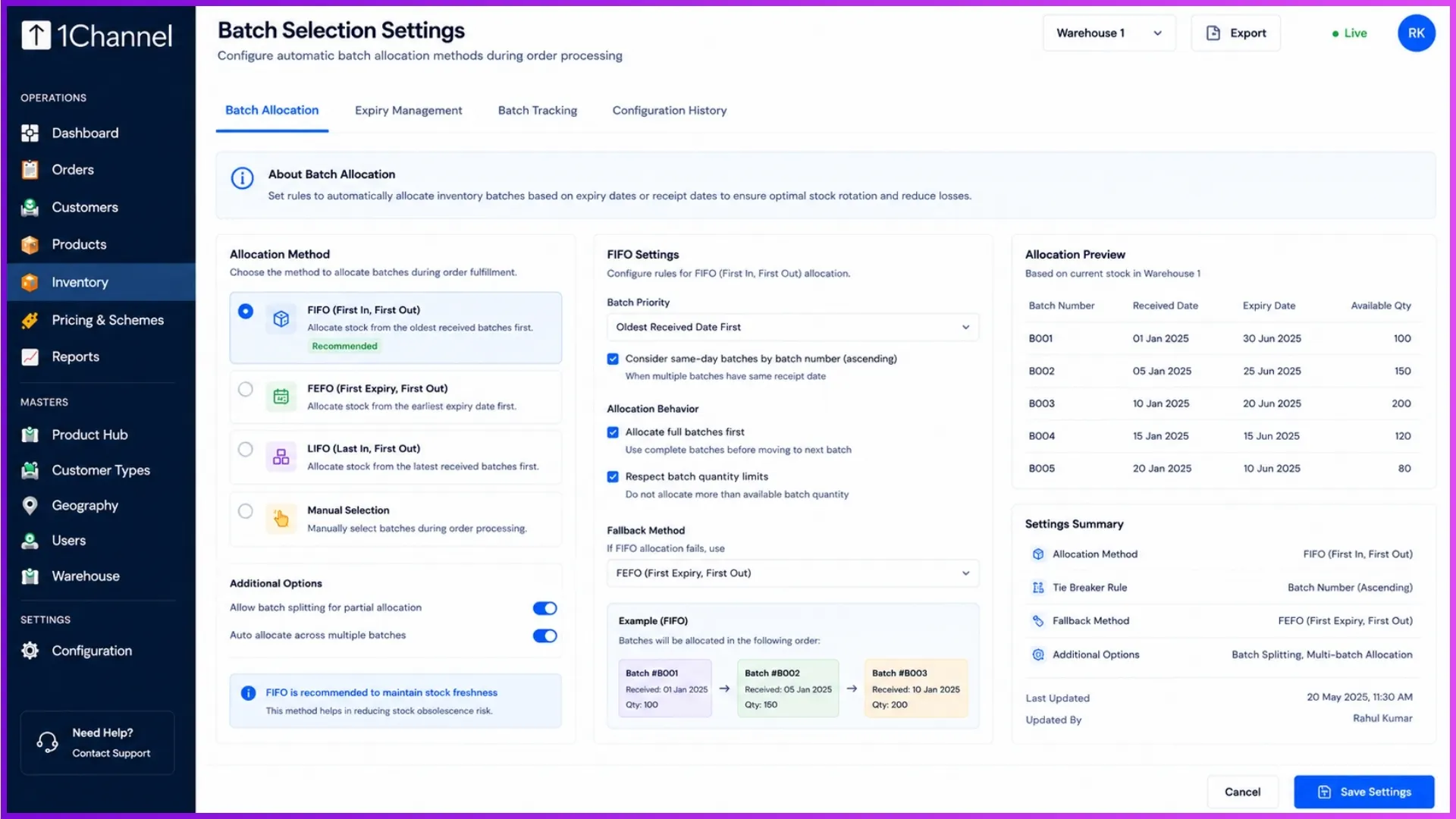
DMS software introduces automated batch selection settings during order creation, allowing organizations to enforce specific fulfilment modes:
- FEFO (Earliest Expiry First Out): Automatically allocates products expiring sooner (highly recommended).
- FIFO (First In First Out): Automatically selects the oldest manufactured batch first.
How it eliminates errors
The system utilizes auto-select batch behaviour. The moment a quantity is entered into the order wizard, the correct batches are instantly locked in based on the business rules, avoiding human oversight entirely.
4. Hard Stop Credit Management Safeguards
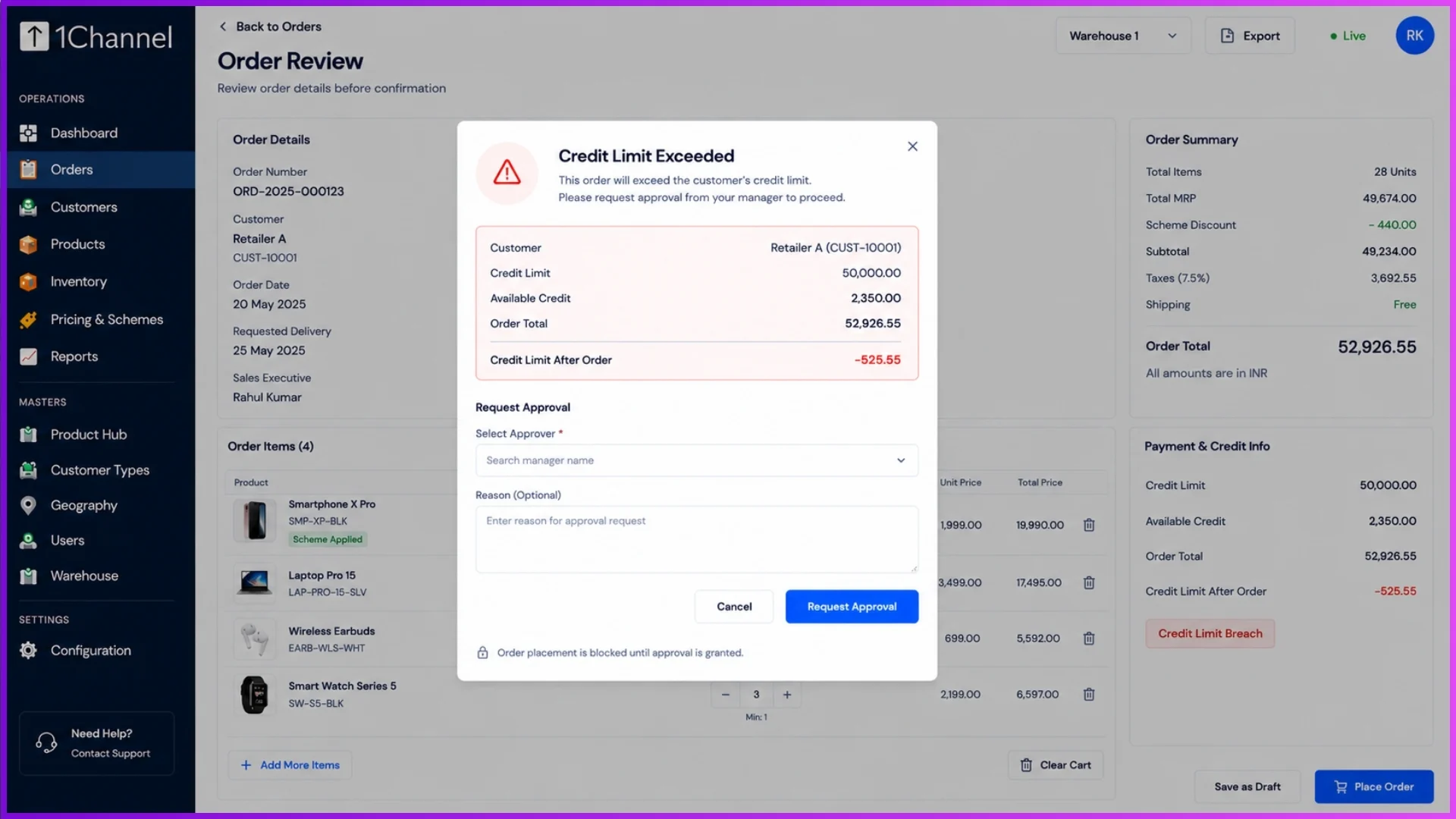
Processing orders for accounts with heavy outstanding dues is a massive financial risk. Human operators might overlook a customer’s bad credit standing to push a sale through, but automated workflows act as an impartial guardian of company policy.
How it eliminates errors
The system monitors real-time credit metrics, including Total Credit Limit, Utilized Credit, and Overdue Payments. Businesses can configure rigid settings that stop orders immediately after a credit limit breach or block future orders until outstanding dues are completely cleared.
Real-World Example
If a retailer with a set credit limit attempts to place an order far exceeding their allowance, the system flags the breach and halts fulfilment. It redirects the transaction to an explicit high-value approval flow, ensuring zero unauthorized credit exposure.
Elevating Accuracy with 1Channel Workflow Automation
To tie all these defensive layers together seamlessly, the 1Channel Distributor Management System enables businesses to build visual workflow automations.
Instead of relying on manual oversight, 1Channel lets you establish multi-level approval nodes up to 7 levels deep: handling real-time triggers, loops, and rejection protocols automatically.
Whether you need manager sign-offs for exceptions or automated order status updates broadcast via WhatsApp and email, 1Channel structures your operations so that no order slips through the cracks or proceeds with faulty data.
Explore 1Channel Distributor Order Management Software
See how 1Channel's Distributor Order Management Software enforces SKU validation, automated pricing, batch allocation, and credit limit safeguards to eliminate order processing errors.
Explore Order Management →Frequently Asked Questions (FAQs)
What happens if an item is completely out of stock during order placement?
The system provides a real-time notification part on the dashboard (such as a Low Stock Alert). Furthermore, automatic stock replenishment can be enabled so that the moment stock drops below a defined threshold, a replenishment order is automatically generated.
Can managers override system-blocked orders?
Yes. Through the automated workflow system, an order that triggers a credit or pricing exception can be routed directly to specific roles for manual sign-off via a Credit Override Audit trail.
How does the system handle pricing if a product isn’t assigned to a specific price list?
The system utilizes a secure Fallback Price Setting. If no customer, type, or geography-specific price list applies, it automatically reverts to the SKU’s pre-configured base price (such as the base MRP, Selling Price, or Cost Price).
Note: Software screens may vary based on your business structure and configured workflows.