A retailer who ordered regularly last month may suddenly stop purchasing. The distributor might assume the outlet is temporarily inactive, while the sales representative may not notice the change until the next scheduled visit.
By then, the retailer could have switched suppliers, reduced purchases, or stopped selling certain products.
This is where a Distribution Management System (DMS) becomes useful. Instead of relying on manual follow-ups or scattered sales records, businesses can identify outlets with declining or missing billing activity and prioritize them for action.
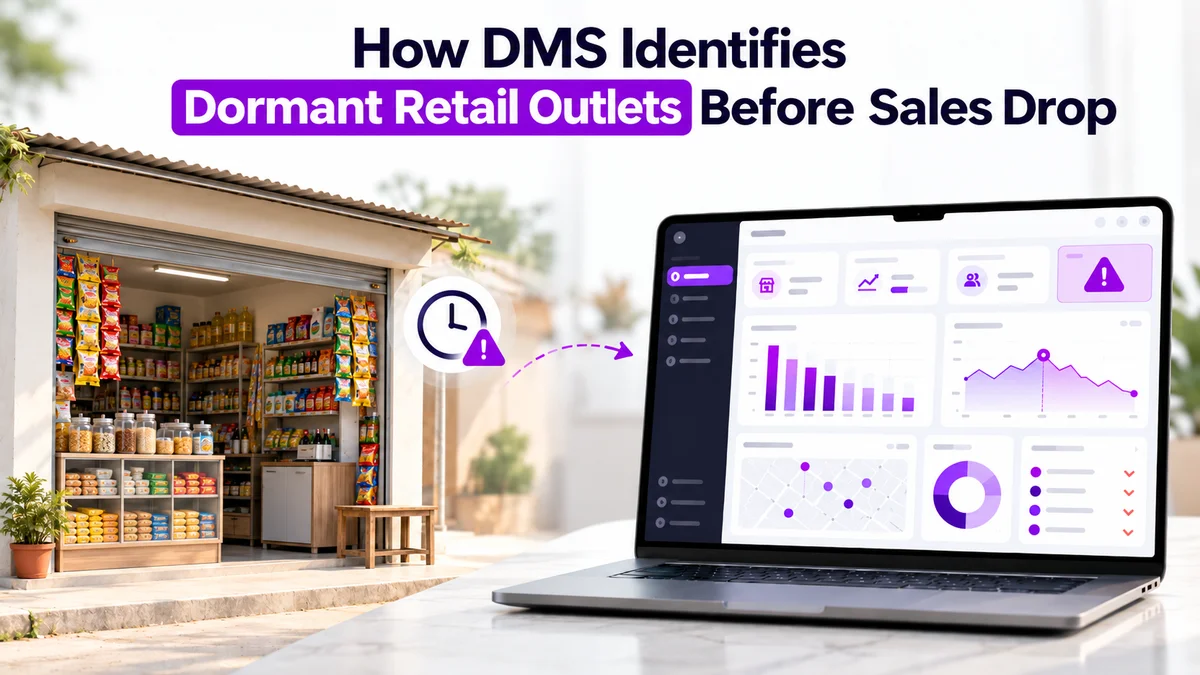
What Is a Dormant Retail Outlet?
A dormant retail outlet is a retailer that has not generated billing activity within a defined period.
However, inactivity does not always mean the outlet has permanently stopped doing business. It may indicate reduced demand, insufficient inventory, an operational issue, or an overdue sales visit.
For example:
- Active outlet: A retailer placing orders and generating bills regularly.
- Dormant outlet: A retailer with no billing activity within the selected inactivity period.
- Never-billed outlet: A registered retailer with no billing history.
Separating these categories helps sales managers understand which outlets require renewed engagement and which have yet to make their first purchase.
How DMS Identifies Dormant Retail Outlets
A modern DMS brings together customer records, billing history, sales activity, and field operations. This makes it easier to identify retailers that are no longer contributing to sales.
1. Detects Outlets Based on Billing Inactivity
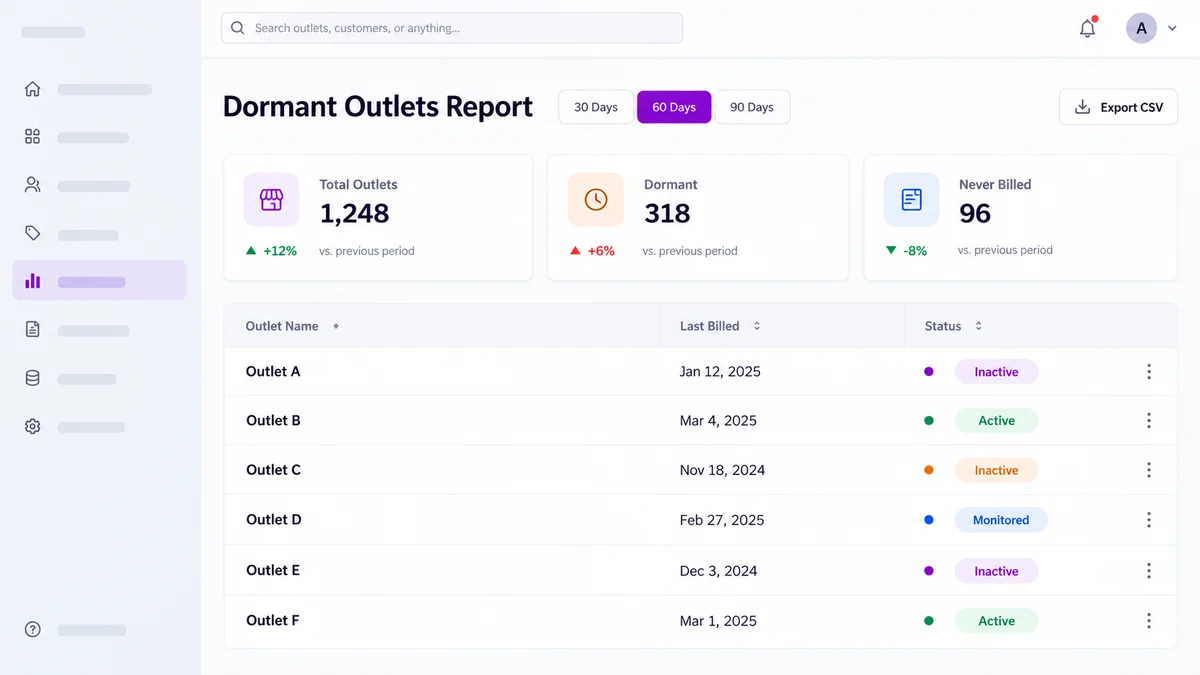
The 1Channel DMS Dormant Outlets Report allows managers to select an inactivity threshold of 30, 60, or 90 days.
For example, when a manager selects 30 days, the report identifies outlets without billing activity during that period.
The report displays outlet details, customer codes, last-activity information, and summary counts, helping managers see how widespread inactivity is across their network.
2. Separates Never-Billed Outlets
Not every inactive outlet is a lost customer.
Some retailers may have been registered recently but never completed their first purchase.
1Channel DMS displays never-billed outlets separately from the overall dormant count, allowing businesses to distinguish inactive purchasing relationships from outlets that have not yet generated a bill.
For example, a never-billed retailer might require an introductory sales visit, product explanation, or assistance with the first order. A previously active outlet may require a different conversation focused on why purchases stopped.
3. Connects Outlet Inactivity With Field Visit Planning
Identifying dormant outlets is only the first step. Sales teams must also visit the right retailers.
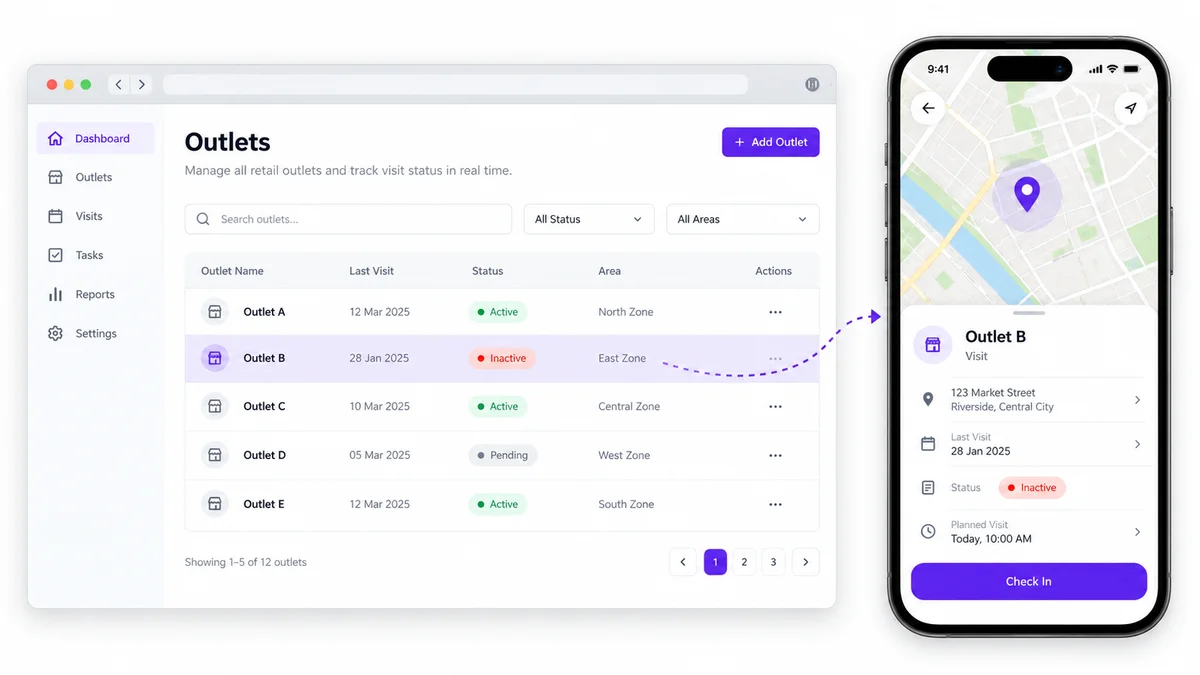
With beat planning and Permanent Journey Plans (PJP) in 1Channel DMS, managers can schedule outlet visits and assign retailers to field representatives.
After reviewing the dormant outlet report, managers can use this planning capability to prioritize relevant outlets for follow-up.
Sales representatives can access assigned customers through the mobile application, navigate to an outlet, and record visits.
Practical Example: Recovering a Dormant Retailer
Consider an FMCG distributor managing 500 retail outlets.
One retailer, City Corner Store, previously purchased products every two weeks. However, no billing activity has been recorded for the past 35 days.
Here is how the team can respond:
- Identify: The manager generates the 30-day Dormant Outlets Report and finds City Corner Store in the results.
- Review: The manager checks its previous orders and customer details.
- Assign: The retailer is prioritized for a follow-up visit through the existing beat-planning process.
- Investigate: The sales representative discovers that the outlet stopped ordering because its usual products were unavailable.
- Recover: The representative checks available stock and places a new order, subject to availability and the retailer's confirmation.
Instead of waiting for the retailer to return on its own, the distributor uses existing operational data to identify and address the inactivity.
Why Dormant Outlet Tracking Matters for Distributors
Regular monitoring of retailer inactivity helps businesses improve distribution visibility and field execution.
- Earlier identification of lost sales opportunities: Managers can recognize billing gaps before they become prolonged periods of inactivity.
- Better sales visit prioritization: Field teams can focus on retailers that need attention rather than visiting outlets without a clear purpose.
- Improved retailer activation: Never-billed outlets can be treated as first-order opportunities instead of being mixed with previously active customers.
- More informed distribution decisions: Managers can use customer order history, sales reports, and outlet activity to investigate changes in purchasing behavior.
Importantly, a dormant outlet report is an early-warning mechanism, not proof that a retailer has been lost. The reason for inactivity still needs to be investigated.
Why Choose 1Channel DMS for Retail Outlet Visibility?
1Channel Distribution Management System connects customer management, order tracking, sales analytics, beat planning, and mobile field operations in one platform. Its dedicated Dormant Outlets Report supports configurable 30, 60, and 90-day inactivity analysis, CSV exports, and separate identification of never-billed outlets.
Explore Distributor Management Software →Combined with customer-level order visibility and field visit planning, these capabilities help distributors move from identifying inactivity to organizing practical follow-up actions.
Frequently Asked Questions
1. What is a dormant outlet in DMS?
A dormant outlet is a retail customer that has not generated billing activity within a selected period, such as 30, 60, or 90 days.
2. How does DMS identify inactive retailers?
DMS can examine customer billing history against an inactivity threshold and produce a report listing outlets with no billing activity during that period.
3. Can DMS identify retailers that have never purchased?
Yes. 1Channel DMS separately identifies never-billed retailers, allowing managers to distinguish first-order opportunities from previously purchasing outlets.
4. How can field teams reactivate dormant outlets?
Managers can review inactivity reports, prioritize affected retailers for visits, investigate the reasons for missing orders, and follow up with appropriate sales actions.
5. Does 1Channel DMS support dormant outlet reporting?
Yes. Its Dormant Outlets Report includes configurable inactivity periods, outlet-level information, summary counters, and CSV export functionality.
Note: Software screens may vary based on your business structure and configured workflows.