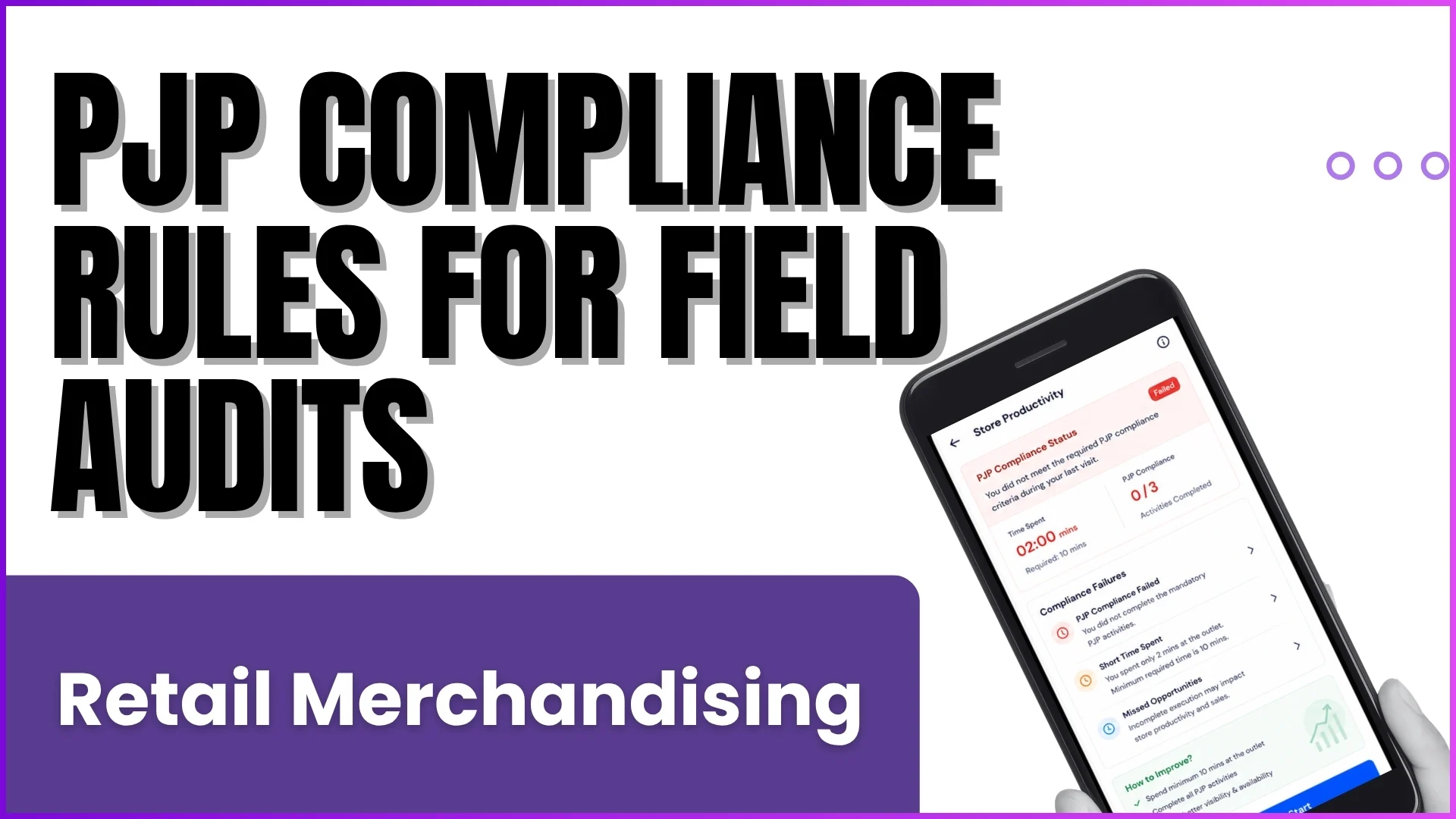
Maintaining a stellar visual presence in retail stores is one of the most effective ways for brands to drive sales.
In fast-moving consumer sectors, how a product is presented on a shelf can make or break a purchase decision.
Implementing proper shelf display strategies ensures that merchandise stands out clearly to consumers, capturing their attention right at the point of sale.
Pain Points Without Retail Intelligence Solution
Manually tracking product placement across hundreds or thousands of retail outlets presents severe operational hurdles for supervisors and brands:
Inconsistent Shelf Standards
Without automated guardrails, field representatives lack a standardized benchmark for tracking how many product bottles or packages should face forward on a specific shelf size.
Blind Spots in Visibility Audits
Manually reviewing images taken by field teams requires extensive administrative hours. Reviewing multiple photos, filtering dates, and guessing product proportions leads to high audit lead times and frequent errors.
Lack of Actionable Insights
Without computerized tracking, brands cannot quickly cross-reference actual shelf availability against pre-established compliance metrics or calculate reliable visibility trends.
Unreported Discrepancies
Field forces operating without an active checklist may completely miss reporting on critical parameters like the proper placement of high-mobility items or the logical grouping of premium vs. standard products.
Solution Points With Retail Intelligence App
Deploying specialized retail intelligence software transforms manual shelf monitoring into a highly structured, self-service operational workflow:
Automated Facing Norms Verification
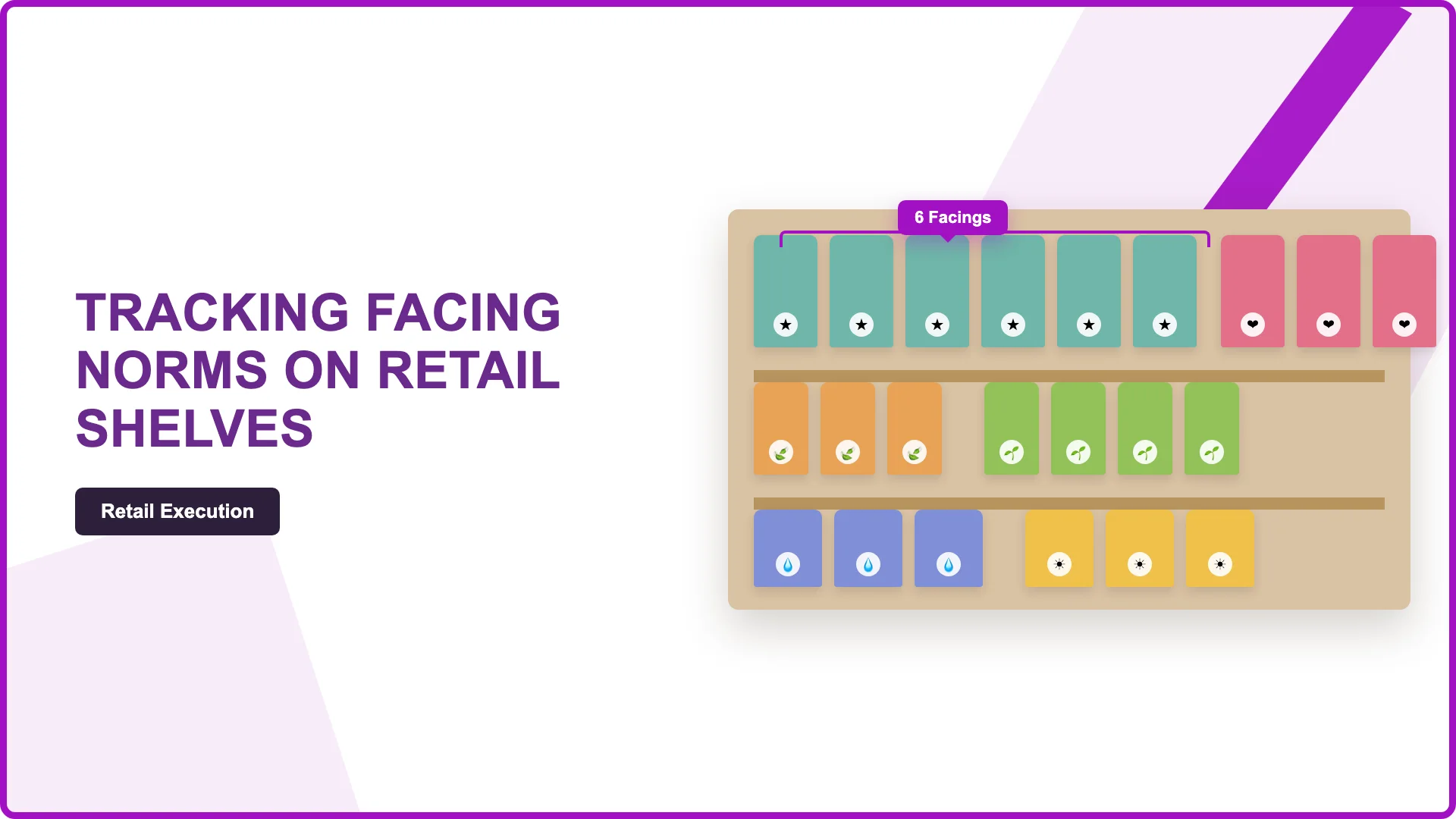
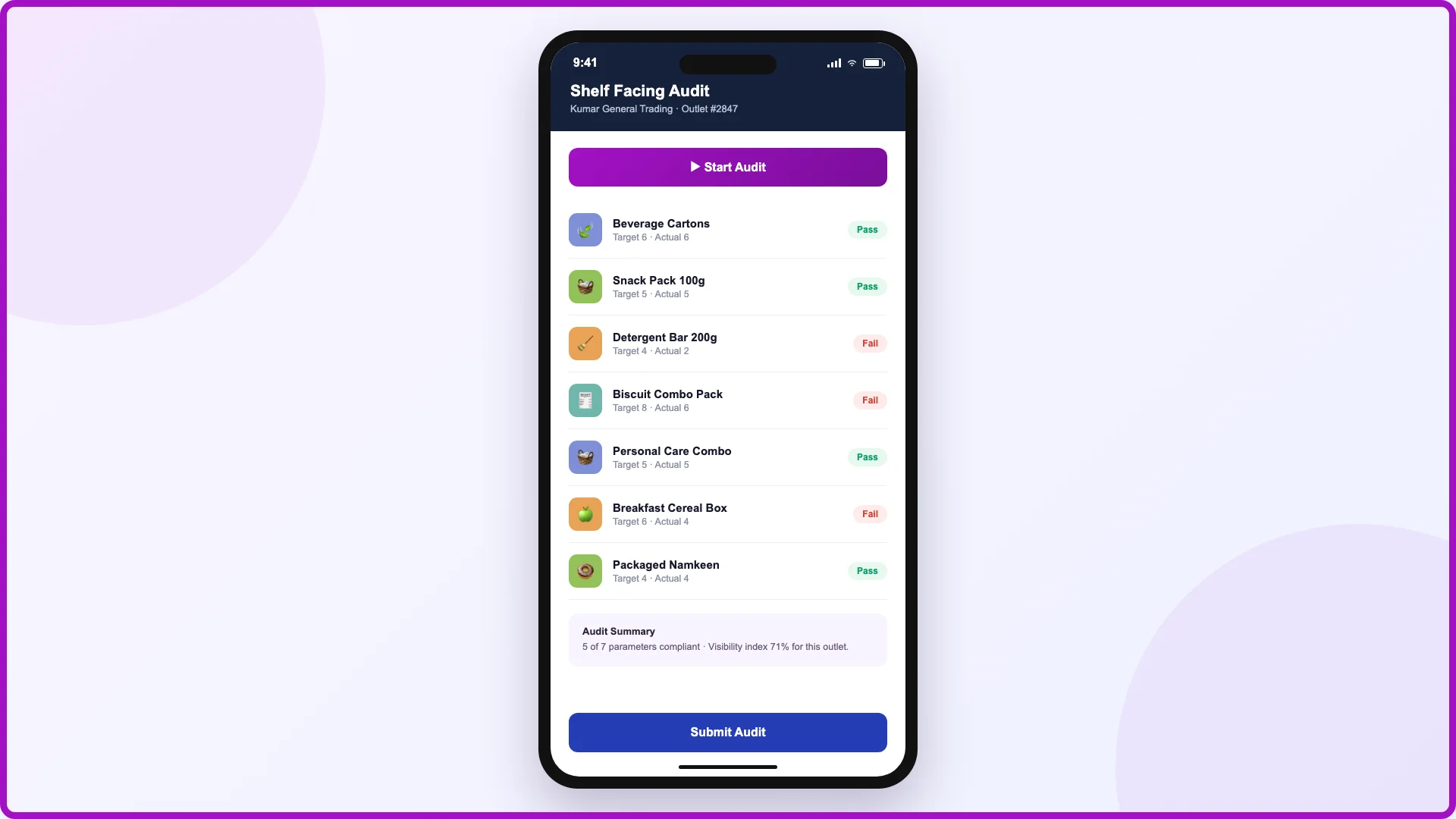
The software establishes digital benchmarks for specific outlets. Field representatives can instantly review the specific criteria required, such as a requirement of 3 facings for standard items or 6 facings for top-performing lines, ensuring consistency across store tiers.
Structured Multi-Level Auditing
The platform introduces structured daily audit workflows (such as L1 and L2 validation loops). Auditors can seamlessly check compliance across clear parameters, ensuring binary scoring is recorded accurately based on whether the shelf arrangement matches or exceeds the required norm.
Optimized Field Auditing Flow
Field forces utilize optimized features like a "Start Audit" function that queues up retail outlets automatically. This removes manual hunting for store lists, cuts down average audit time, and boosts overall daily field productivity.
Real-Time Analytics & Trend Tracking
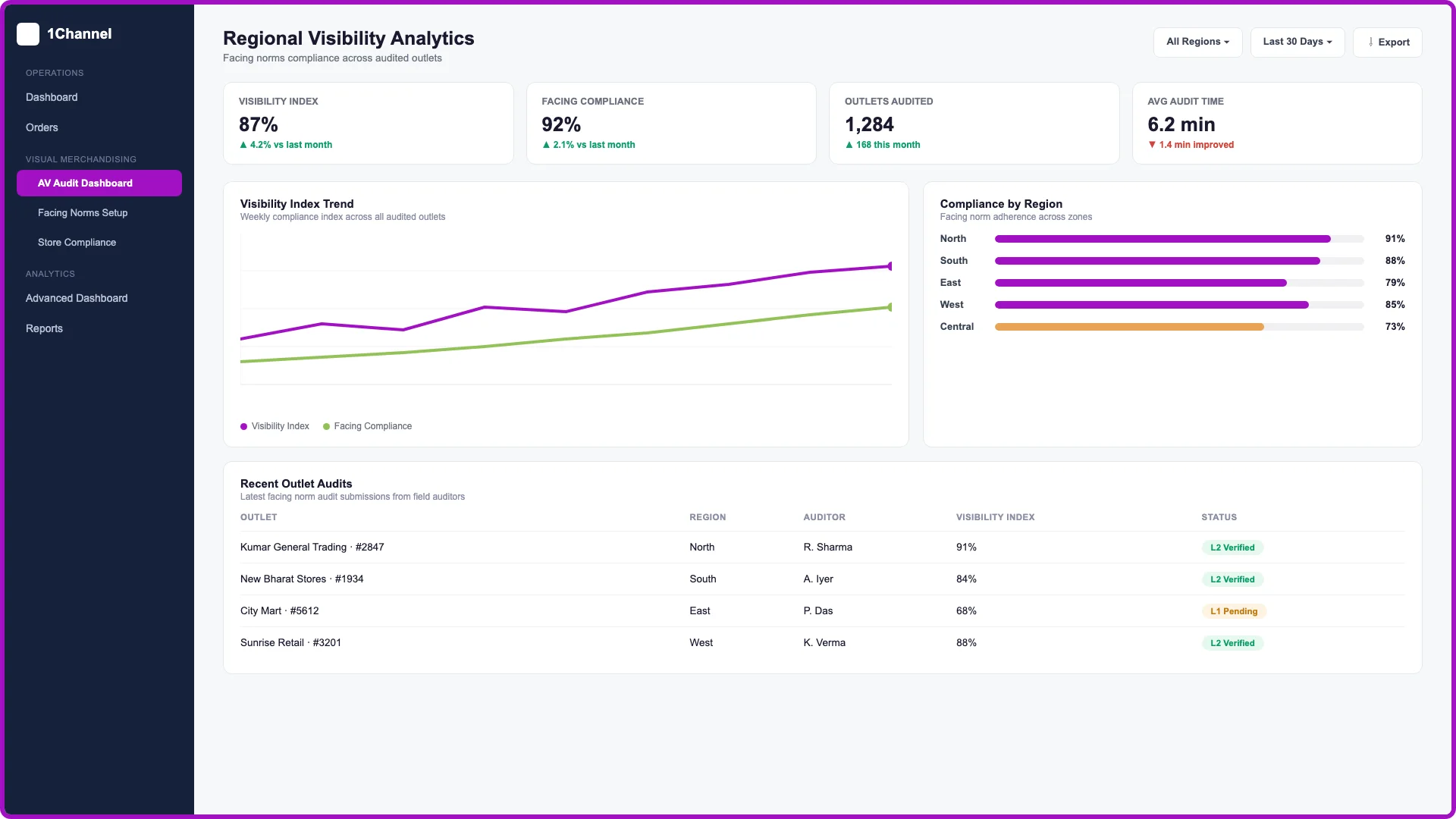
A centralized administrative portal converts field submissions into data points on an advanced dashboard. Users can easily track the overall visibility index, monitor parameter trends over time, and apply precise channel filters to assess brand impact across regions.
App Interface: Tracking Shelf Facing Norms
Portal Interface: Regional Visibility Analytics Dashboard
Streamlining Performance with 1Channel
By utilizing the integrated modules within 1Channel, businesses can effectively bridge the gap between field execution and core analytics.
Navigating through 1Channel > Visual Merchandising > AV Audit Dashboard allows supervisors to quickly verify store parameters, while the 1Channel > Advanced Dashboard aggregates critical KPIs like daily audit time, target scores, and monthly quality metrics.
The system serves as an excellent self-service solution for modern trade execution, maximizing shelf visibility indices while removing human dependency from data collation.
Explore 1Channel Visual Merchandising & POSM Management
Explore Visual Merchandising & POSM Management →Final Suggestion
To achieve maximum retail impact, brands must transition away from subjective, manual store evaluations.
Implementing a structured software approach allows businesses to track compliance effectively, keep shelf arrangements aligned with premium standards, and maintain an accurate picture of success across every single outlet.
Frequently Asked Questions
1. What are "facing norms" in retail tracking?
Facing norms are the digital benchmarks set for a specific store tier. They define the exact number of product packages or bottles that must face forward on the shelf to maintain consistent brand visibility.
2. How does the mobile app help field representatives?
The app provides an optimized workflow, featuring a structured digital checklist and a "Start Audit" function. Field teams can instantly view target facing norms and input the actual counts they observe without manual hunting.
3. Can supervisors review and validate the gathered data?
Yes. The software introduces a structured, multi-level auditing workflow (such as L1 and L2 validation loops). This allows supervisors to easily check compliance metrics and verify parameters based on precise binary scoring.
4. Where can administrators track long-term visibility trends?
Administrators can access real-time analytics through a centralized portal. The advanced dashboards display visibility indices, parameter trends over time, and regional data filtered by specific channels.
5. How do I access these specific features within 1Channel?
You can manage these workflows by navigating through the platform's core modules:
- For verification and audits: Go to 1Channel > Visual Merchandising > AV Audit Dashboard.
- For macro analytics and KPIs: Go to 1Channel > Advanced Dashboard.
Note: Software screens may vary based on your business structure and configured workflows.