How does a brand know the standee it printed actually went up in a Cairo supermarket?
Across Egypt, FMCG brands spend heavily on banners, standees and tent cards, yet proof of installation too often rests on a rep's say-so.
The problem is most visible in FMCG, Consumer Durables and Electronics, Cosmetics and Personal Care, and Retail and Modern Trade.
This post covers how a campaign is built, what the rep photographs at the store, and how each photo gets scored against the approved brief.
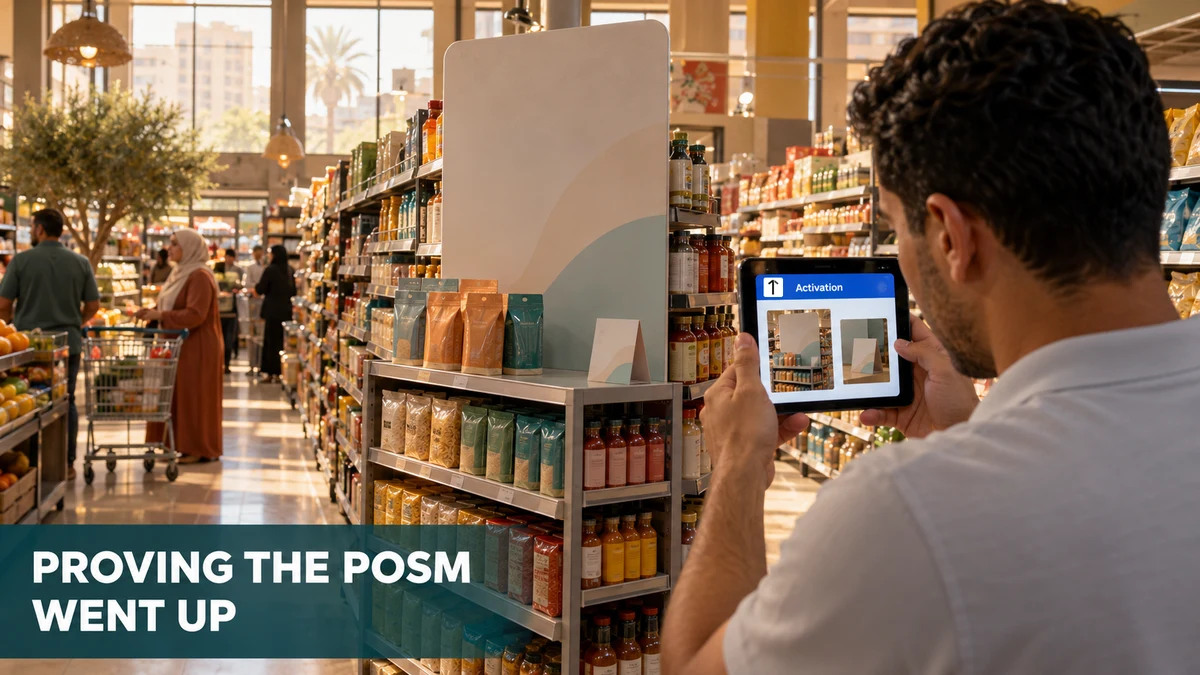
Where Display Spend Quietly Disappears
A campaign brief usually travels as a spreadsheet of store codes and POSM items. Once the materials ship, the only feedback is whatever the field team reports back.
Nothing in that loop separates a standee placed at the aisle end from one stacked in the stockroom. Both get reported as done.
In Egypt the gap costs most around Ramadan, when a few weeks carry a large share of sales and displays must be live from day one.
How a POSM Campaign Is Set Up in the Portal
The admin portal builds each campaign from a name, start and end dates, and an uploaded store list and POSM list, each a plain file of codes.
Codes that do not match a master record are listed in a read-only box on the form, so a typo never turns into a ghost store.
Names follow one syntax, such as Campaign - BX - Giza - Feb 27, so brand, city and month read at a glance.
Each campaign also carries scoring parameters. Every one has a weight, a reference image of success and a written guideline, and together they become the audit rules.
What the Rep Sees at the Store
The app's Activation list shows each live campaign as a card, with days remaining, the POSM types required and a colour-coded outlet score.
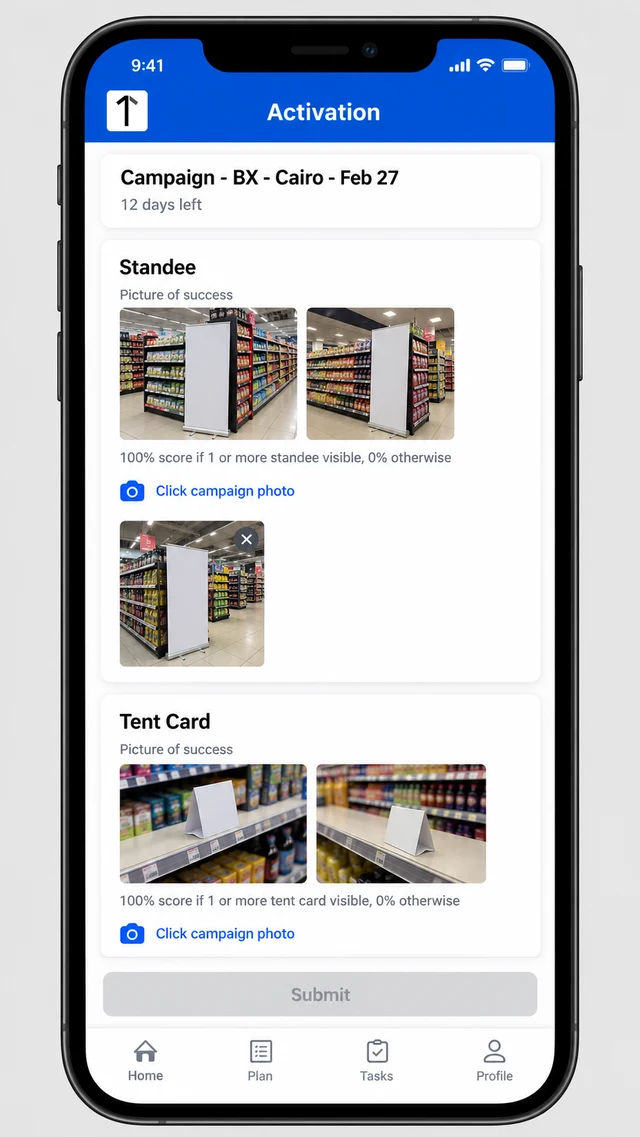
Each required POSM type gets its own card, with two picture-of-success thumbnails and a plain scoring rule, such as full marks for one visible tent card.
A camera link opens the capture screen. Submit stays disabled until every required photo is taken, so a campaign cannot be closed half-shot.
How the Audit Score Comes Back
Each submitted visit lands in Campaign Audit, which filters by date, state, city and user. Opening a row puts the rep's photo beside the reference image.
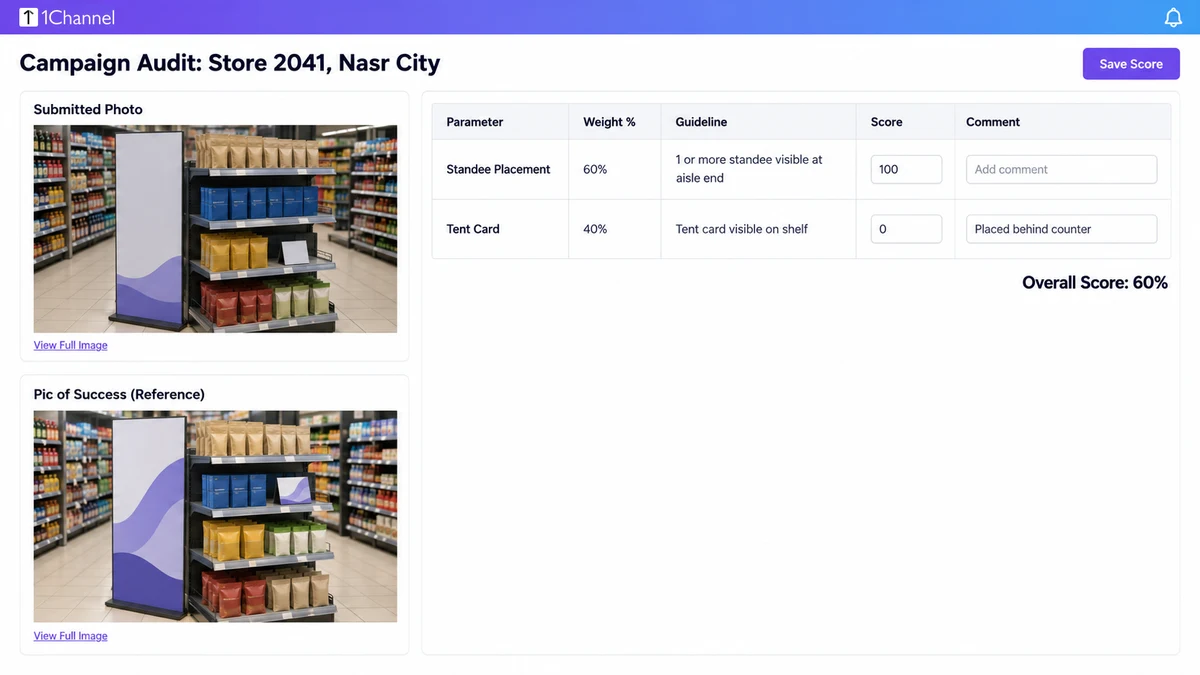
The reviewer scores each parameter against its guideline, adds a comment and saves. If two campaigns run at one outlet, each is scored separately within the same visit.
Scores then roll into the Campaign Dashboard, which tracks coverage, campaign score and a per-campaign scorecard month by month.
A Ramadan Standee Campaign in Greater Cairo
A beverage brand briefs 120 Greater Cairo supermarkets for a Ramadan push. The campaign weights the standee at 60 percent and the tent card at 40.
At a Nasr City store, the rep's photo shows the standee at the aisle end exactly as briefed. The reviewer scores it 100.
The tent card sits behind the counter, not on the shelf. It scores 0, the comment says why, and the visit lands at 60 percent.
The brand sees that gap in the audit while the campaign is still running, not after the promotion has ended.
A Baqala in Alexandria Closed for Renovation
A rep reaches a baqala in Alexandria and finds the shutters down. Without a bypass, the visit ends as a missing photo or, worse, a made-up one.
The app offers a "No activity to be done today" checkbox. Ticking it opens a fixed reason list, including store under renovation and store did not allow deployment.
The rep picks the reason and finishes. The task closes with the reason recorded, so a refused display reads differently from a missed visit.
Where AI Checks the Photo Before a Reviewer Does
1Channel's AI image recognition reads POSM and promotional photos and scores how closely a display matches the approved layout.
When the system is not confident in a photo, it prompts a retake during the same visit, so a weak shot is fixed in the store.
How 1Channel Keeps POSM Campaigns Provable
1Channel's retail merchandising platform ties the campaign brief, the store and POSM lists, the field photos and the audit score into one record.
Because the reference image, the scoring rule and the reviewer's comment sit beside the photo, a brand can answer whether a display went up without calling anyone.
Put POSM Proof of Execution to the Test
See how campaign briefs, guided photo capture and weighted audit scoring work together to show which displays actually went up, store by store.
Explore POSM Tracking →Points to Remember
- A display counts as live only when a photo shows it, not when a rep says so.
- Upload clean store and POSM code lists, and fix any codes the form flags as invalid.
- Give every parameter a weight, a reference image and a written guideline before launch.
- Make the camera step mandatory, so Submit stays locked until every required photo exists.
- Record a reason when a store cannot take a display, so refusals and missed visits stay separate.
Note: Software screens may vary based on your business structure and configured workflows.