Which of your field reps sat through last month's product training? Most Ghanaian FMCG teams cannot say for sure, because attendance often lives on a paper sign-in sheet.
That gap matters across Ghana for FMCG, pharma and healthcare, automotive, and building materials teams that train promoters and reps in many towns.
This post covers three things: how each session type records attendance, how in-store and e-learning sessions are proved, and how the totals are read against a target.

Four Session Types, Four Ways to Prove Attendance
A classroom day in Accra and a shop-floor visit in Tamale are different events, so one sign-in method cannot cover both.
1Channel's learning platform records attendance according to the session type, as the table shows.
| Session Type | Who Marks Attendance | How It Is Recorded |
|---|---|---|
| Classroom | The employee | Marked at the venue during the session window, with a photo taken at that moment |
| In-Store | The trainer | The trainer trains the employee at the store, then photographs the trainees and marks them present |
| Virtual | The employee | Opening the meeting link in the app marks attendance and joins the live session |
| E-Learning | The system | Marked automatically once time spent on the content passes a set minimum |
Marking In-Store Training Attendance in the Field
Worked example: a beverage distributor's trainer travels to a supermarket in Takoradi to coach two promoters on display standards.
After the session, the trainer photographs both promoters and marks them present from the trainer login.
The record is tied to that session, so a manager sees who was trained without chasing a paper sheet.
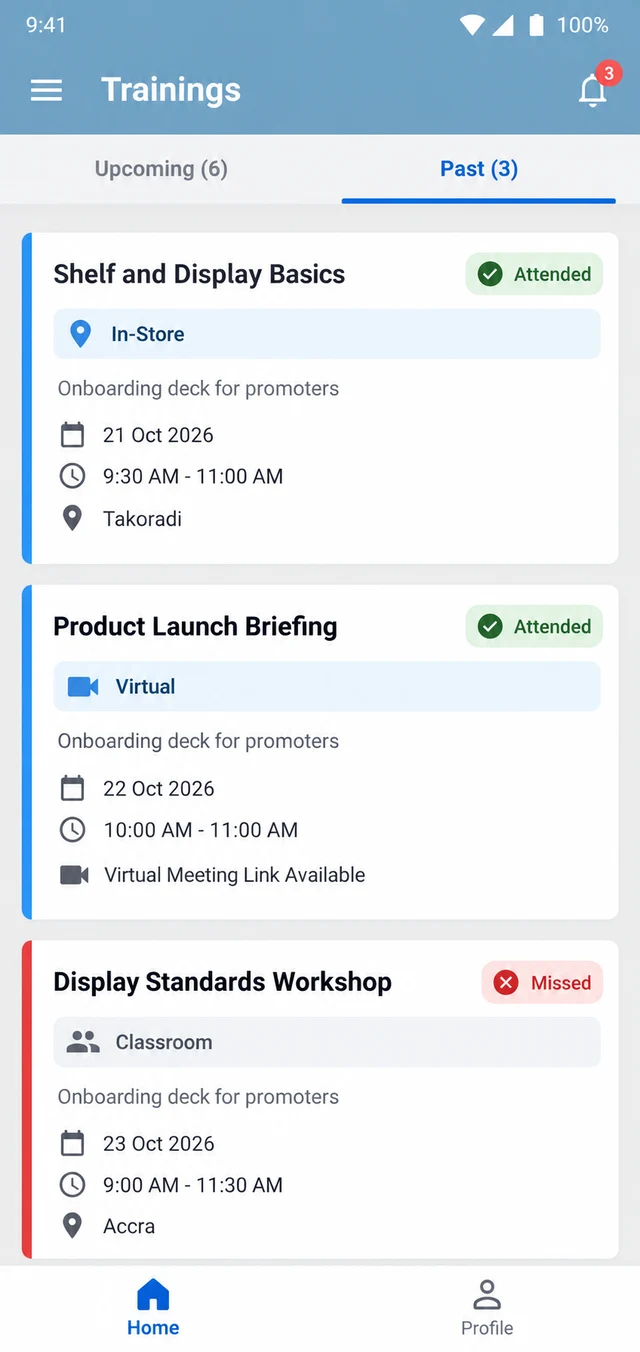
Employees see the outcome in the mobile app. The Trainings screen lists past sessions with a session-type badge and an Attended or Missed pill.
Letting E-Learning Attendance Mark Itself
E-learning is where a sign-in sheet fails, since nobody is in the room. A deck of images, PDFs and video links can be opened without being read.
Worked example: a cosmetics brand shares a PDF deck on a new range with promoters in Kumasi, Accra and Tamale.
The admin sets a minimum viewing time. Say it is five minutes: a promoter who flicks through in thirty seconds is not marked attended.
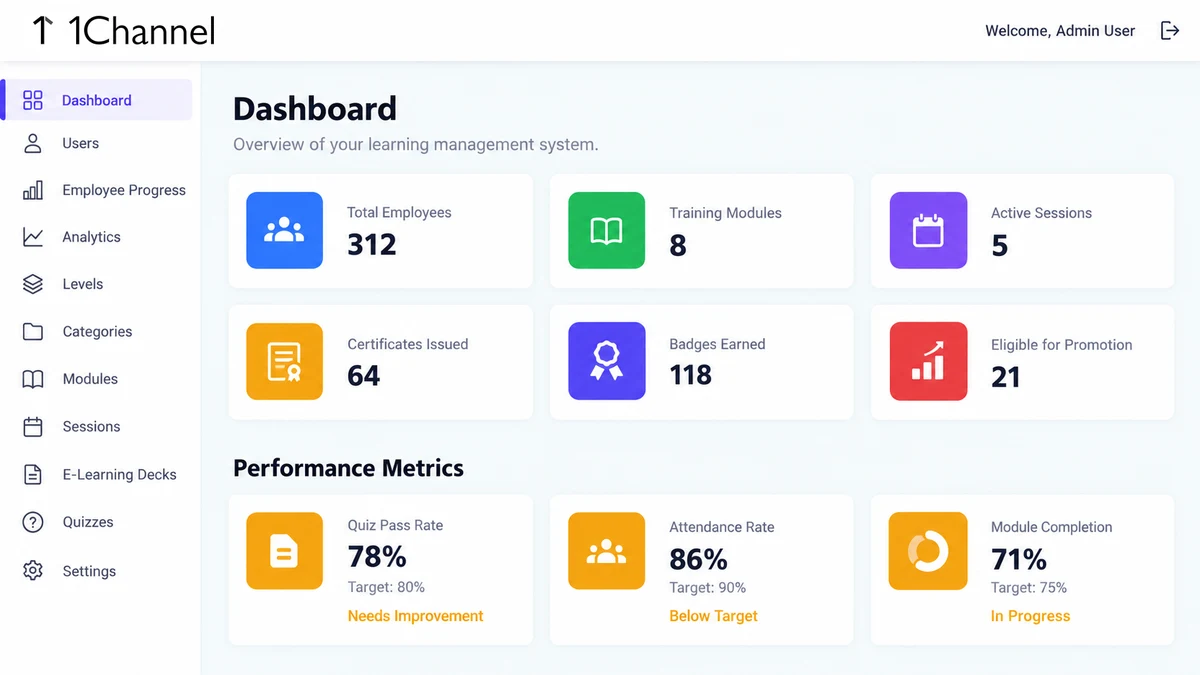
Managers then read the picture on the portal dashboard. Attendance rate sits against a target, and a result under it carries a Below Target label.
In this sample the target is 90 percent and the result is 86, so the team is flagged for follow-up.
How 1Channel Records Who Attended Each Session
1Channel's training platform ties each attendance record to a session, a module and an employee, so every entry has a clear source.
Employees and trainers use one mobile app, and admins run the web portal. Session types, viewing minimums and targets follow each company's own rules.
Know Who Was Trained, Not Just Who Was Invited
See how sessions, attendance rules and progress reports work together in one training platform for field teams.
Explore Sales Team LMS Software →Implementation Snapshot
A typical setup for a brand training promoters and reps follows this order.
- Create a category and a module, and give the module a proficiency level.
- Schedule a session and choose its type: classroom, virtual, in-store or e-learning.
- Set the minimum viewing time for any e-learning content.
- Let employees and trainers mark attendance the way that session type allows.
- Read attendance rate on the dashboard against your own target.
Note: Software screens may vary based on your business structure and configured workflows.