A shelf standard that suits a supermarket aisle will never fit a roadside kiosk, yet many FMCG brands still send one target to every outlet.
That matters across Ghana, where FMCG, cosmetics and personal care, consumer durables, and pharma and healthcare brands all sell through very different outlet types.
This post covers three things: why one norm fails across outlet types, how a norm is set per tier, and how a visit is scored against it.
Why One Shelf Standard Breaks Across Outlet Types
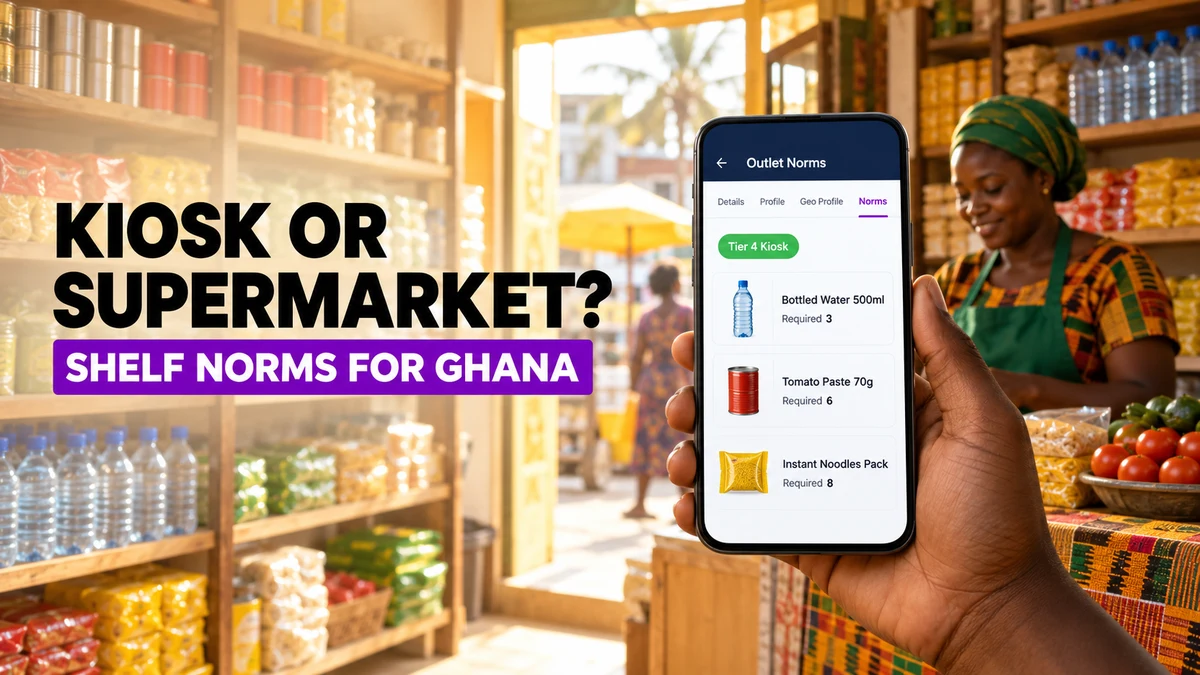
A kiosk in Kumasi may carry a few shelves of fast-moving staples. A supermarket in Accra runs full aisles with dedicated brand space.
Hold both to the same facing count and one of two things happens. The kiosk fails every audit, or the supermarket passes with a thin display.
The table shows how one product can need different targets. The numbers are illustrative, since each brand sets its own.
| Outlet Type | Typical Shelf Space | Example Norm for a Fast-Moving Staple | Effect of One Shared Target |
|---|---|---|---|
| Kiosk | A few shelves, one vendor | 3 units | Fails a target built for larger shops |
| Provision shop | Counter and wall shelving | 6 units | Reps learn to ignore the score |
| Supermarket | Full aisles and brand bays | 12 units | A low target hides a weak display |
Setting a Norm for Each Outlet Tier
1Channel groups outlets into tiers, commonly four, and each brand names and sizes its own.
A norm is the minimum unit count a product must hold in an outlet of that tier.
Norms also vary by product. A high-value, slow-moving line may need only one or two units, while a fast-moving staple may need many more.
Worked example: a beverage brand places a roadside kiosk in Kumasi in its smallest tier and an Accra supermarket in its largest.
The 500ml bottled water norm is 3 units for the kiosk and 12 for the supermarket. Each outlet is measured against its own number.
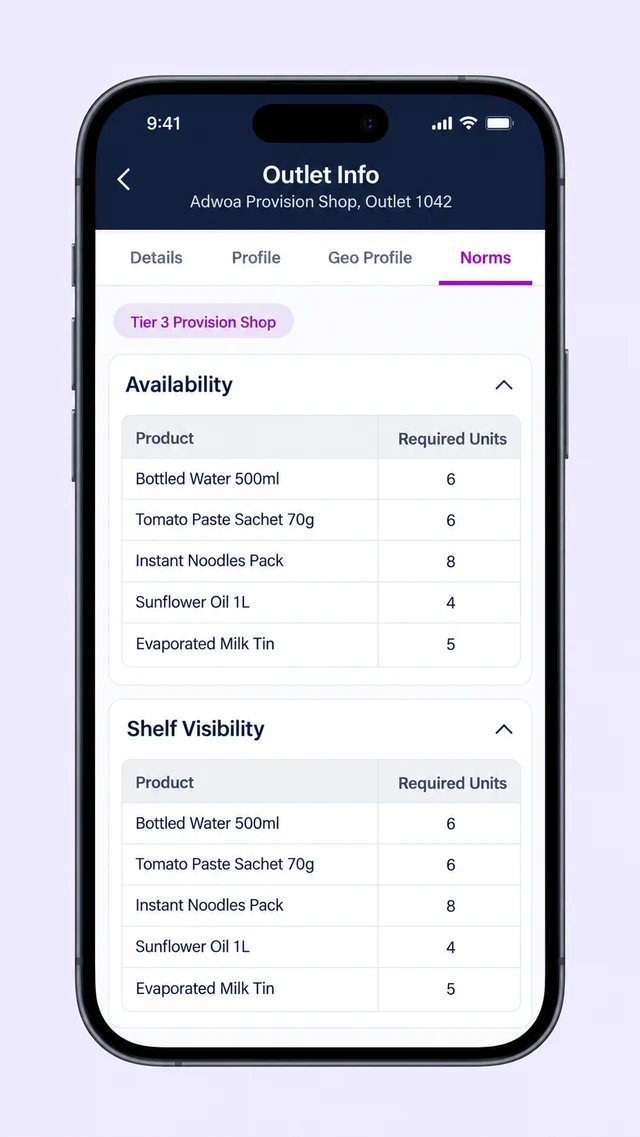
The rep sees this before the visit starts. The View Outlet Info screen in the field app opens on four tabs: Details, Profile, Geo Profile, and Norms.
Details shows the outlet's tier. Norms lists each product with the unit count required at that outlet, split into availability and shelf visibility.
Scoring a Visit Against the Right Target
At the outlet, the rep captures what is on the shelf and the audit compares it with that outlet's own norm, not a company-wide number.
Worked example: on a visit to a provision shop in Tema, the tomato paste sachet norm is 6 units and the shelf holds 7. The line passes.
A 500ml bottled water line with a norm of 6 shows only 3 units. It fails and is flagged in red for follow-up.
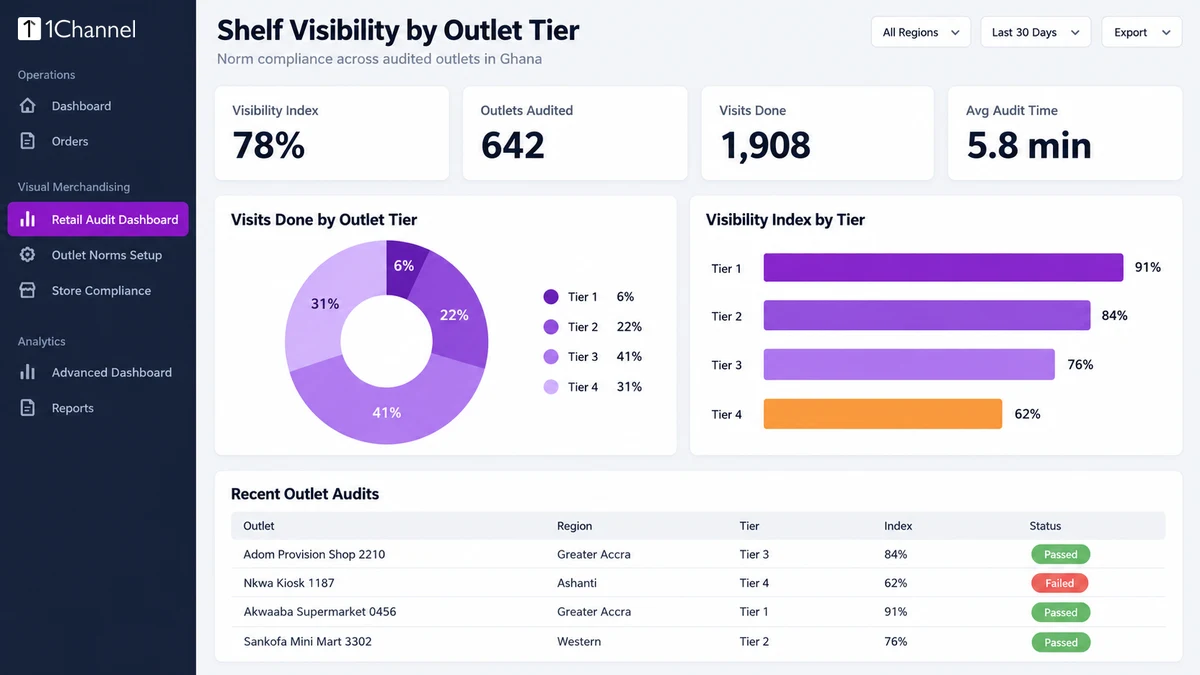
Each pass or fail rolls up into an outlet-level visibility index, so one weak line does not hide the rest of the shelf.
Managers then read results by tier. The dashboard breaks visits done down by outlet tier.
A weak score in the smallest tier is therefore not buried under strong supermarket results.
How 1Channel Keeps Norms Tied to Each Outlet
1Channel's retail execution module holds outlet tiers and norms as master data, so every outlet carries its own target into the visit.
Tier labels and norms are configured to each brand's rules. The field app shows them before any photo is taken.
Results then roll up by outlet and tier in the web portal.
Give Every Outlet a Shelf Target That Fits
See how outlet tiers, per-outlet norms, and shelf audits work together in one retail execution workflow.
Explore Store Audit & Compliance Software →Points to Remember
- One target for every outlet punishes small shops or flatters large ones.
- Tiers are set by the brand, so names and sizes follow its own trade structure.
- Norms differ by product, with slow, high-value lines needing far fewer units than fast movers.
- Reps should see the norm before the visit, not learn their score afterwards.
- Read results by tier, so weak kiosk performance is not averaged away.
Note: Software screens may vary based on your business structure and configured workflows.