Field sales tools to manage distributed teams, automate workflows, and drive productivity across every channel
Manage field sales teams with mobile attendance, route plans, outlet visits, and real-time reporting
Custom questionnaires, field task tracking, offline data collection, and audit management
Beat plan creation, territory allocation, GPS-validated route compliance, and visit scheduling
40+ pre-built reports, custom report builder, real-time dashboards, and MTD sales tracking
GPS attendance marking with AI face validation, geofencing, configurable statuses, and regularisation requests
Leave types, role-based policies, automatic credits, carry-forward limits, holiday calendars, and reporting-head approvals
User creation, organisation tree, role-based access, attendance statuses and remarks, and notifications
Store creation with GPS coordinates, geofencing, channel and category mapping, and store approval
Create trade schemes, map them to stores and product categories, and show offers to field promoters
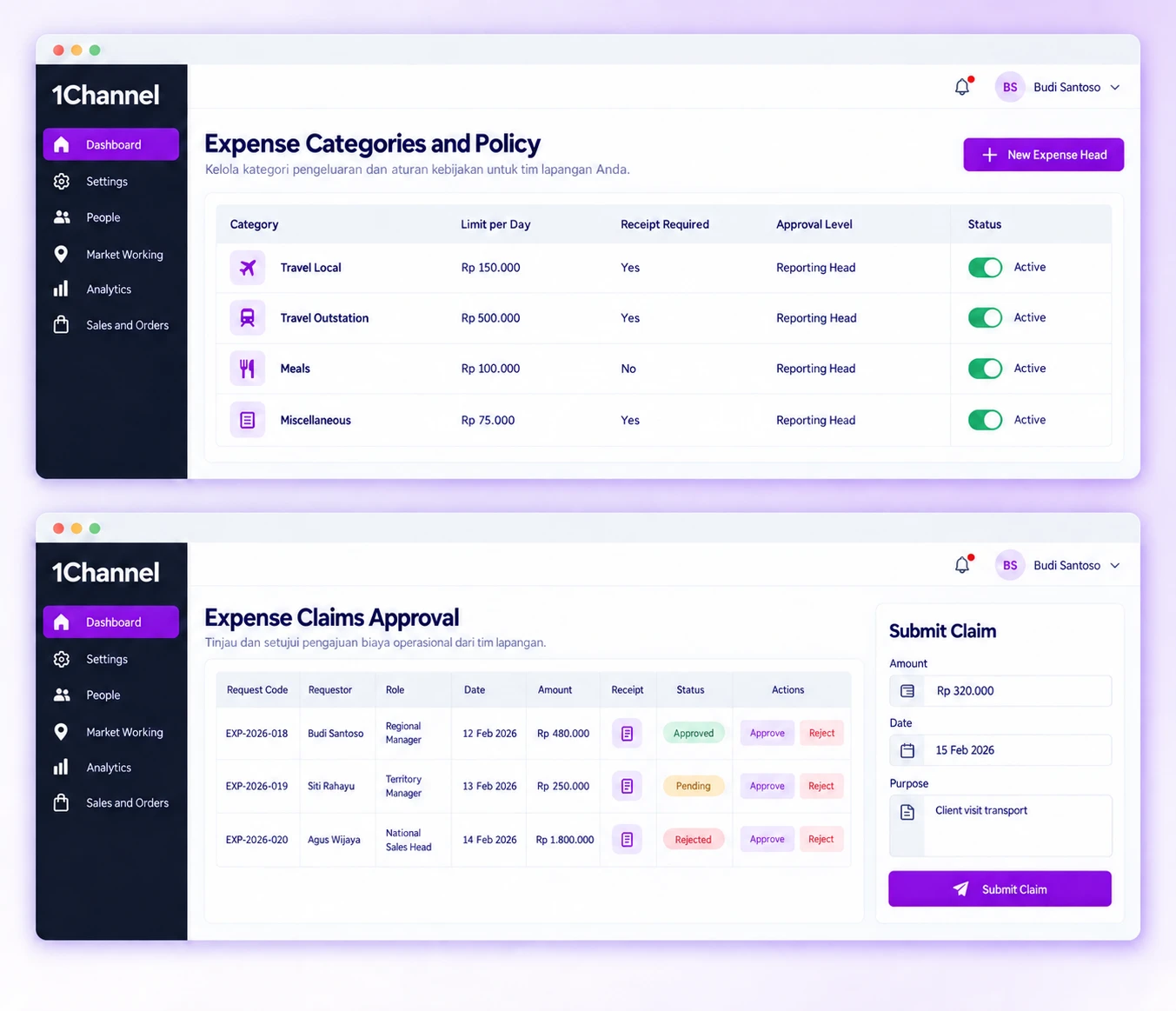
Admins begin in Settings, creating expense heads, defining claim policies for each user role and adjusting the config options. An employee then raises a claim in the mobile app, where only the claim types permitted by their policy appear. The claim lands in the reporting head's queue in the portal, where it is reviewed and approved or rejected.
Our recognitions constantly motivate us to push the envelope of excellence and empower our customers with winning ideas each day.
Employees apply for reimbursement in the mobile app, for example after a company-sponsored work trip.
Features:
Why It Matters:
A trip-related expense can be raised from the app when it comes up, without waiting to get back to a desk.
Admins create the named expense categories for claims on the Expense Head screen under Settings.
Features:
Why It Matters:
Category names are set once by the business and shared across teams.
Each claim policy is tied to a user role and controls which claim types employees in that role can apply for.
Features:
Why It Matters:
An employee only sees the claim types their role is allowed, so the choice is narrowed before a claim is raised.
Each submitted claim goes to the requestor's reporting head, who decides on it from the Approve Claims screen in the portal.
Features:
Why It Matters:
Approval sits with the reporting head, so the person who manages the employee makes the first call, not an accounts team.
Approvers can focus on claims that still need a decision, and admins choose whether claims stay editable once filed.
Features:
Why It Matters:
Approvers see what needs attention first, and admins set how much can still change after a claim is filed.
A settings screen with checkbox options controls how claims behave, and one Save button applies the choices.
Features:
Why It Matters:
Claim behaviour can be adjusted from a single screen to match how the business already handles reimbursements.
For Indonesian organisations with people working in more than one location, reimbursement only runs smoothly when everyone files and approves claims the same way. On the platform, each claim goes to the employee's reporting head, and admins decide which claim types each role can raise.
Benefits:
At 1Channel, we celebrate every step of our new customers journey, market of geography, or higher customer satisfaction score to become the preferred Field Sales CRM leader.