When a Malaysian business starts looking for CRM software, the first options that come up are usually global platforms with fixed features, standard dashboards, and a one-size-fits-all approach. They work reasonably well for straightforward use cases. But the moment your business has specific needs, whether that is managing a dealer network in Johor, tracking distributor relationships across East Malaysia, or running a halal-certified supply chain, generic CRM starts showing its limits.
Configurable CRM takes a different approach. Instead of forcing your business into a pre-built structure, it adapts the structure to fit how your teams actually work. This article explains the practical differences between the two, why it matters for businesses operating in Malaysia, and what to look for when choosing between them.
Table of Contents
What Is Configurable CRM Software?
Configurable CRM is software where the features, fields, workflows, and user interfaces can be adjusted to match a specific business model, industry, or operational requirement. The underlying platform remains stable, but the way it presents information and handles processes is tailored during setup and can be modified as the business evolves.
In practical terms, this means several things for a Malaysian business:
- Custom terminology: A palm oil trading company calls its contacts "planters" and "estate managers," not "leads." An Islamic banking team tracks "financing facilities," not "deals." A configurable CRM lets you rename fields and labels so the software speaks your team's language.
- Selective feature sets: If your business does not need a visual merchandising module or a scheme management feature, those can be removed entirely from the interface. Your team only sees what they actually use.
- Role-based access: A regional sales head in Penang sees analytics and team performance data. A field rep in Kuching sees only their own stores, targets, and visit schedules. The admin controls exactly which modules and sub-options each role can access.
- Custom reports: Beyond pre-built reports, a configurable CRM includes a report builder where admins create new reports by selecting dimensions, types, locations, and filters specific to their business needs.
What Is Standard (Normal) CRM Software?
Standard CRM software comes with a fixed set of features designed to work across industries. The dashboard layout, field names, report templates, and workflow steps are the same whether the user is a tech startup in Cyberjaya or a rubber manufacturer in Kedah.
This is not inherently bad. For businesses with straightforward sales processes and small teams, a standard CRM can be sufficient. But the limitations become apparent when:
- Your industry uses terminology that the CRM does not support, and you cannot change field labels.
- Your team is forced to navigate features they will never use, cluttering the interface and slowing adoption.
- You need a report that the platform does not offer, and there is no way to build custom reports.
- Different roles in your organisation need different levels of access, but the CRM only offers basic admin versus user permissions.
- You want to integrate AI-powered features or connect with other business tools, but the platform does not support extensibility.
Configurable CRM vs Standard CRM: A Side-by-Side Comparison
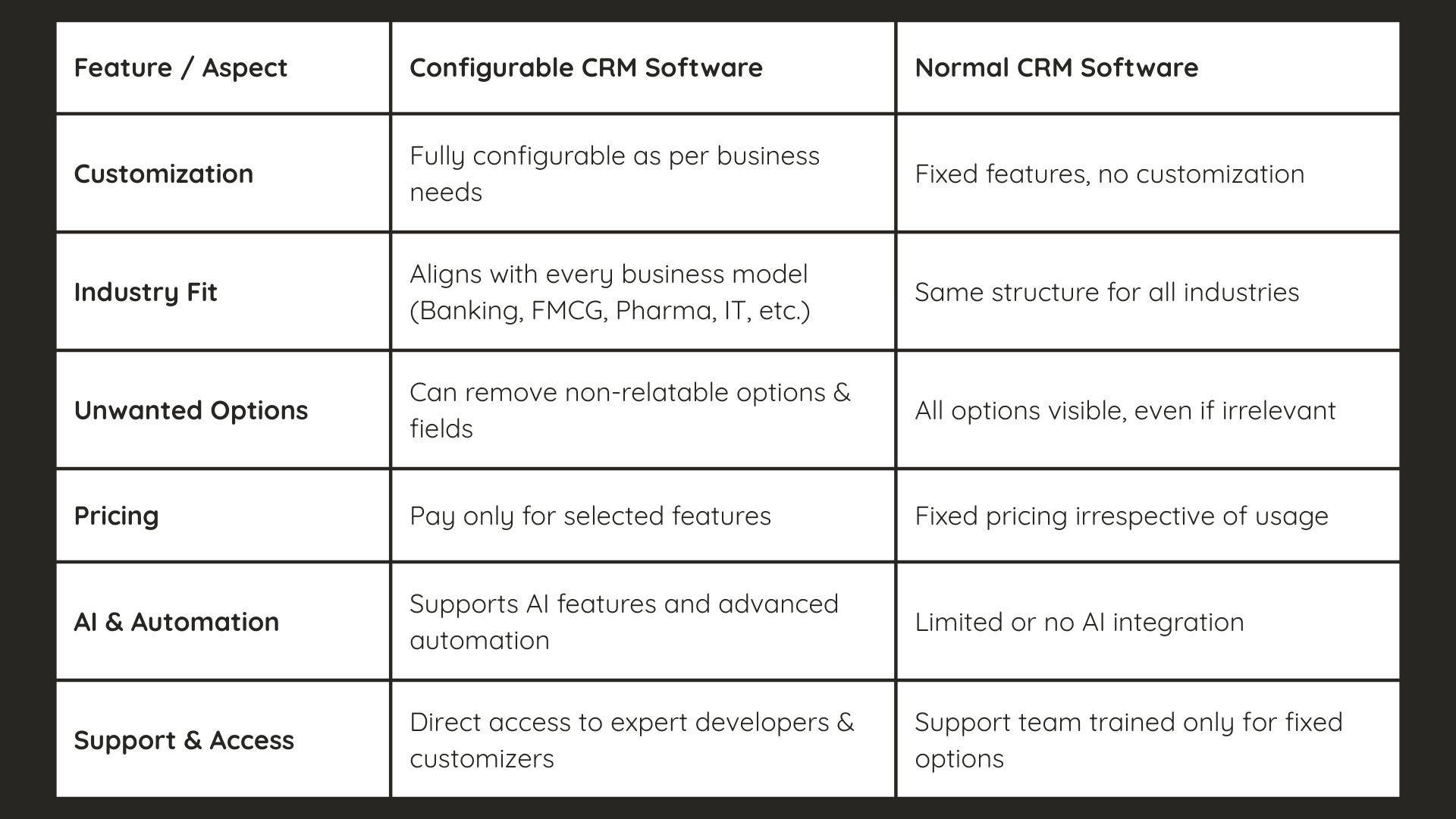
| Feature | Configurable CRM | Standard CRM |
|---|---|---|
| Customisation | Fields, labels, modules, and workflows can be adjusted to match business requirements | Fixed structure with no modification options |
| Industry fit | Adapts to FMCG, pharma, banking, manufacturing, and other verticals through configuration | Same interface and process flow for all industries |
| Unnecessary features | Non-relevant modules and fields can be removed from the interface | All features visible regardless of whether they are used |
| Pricing | Pay for selected features and modules that your business actually needs | Fixed pricing that includes features you may never use |
| AI and automation | Supports AI integration, custom automation rules, and third-party tool connections | Limited or no AI capability, minimal automation options |
| Role-based access | Granular control over which user roles see which modules, reports, and data | Basic admin versus user permissions with limited granularity |
| Reporting | Pre-built report catalogue plus custom report builder with flexible dimensions | Fixed set of standard reports with no customisation |
| Support model | Access to configuration specialists who understand your industry workflows | General support team trained on fixed product features |
How Configurable CRM Helps Businesses in Practice
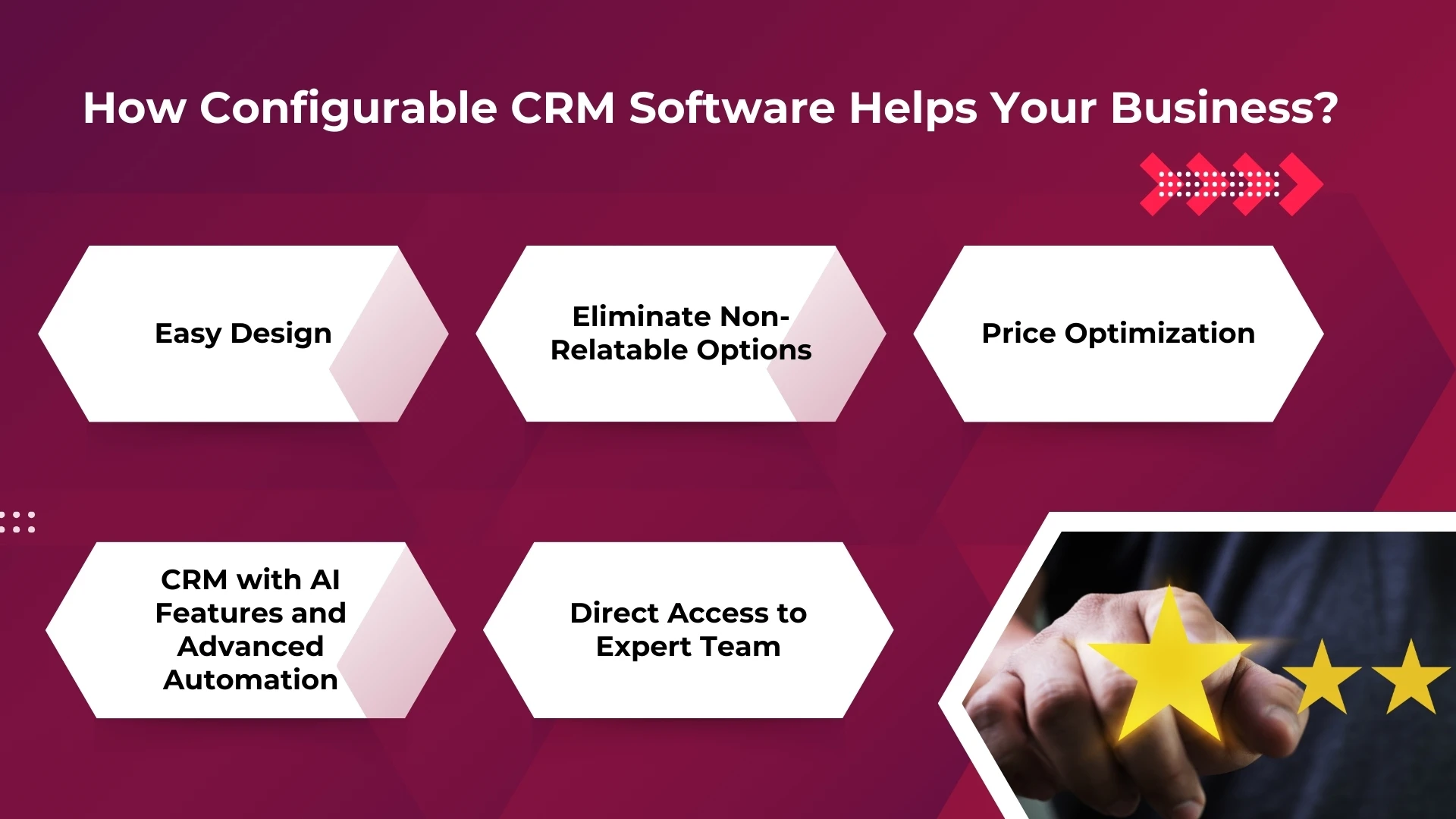
Terminology that matches your industry
Every industry has its own vocabulary. A halal food manufacturer managing relationships with restaurant chains, catering companies, and retail distributors does not think in terms of "leads" and "opportunities." They think in terms of "outlets," "distributors," and "purchase orders."
A configurable CRM supports dynamic labels, which means the admin can rename any field in the system to match the business terminology. The FMCG company in Selangor sees "Retailers" and "Distributors" in their dashboard. The IT services firm in Cyberjaya sees "Prospects" and "Accounts." Both use the same underlying platform, configured differently.
This eliminates the confusion that happens when field teams are forced to map their real-world processes onto software terminology that does not match how they work.
Only the features your team needs
A common complaint with standard CRM software is interface clutter. A sales rep opens the application and sees modules for visual merchandising, scheme management, distributor stock-in, and half a dozen other features that have nothing to do with their daily job. This slows them down and makes training harder.
With configurable CRM, the admin decides which modules are visible to which roles. If the promoter role does not need access to analytics or distributor management, those modules simply do not appear in their app. The team leader might see people management and activity reports but not the product master or price configuration screens.
This selective visibility reduces training time, improves adoption rates, and keeps the interface clean for each user.
Pricing aligned to actual usage
Standard CRM platforms typically charge a flat per-user fee that includes every feature, whether the business uses them or not. For a small distributor in Melaka with 15 sales reps who only need contact management and visit tracking, paying for enterprise-grade analytics, visual merchandising, and scheme management modules is wasted budget.
Configurable CRM platforms often structure pricing around the features and modules the business selects. If you do not need a particular module, you do not pay for it. As the business grows and requirements expand, additional modules can be activated without migrating to a different platform.
AI and automation that fits your workflow
The ability to integrate AI features is increasingly important as Malaysian businesses look for ways to improve efficiency. In a configurable CRM, AI capabilities can be added where they make the most impact for your specific operation.
For example, AI-powered face validation can be enabled for attendance verification so that field reps confirm their identity with a live selfie matched against a reference photo. AI-driven analytics dashboards can surface patterns in sales data, flagging when a product category is underperforming in a specific region or when visit frequency drops below planned levels.
Conversational AI features allow reps to query their own data through chat, asking questions like "How many visits did I complete this week?" or "What is my sales total for Product X?" without opening multiple report screens. These capabilities can be enabled selectively based on which roles benefit from them.
Granular access control across roles and teams
In any organisation with more than a handful of users, different people need access to different data. A field promoter should not see company-wide analytics. A regional manager should not be editing the product master. A finance team member might need to view expense claims but not store visit logs.
Configurable CRM provides role-based access at a granular level. The admin creates user roles (such as Promoter, Team Leader, Regional Head, or Business Development Head) and defines exactly which sections of the software each role can access. Within each section, the admin can further restrict which sub-options are visible. For example, the analytics section might have eight sub-modules, but a particular role might only need access to three of them.
This is not just a security feature. It directly affects usability because every user sees a clean, relevant interface tailored to their responsibilities.
Custom reporting beyond standard templates
Standard CRM platforms come with a fixed set of reports. If the report you need does not exist, you either export raw data to Excel and build it manually or raise a feature request that may never be fulfilled.
Configurable CRM includes a report builder where admins can create custom reports by defining the report title, selecting dimensions (such as sales data, attendance, merchandising, or stock), choosing the report type, filtering by location, and assigning it to specific tabs in the portal. Once created, these custom reports appear alongside the standard report catalogue and can be accessed by the assigned roles.
For a Malaysian FMCG company that needs a weekly report combining beat compliance, tertiary sales by region, and attendance data in a single view, this is the difference between spending an hour in Excel every Friday or having the report generate automatically.
Explore Configurable CRM for Your Business
Customise workflows, select only the features you need, integrate AI capabilities, and control access at every level with a CRM built to adapt to your business.
Book a Free Demo →Frequently Asked Questions
What is the main difference between configurable CRM and standard CRM?
Configurable CRM allows businesses to adjust features, field names, modules, and access levels to match their specific requirements. Standard CRM comes with a fixed structure that is the same for all users regardless of industry or business model.
How does configurable CRM save costs?
By enabling businesses to select only the modules and features they need, configurable CRM eliminates the cost of paying for functionality that goes unused. As the business grows, additional features can be activated without switching platforms.
Can configurable CRM support AI and automation?
Yes. Configurable CRM platforms can integrate AI features such as face validation for attendance, AI-powered analytics dashboards, and conversational AI for field queries. Automation rules can be configured to match specific business workflows.
Which industries benefit most from configurable CRM?
Industries with specialised workflows and terminology benefit the most. This includes FMCG, pharmaceuticals, manufacturing, halal food production, banking and financial services, and distribution businesses that need CRM to adapt to their operational processes rather than the other way around.
Is configurable CRM harder to set up than standard CRM?
Initial setup may take slightly longer because the system is being tailored to your business. However, this investment pays off through faster user adoption, cleaner interfaces, and reports that match your actual requirements from day one.
Final Words
The choice between configurable and standard CRM comes down to how closely the software matches your business reality. For Malaysian companies operating in industries with specific workflows, regulatory requirements, multi-tier distribution networks, or field teams spread across diverse geographies, a configurable CRM delivers measurable advantages in usability, cost efficiency, and long-term scalability.
Rather than adapting your team's processes to fit a rigid software structure, a configurable platform adapts to how your team already works. That difference shows up in faster adoption, cleaner data, and reports that actually answer the questions your managers are asking.
1Channel's CRM platform is built with this configurability at its core. Get in touch to see how it can be tailored to your business requirements.