Every hour a field order spends sitting in a rep's notebook is an hour the distributor cannot fulfil. Multiply that across 200 reps and the brand's quarterly revenue moves on the size of that lag.
Slow order collection costs revenue twice. Once in the lost cycle time, and once in the orders that drift off the rep's mental queue and never get filed at all.
Real-time dashboards close both gaps. The brand reads the orders as they land, the rep reads their own day in the same view, and the orders that would otherwise have slipped get recovered before the day ends.
Table of Contents
Why Order Collection Speed Compounds Into Revenue
Order collection is the leading indicator the brand reads to know whether the current cycle is going to clear targets. The faster orders surface, the faster the brand can redirect inventory, adjust distributor priorities, and reinforce active schemes.
Latency compounds in the wrong direction. A daily order roll-up that arrives Tuesday morning for Monday's activity already misses the window where it could have changed Monday afternoon's beat.
Five Screen Clusters That Compress the Order Cycle
Five screen groups carry the load. Each one exposes a different layer of the order flow:
Executive Analytics and 7-Day Sales Trend
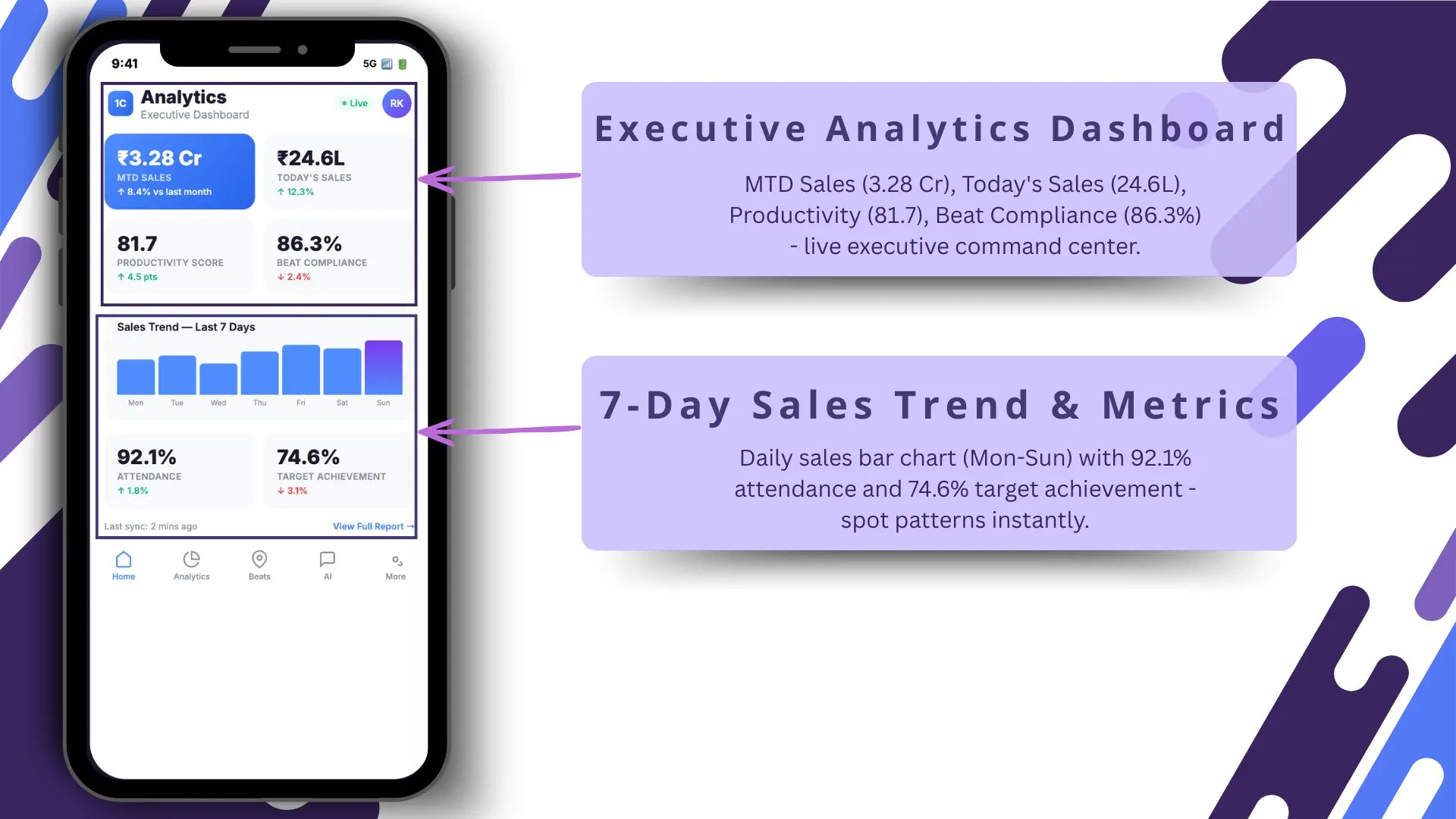
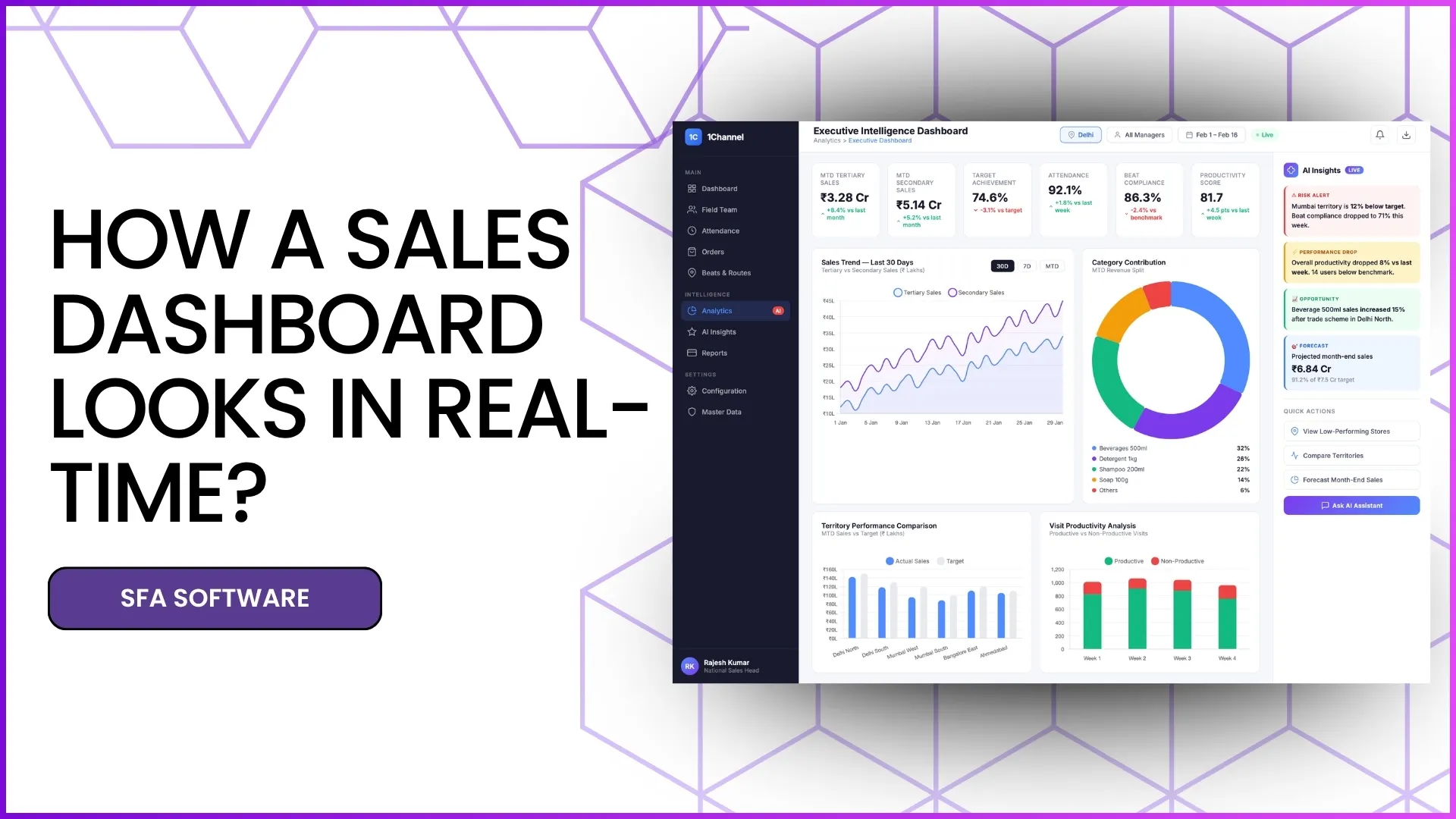
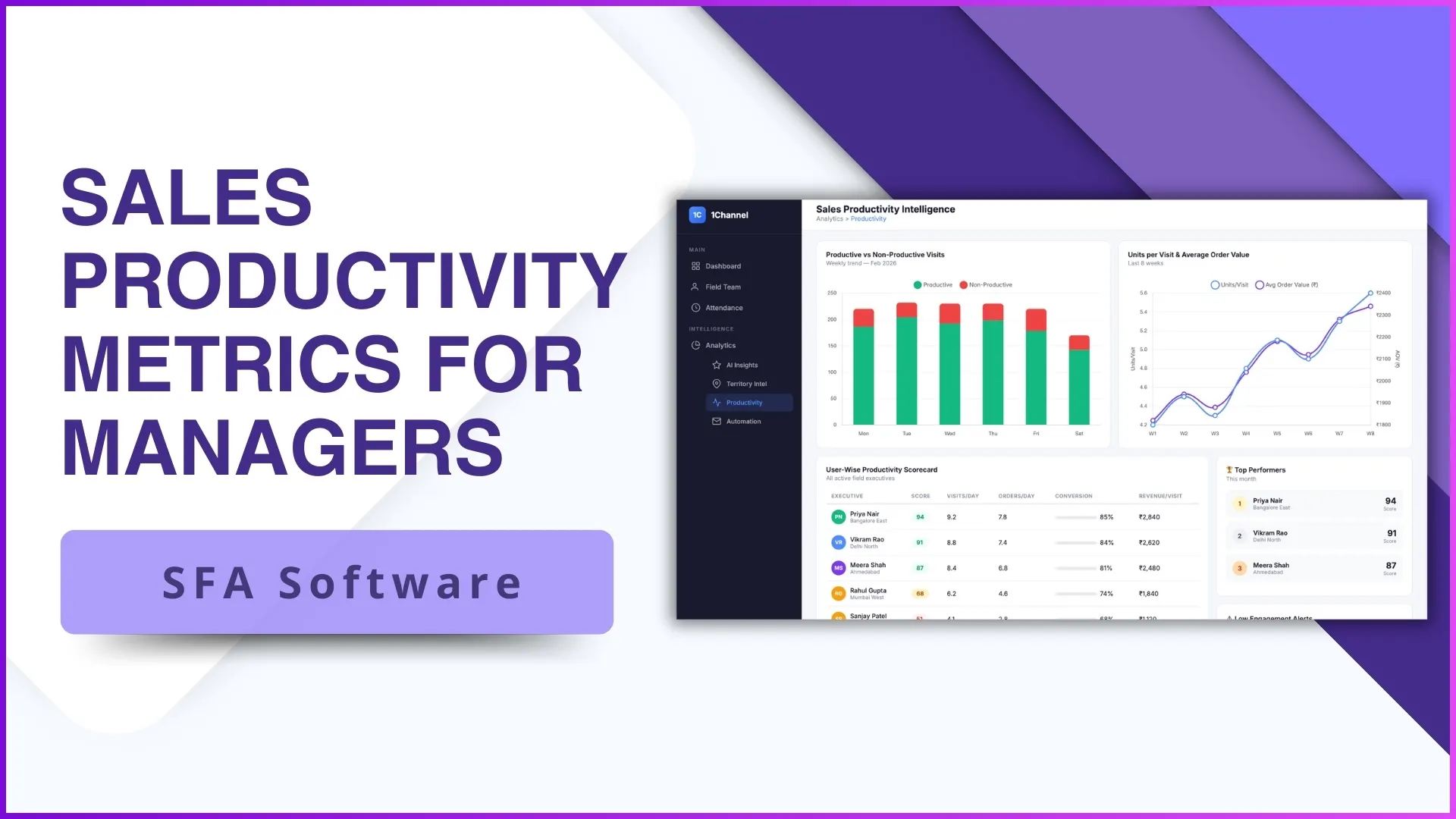
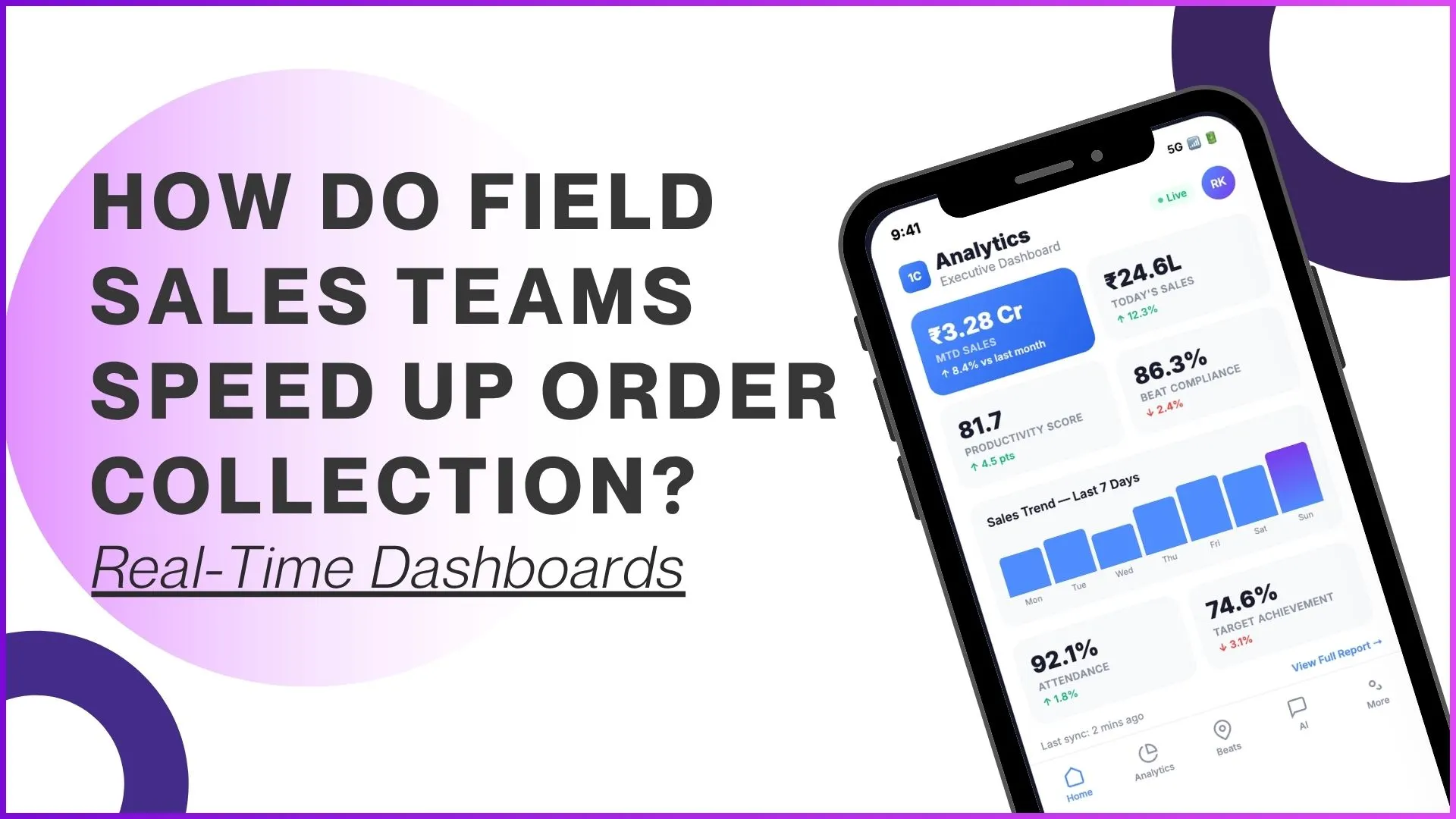
The top-level view pairs the executive summary with a rolling 7-day trend, so the leader reads both the daily snapshot and the short-term arc on the same screen. Real-time updates flow in as orders land, with sub-minute latency on most tiles.
Territory Snapshot and Beat-Level Performance
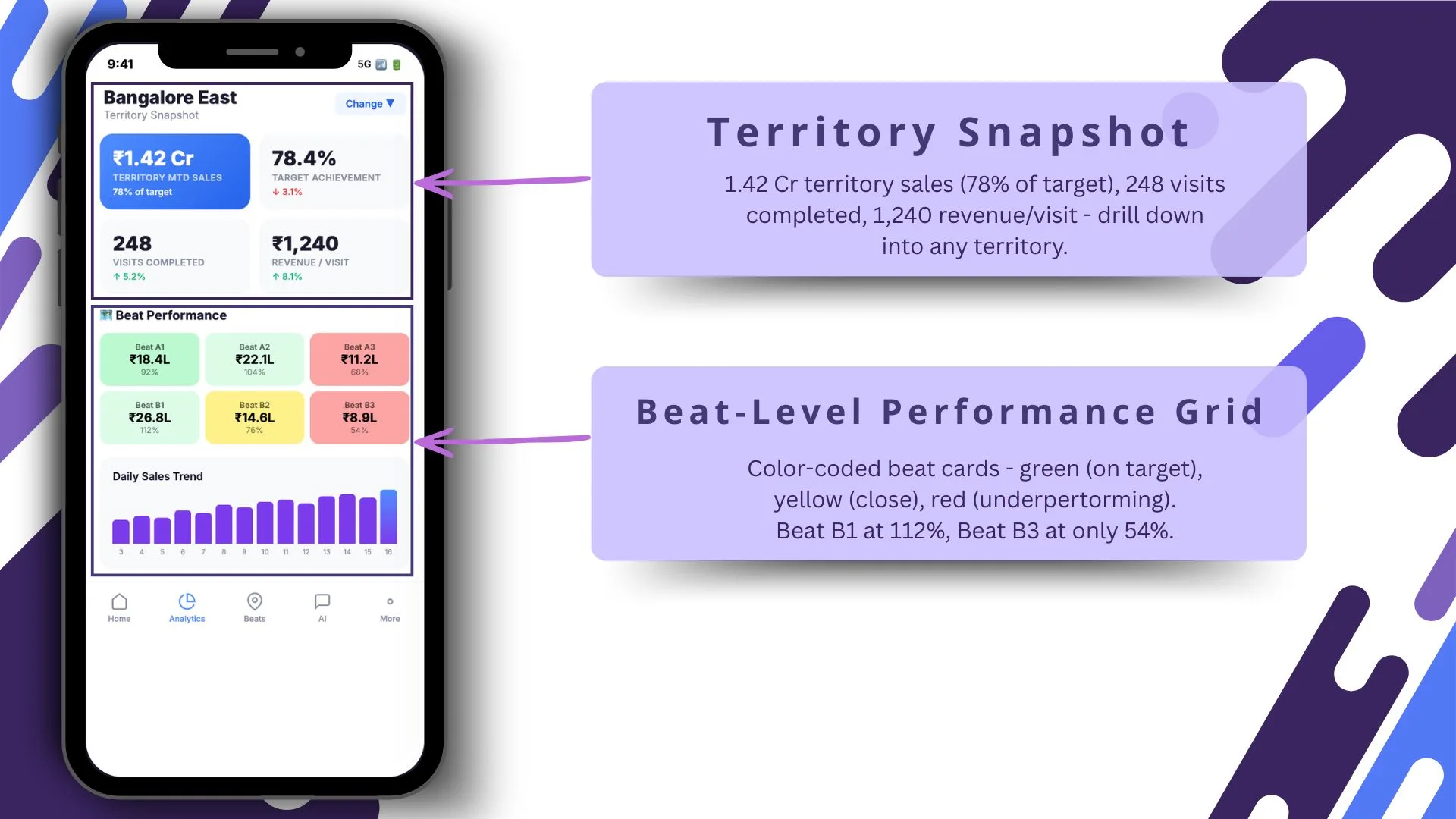
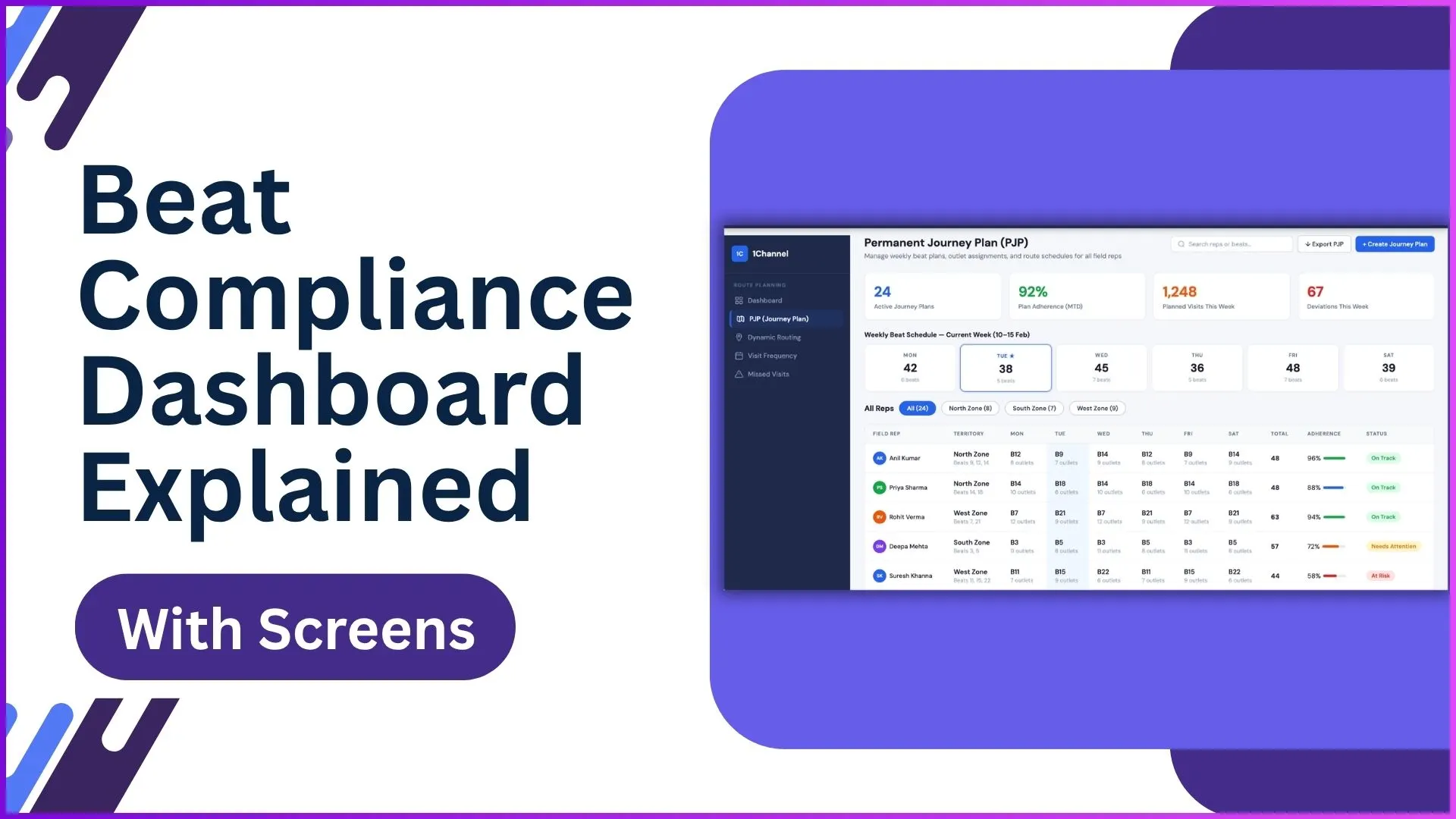
The territory snapshot rolls performance up by region, and the beat-level grid breaks it down by beat. Reading them together surfaces where order velocity is concentrating and where it is slipping.
AI Assistant and AI-Powered Quick Actions
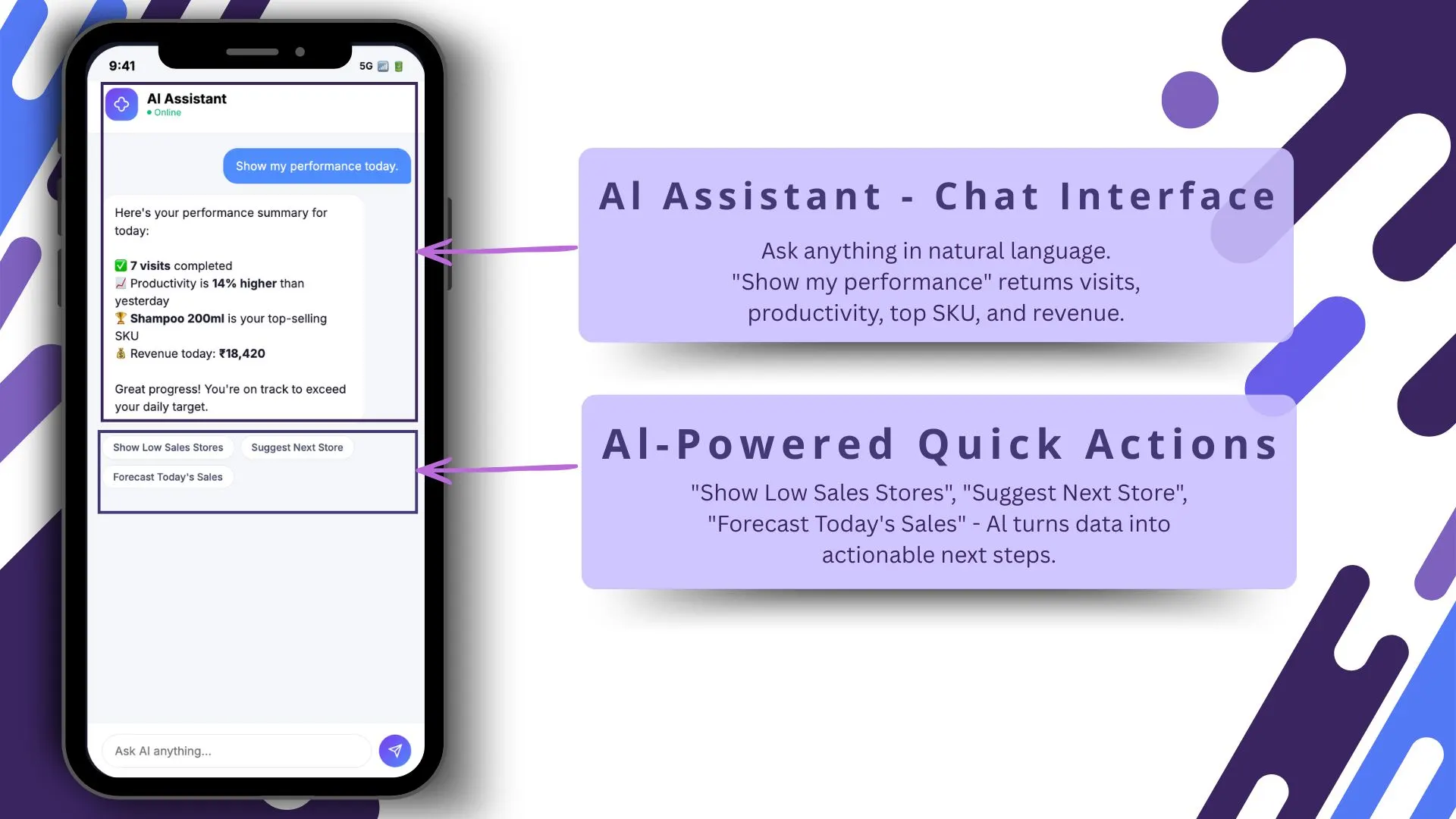
The AI assistant takes natural-language queries and returns the answer with a chart. Quick actions surface the most common follow-ups (call a partner, send a notification, redirect a delivery), so the leader moves from insight to action without leaving the screen.
Smart Alerts and AI Nudges
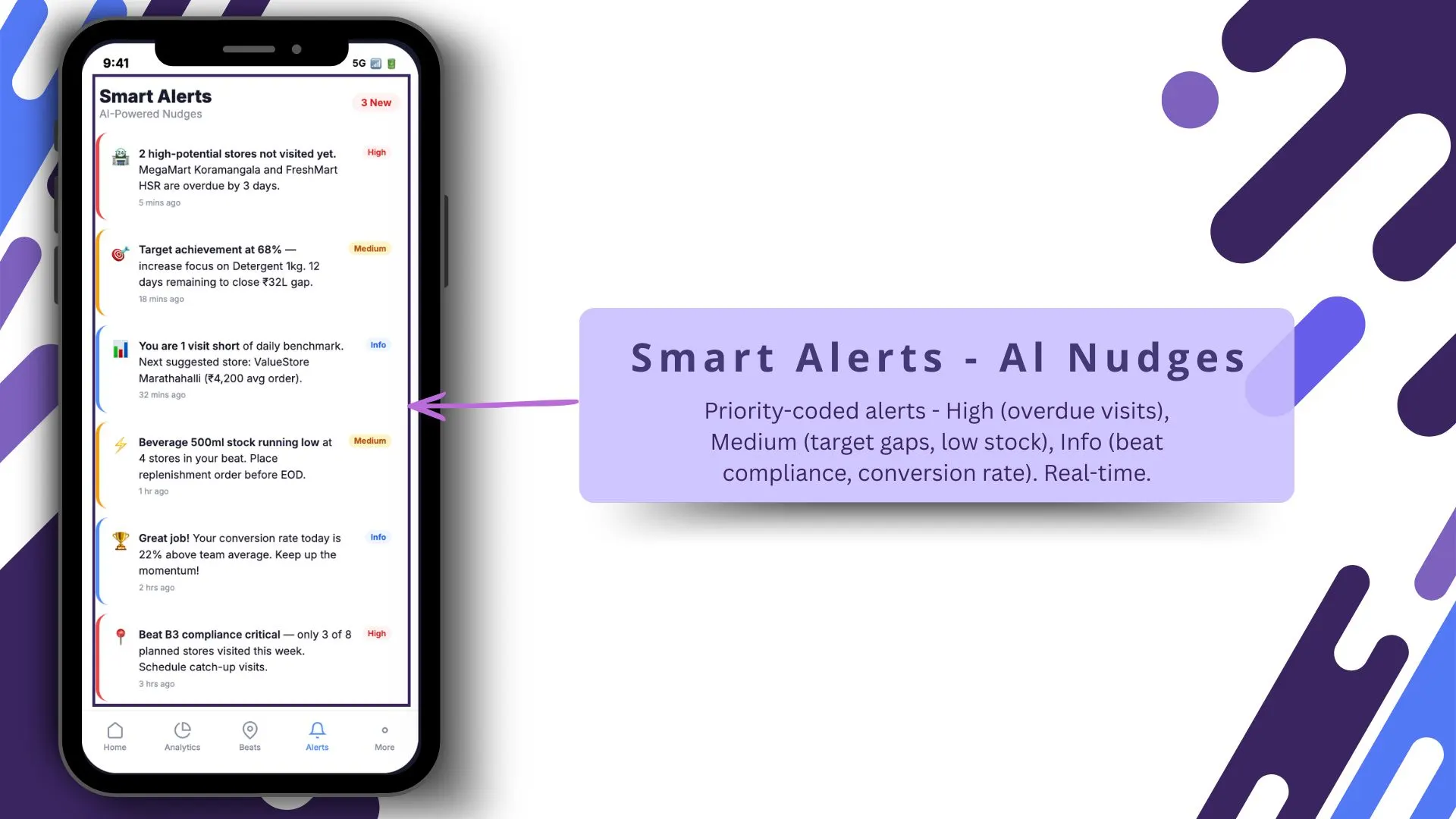
Alerts surface the patterns that need attention: slipping territory velocity, a rep whose order count is half their average, a high-value partner who has not placed in the typical window. The alerts tilt the system from reactive to proactive.
Automated Report Delivery
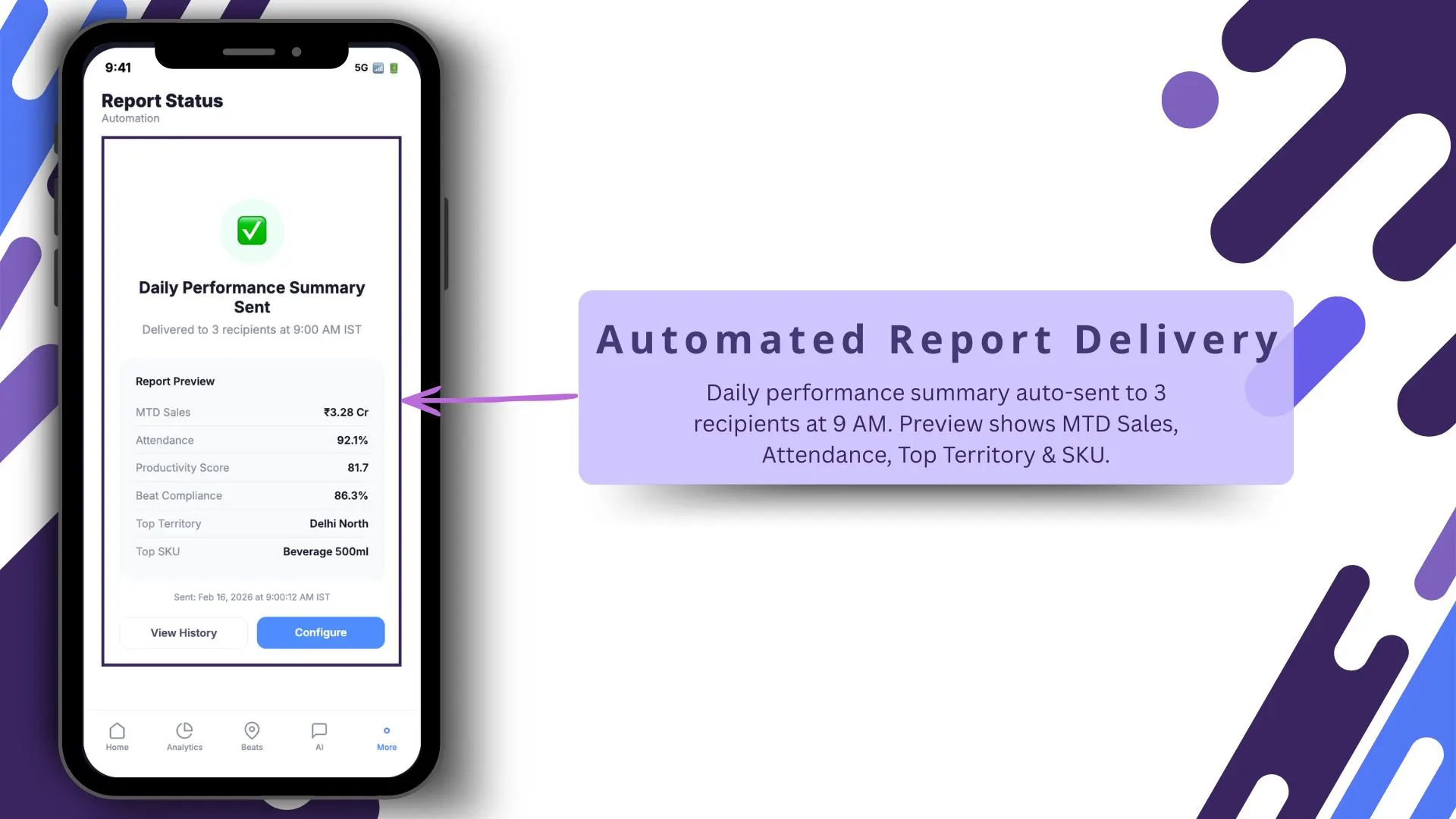
Scheduled reports land in the right inbox at the right time, automatically. Leadership reads the morning brief before the meeting, supervisors read the weekly review before cycle close, and HR reads the monthly compliance digest before payroll.
How AI Tilts Order Capture From Reactive to Proactive
A dashboard without AI is a faster firehose. The reader still has to spot every pattern in the volume, and at scale the patterns get lost in the green tiles.
AI sits on top of the data and surfaces the patterns automatically. The leader walks into the meeting with a short list of things to look at, not a wide screen of numbers to scan.
Why Automated Reports Close the Loop with Leadership
Live dashboards are powerful for the people who watch them. They lose value for the people who do not check them daily, which usually includes the most senior leaders.
Scheduled reports bring the dashboard's signal to those leaders on their own cadence. The report arrives in the right inbox at the right time, and the dashboard's insight becomes leadership-visible without anyone having to log in.
How 1Channel Runs Real-Time Order Collection for Malaysian Field Teams
1Channel runs real-time order dashboards through its cloud Sales Force Automation and analytics modules. Every order from the field updates the dashboard automatically against configured KPIs, with sub-minute latency on most tiles.
1Channel's AI engine watches for the patterns operations teams care about. Order velocity drift, partner-pattern anomalies, scheme-adherence gaps, and territory concentration risks all surface as alerts before they reach the morning review.
Configuration runs through the admin console. New KPIs, alert thresholds, report schedules, and dashboard layouts go live the same day they are approved, with an automated dry-run preview against the last 30 days of field data.
Explore Cloud Sales Analytics Software
1Channel's cloud sales analytics platform compresses order cycles with AI alerts and automated report delivery.
Explore Sales Analytics Software →Implementation Snapshot for a Faster Order Cycle
A clean sequence to compress the order cycle with real-time dashboards:
- Connect the order capture layer to the cloud ledger first. Without clean upstream data, the dashboard reads garbage faster.
- Pick the right cadence for live mode. Real-time tiles for the operations meeting; 7-day trends for the weekly review; monthly digests for board prep.
- Configure smart alerts before the team gets used to the dashboard. Alerts that arrive too late lose their value; alerts that arrive too noisy get muted.
- Pair the dashboard with the AI assistant on day one. Natural-language queries cut training time in half and surface patterns the user might not know to ask for.
- Schedule automated reports for every role that does not log in daily. The CFO, the CMO, and the COO each need their own report at their own cadence.
- Review the alert configuration quarterly. Patterns shift, thresholds drift, and alerts that worked in Q1 become noise by Q3.