The list of what a Malaysian distributor takes into the warehouse every week is longer than most operators admit: factory dispatches, retailer returns, inter-distributor transfers, scheme replacements, damage write-ins, and the occasional emergency intake from a sister branch.
Each of these is a stock-in event. Each carries a different invoice template, a different approval chain, and a different downstream effect on what the distributor can sell tomorrow.
Stock-in management is the SFA capability that puts every one of these events into one cloud ledger, so the distributor knows what landed and the brand knows what to bill against.
Table of Contents
What Stock-In Management Tracks
Stock-in management is the workflow that records every inbound stock movement at a distributor's warehouse. The recording happens before the stock becomes available to field reps for secondary sales.
What gets tracked is the event itself: source, SKU, quantity, batch, expiry, and approval state. The cloud SFA stamps each entry with a timestamp and a user, so the audit trail builds itself.
For the distributor, stock-in is a working-capital event. Every SKU that lands takes up warehouse space, ties up payment days, and becomes a saleable position only after the receipt is verified.
Seven Elements That Make Up the Stock-In View
Seven elements show up in every well-built stock-in module:
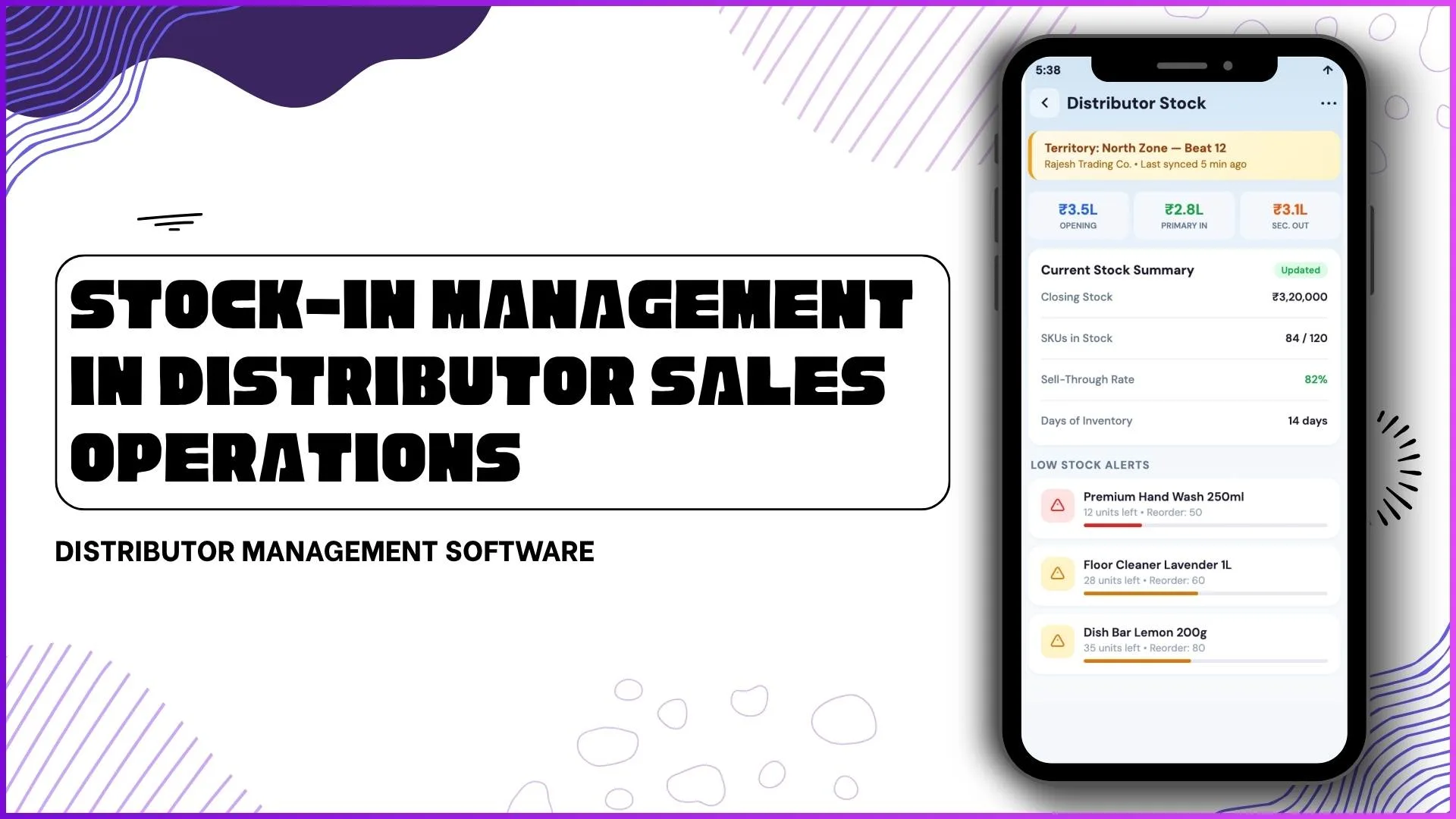
- Opening and closing stock tracking. The distributor's day starts with an opening balance and ends with a closing one. Every stock-in event posts between the two.
- SKU-level inventory visibility. The view drills from total stock to SKU to batch to expiry, so the field rep selling the SKU sees the right ageing context.
- Secondary sales linkage. Stock-in feeds secondary sales calculations directly. The platform reads what landed and what was sold, and reports the gap as live inventory.
- Low stock alerts. A configurable threshold per SKU triggers a replenishment alert before the distributor runs out. The alert posts to the brand's planning engine automatically.
- Distributor ledger integration. Every stock-in event corresponds to a ledger entry, so the financial position stays in sync with the physical inventory position.
- Collection linkage. A distributor sitting on overdue collections sees the stock-in flow throttled. The platform enforces the credit limit at the intake door, not at the dispatch door.
- Beat-wise stock performance. Stock-in patterns roll up to the beat level so the brand sees which beats are absorbing stock cleanly and which are over-stocking.
How 1Channel SFA Runs Stock-In Management for Malaysian Distributors
1Channel SFA runs stock-in management through its cloud DMS and SFA suite. The distributor's intake desk uses the portal; the field rep sees the resulting saleable position on the app; the brand reads the roll-up from the analytics layer.
1Channel's AI engine watches the stock-in flow for structural drift. A distributor whose acceptance lag is climbing, a region where damage write-ins are spiking, or a beat where the stock-to-sales ratio is widening: all surface as soft alerts.
New SKU mappings, approval rules, alert thresholds, and credit-limit triggers go live the same day they are approved, with an automated dry-run preview against the existing distributor base.
Explore Distributor Portal Software
1Channel's cloud distributor portal gives the intake desk a single workflow for stock-in events, with AI-driven anomaly alerts and automated credit enforcement.
Explore Distributor Portal →Action Checklist for the First 30 Days
Five actions to land in the first month of running stock-in through the platform:
- Audit the master. Reconcile the SKU master, distributor master, and credit-limit master before any stock-in event goes live. The cleaner the master, the fewer the exceptions.
- Train the intake desk. The distributor's intake operator runs the workflow every day. Two hours of training plus a one-week parallel run keeps the audit trail clean from day one.
- Enable low-stock alerts on the top 50 SKUs. Do not enable every SKU at once. Start with the top 50 by volume; expand once alert fatigue is controlled.
- Connect the ledger. The stock-in module must read from the same ledger the brand's analytics reads. Without the connection, the financial and physical pictures diverge by week two.
- Set the supervisor review cadence. Stock-in patterns are read weekly in the first month, then shift to fortnightly once the baseline stabilises.